

UGREEN Docking Station 100W USB-C hub for laptops
Product description
This multiport USB-C docking station brings laptop power, high-resolution video outputs and fast data transfer to a clutter-free desk. It combines triple-monitor support with up to 100W laptop charging and multiple high-speed ports, so you can connect peripherals, memory cards and a wired network for hybrid working or content creation.
Key Points
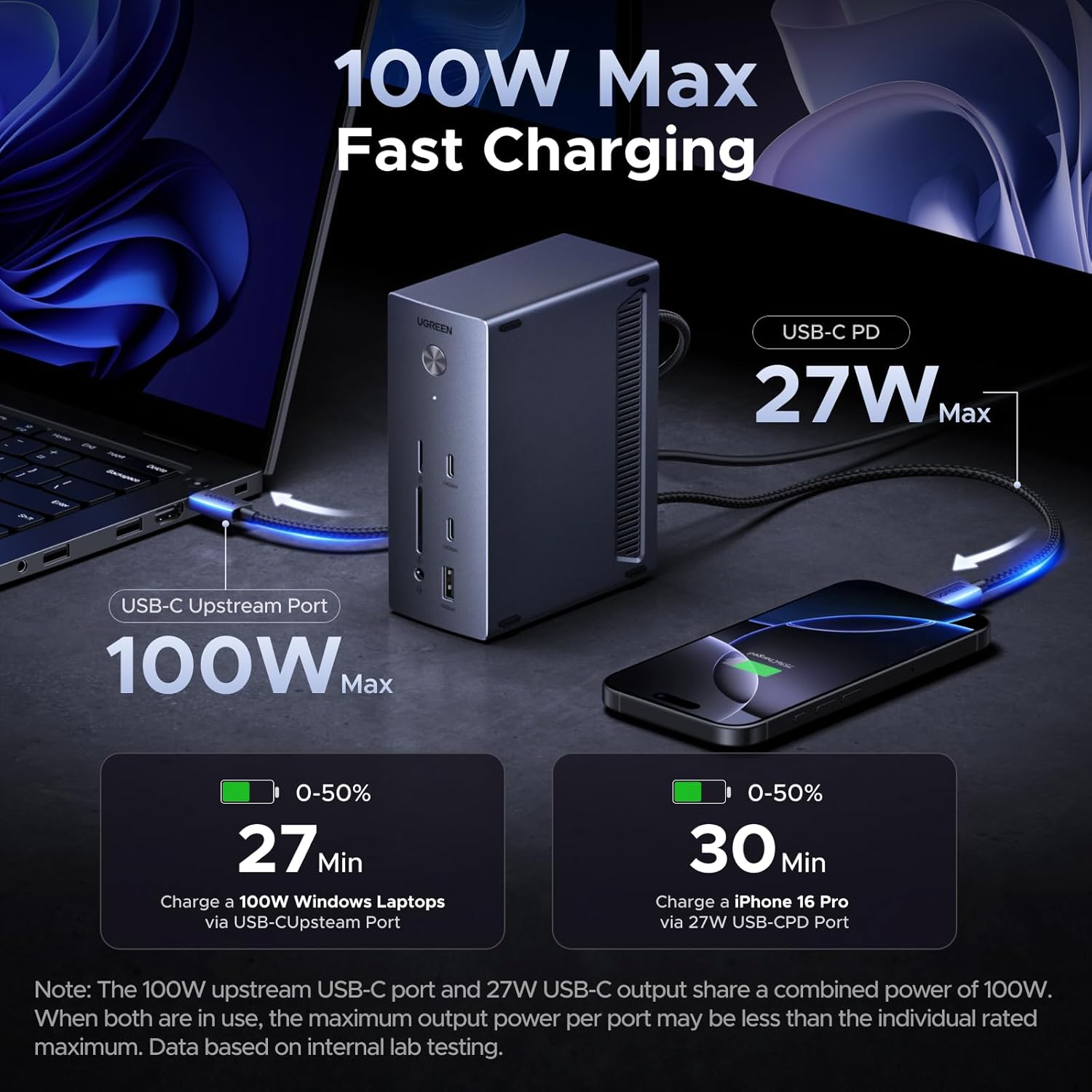
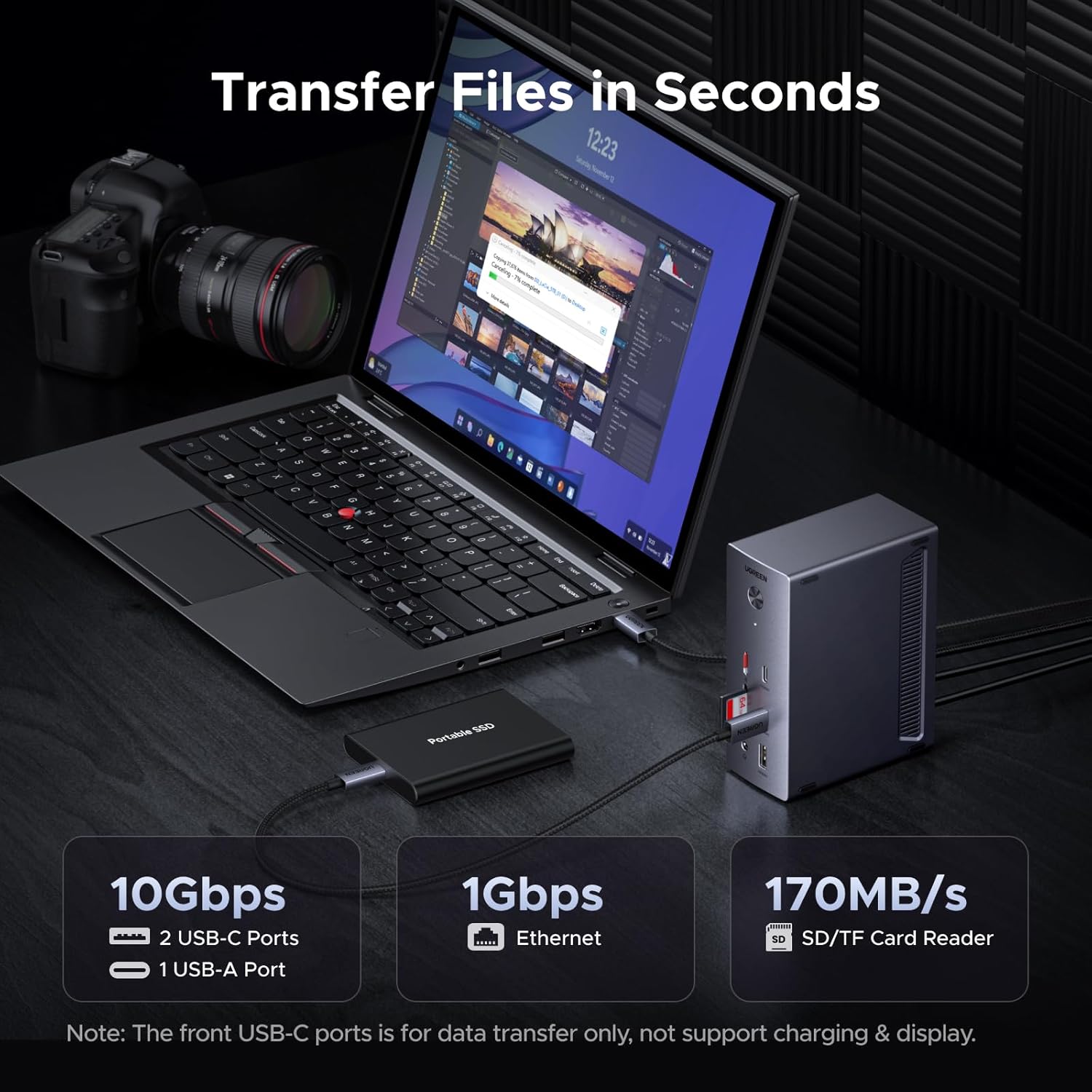
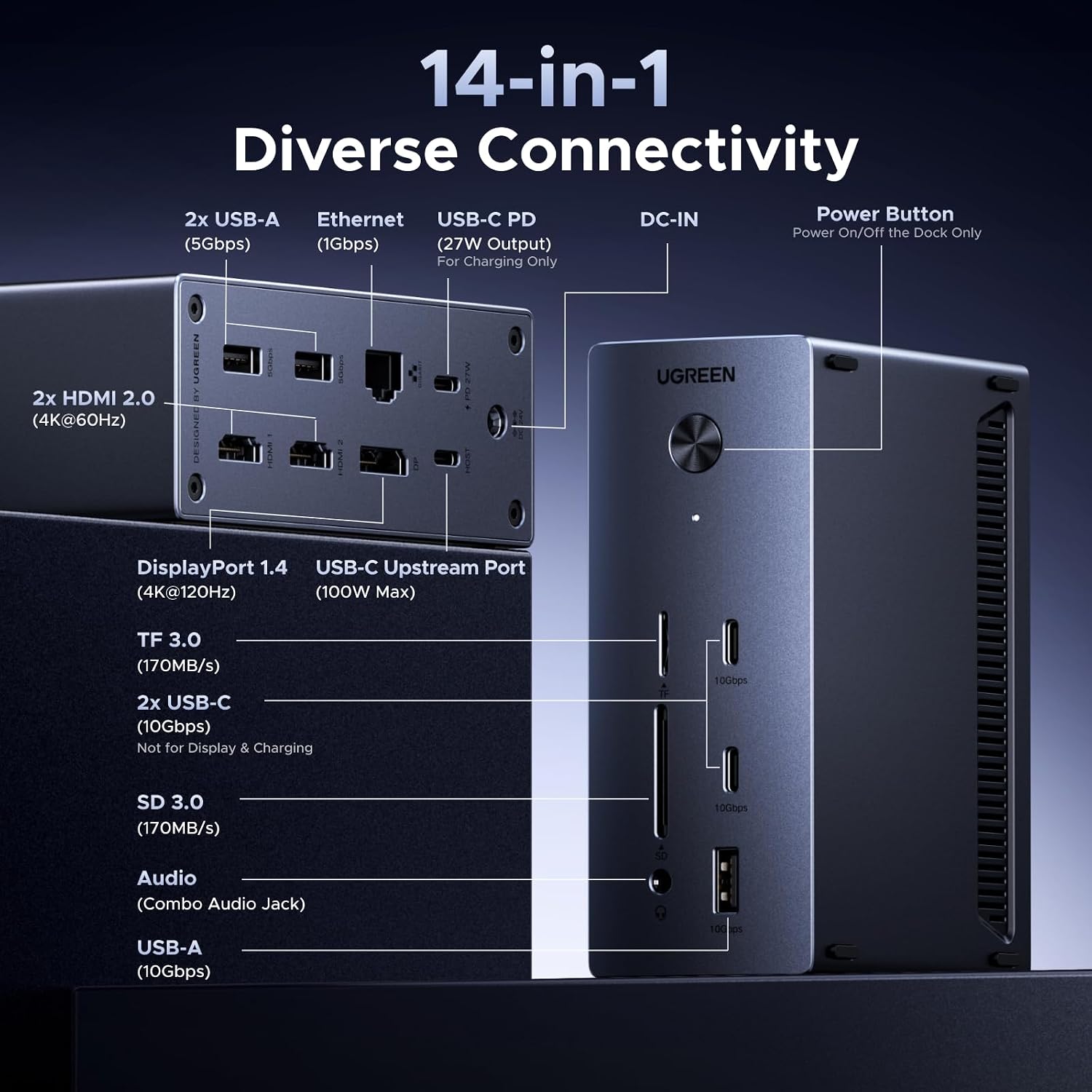
The dock supports three external displays at once using two HDMI ports and one DisplayPort, allowing extended desktops for spreadsheets, editing timelines and reference material. It includes a dedicated 100W upstream USB-C for laptop power and an extra USB-C PD output rated at 27W for phones or tablets, although both share a combined power budget so total delivery may vary according to connected devices. For photographers and videographers, integrated SD and TF slots reach up to 170MB/s to speed file offloads from cameras. ⚡📷
Technical Specifications
- Name: UGREEN Docking Station, Triple 4K Display (2x HDMI+ DP), 14-Port USB-C Dock
- Upstream power delivery: 100W max
- Additional USB-C PD output: 27W max
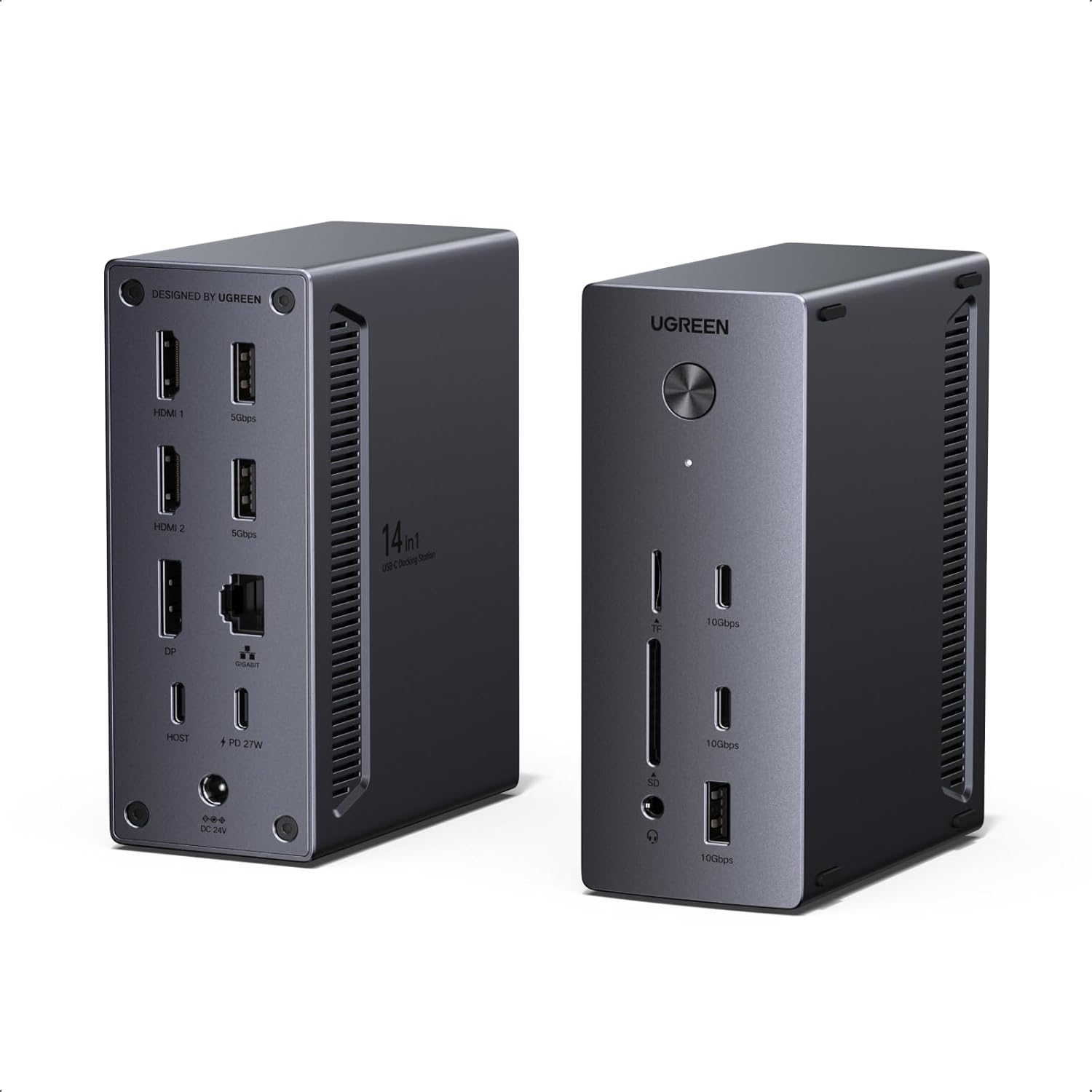
- Video outputs: 2x HDMI 4K and 1x DisplayPort supporting up to 8K@30Hz or 4K@120Hz single monitor
- Data ports: 2x USB-C 10Gbps and 2x USB-A, plus 10Gbps transfer capability
- Card reader speeds: up to 170MB/s for SD/TF
- Network and audio: Gigabit Ethernet and 3.5mm audio jack
- Power supply: 140W DC adapter included
Benefits
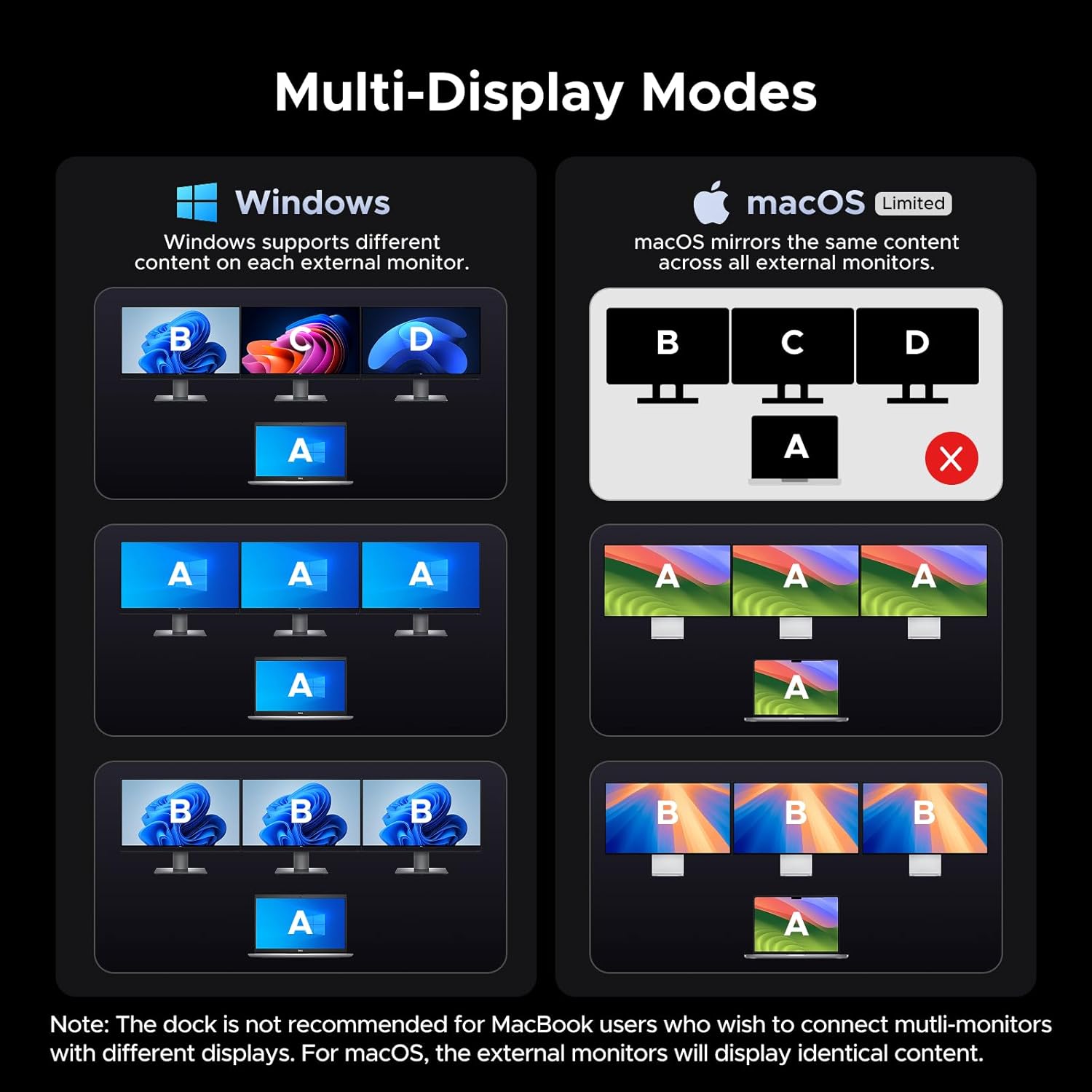
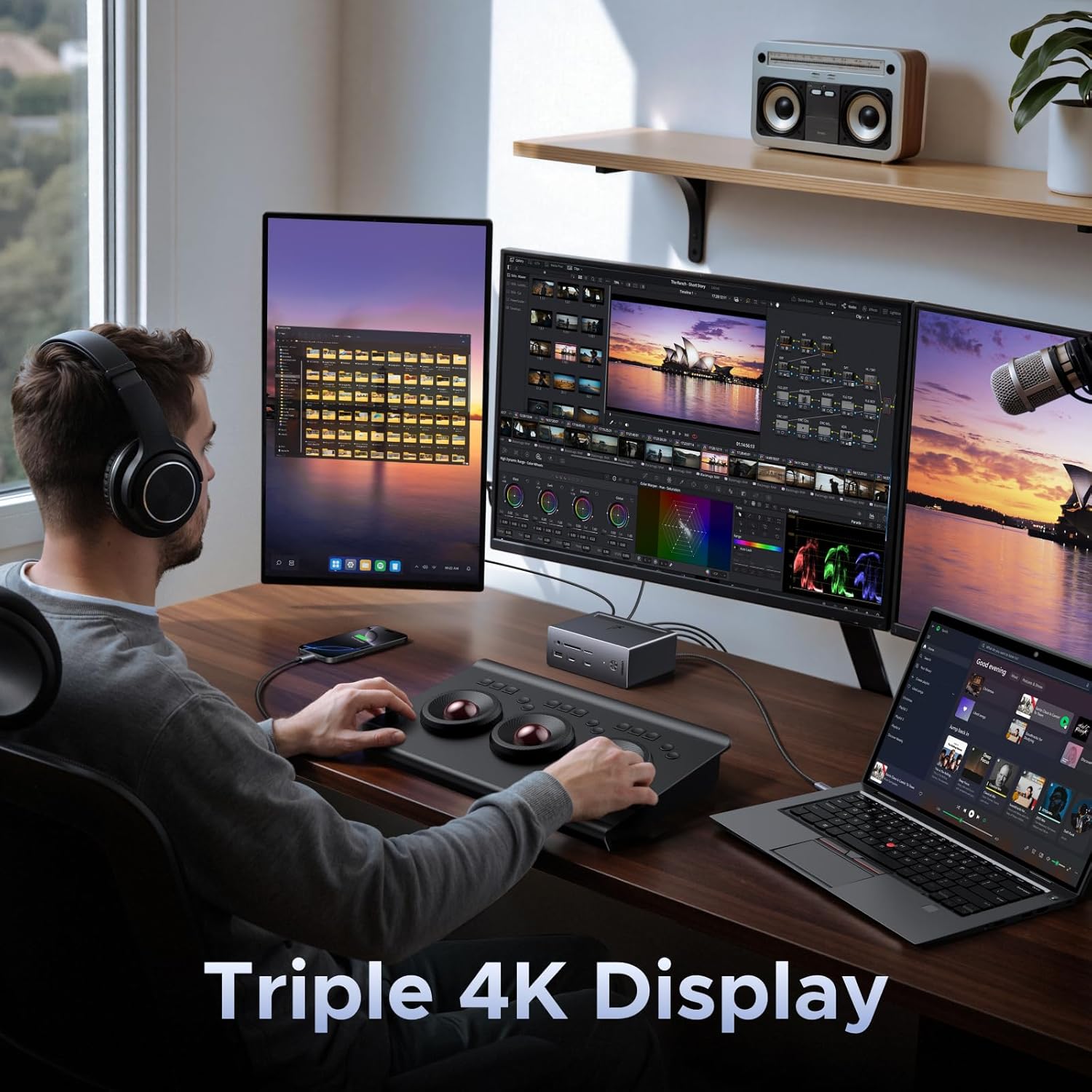
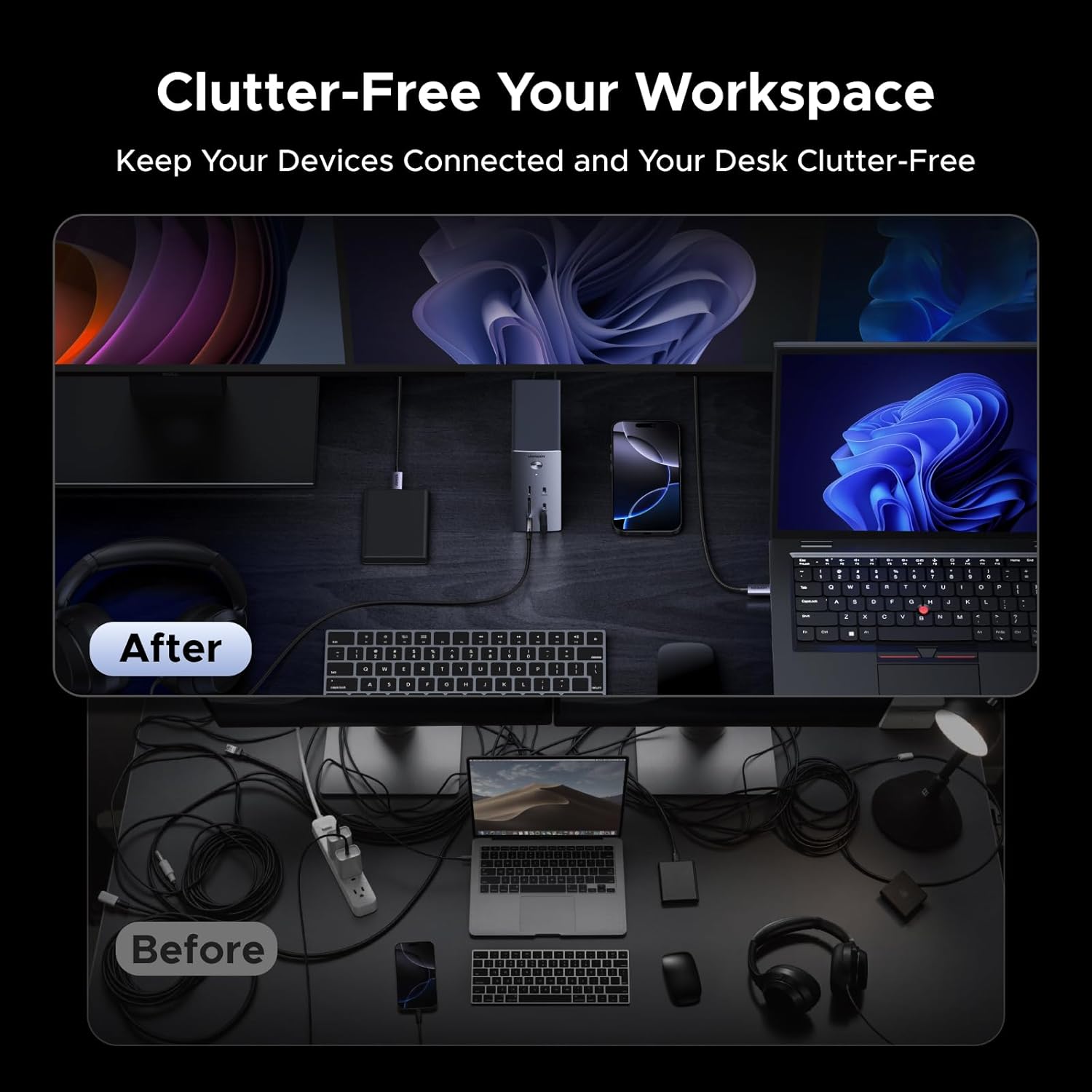
By centralising connectivity, the dock reduces cable swaps and keeps a laptop charged while connected to multiple displays and accessories. The presence of two USB-C 10Gbps ports makes high-speed backups and direct-attached storage straightforward for large projects. The DisplayPort option gives flexibility for either very high frame rate single-monitor use or balanced multi-monitor setups, depending on workflow needs. The included 140W adapter supports the dock and peripherals without needing extra power bricks on the desk. 🔌
Usage Recommendations
Connect the upstream USB-C to a laptop that supports DP Alt Mode and Power Delivery for the full feature set. For best multi-monitor results on Windows laptops check your graphics output capabilities, and note that macOS may mirror external displays rather than allow independent extended desktops when multiple screens are attached. Place the dock within easy reach of memory card slots to speed camera transfers during shoots. Keep in mind that when the 100W upstream port and the 27W PD output are used simultaneously, the maximum available power per port can be reduced, according to the manufacturer.