

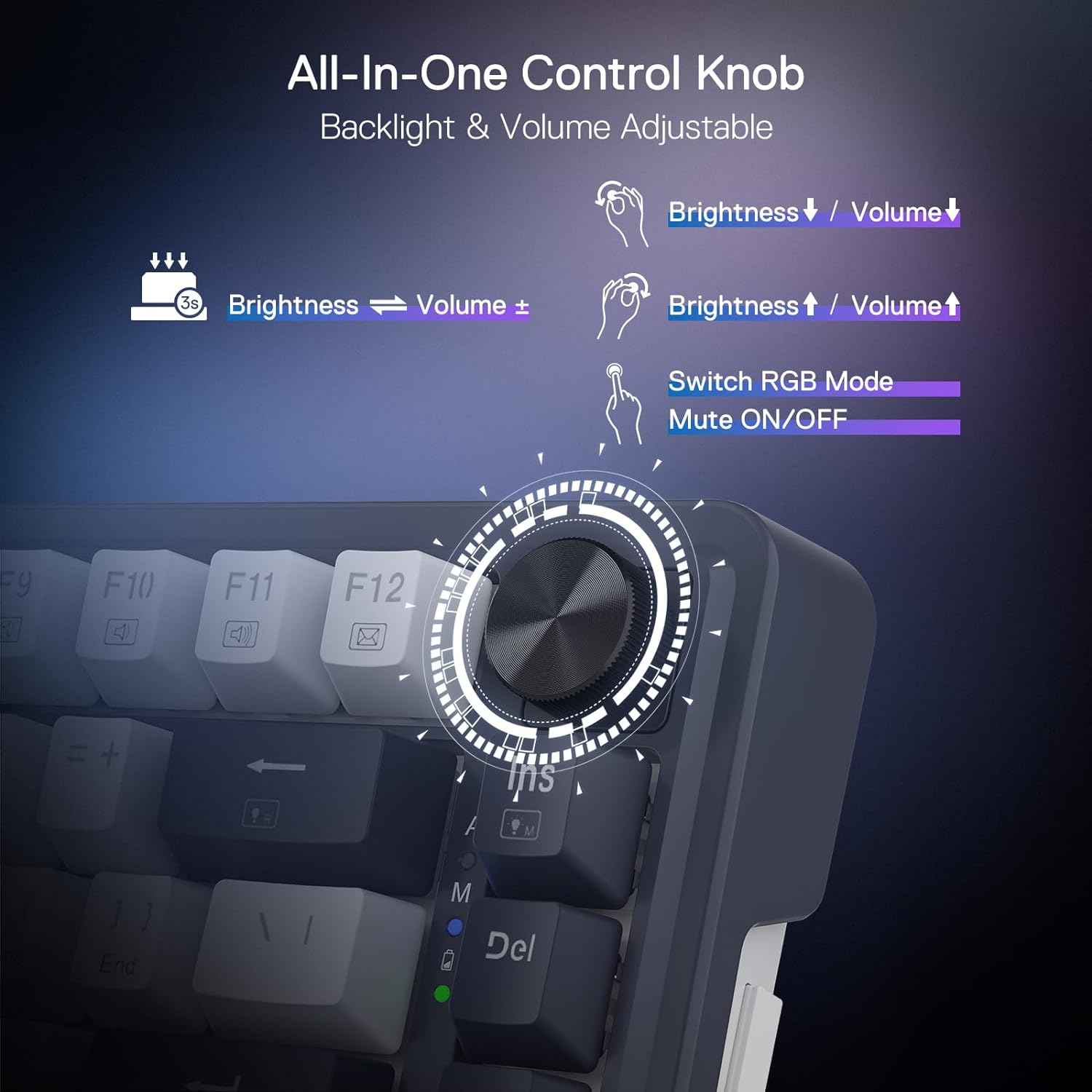
Redragon Wireless Gaming Keyboard 81-Key
Product description
Technical details
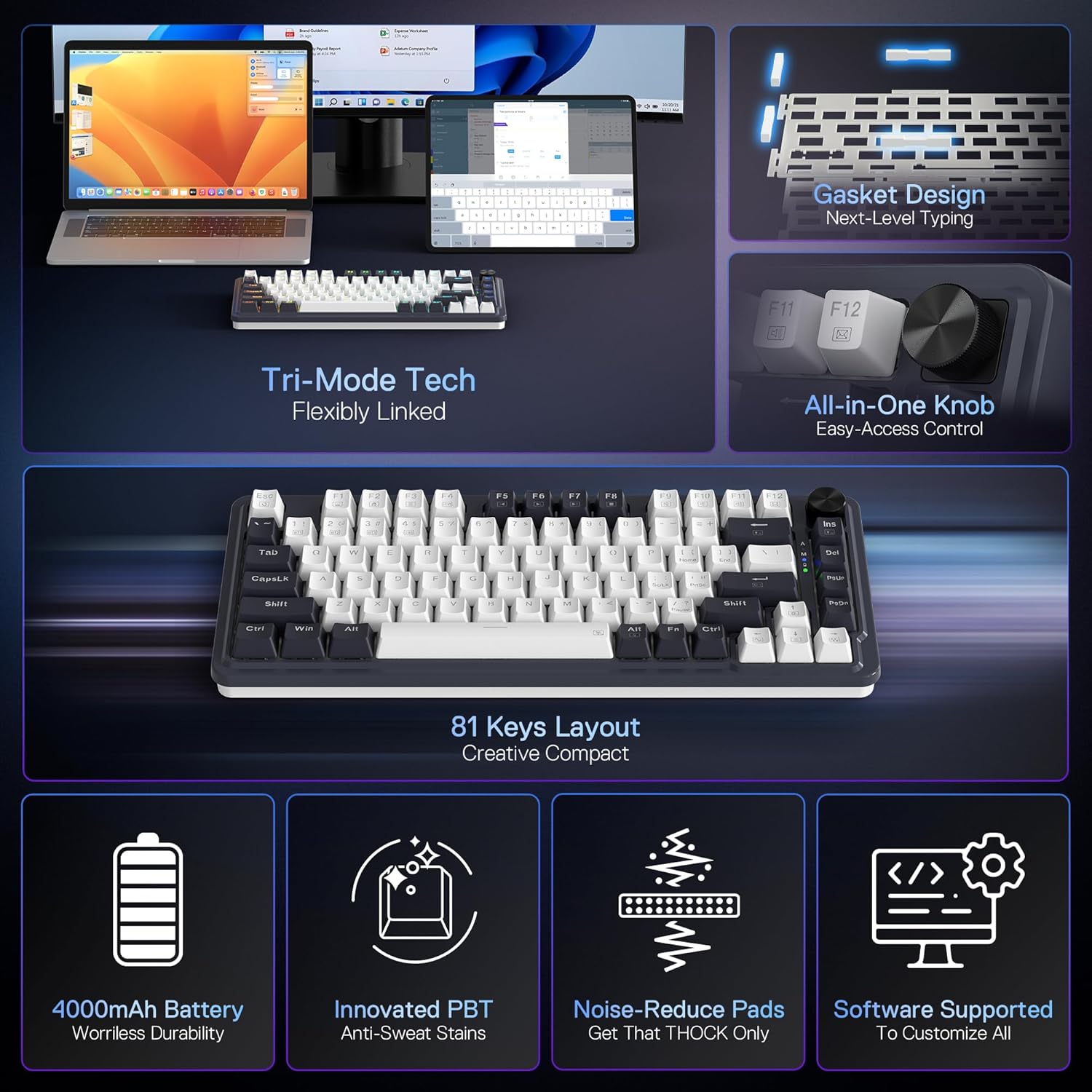
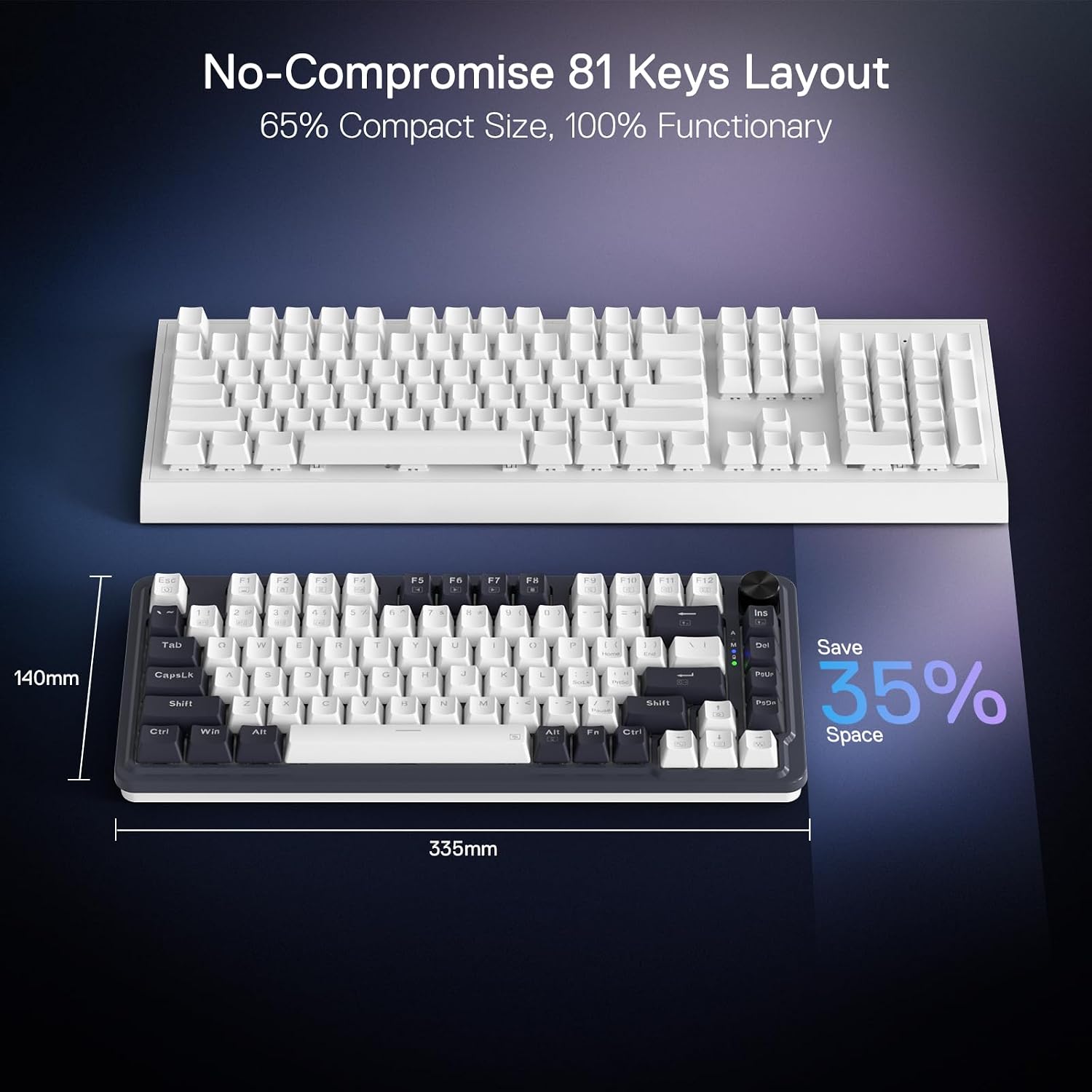
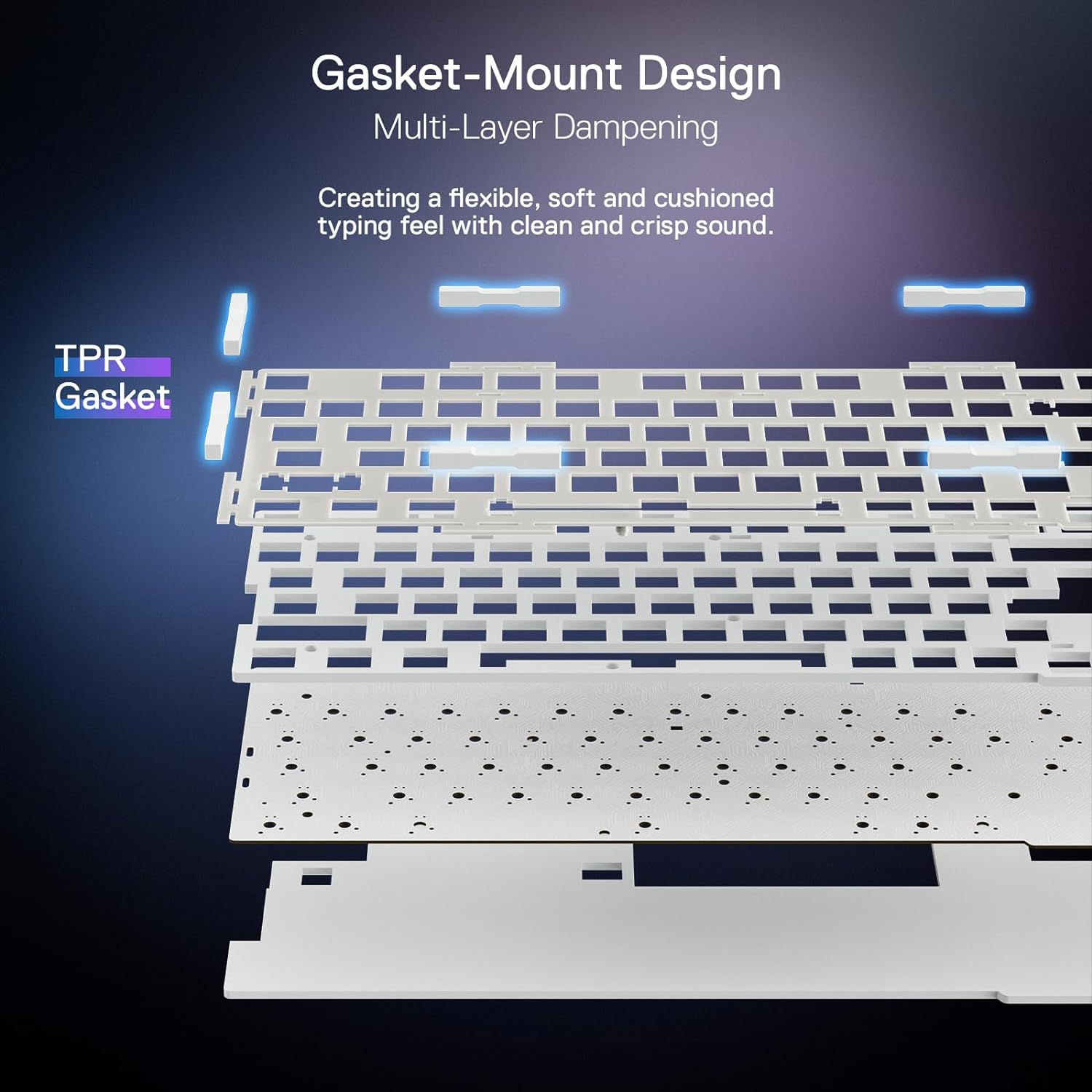
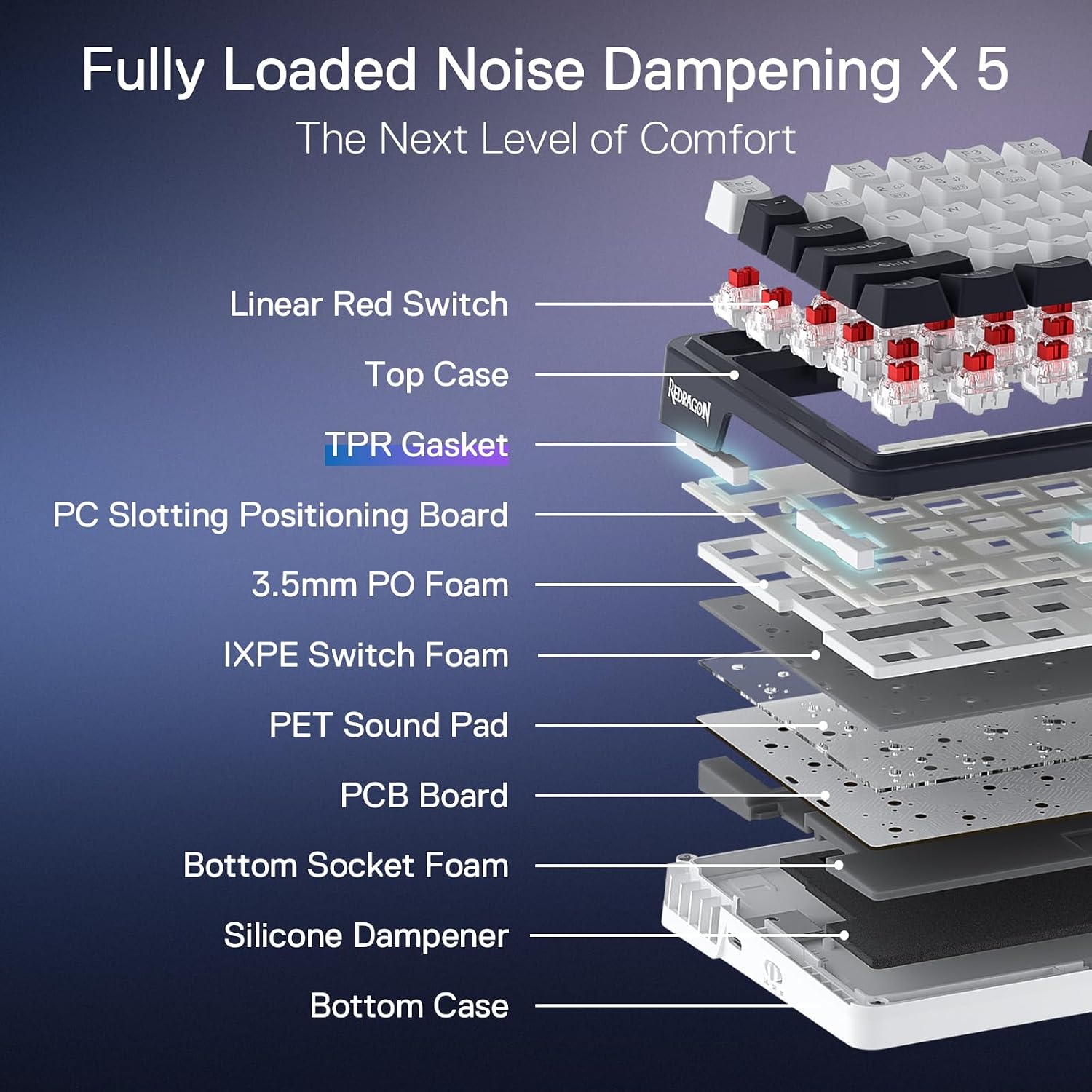
The Redragon K673 PRO is aimed at PC and laptop gamers who want a compact keyboard with wireless options, customizable RGB, and a control knob within easy reach. Its 81-key, 80% format takes a smaller-footprint approach than a full-size board, while the gasket-mounted build and five-layer noise dampening are designed to give keystrokes a softer, more muted character.
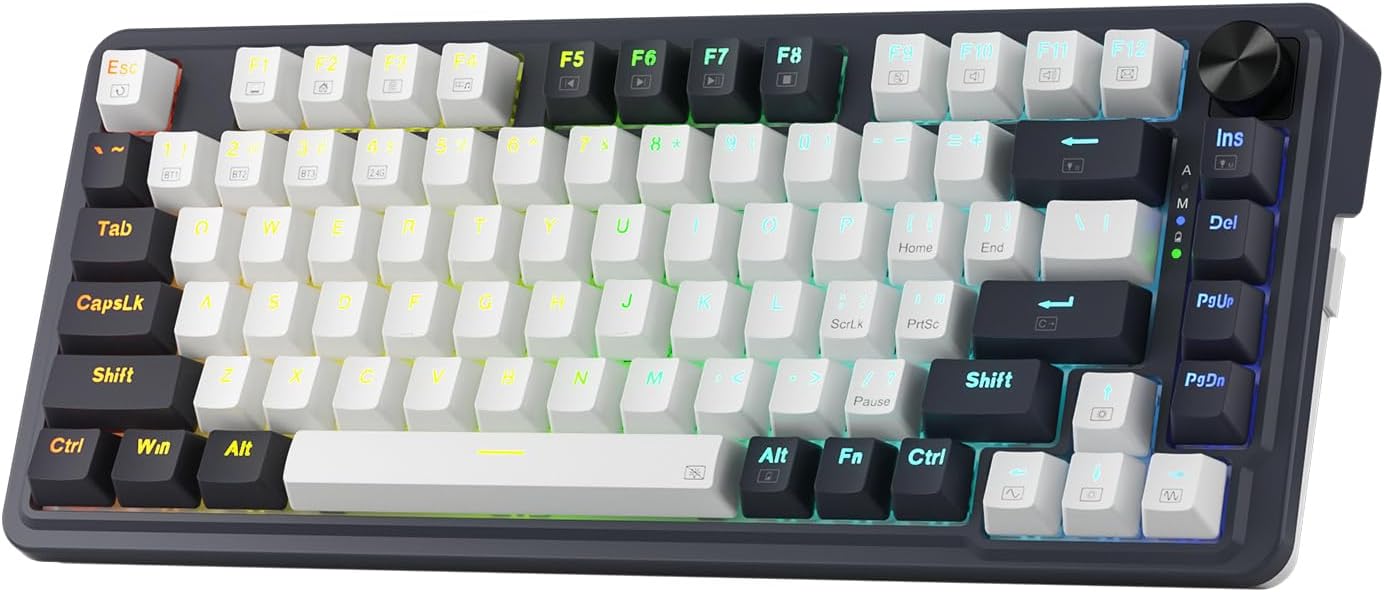
A single knob handles backlight brightness and media playback, cutting down on key combinations for those everyday adjustments. The keyboard also supports USB-C, Bluetooth, and 2.4GHz wireless connections. On the spec sheet, that range offers flexibility, but battery life and other details about wireless use aren’t provided here.
The socket accepts 3-pin or 5-pin switches, so you can change compatible switches rather than being limited to the ones installed. RGB brightness and lighting modes are adjustable, and the software adds options for lighting effects, macros, and custom keybindings. Those extras are most useful if you’ll actually tailor the board, they matter less if you prefer to plug in and leave your settings alone.
What it works with
The listed connection choices cover a wired USB-C setup as well as Bluetooth and 2.4GHz wireless. The product description names PCs, laptops, and tablets as devices you can move between, without needing to re-pair each time. That makes the board worth considering for a desk shared by a gaming PC and a second device, although the specific pairing steps and device compatibility details aren’t spelled out.
For a practical setup, you could use USB-C at your main desk, then switch to Bluetooth when moving to a laptop or tablet. The knob can adjust media playback without reaching for another device, while the lighting controls let you tone down or change the RGB effects. If you rely on advanced macros or custom key assignments, the software is the feature to explore, if you only need basic typing, its extra customization may not add much.
Usage tips
Start by choosing the connection that fits your setup: USB-C for a wired desk, or Bluetooth or 2.4GHz when you want a wireless connection. Use the knob for quick lighting or media adjustments, then try the software if you want custom lighting effects or programmed keybindings. The swap-ready socket is useful for someone who likes to adjust typing feel over time, but confirm that any replacement switch is a 3-pin or 5-pin type.
It suits you if you want a compact gaming keyboard with several connection modes and hands-on lighting and media controls. Not the best choice if you need published battery-life details before buying, or if you don’t plan to use the knob, RGB, or switch customization and would rather keep to a simpler keyboard.
Before you decide
Can it connect without a cable? Yes. Bluetooth and 2.4GHz wireless are listed alongside USB-C.

Can you change the switches? The socket accepts compatible 3-pin or 5-pin switches, the description doesn’t identify specific switch models.
What can the control knob do? It adjusts backlight brightness and media playback, according to the product details.
Is it worth it?
This keyboard makes the most sense for someone who wants an 81-key compact format but still values connection flexibility, a dedicated control knob, and room to customize lighting or switches. Compared with a more basic keyboard, its appeal is the combination of these controls and a cushioned, dampened typing design, compared with a more demanding setup, the missing battery-life information and limited compatibility detail are real gaps to weigh. Choose it if those features fit your desk and you’re comfortable checking the details that matter to your devices. Look elsewhere if you need clearly documented wireless endurance or a simpler, no-customization board.