

YUNZII X98 QMK/VIA Tri-Mode Wireless Mechanical Keyboard with Knob (Purple, Crystal Switch)
Product description
If you want a 98% mechanical keyboard that doesn’t lock you into one device, the YUNZII X98 is built around exactly that idea. It supports wired (USB-C), 2.4GHz wireless, and Bluetooth, and it’s designed for quick switching—so your desk setup stays clean instead of turning into a cable pile.
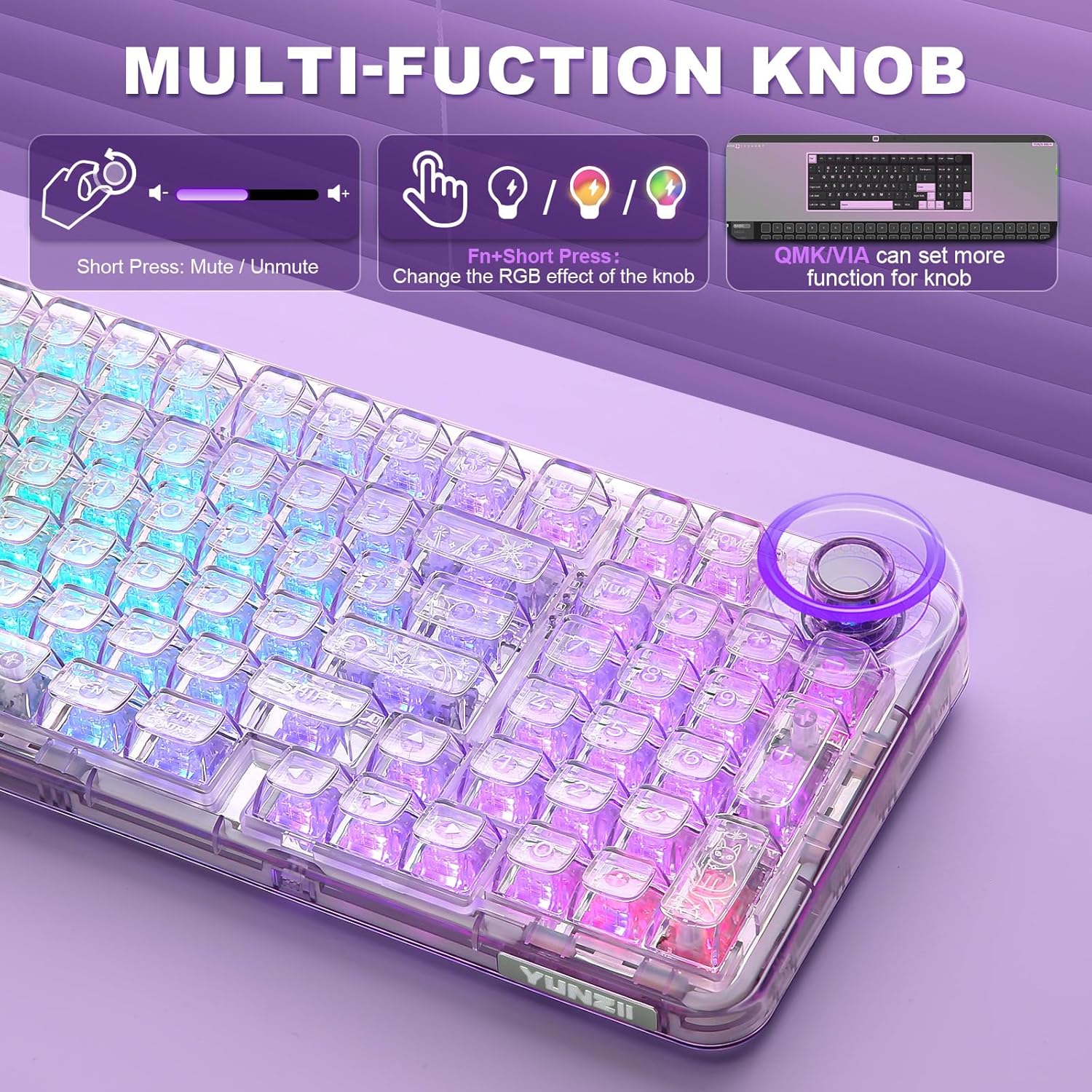
It’s also a QMK/VIA keyboard with a dedicated function knob. On paper, that combination is what makes it more interesting than a basic gaming board: remaps, layers, macros, and knob control can all make the keyboard feel like it belongs to your workflow.
Key takeaways
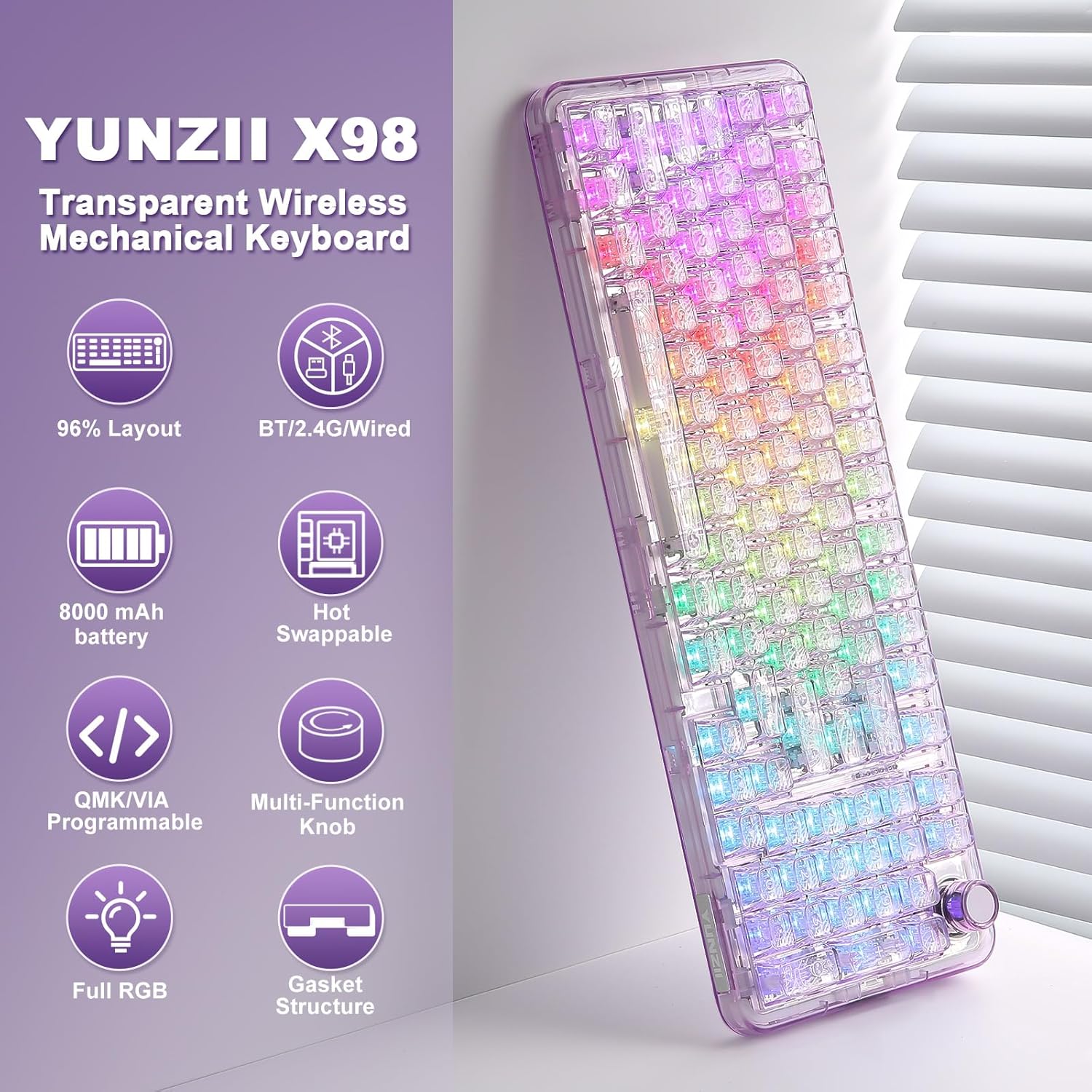
The X98 leans into three things at once: multi-device connectivity (wired + 2.4GHz + Bluetooth), customization via QMK/VIA, and a 98% layout that leaves out some numpad space while keeping the essentials. Add hot swappable switches and a gasket-mount sound profile, and you get a keyboard that’s meant to be tuned by the owner rather than “set it and forget it.”
That said, it’s still not the kind of keyboard for every scenario. If you primarily care about the simplest possible setup with zero tinkering, a fully preconfigured, non-custom model may feel easier. And if your priority is maximum switch variety out of the gate, “hot swappable” helps, but you’ll still want to pick the switches you actually like.
What matters most for daily use
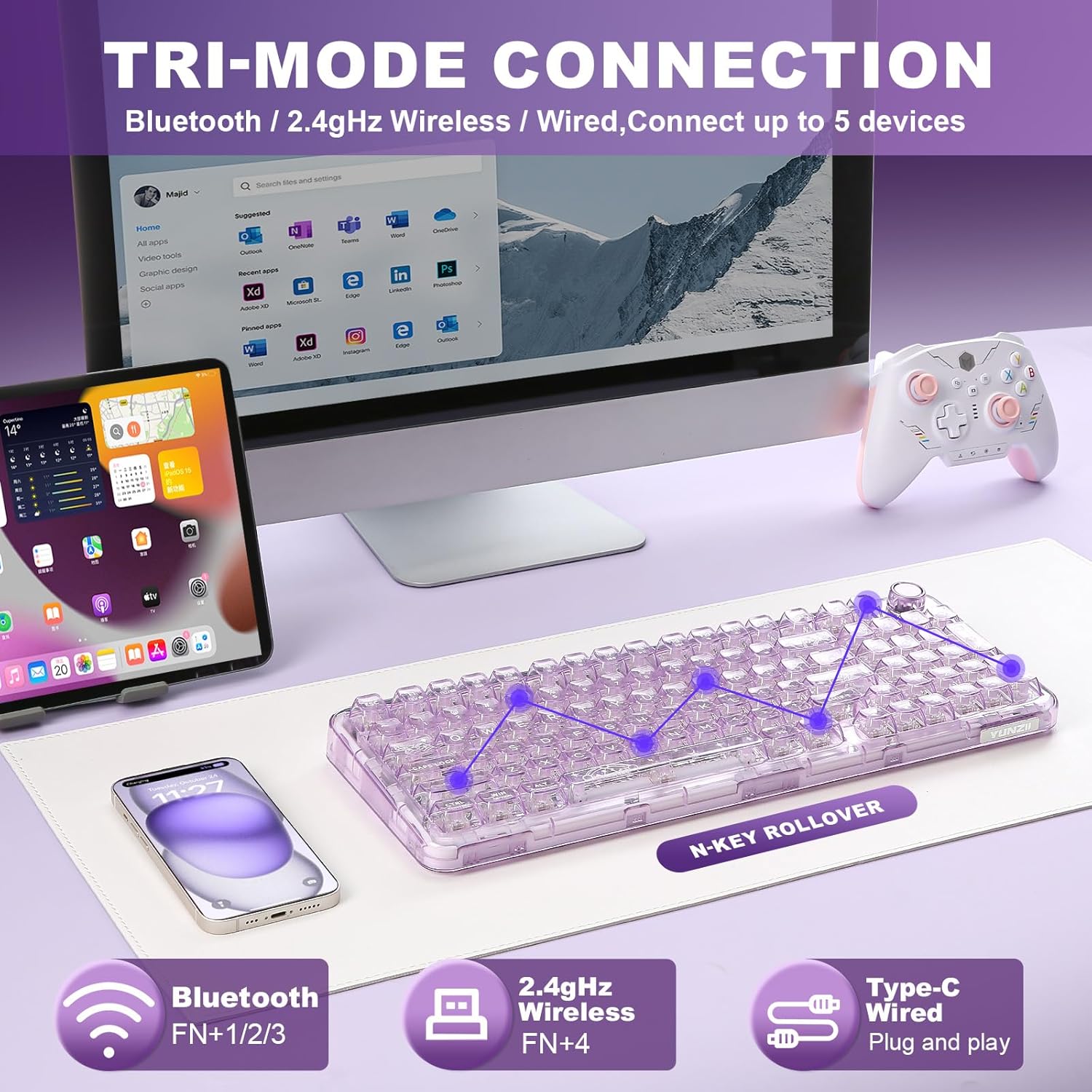
Tri-mode connectivity is the big practical win here. Wired mode is positioned for low-latency PC gaming, while wireless modes are meant to reduce cable clutter and make it easy to move between devices.
The keyboard is described as supporting up to 5 device connections with effortless switching. In real terms, that can look like this: you’re gaming on a PC in 2.4GHz mode, then you pause, switch to Bluetooth for a laptop, and keep going without unplugging anything. It’s the kind of convenience that matters more than it sounds—especially on shared desks.
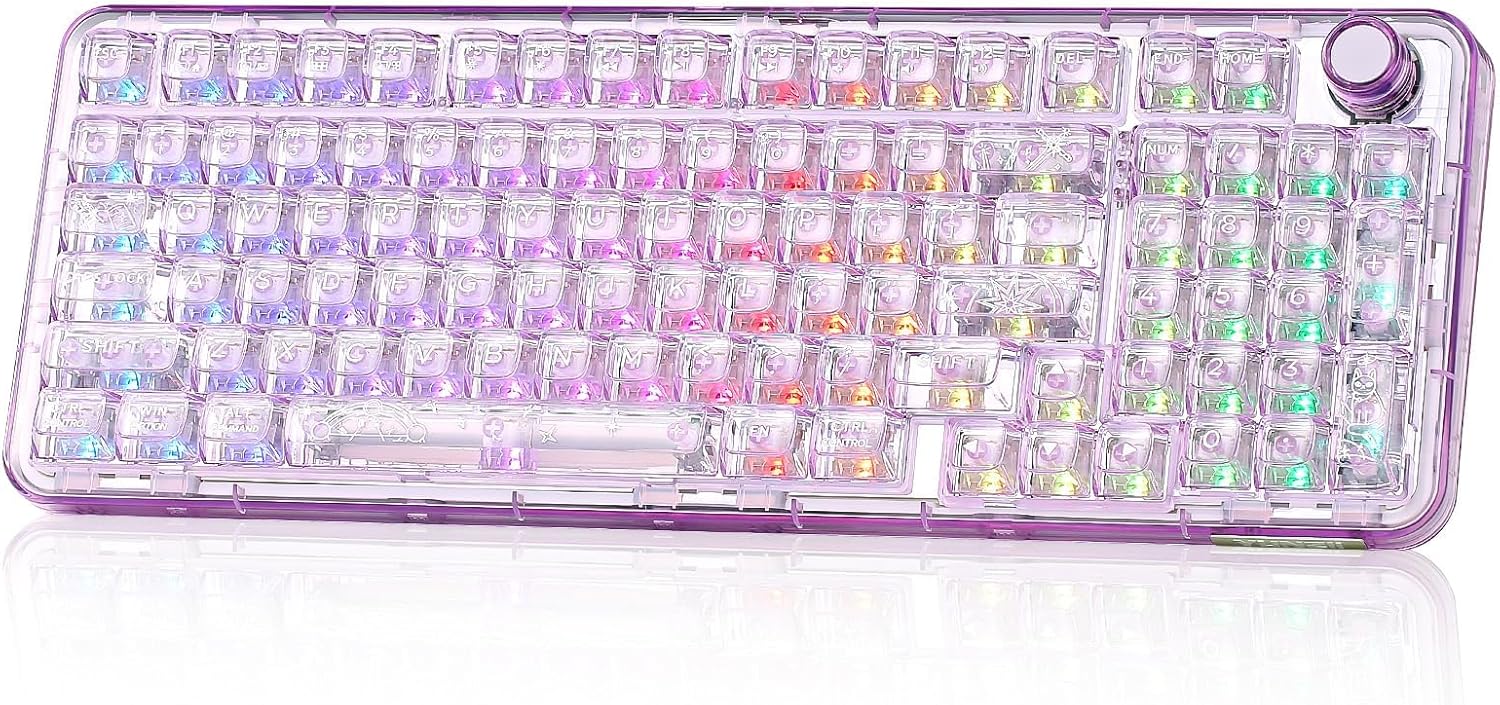
The 98% layout is another everyday factor. It tends to feel more compact than full-size without going all the way to a tiny board that can throw off muscle memory. If you like having navigation and function keys where you expect them, this layout usually stays comfortable.
Customization and the knob (QMK/VIA)
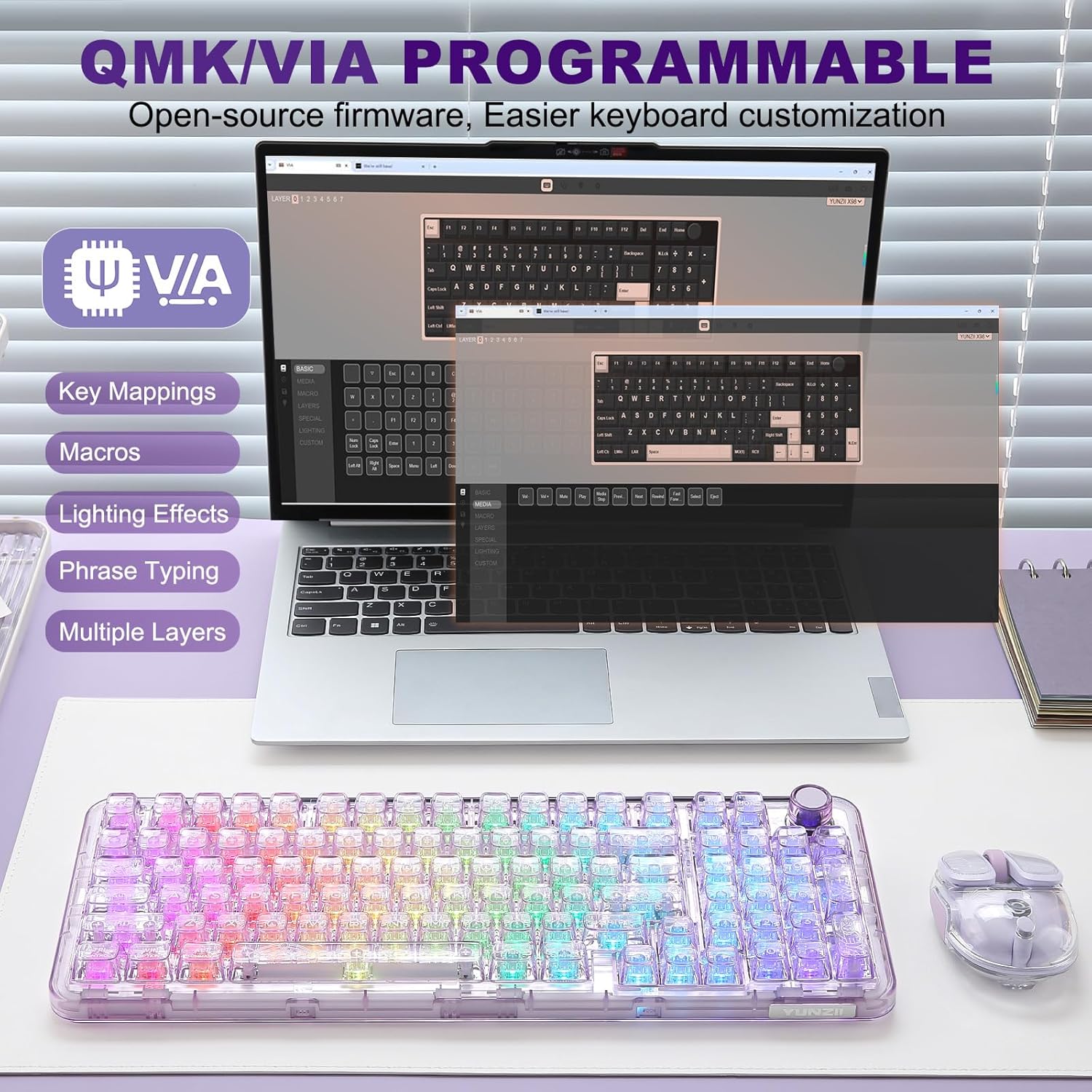
This is where the YUNZII X98 separates itself from “just another RGB keyboard.” It’s described as QMK/VIA open-source firmware, which typically means you can remap keys, create macros, and adjust layouts rather than being stuck with a default map.
There’s also a function knob. The default use is volume, but the point is that you can customize what the knob does—useful for streaming, editing, or game audio adjustments where you don’t want to alt-tab just to tweak a slider.
The RGB is customizable too (based on the provided description), and the clear, transparent build supports the “shine-through” look. So if you care about both function and visual vibe, this one is clearly designed with that in mind.
One limitation to keep in mind: customization depth depends on how much time you want to spend configuring. If you’re not planning to learn layouts/macros, the QMK/VIA angle can feel like extra effort.
Switch feel, hot swap, and what “pre-lubed” means here
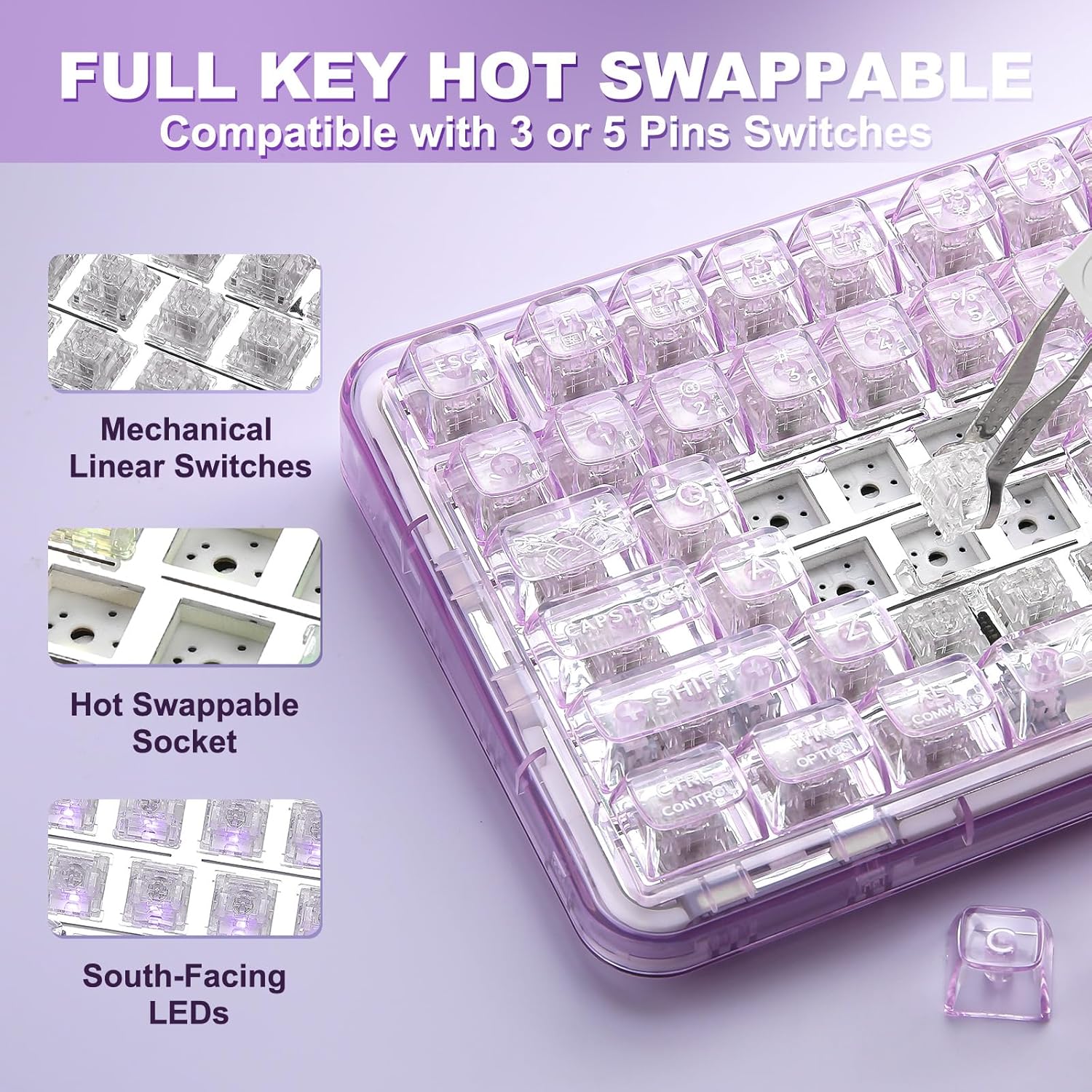
The X98 includes hot-swap sockets compatible with 3-pin and 5-pin mechanical switches, so you can swap switches without soldering. That’s a strong buying point if you want to experiment later—maybe start with the included setup and change the feel once you know what you like.
It also ships with pre-lubed Snow Switches. The description emphasizes a creamy, smooth, and quieter actuation character, aimed at users who want “out-of-box” creamy performance instead of having to lube everything themselves.
Is it perfect for everyone? Not necessarily. “Creamy and quiet” is a style preference, and switch feel is personal. If you’re very sensitive to specific sound signatures or you already know you want a particular switch type, you may still end up swapping sooner rather than later.
Gasket mount sound and the crystal build
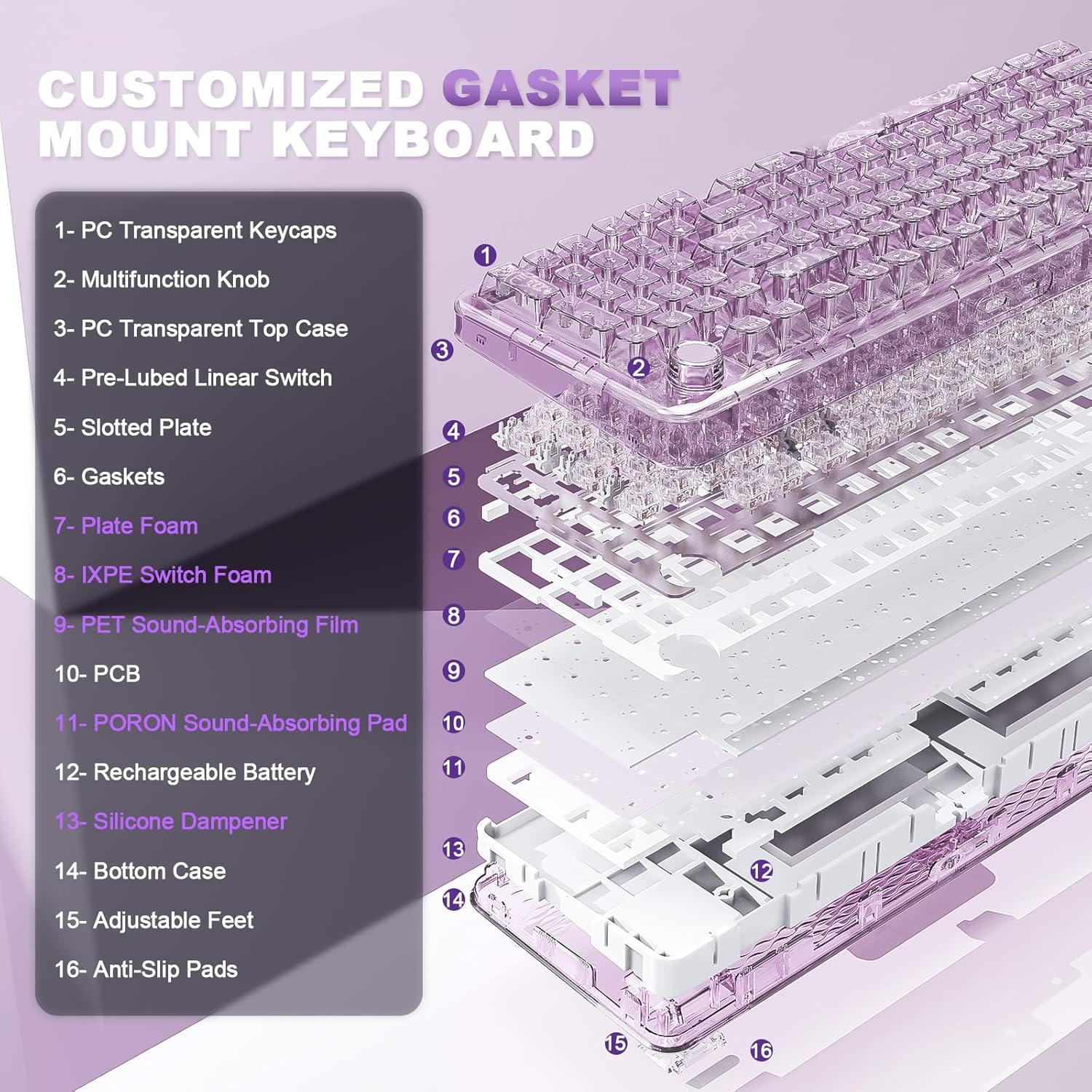
The keyboard is described as a gasket mount design with multiple layers of dampening materials (Poron, IXPE, Silicone, and sound enhancement pads). That’s meant to create a softer, more elastic hand feel, while keeping a solid keystroke response.
The clear casing and double-layer clear keycaps support a crystal aesthetic. The description also notes anti-fading of the keycap characters, and RGB is set up with south-facing LEDs and 16.8 million colors. If you’ve ever wanted a transparent look without it turning into a muddy, hard-to-read mess, the “shine-through + double-layer” approach is at least directionally promising.
Tech details to know before you buy
Here’s the practical overview of what’s explicitly stated:
Tech specs
- Name: YUNZII X98 QMK/VIA Wireless Mechanical Gaming Keyboard with Knob
- Type: Tri-mode wireless mechanical gaming keyboard
- Format: 98% layout
- Connectivity: Wired via USB-C, 2.4GHz wireless, Bluetooth
- Custom firmware: QMK/VIA
- Switch installation: Hot swappable, compatible with 3-pin and 5-pin switches
- Included switches: Pre-lubed Snow switches
- Mount type: Gasket mount
- Lighting: RGB backlit with south-facing LEDs, 16.8 million colors
- Keycaps/build: Transparent crystal-style PC material and clear double-layer keycaps
- Default knob function: Volume
Should you buy it?
Buy it if you want a 98% mechanical keyboard that can realistically live on a multi-device desk—PC gaming on 2.4GHz or wired, plus Bluetooth for laptops—and you care about customization through QMK/VIA and a function knob. The hot swap + pre-lubed Snow Switches combo is also attractive if you want a “ready to type” feel now, with the option to upgrade later.
Skip it if you prefer the simplest setup possible and don’t plan to remap keys, set profiles, or use macros. Also consider avoiding it if you’re chasing a specific switch/sound profile so niche that pre-lubed creamy switches may not match your expectations—hot swap helps, but it still adds decision-making.
For quick decision help: if your setup includes multiple computers and you want one keyboard to move with you, this one makes a lot of sense. If you just need a straightforward wired board and don’t care about customization, it might feel like more keyboard than you actually need.
FAQs
What devices does the YUNZII X98 connect to?
The description states it supports wired, 2.4GHz wireless, and Bluetooth, and can connect up to 5 devices for switching between them.
Does it support hot swapping switches?
Yes. It’s described as hot swappable with compatibility for both 3-pin and 5-pin mechanical switches.
Is the keyboard customizable?
It’s described as QMK/VIA and supports remapping keys, changing layouts, creating macros, adjusting RGB effects, and customizing the rotary knob.
What’s included in the sound setup?
The gasket mount design is described as using several dampening layers (Poron, IXPE, Silicone, and sound enhancement pads) to shape the acoustic feel.