

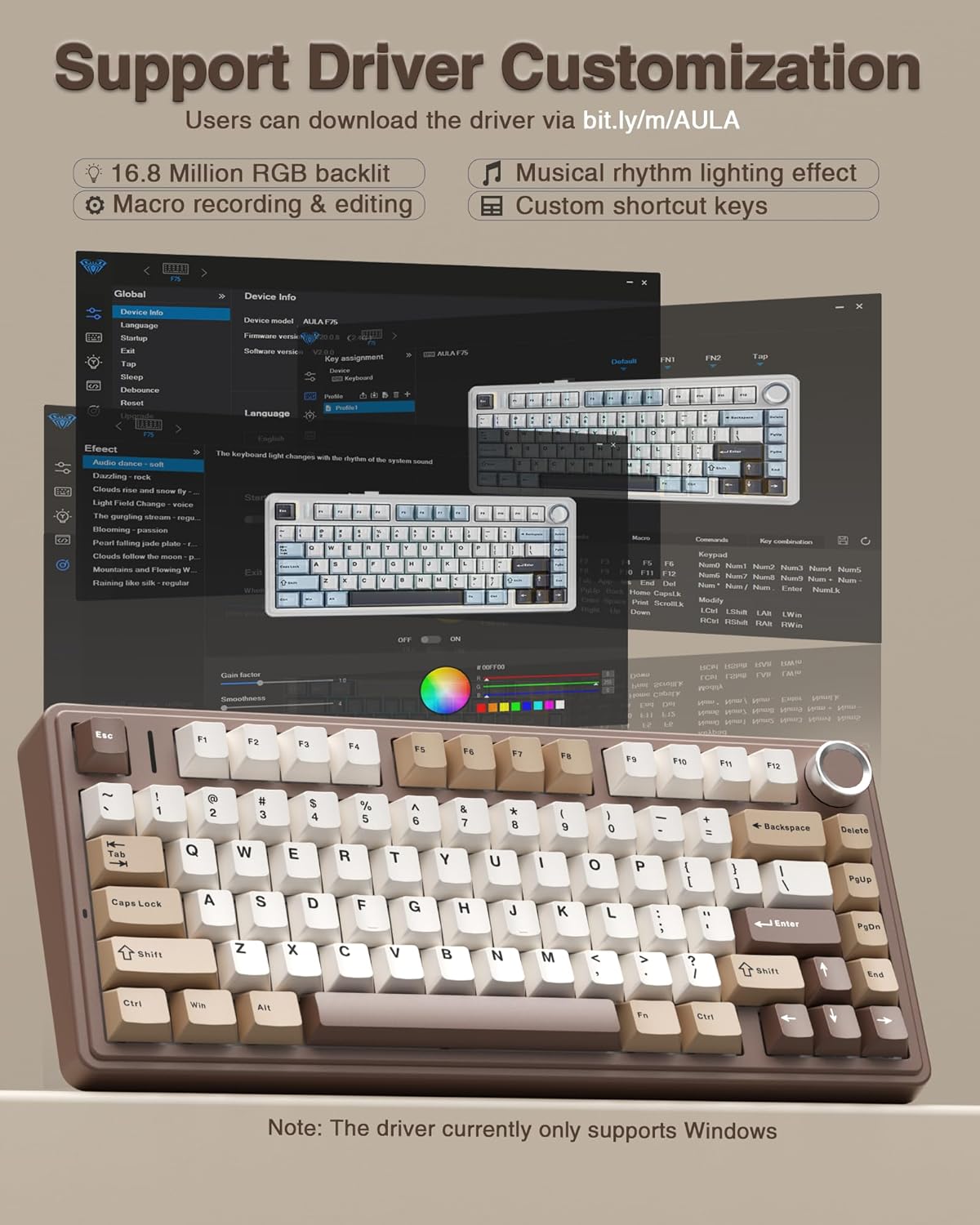
AULA F75 75% Wireless Mechanical Keyboard Review
Product description
What this is and the need it meets
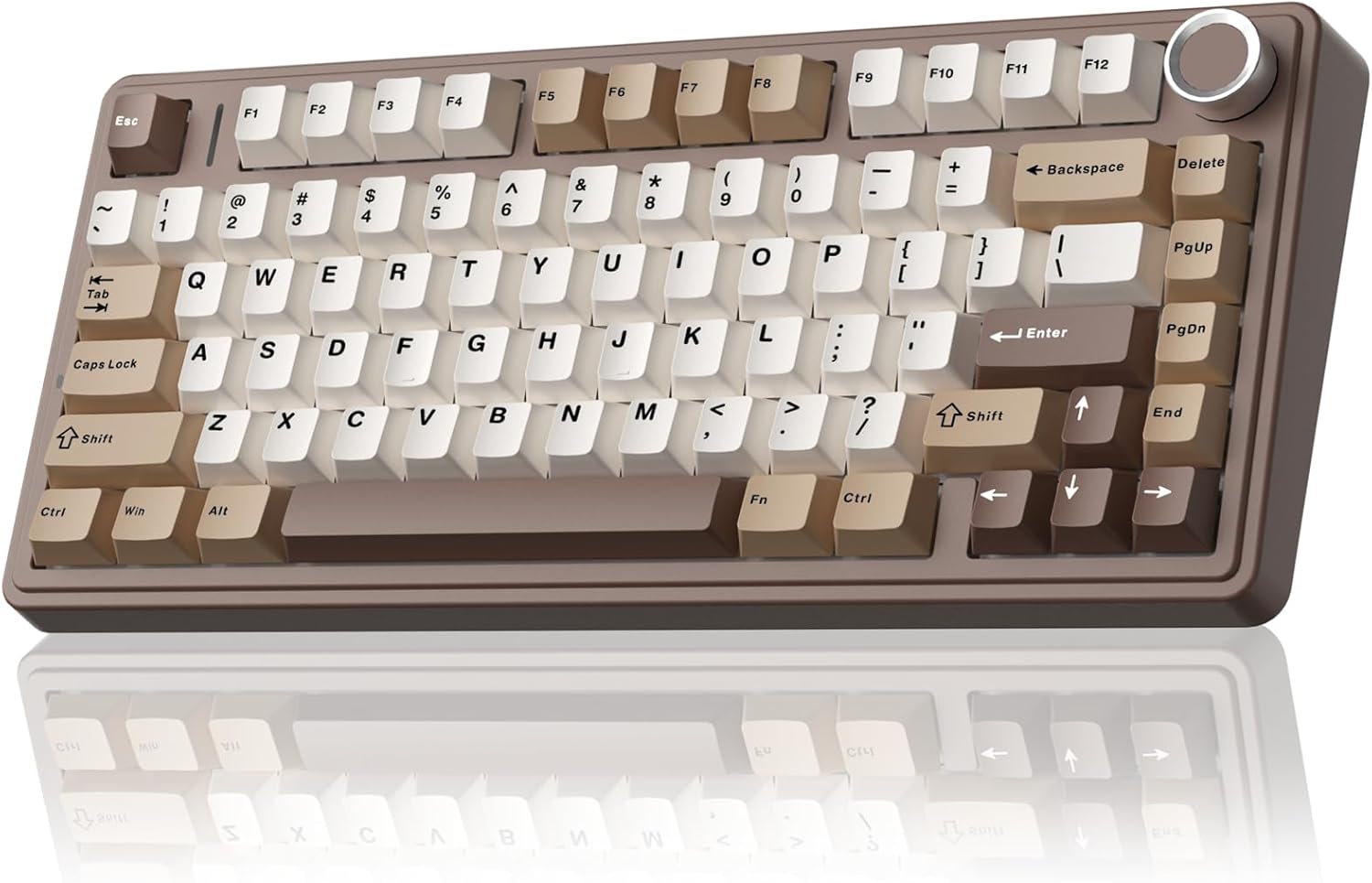
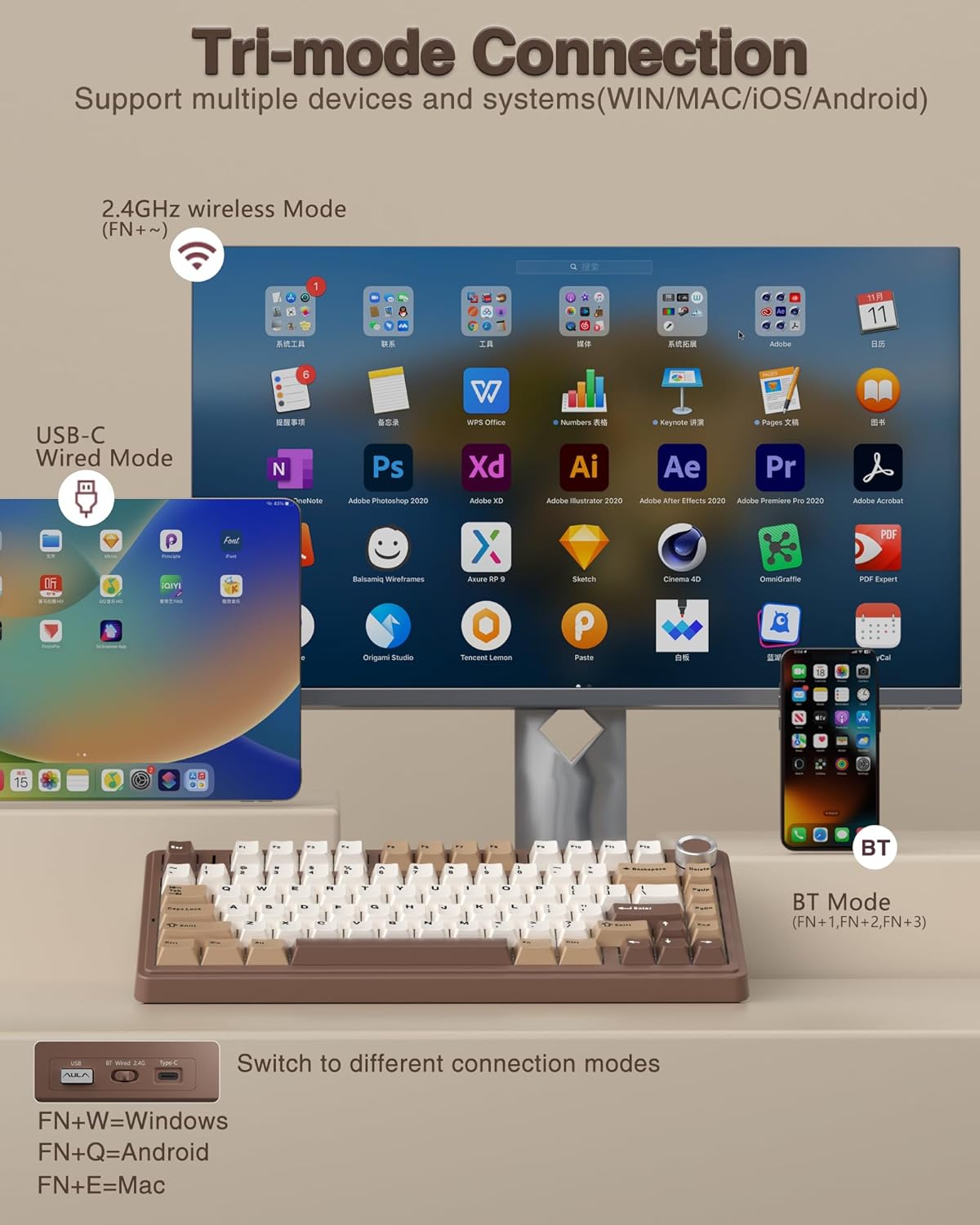
The AULA F75 is a compact 75% wireless mechanical keyboard designed for gamers and productivity folks who want a smaller footprint without sacrificing function. It supports three connection modes (BT5.0, 2.4GHz, and USB-C wired) and can pair with up to five devices. If you often switch between devices like a PC, laptop, tablet, or even a console, this keyboard is positioned to simplify that dance. The build emphasizes a thocky, creamy mechanical feel with pre-lubed stabilizers and linear switches, aiming to deliver a smooth, fast keystroke that’s pleasant to type and game with. It’s not a full-size board, but it preserves essential navigation keys and a dedicated function/macro layer, which matters in gaming and workflow.
How it connects and powers on
On the surface, the F75’s tri-mode architecture sounds convenient: Bluetooth 5.0, 2.4GHz wireless, and USB wired. The claim that you can switch among up to five devices via shortcut keys or a side button should help reduce desk clutter and re-pairing hassles. The keyboard runs on a sizable 4000mAh battery, which suggests longer intervals between charges, especially if you’re gaming or streaming. Just don’t expect miraculous longevity in heavy RGB mode if you’re on a busy schedule—like most RGB-focused keyboards, brightness and effects will affect endurance.
Design, construction, and the typing feel
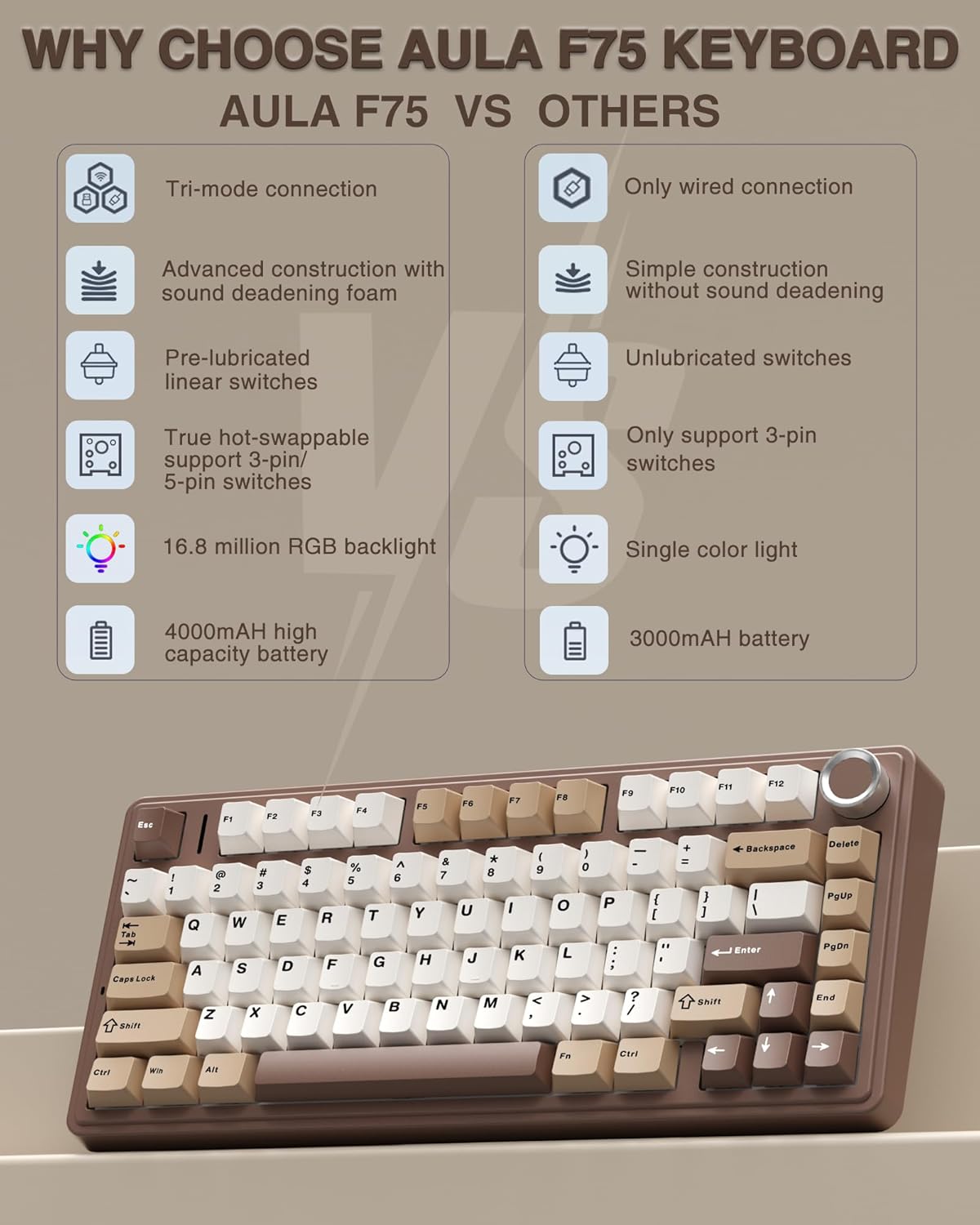
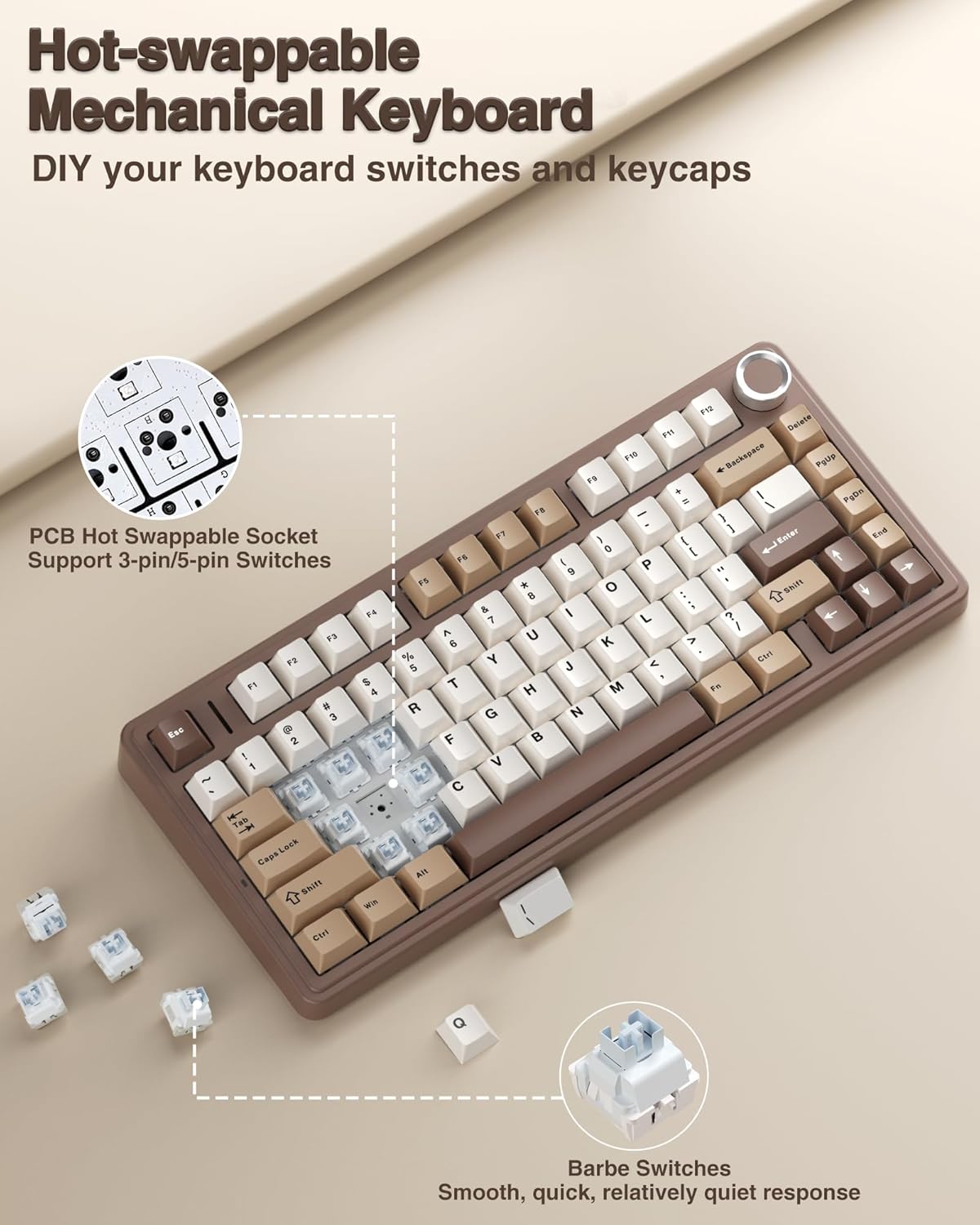
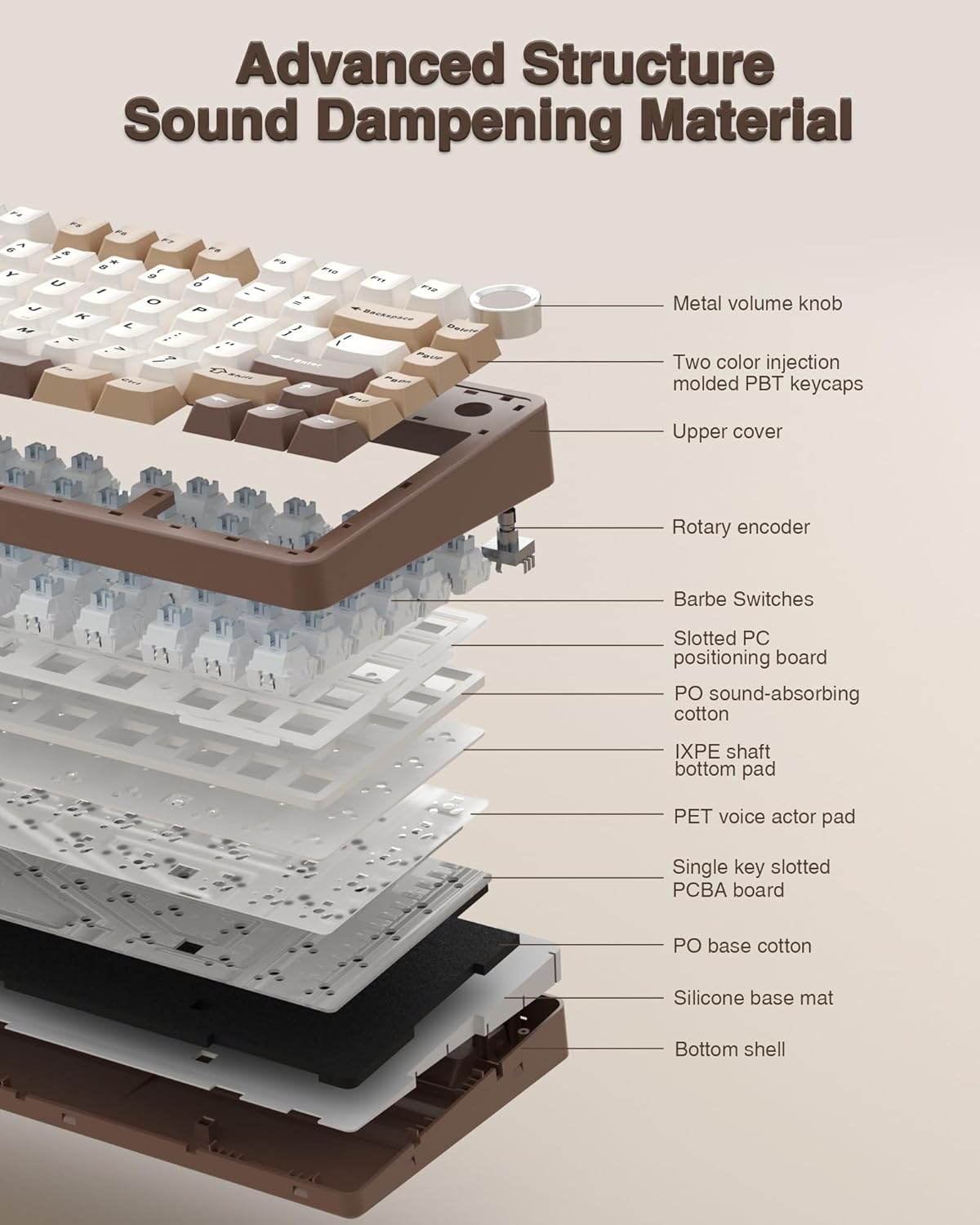
The F75 uses an 81-key, 75% layout that saves space while keeping arrow keys and a few dedicated functions accessible. It’s described as hot-swappable with 3-pin or 5-pin switches, meaning you can swap switches without soldering. Pre-lubed stabilizers and linear switches are intended to provide a smooth, creamy sound, which is a preference for many “thocky” fans. There are five layers of filling silicone between components to dampen vibration and reduce hollow sounds when the shaft hits the plate. If you’re sensitive to sound or want a cleaner, quieter typing experience, this approach should help, though it’s not a guarantee of silence in a noisy room.
Lighting and visual vibes
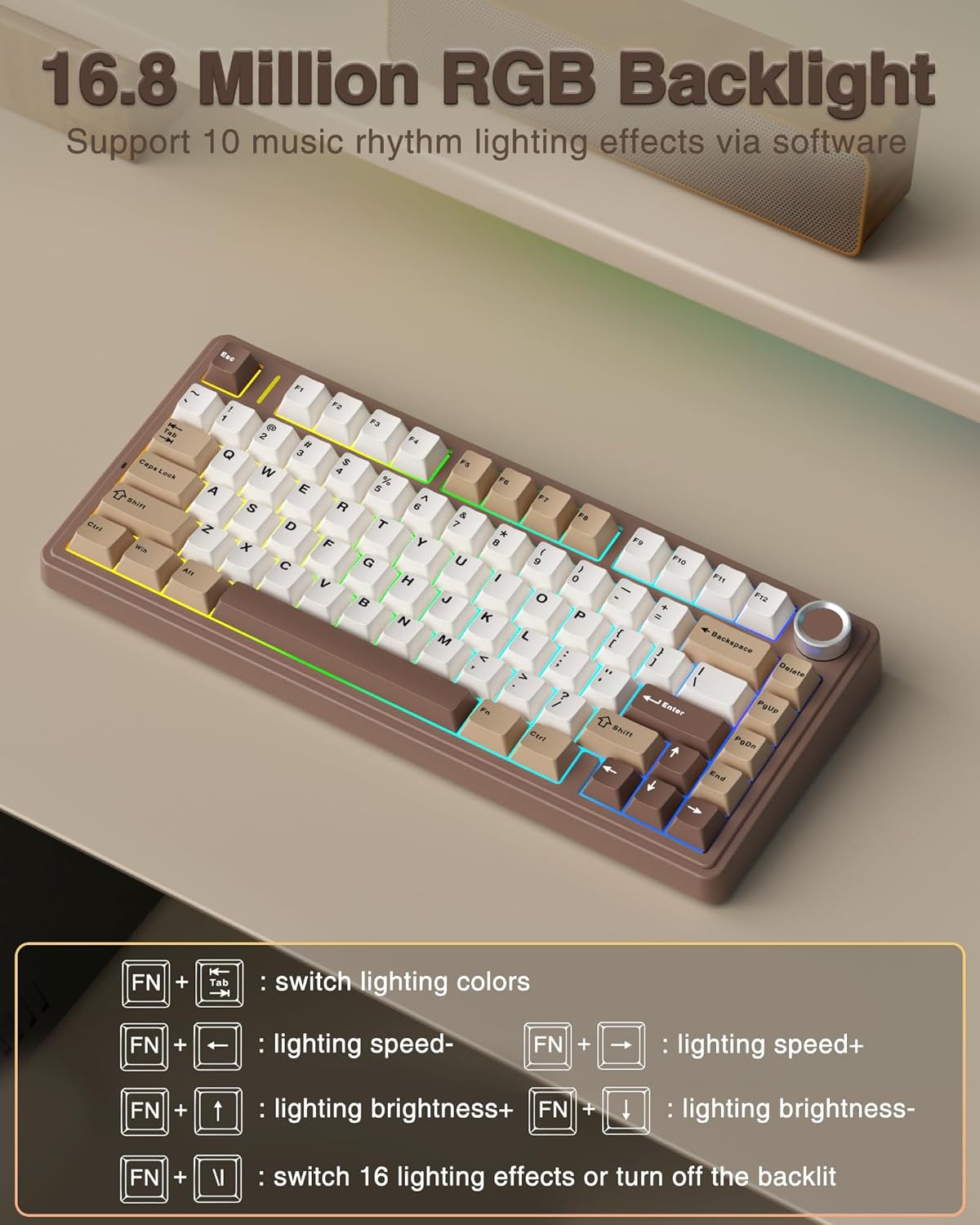
RGB backlighting goes up to 16.8 million colors with 16 lighting effects and ten music-sync options when you install the driver. The brightness and speed are adjustable via a multifunction knob or key combos, and you can lock the Windows key to avoid interruptions in intense play sessions. If lighting is part of your decision, this board offers plenty of room to customize and coordinate with other gear.
Performance and features worth noting
Beyond the keys, the F75 includes a multi-function knob for quick media control and lighting tweaks, a common value add for gamers who want quick on-the-fly adjustments without leaving the game. The keyboard supports full-key macro programmability via its driver, which can be handy for optimizing routines or in-game actions. It also advertises N-key rollover and a Windows key lock to prevent accidental presses during fast-paced moments.
Who it’s best for and who might skip it
If you prioritize desk space, multi-device workflow, and a customizable typing feel, the F75 is a compelling option. It’s especially appealing to gamers who want a compact board with hot-swappable switches and programmable keys. That said, if you rely on a traditional 104-key layout or you don’t care about wireless versatility, the extra features may be less meaningful. The emphasis on RGB lighting and a premium-feel switch sound might not be ideal for those who prefer a quieter, more understated setup.
What you’ll love and what to temper expectations about
What stands out is the combination of tri-mode connectivity, hot-swappability, and a compact footprint that retains essential keys. The pre-lubed stabilizers and creamy linear switches can deliver a satisfying typing and gaming experience, especially for those who want a tasteful, modern aesthetic. On the flip side, the battery life in RGB-heavy use depends on how often you engage lighting effects and how bright you keep the LEDs. Also, as with any hot-swappable design, you’ll want to handle switches gently during swaps to avoid a loose feel over time.
Practical usage scenarios
- You’re a multi-device creator or gamer who moves between a PC, laptop, and console frequently, the F75’s tri-mode setup can reduce time spent reconnecting.
- You want a compact board that still includes arrow keys and a practical macro setup for workflow tasks or game macros.
- You value a smooth, “creamy” keystroke and don’t mind tweaking a driver for personalized lighting and macros.
Before you buy: quick checks
- Consider how often you’ll use RGB lighting, if you’ll mostly type in dim rooms, you may benefit from a dimmer mode to preserve battery.
- If you plan to do frequent switch-swaps, ensure you’re comfortable with hot-swapping and handle 3-pin/5-pin options.
- Confirm you have the driver access (the link is noted for macros and lighting control) and that your OS supports the features you want.
- Remember that wireless performance can vary by device and environment, a 2.4GHz link offers low-latency, but you’ll want to verify stability in your setup.
FAQ (based on available details)
- Can the keyboard connect to multiple devices at once? Yes, up to five devices via BT5.0, 2.4GHz, or USB wired.
- Is it truly hot-swappable without soldering? Yes, it supports 3-pin and 5-pin switches.
- Does it include macro programming? Yes, through the driver, including full key or key combination macros.
Is it worth it?
A solid pick if you want a compact, multi-device wireless keyboard with a hot-swappable, creamy switch feel and robust customization options. It isn’t perfect for everyone—battery life under heavy RGB use and a potential learning curve with the driver could give second thoughts. If you prioritize a smaller footprint, full macro control, and flexible connectivity in one package, this model deserves serious consideration.