

YUNZII B98 Pro QMK/VIA Tri-Mode Wireless Mechanical Keyboard (96% with Numpad, Cat Knob, Hot-Swap, RGB, Beige)
Product description
The essentials
The YUNZII B98 Pro is a wireless mechanical keyboard that tries to cover two worlds at once: office-friendly compact efficiency and gaming-ready customization. On paper it lands in a “96% with a dedicated numpad” sweet spot, so you get a more spread-out layout than a tiny board without giving up all your desk space. The standout twist is its dual-style knob concept—swap between a playful 3D cat knob and a round metal knob—so you’re not stuck with one controller style forever.
It’s also built around the kind of keyboard buyers usually care about: QMK/VIA support for deeper key mapping, macro recording, and profile switching. Add tri-mode connectivity (Bluetooth, 2.4G, and USB-C) plus a big stated battery, and you’ve got a setup that’s meant to move between tasks and even different devices.
That said, it’s not perfect for everyone. A knob is a personal preference—if you’d rather have a clean, knob-free surface, it may feel like extra. And because this is wireless-focused and customization-friendly, it’s more of a “do-it-all” mid-range mechanical board than a no-compromise enthusiast flagship.
What you’ll notice in daily use
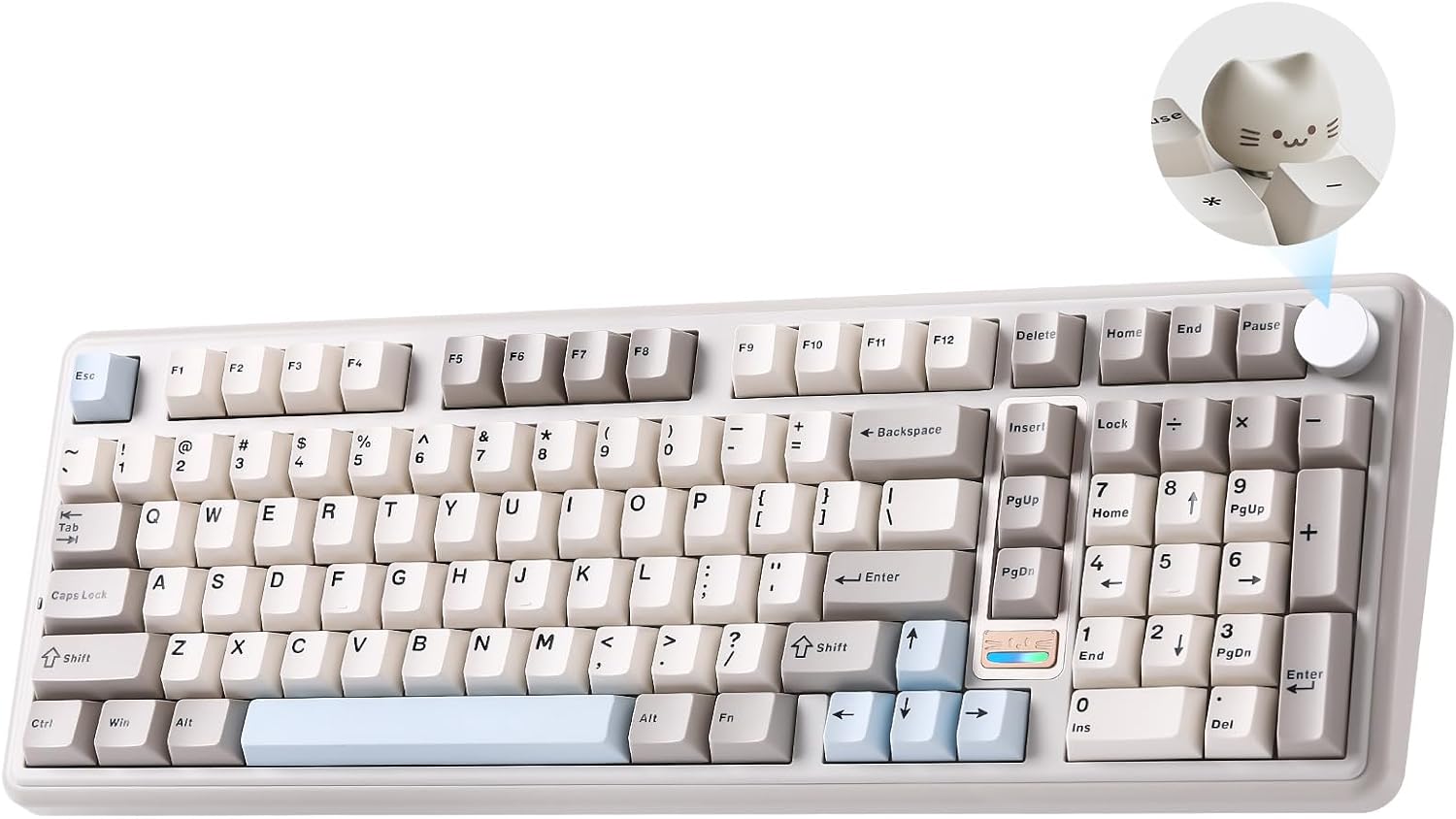
The 96% layout with a numpad means fewer compromises for spreadsheets, finance work, and anyone who actually uses the keypad. In a practical sense, you can keep your hands in a familiar typing position while still having dedicated numeric input right where you need it—rather than relying on layers alone.
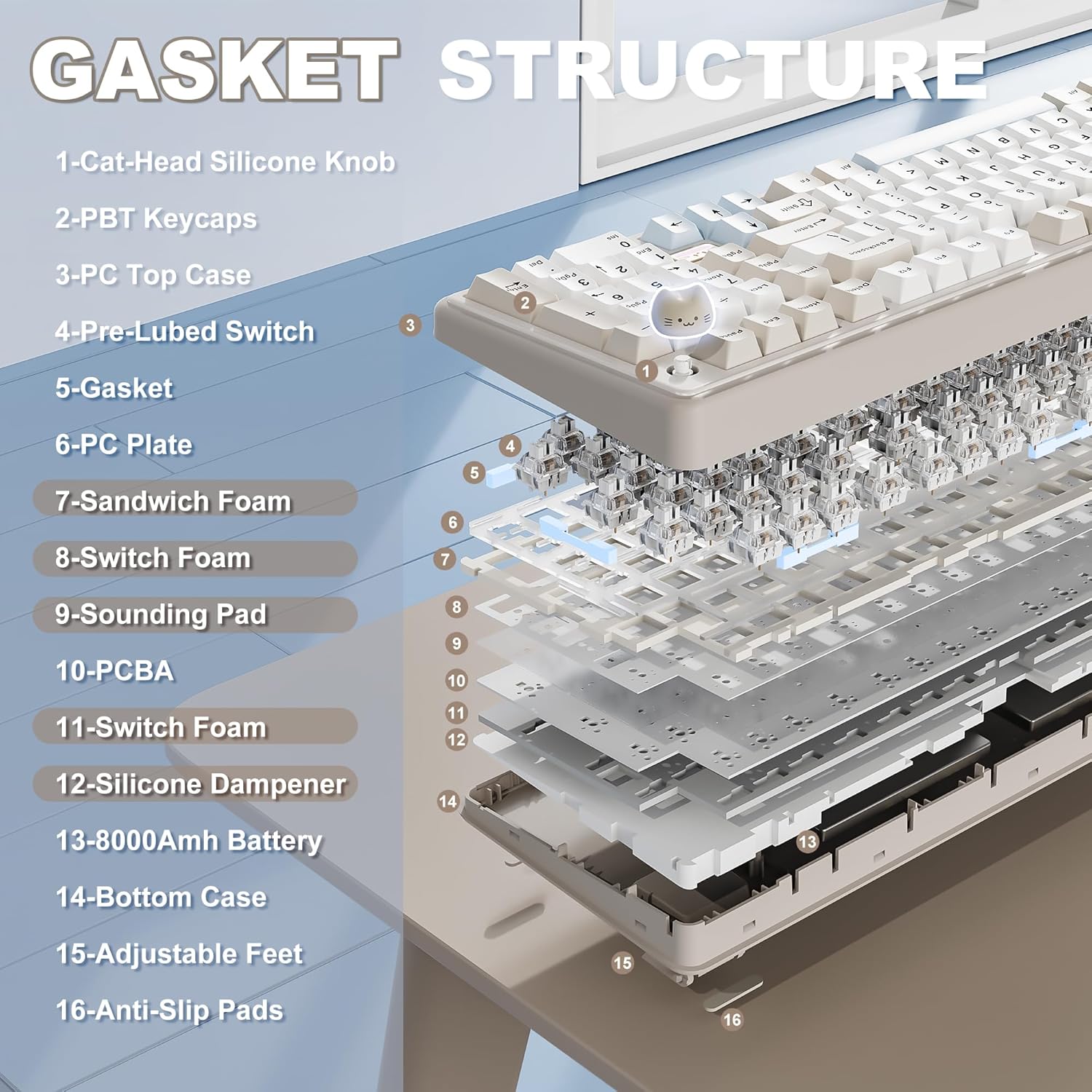
The “gasket mount with five-layer filling” is aimed at the typing feel. Gasket-style mounting and layered internal damping are designed to reduce harshness and hollow echo, so the sound profile should come across more controlled than basic hard-mounted boards. The keyboard also includes pre-lubed switches and tuned stabilizers, plus double-shot PBT keycaps, which generally points to a smoother, more consistent keystroke without the DIY work.
Micro-experience example: imagine you’re doing a long work session and switching between typing and quick volume adjustments. With the default knob behavior, you can nudge volume without jumping to software menus—then when you’re gaming, you can remap the knob and keys using QMK/VIA profiles.
Customization depth (QMK/VIA) without the learning cliff
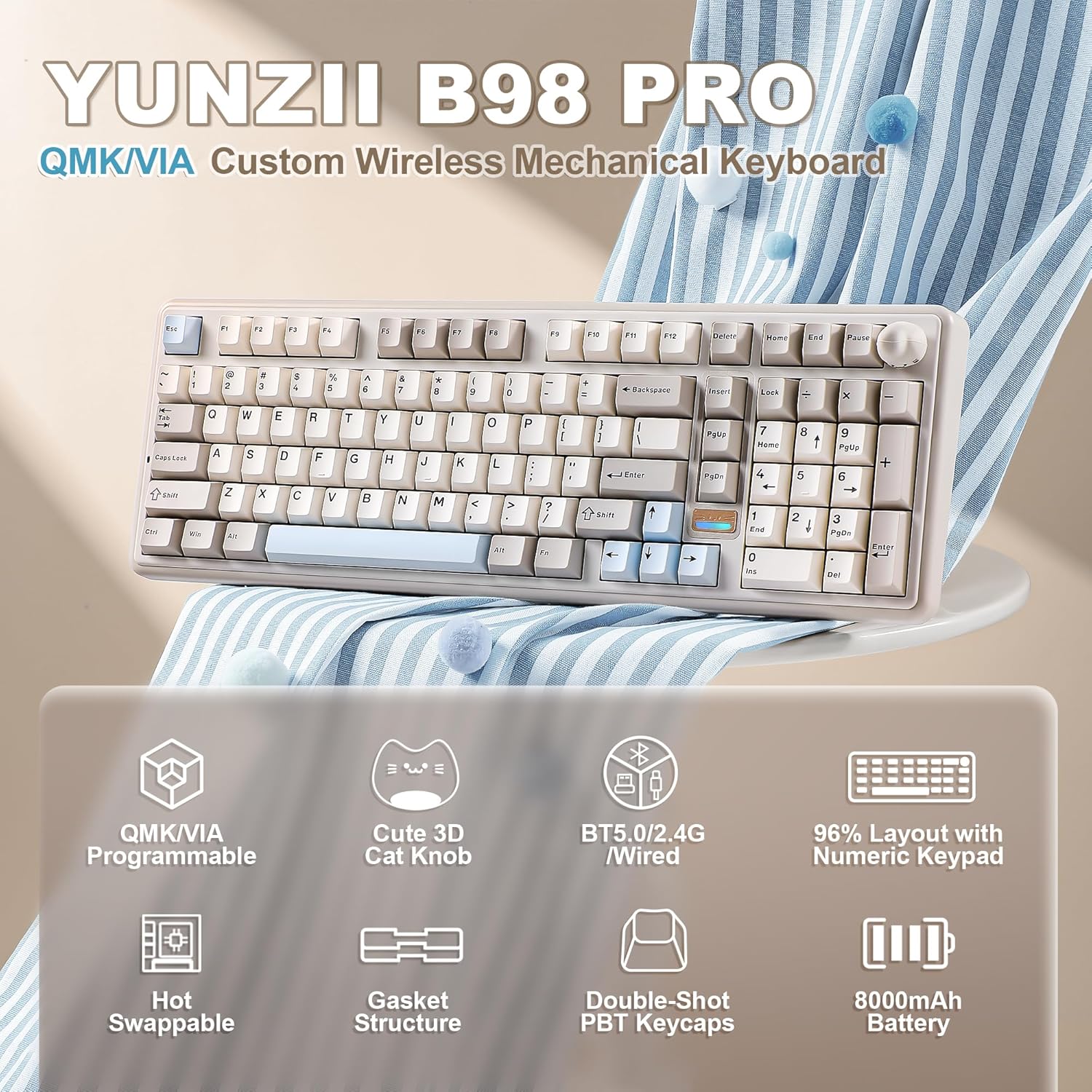
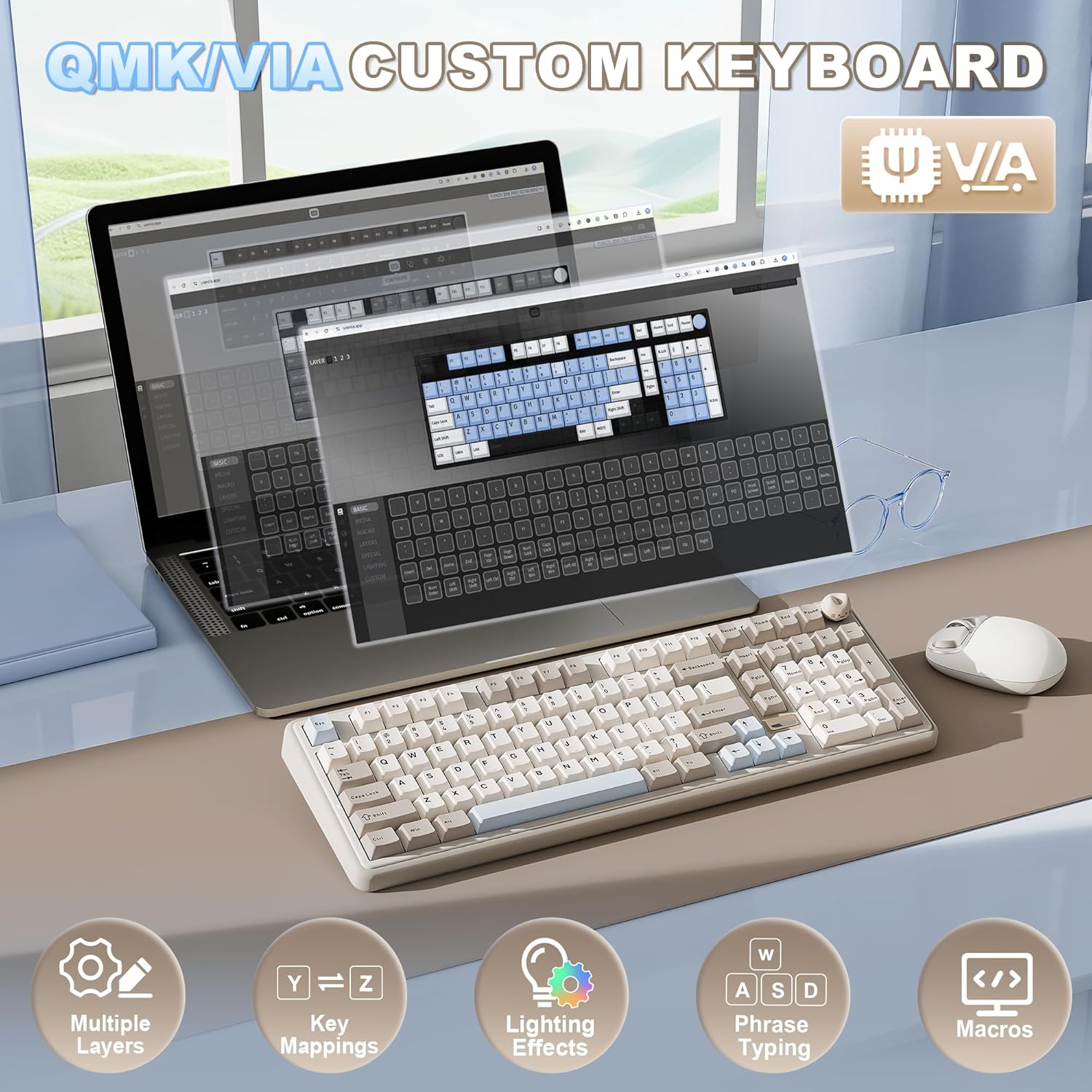
The B98 Pro is positioned for people who want to go beyond basic remapping. With QMK/VIA support, you can remap keys, record macros, and build multiple layers for different scenarios—work shortcuts, game controls, creator workflows, and more. It also supports saving and switching custom profiles.
Here’s the limitation to keep in mind: if you only ever want “plug it in and use default keys,” QMK/VIA is probably more power than you need. You might not fully appreciate the investment of time that custom layers and macros can take to set up.
Still, for buyers who like tinkering (or who just want a board that can grow with them), QMK/VIA support is the kind of feature that keeps a keyboard relevant for years.
Wireless setup and device switching
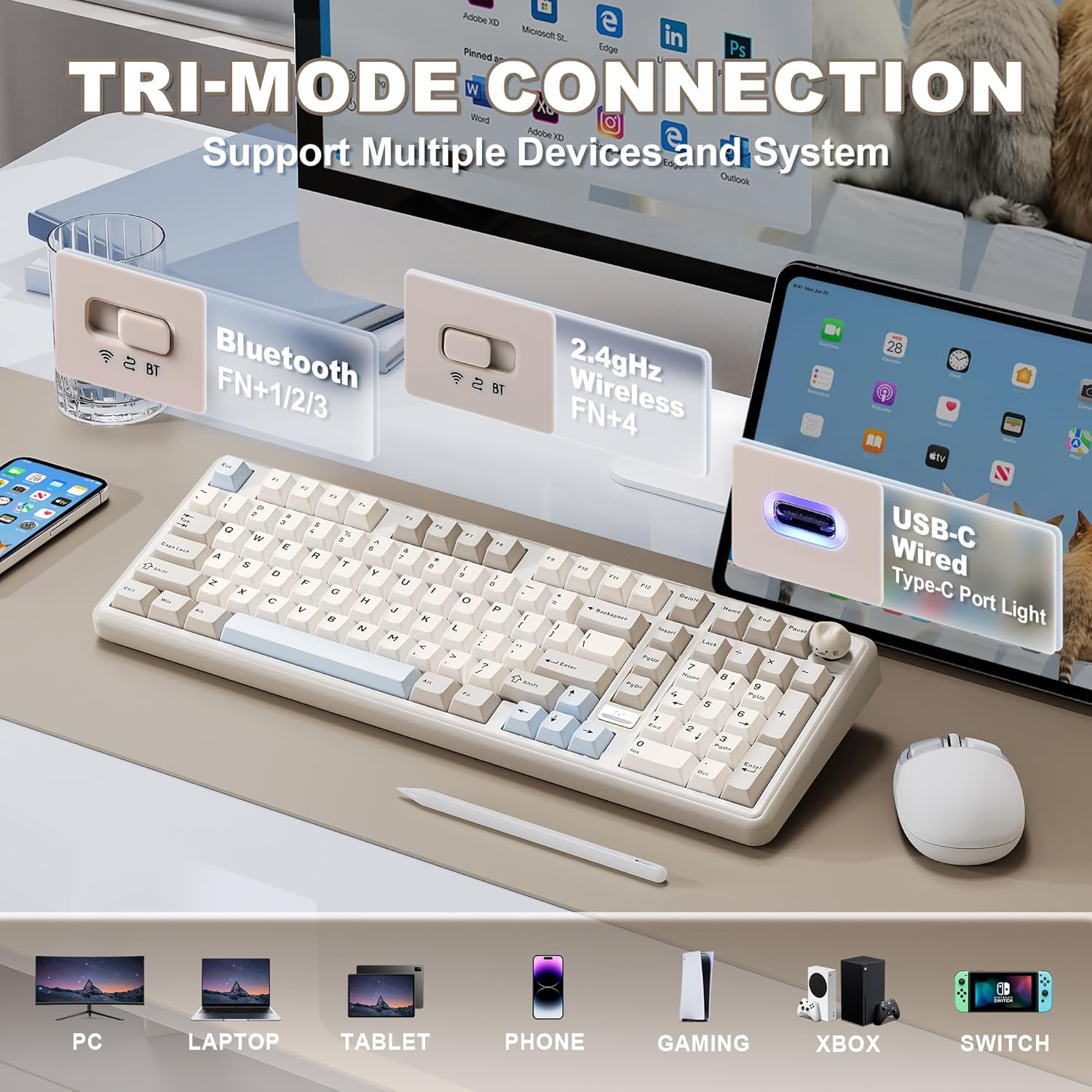
This keyboard uses tri-mode connectivity: Bluetooth 5.0, 2.4GHz, and USB-C. On top of that, the manufacturer claims support for switching across up to 5 devices and across multiple systems (Windows, Mac, Android, etc.). For households with shared computers, or for people moving between laptop + desktop, that’s a real convenience.
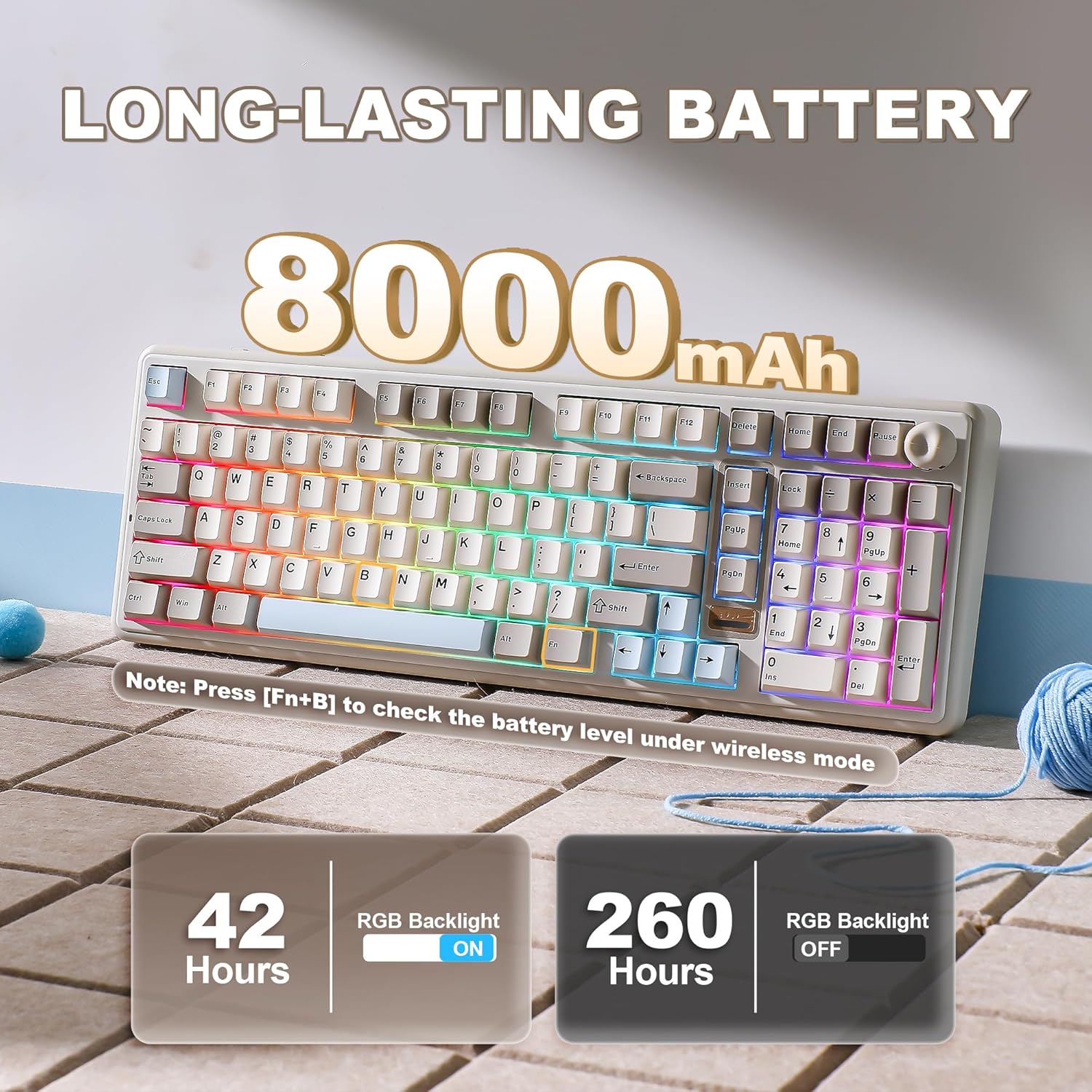
The built-in 8000mAh battery is also a major part of the pitch. Wireless mechanical boards often live or die by battery life, and a larger stated capacity usually means fewer charging interruptions—especially if you’re using it for longer sessions.
One nuance: since battery performance can vary a lot with brightness, usage, and which wireless mode you use, you’ll still want to treat “long life” as a promise dependent on your settings, not an absolute.
Key feel, switches, and what’s included for builders
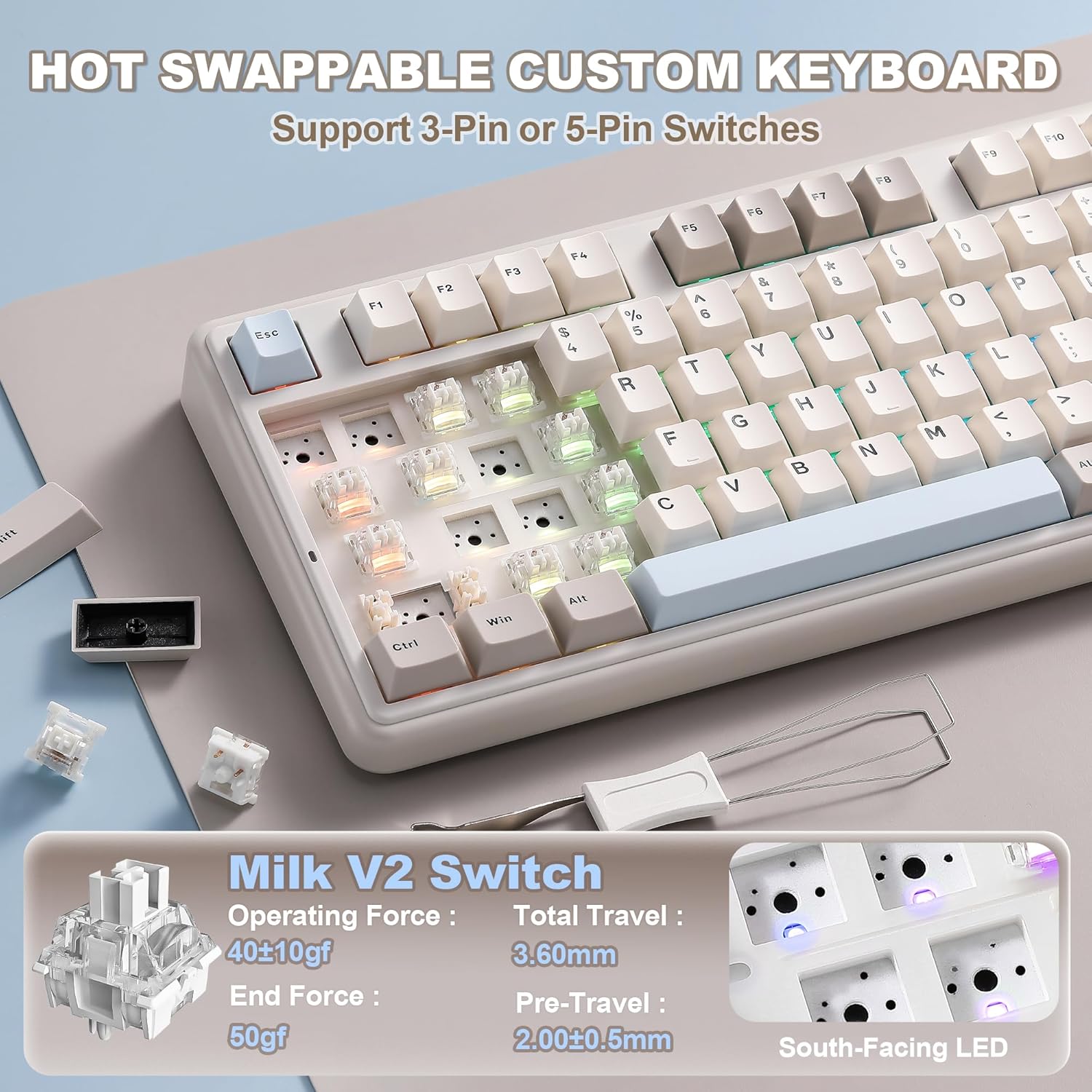
The hot-swappable design is one of the strongest “should I buy it?” factors for tinkering types. The base is compatible with both 3-pin and 5-pin switches, and you can swap switches and keycaps without soldering.
It also comes with pre-lubed switches and stabilizers, plus double-shot PBT keycaps. Over time, that matters because it reduces the number of upgrades you feel forced to do immediately. If you’re the sort of person who starts with included parts and only upgrades later, this is a practical way to avoid buying multiple accessories right away.
The board uses south-facing LED for the RGB lighting, which is worth noting if you care about how light passes through keycaps. Whether it’s “perfect” depends on your keycap preferences, but it’s a sensible detail for many setups.
Key specifications
- Layout: 96% with dedicated numeric pad (100-key layout per description)
- Connectivity: Bluetooth 5.0, 2.4GHz, and USB-C
- Compatibility: QMK/VIA firmware support
- Wireless switching: up to 5 devices (as stated)
- Battery: built-in 8000mAh
- Mounting: gasket mount with five-layer filling structure (for damping/feel)
- Switch system: hot-swappable (compatible with 3-pin and 5-pin switches)
- Keycaps: double-shot PBT
- RGB: up to 16.8 million colors, south-facing LED (as stated)
- Included/approach: pre-lubed switches and tuned stabilizers (as stated)
- Design details: dual-style knob (cat knob or round metal knob, easily swapped)
- Frame color mentioned: beige, linear Milk V2 switch variant (as stated)
Is it worth it?
Buy it if you want a wireless mechanical keyboard that keeps a real numpad while still feeling compact (96% layout), and you like the idea of QMK/VIA customization with profiles, layers, and macros. It also makes sense if you care about feel out of the box—gasket mounting, pre-lubed switches, and tuned stabilizers are all aimed at a smoother, less echo-y typing experience.
You may want to skip it if you prefer a minimal, knob-free keyboard surface, or if you’ll never use QMK/VIA beyond basic remapping. It might also feel like overkill if your main priority is simplicity and you don’t want to spend time setting up layers or profiles.
For the best fit, this is a “do more with one keyboard” pick: office tasks with the numpad + gaming/creator control with customization. Just double-check that the knob design and layout match your personal workflow before committing.
Mini FAQ
Does it support remapping and macros?
Yes. The description says it supports QMK/VIA for remapping keys, recording macros, and using multiple layers and profiles.
How does the keyboard connect wirelessly?
It uses tri-mode connectivity: Bluetooth 5.0, 2.4GHz, and USB-C.
Is the keyboard hot-swappable?
Yes. It’s described as hot-swappable and compatible with both 3-pin and 5-pin switches.
What’s special about the knob?
It’s designed with a dual-style approach—there’s a 3D cat knob and a round metal knob that can be swapped. By default, the knob is for quick multimedia volume control (as stated).
What about RGB compatibility with keycaps?
The description mentions south-facing LED. If you’re very particular about keycap lighting behavior, it’s worth considering, but expectations vary by keycaps and setup.