

YUNZII B98 Pro QMK/VIA Wireless Mechanical Gaming Keyboard (96% layout, hot-swap, BT/2.4G/USB-C, cat knob)
Product description
The essentials (and why people buy it)
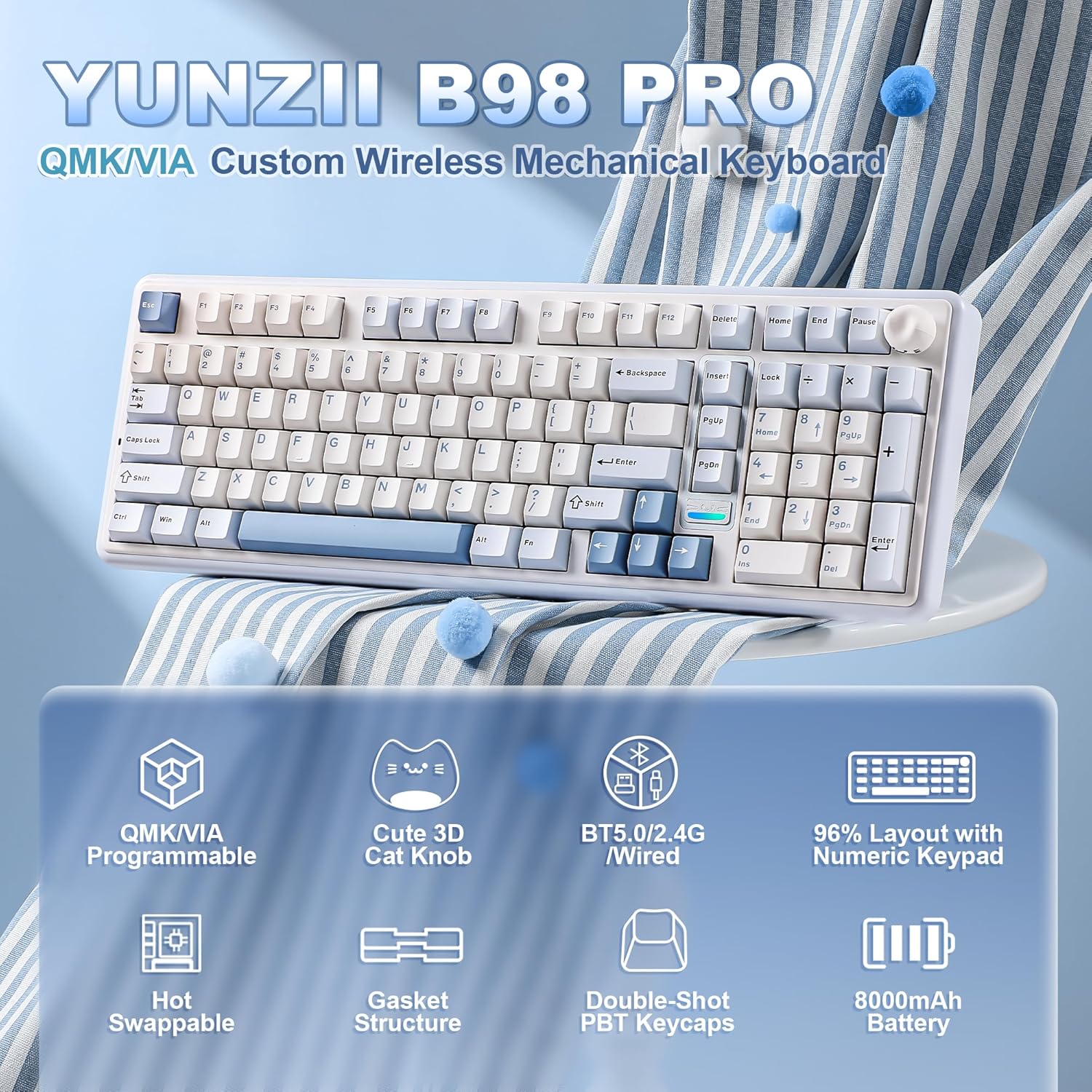
If you want a compact-ish mechanical keyboard that still keeps a dedicated numpad, the YUNZII B98 Pro is built for that middle ground: “office-efficient” on the desk, “gaming-ready” when you need it. On paper, it’s a 96% layout (so you get a fuller desktop feel without going all the way to the biggest possible footprint) plus a dual-style knob design. That knob approach is a big part of the personality here—swap it to match your setup, and use it for quick multimedia control.
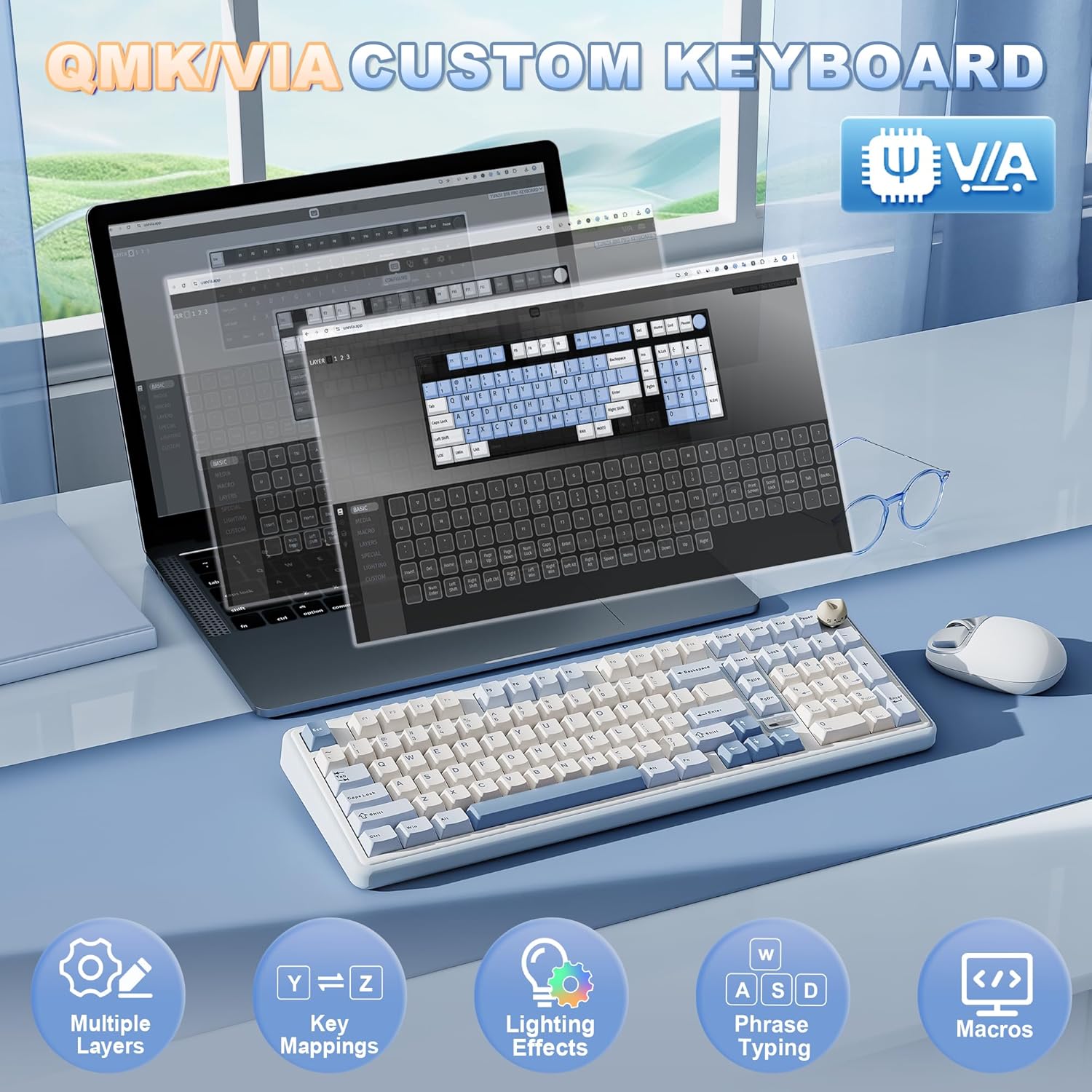
What makes this model stand out versus more basic wireless boards is the customization depth. It supports open-source QMK/VIA, which is a big deal if you like remapping keys, layering functions, or recording macros instead of relying on “whatever the default layout gives you.” The rest of the package is geared around a smooth experience: hot-swappable switches, pre-lubed components, gasket-style mounting, and RGB.
Key points
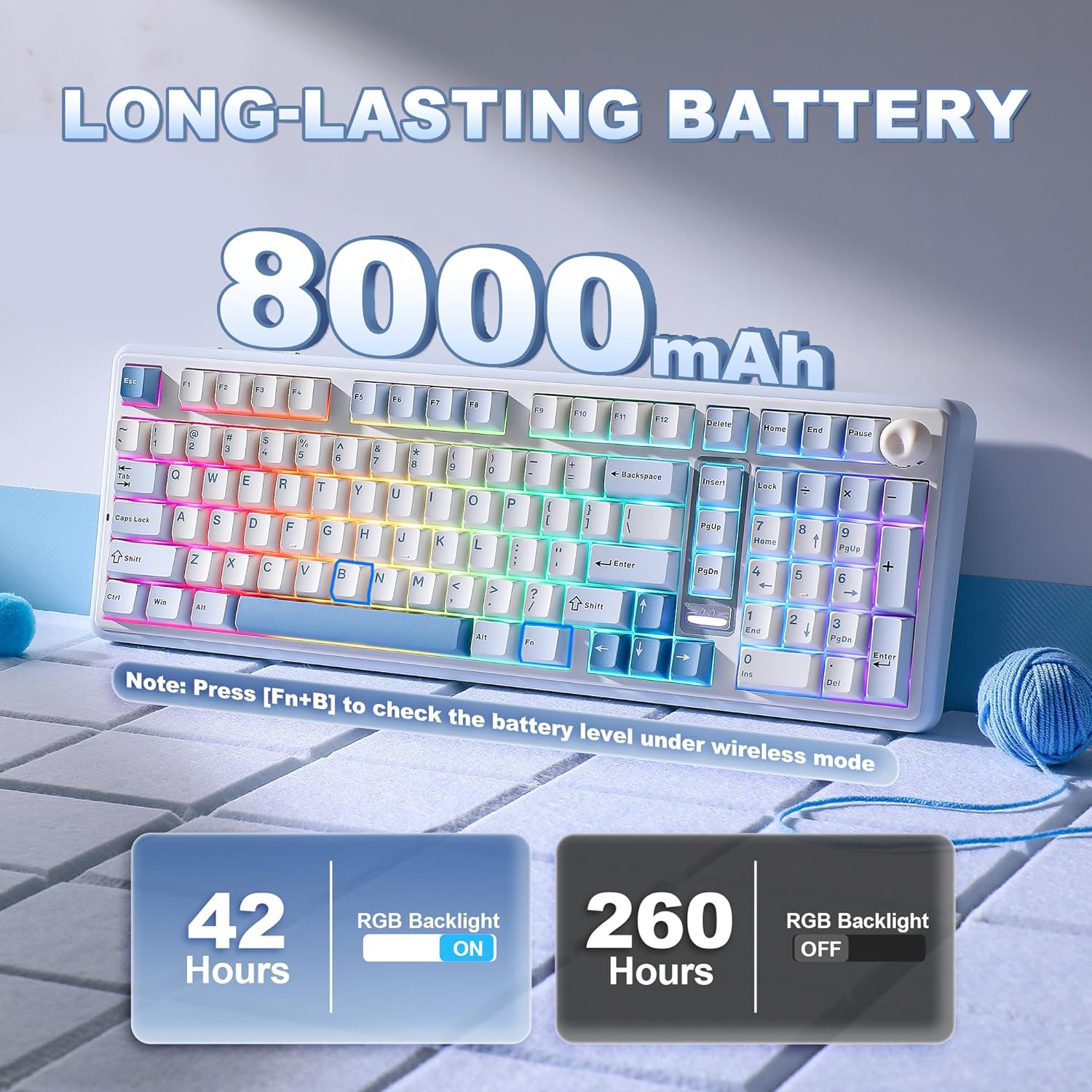
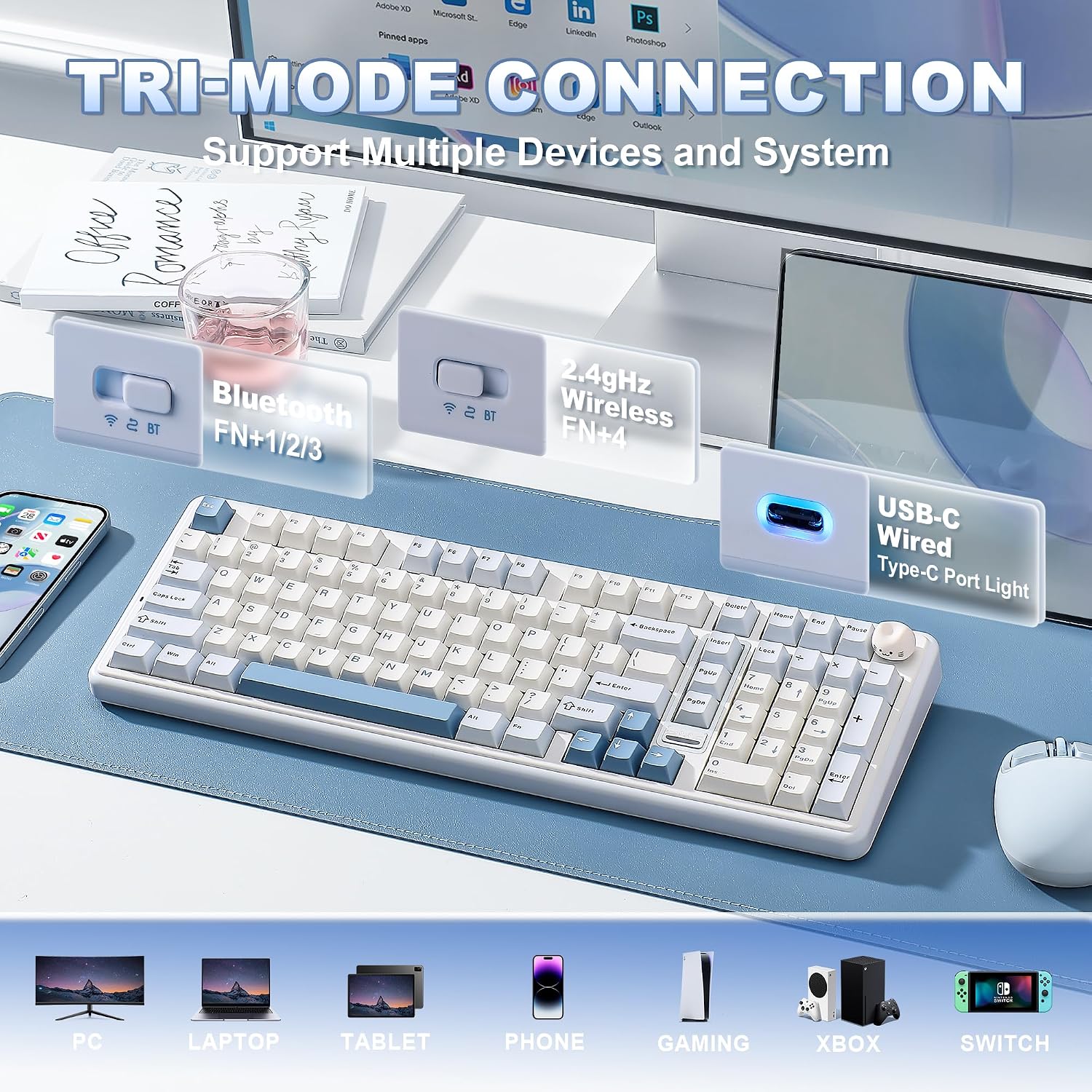
You’re getting tri-mode wireless (Bluetooth 5.0, 2.4GHz, and USB-C), so the intent is easy switching across multiple devices. The included large battery (listed as 8000mAh) is aimed at reducing the “constant charging” problem that comes with some wireless mechanical setups.
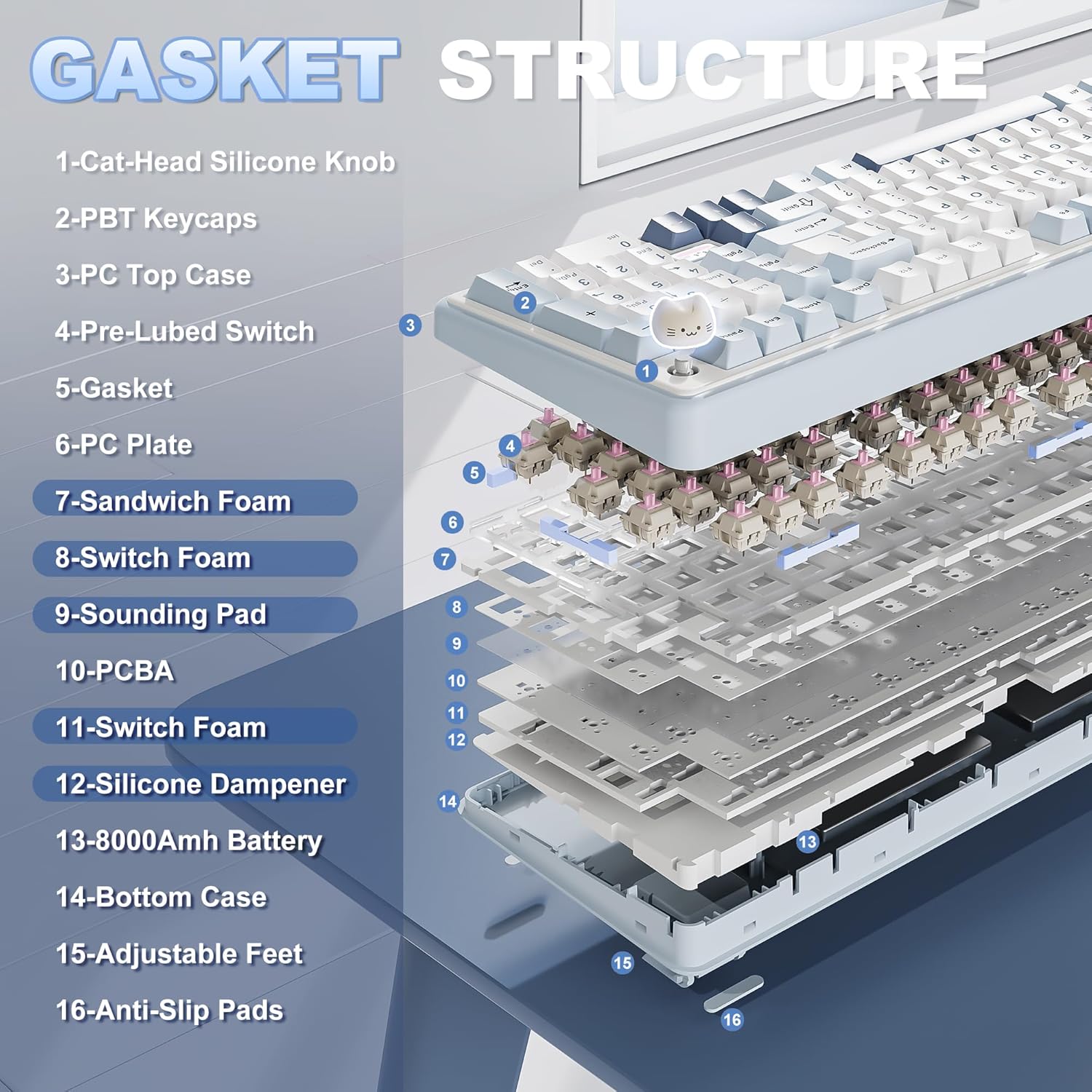
Typing feel is designed to be creamy and solid. The gasket mount with a five-layer filling structure is meant to absorb vibration and reduce hollow echoes. Pair that with pre-lubed switches, tuned stabilizers, and double-shot PBT keycaps, and you’re essentially paying for fewer compromises: a smoother keystroke without needing to solder anything.
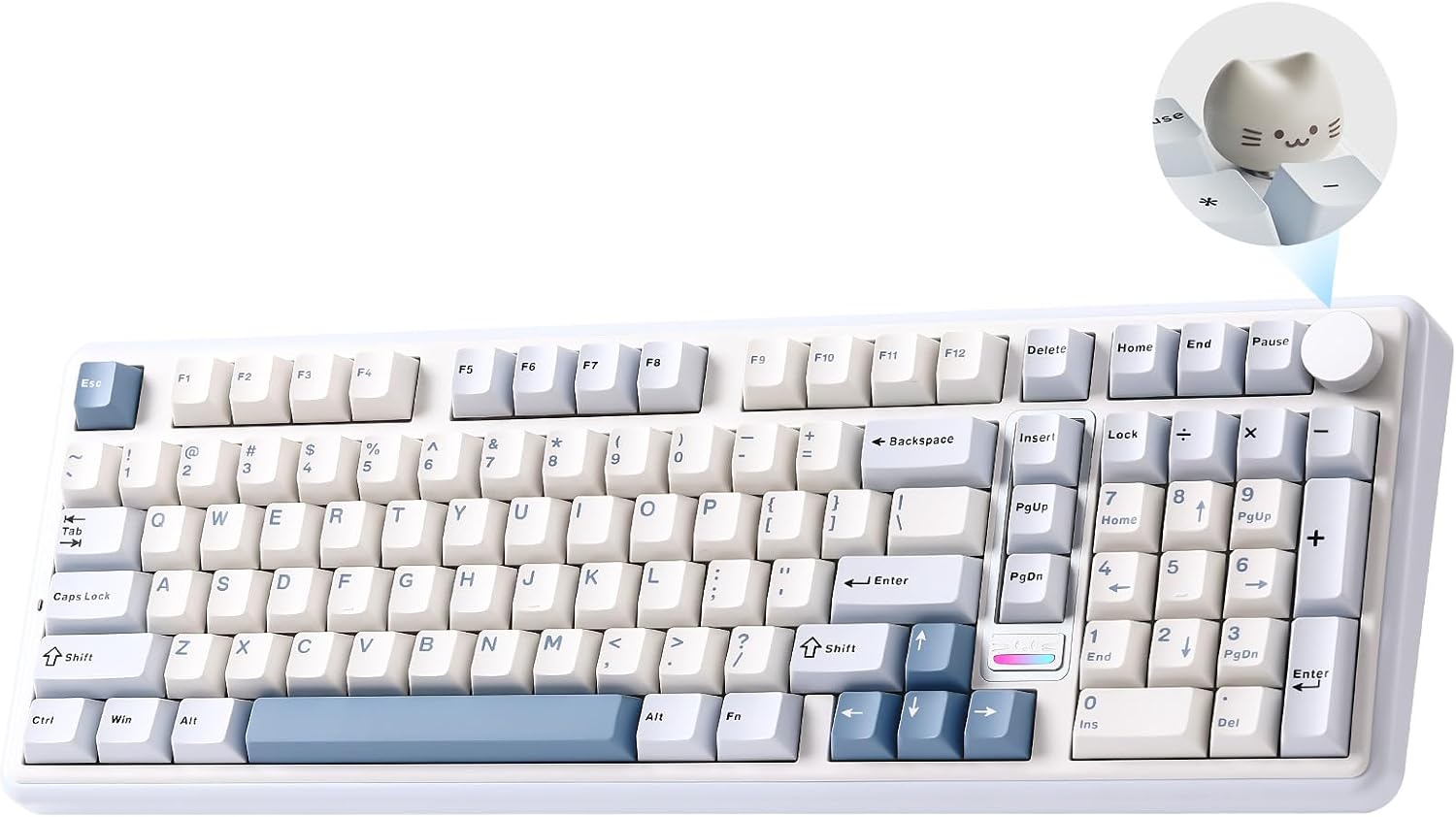
The “cute cat knob” concept also brings a practical touch: by default it’s for volume control, and the design includes an LED indicator that shows battery level. Not every keyboard bothers with that kind of at-a-glance usability.
Still, it’s worth keeping expectations realistic. Customization features (QMK/VIA layers, macros, and fine-tuning) can be amazing, but they also mean you’ll spend some time setting things up if you want it to feel truly “yours.” If you just want plug-and-play with minimal tinkering, this may feel like more keyboard than you need.
What stands out in everyday use
In daily use, the biggest “you’ll notice it” benefits are the layout and the knob. A 96% board with a numpad is one of those formats that makes spreadsheet work, quick data entry, and many office workflows noticeably faster than a layout that drops the number section. Then you add a knob that’s there for volume—so you don’t have to reach for keyboard shortcuts or fumble with system settings every time you change tasks.
For a micro example: imagine switching from a game to a work call. With tri-mode connectivity on tap, you can move between your PC and another device without rebuilding your setup. Then use the knob for quick volume adjustment while you’re typing—no hunting through menus.
Where it shines (and where it may not)
This keyboard looks particularly sensible if you fit one of these profiles:
- You want a 96% layout with a dedicated numpad (not a smaller layout that forces compromise).
- You care about wireless convenience but still want a mechanical feel that doesn’t skip on sound and stability.
- You like customization and want QMK/VIA support for remaps, macros, and layered shortcuts.
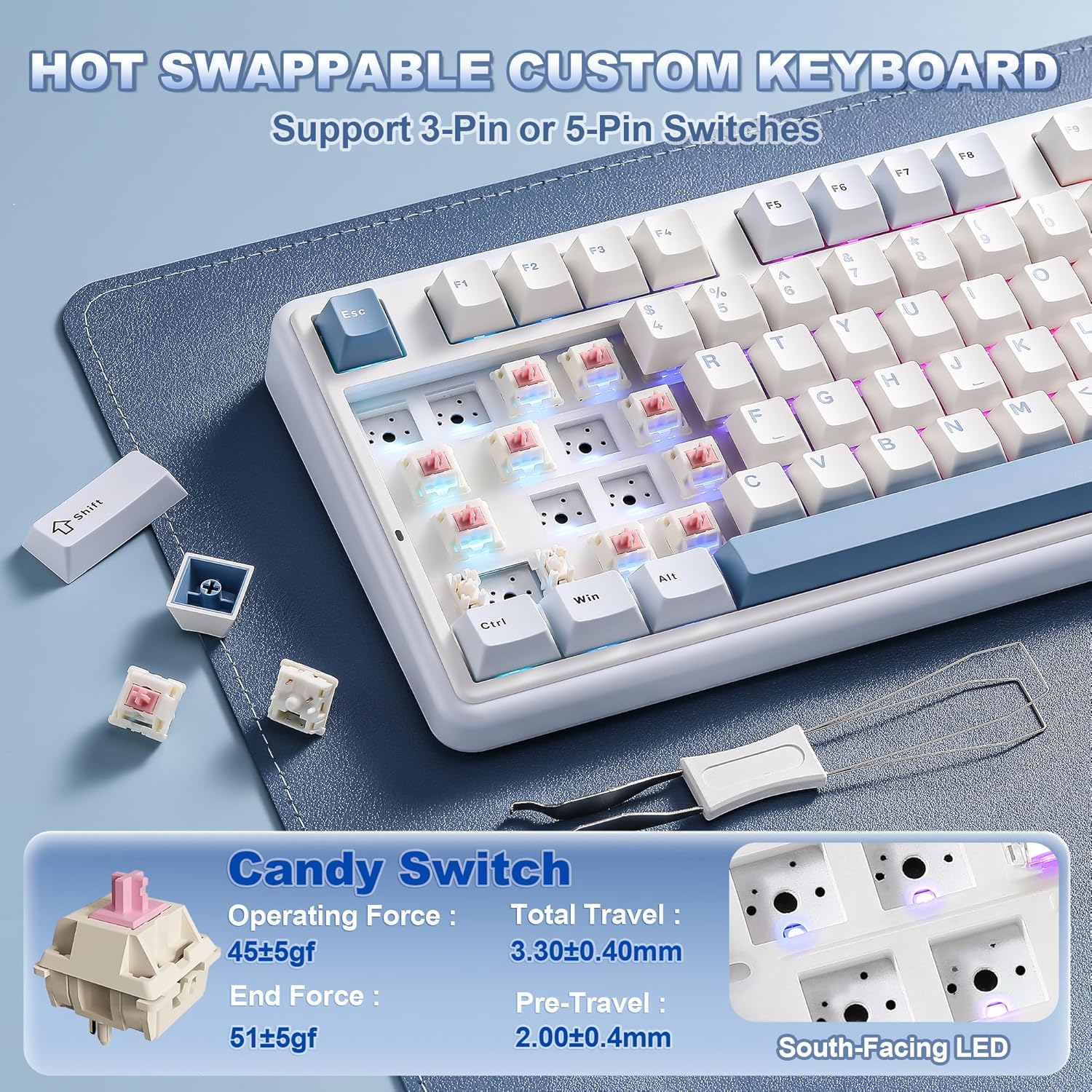
- You want to experiment with switches without soldering thanks to hot-swap.
It might be less ideal if you’re sensitive to setup time. Advanced firmware support is great, but it’s not the same as “set it once and forget it.” Also, some people may prefer a different type of knob or a simpler design—since this model is defined partly by the knob aesthetic, you’ll want to make sure that’s actually your thing.
Tech specs
- Name: YUNZII B98 Pro QMK/VIA Wireless Mechanical Gaming Keyboard
- Type: Wireless mechanical gaming keyboard
- Format: 96% layout with dedicated numpad
- Connectivity: Bluetooth 5.0, 2.4GHz, USB-C (tri-mode)
- Battery: built-in 8000mAh
- Mount style: gasket mount with five-layer filling structure
- Switch support: hot-swappable, compatible with both 3-pin and 5-pin switches
- Switches included: pre-lubed switches and stabilizers
- Keycaps: double-shot PBT keycaps
- Profile/shape: Cherry profile keycaps
- LED/backlighting: RGB (listed as south-facing LED) with 16.8 million colors
- Firmware/software: QMK/VIA support for key remapping, macros, and layers
- Controls/design: dual-style knob design (3D cat knob or round metal knob), metallic cat logo with LED battery indicator
Care, setup, and what to verify before buying
Before you commit, there are a few practical things to check based on how this kind of keyboard is used:
- Make sure you’re comfortable with firmware customization. QMK/VIA support is powerful, but it’s also where the “learning curve” can come from.
- If you plan to swap switches, confirm you’re choosing the right type for your preference since the board supports both 3-pin and 5-pin hot-swap.
- If you care about visual consistency, note the RGB is described as south-facing—how that looks to you depends on your keycap choice and your desk lighting.
Also, this is a wireless gaming-focused board, so you may want to factor in that battery and charging habits matter. The listed 8000mAh battery is intended to help, but it’s still something to consider for long stretches between charges.
Mini FAQ
Is this keyboard good for office work and gaming?
It’s designed to cover both. The 96% layout with dedicated numpad targets office efficiency, while the wireless options, RGB, and QMK/VIA customization support are aimed at gaming and creator workflows.
Does it need soldering to change switches?
No. It’s a hot-swappable keyboard and is described as compatible with both 3-pin and 5-pin switches, so you can change switches without soldering.
How does the cat knob work?
The knob is described as providing quick multimedia volume control by default. The design also supports advanced customization through QMK/VIA.
What connections does it support?
It supports tri-mode connectivity: Bluetooth 5.0, 2.4GHz, and USB-C.
Is the battery meant to last a long time?
The product listing emphasizes extended battery life, citing an 8000mAh built-in battery intended for long uninterrupted work or extended gaming sessions.
Final verdict
Buy the YUNZII B98 Pro if you specifically want a 96% mechanical keyboard that includes a dedicated numpad, and you value deeper customization through QMK/VIA along with hot-swap switching. It’s built to feel “creamy” with gasket mounting and pre-lubed components, and the tri-mode wireless setup plus large battery points to a desk-friendly daily driver.
Skip it if you don’t want to spend time tweaking layers/macros and you prefer a simpler, purely plug-and-play wireless board. Also, since the overall design is built around the dual knob concept, make sure the knob style (and the idea of swapping it) actually fits your taste—because that’s a core part of why this keyboard is different.