

YUNZII B98 Pro QMK/VIA Wireless Mechanical Gaming Keyboard (96% layout, cat knob, BT/2.4G/USB-C)
Product description
What it is and why people buy it
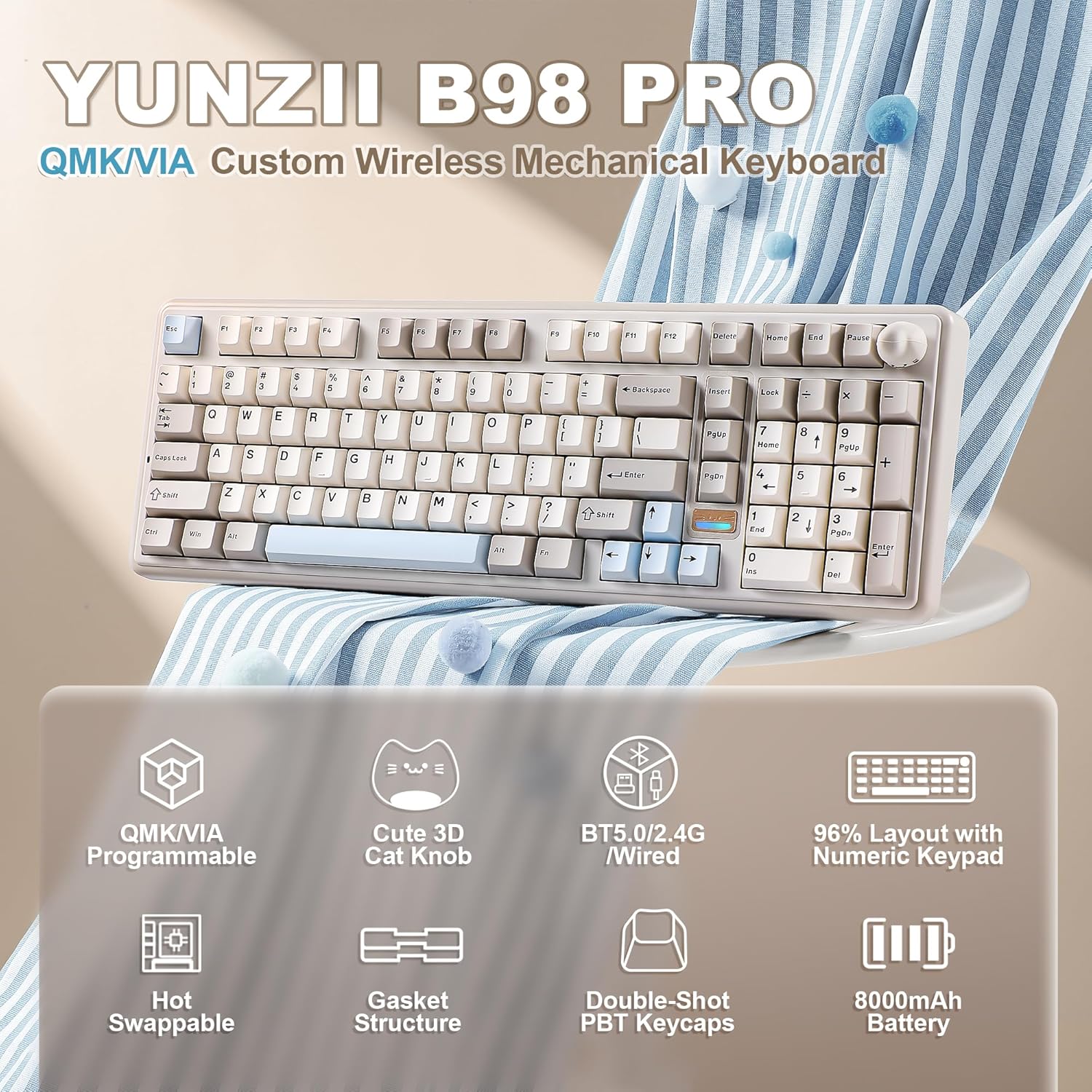
The YUNZII B98 Pro is a wireless mechanical keyboard built for people who want a compact 96% layout without giving up a dedicated numpad. On paper, that “work + play” mix is the whole point: you get a 100-key-class layout with a numeric keypad, plus a distinct dual-knob design that’s meant to make everyday control (like volume) feel faster.
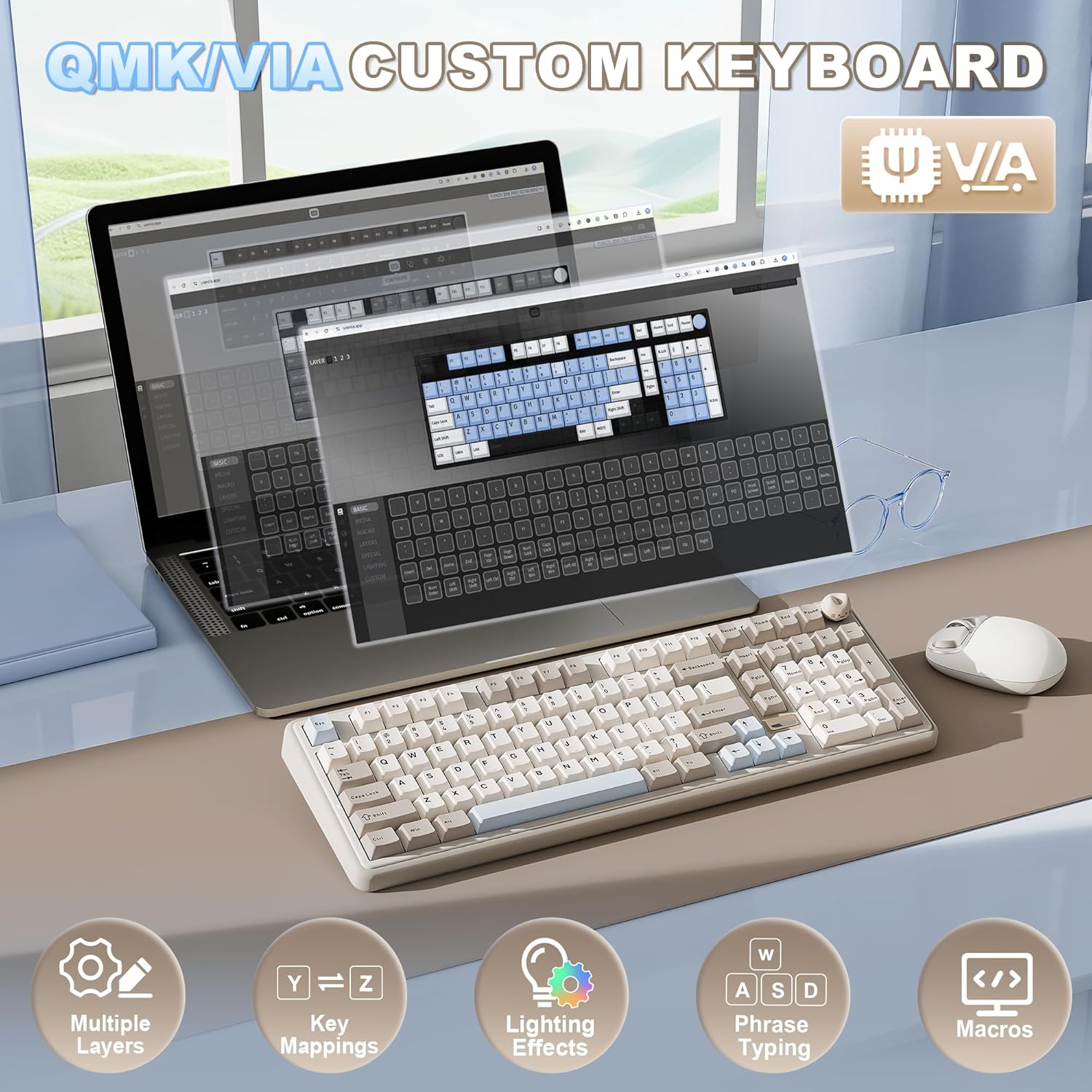
It also leans hard into customization. The keyboard supports open-source QMK/VIA-style remapping and macro recording, and it includes RGB under an arrangement described as south-facing LED. If you’re the type who sets up different profiles for different situations—gaming vs. spreadsheet-heavy days—this feature set is the main pull.
The essentials: layout, knobs, and typing feel
The B98 Pro uses a 96% layout with a dedicated numeric pad, which is a sweet spot if you’ve outgrown full-size boards but still need number entry regularly. It’s also built around a “dual-style knob” idea: a playful 3D cat knob option or a round metal knob option that you can swap to match your desk vibe.
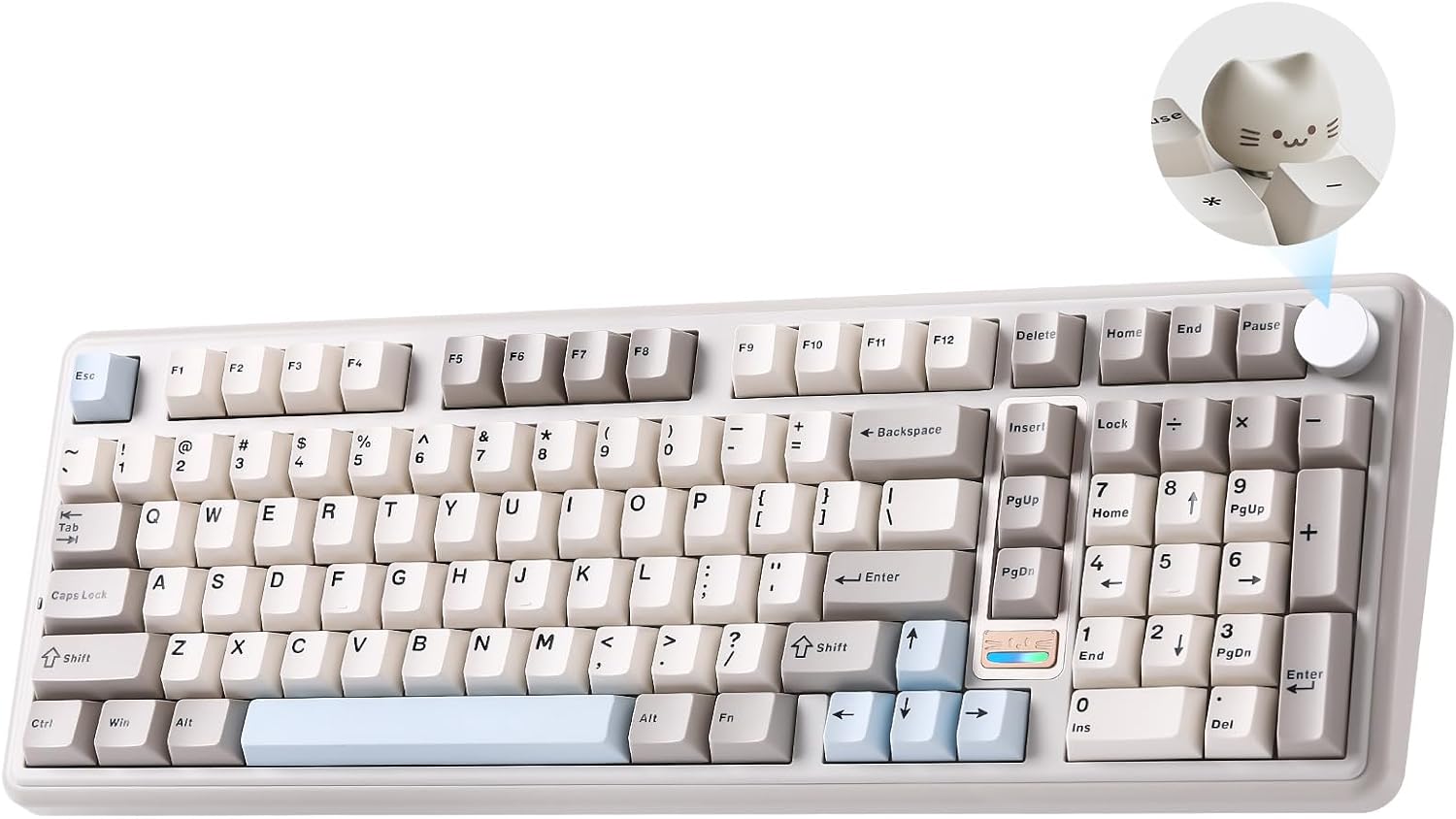
Out of the box, the knob is described as a quick multimedia volume control. Beyond that, the keyboard positioning is very clearly: “use the knob for everyday adjustments, then go deeper when you want custom shortcuts.” That’s a nice approach, especially if you don’t want to spend your first week setting everything up.
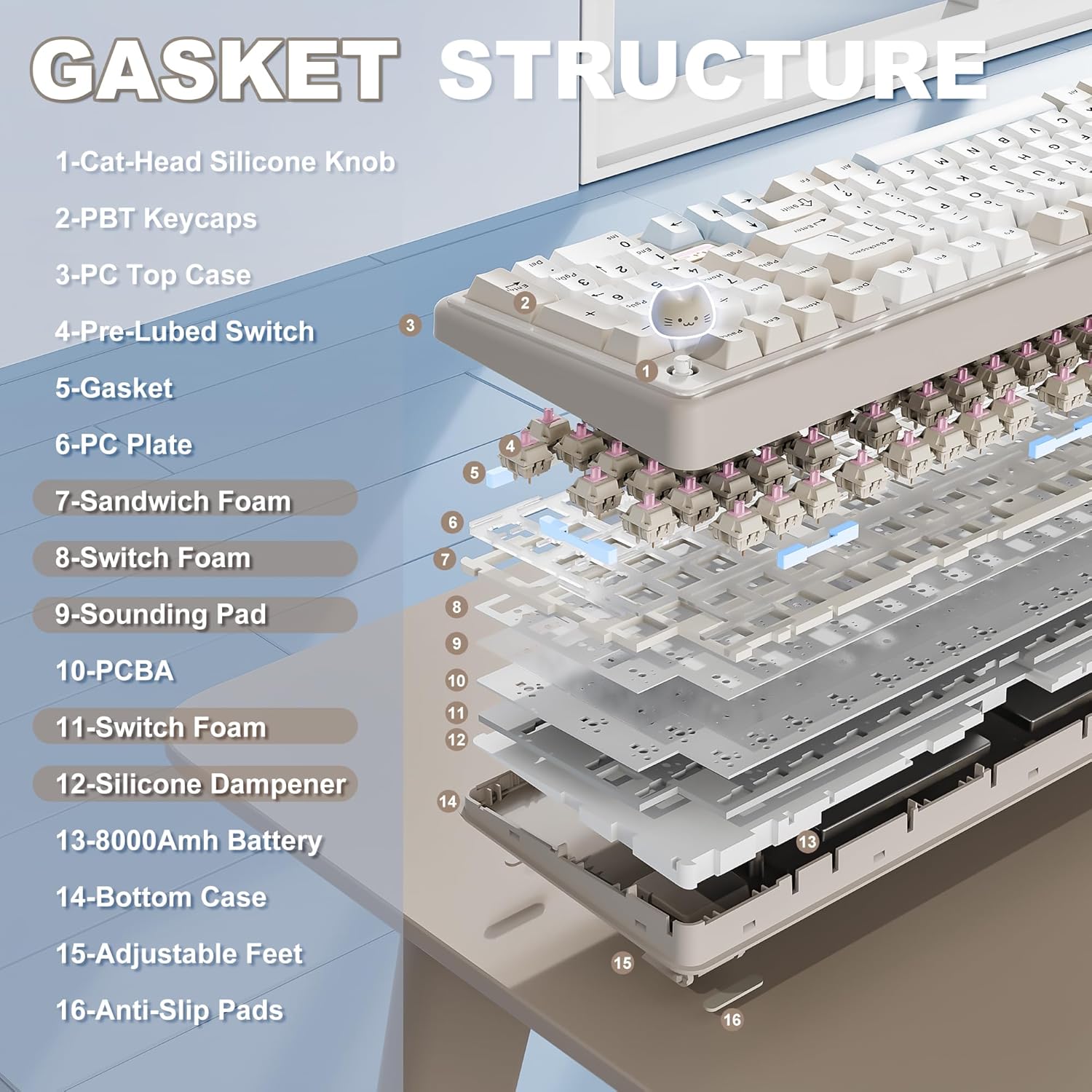
Typing feel is another headline here. The keyboard is described as having a gasket mount with a five-layer filling structure, aiming to reduce harsh vibrations and limit the hollow “echo” sound. On top of that, it includes pre-lubed switches, tuned stabilizers, and double-shot PBT keycaps. The company’s intended outcome is a smooth, solid, consistent sound profile—more “thocky/creamy” than pingy—without requiring you to solder anything.
Connectivity and battery: the practical side
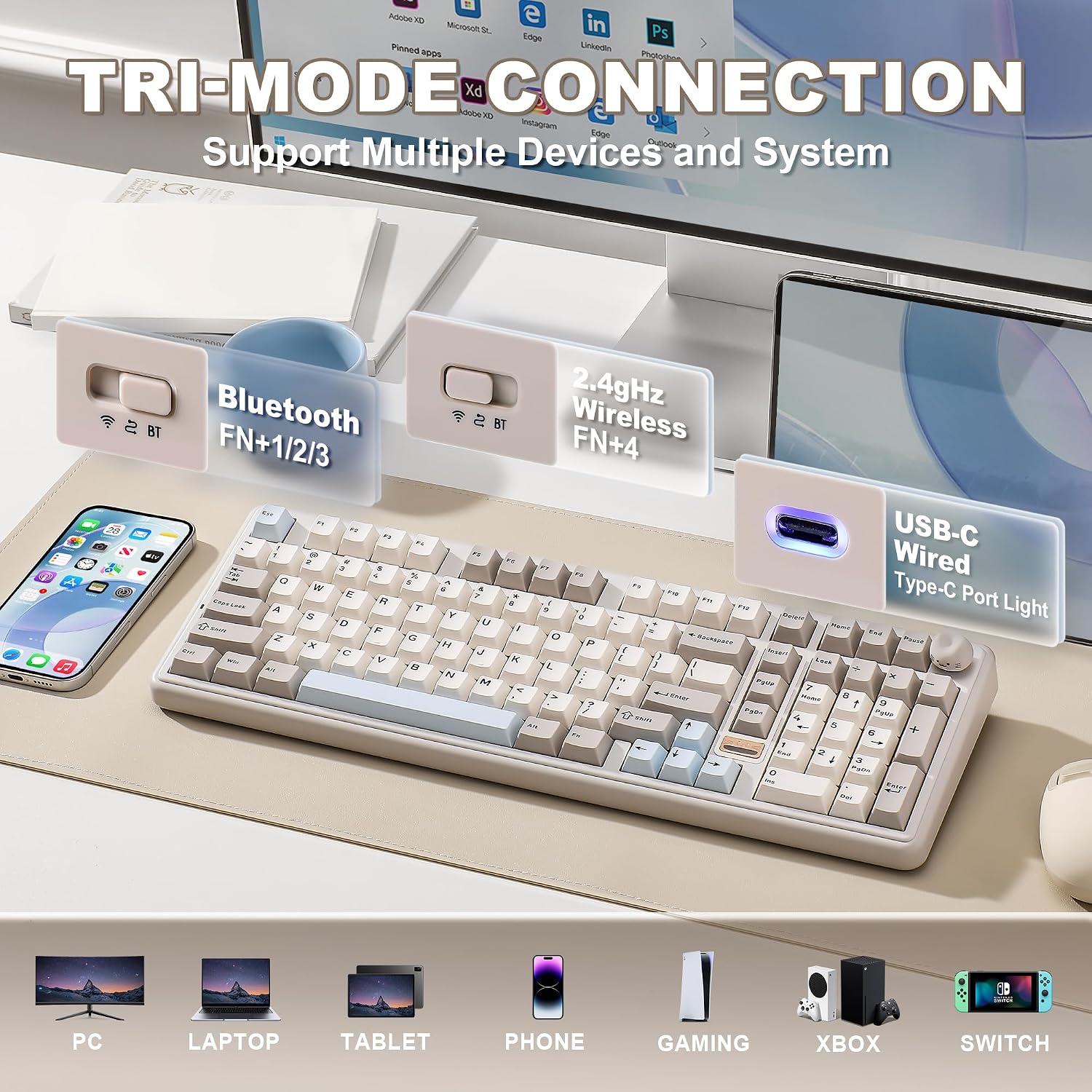
This keyboard is tri-mode: Bluetooth 5.0, 2.4GHz wireless, and USB-C. The pitch is simple: switch between up to 5 devices and across multiple systems. That matters if you’re juggling a work laptop, a desktop, and maybe a tablet/phone setup.
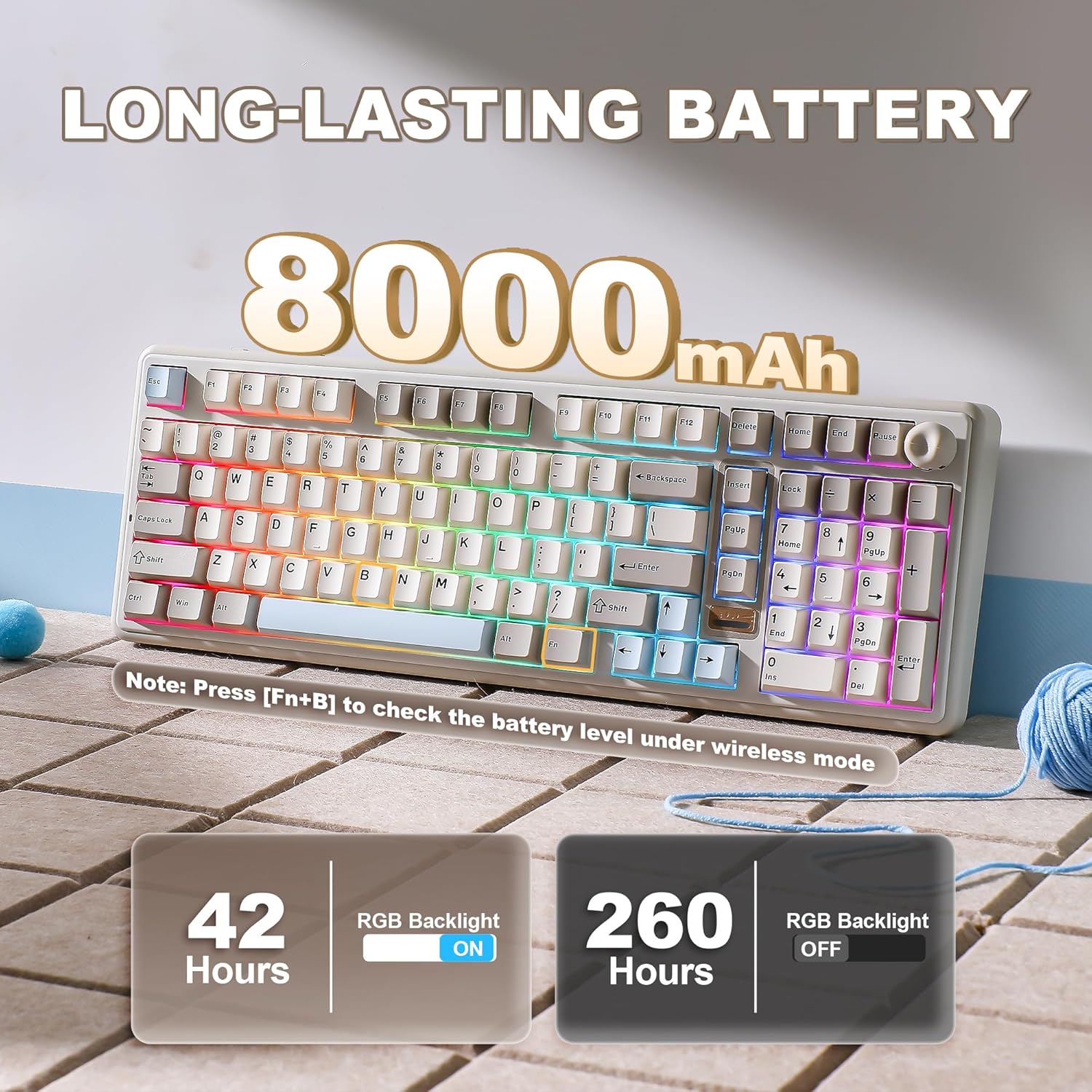
Battery life is handled by a built-in large 8000mAh battery, and it’s positioned as support for long uninterrupted use—useful for extended gaming sessions and for long stretches of office work. One limitation to keep in mind: “wireless for a long time” depends a lot on your lighting and how often you use the RGB and wireless modes. If you run vivid lighting constantly, your real-world runtime may not match the most optimistic use case.
Customization depth (QMK/VIA) and where it helps
If you’re looking at QMK/VIA on a wireless board, you’re probably after more than remapping keys. The keyboard is described as supporting key remaps, macro recording, and advanced functions like phrase typing and multiple layers.
The practical benefit is profile-based control. You can create and save custom profiles designed to adapt to “game or work task” needs, then switch quickly. The idea is: you shouldn’t have to compromise—your gaming binds stay gaming-focused, and your workflow stays workflow-focused.
A micro example of the kind of setup this enables: imagine mapping a layer so that, during work, the numpad sends navigation-style commands and a few keys become shortcuts for your most-used apps. Then switch layers for a game, where those same keys become actions you rely on in-game muscle memory. That’s exactly the kind of workflow the QMK/VIA-style feature list suggests.
Key switch and hot-swap details you can plan around
The B98 Pro is hot-swappable and comes with pre-lubed switches and stabilizers, described as compatible with both 3-pin and 5-pin switches. That means you can swap switches and keycaps without soldering—handy if you want to experiment later.
It’s also using a “Candy Linear” switch type in the Beige version listed in the product name. Since the details provided are about pre-lubed and the overall sound/feel direction, you’ll want to treat this as a typing-focused linear experience rather than a clicky actuation style. Still, if you’re extremely sensitive to switch characteristics, it’s smart to double-check how linear feels to you compared to the switch types you already own.
Also worth noting: hot-swap compatibility is good news, but not every switch choice will feel identical. Small differences in switch stem, spring behavior, and keycap weight can change the “creamy” vibe even if the keyboard’s tuning helps.
The tech specs that matter in daily use
Tech specs
- Layout: 96% with dedicated numeric pad (100-key class)
- Mount: gasket mount with five-layer filling structure
- Switch support: hot-swappable, compatible with 3-pin and 5-pin switches
- Firmware: QMK/VIA support for remapping, macros, and layers
- Connectivity: Bluetooth 5.0, 2.4GHz, and USB-C (tri-mode)
- Battery: built-in 8000mAh
- Backlighting: RGB with 16.8 million color options, south-facing LED mentioned
- Keycaps: double-shot PBT
- Stand: dual-stage adjustable stand, 2.4G receiver stored under the stand
Final verdict
It’s a solid pick if you want a wireless mechanical keyboard that covers both “office efficiency” and gaming versatility—especially if you genuinely use a numpad and you like customizing via QMK/VIA. The gasket + multi-layer approach, plus pre-lubed switches and PBT keycaps, is also the kind of combo that can feel rewarding without you needing to mod right away.
You may want to skip it if your priority is the lightest, most minimal wireless keyboard experience, or if you’re the type who rarely changes profiles and doesn’t care about layers/macros. Also, if RGB is your default and you want the absolute longest possible battery estimates, keep expectations realistic since lighting intensity can be a factor.
For shoppers who like options—knobs, switch swapping, and serious customization—this one feels like it belongs more in the “mid-to-feature-heavy” category than a barebones entry board.
Mini FAQ
What’s the keyboard layout like?
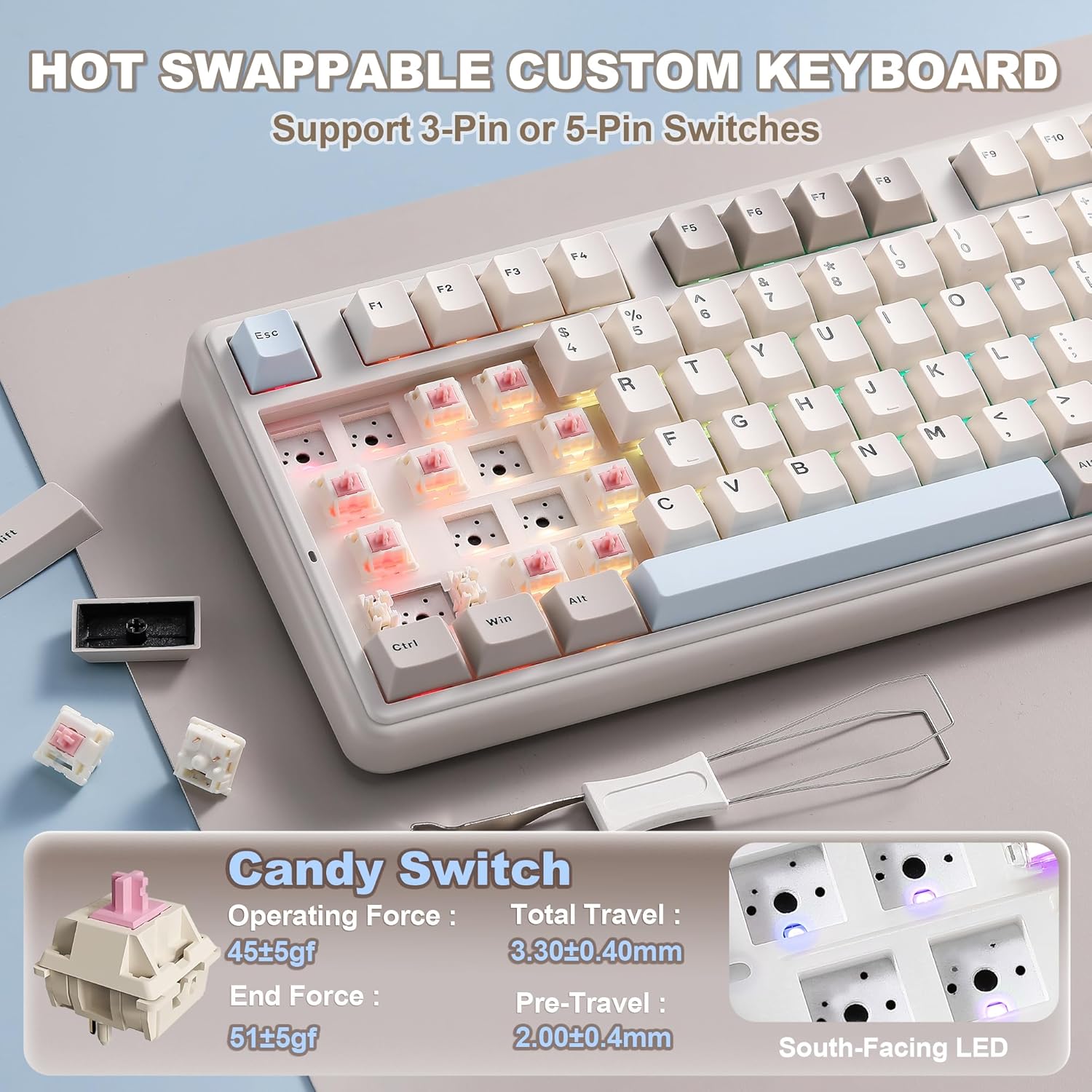
It’s described as a 96% layout that includes a dedicated numeric pad, aiming for office-friendly efficiency without losing number entry.
Does it support customization beyond basic key remapping?
Yes. The listing describes QMK/VIA-style remapping, macro recording, phrase typing, and multiple layers, plus profile saving and switching.
Is it actually wireless in practice?
Yes—tri-mode connectivity is included: Bluetooth 5.0, 2.4GHz via a receiver, and USB-C.
Can you swap switches without soldering?
That’s the point here: it’s hot-swappable and supports both 3-pin and 5-pin switches.
What does the knob do?
It’s described as a quick multimedia volume control by default, and it can be paired with deeper customization depending on how you configure shortcuts.