

Razer BlackWidow V4 75% Mechanical Gaming Keyboard (Hot-Swappable, Orange Tactile Switches) with Chroma RGB
Product description
The essentials
If you want a compact 75% mechanical keyboard that still feels like a “real” gaming tool on your desk, the Razer BlackWidow V4 is built around that idea. It keeps the footprint smaller than full-size layouts, while focusing on quick access and comfort—plus it’s designed so you can change the feel of the keys later.
On paper, the big selling point is the hot-swappable design. That means you can replace the pre-loaded switches with your own without doing soldering. If you tend to experiment with key feel over time (tactile vs. different actuation characteristics), that flexibility matters.
What to know before you buy
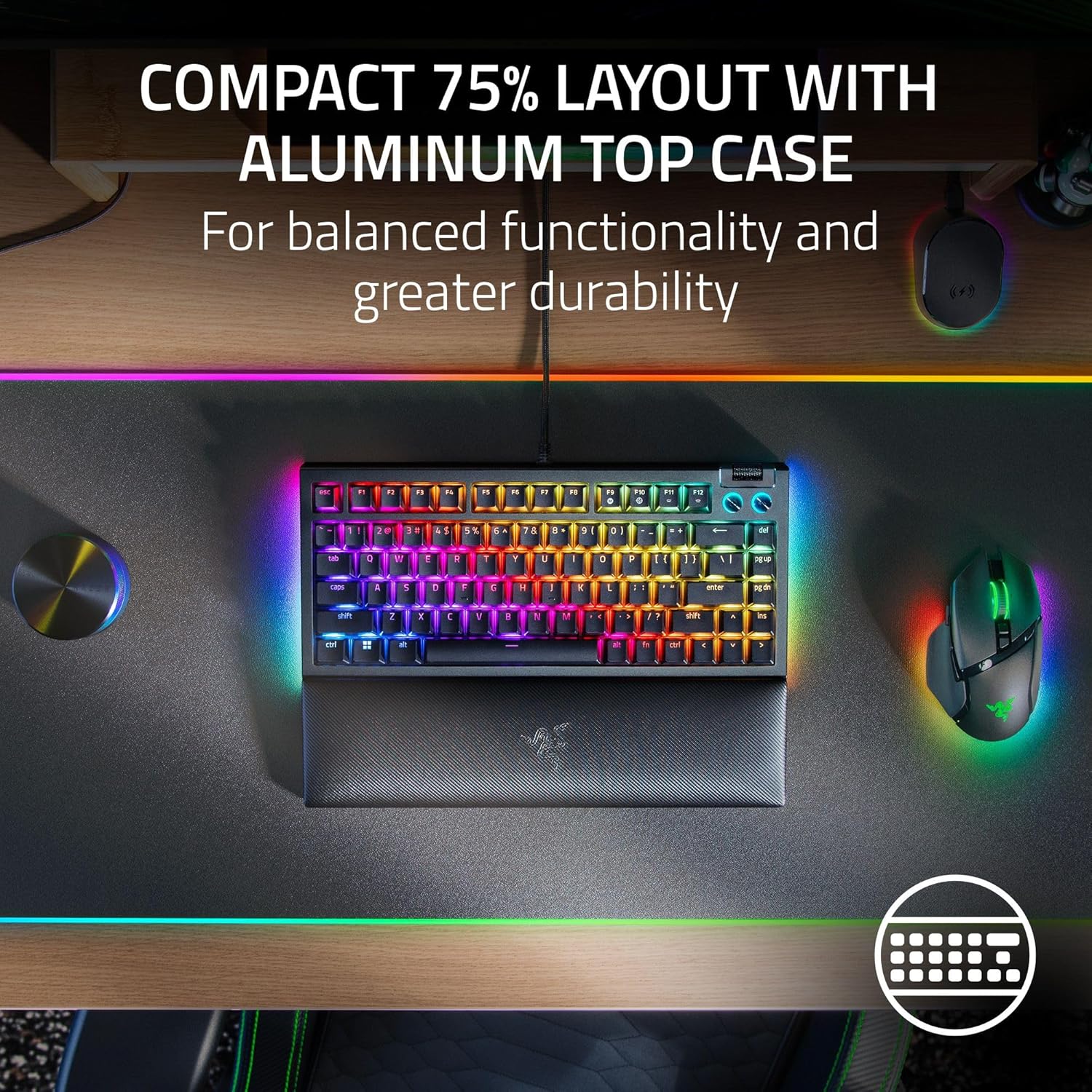
This is a 75% keyboard with a compact layout, placed for setups where desk space is tight. It also includes an aluminum case, which is the kind of detail that usually translates to a more solid, durable feel—though of course, durability is always partly about how you treat gear.
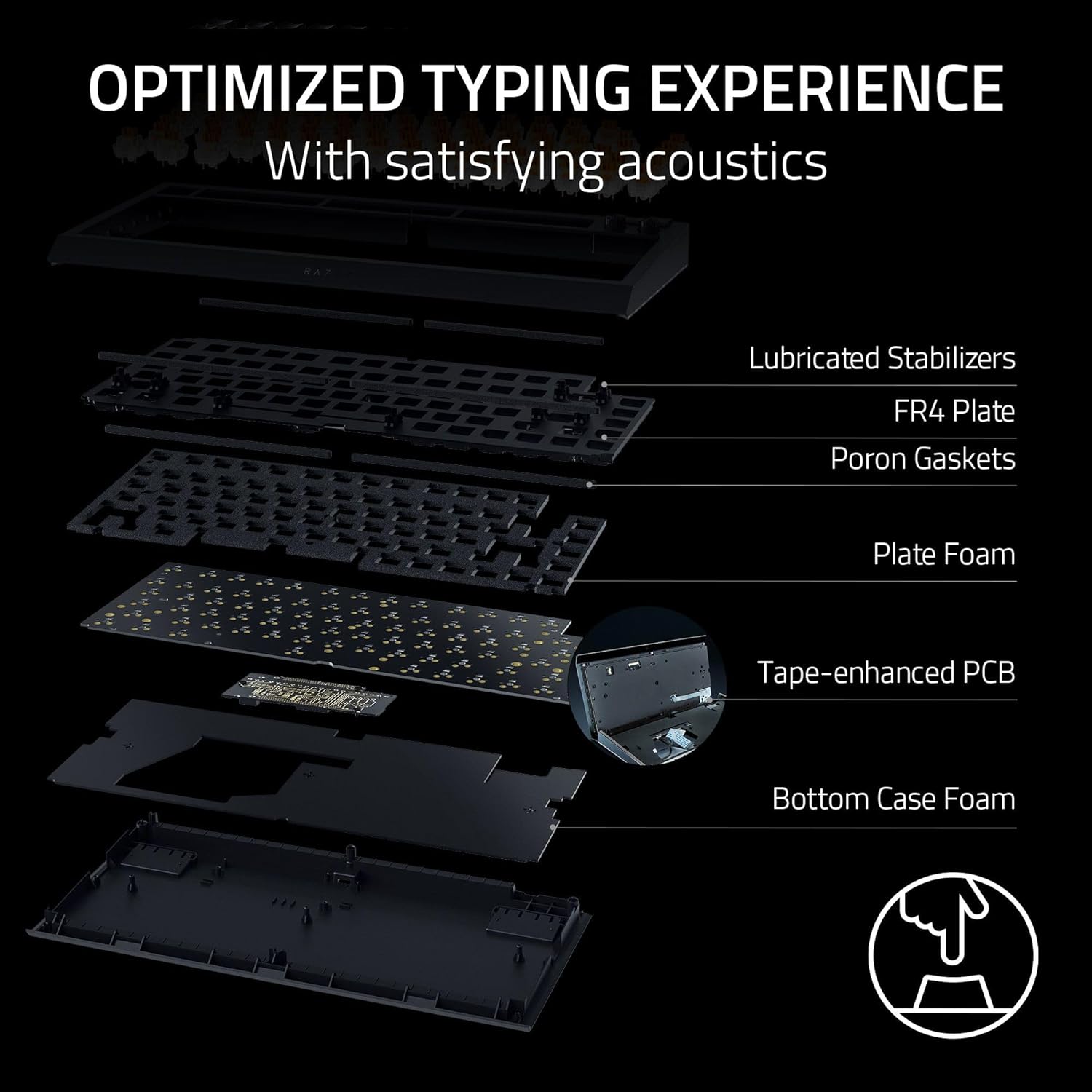
For the typing experience, the keyboard is described as having light, balanced keystrokes with a gasket-mounted FR4 plate. It also uses a tape-enhanced PCB, lubricated stabilizers, and two layers of sound-dampening foam. In other words: it’s aimed at people who care about how keys sound and feel, not just how fast the board can register.
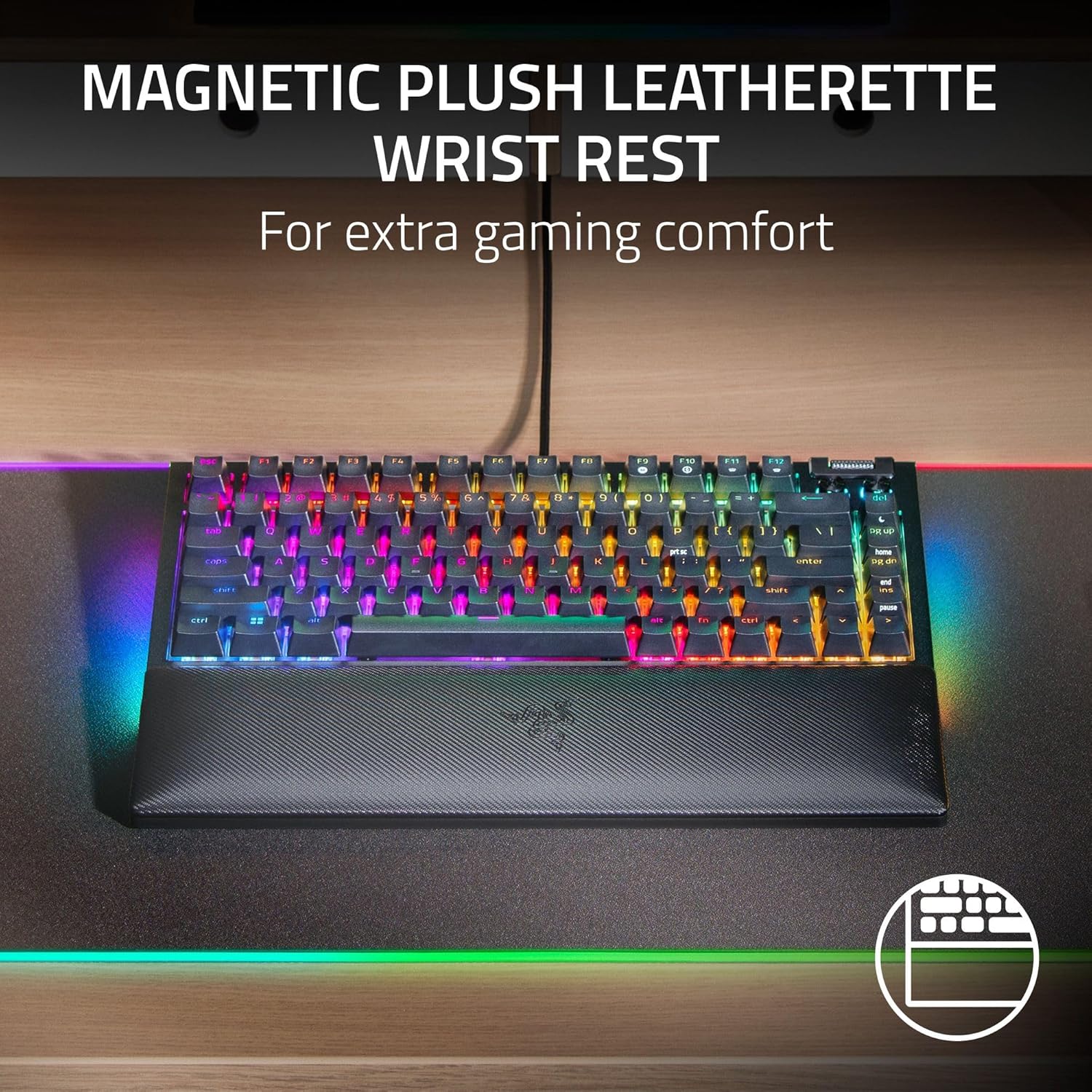
One more comfort note: there’s a magnetic cushioned wrist rest that snaps securely to the keyboard. That’s the kind of detail you either appreciate immediately or you’ll only notice once you’ve used it for a while.
Key features that change your day-to-day
Hot-swappable switches (3 or 5-pin)
The board’s socketed PCB supports 3 or 5-pin switches. Practically, that’s what makes this more than “buy it and live with it.” You can swap out the installed switches to match the switch feel you want.
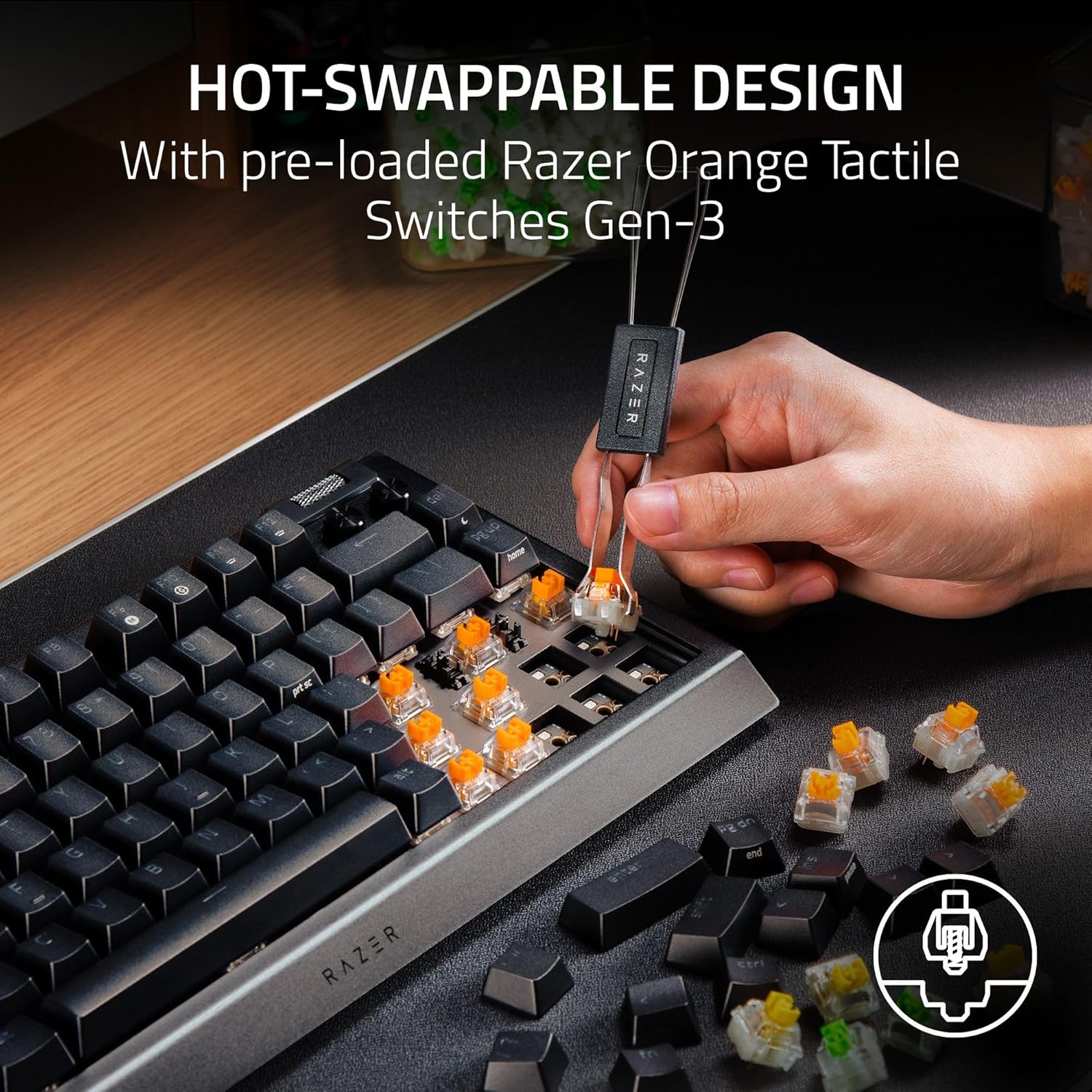
Just keep your expectations realistic: hot-swap support gives you flexibility, but the board still needs the right switch type for your intended feel. Also, if you don’t plan to customize switches at all, the upgrade path may feel like “nice to have” rather than necessary.
2-side underglow + per-key Chroma RGB
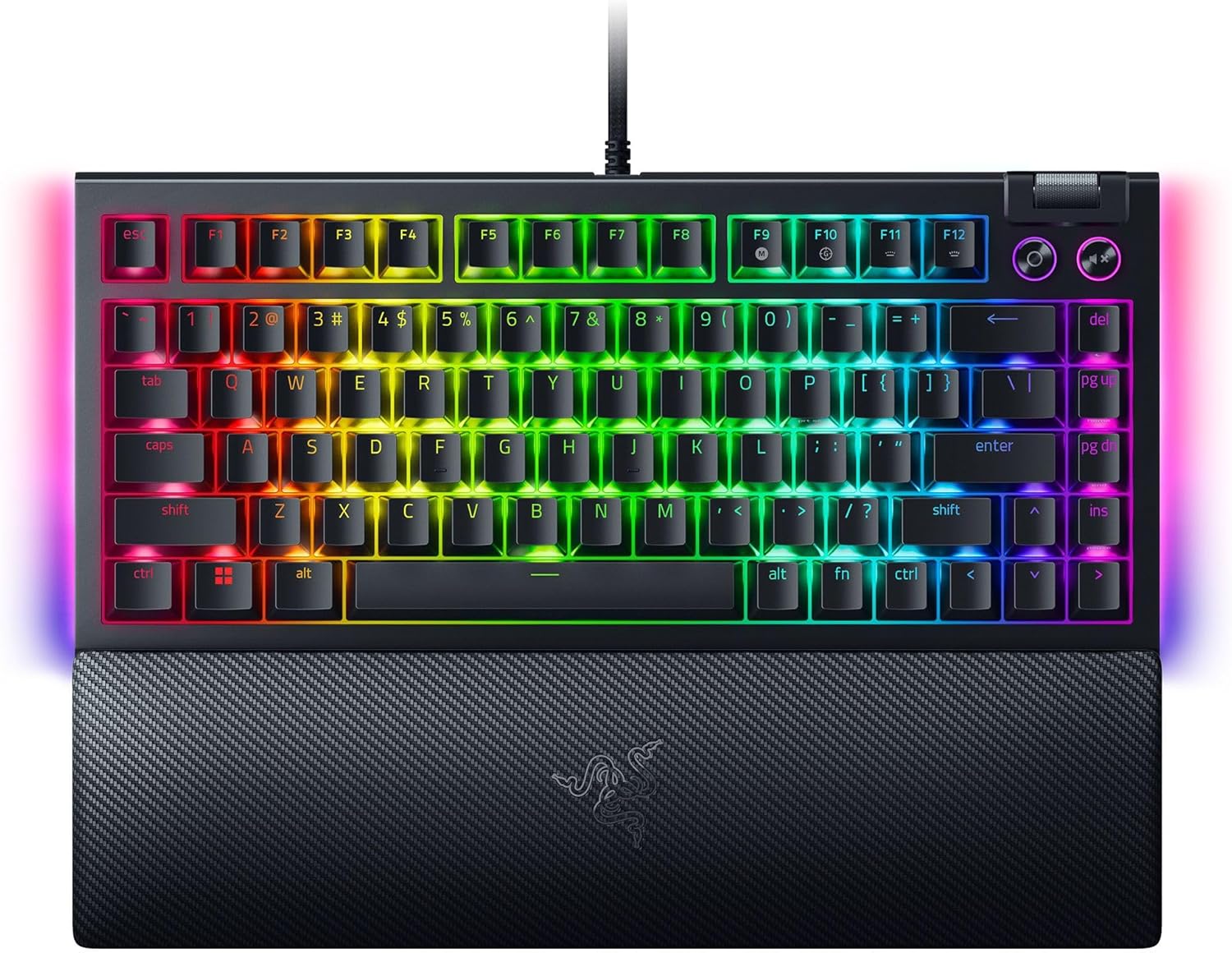
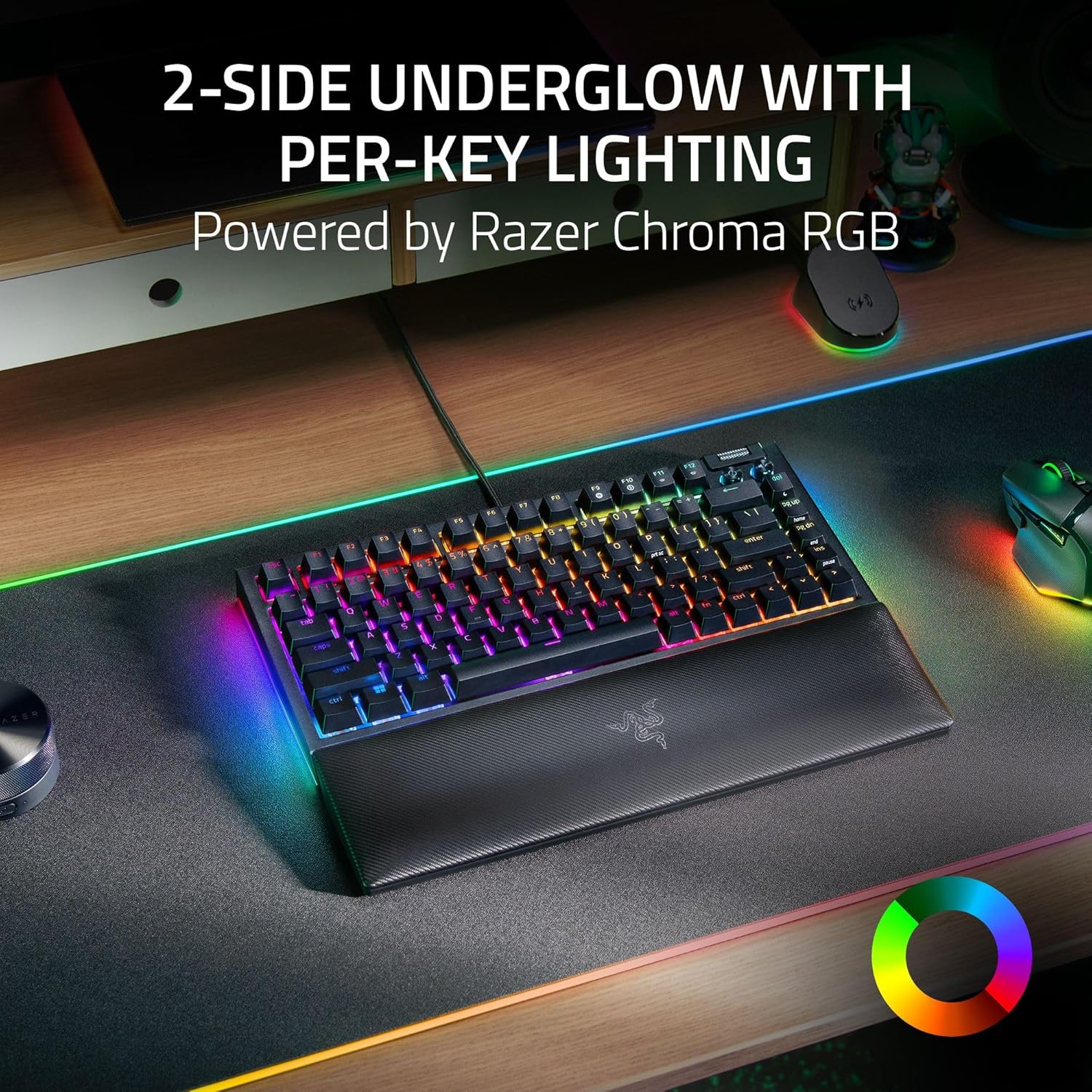
You’re getting per-key lighting plus a striking 2-side RGB underglow. The underglow is also described as being syncable with your battlestation, which is relevant if you already run RGB effects and like everything to look coordinated.
If you mainly want a clean, minimal look—or you game in a dim room where underglow can be distracting—you may want to consider whether the lighting style matches your setup.
Multi-function roller & media keys
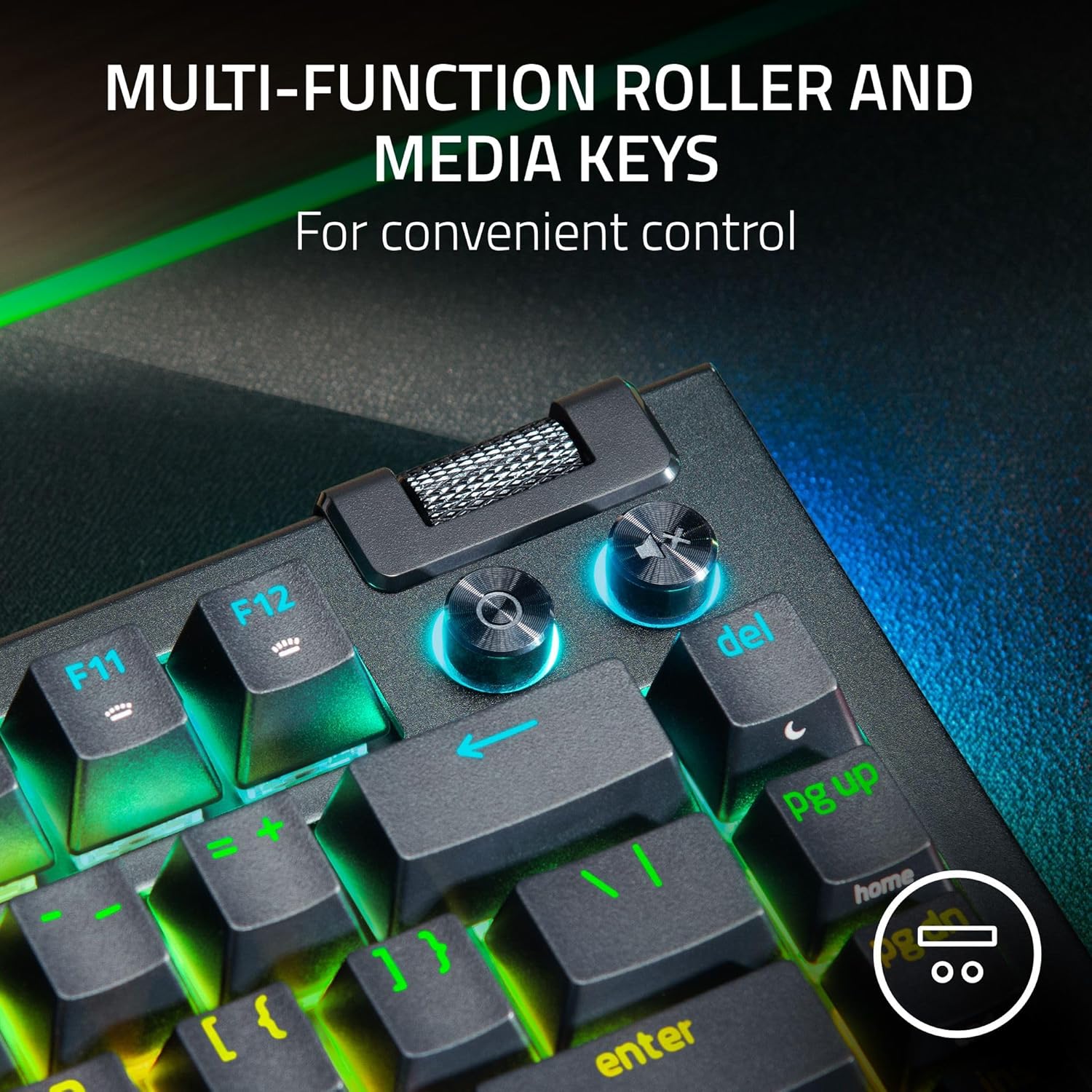
The MF roller and media keys are positioned as an entertainment-focused convenience: pause, play, skip, and adjust things like brightness and volume. This is a small feature, but it can actually save time during long sessions when you don’t want to alt-tab just to tweak audio or lighting.
Compact layout with “essential commands”
The 75% form factor is meant for leaner desk setups, while still covering essential commands. If you’re coming from a full-size board, you may need a short adjustment period for muscle memory—though 75% is a common stepping stone for people who want compact without going ultra-small.
Comfort and build considerations
The keyboard uses a gasket-mounted FR4 plate and includes sound-dampening foam, tape-enhanced PCB, and lubricated stabilizers. That cluster of choices is geared toward a typing experience that feels more refined and less pingy than the most basic mechanical boards.
The magnetic plush leatherette wrist rest is another comfort-driven design. It’s described as securely snapping to the keyboard and designed for long gaming marathons. If you frequently type or game for hours, a wrist rest can make a noticeable difference in day-to-day comfort.
Still, one limitation to keep in mind: a wrist rest won’t automatically fix ergonomics if your desk and chair setup aren’t aligned. It’s support, not a cure-all.
Usage tips
If you’re setting up this keyboard for the way you actually play, start with two quick checks: first, confirm your desired switch feel. Since it’s hot-swappable (3 or 5-pin support), you can plan your swap path instead of committing blindly.
Second, use the MF roller for the “small stuff” during sessions. For example, when you’re watching something between matches, adjust brightness and volume directly on the keyboard rather than reaching for overlays.
And if you care about immersion, take a moment to tune the per-key lighting and 2-side underglow to your room lighting—2-side effects can look incredible, but they can also be a bit much in very bright environments.
Tech specs
- Type: Mechanical gaming keyboard
- Layout: 75% compact layout
- Hot-swappable compatibility: Supports 3-pin and 5-pin switches
- Build materials mentioned: Aluminum case, FR4 plate
- Lighting: Per-key lighting with 2-side RGB underglow (Chroma RGB)
Is it worth it?
Buy the Razer BlackWidow V4 75% if you want a compact gaming keyboard that’s flexible for the long run. The hot-swappable design (3 or 5-pin) is a strong reason to choose it if you like customizing your key feel, and the gasket-mounted FR4 plate plus sound-dampening approach suggests it’s aiming for a more satisfying sound and typing feel than simpler boards.
Skip it if you want a purely minimalist keyboard with subdued lighting, or if you already know you’ll never change switches—then you might be paying for a customization path you won’t use. Also, if the idea of a 75% layout requires zero adjustment time, you should factor in a short learning curve for key placement.
Best fit for people who game and type regularly, care about comfort, and want RGB that goes beyond just the keys.
Mini FAQ
Is the BlackWidow V4 75% hot-swappable?
Yes. It’s described as hot-swappable and compatible with 3 or 5-pin switches, using a socketed PCB for easier switch swapping.
What kind of switches does it come with?
It’s listed with Orange Tactile switches pre-loaded.
Does it have RGB lighting?
Yes. It includes per-key lighting and a 2-side RGB underglow with Chroma RGB.
What about comfort for long sessions?
It includes a magnetic plush leatherette wrist rest that snaps to the keyboard, designed for comfort during long gaming marathons.
Will the keyboard save desk space?
That’s one of its goals. It uses a 75% layout intended for setups where desk space is a premium.