

WAVLINK Docking Station triple display
Product description
If you need a single connection to power up your workspace setup, the WAVLINK laptop docking station is a practical way to expand what your laptop can do. It brings multiple ports into one compact hub, so you can connect monitors, network, storage card media, and audio interfaces without constantly plugging and unplugging. For Windows users who want triple display capability with USB C, this dock focuses on everyday productivity as well as smoother visual output for demanding tasks 😄.
Key features
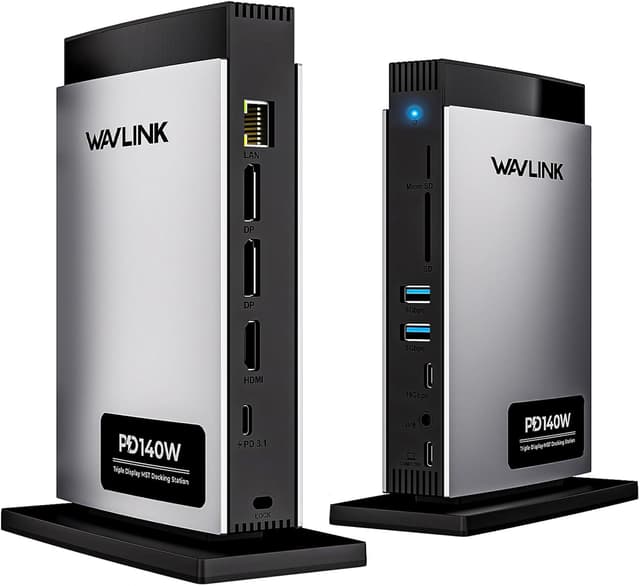
The WAVLINK Laptop Docking Station Triple Display is built as an 11 in 1 USB C dock that consolidates common desk connections into one device. It includes USB C with up to 125W PD pass-through charging, letting you power compatible laptops while using the rest of the ports. For display connectivity, it provides 2 x DP and 1 x HDMI, which helps you set up a multi monitor arrangement with less cable clutter. You also get a 10Gbps USB C 3.2 port and additional USB A connectivity for peripherals.
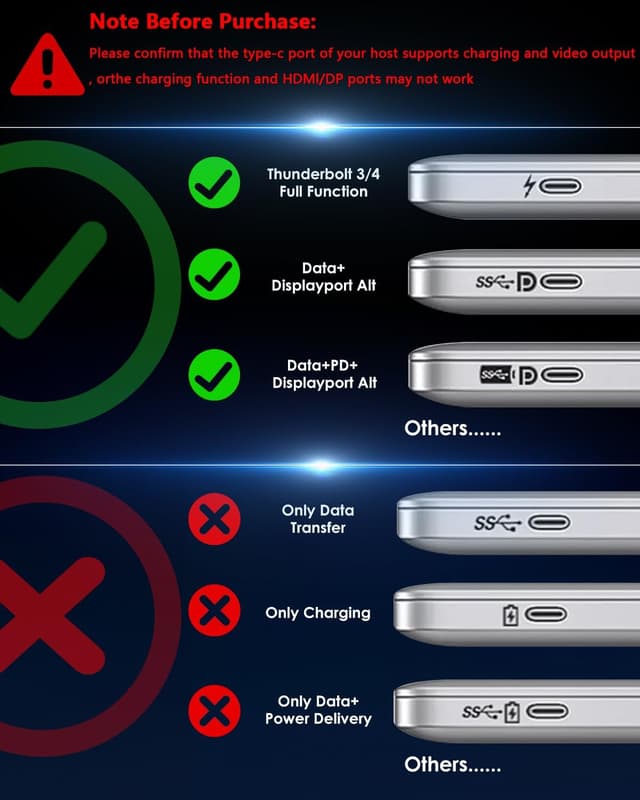
A key point is compatibility with your laptop host. The manufacturer notes that the host USB C port must support video output, otherwise the docking station is not compatible. It also matters what video standards your host supports, because the maximum resolutions can be limited when the host supports only DP 1.2 or DP 1.4. If you want consistent results, it helps to check your laptop USB C video capability before purchasing.
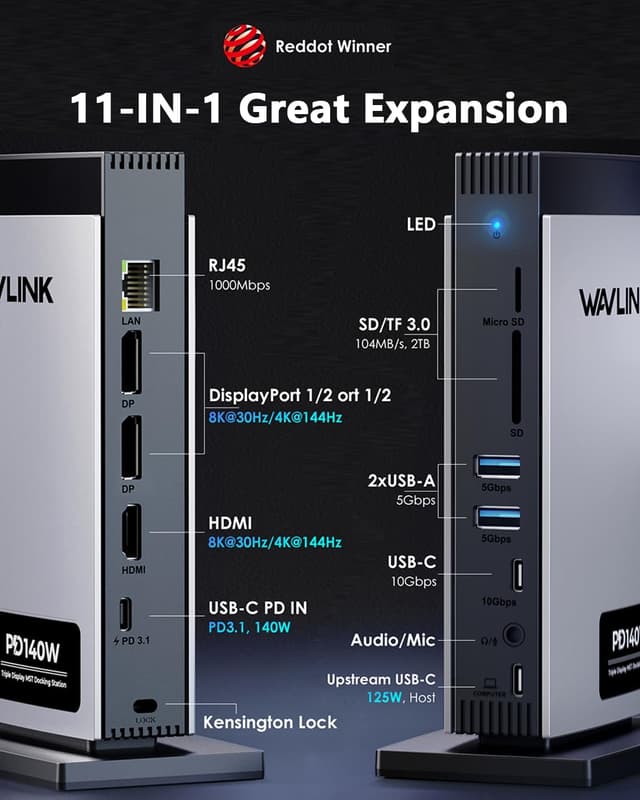
From a day to day perspective, the included Ethernet port is there when you want a stable wired connection, such as for downloads, video calls, or streaming work tasks. The dock also includes an SD and microSD card reader with an advertised 104MB per second read speed, which is useful for photographers and creators transferring media. A 3.5mm audio and mic jack rounds out the setup, so you can connect headsets or external audio gear without hunting for extra adapters.
Design wise, it is made using an aluminium alloy and high quality ABS casing. The blue LED indicator gives a quick visual reminder of the dock operating status. The dock has also been recognised with a Red Dot Award, which is a nice confirmation of its finished look as well as its heat dissipation approach.
Is it a straightforward upgrade for a busy desk? Yes, if your laptop supports USB C video output and USB C charging, this kind of dock can significantly reduce setup friction.
Tech specs
- Name: WAVLINK Laptop Docking Station Triple Display
- Type: USB C docking station
- Capacity: Up to 125W PD pass-through charging
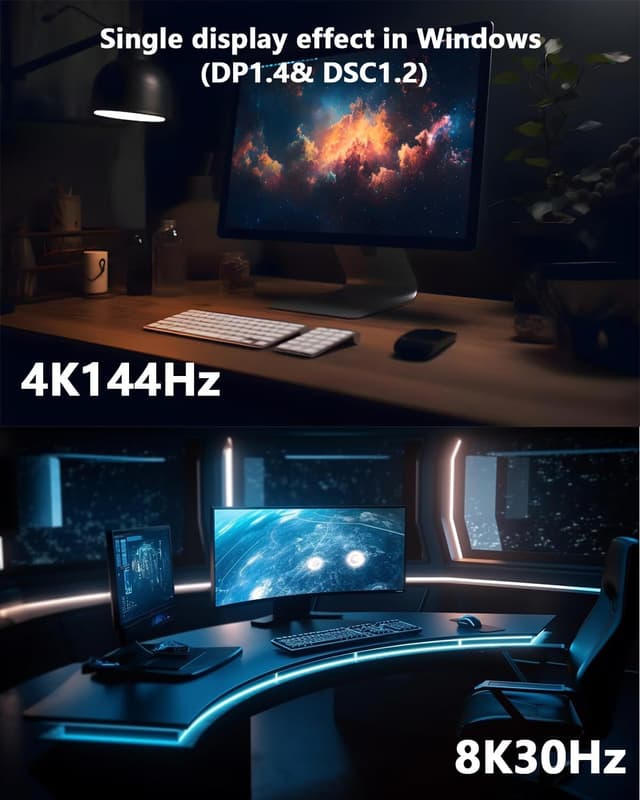
- Display: Up to single 8K at 30Hz or 4K at 144Hz, depending on host support
- Ports: 2 x DP and 1 x HDMI
- Network: Gigabit RJ45 Ethernet port
- Card reader: 104MB per second SD and microSD reader speed
What to know
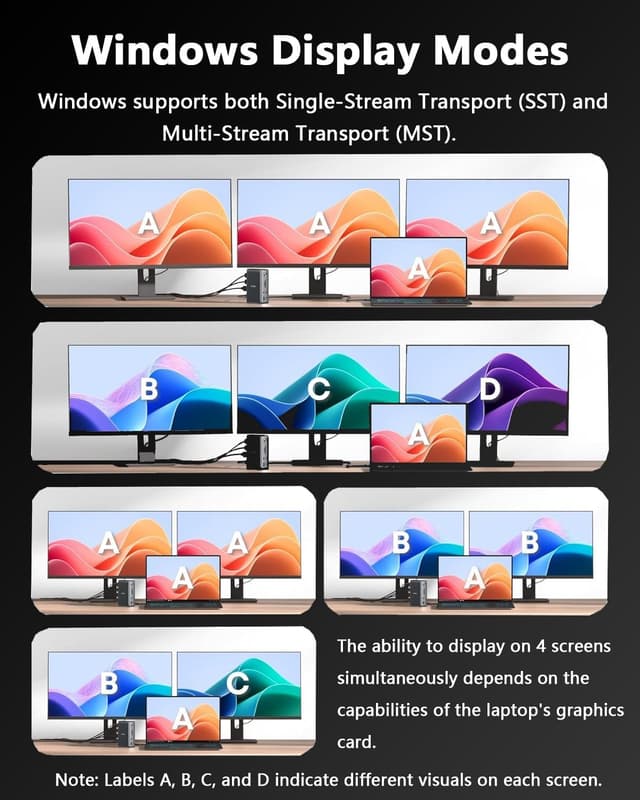
The display performance is described in detail by the manufacturer, and it is worth aligning expectations with your exact monitor count. With a Windows host type C port that supports DP 1.4 and DSC single use, the dock can support up to 8K at 30Hz or 4K at 144Hz. When you connect 2 displays, the manufacturer states dual 4K at 60Hz, while connecting 3 monitors changes the output mix to dual 4K at 30Hz and 4K at 60Hz. If your host only supports DP 1.2 or DP 1.4, then the resolution can be limited.
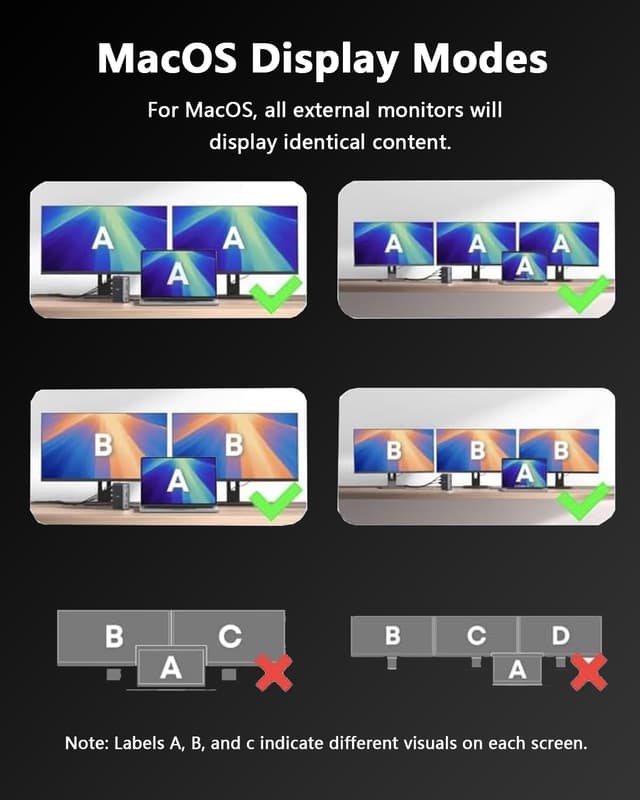
There is also an important operating limitation for Apple devices. The manufacturer states that macOS and iPadOS only support Single Stream Transport mode, which means all connected monitors show the same content. That guidance is specifically noted, so Windows users aiming for independent multi display setups should focus on verifying host video support on their own laptop.

Another practical consideration is charging. The dock uses USB C PD3.1 pass-through, and it supports up to 125W output to the laptop, but the PC must support USB C charging. The manufacturer also notes up to 140W USB C input support, so this dock is intended for higher power laptops rather than low power USB C charging only use cases.
On the peripheral side, the mix of USB ports supports both legacy and modern accessories. You get a USB C 3.2 port rated at 10Gbps, along with two USB A ports rated at 5Gbps, which is useful for connecting storage drives, hubs, keyboards, or other desk essentials. The RJ45 Ethernet helps when Wi Fi is not reliable, and the 3.5mm audio and mic jack can reduce the need for extra breakout cables 🎧.
From a value point of view, this dock is most compelling when you want a clean single cable routine for your laptop workstation. It is also well suited if you work with media, because the SD and microSD reader is built in. If you prioritise multi display output, stable network connectivity, and a powered dock experience rather than a simple USB hub, this WAVLINK model is a strong candidate.
Who it’s for
It makes sense if you have a Windows laptop with a USB C port that supports video output and USB C charging, and you want to build a triple display desk setup. You will also like it if you regularly use SD or microSD cards, because the reader is integrated and rated by the manufacturer. It suits people who want Ethernet for everyday stability and need more than one way to connect monitors and peripherals.
It might not be the best choice if your host laptop does not support USB C video output, because the manufacturer states the dock will not be compatible in that situation. You may want to skip it if you rely on macOS or iPadOS for multi display productivity that requires different content on each monitor, since the dock follows Single Stream Transport behaviour on those systems.