

Wavlink USB C Laptop Docking Station with 3 HDMI (DisplayLink triple monitor, up to 4K60Hz) + 5 USB ports
Product description
The essentials
If you want a simple way to turn a single USB-C connection into a full multi-display workstation, this Wavlink USB C docking station is built for exactly that. On paper, it targets desk setups where you’re mostly doing web, office work, creative tasks and everyday multitasking, rather than pushing demanding gaming performance.
The headline is triple display support: you can connect up to three external monitors using the dock’s HDMI and DP outputs. The dock uses a DisplayLink chipset for the additional display paths (Display 1/2), while the HDMI (Alt. Mode) port is the direct route for the third display.
Key things to check before you buy
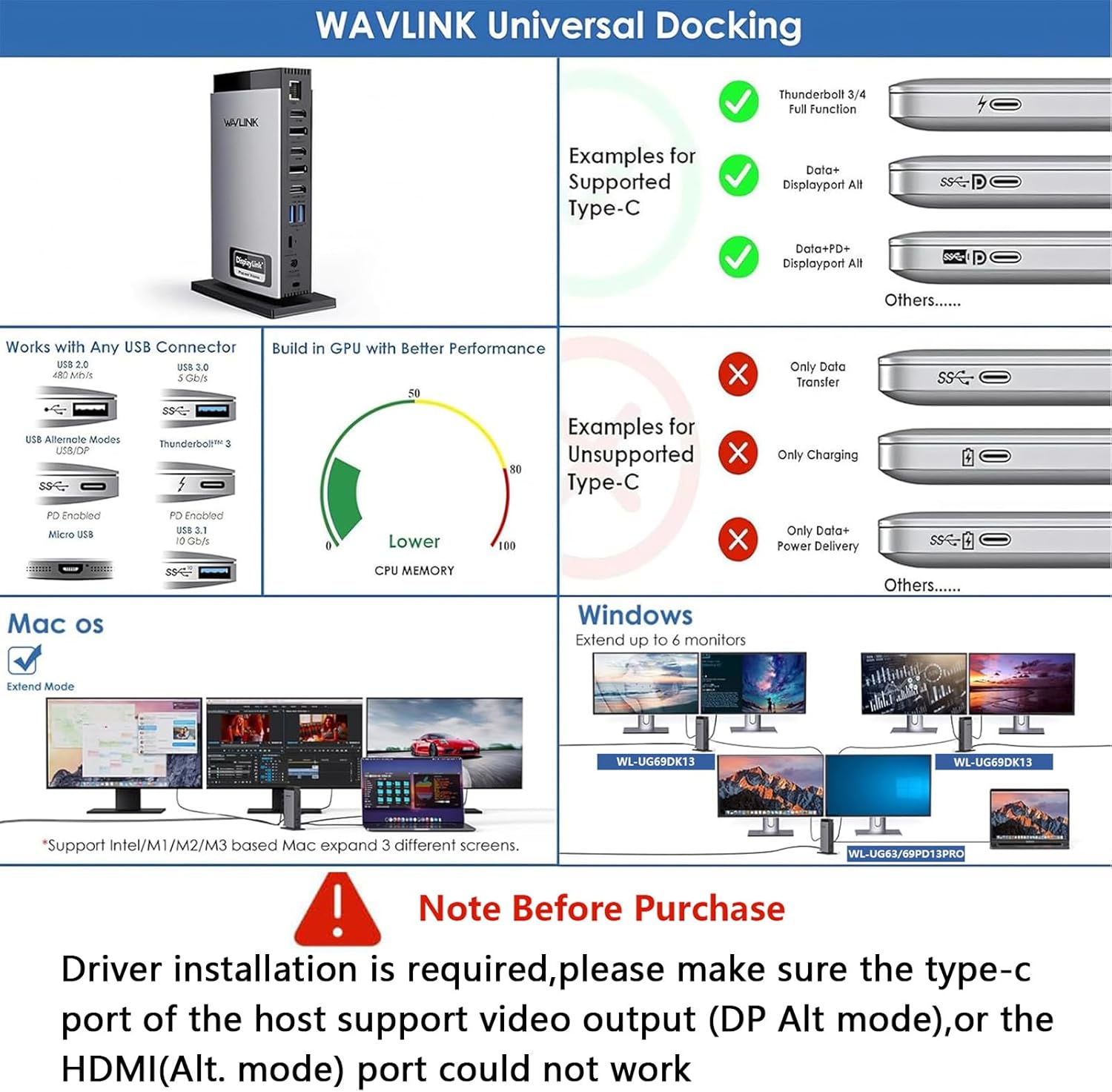
This is one of those products where a little due diligence saves you frustration. The dock doesn’t support plug-and-play as stated, so you’ll need to install the relevant driver before you can use it properly. If you’re the type of person who expects everything to “just work” the moment you plug it in, you may find that part annoying.
You also need to confirm your laptop’s USB-C video capability. The HDMI (Alt. Mode) output depends on your laptop’s Type-C port supporting video output. If your Type-C port doesn’t carry video in Alt. Mode terms, that HDMI (Alt. Mode) path won’t do anything for you.
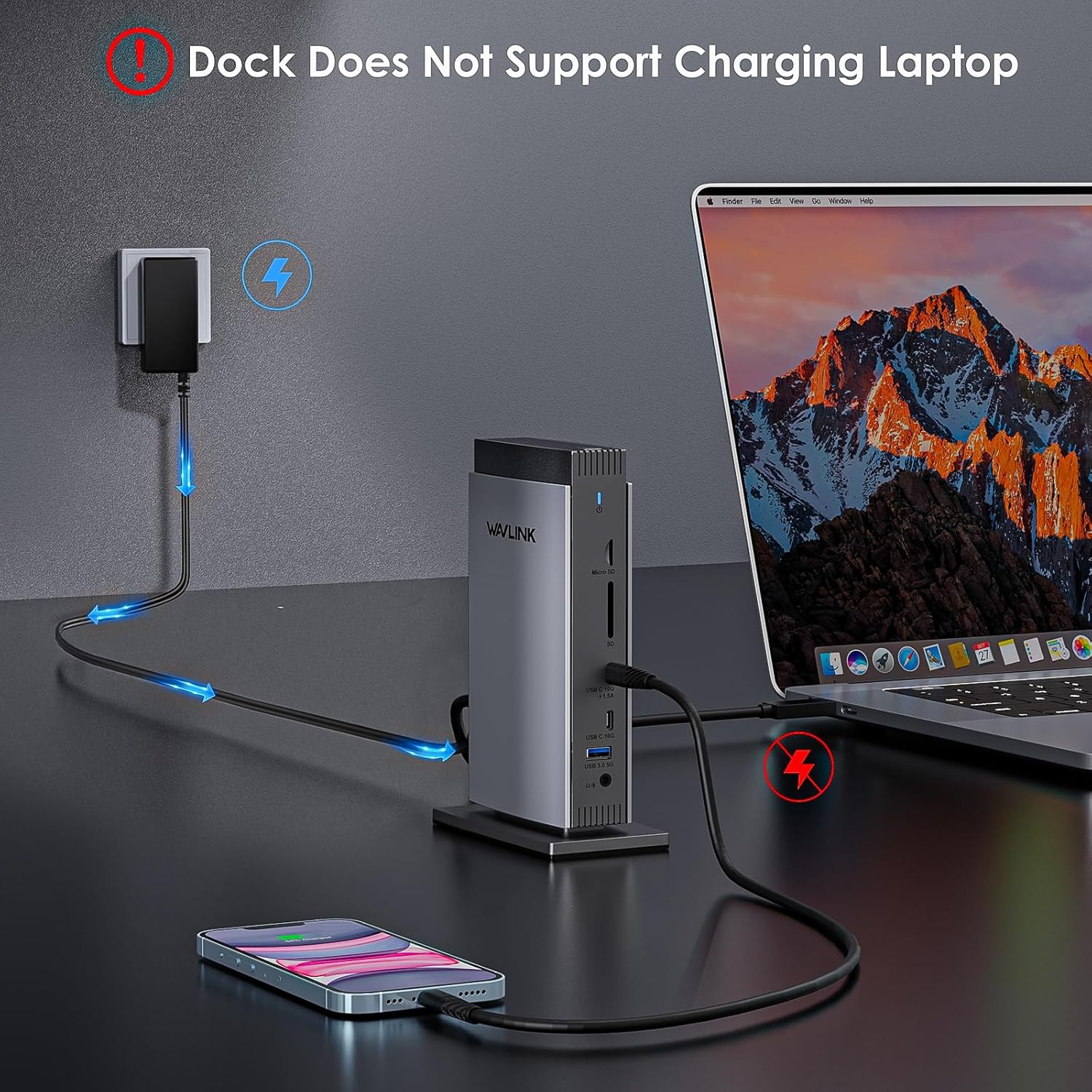
And a final practical limitation: laptop charging is not supported. The dock includes a 40W DC input power adapter for powering connected peripherals and using the dock’s functions, but your laptop battery won’t be topped up through the dock.
Where it shines for everyday use
For home or office desk setups, this dock looks focused and pragmatic: it gives you multiple monitor options plus a bundle of ports so you’re not constantly swapping cables.
In a typical “work at home” scenario, you could dock your laptop, run a browser on one screen, keep a document or spreadsheet on another, and use the third display for communication or a reference tab. For creators, the promise of up to 4K@60Hz on the HDMI (Alt. Mode) port, alongside DisplayLink’s dual 4K@60Hz support for the other outputs, is aimed at tasks like video editing and general productivity.
Ports and connectivity: the practical side
Beyond the displays, this model expands a single USB-C connection into a fairly complete desktop interface.
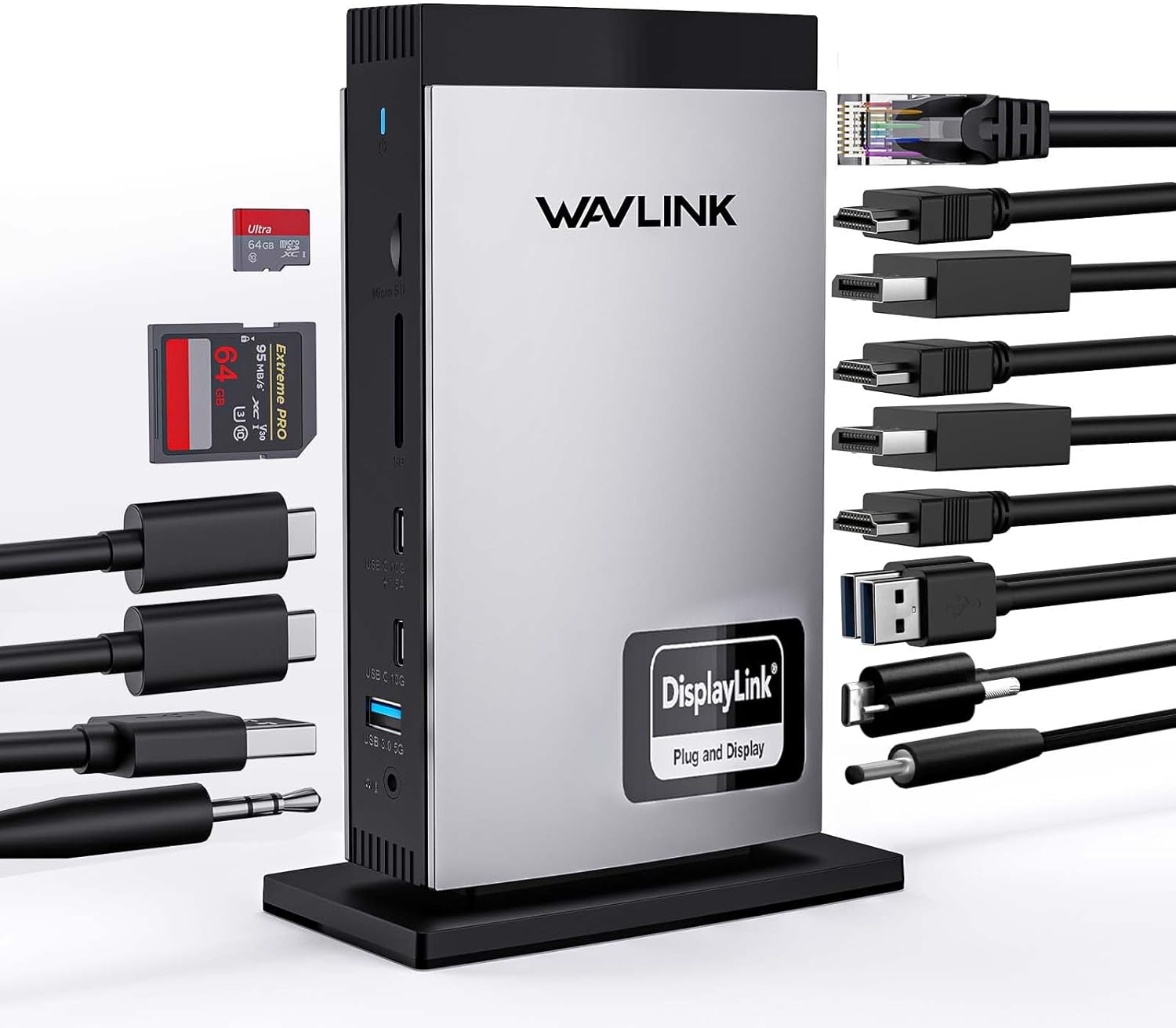
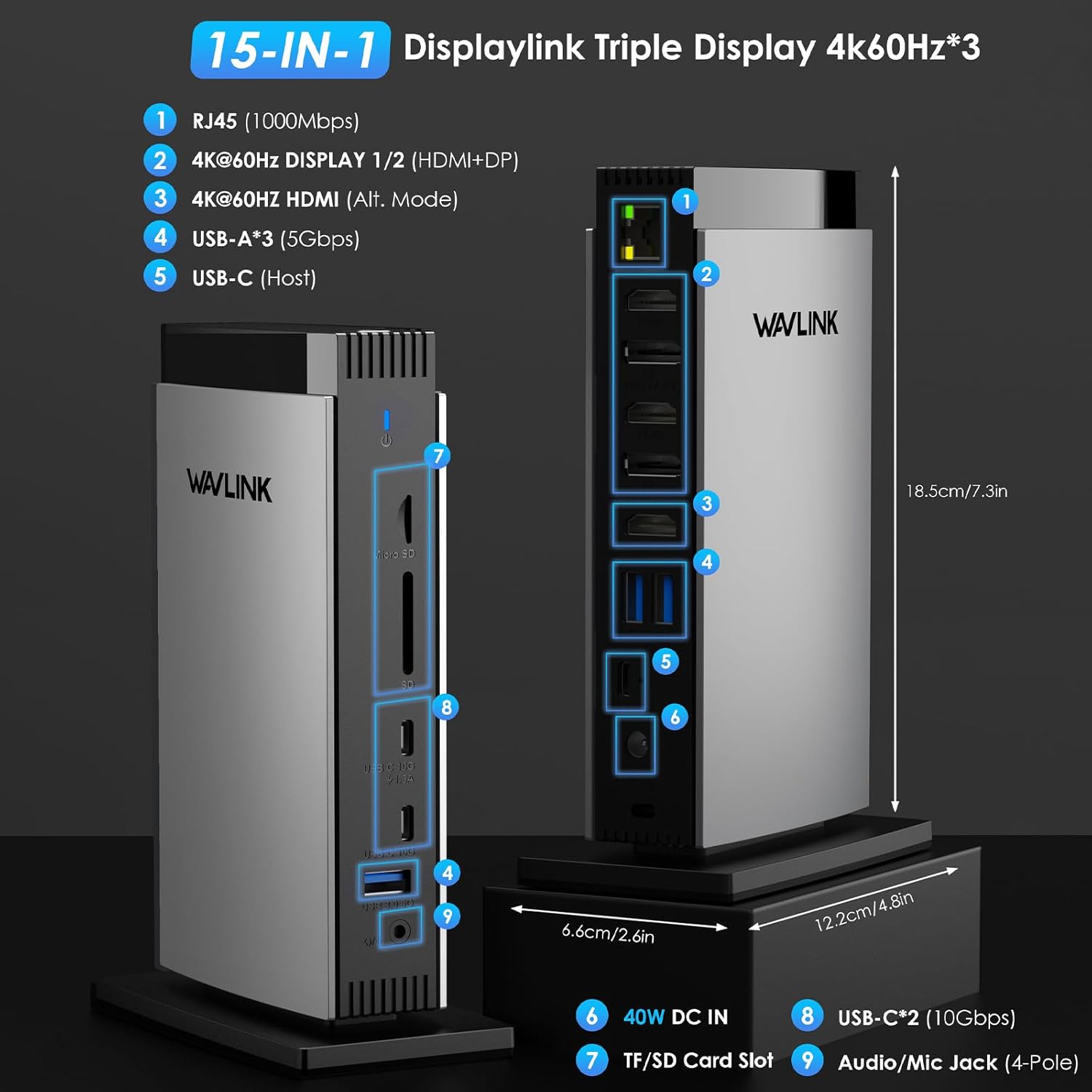
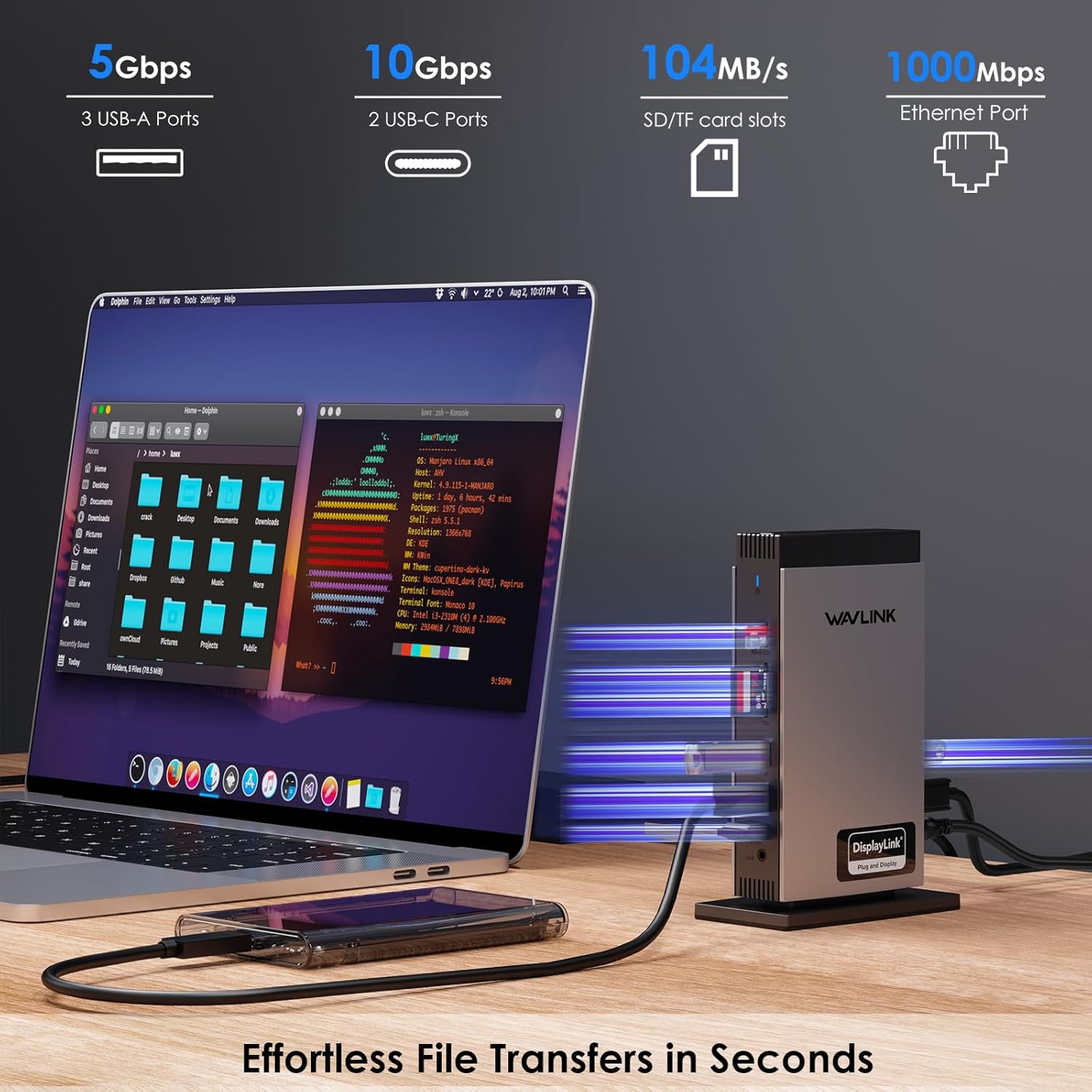
Based on the provided details, you get a mix of: - HDMI (Alt. Mode) output plus DisplayLink-based HDMI/DP display ports - DP support on the dock for additional screens - USB-A and USB-C ports for peripherals - An RJ45 gigabit Ethernet connection for a steadier wired network - SD/TF card slots, positioned as useful for photographers, designers, and filmmakers who want straightforward card-to-workflow transfers - A 4-pole phone jack
One note worth keeping in mind: if you’re planning to plug in a lot of high-bandwidth devices, the dock’s transfer figures are stated, but real-world performance can still depend on your laptop and the device mix.
Tech summary (in plain English)
The dock is powered by the included 40W DC input adapter and is designed to keep your workstation running without pulling from your laptop’s charging reserve—because laptop charging is explicitly not supported.
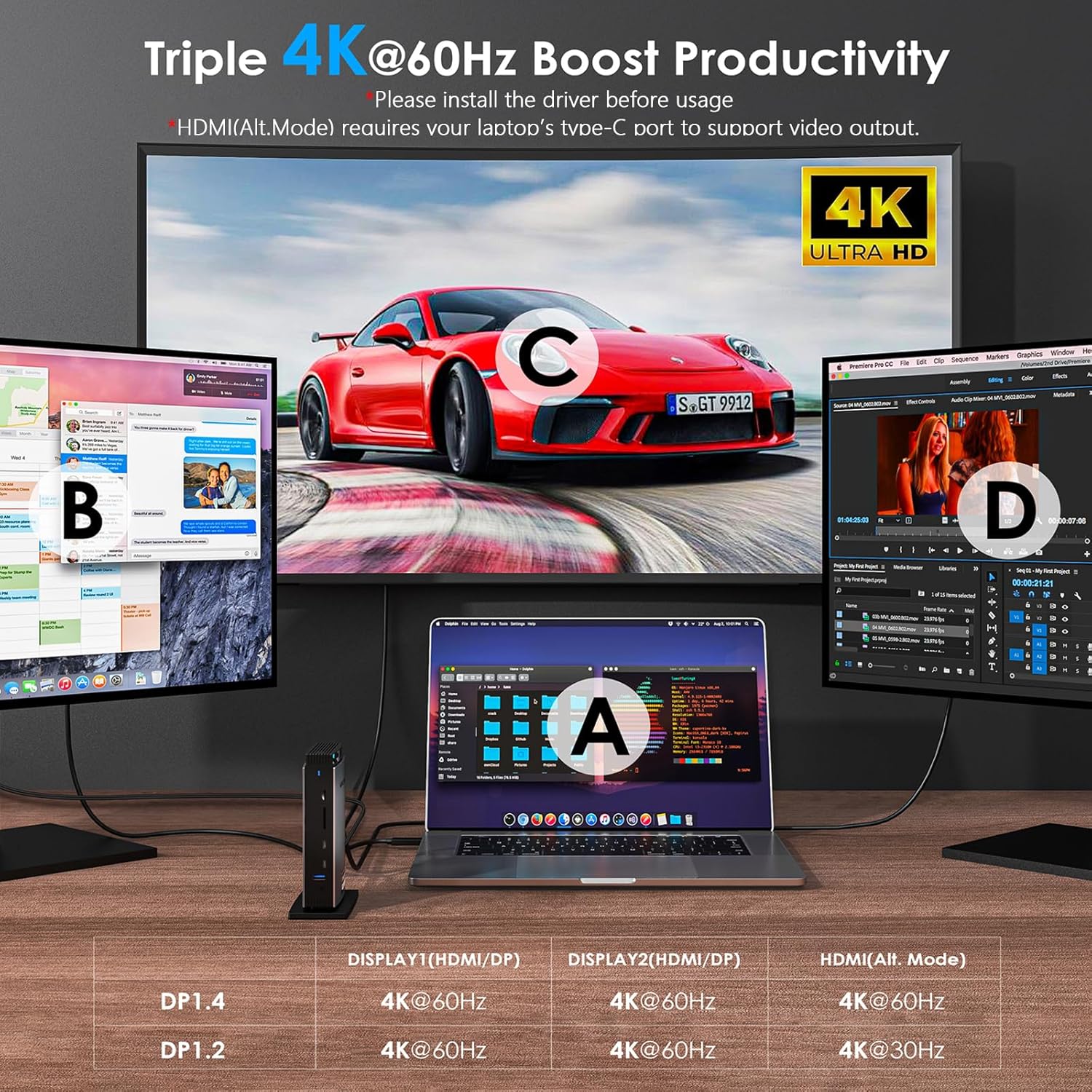
For display output, it’s positioned around DisplayLink for dual displays and HDMI Alt. Mode for the other display path. It also states it’s not recommended for gaming-intensive use, so if your main goal is fast, competitive gaming across three screens, you may want to look at a different approach.
Is it a good fit for you?
It’s a good fit if you want triple-display expansion for office work, web browsing, productivity apps, and general creative tasks, and you’re happy to install the driver before use. It also makes sense if your laptop has a USB-C port that supports video output via HDMI Alt. Mode, because that’s required for the HDMI (Alt. Mode) output.
It might not be a great match if you specifically need plug-and-play behaviour, you rely on the dock to charge your laptop, or you’re expecting a gaming-focused experience. It’s also worth considering whether your workflow depends on systems that aren’t listed as compatible.
Final verdict
Should you buy it? Buy it if you’re building a desk-ready setup and you want one USB-C cable to handle multiple monitors plus Ethernet and everyday peripherals. The inclusion of DisplayLink support and the stated 4K@60Hz targets on the relevant ports point towards a practical productivity-and-creation dock.
Skip it if you want guaranteed plug-and-play, if your Type-C port doesn’t support the HDMI (Alt. Mode) video route, or if laptop charging through the dock is important to you. Also, if gaming-heavy use is the main reason you’re buying a multi-monitor setup, the dock itself doesn’t sound like it’s aimed at that.
Quick FAQ
What is the main purpose of this docking station?
It’s designed to expand a USB-C laptop connection into a workstation with up to three external displays and multiple extra ports (including Ethernet and card slots).
Do I need to install a driver?
Yes—according to the details provided, it does not support plug and play, so you should install the driver before using it.
Does the dock charge a laptop?
No. The dock includes a power adapter, but laptop charging is not supported.
Is triple-display guaranteed on every laptop?
Not automatically. The HDMI (Alt. Mode) output requires your laptop’s Type-C port to support video output, and display behaviour depends on how your laptop’s USB-C video works.
Is it good for gaming?
It’s stated as not recommended for gaming-intensive use, so it’s more aligned with productivity and lighter creative workloads than heavy gaming.