


INTPW 9-in-1 USB-C Hub (4K HDMI, PD 100W) – aluminium multiport adapter for laptops and iPhone 15/16 series
Product description
What it is and the problem it solves
If you’ve ever run out of USB-C ports the moment you need to plug in a keyboard, a drive, and a display, this INTPW 9‑in‑1 USB‑C Hub is built for that exact kind of day. It’s a multiport adapter designed to expand a USB‑C device into a more “desktop-like” setup, including an HDMI output and SD/MicroSD card slots.
On paper, the appeal is pretty straightforward: you get multiple USB types for peripherals, a card reader for quick photo/video transfers, and a USB‑C Power Delivery input so you can keep charging while using the hub. The aluminium unibody approach and a desk-friendly angle are also aimed at making it pleasant to live with rather than feeling like a flimsy add-on.
The essentials (ports, charging, video)
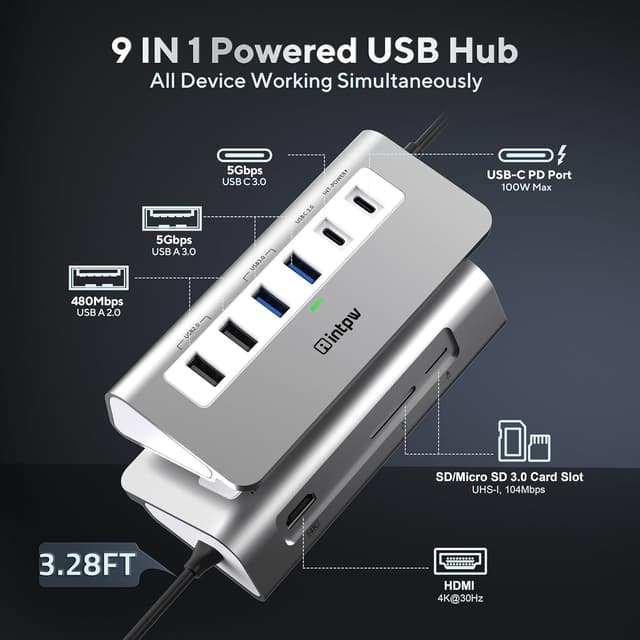
This hub combines several connection types in one compact unit. The headline set-up includes an HDMI port for video output, plus USB-A ports in two speeds (USB 3.0 and USB 2.0) and a USB-C 3.0 port for data.
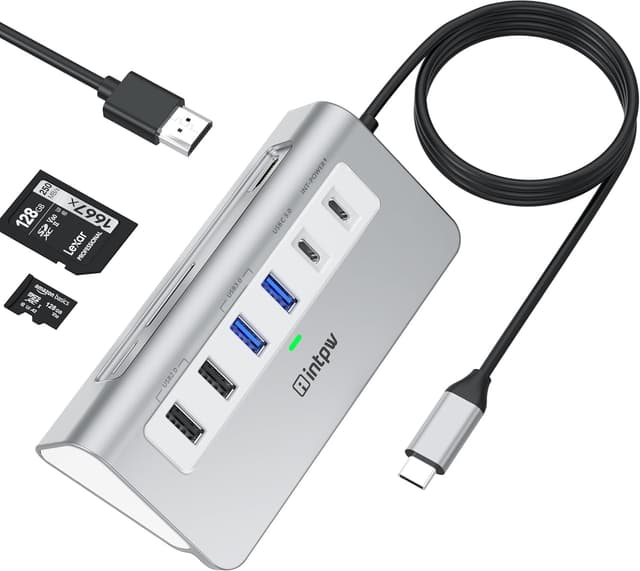
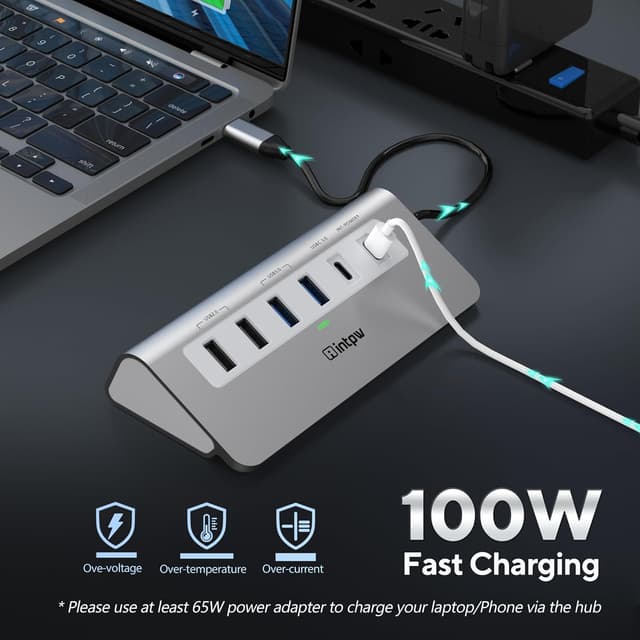
For power, it includes a USB‑C charging port that supports USB‑C PD up to 100W. That matters if you want one-cable charging while you’re also connecting peripherals.
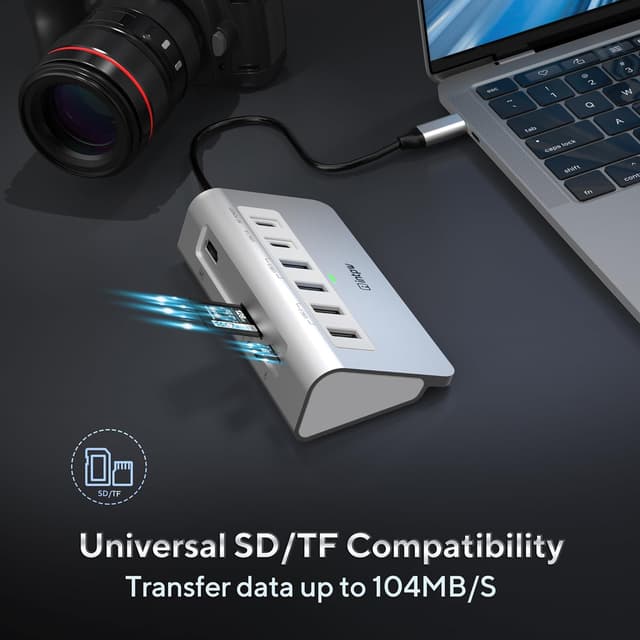
For media cards, it includes SD and MicroSD card reader support, which is handy for getting content off a camera or card without reaching for an extra reader.
Important limitations to note
You’ll want to be a bit careful with the video side of things. The HDMI output relies on your host device supporting DisplayPort Alt Mode (the product notes this requirement). Also, the USB‑C 3.0 data port is described as not supporting video output. So if you were hoping to route video through that USB‑C port, this hub won’t do that.
Key features that you’ll notice in use
Where this hub feels more considered than basic adapters is in the physical design and the way it’s meant to sit on your desk.
The casing is aluminium (not plastic), which should help with day-to-day durability and heat dissipation. The listing also mentions temperature control under 45℃ during operation, which—while not the same thing as a lab test—signals the intent to keep ports stable rather than running hot.
It also uses a 32‑degree angle with rubber mats. That sounds like a small detail, but it can reduce the frustration of repeated plugging/unplugging and help the hub stay put while you work.
A practical example: if you’re editing on a laptop and want to copy photos from an SD card straight away, you can plug the hub in, insert the card into the reader, and use the HDMI port to mirror or extend to a monitor for preview. You’re not juggling extra cables and adapters, at least not beyond the hub itself.
Performance expectations: where it fits, and where it may fall short

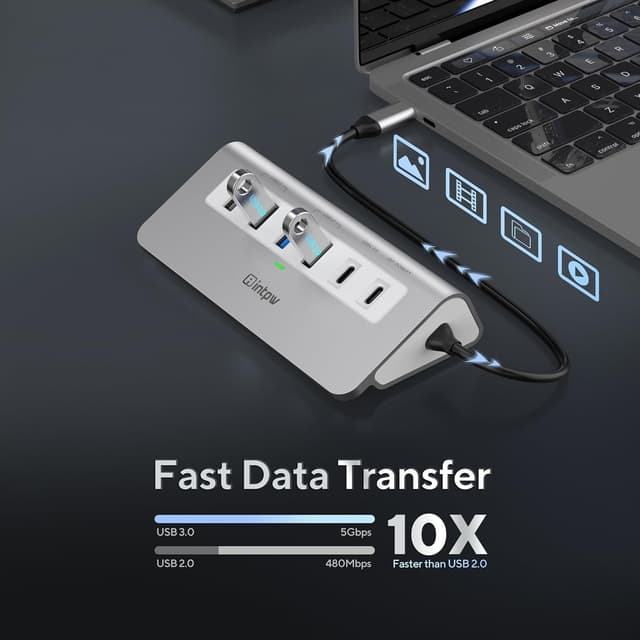
The transfer claims are specific enough to set expectations. USB 3.0 ports are described as up to 5Gbps, which is the kind of speed you’d hope for moving large files like video clips and batches of photos. The USB 2.0 ports are more suited to lower-bandwidth accessories (like a keyboard or mouse, or basic USB drives), where you’re less likely to notice speed differences.
For HDMI video output, the hub is stated to support 4K output at 30Hz (3840×2160), plus lower resolutions. The note also mentions support for various other modes and that it’s downward compatible.
However, it can be a little “yes, but…” depending on what you’re trying to achieve. If your device doesn’t support DisplayPort Alt Mode, the HDMI functionality may not work as expected. And if your priority is high-end display routing or using video over the USB‑C data port, this isn’t positioned for that.
So overall, it feels like a mid-range, practical workstation hub: good for everyday expansion and one-cable convenience, not for squeezing out the most advanced display behaviours.
Compatibility and what to double-check before buying
The hub is described as widely compatible with Type‑C computers, including models from Apple (MacBook Air/Pro/Mini and iMac Pro references), and also mentions various Chromebook and Windows-brand laptops. It also references iPhone 15/16 series.
That said, the one compatibility detail you really shouldn’t skip is the DisplayPort Alt Mode requirement for HDMI. If you’re buying for a specific laptop or hoping for a specific screen setup, it’s worth confirming your device supports that feature on its USB‑C port.
Also consider your charging setup. The hub includes PD 100W charging, but the real-world experience depends on your laptop’s charging requirements and how your device and cable handle power through the hub.
Quick comparison in buying terms (without brand talk)
If you’re deciding between a simple USB‑C adapter that only adds a couple of ports and something more “complete”, this sits closer to the latter. It’s for buyers who want more than just one extra USB-A socket.
If you mainly need one peripheral and nothing else, a smaller adapter would likely be less hassle and take up less space. But if you want HDMI plus multiple USB-A ports plus card slots in one unit—and ideally charging while using it—this is the sort of hub that can reduce cable clutter.
Is it worth it?
It’s a solid choice if you want a single USB‑C hub to cover everyday desk needs: charging via USB‑C PD up to 100W, USB-A connectivity for accessories and drives, SD/MicroSD card reading, and HDMI for connecting to a TV or monitor—assuming your device supports DisplayPort Alt Mode.
You may want to skip it if you’re specifically chasing video via the USB‑C 3.0 data port, or if you’re not sure your laptop/phone supports the Alt Mode requirement for HDMI. In those situations, you could end up with a hub that’s limited to USB peripherals while the display side doesn’t behave as you hoped.
Also, if your priority is ultimate display flexibility or very specific high-refresh/high-bandwidth display routing, this stays more in “practical everyday hub” territory than “specialist video dock”.
Mini FAQ
Does the HDMI port work with any USB‑C device?
No—according to the listing, the host USB‑C port must support Display Port Alt Mode for the HDMI video output to work.
Can I use the USB‑C 3.0 port for video?
The product notes that the USB‑C 3.0 port does not support video output.
Will this hub charge my laptop while I use it?
It includes a USB‑C PD charging port rated up to 100W, so it’s designed for charging while connecting peripherals, but your device’s charging behaviour will still depend on your setup.
Is it suitable for transferring photos from a camera?
Yes, it includes SD and MicroSD card reader slots, which is typically where this kind of hub earns its keep for quick transfers.