

USB 3.0 Docking Station with Dual HDMI (2x HDMI) – Universal USB-C/USB 3.0 Dock for MacBook Pro/Air, Windows Laptops and More
Product description
What it is and what it’s for
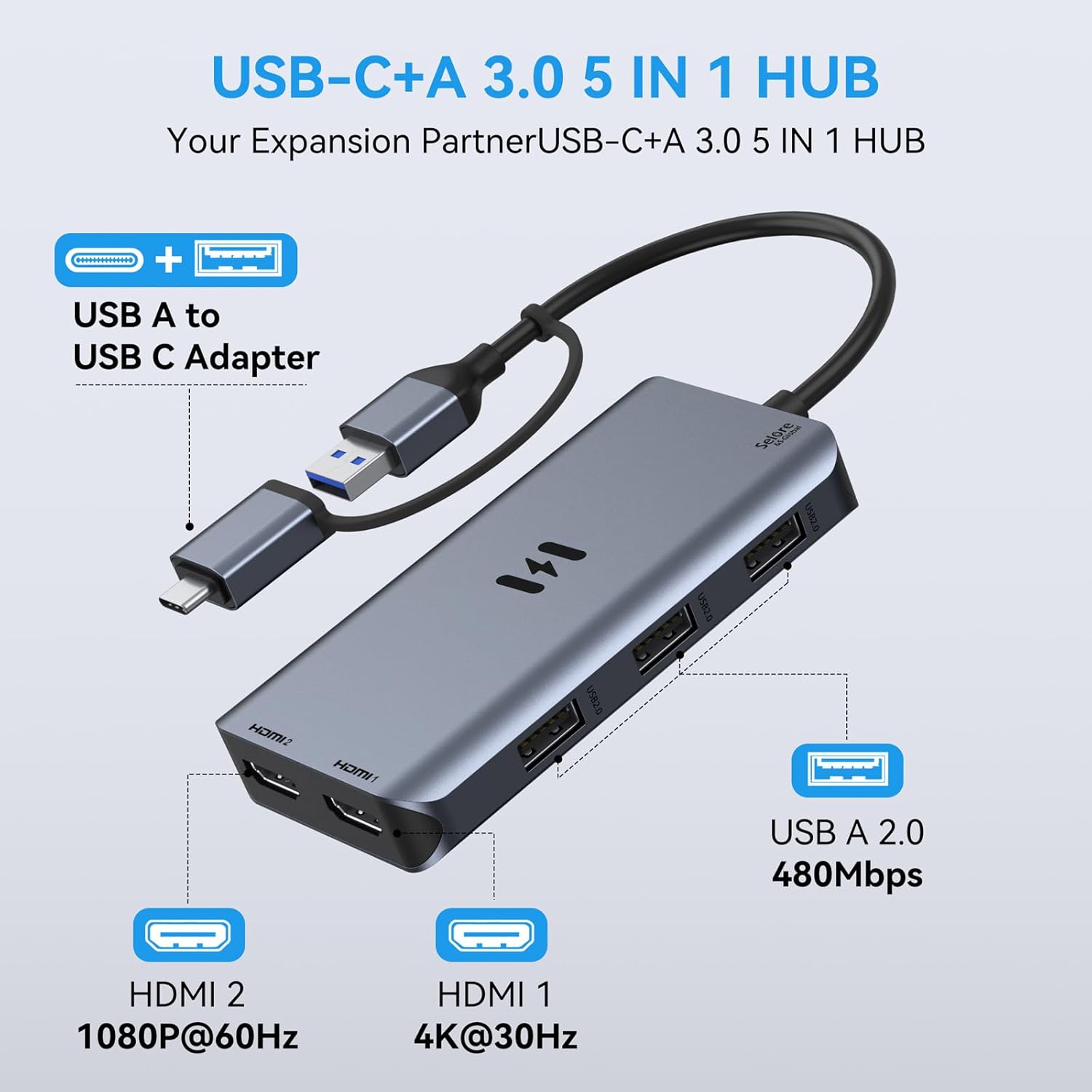
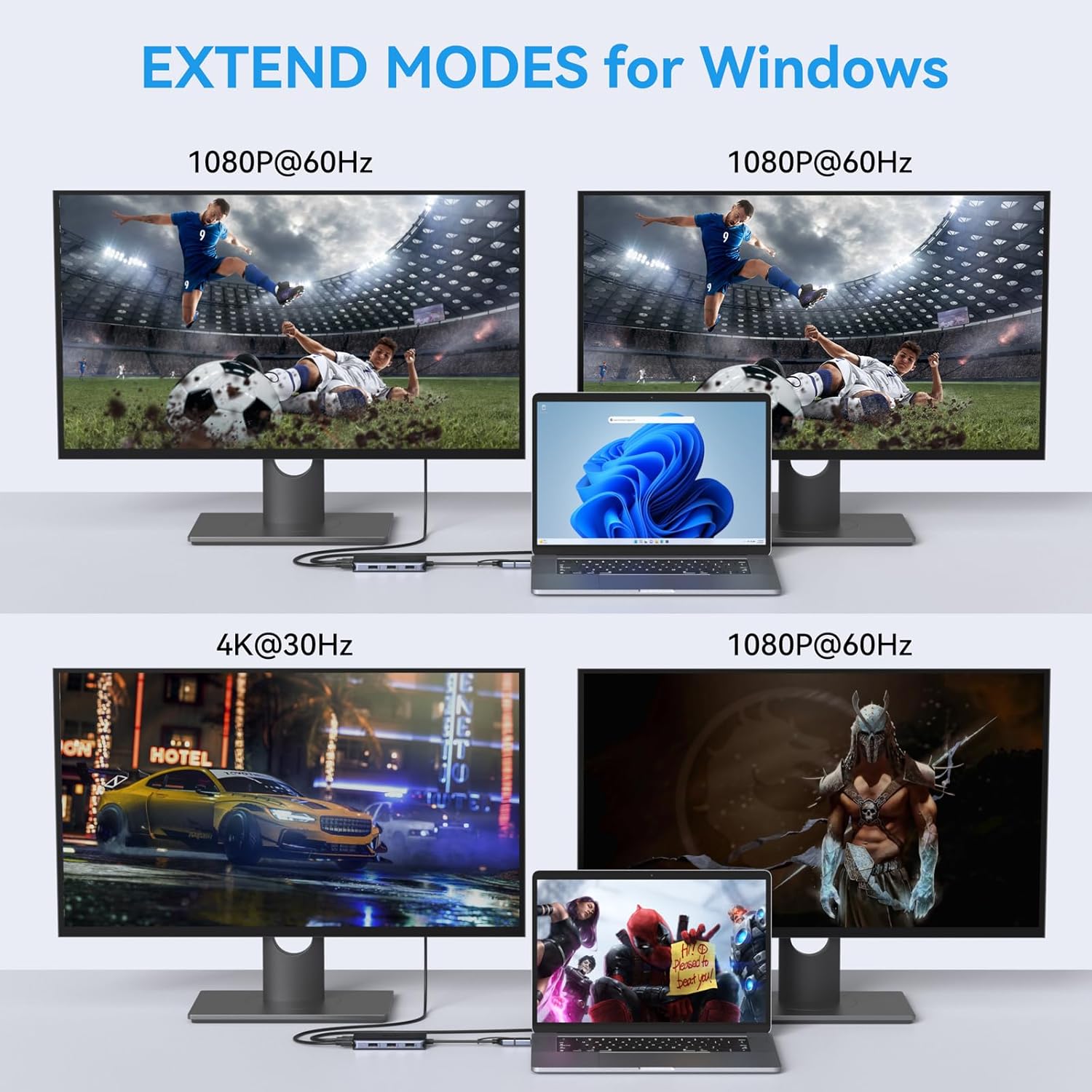
This USB 3.0 docking station is a universal hub designed to expand a single USB 3.0 or USB-C connection into a dual HDMI display setup. It supports one 4Kx2K at 30Hz output and one 1080p at 60Hz, along with three USB 2.0 ports for peripheral accessories. It’s aimed at users who want to run two screens from a laptop or desktop when space is limited, or to mirror/extend content across two displays for presentations, multitasking, or creative workflows. On paper, the device promises straightforward data transfer and a modest extension of screen real estate, but it does hinge on driver installation, which is an important step to factor in.
How it works and what to expect
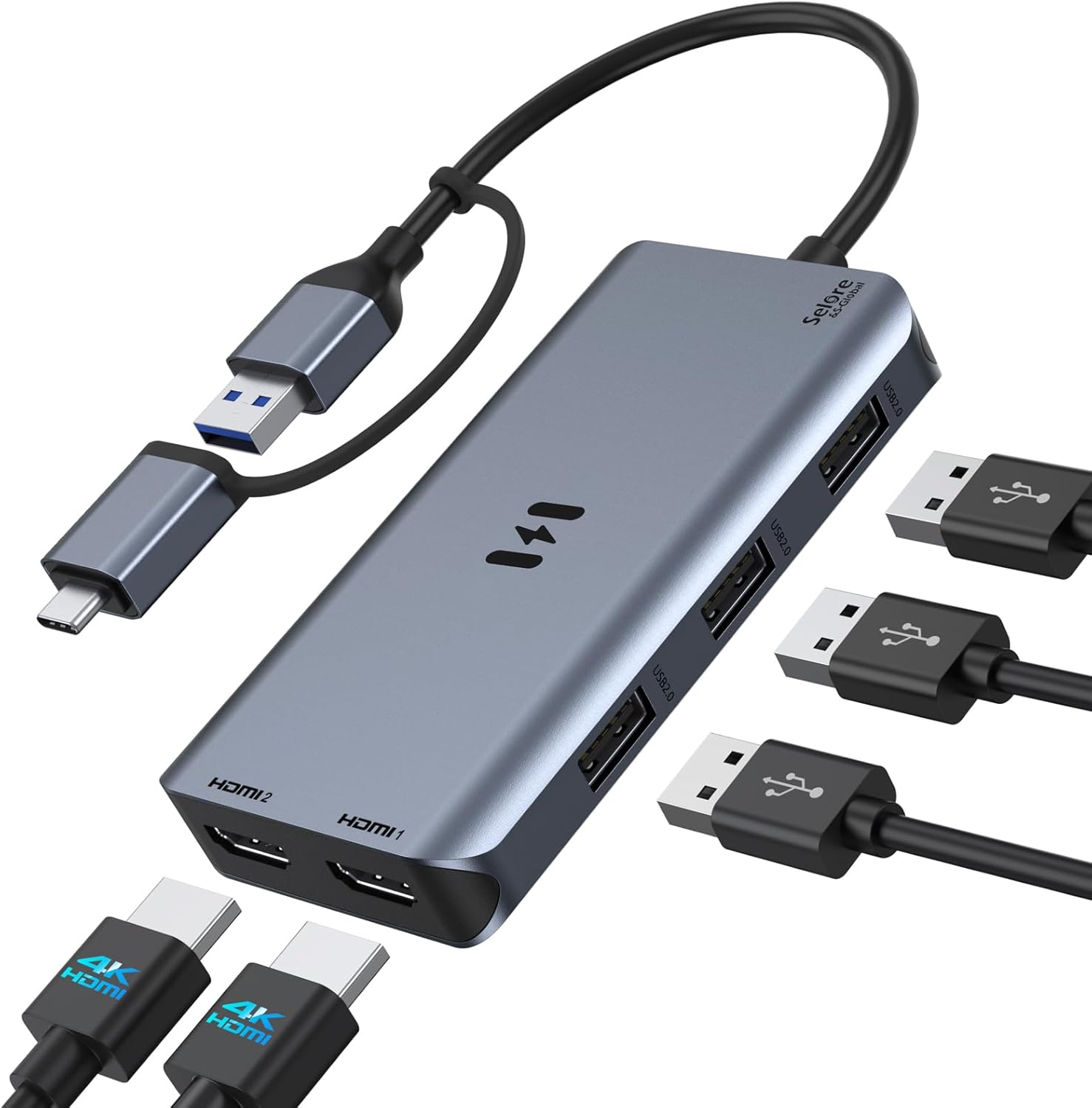
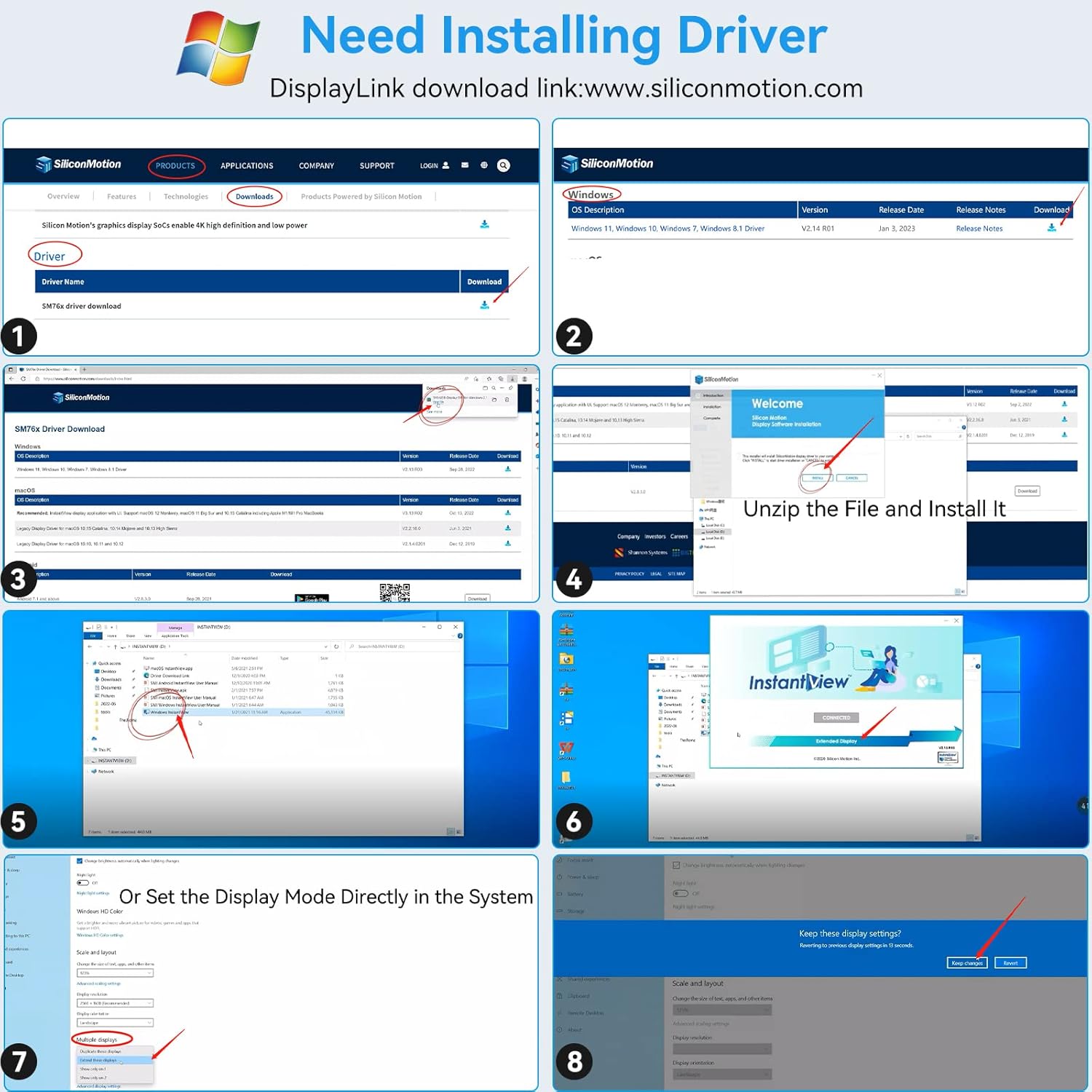
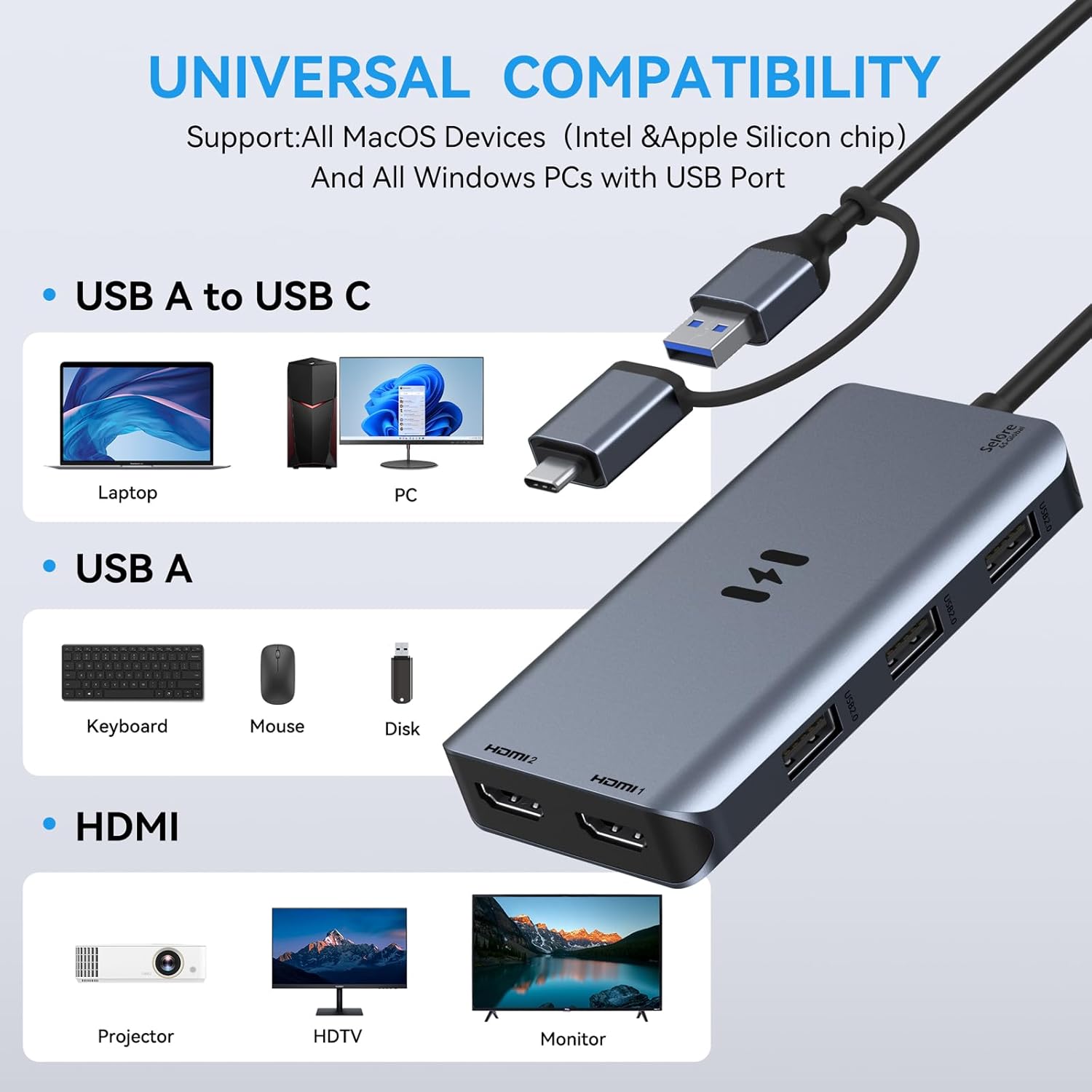
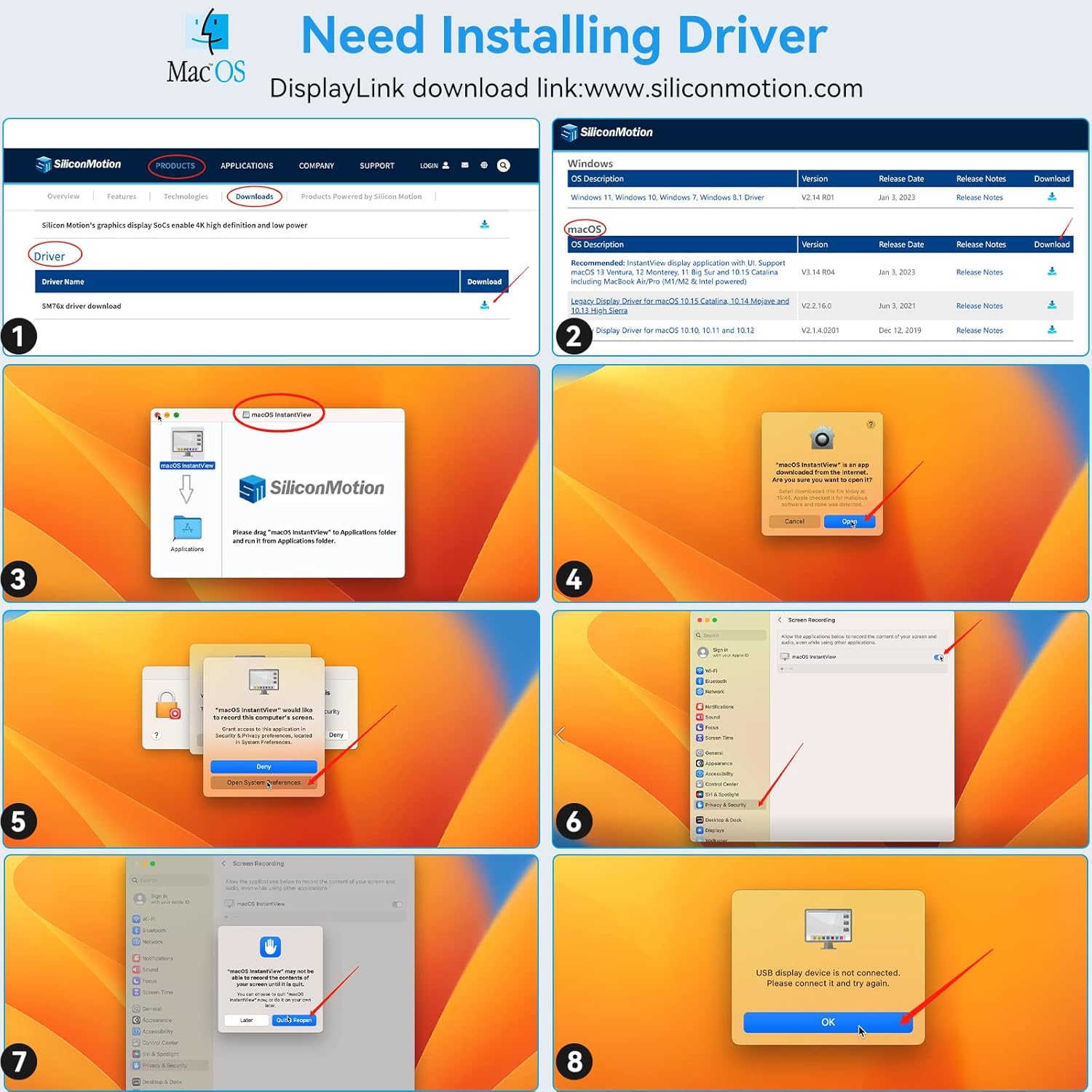
The docking station plugs into a single USB 3.0 or USB-C port on a laptop and provides two independent HDMI outputs plus three USB 2.0 ports. It supports both single-stream and multi-stream transport (SST/MST) configurations on compatible systems, and is advertised as compatible with a range of Mac and Windows hardware. In practice, this means you can extend your desktop across two displays or mirror content to two screens—handy for limited desk space or when you need a larger or dual-monitor setup. Remember, the driver installation is required for the HDMI outputs to function properly, and you’ll need to follow the manual to download the DisplayLink/SiliconMotion drivers. If you run into driver or detection issues, the seller invites you to reach out for help.
Strengths that stand out
- Dual HDMI output enables two independent displays from one USB port, which is convenient for multi-monitor workflows.
- Includes three USB 2.0 ports for peripherals, reducing the need to juggle multiple hubs.
- Broad compatibility claim covers many Mac, Windows, and some Chrome OS devices, which is useful if you frequently switch between machines.
- Solid, compact build described as aluminium alloy, which helps with heat dissipation and portability.
Limits and caveats to keep in mind
- Driver installation is required and driver availability depends on downloading from the DisplayLink/SiliconMotion sources. If you’re unable to install drivers or the monitor isn’t detected, you’ll need to troubleshoot with the seller’s guidance.
- The primary HDMI output supports up to 4Kx2K at 30Hz and the secondary at 1080p 60Hz, if you need both displays at higher refresh rates or 4K on both screens, this may not meet expectations.
- The description lists a mix of devices and OS versions, real-world compatibility can vary by system and specific hardware configuration.
- Some users may prefer a purely USB-C dock with power delivery or higher refresh-rate support, this solution appears more budget-leaning and utilitarian rather than premium.
Who it’s for
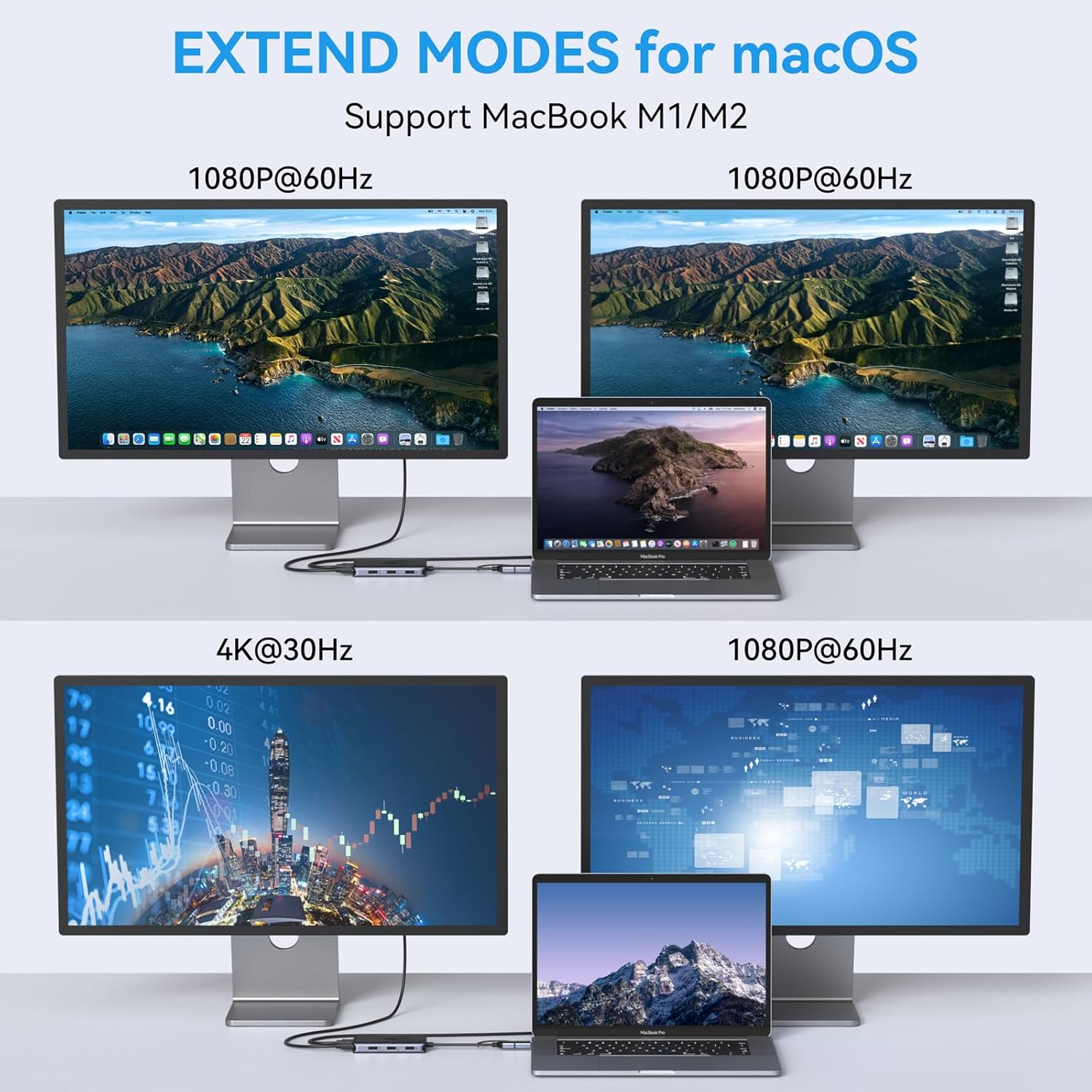
If you need to light up two displays from a single laptop port and you’re comfortable with driver installation, this dock can be a pragmatic solution for students, remote workers, or professionals who juggle documents across two screens. It may suit those who don’t require 4K on both outputs or the fastest GPU-accelerated multi-monitor setup.
Who it isn’t ideal for
Not the best option if you require consistent plug‑and‑play with minimal setup, or if you rely on high‑refresh high‑resolution outputs on both screens. It may also fall short for users who need reliable, out‑of‑the‑box compatibility across a wide range of devices without dealing with driver downloads.
When it makes sense to buy
Consider this dock if you want to add a second monitor arrangement to a laptop with a single USB 3.0/USB-C port, you’re okay with installing drivers, and you don’t require both displays to deliver 4K at 60Hz. It’s also handy when you want additional USB 2.0 ports for peripherals on the same hub.
When to look elsewhere
If you prioritise a seamless setup with minimal troubleshooting, or you need higher fidelity on both displays (especially at 4K 60Hz), you might prefer a different dock with native DisplayPort/HDMI support and power delivery, or a model that explicitly supports higher bandwidth on both outputs.
What to check before buying
- Ensure your laptop supports USB-C or USB 3.0 with DisplayLink-enabled graphics and that you’re prepared to install drivers.
- Confirm that your use case’s display requirements align with the 4Kx2K@30Hz + 1080p@60Hz specification.
- Review the available ports on your laptop to ensure you won’t run out of USB 2.0 ports when connecting peripherals.
- Have a look at the user manual to understand the installation steps and driver links before purchasing.
Practical usage example
Imagine you’re working from a small home office: one screen shows your document editor while the other runs reference material or a video call. You can drag tabs across displays, extend your desktop, and keep your keyboard and mouse on the third USB 2.0 hub port. It’s not a flashy setup, but it solves the pain of insufficient screen real estate without buying a higher‑end docking station.
FAQ (quick answers)
- Do I need drivers? Yes, driver installation is required for the HDMI outputs to work.
- Can I mirror my screen on both displays? The device supports extending or mirroring, depending on OS settings and driver support.
- What resolutions are supported? One HDMI port up to 4Kx2K at 30Hz and another up to 1080p at 60Hz, with three USB 2.0 ports for peripherals.
What matters most
If you value expanding your workspace with two displays from a single USB port and you’re comfortable with driver setup, this dock offers a practical approach to a more productive desk. If you need fuss-free, plug‑in operation with higher dual-screen performance, you may want to assess alternatives.
Final decision
Is it worth it?
Worth considering if you prioritise additional screen real estate from a single USB connection and you don’t mind driver installation for two HDMI outputs. It suits mixed Mac/Windows environments and travellers who want a compact, portable dual-monitor solution. If your needs include seamless plug‑and‑play and higher dual‑monitor performance, you might want to compare other options.