

USB-C Laptop Docking Station Stand with Dual HDMI (4K@60Hz) and 9-in-1 USB Hub, 100W PD
Product description
What it is and why people buy it
This USB-C docking station stand is built for a very practical job: turning a laptop’s single USB-C connection into a more desktop-like setup, while also giving you an adjustable stand for everyday work. Instead of choosing between “a hub” and “a stand”, this one tries to do both in the same footprint, and it’s the sort of gadget you’d typically buy for an office desk, a home workstation, or a travel setup where you still want dual-screen output.
It’s also designed around a specific reality: for dual monitors to work properly, your laptop’s USB-C port needs to support the right video/data capabilities. If it doesn’t, you can end up with power and peripherals but no display output. So, before you get tempted by the dual HDMI promise, it’s worth checking that your USB-C port supports the required modes.
Key features that affect your day to day
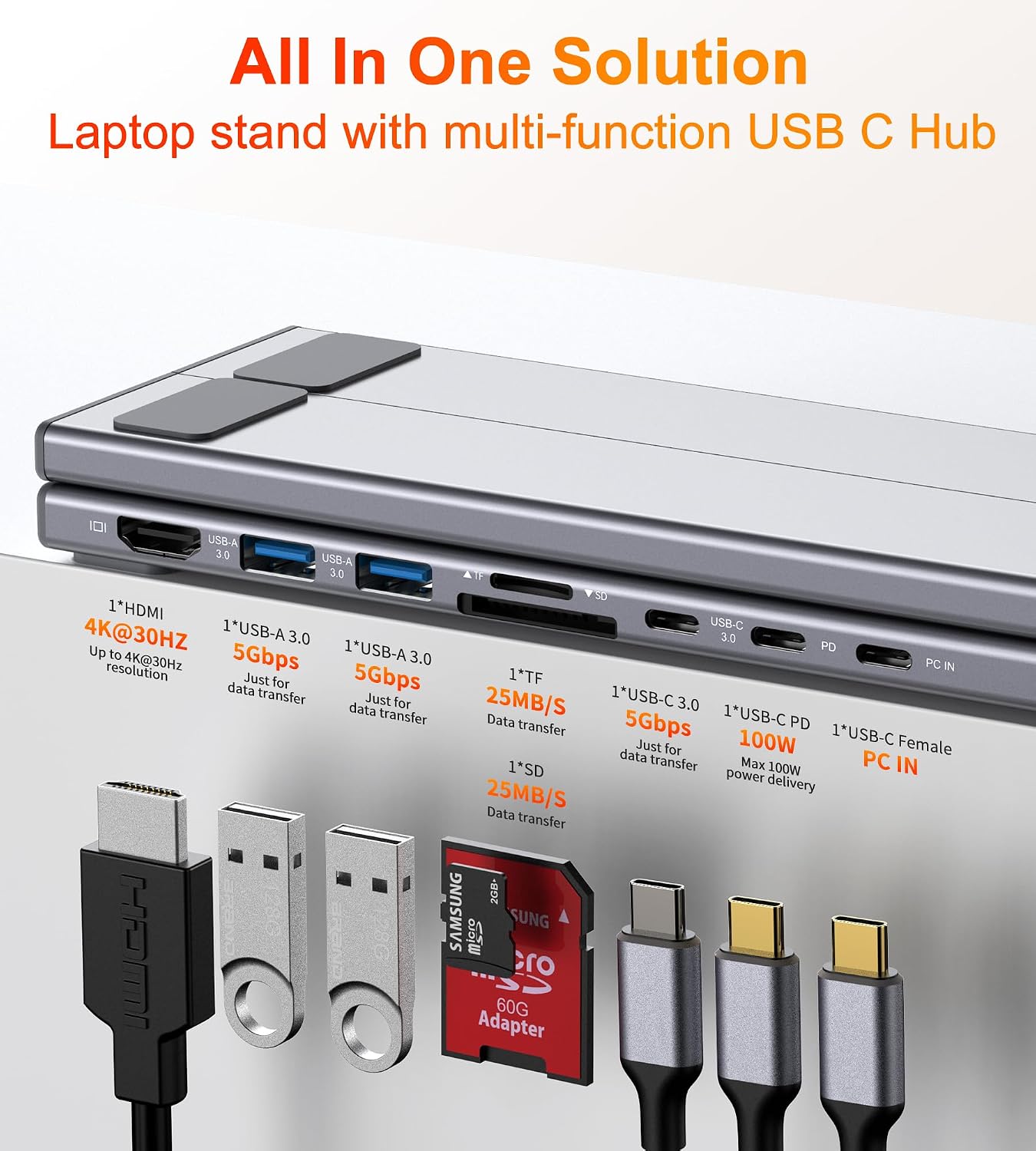
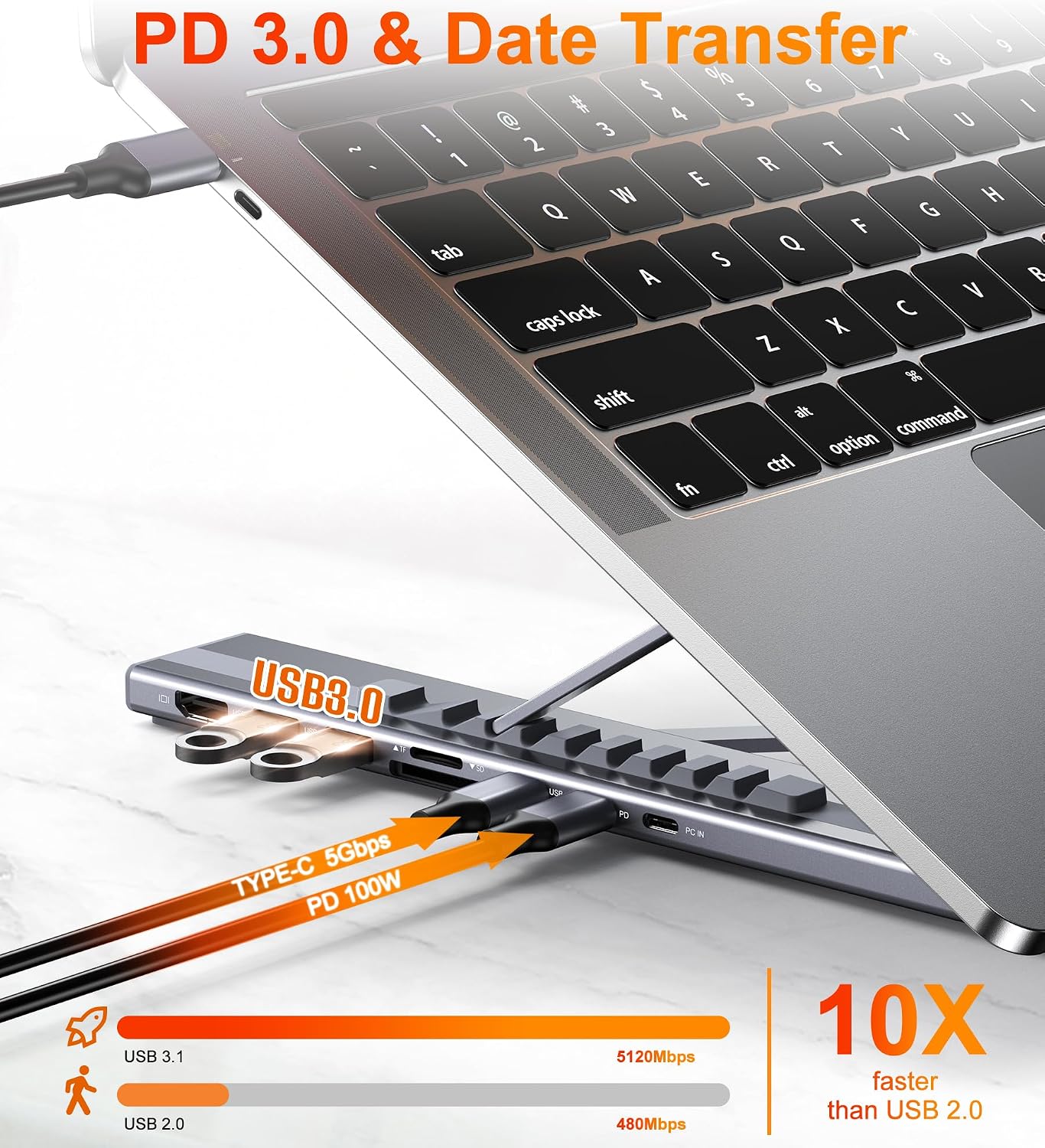
The headline is dual HDMI output rated at 4K@60Hz, plus a total of 9 integrated ports for connectivity (including SD and TF card slots, two USB 3.0 ports, and USB-C PD 3.0 power delivery). On paper, that’s a handy spread for someone who regularly uses a card reader, plugs in USB accessories, and wants to reduce cable clutter.
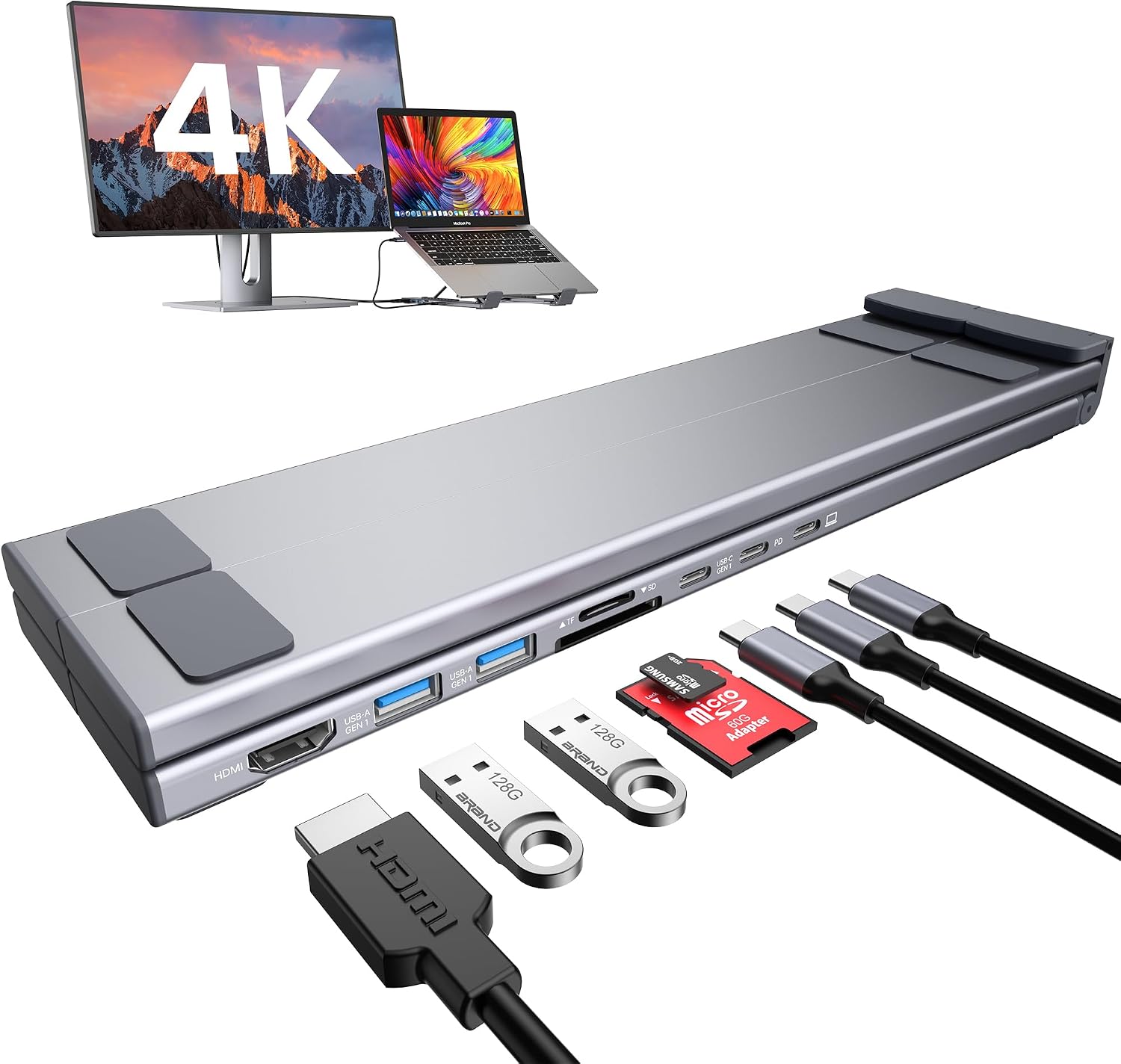
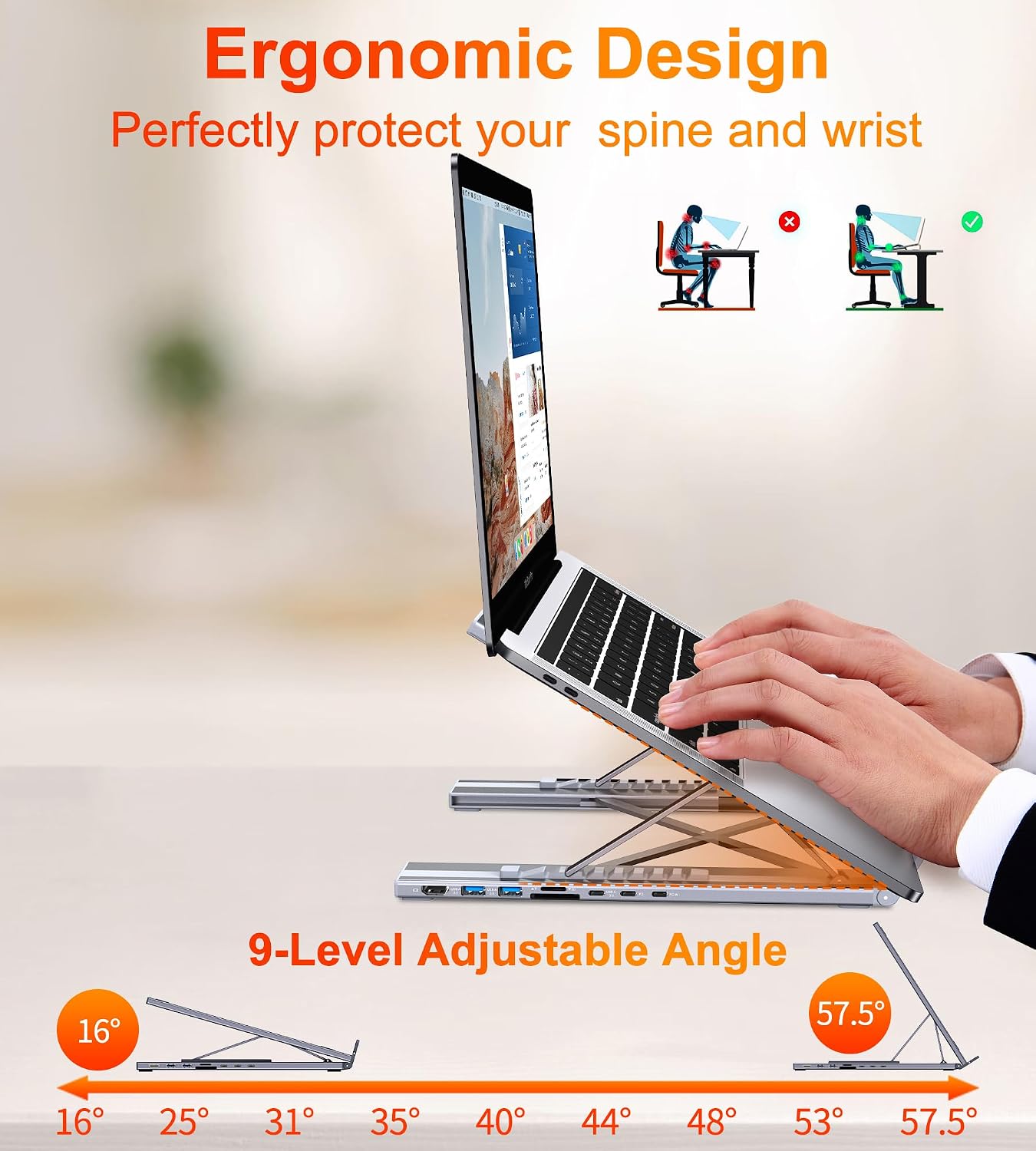
There’s also an ergonomic laptop stand side to the product: an adjustable height system with 9 levels, a forward-tilt/open design for airflow, and a non-slip silicone pad intended to keep the laptop from shifting. The triangular support design is there to improve stability, which matters because a stand that wobbles when you type can get annoying fast.
One more thing to note, and it’s important: dual display behaviour depends on the operating system.
The dual-monitor reality check (Mac vs Windows/Linux)
This docking station supports dual displays differently depending on the platform. For Windows setups, it can extend two monitors simultaneously using MST mode where supported (the hub mentions MST under Windows for extending two monitors, and that full dual display expansion mode requires Windows support for DP1.4).
For macOS users, the limitation is clearer: it supports mirror mode only (SST) on macOS, not extended desktop mode (MST). That’s not framed as a defect—more a system limitation—but it does affect whether this dock will feel like “true dual-screen” for your workflow.
So it’s a bit of a fork in the road: - If you want two separate desktops and you’re on Windows with DP1.4 support, it’s closer to the intended experience. - If you’re on macOS and hoped for a proper extended workspace across two screens, you may find it falls short because mirror mode is all you’ll get.
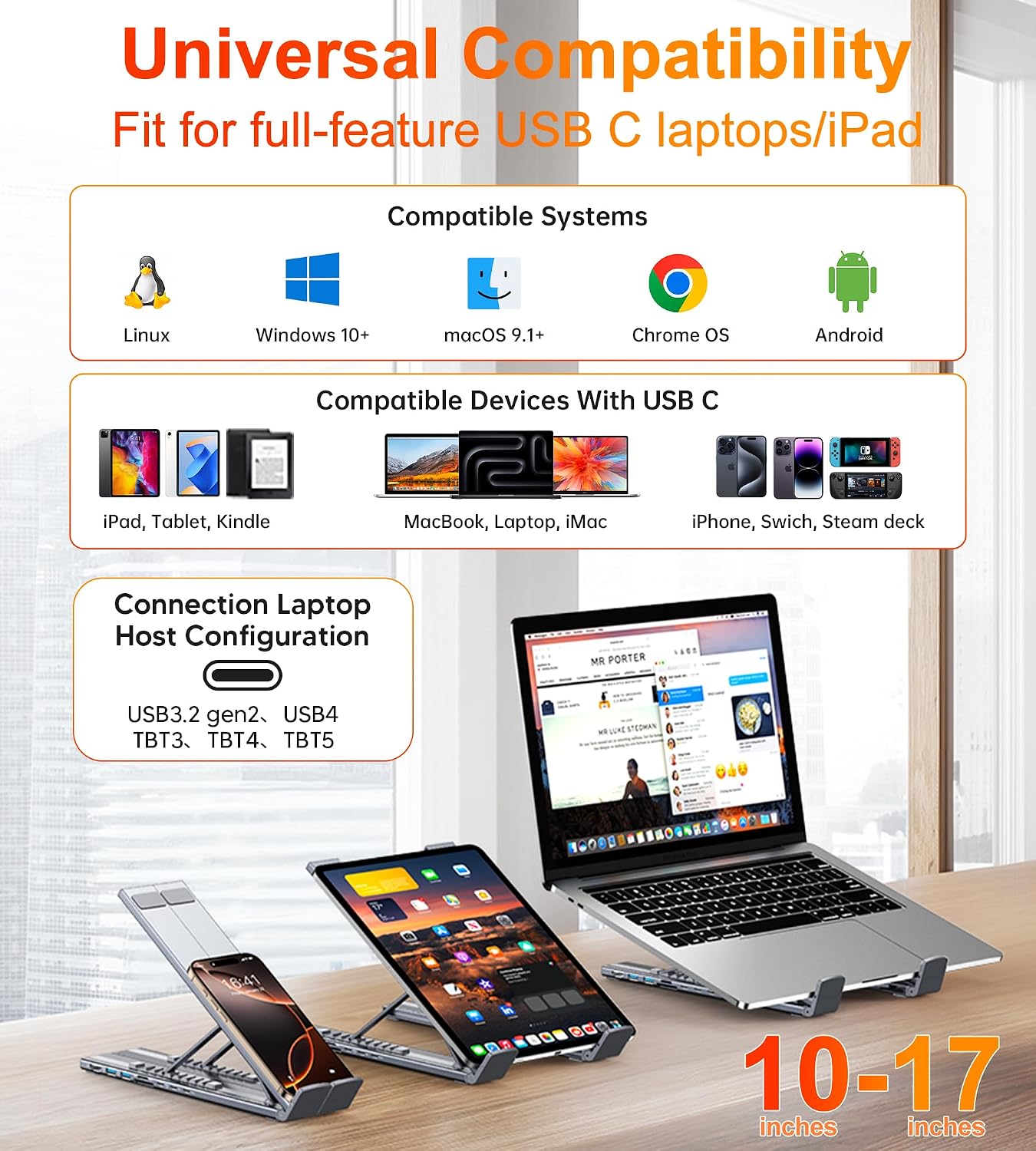
Also, keep in mind that the dock requires a Thunderbolt or full-featured USB-C port for the video side to function. If your USB-C port only handles data or charging (without the right video capabilities), the video function won’t be available.
Tech specs that matter for buying decisions
- Dual HDMI outputs for 4K@60Hz (as stated)
- 9 integrated ports total
- USB 3.0 ports (each up to 5Gbps, as stated)
- USB-C PD 3.0 port for power delivery (100W stated)
- Memory card slots: SD and TF
- Host port to connect the laptop
If you’re trying to map this to your setup, the useful approach is to count what you actually plug in: how many USB devices you need, whether you need card slots, and whether you’re aiming for true extended dual monitors on your operating system.
Usage tips
A good “first day” setup is to start simple: connect the dock to your laptop first, then attach the power delivery, then add HDMI monitors. This helps you spot quickly whether the display output is supported over your USB-C port.
On the stand side, the forward-tilt/open design and ventilation angle are meant to avoid running the laptop flat against a desk. If you do long sessions, that small improvement can be the difference between comfortable use and a laptop that feels too enclosed.
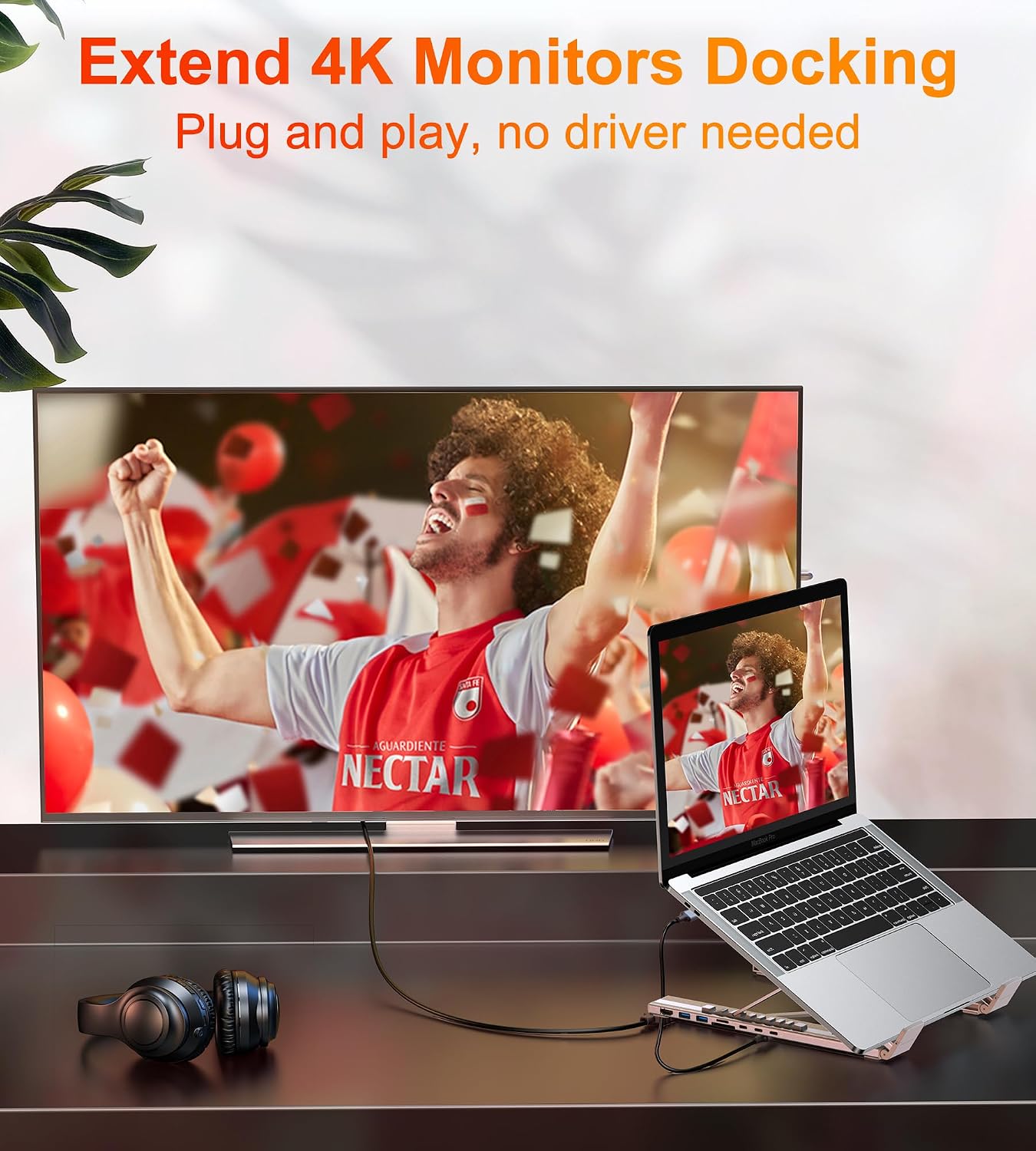
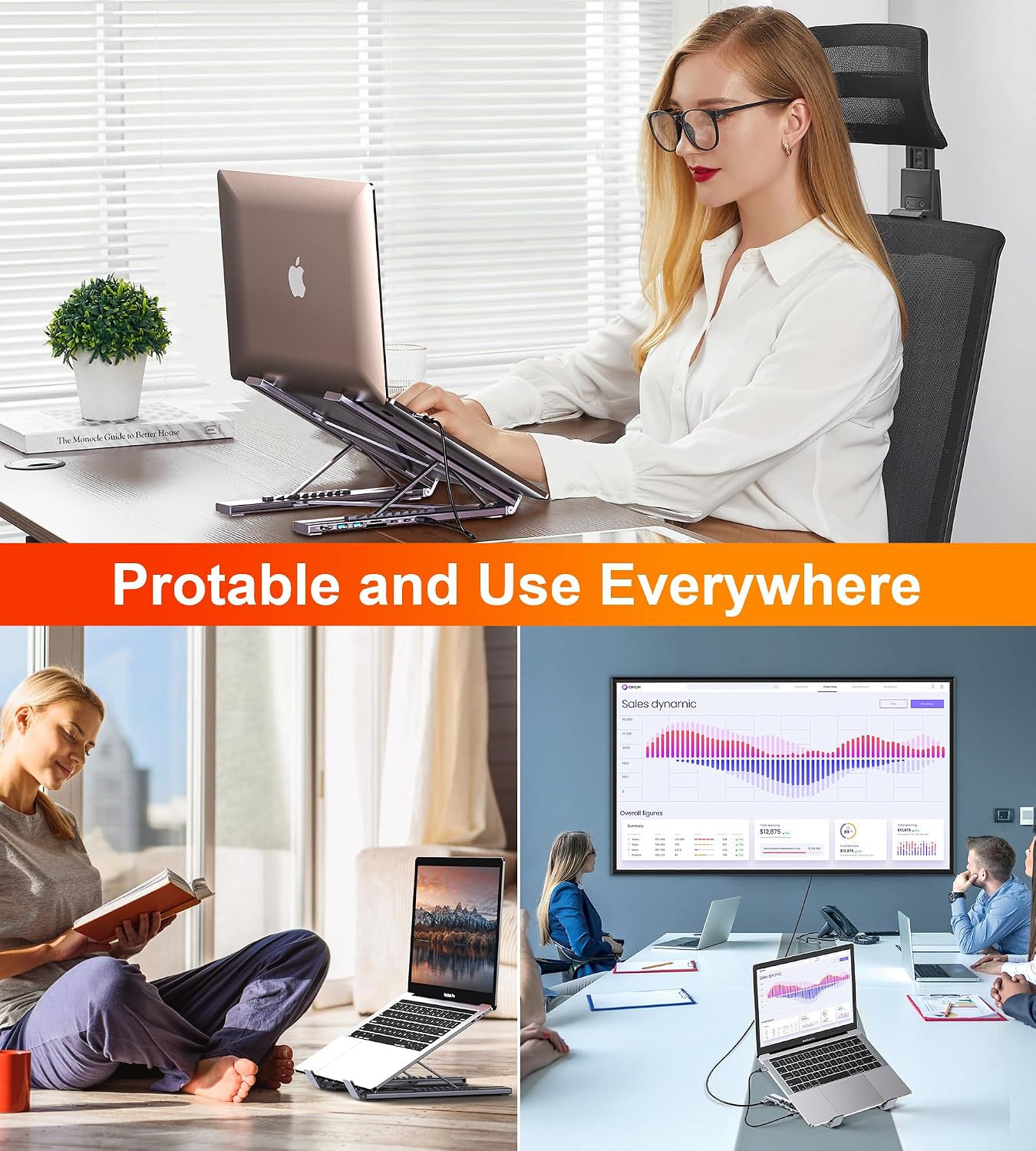
And if you’re travelling, the stand is described as foldable and lightweight (with a storage bag included). It’s the sort of accessory you’d reasonably throw in a work bag for meetings where you still want to dock up quickly.
What stands out, and where it can disappoint
What’s genuinely appealing here is the combination: dual HDMI docking plus an adjustable stand, all wrapped into one unit with a fairly broad set of ports. For desks where you want fewer adapters and less cable chaos, it makes sense.
That said, it’s not perfect for everyone. The macOS extended-desktop limitation (mirror mode only) is the biggest practical drawback for people who need two independent screens. It can also be a let-down if your laptop’s USB-C port doesn’t support DP Alt Mode and the relevant video transfer capabilities—because in that case, the dock may only deliver power and USB, not display.
If you’re buying mainly to “get dual monitors working” without checking port capabilities first, you may end up spending time troubleshooting instead of working.
Is it worth it?
It’s worth considering if you have a USB-C laptop with the right video support, you want dual HDMI output (and your operating system matches the dock’s behaviour), and you also like the idea of an ergonomic, adjustable stand with non-slip grip.
You may want to skip it if you’re on macOS and specifically need extended desktop mode, or if you’re unsure whether your USB-C port supports the required DP Alt Mode/video transfer features. In those scenarios, the dock can end up being less functional than you expect, even though the port count and form factor look promising.
Mini FAQ
Does this docking station work with dual monitors on macOS?
It supports mirror mode only (SST) on macOS, not extended desktop mode (MST), according to the information provided.
Does it support extended dual-screen on Windows?
Full dual display expansion mode (MST) needs Windows support for DP1.4, as stated.
What should I check before buying?
Check that your laptop’s USB-C port supports PD Power Delivery, DP Alt Mode and data transfer. If it’s only a charging-only or data-only USB-C port, video output won’t be available.
What’s included with the stand for travel?
The description says it comes with a portable storage bag.
Metabolic note: can I use it as just a laptop stand?
Yes, you can use it as a stand, but the value proposition is really the 9-in-1 docking ports and dual HDMI output alongside the adjustable stand.