

Samsung Galaxy S26 UltraS Pen, Violet — Replacement Pen
Product description
What it is
This is a replacement stylus designed for the Samsung Galaxy S26 Ultra, presented in Violet. It’s aimed at users who need a spare pen for note‑taking, drawing or navigation on the screen without hunting for the original accessory every time. On paper, it serves as a practical extra rather than a flashy upgrade, and it keeps the Galaxy experience intact when your primary S Pen isn’t available.
What matters most
If you prioritise continuity in daily tasks, a dedicated spare pen can save time and reduce interruptions. The Violet colour adds a visual cue that helps you distinguish it from other accessories and keep your workflow smooth. The key appeal here is no‑nonsense practicality: it’s a straightforward replacement for the active pen when you’re on the go, in a bag, or at a desk and don’t want to pause between notes or sketches.
Who it’s for
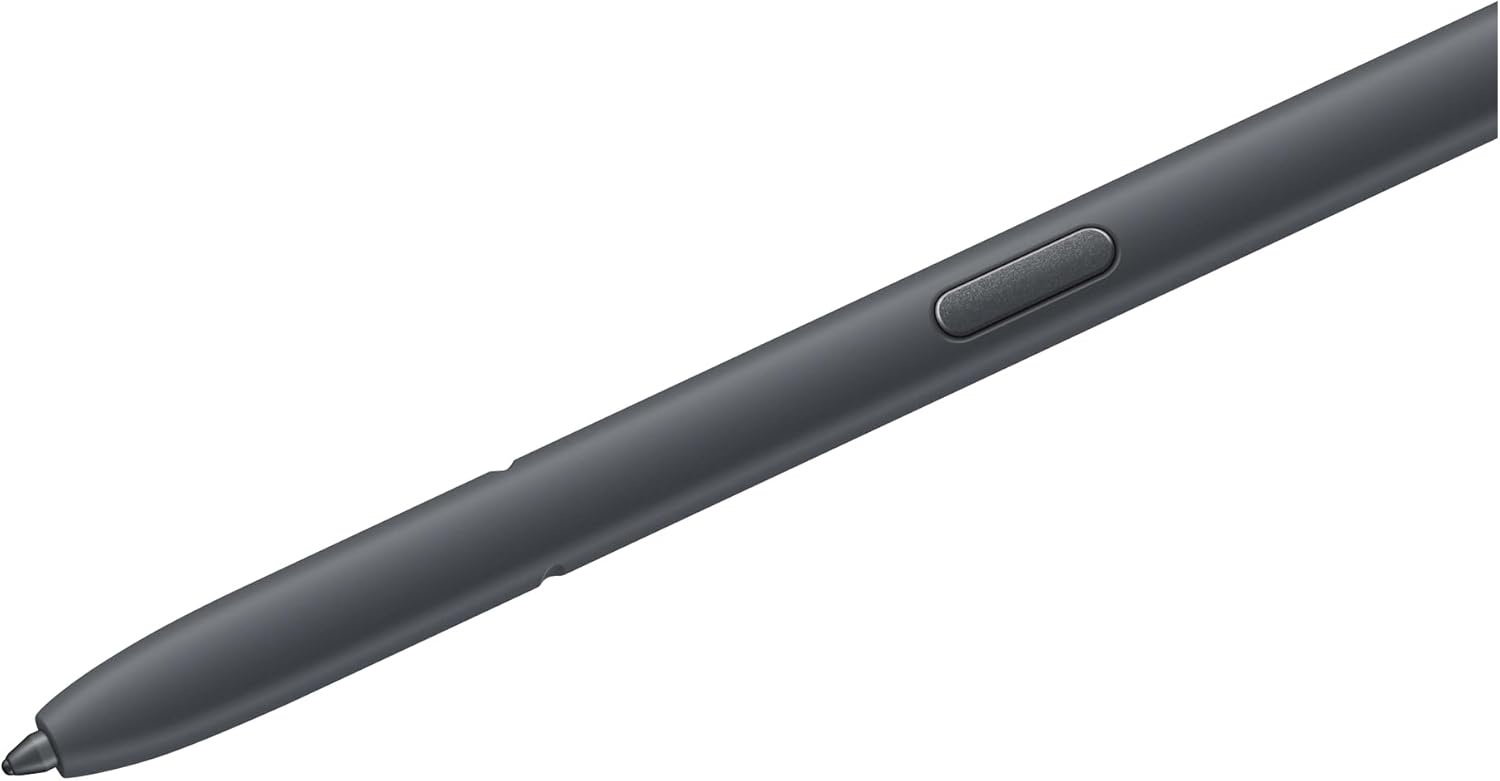
This is well suited to students, professionals and casual users who rely on the S26 Ultra’s pen for quick notes, annotations, or precision input. If you regularly use the pen for handwriting, sketching, or precise tapping, a spare can be a sensible contingency. For those who rarely use a stylus, or who treat the S Pen as a luxury rather than a tool, this may feel like a low‑priority purchase.

When it makes sense to buy
- You want a second pen to avoid downtime when the primary is misplaced or charging.
- You value having a Violet variant that’s easy to spot among other accessories.
- You need a practical, affordable way to maintain productivity during travel or busy days.
- You’re upgrading or refreshing a device setup that already relies on the S26 Ultra ecosystem.
What to check before buying
- Confirm compatibility with the Samsung Galaxy S26 Ultra, the listing specifies it as a replacement pen for that model.
- Consider how often you’ll use the pen, if usage is sporadic, a spare can still be worthwhile, but the value hinges on your need for quick input on the go.
- Check for any warranty or return policy from the retailer, in case it doesn’t meet your expectations.
- Colour preference matters: Violet helps you identify the spare, but confirm it matches the look you want with your setup.
Practical use and what to expect
In daily use, a replacement pen should perform similarly to the original for basic tasks—note‑taking, highlighting, and precise strokes. It isn’t described as a feature‑rich upgrade, rather, it provides reliability when your main pen is out of reach. If you’re chasing advanced pressure sensitivity or additional buttons, this replacement description does not confirm those specifics, so temper expectations accordingly.

How it compares to other approaches
If you already own a spare pen, this option slots into your kit as a low‑friction back‑up. For those who don’t want to invest in a full extra accessory or who prefer using a finger or generic stylus, potential trade‑offs include reduced precision and a lack of guaranteed compatibility with any future software quirks. In other words, the value is strongest for people who rely on the S26 Ultra’s pen regularly and want a dedicated back‑up rather than improvising with alternate input methods.
Is it worth it?
Is it worth it? It makes sense if you prize uninterrupted productivity and dislike hunting for accessories under a pile of papers or in a bag pocket. If you rarely take notes with the S Pen or you’re content with improvising, you may opt to skip it. A practical test is to assess how often you reach for the pen during a typical day and whether a quick, dedicated replacement would save you small but cumulative time.
FAQ
- Does this replacement pen work with other Samsung devices? The listing specifies compatibility with the Galaxy S26 Ultra, so it’s best to avoid cross‑device assumptions.
- Is there any information on pressure sensitivity or extra features? The available description focuses on replacement functionality and does not confirm advanced input features.
- What should I do if it doesn’t fit properly? Check the retailer’s return policy and ensure you’re purchasing the exact model for the Galaxy S26 Ultra, issues may be resolved through an exchange.
Final note
For users who keep their device‑based workflow tidy and predictable, a spare Violet S26 UltraS Pen can be a sensible addition. It’s not a performance upgrade, but it supports continuity and reduces downtime—worth considering if your daily routine relies on quick, precise input.