

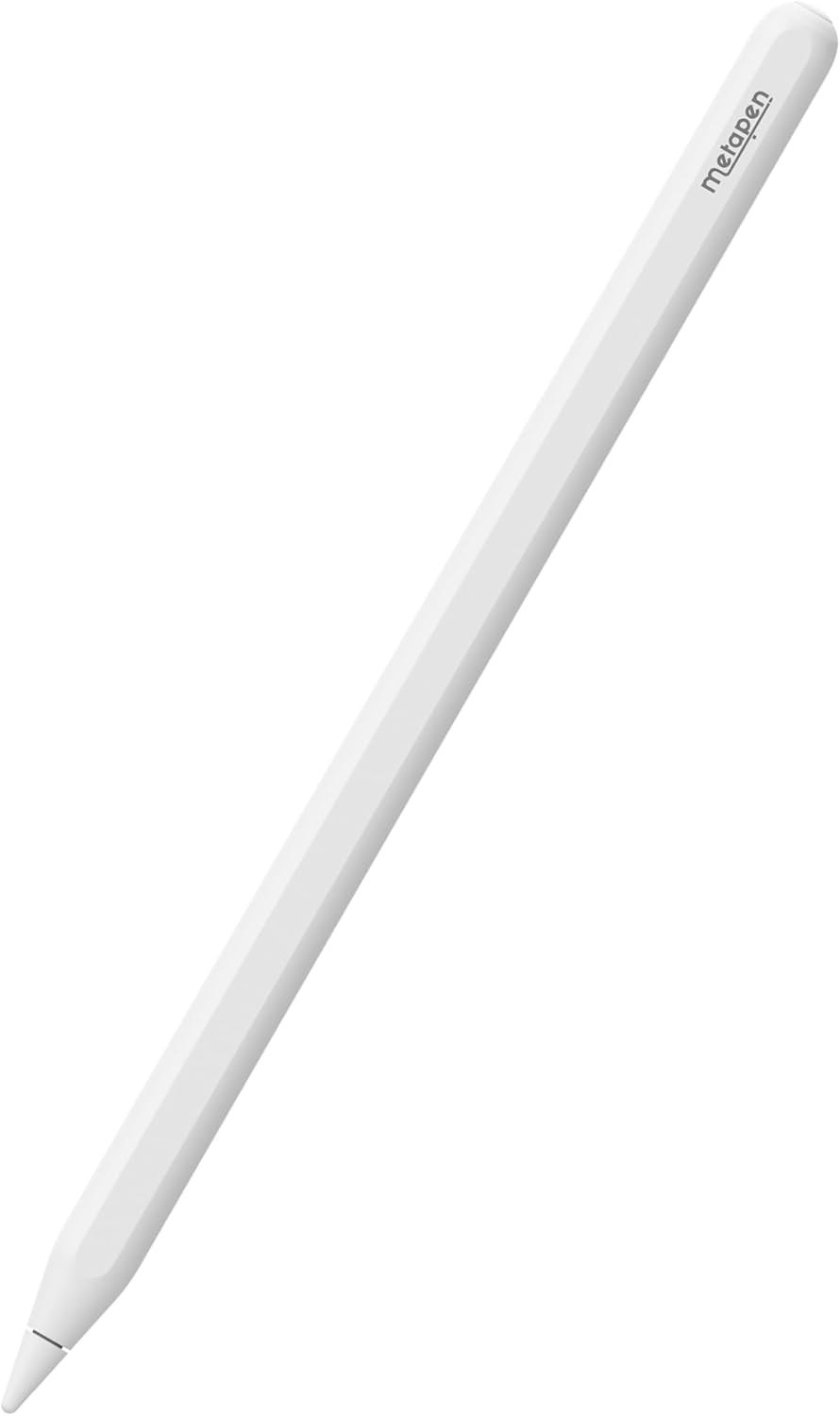
Metapen Metapen A14 wireless charging stylus pencil for iPad Pro/Air/Mini (2018–2023) compatible with Pencil 2nd Gen
Product description
At a glance
If you’ve ever tried to use an iPad stylus while worrying about battery life or missing yet another charging cable, the Metapen A14 is built around removing that hassle. It’s a wireless magnetic charging stylus designed to attach to compatible iPads, so charging is more “leave it on the side” than “remember to plug it in”.
On top of that, it includes battery display and shortcut buttons via Bluetooth once connected. It’s a feature set aimed at everyday notes, sketching, and coursework—rather than a high-end artist tool.
What it’s for (and what it solves)
This pen is for people who want a Pencil 2nd Gen-style experience on compatible iPads, with a more practical charging routine. In day-to-day use, the convenience is the main selling point: you can clip it to the iPad when you’re not using it, then pick it up again without thinking about cables.
It also leans into “out and about” use. The A14 is described as moisture-proof and dust-proof, with resistance to sweat, accidental splashes, dust, and stains. That’s the kind of spec you’ll appreciate if you take your iPad to libraries, classrooms, cafés, or you simply don’t baby your gear.
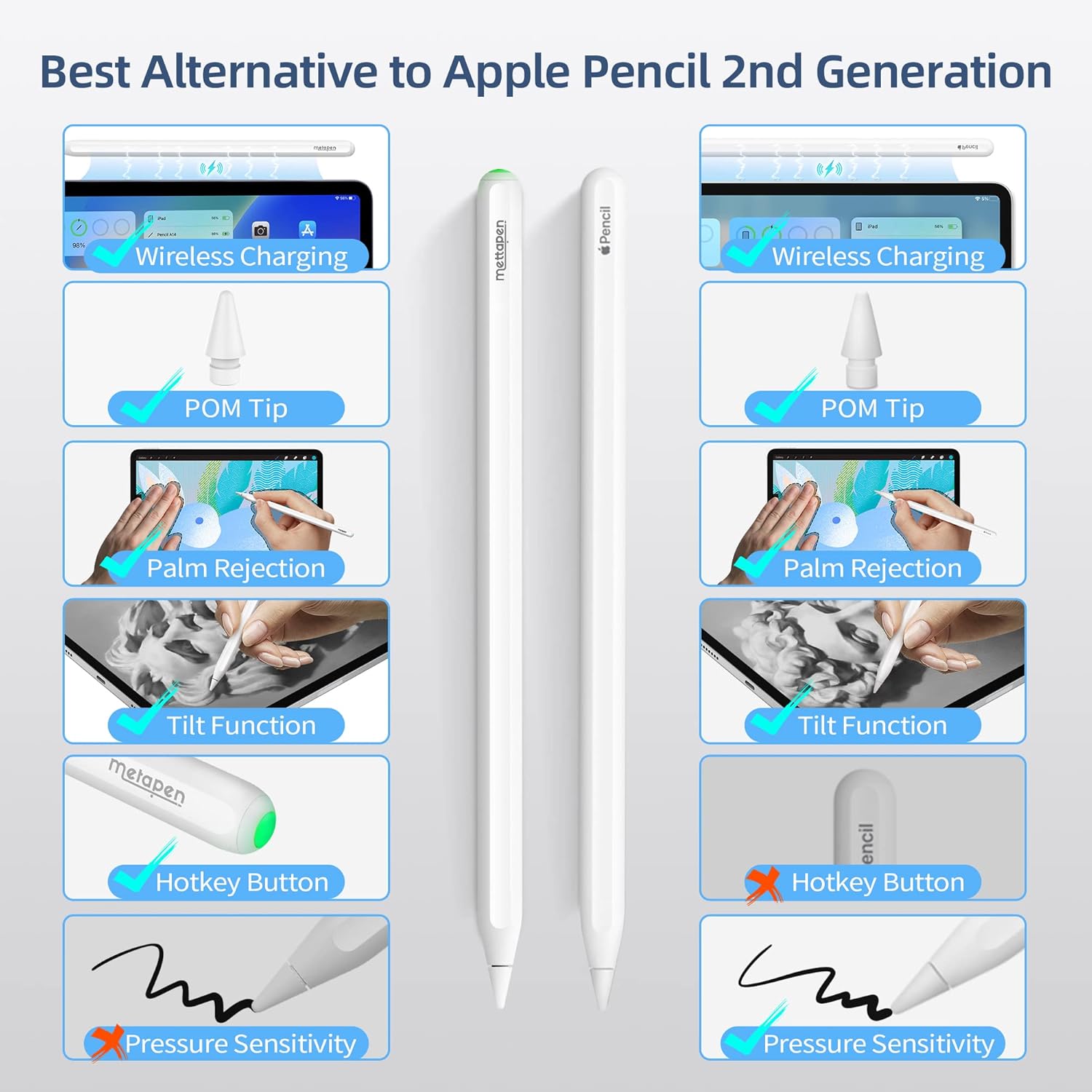
There’s one limitation worth being upfront about: it does not support pressure sensitivity. If your workflow depends on varying line weight by pressing harder (common in more advanced drawing setups), you may feel the absence.
Key features that matter in use
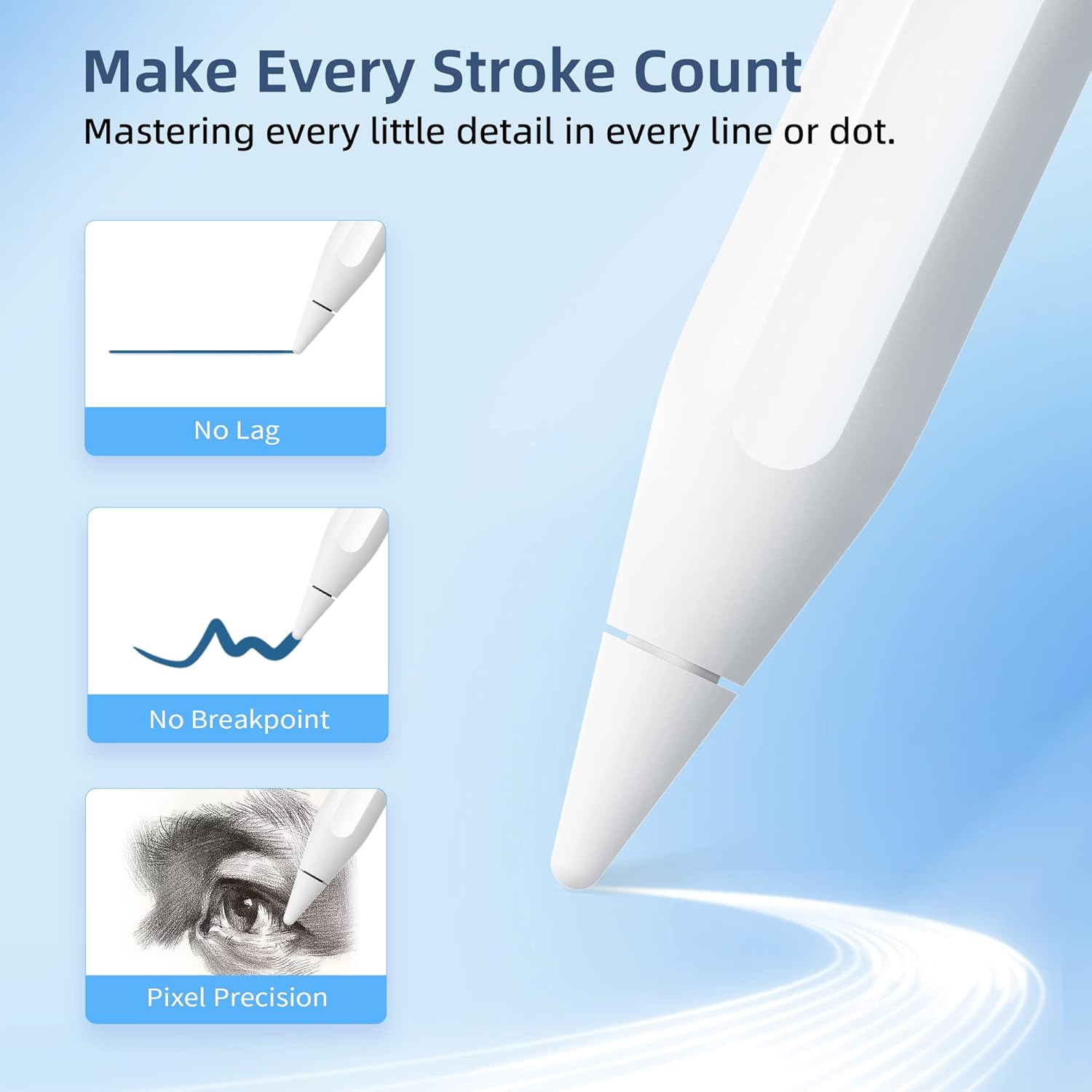
The A14’s accuracy is pitched as 0.1 mm pixel precision with high responsiveness, with “no breakpoints” and “no delays” in the product description. In plain terms, that’s what you want when you’re writing small text, annotating documents, or drawing fine lines.
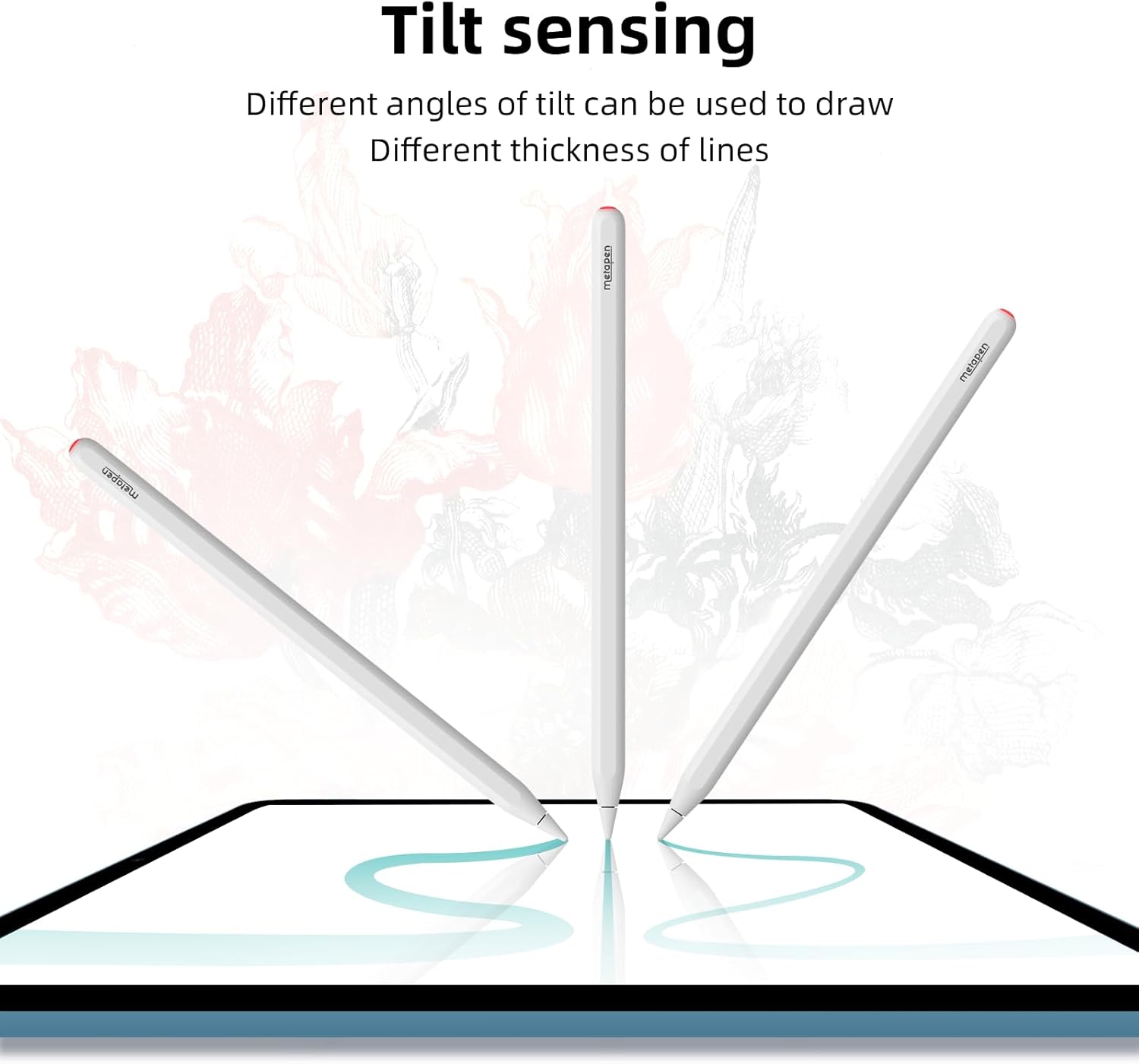
It’s also tilt-sensitive, so the stroke changes based on your angle, which can help with shading and thicker-looking marks depending on the app brush. The stylus also supports palm rejection, so you can rest your hand on the screen while sketching or writing—no glove required.
A small but practical touch: the pen tips are designed to protect the screen and reduce writing noise, and the tip material is stated as POM. It sounds minor, but tip comfort and screen feel are exactly the things you notice after an hour of note-taking.
Wireless magnetic charging and Bluetooth shortcuts
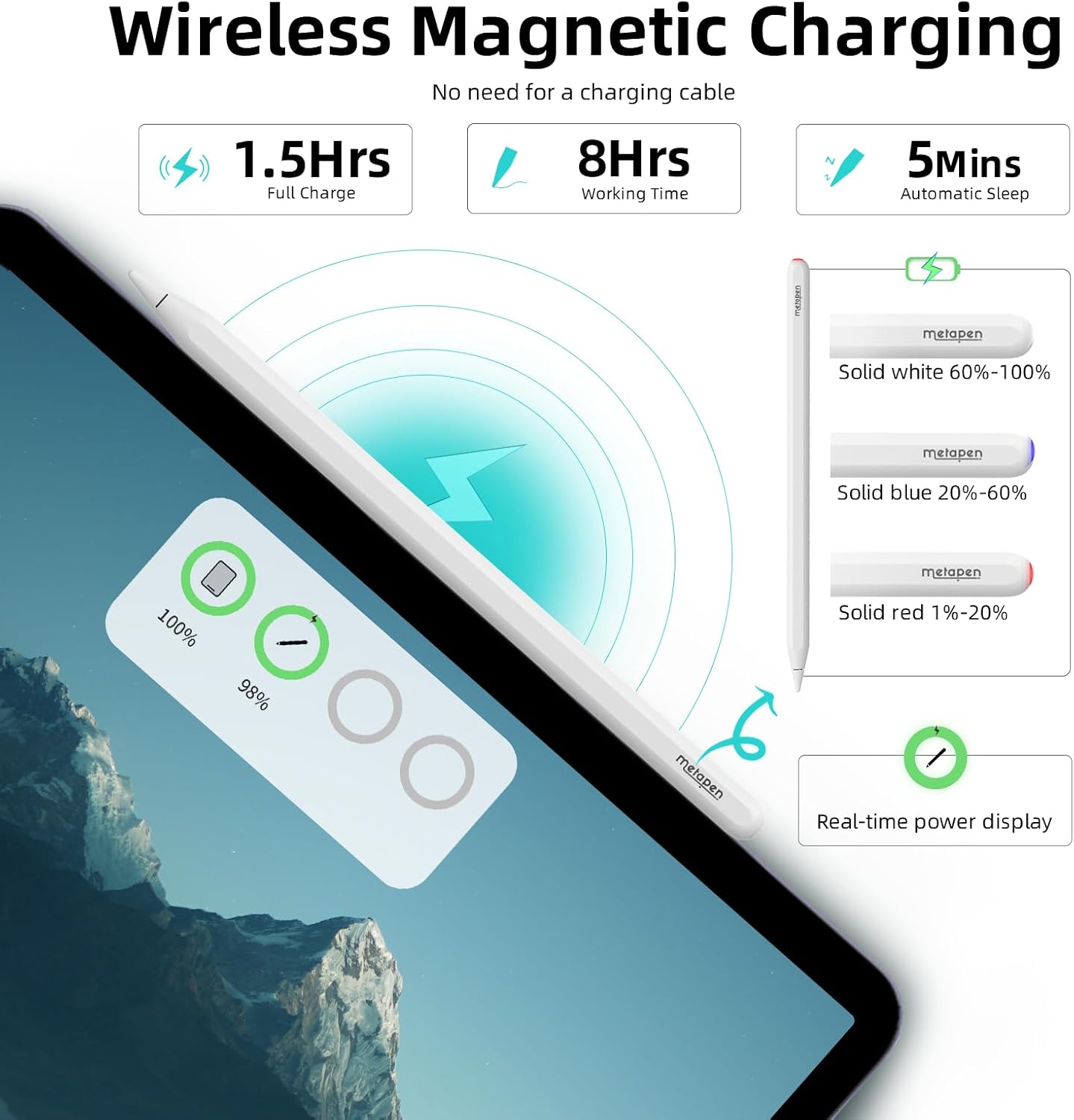
The wireless magnetic charging is the core differentiator here. The idea is simple: attach to your iPad and charge instantly, wherever you go. The listing also notes heat-dissipating material, intended to help better protect battery life.
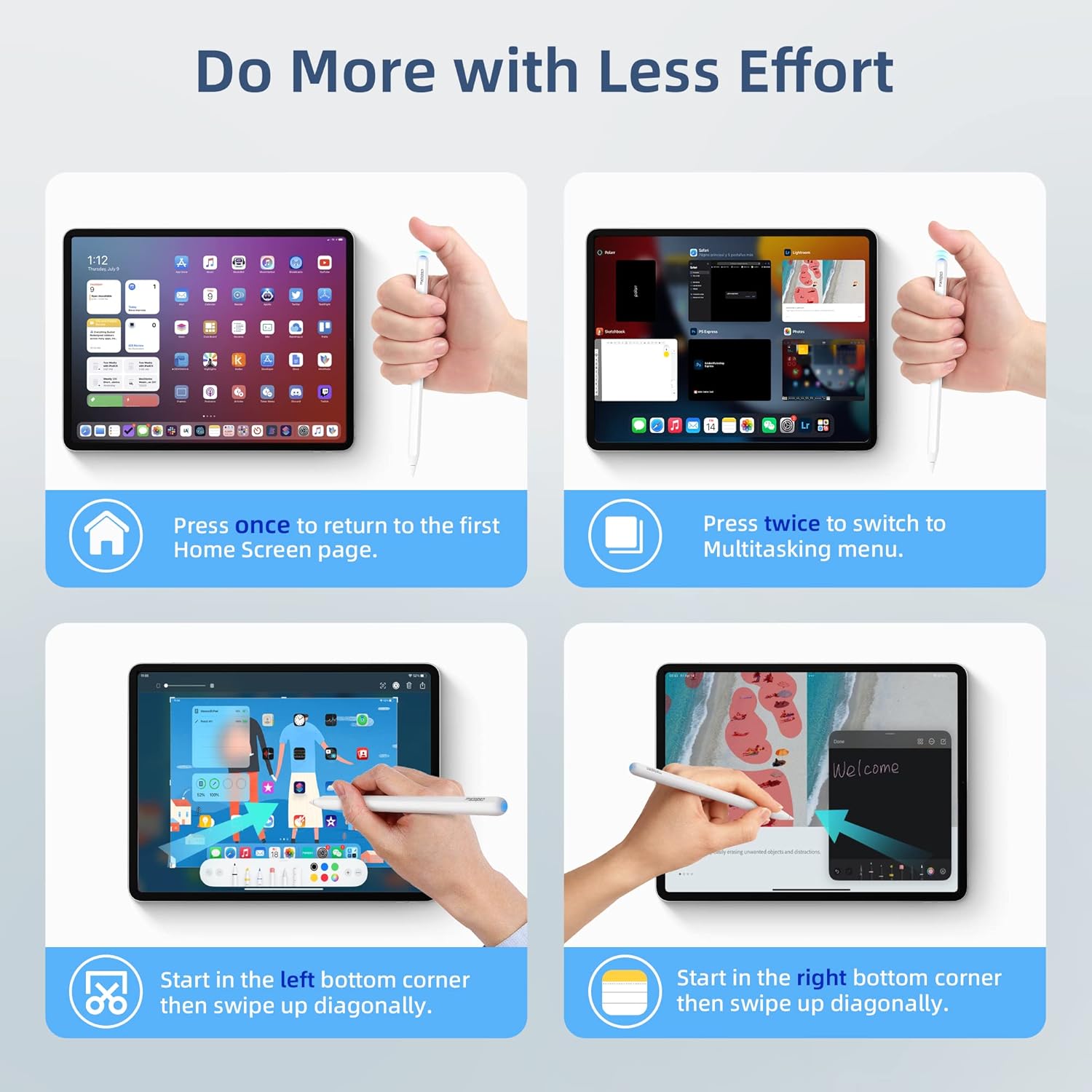
Bluetooth connectivity adds two things once paired: battery percentage display in the iPad status bar, and quick shortcuts from the top button. The shortcuts mentioned are one-click to return to the home page and double-click to enter the multitasking menu.
There’s also guidance for when it’s not connected to Bluetooth: one-click to activate, and a long press for 5 seconds to turn it off to prevent accidental touches. That’s a sensible detail if you throw the stylus into a bag.
Specs you should check before buying
Compatibility is the big thing with styluses, and Metapen is clear that the A14 is only compatible with a specific set of models.
It is stated as ONLY compatible with: - iPad Pro 11-inch (1/2/3/4 Gen), for 2018–2023 - iPad Pro 12.9-inch (3/4/5/6 Gen), for 2018–2023 - iPad Air 4 (4th Gen) - iPad Mini 6 (6th Gen)
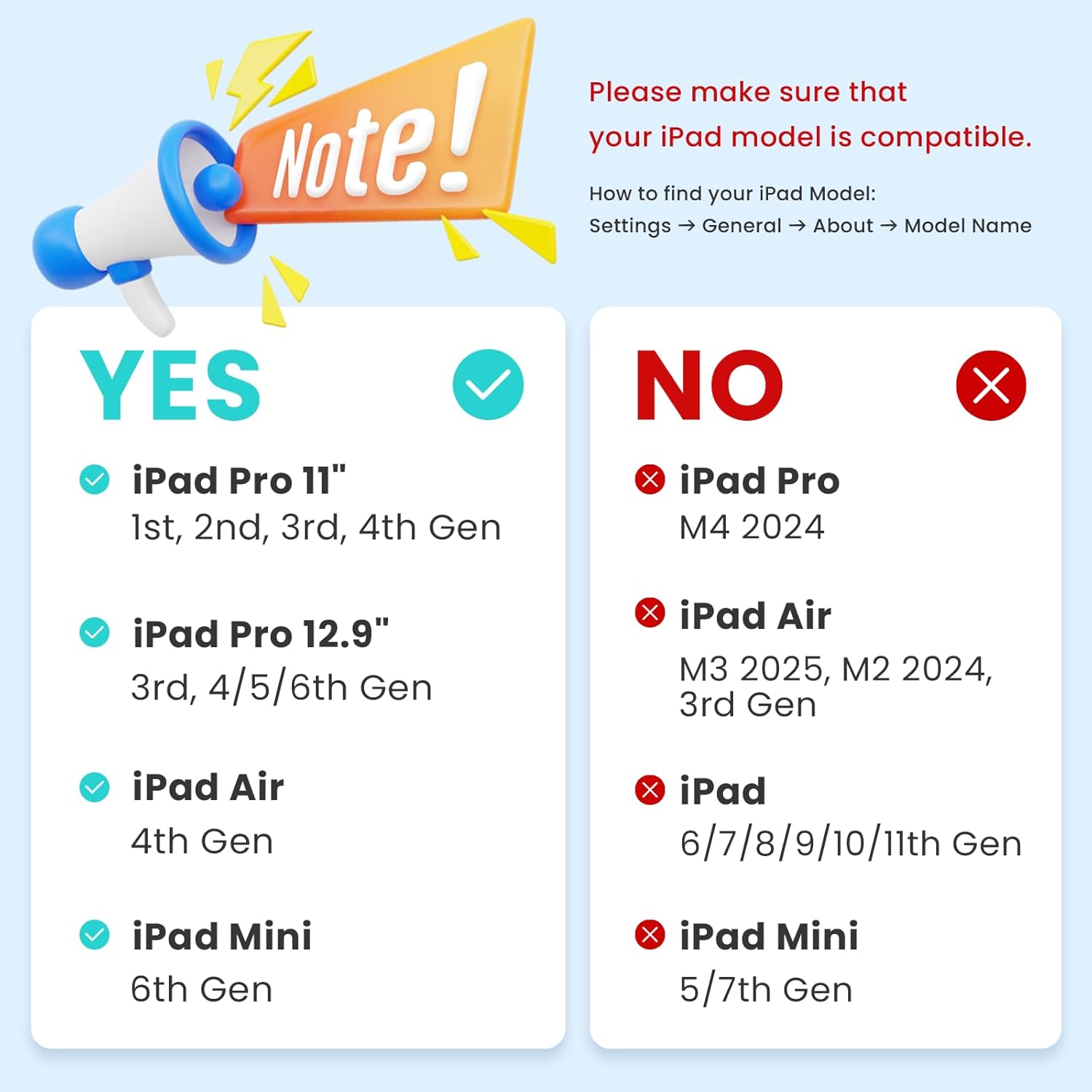
The listing also states it is not compatible with newer 2024/2025 iPad models, including examples such as iPad Pro M2 and iPad Air M2/M3, plus iPad 11/10/9/8/7/6 and iPad Mini 7/5.
So before you get excited about the wireless charging and battery display, confirm your exact iPad model year and generation.
Pros and limitations (a balanced buy)
What stands out
- Wireless magnetic charging designed to reduce cable clutter
- Battery percentage display in the status bar (when Bluetooth is connected)
- Tilt sensitivity plus palm rejection for smoother note-taking and sketching
- Moisture-proof/dust-proof positioning for more resilient everyday use
- Spare tips included in the box
Where it may not suit
- No pressure sensitivity, so it won’t fully match pressure-based drawing workflows
- The Bluetooth features are dependent on pairing, if you don’t connect Bluetooth, you lose the battery display and shortcuts
- Compatibility is restricted to 2018–2023 wireless charging iPads, so it can be a mismatch if you’ve got a newer or different iPad
Getting the most from it
If you mainly use your iPad for class notes, marking up PDFs, or compact sketches, this is the kind of stylus that fits naturally: wireless charging removes the “battery anxiety”, and palm rejection helps you write quickly without adjusting your grip.
A practical example: you’re revising in a study session—attach the stylus while you work on the iPad, jot down quick notes with tilt-based shading, and rest your palm on the screen. When you stop, the pen remains attached for charging instead of being left on the desk and forgotten.
If you’re the sort of user who wants pressure sensitivity for expressive brush control, you might be better off looking at alternatives that explicitly support that feature.
Is it worth it?
Worth buying if you have a compatible 2018–2023 iPad Pro 11-inch or 12.9-inch, iPad Air 4, or iPad Mini 6, and you prioritise a wireless magnetic charging routine, battery visibility, and basic tilt + palm rejection for everyday sketching and note-taking.
It may not be the best choice if you need pressure sensitivity for your art or if your iPad is outside the stated 2018–2023 wireless charging compatibility window. Also skip it if you’re expecting the Bluetooth shortcuts and battery status to work without pairing.
Quick FAQ
Compatibility check
Q: Does it work with 2024 and 2025 iPad models? A: The listing says it’s not compatible with 2024 and 2025 iPad models, with several examples provided.
Pressure sensitivity
Q: Does it support pressure sensitivity? A: No, it does not support pressure sensitivity.
Battery display and shortcuts
Q: Do the battery percentage and shortcuts require Bluetooth? A: Yes—battery display and shortcuts are described as functions available after connecting via Bluetooth.
Palm rejection
Q: Do I need a palm rejection glove? A: The listing states palm rejection is supported, so a glove is not needed.
What’s in the box?
A: The packing list includes 1 x Metapen A14, 2 x spare pen tips, and 1 x user manual.