

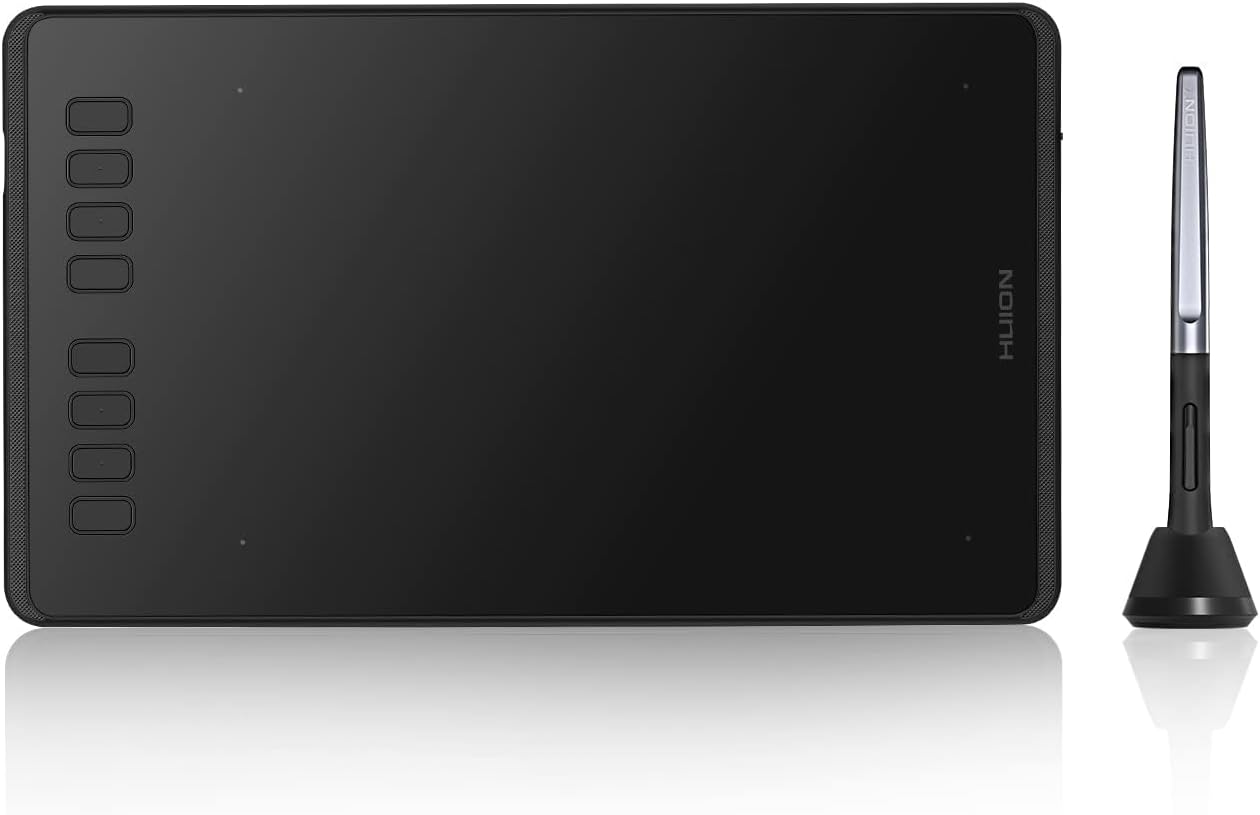
Huion Inspiroy H1060P drawing tablet (10×6.25 inch) with battery-free PW100 pen
Product description
The essentials
If you’re looking for a drawing tablet that covers more than one device type, the Huion Inspiroy H1060P is built around exactly that idea. It’s positioned as an upgraded version of the 1060 Plus, and on paper it aims to be flexible: it supports Windows and macOS for PC work, but it also includes an Android compatibility mode for drawing directly on supported Android devices.
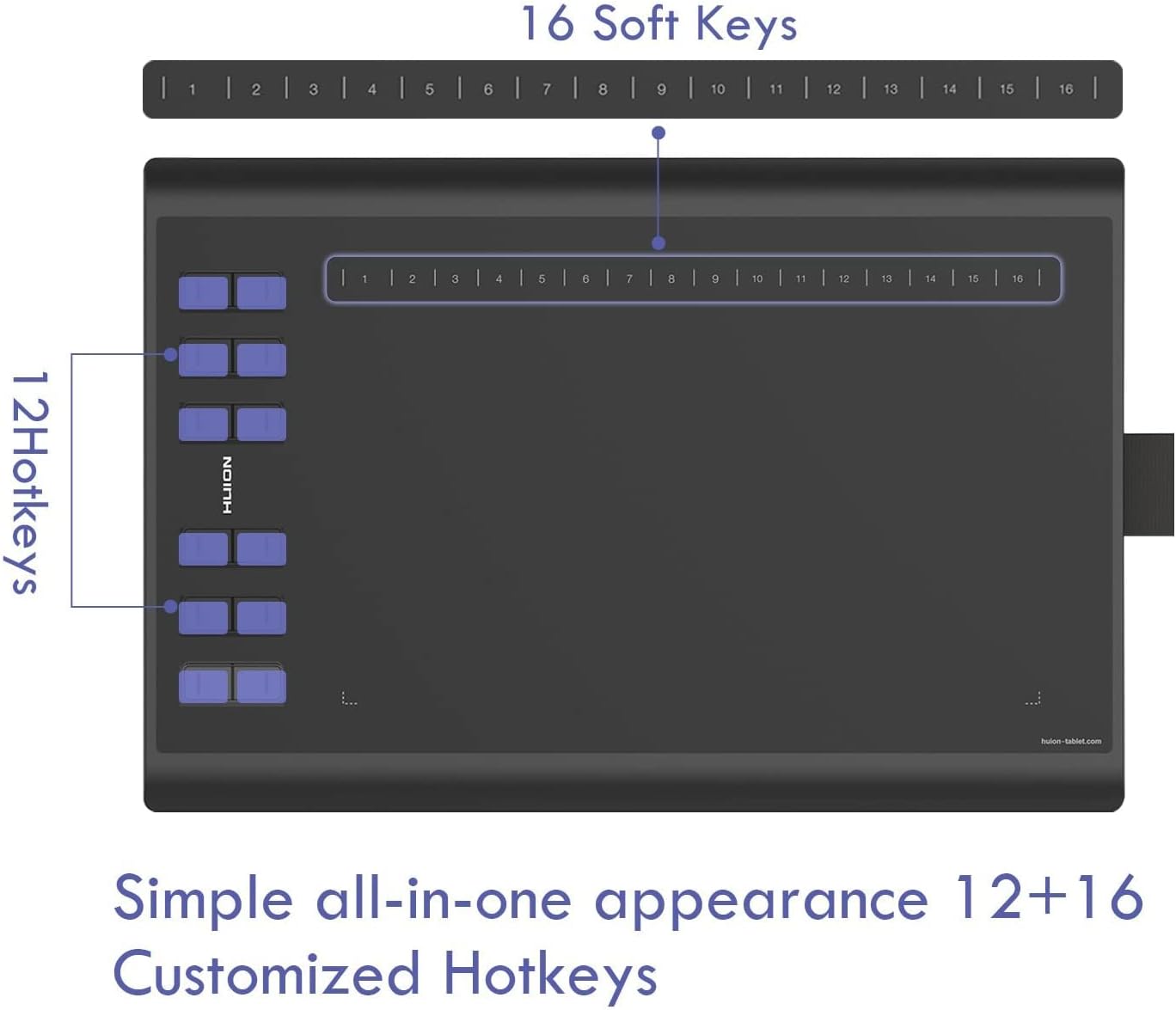
The practical appeal here isn’t just the size (a 10×6.25 inch active area for PC mode). It’s also the workflow side: you get programmable express keys (12 custom buttons plus 16 soft keys) meant for shortcuts, so you can keep tools and shortcuts under your fingertips rather than constantly reaching for the keyboard.
That said, it’s not a tablet you buy only for “the spec sheet” — it’s worth thinking about how you like to set up your software and shortcuts, and whether Android drawing fits your actual routine.
Key points
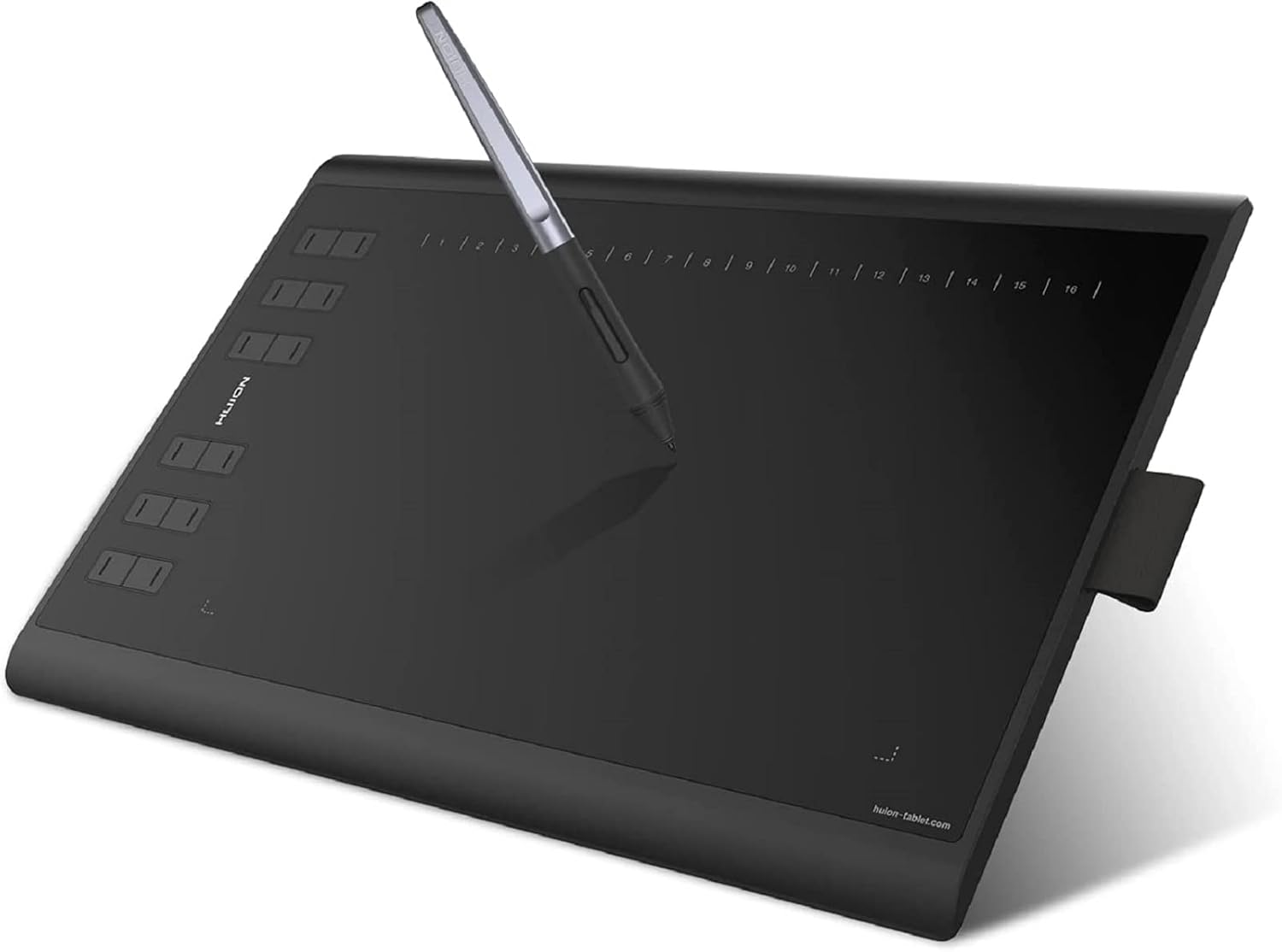
This tablet is designed to help you draw and design across Windows, Mac and Android, using a battery-free stylus that doesn’t need charging. The active area is generous for a comfortable desk setup, and the EMR pen approach is paired with pressure sensitivity and tilt support.
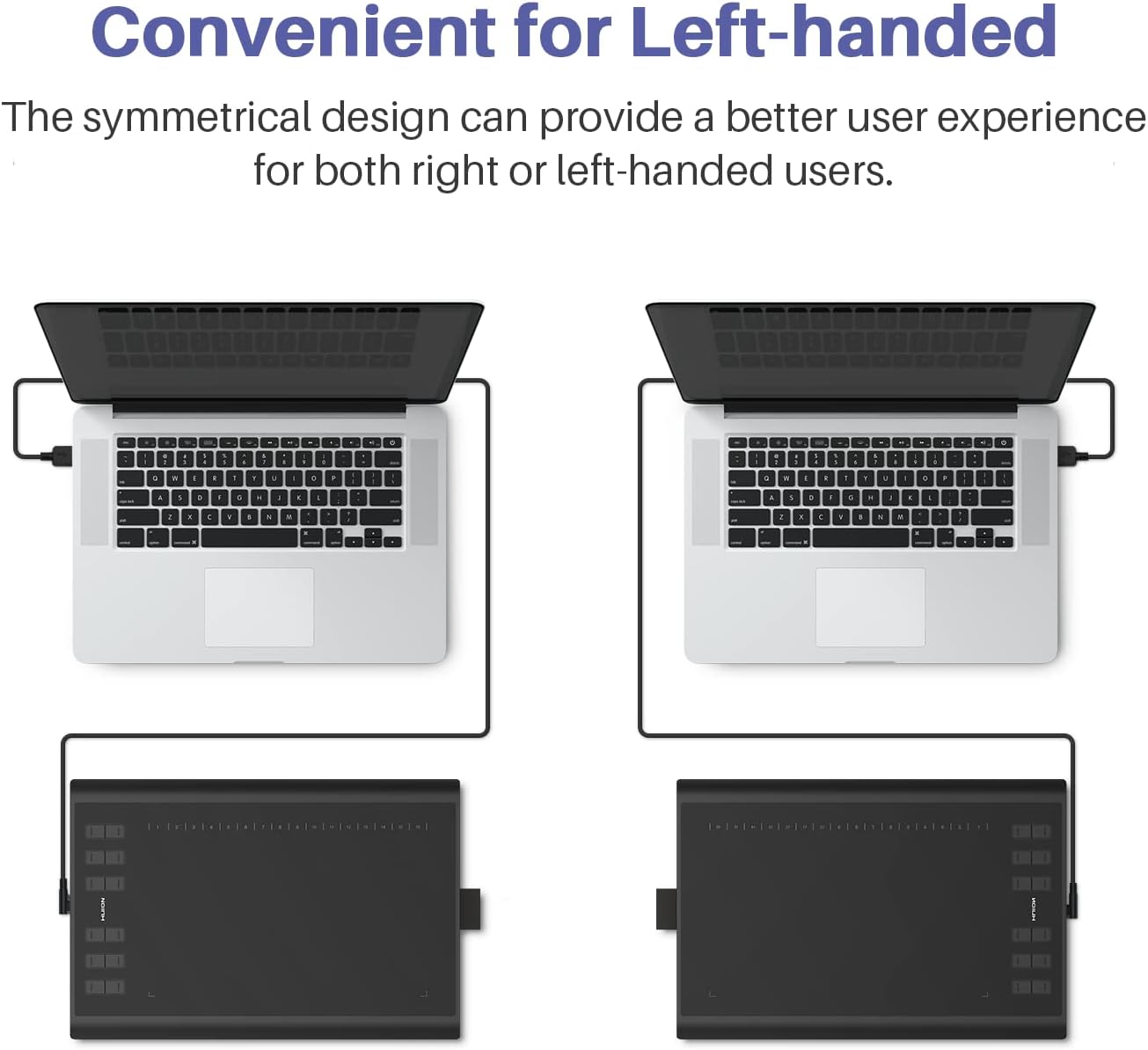
On the control side, it leans into productivity with a bank of programmable keys you can assign through the driver. It’s also described as suitable for both left- and right-handed users, which is a genuinely useful detail if you’ve ever struggled with pen holders or layouts that only make sense one way.
Where it sits in the market? Based on the information provided, it feels more like a value-focused mid-range drawing tablet rather than a top-tier pro model.
What stands out in everyday use
The biggest day-to-day difference is how quickly you can move between tools while drawing. Twelve custom buttons and sixteen soft keys give you a lot of room to map things like brush switches, undo/redo, zoom, or canvas rotation — in other words, actions you use constantly.
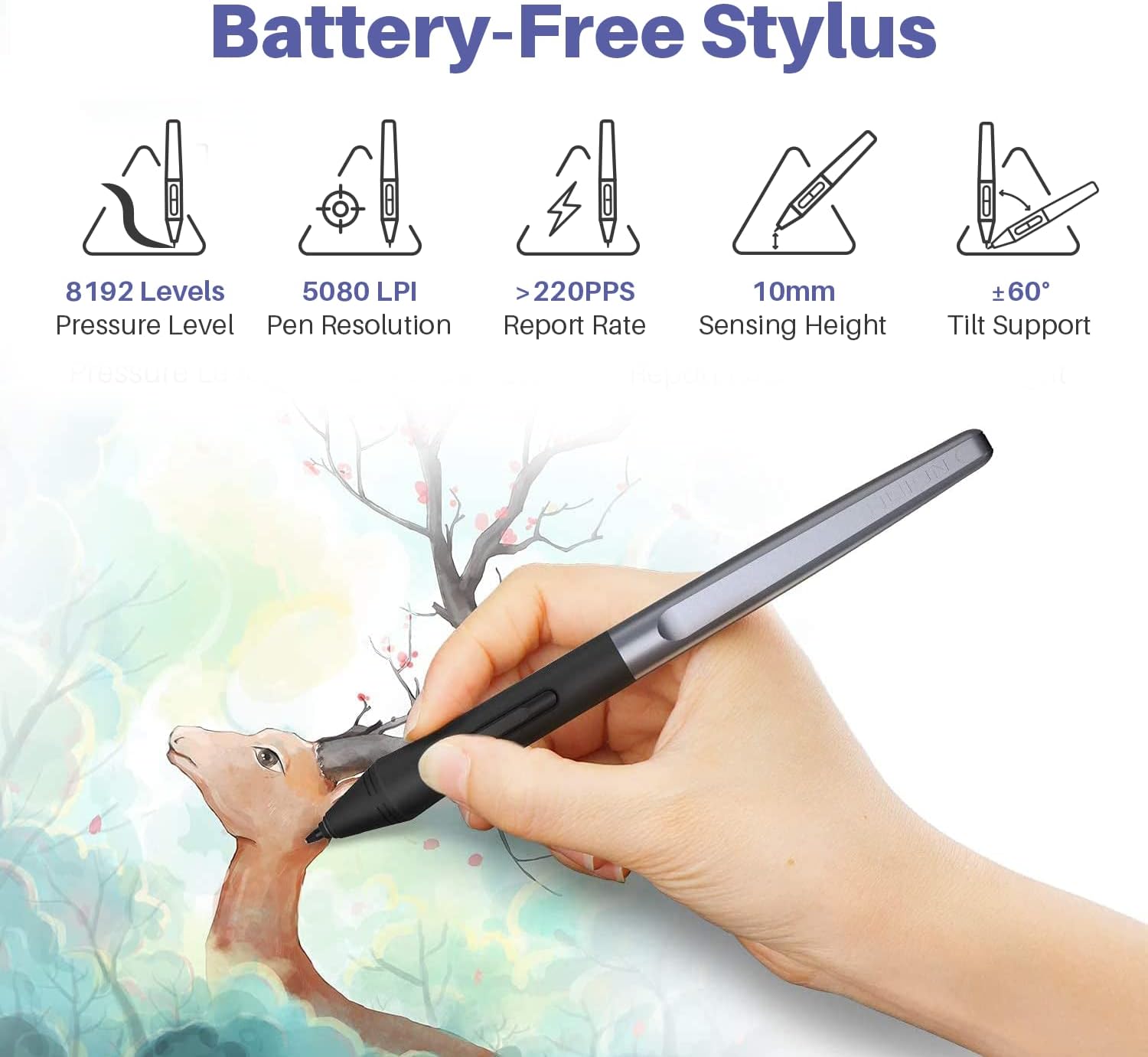
The battery-free pen (PW100) is another convenience win. You don’t have to remember charging, and for longer sessions that’s one less distraction. The tablet also supports tilt (±60°) and pressure sensitivity of 8192, which should help if you’re trying to get line variation without everything feeling overly uniform.
A small but real bonus is the extra pen tips and pen holder included, plus the symmetric design intended for both right- and left-hand users. It’s the kind of thing that won’t make headlines, but it matters once you’re setting up a habit.
The essentials: tech highlights
The key spec points mentioned for the Huion Inspiroy H1060P include: - 8192 pressure sensitivity - Reporting rate of >220 PPS - 5080 LPI - ±60° tilt support - Battery-free EMR stylus PW100 (pressure sensitivity without charging)
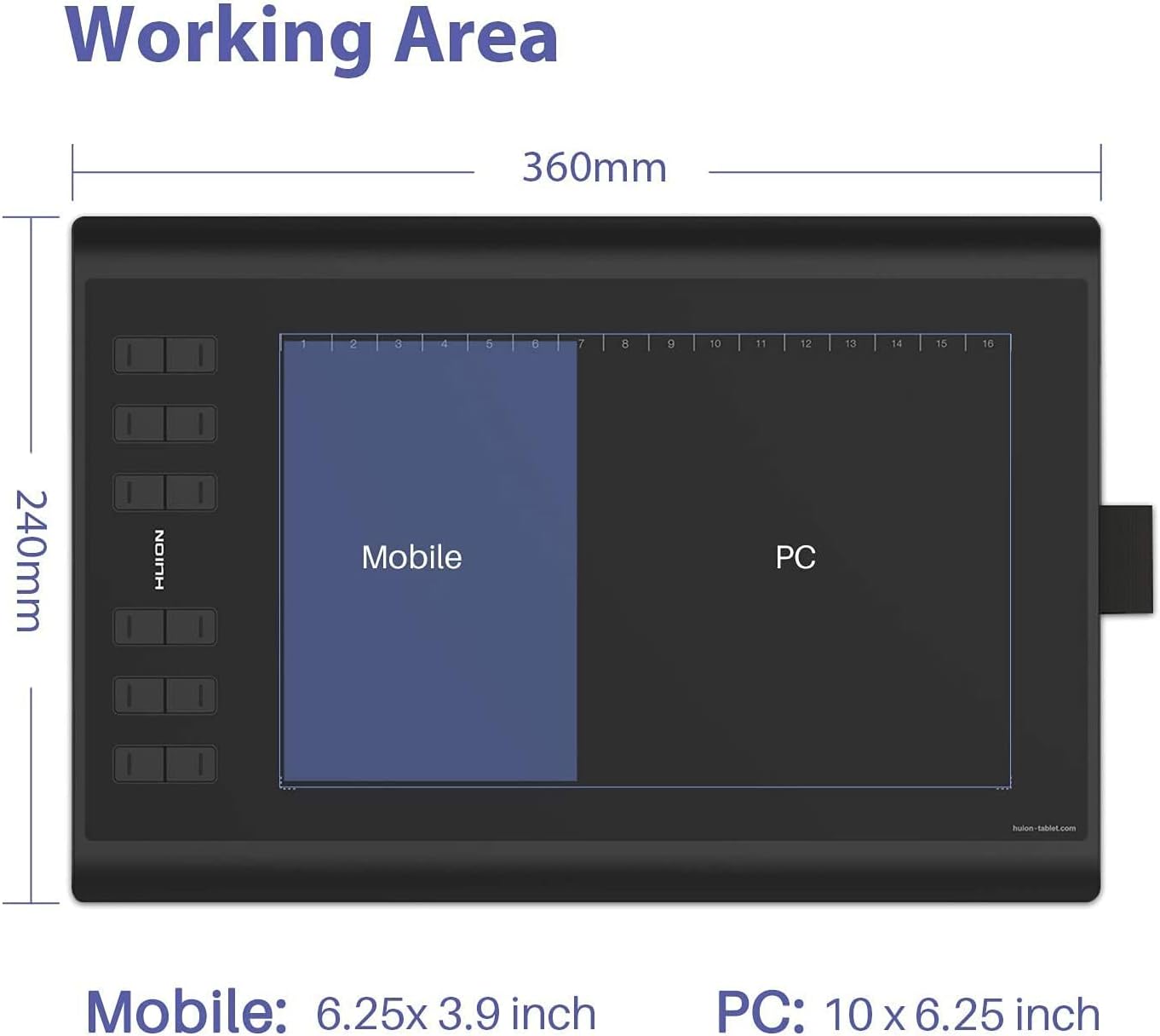
There’s also a two-mode setup depending on where you’re drawing. For Android devices, the working area is listed as 6.25 × 3.9 inches. For PC mode, the working area is listed as 10 × 6.25 inches.
One limitation to keep in mind: the smaller Android active area may feel cramped if you expect the same “desk canvas” experience you get on PC.
Specs that affect your choice (without overcomplicating it)
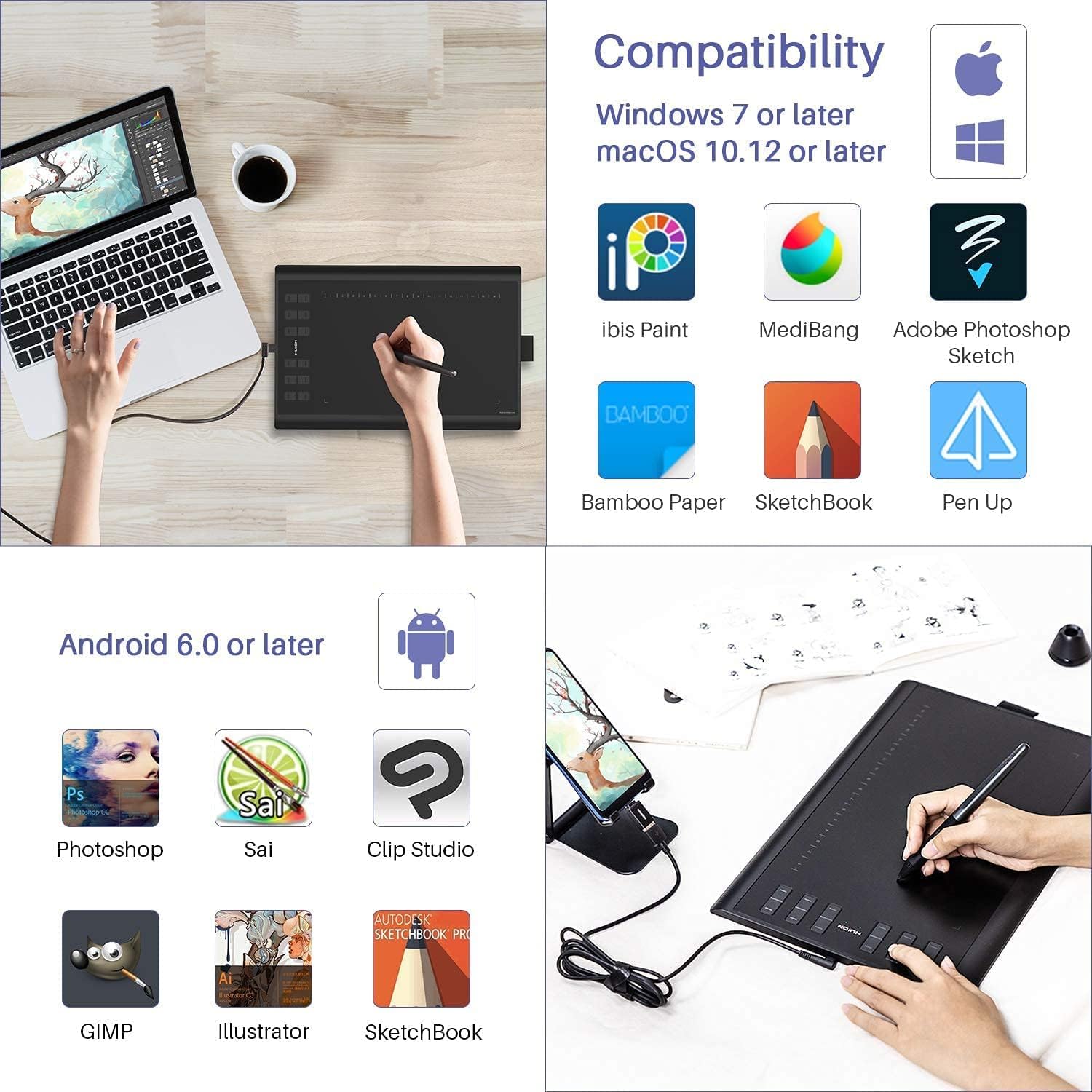
Compatibility is one of the defining reasons to consider this model. It’s listed as working with Windows 7 or later, and macOS 10.12 or above, plus Android 6.0 or higher in Android mode.
It’s also described as supporting mainstream creative apps like Adobe Photoshop, Illustrator, Corel Painter, Manga Studio, SAI, AI, and CDR. That doesn’t automatically guarantee every feature will feel identical across every application, but it does suggest the tablet is aimed at common drawing and design workflows.
Software performance and shortcut mapping depend quite a lot on the driver and how you set things up, so it’s worth checking that the shortcut assignments you want are the ones you’ll actually use.
Who it’s for (and who should think twice)
It makes sense if: - You want a tablet that can be used on PC and also on an Android device for on-the-go sketching. - You draw digitally for design work and want plenty of programmable key options for shortcuts. - You prefer a battery-free pen for long sessions where charging is annoying. - You need a layout that’s at least intended to suit both left- and right-hand users.
It may not suit you if: - You mainly draw on Android and expect a full-size 10×6.25 inch style working area there. The Android active area is listed as smaller. - You only care about the simplest, least-configurable setup and don’t want to spend time mapping keys in the driver. - You’re expecting a specialist pro tablet experience based purely on high-end sensitivity alone — this one looks more like a practical, multi-device drawing tool than a “top tier” flagship.
Is it worth it?
Worth buying if you like the idea of one drawing tablet that can cover your PC workflow and also switch into Android mode, while keeping the pen simple thanks to the battery-free PW100. The combination of a larger PC active area, pressure/tilt support, and a strong set of programmable keys is a solid basis for everyday illustration, photo retouching, and design work.
It’s better to look elsewhere if Android is your primary platform and you’re hoping for the same workspace size as PC mode, or if you want a totally no-setup experience without driver-based shortcut mapping.
Mini FAQ
Can it be used on Android as well as a computer?
Yes. The tablet is described as supporting Android 6.0 or higher via an Android compatibility mode.
How big is the drawing area?
For PC mode it’s listed as 10 × 6.25 inches. For Android mode it’s listed as 6.25 × 3.9 inches.
Does the pen need charging?
No — it’s described as a battery-free stylus (PW100).
Which drawing and design software does it work with?
It’s described as compatible with mainstream apps such as Adobe Photoshop, Illustrator, Corel Painter, Manga Studio, SAI, AI, and CDR.
Is it suitable for left-handed users?
The listing states a user-friendly symmetric design intended for both left- and right-hand users.