

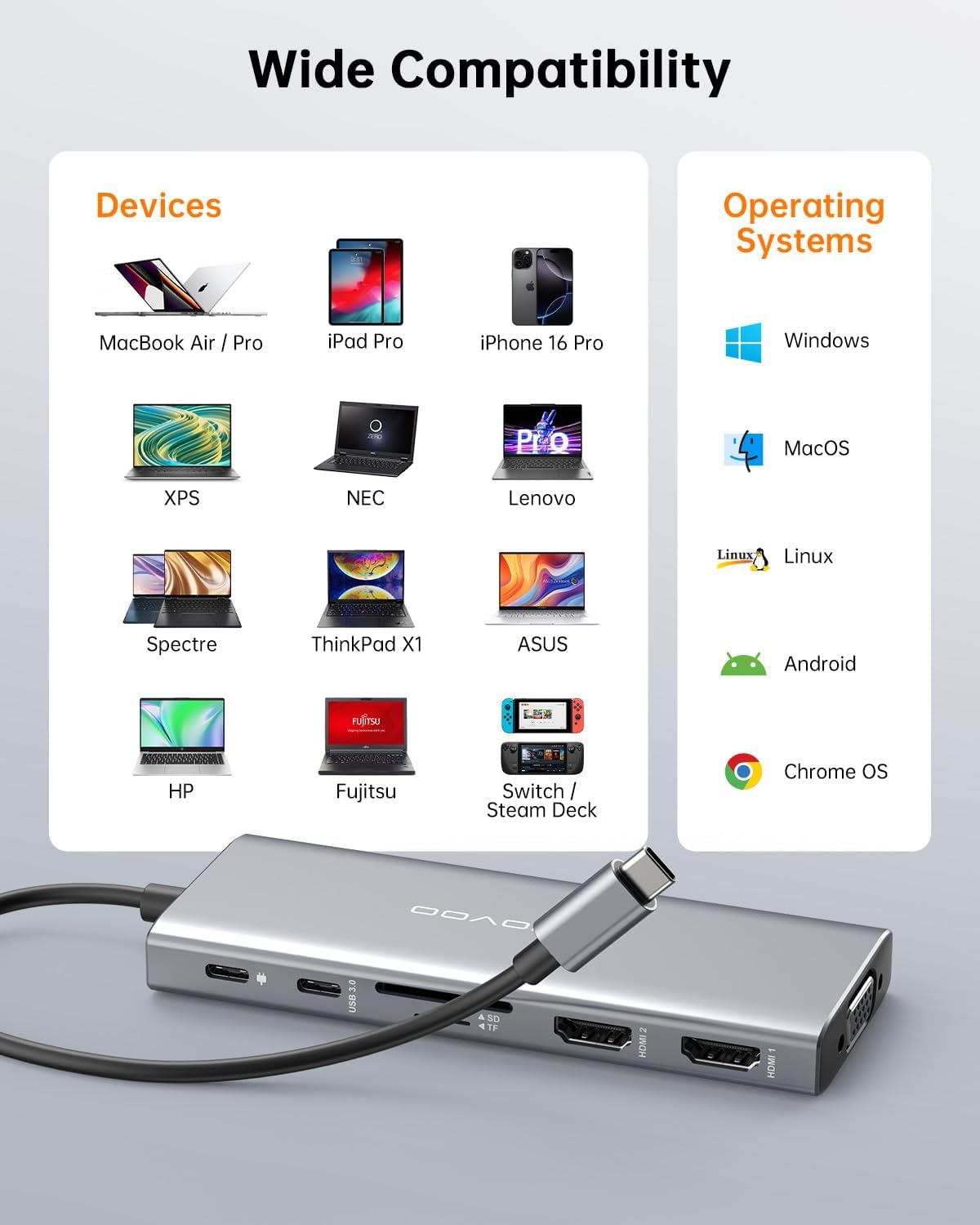
NOVOO USB-C Docking Station (12-in-1) for Dual Monitors with 2× HDMI, VGA & 100W PD charging
Product description
Key takeaways
If you want a single USB-C dock that covers monitors, charging, everyday USB connections and card access, the NOVOO 12-in-1 USB C Docking Station is a sensible “do-it-all” type of setup. On paper, it’s built around a dual-monitor workflow (plus one extra VGA option) and a compact design that’s easier to move between home, office and travel.
That said, docking stations like this live and die by your laptop’s video support and your chosen display mode. The dock’s multi-display behaviour is also a bit Windows-vs-macOS dependent, so it’s worth checking your expectations before you commit.
What to know before buying
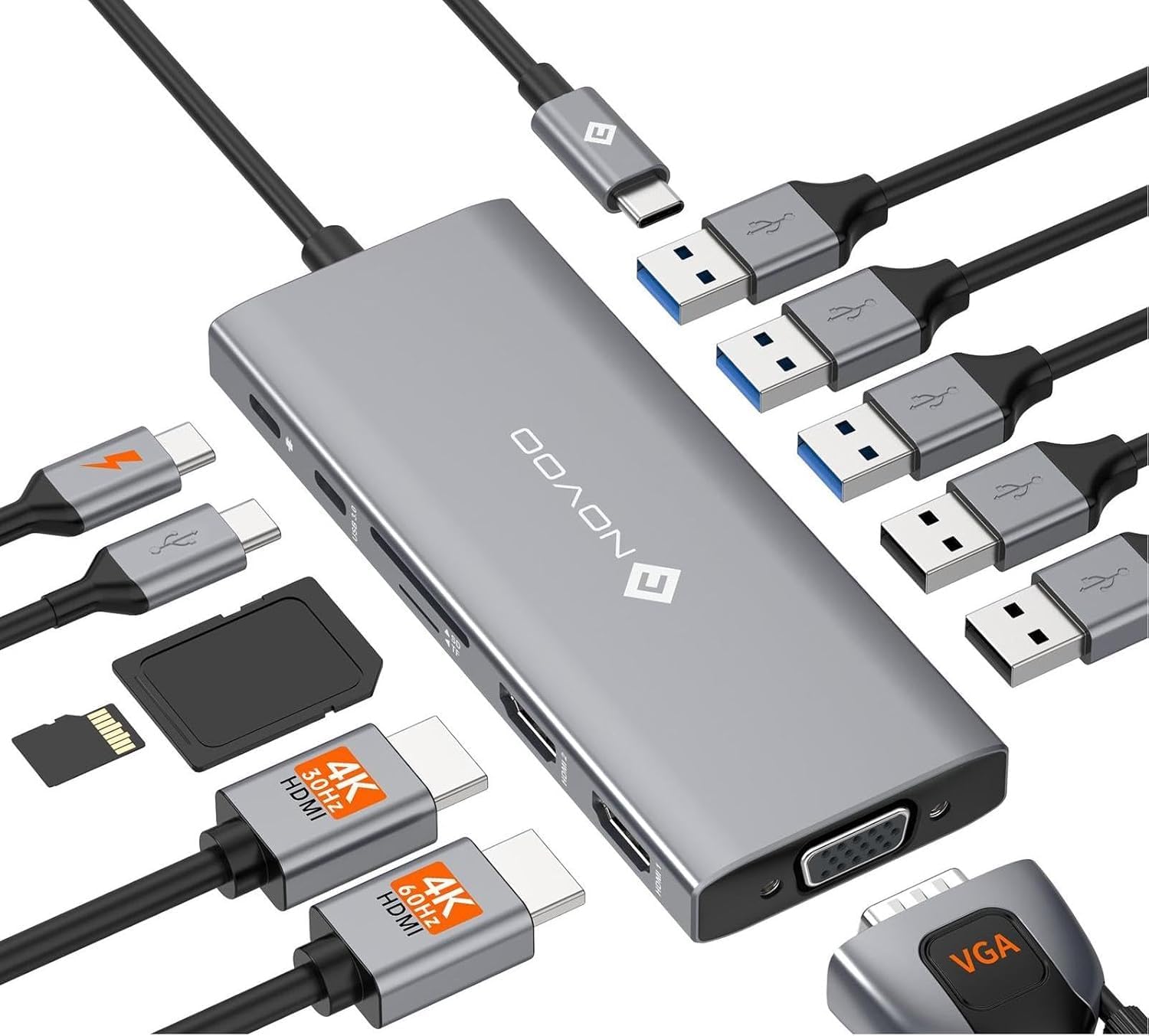
This is a USB-C docking station with dual HDMI plus a VGA port, designed to turn one laptop connection into a fuller desk setup. It’s described as plug-and-play, and it includes both video outputs and a mix of USB-A ports, USB-C data and SD/TF card slots.
A practical way to think about it: if your current routine is “laptop screen + a couple of peripherals”, this dock should reduce the hassle of plugging/unplugging everything. For example, you could start your workday by docking your laptop, having two screens mirror or extend (depending on macOS/Windows), and then keep a card reader handy for moving files from an SD or microSD card straight to your computer.
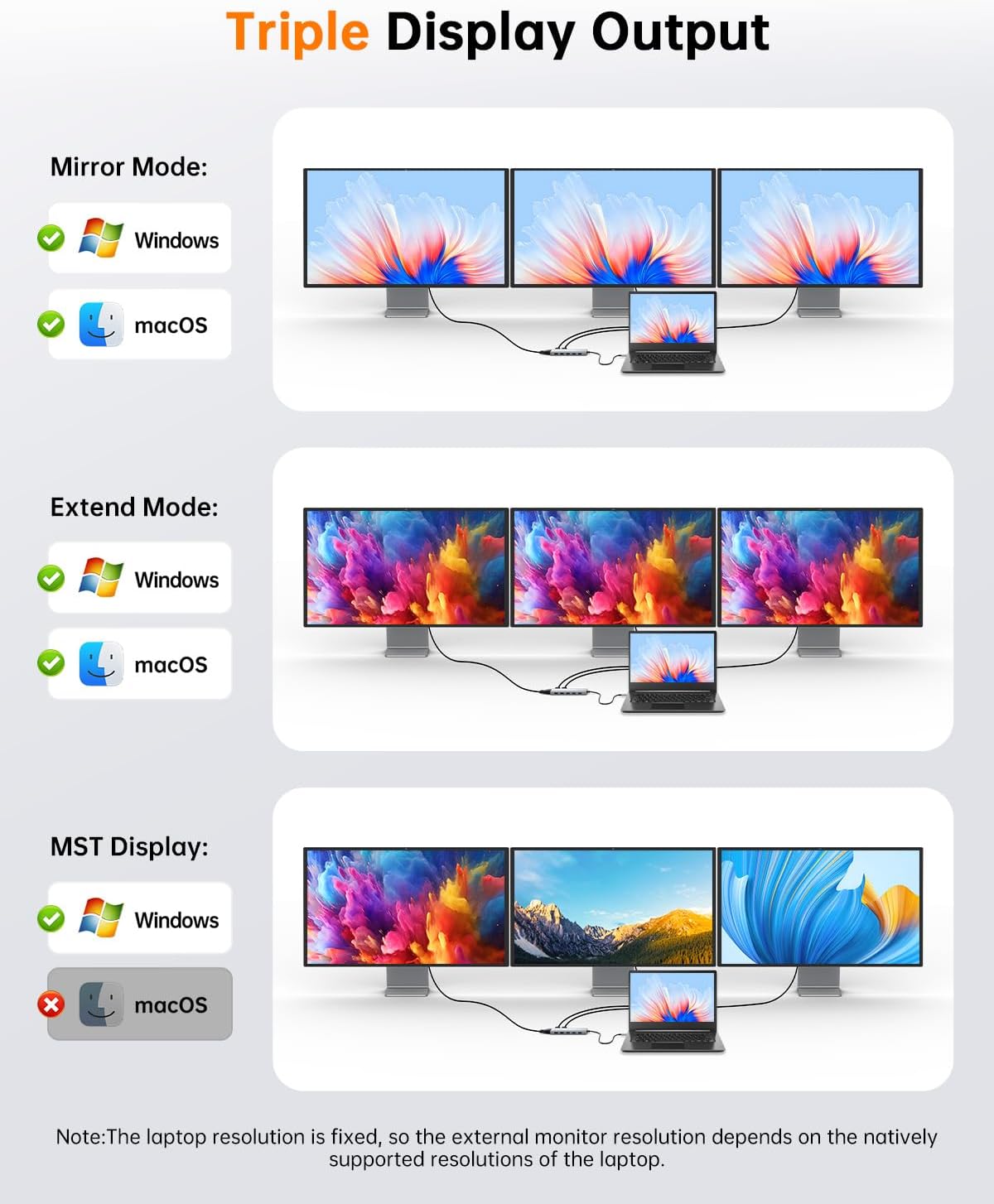
One important limitation to factor in: the manufacturer notes that only Windows supports Extend Mode with up to three displays, while macOS supports Mirror Mode. If you’re specifically trying to build a true three-screen extended desktop on a Mac, this dock may not match what you’re picturing.
The essentials
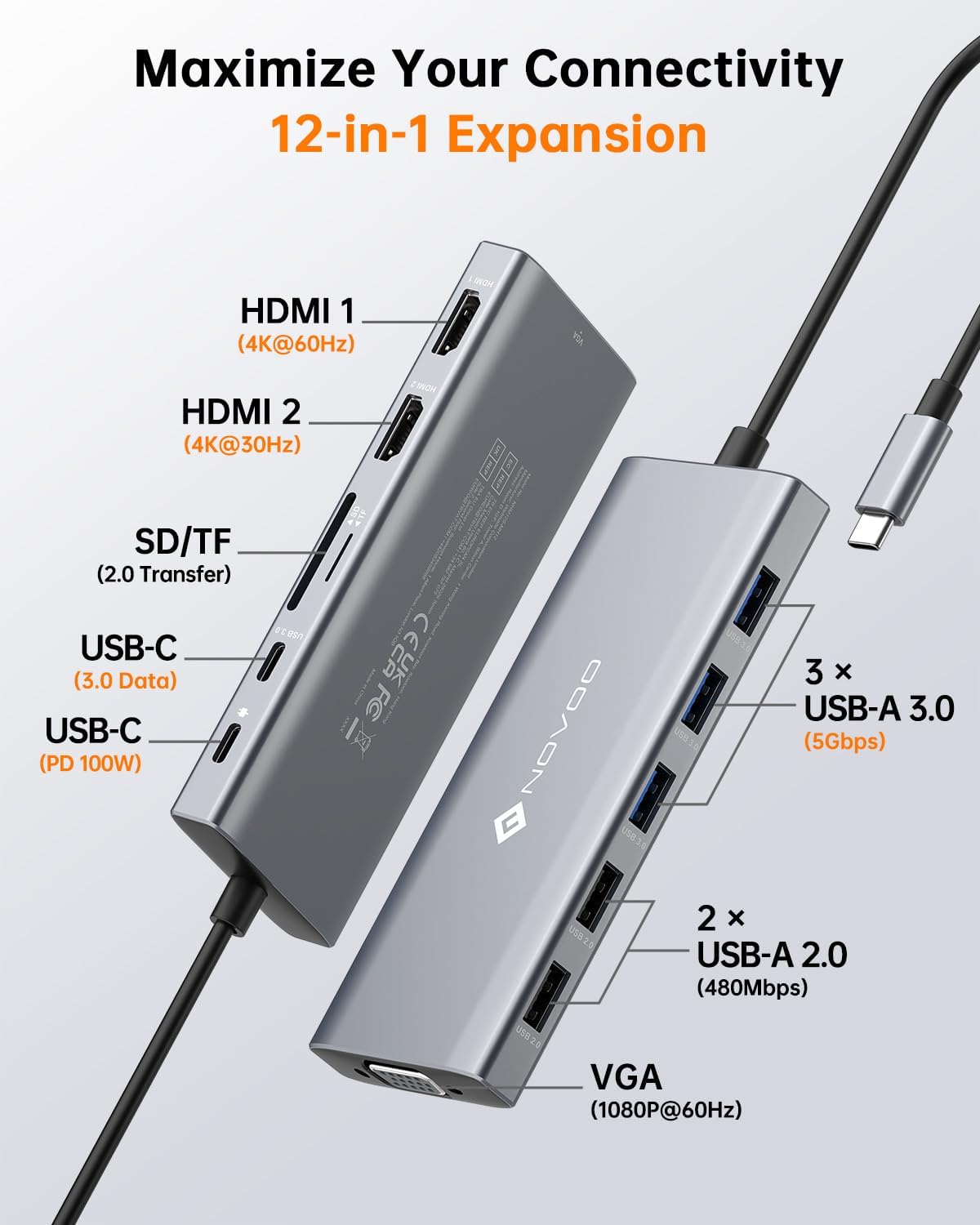
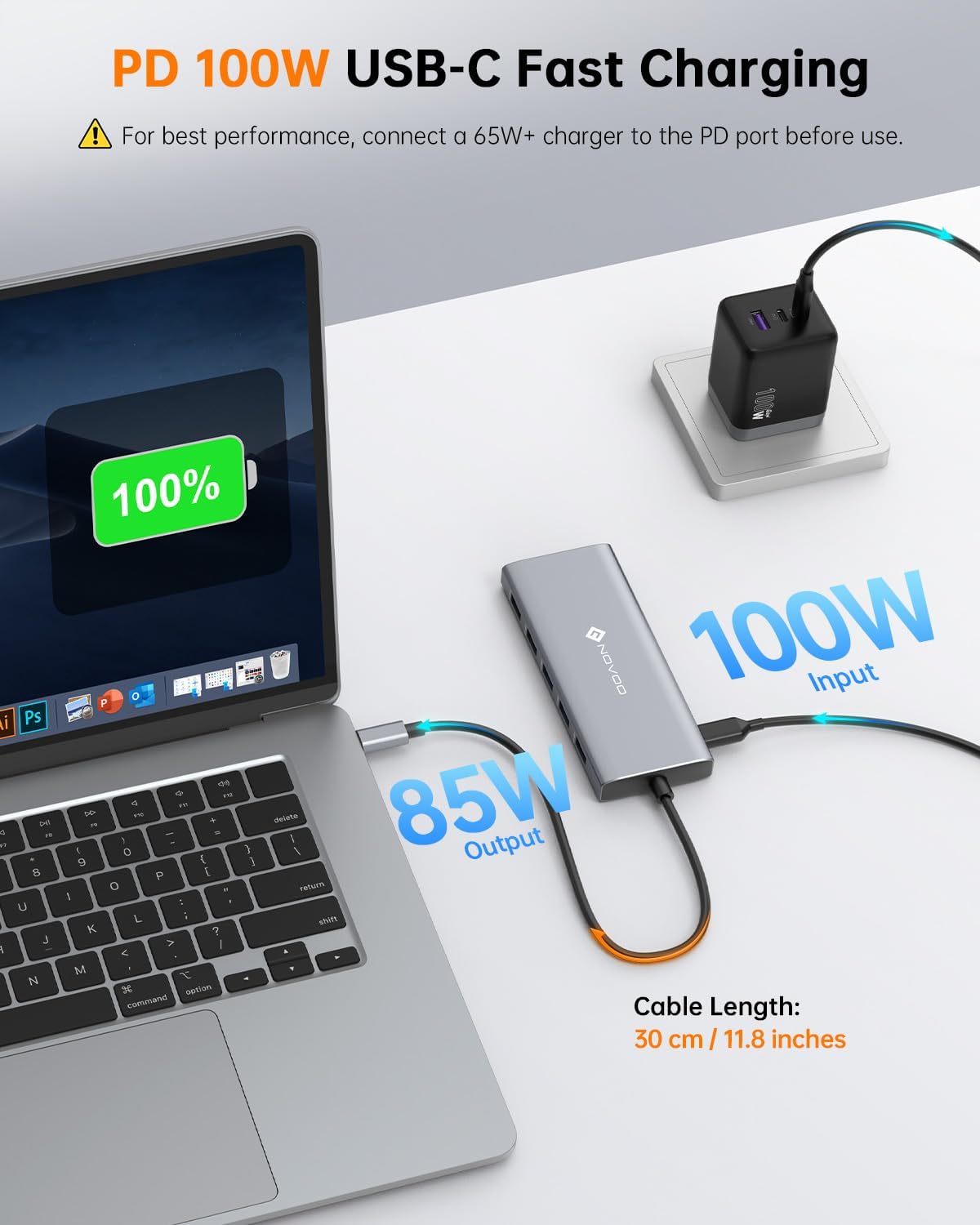
Where it shines is in coverage. The dock is positioned to handle: - Dual monitor connections via two HDMI outputs, with an additional VGA port available. - Power delivery charging (up to 100W input, with up to 85W USB-C output), assuming your device supports the PD protocol. - Multiple USB ports for peripherals, plus SD/TF card reading that supports simultaneous reading of two cards.
In everyday terms, it’s aiming to be a straightforward hub: screens connected once, then you simply dock the laptop and your accessories stay in place.
Tech specs
- Name: NOVOO USB C Docking Station, 12 in 1 Docking Station Dual Monitor
- Type: USB-C docking station / USB-C hub with dual monitor support
- Format: Plug and Play docking station with 30cm extension cable
- Capacity: Up to 100W input via Power Delivery port (up to 85W USB-C output mentioned)
- Display: Dual HDMI + VGA, dual-monitor behaviour depends on OS and mode
- Resolution: Output described as 4K@30Hz + 1080P (two monitors), 1080P@60Hz when three displays are used, HDMI 1 up to 4K@60Hz when used alone
- Refresh rate: 4K@30Hz (dual-monitor scenario mentioned) and 1080P@60Hz (multi-display scenario mentioned)
- Processor: Not stated
- Memory: Not stated
- Material: Not stated
- Colour: Not stated
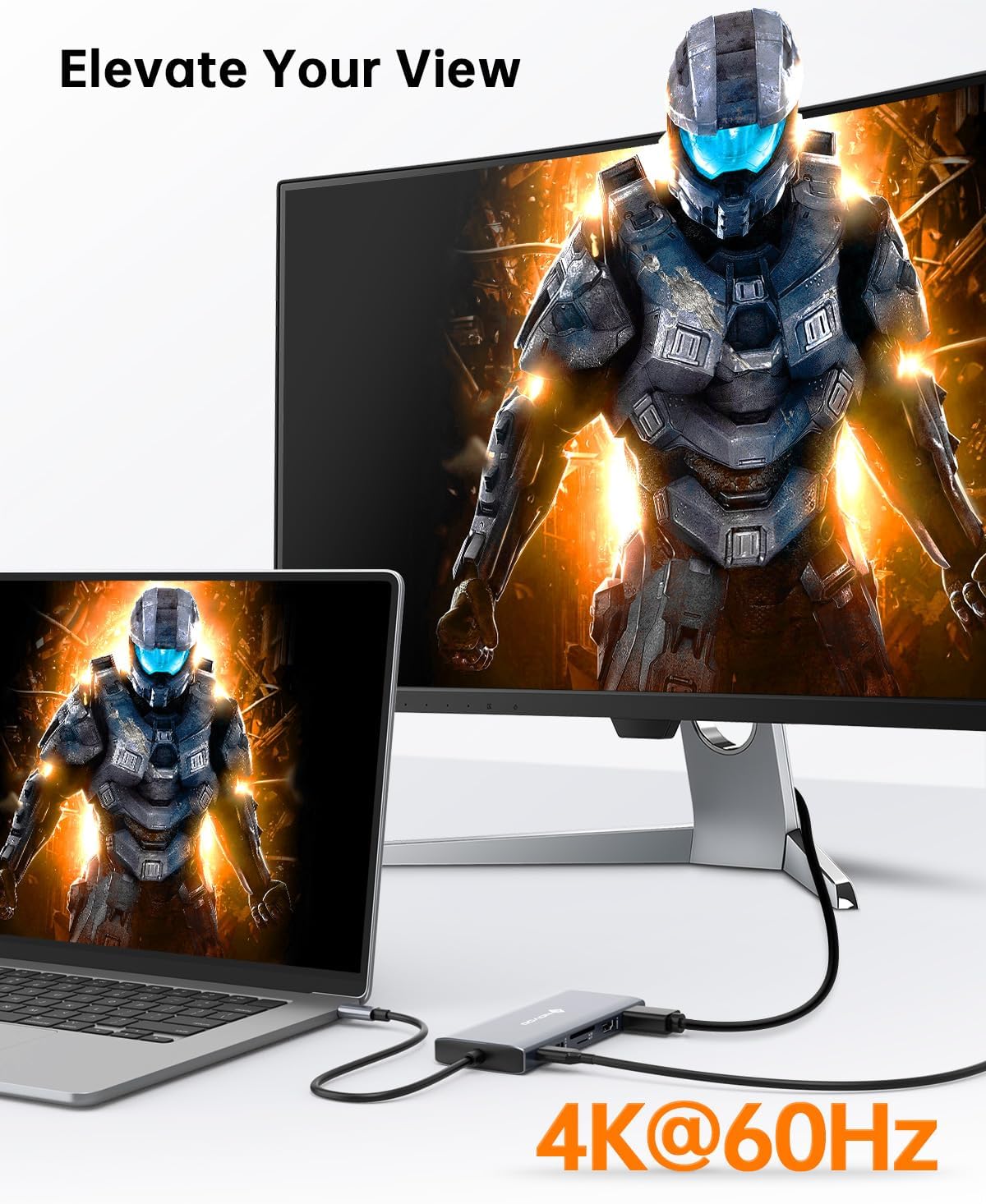
Note on multi-display details: the documentation states that the relevant display modes require a DP1.4 laptop and monitor, and that different OSes handle Extend vs Mirror differently. Also, when three monitors are used, it mentions that all displays output at 1080P@60Hz.
Pros
If you’re the type of buyer who wants one cable to manage most of your desk, the dock makes a lot of sense: - Dual HDMI plus VGA gives you options for common monitor setups. - Includes charging via PD, which can simplify your cable management. - A mix of USB-A (including USB 3.0 and USB 2.0) plus USB-C data is useful for keyboards, drives and other accessories. - SD and TF card slots are a nice extra if you regularly move media.
Who it’s for (and who should skip it)
It makes sense if you: - Use a Windows setup (or you’re comfortable with macOS Mirror Mode rather than extended multi-screen). - Have, or can support, a DP1.4 laptop and monitor for the stated display modes. - Want a compact dock with both monitor outputs and card reading, rather than a basic USB hub.
You may want to skip it if: - You’re expecting three extended displays on macOS, because the input specifically says macOS supports Mirror Mode. - You’re not confident your laptop and monitor support the stated DP1.4 requirement. - You only need one monitor and a couple of USB ports, in that case, a simpler hub could be less hassle (and often costs less), depending on what you already have.
Should you buy it?
A solid pick if your goal is a “single docking connection” for dual-monitor work, charging, multiple USB devices and occasional SD/microSD transfers. The mix of HDMI + VGA, plus PD charging and built-in card readers, is a practical bundle for day-to-day office use or work-from-home setups.
But it’s not the best choice if your ideal setup relies on macOS three-display extend mode, or if you can’t meet the DP1.4 and mode requirements mentioned for the display outputs. In those cases, you’d likely be better off double-checking your laptop’s supported video modes and picking a docking approach that matches your OS expectations.
Quick FAQ
Can it charge my laptop through the dock?
It supports Power Delivery, with up to 100W input and up to 85W USB-C output mentioned, but the dock notes that PD charging only works with devices that support the PD protocol.
Does it support extending displays on macOS?
The documentation says macOS supports Mirror Mode, while only Windows supports Extend Mode with up to three displays.
What display outputs are available?
It includes two HDMI ports and one VGA port, and it describes specific output behaviours for two vs three displays.
Does it read SD and microSD cards?
Yes—there are SD and TF card slots, and it supports simultaneous reading of two cards.
What USB ports does it include?
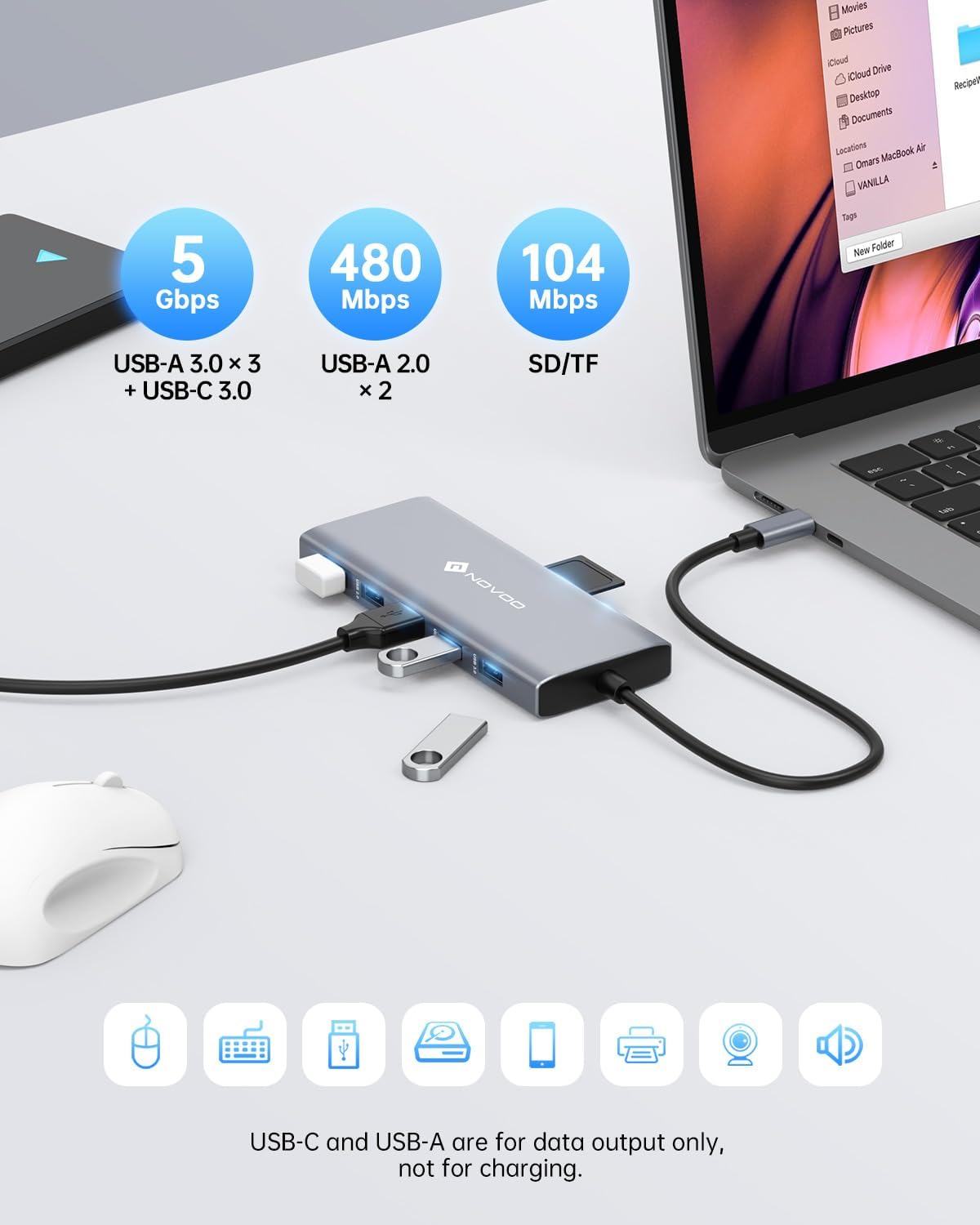
The description lists 3× USB-A 3.0 (5Gbps), USB-C 3.0 data, and 2× USB-A 2.0, plus the card reader ports.