

HUION Kamvas 24 Plus graphics tablet with 23.8-inch full-laminated QD LCD and battery-free PW517 pen
Product description
The essentials
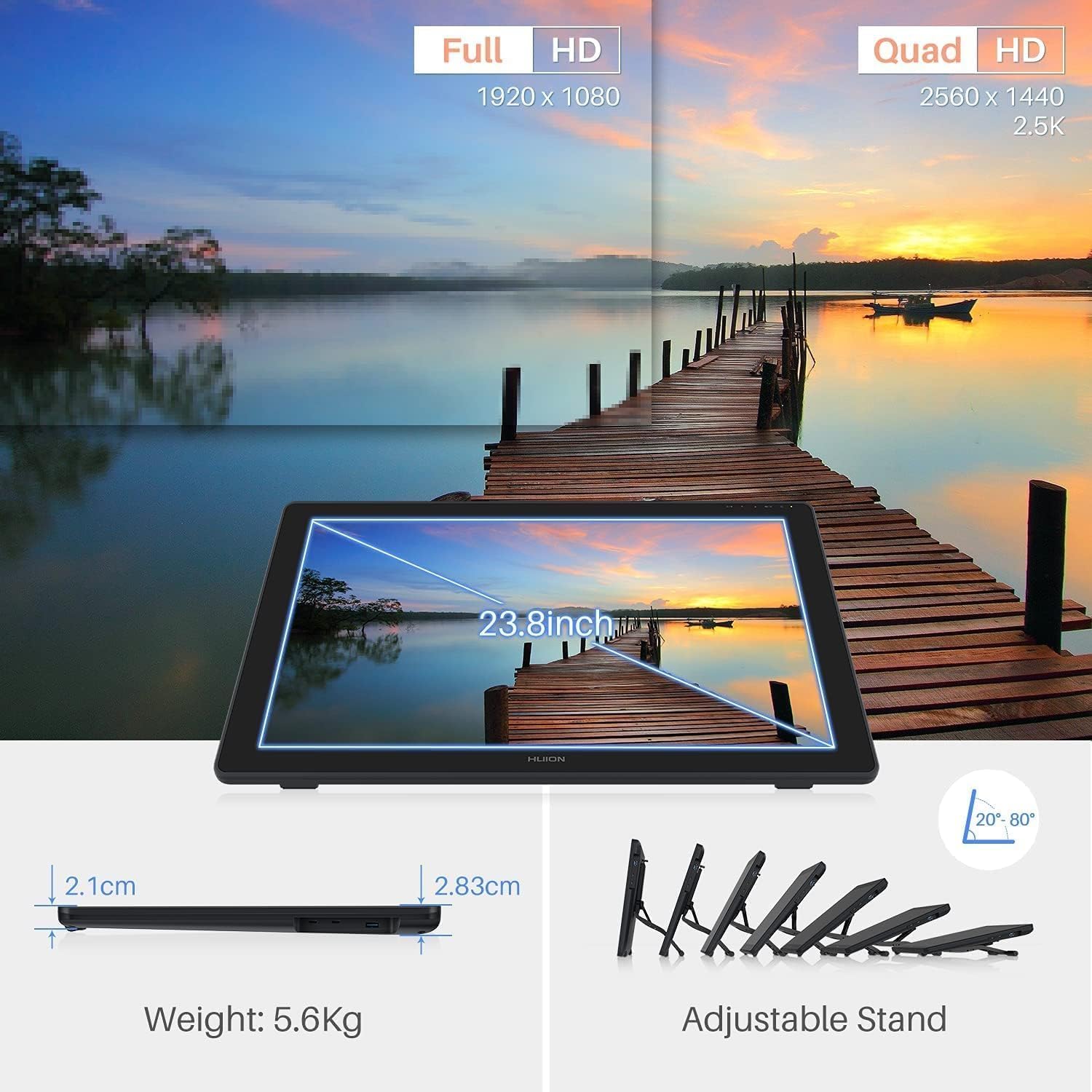
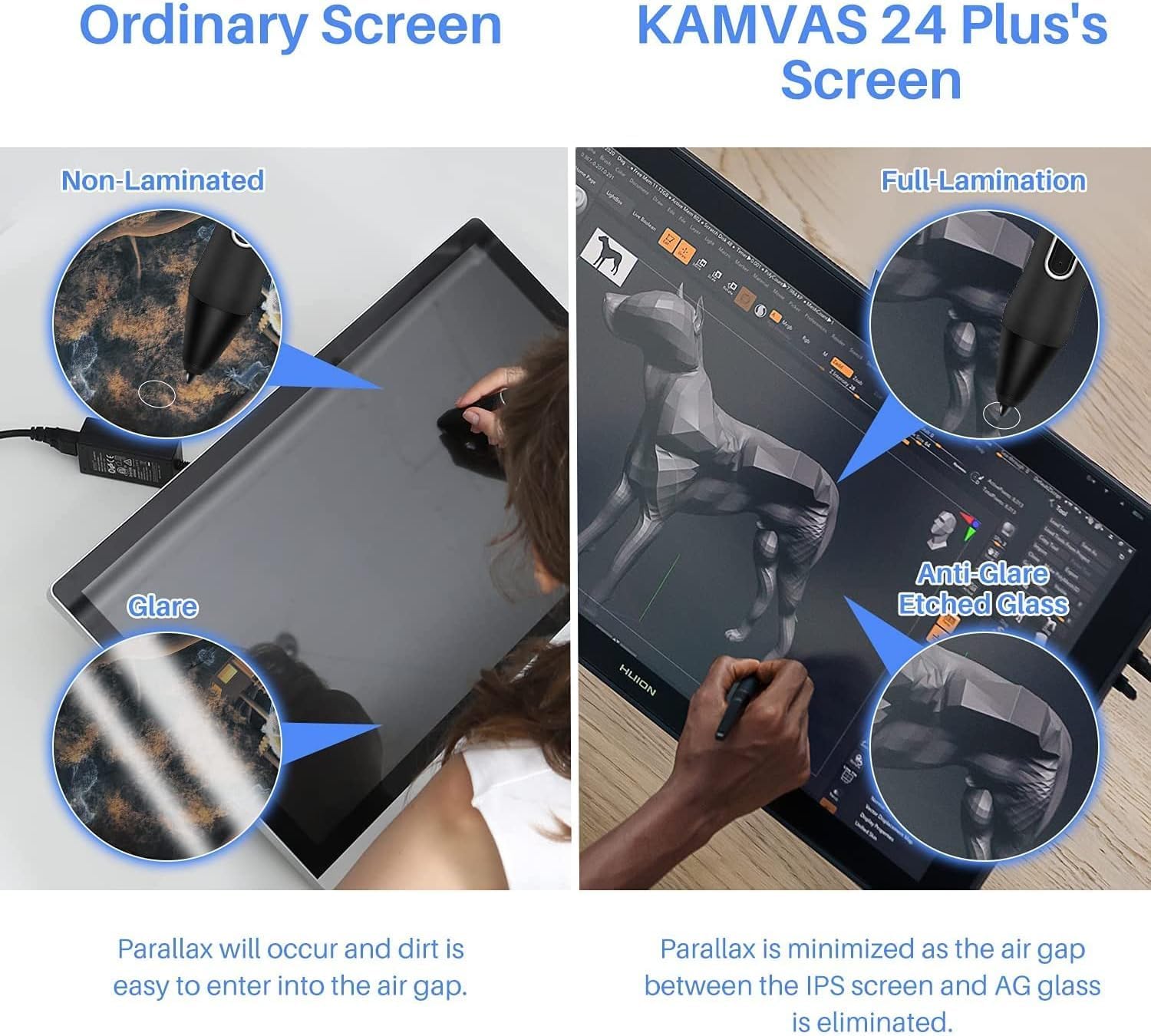
If you’re stepping up from smaller pen tablets or you want a drawing monitor where the on-screen cursor feels like it’s where your pen expects, the HUION Kamvas 24 Plus is built around that idea. On paper, it leans into a more “studio-style” drawing experience thanks to a 23.8-inch full-laminated QD LCD display, with reduced parallax and an etched anti-glare glass surface.
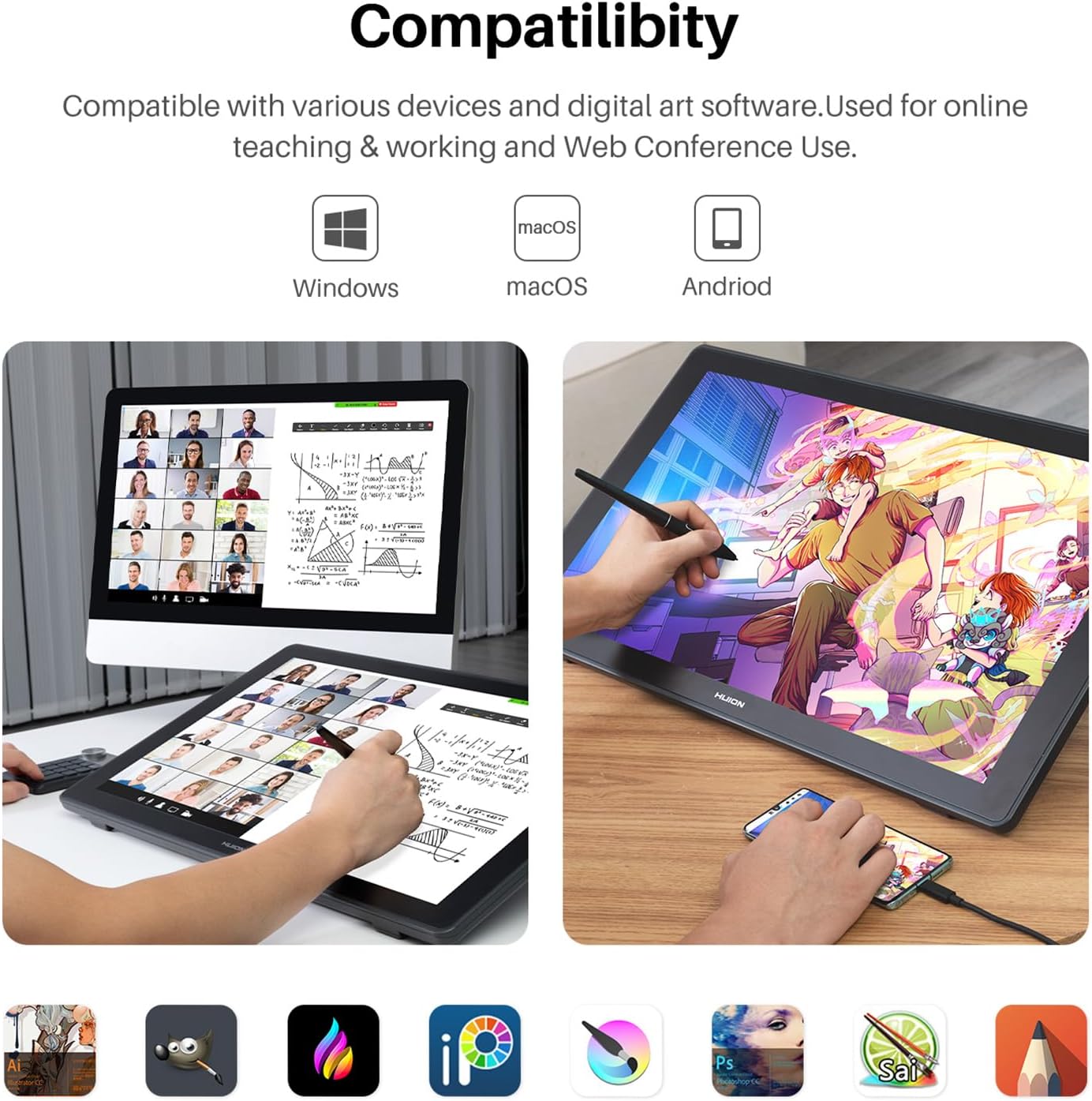
It’s also designed for artists and creators who like flexibility. The Kamvas 24 Plus can be used with Mac and Windows (and even Linux mentioned by the manufacturer), and it supports Android via a full-featured USB-C connection—so it’s not just a desk gadget.
That said, it’s not perfect for everyone. If your priority is the smallest footprint possible, a 23.8-inch display is naturally a bigger commitment. And if you’re relying on Android, you’ll want to double-check that your specific phone or tablet meets the stated requirement.
What to know before you buy
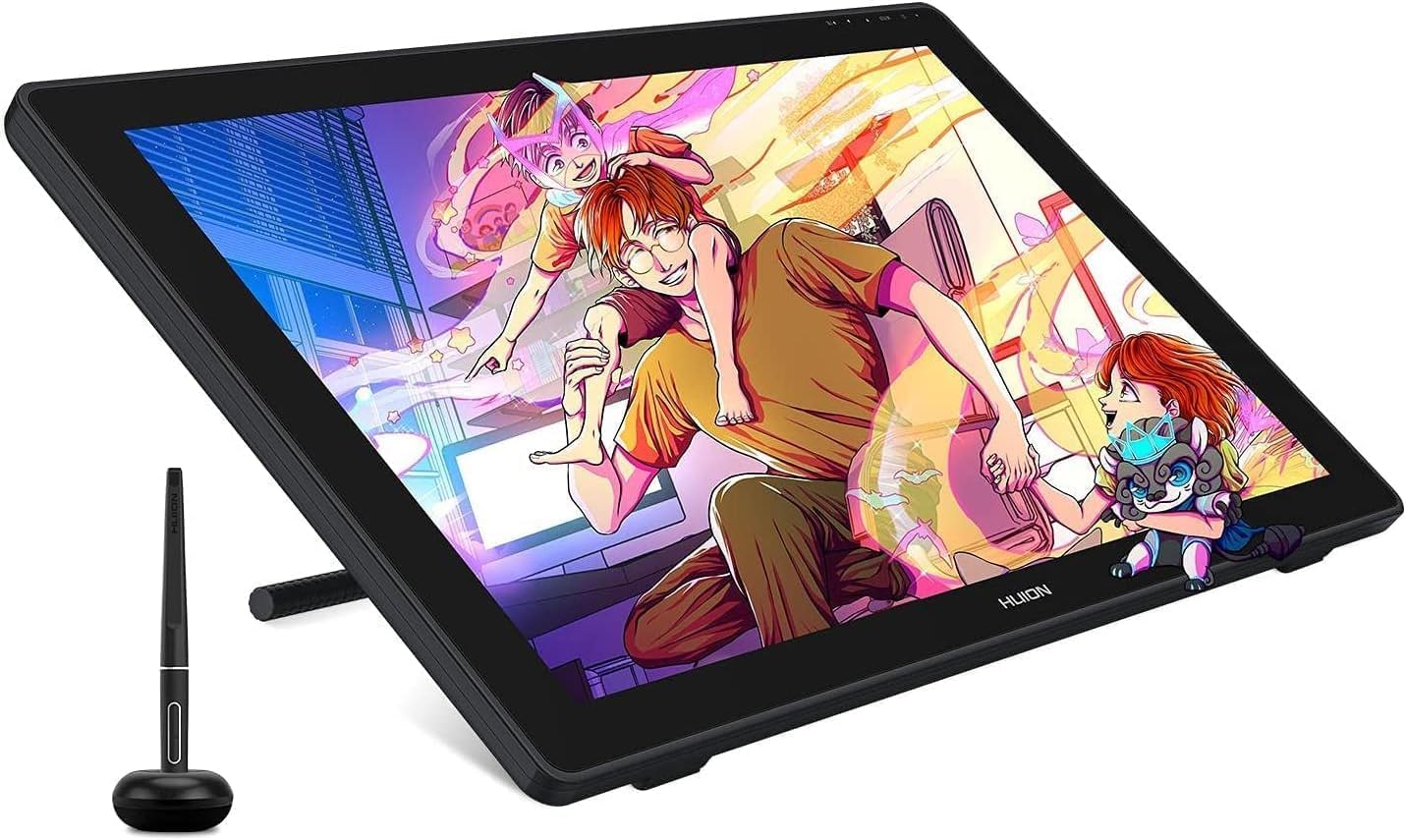
This is a graphics tablet that combines a pen display with a colour-focused screen. The spec sheet highlights:
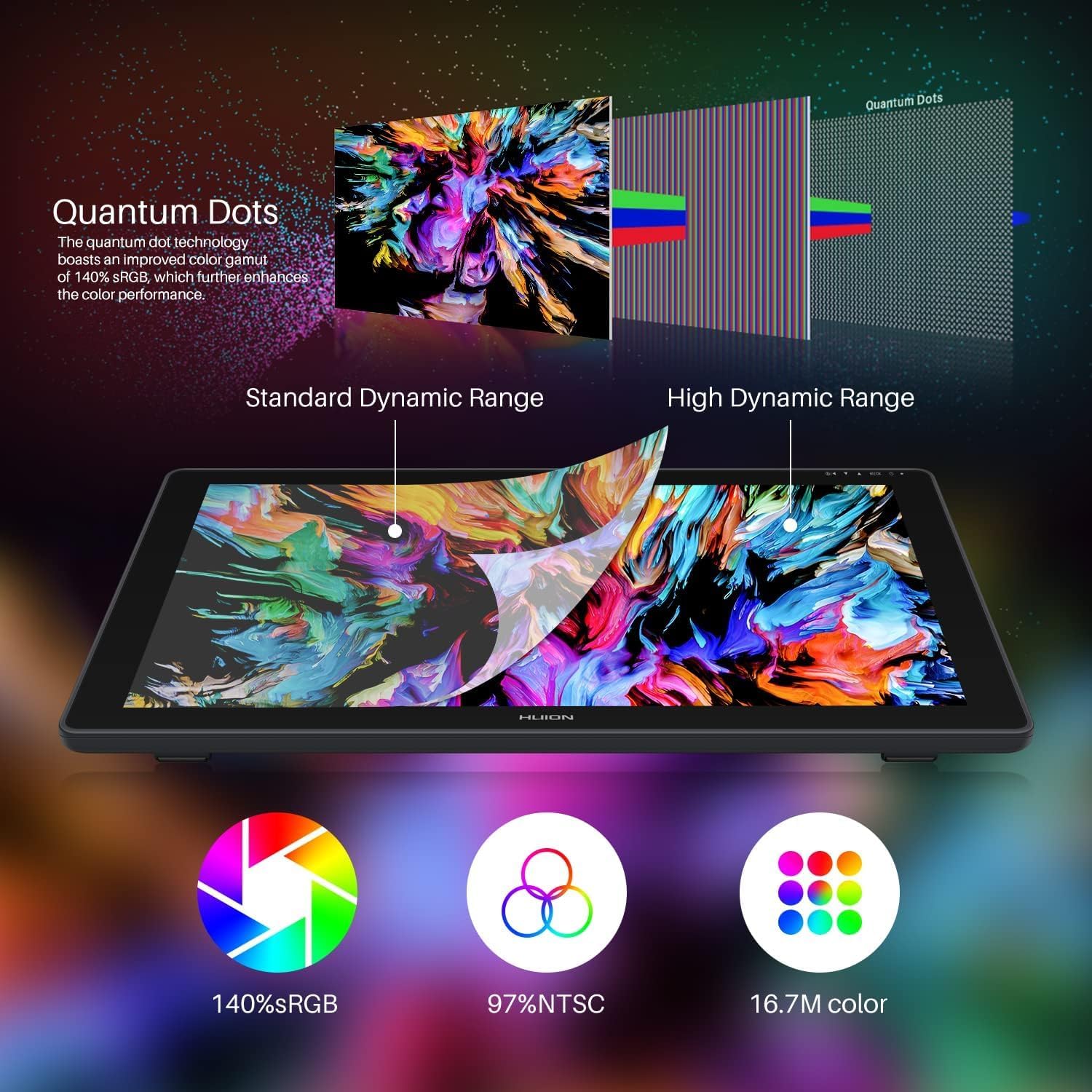
- Quantum Dots technology aimed at a wider colour gamut: up to 140% sRGB and 97% NTSC.
- A “full-laminated” screen design intended to reduce parallax (the slight misalignment you can get between the pen tip and where it appears on-screen).
- 16.7M (8-bit) display colour and a 1200:1 contrast ratio, for a reasonably punchy look for digital art and photo work.
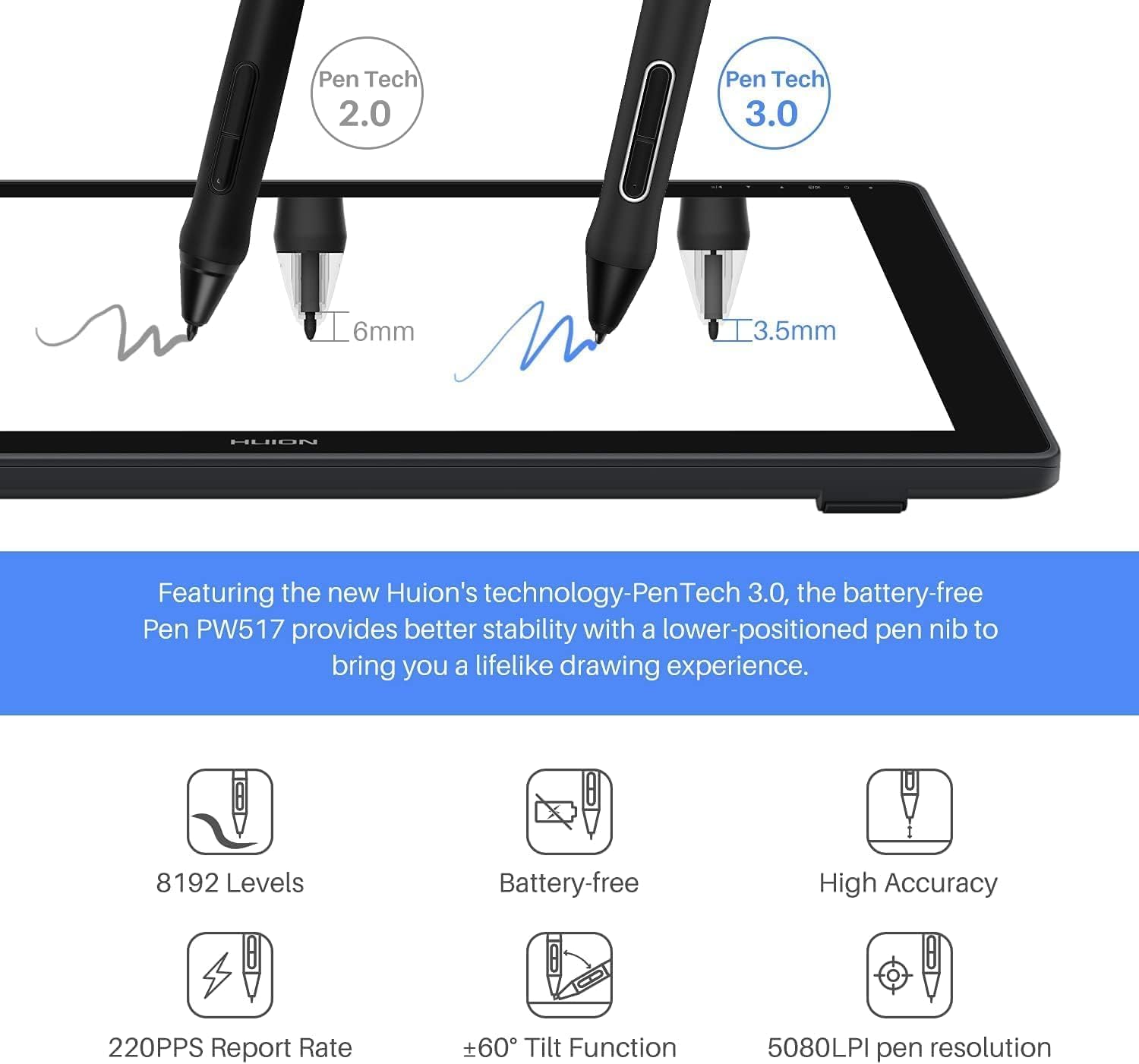
On the input side, the included PW517 pen is described as battery-free, with 8192 pen pressure levels and responsiveness designed to keep tracking lag low. Tilt response and the pen’s pressure sensor are both mentioned, which matters if you shade and build strokes using more than just straight down-and-click input.
One practical way to think about it: if you do a lot of sketching and then refine with lighter pressure and tilt for hairlines or soft gradients, the combination of pressure levels and tilt tracking is where you’ll feel the difference more than you would with a tablet that only prioritises surface-level gestures.
Key features that affect day-to-day drawing
Where the Kamvas 24 Plus tries to stand out is in the “feel” loop: pen-to-screen accuracy, glare control, and colour.
The full-laminated approach and reduced parallax is the big one. In real use, that’s the sort of thing you notice quickly—especially if you’ve ever had to “chase” the cursor while drawing. It’s also paired with an etched anti-glare glass panel, which should help cut down unwanted reflections from your lights or window.
The colour claims are also central to its pitch. With 140% sRGB and 97% NTSC mentioned, it’s aimed at people who care about colour fidelity for illustrations, digital painting, or colour-sensitive edits. Still, do keep expectations realistic: a screen can be impressive on paper, but your room lighting, viewing angle and your own workflow will influence what “vivid” means to you.
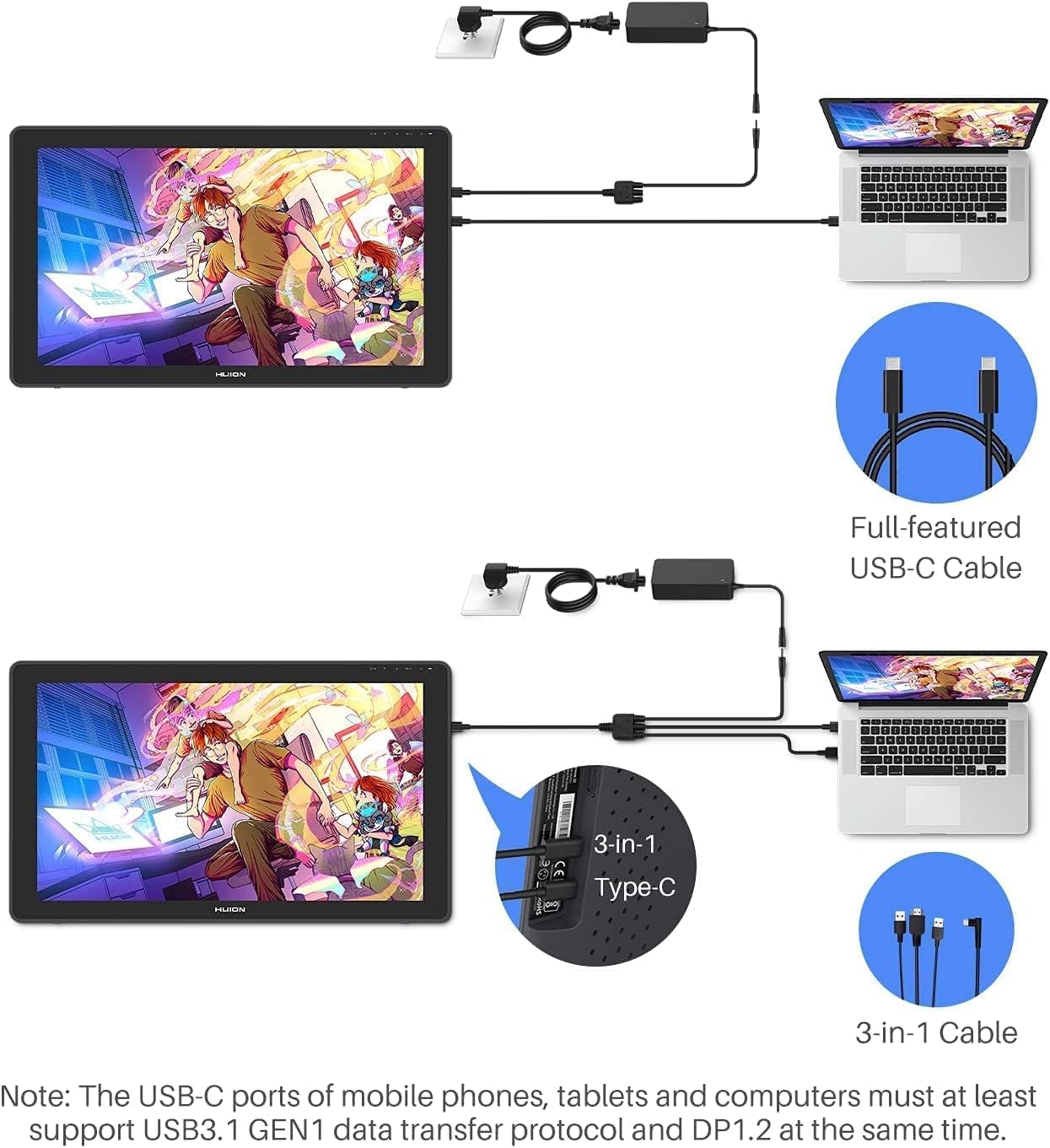
For connections, the tablet is positioned as easy to plug in. The base description says you can connect via an included convenient 3-in-1 Type-C cable, or use an optional full-featured Type-C to Type-C cable. There’s also mention of a USB-A port for connecting accessories like a flash disk, keyboard, or mouse, which can make workflow feel less fiddly.
And you get an adjustable stand, which is a small detail, but it can help you find a comfortable angle without turning your desk into a DIY setup.
Compatibility & requirements
The Kamvas 24 Plus is described as working with Mac (MacOS 10.12 or later), Windows (Windows 7 or later) and Linux.
For Android, you’re told that your Android device is supposed to support USB3.1 GEN1 or DP 1.2, and that connection is via the included full-featured USB-C cable.
It’s a useful reminder that “it supports Android” doesn’t automatically mean every phone/tablet will behave the same. If you’re buying for mobile sketching, it may not be a great match if you can’t confirm your device meets that USB-C display requirement.
What stands out, and where it may fall short
What you’ll likely notice first - Reduced parallax on a full-laminated screen, aiming for more predictable cursor alignment. - Anti-glare etched glass, which can make longer sessions easier on the eyes when reflections are an issue. - A pressure-responsive, battery-free PW517 pen with 8192 levels, plus tilt response and low-lag tracking as claimed. - Colour expansion figures (140% sRGB, 97% NTSC) that suggest it’s built for more colour-aware work.
Worth being cautious about - If you’re working in a tight space, the 23.8-inch screen is inevitably larger than compact alternatives. - If you mainly draw on Android, you’ll want to verify the USB3.1 GEN1 or DP 1.2 support, because requirements like that can be the difference between “it works” and “it doesn’t quite”.
Final verdict
Is it worth it?
Buy the HUION Kamvas 24 Plus if you want a pen display with a larger 23.8-inch screen, you care about a smoother pen-to-cursor experience (full-laminated / reduced parallax is the headline), and you’d benefit from a more colour-competent panel setup based on the stated quantum dots gamut figures.
You may want to skip it if you need the smallest desk footprint possible, or if your Android device can’t realistically meet the stated USB/DP requirement. It’s also not the best match if your workflow doesn’t involve pressure/tilt drawing—because in that case you might be paying for features you won’t fully use.
For many creators, this sits as a mid-to-serious desktop drawing monitor choice: the kind of tablet that makes sense when you’re ready to treat drawing like a main task rather than a quick add-on.
Mini FAQ
Does the pen need charging?
No. The included PW517 pen is described as battery-free.
What colour targets is the screen aiming for?
The base description highlights up to 140% sRGB and 97% NTSC, along with 16.7M (8-bit) colour and a 1200:1 contrast ratio.
Can I use it with Android?
It supports Android with a full-featured USB-C connection, but the Android device is supposed to support USB3.1 GEN1 or DP 1.2.
Is it good for reducing glare?
The display uses an etched anti-glare glass panel intended to reduce unwanted glare.
What connection options are mentioned?
The description says you can connect via an included 3-in-1 Type-C cable or with an optional full-featured Type-C to Type-C cable, and there’s also a USB-A port mentioned for accessories.