

HUION KAMVAS 22 Graphic Drawing Tablet (21.5-inch) with PW517 battery-free stylus
Product description
The essentials
If you’re after a drawing tablet with a screen, the HUION KAMVAS 22 is pitched as a straightforward “see what you draw” upgrade for learning, illustration and everyday design work. It pairs a 21.5-inch 1920 x 1080 anti-glare matte display with a battery-free PW517 pen, so you’re not charging a stylus just to sketch or edit.
On paper, it’s also trying to tick the boxes that matter for beginners and active hobbyists: pressure sensitivity (8192 levels), pen tilt (±60°), and a matte film that’s meant to cut reflections and feel less like you’re drawing on glass.
That said, it’s still a screen tablet with its own setup needs. Your devices have to support the right data/connection approach, and the viewing angle and colour figures are only as useful as your room lighting and calibration habits.
Key points
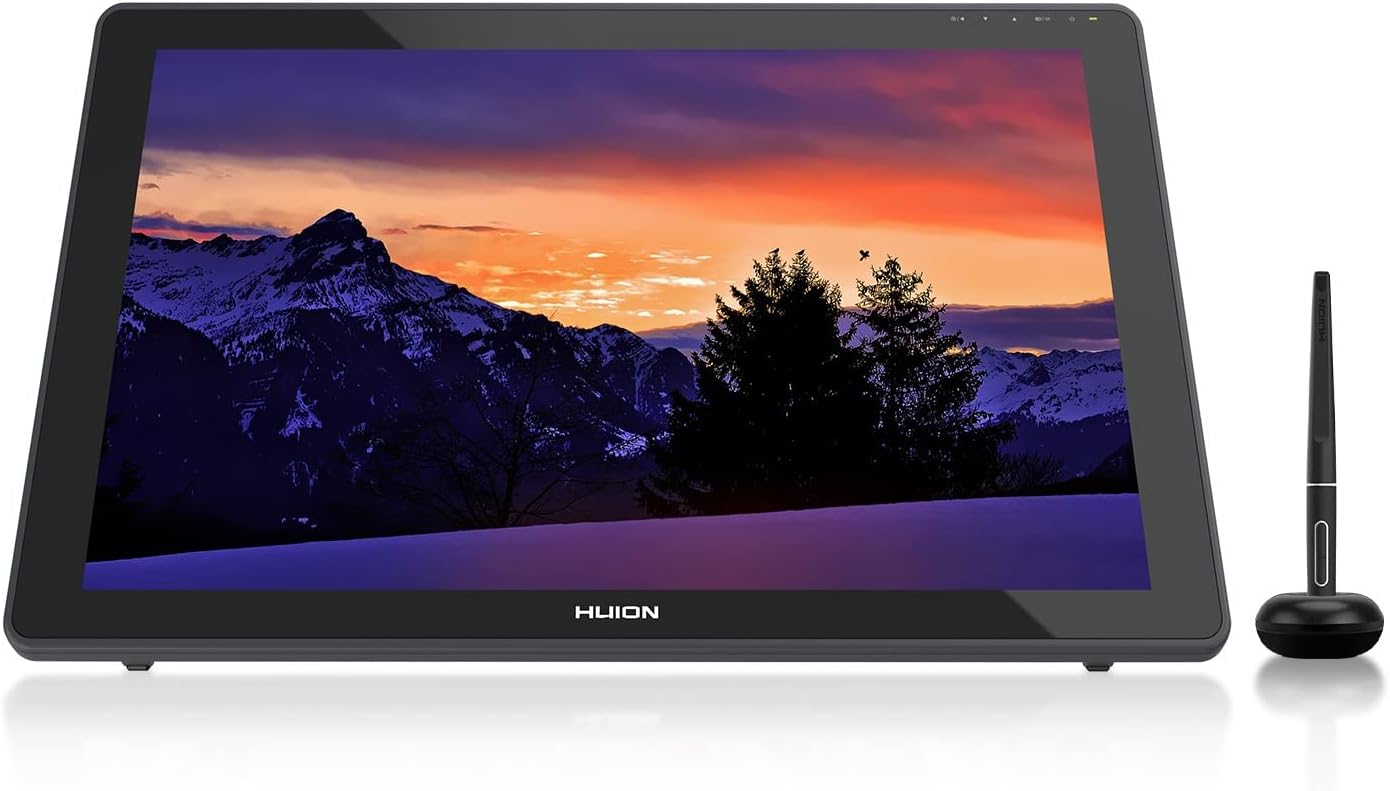
The Kamvas 22 focuses on three areas: a matte, anti-glare screen for easier visibility, a pen that supports pressure and tilt so strokes feel responsive, and flexible connection options through USB-C. The 21.5-inch size and 1920 x 1080 resolution should make it easier to follow details than smaller displays, especially for sketching, remote learning sessions, and editing workflows at a desk.
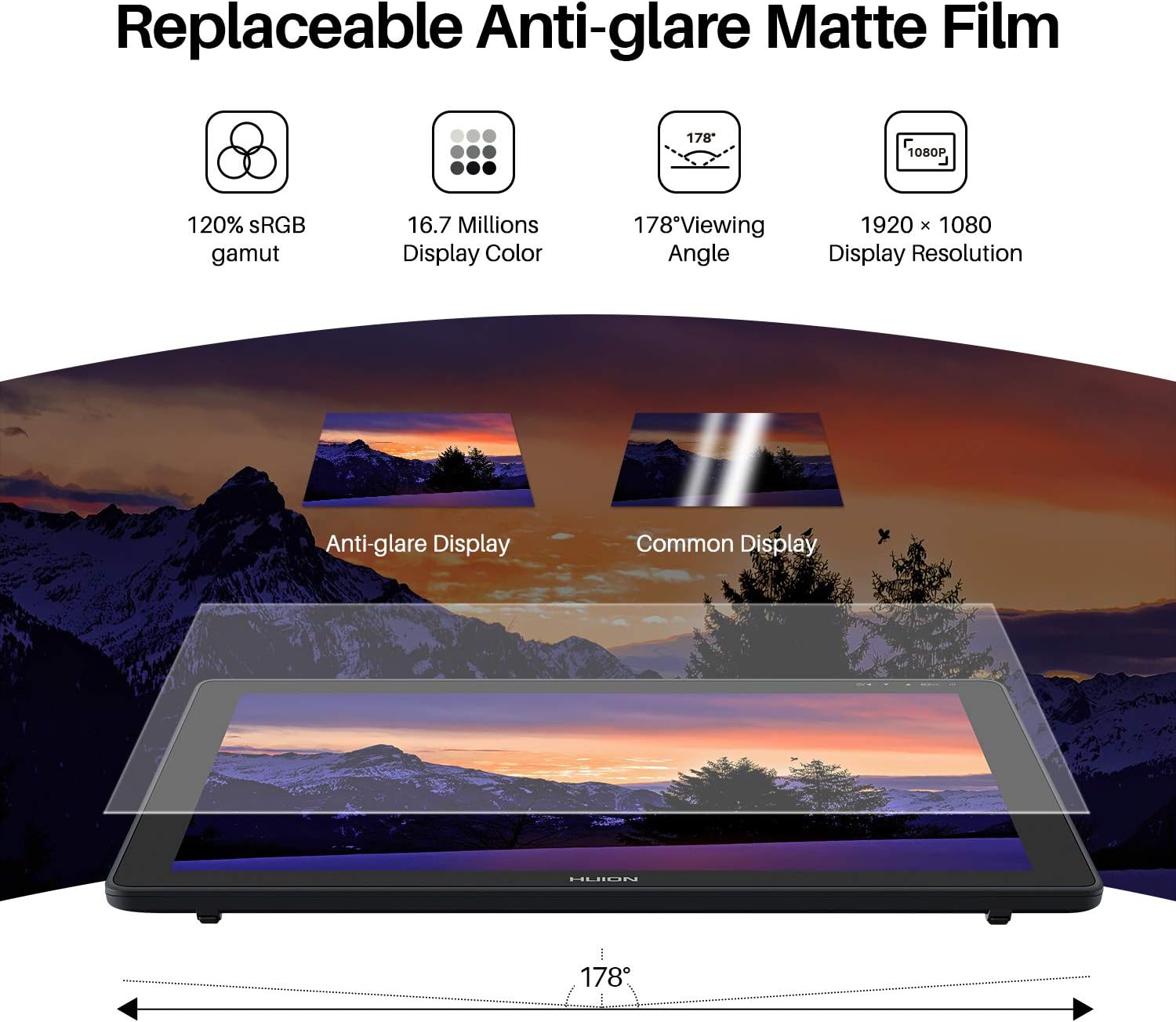
For colour, HUION lists 120% sRGB with 16.7 million colours, plus a 1000:1 contrast ratio. That combination is intended to help gradients and hues look richer, rather than flat.
What you’ll notice day to day
The anti-glare matte film is one of the most practical features. In normal rooms, glossy screens can turn bright lights into reflections you keep fighting while drawing. Here, the matte treatment is designed to reduce reflected glare and keep your view clearer, while also giving a more “paper-like” feel.
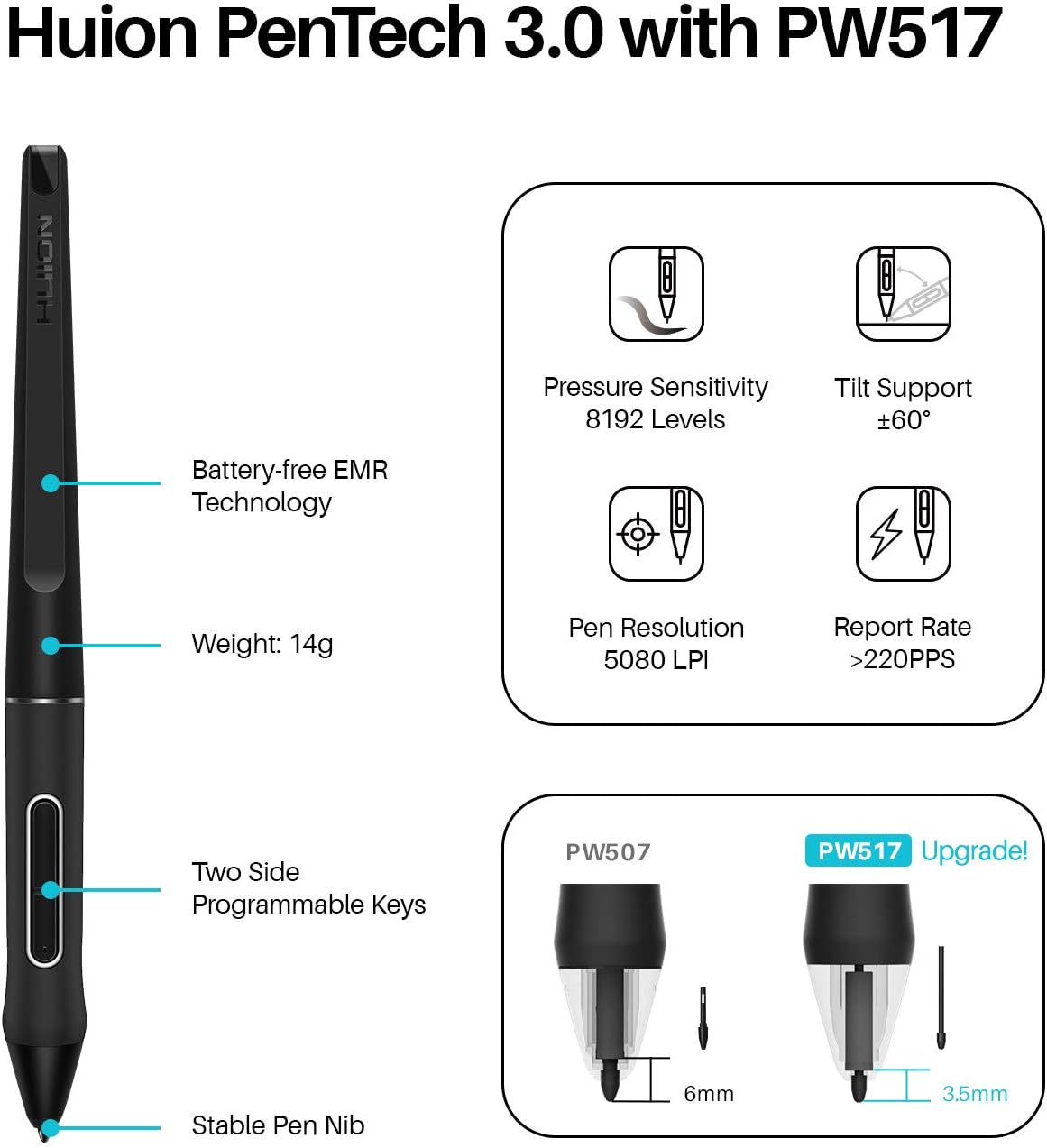
The pen side is equally important. The PW517 is described as 8192 levels of pressure sensitivity, so line width and saturation can change as you press harder or softer. It also supports ±60° tilt, which is the kind of behaviour you’ll use when you want more pencil-like shading rather than strictly uniform strokes.
One small limitation to keep in mind: battery-free pens are convenient, but they still rely on stable connection and signal through the ports/cables. If your device setup is picky, you may spend more time sorting cables than drawing at first.
Key specifications
- Screen size: 21.5-inch
- Display resolution: 1920 x 1080
- Viewing angle: 178°
- Contrast ratio: 1000:1
- Colour gamut: 120% sRGB
- Number of colours: 16.7 million
- Stylus model: PW517 (battery-free)
- Pressure sensitivity levels: 8192
- Pen tilt: ±60°
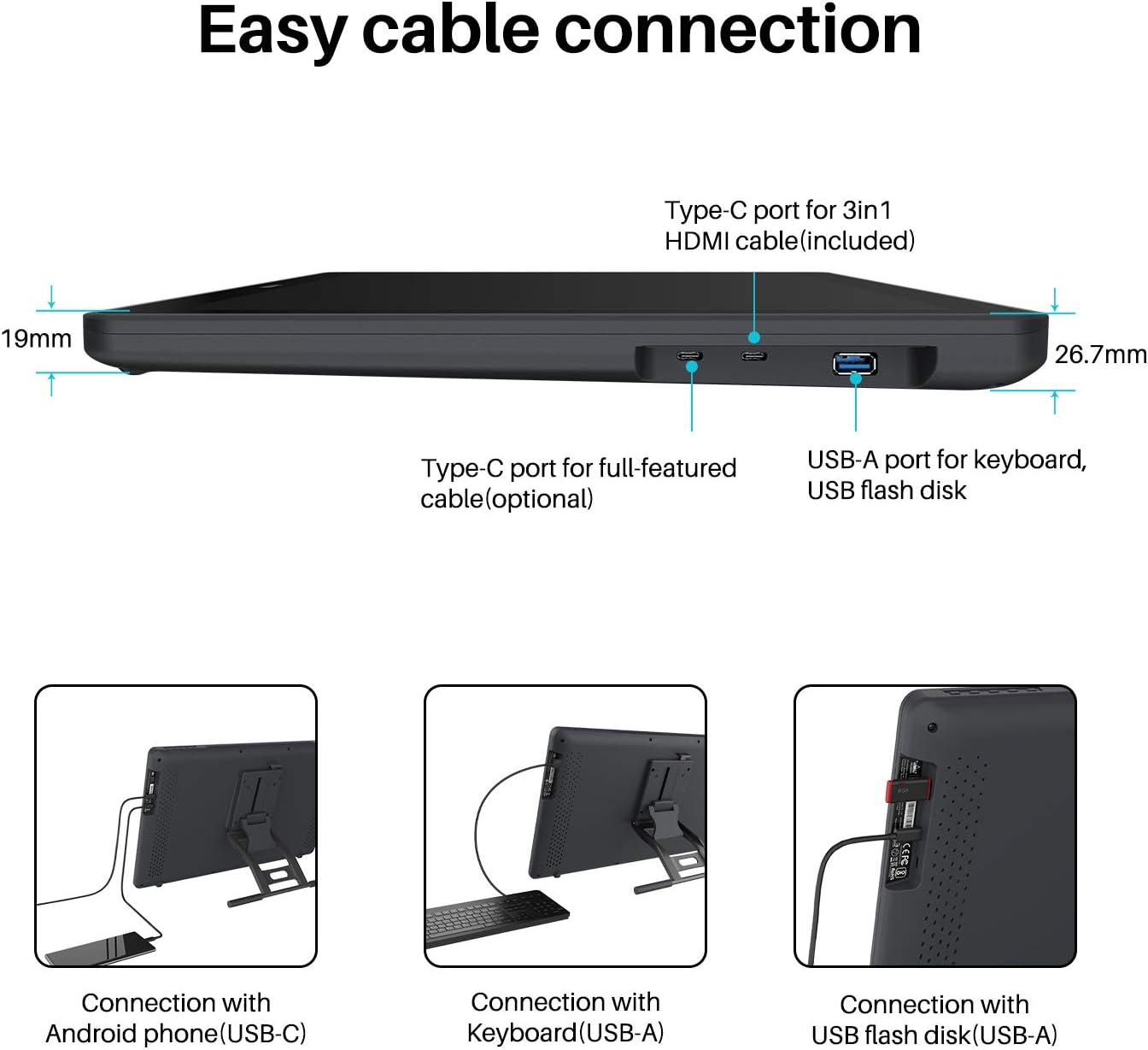
- Ports for connection: two USB-C ports plus one USB-A port
- Tilt bracket angle range: 20° to 80°
- Warranty/support: two-year warranty and free lifetime technical support
Where it shines
A few scenarios line up well with what HUION markets here.
If you’re learning digital drawing or doing remote lessons, the matte screen and battery-free PW517 are the kind of “small friction reducers” that help you stay focused. You can set the bracket to an angle (20° to 80°) rather than forcing your posture, and the anti-glare film should make it easier to see the surface in typical light.
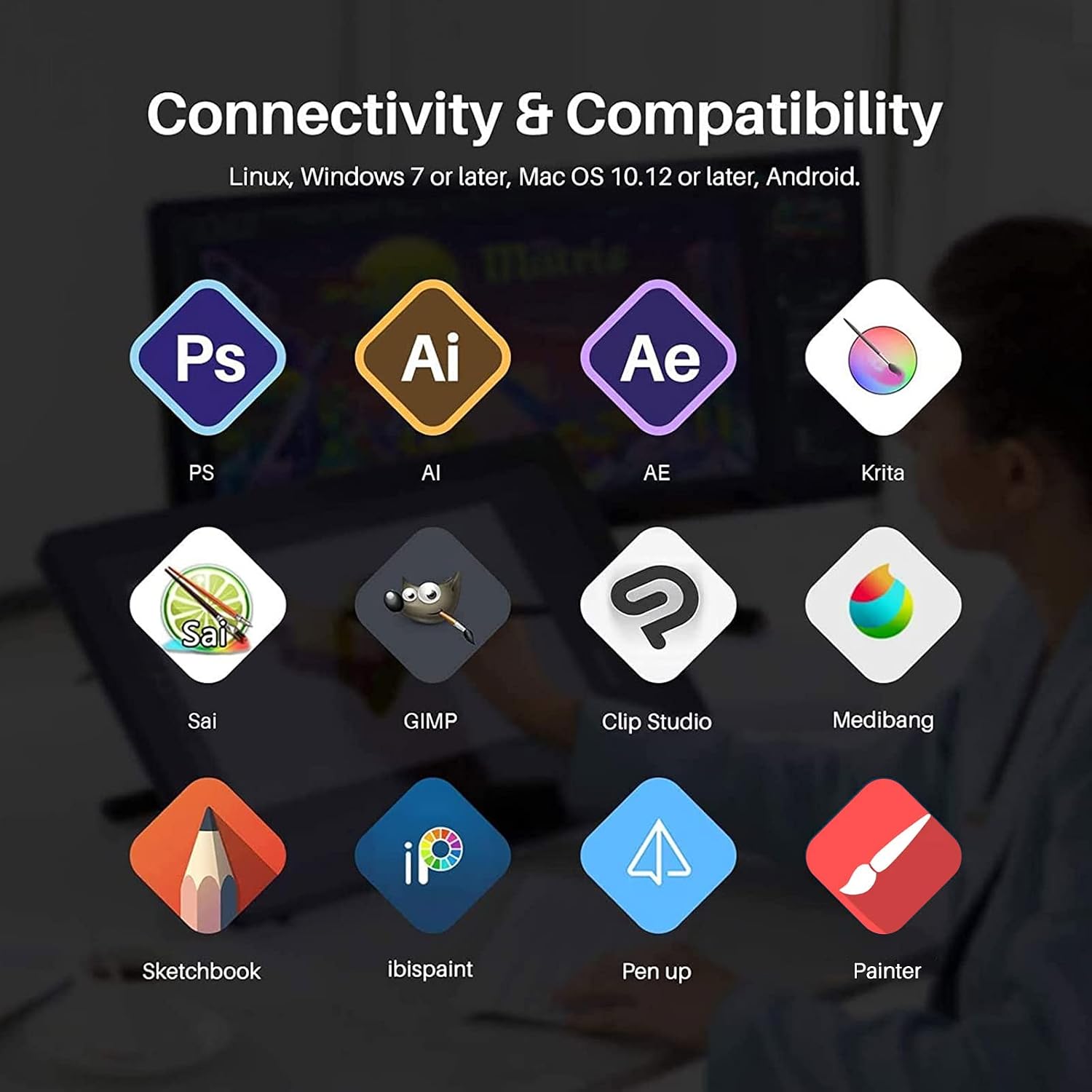
If your work involves software such as Photoshop, Lightroom, Sketchbook, Manga Studio, Clip Studio, Zbrush, or Krita, the tablet is described as compatible with Windows, macOS and Android, and it supports mainstream drawing/design software. For general illustration, photo touch-ups, and concept sketching, that breadth matters.
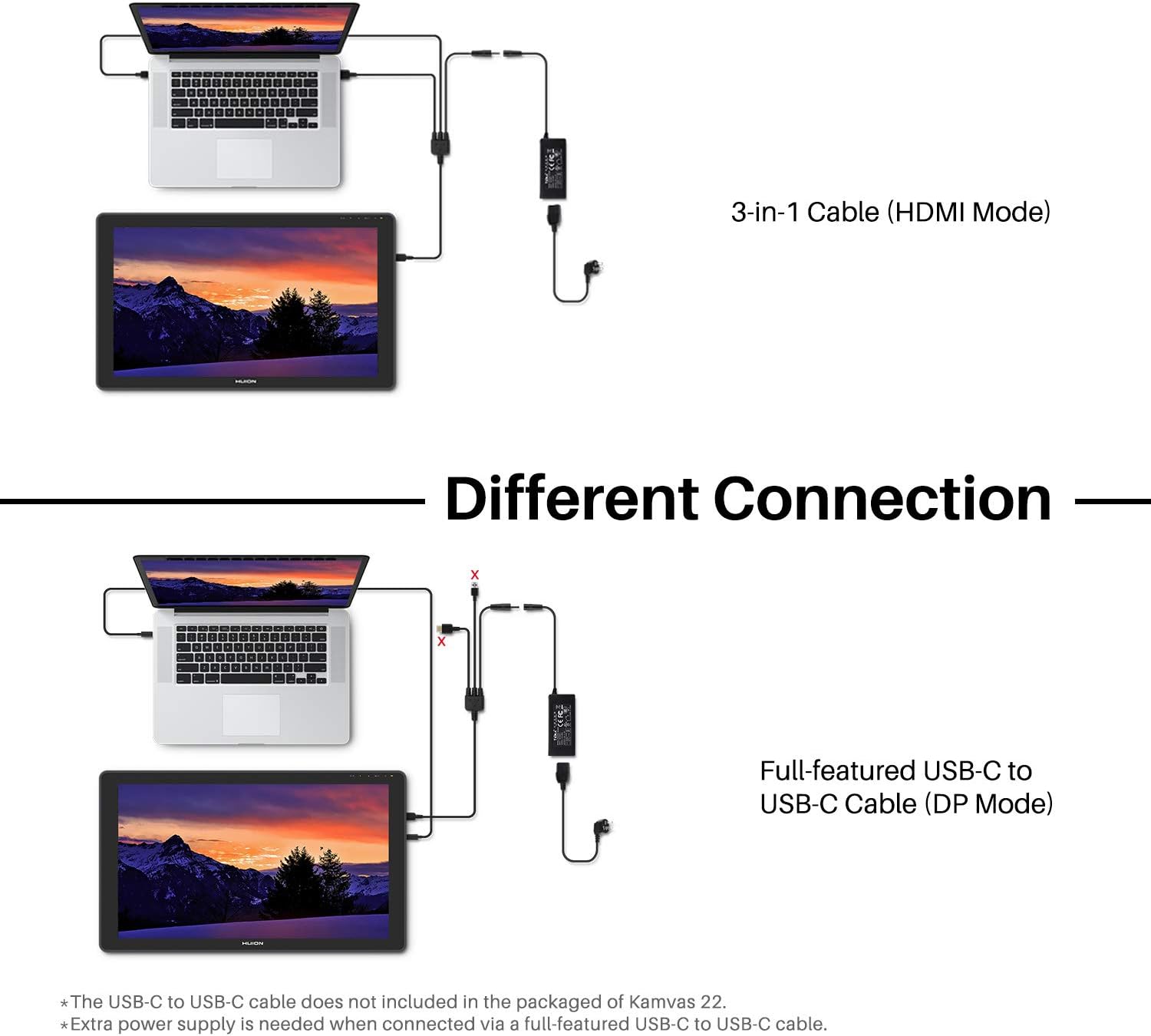
It’s also designed for more than just one device. HUION mentions connecting to a computer, Android phone and Android tablet via a 3-in-1 cable or USB-C to USB-C cable (not included), and using the USB-A port for peripherals like keyboards and USB storage.
What to double-check before you buy
This kit sounds simple, but the connection note is a big deal. The two USB-C ports are positioned as the route for phones and tablets, but HUION asks you to make sure the USB-C ports on your devices support at least USB3.1 GEN1 for data transfer and DP1.2 for display output.
So, if you’ve got a mixed setup (for example, an Android tablet and a laptop), it’s worth checking the ports you actually have access to before you commit. If your devices don’t meet those requirements, you may end up with a frustrating “it should work, but it doesn’t” situation.
Also, the 3-in-1 cable or USB-C to USB-C cable is not included in the package, which can be easy to overlook if you’re budgeting tight.
Final verdict
Worth considering if you want a screen tablet with an anti-glare matte display, a battery-free pen (PW517), and pen features like pressure sensitivity and tilt for more natural-looking strokes. It suits people who sketch and edit on a desk setup, and who want a 21.5-inch workspace without jumping straight to larger, more expensive setups.
You may want to skip it if your devices’ USB-C/DP capabilities aren’t confirmed, or if you’d rather avoid buying specific cables for your phone/tablet connection. It’s not the best match if you expect plug-and-play across every device you own, because the stated USB-C and DP1.2 requirements are specific.
Mini FAQ
Does the stylus need charging?

No. The PW517 is described as battery-free, so you’re not charging the pen itself.
How is the screen meant to help with reflections?
It uses an anti-glare matte film intended to reduce reflected glare and make the display easier to read in normal lighting.
What resolution is the Kamvas 22 display?
It’s listed as 1920 x 1080.
What devices is it compatible with?
HUION states it works with Windows, macOS and Android, and it also mentions Switch in the product naming.
Do I need special cables for phone or tablet use?
HUION mentions a 3-in-1 cable or a USB-C to USB-C cable (not included). It also advises checking USB3.1 GEN1 and DP1.2 support on your devices’ USB-C ports.