


ARZOPA 15.6" Dual Portable Monitor (FHD 1080P) – USB-C & HDMI, foldable stackable screens in grey
Product description
The essentials
If you’re working on a laptop and regularly feel limited by screen space, a portable dual monitor can be a practical way to claw back productivity. The ARZOPA 15.6" Dual Portable Monitor is designed as a foldable, stackable second display you can take with you. It’s aimed at everyday use—office work, travel, remote setups—and it also lines up with leisure uses like gaming or video viewing, as long as you accept that it’s a portable screen rather than a large, dedicated desktop monitor.
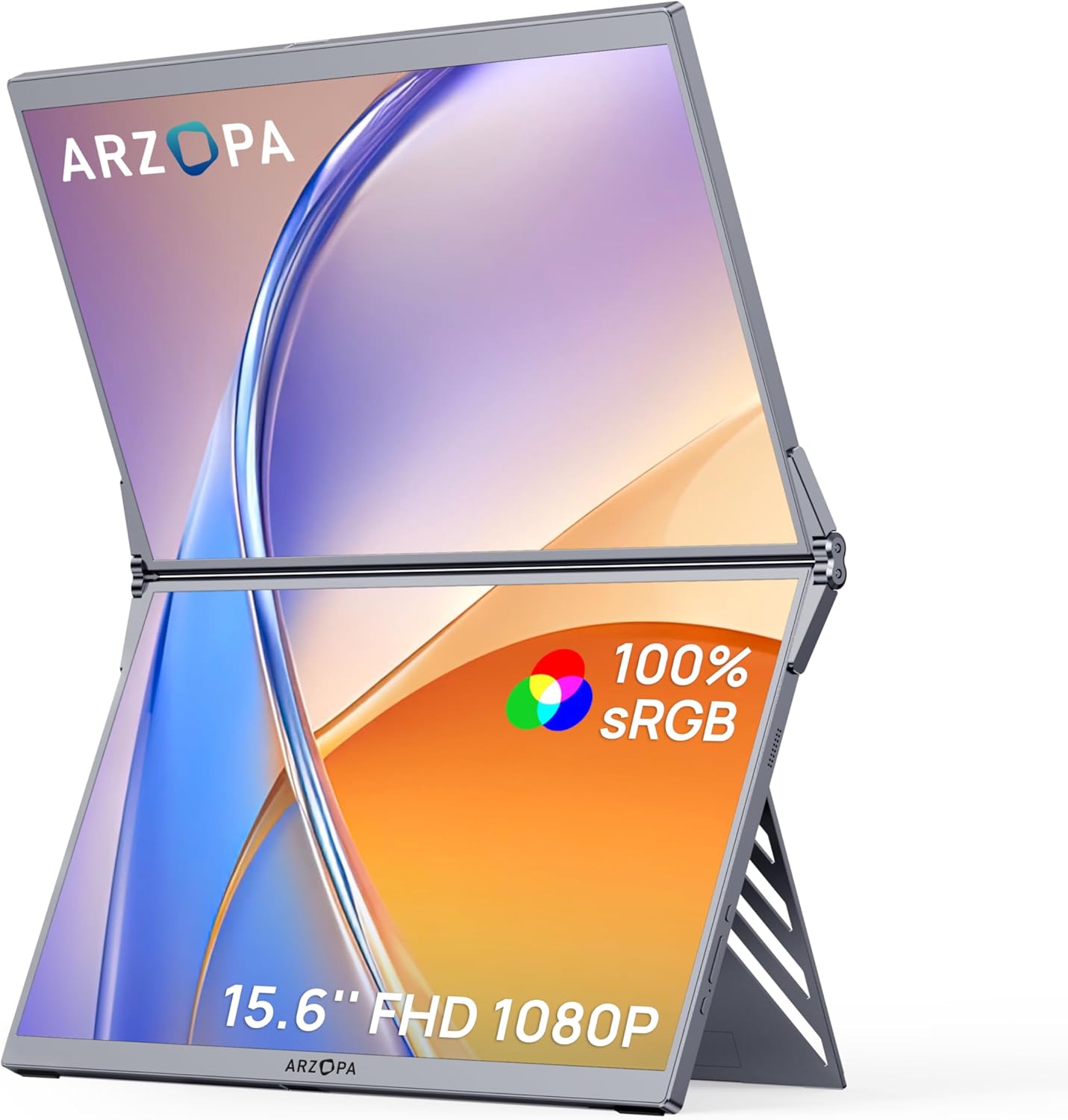
On paper, the appeal is pretty straightforward: you get a 15.6" FHD IPS display with 1080P output, claims around 100% sRGB colour coverage, and a flicker-free design for comfort during longer sessions. Add in foldable-and-stackable structure plus a kickstand, and it’s meant to reduce the faff of extra accessories and installation.
Key features that matter in real life
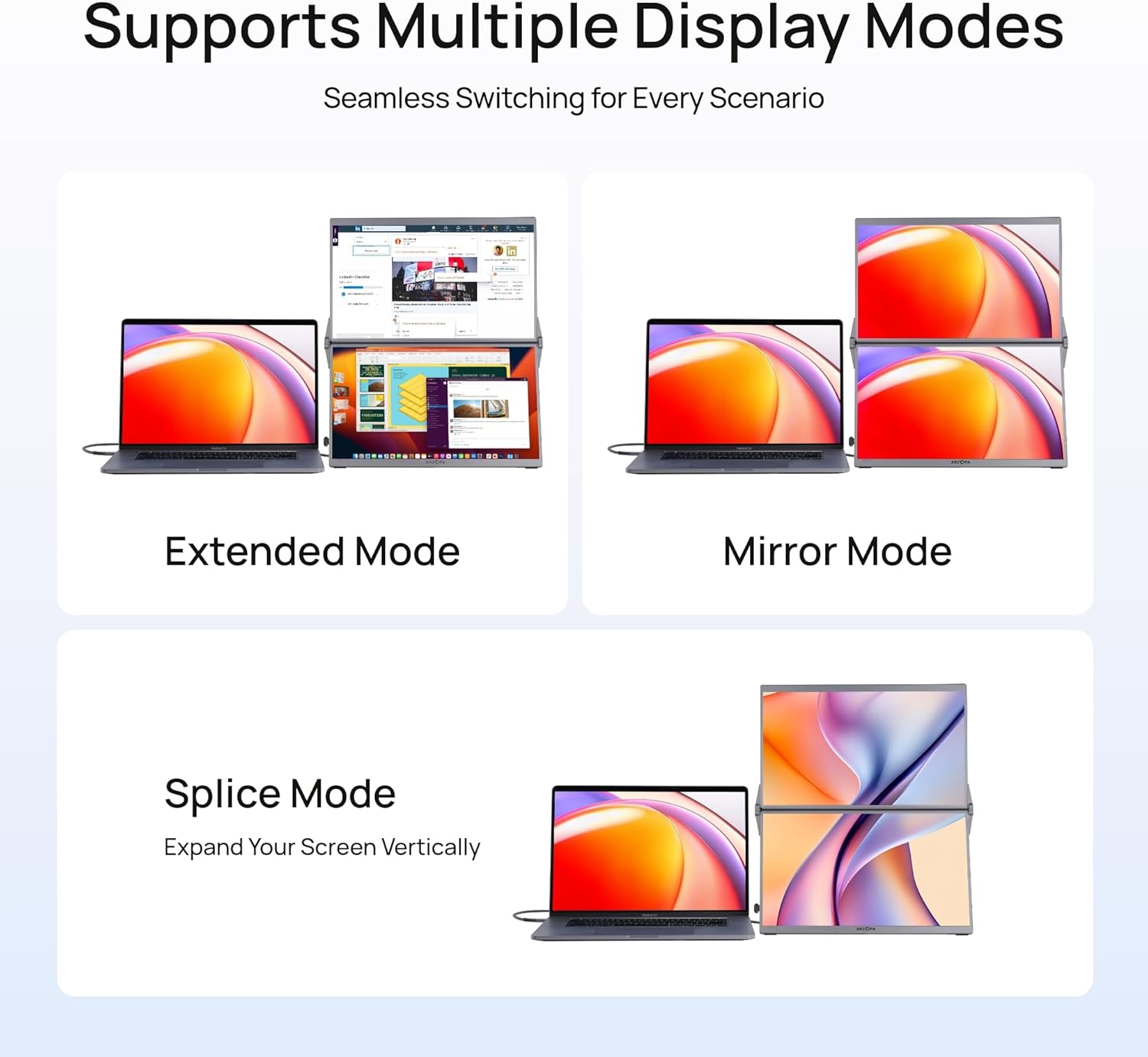
The most noticeable part of this product is the “dual” and foldable approach. Instead of treating the screen like a fixed external monitor, it focuses on a more travel-friendly form factor, with an integrated foldable/stackable design. That can be a big deal if you commute, work from different locations, or just don’t want another bulky piece of kit living in your room.
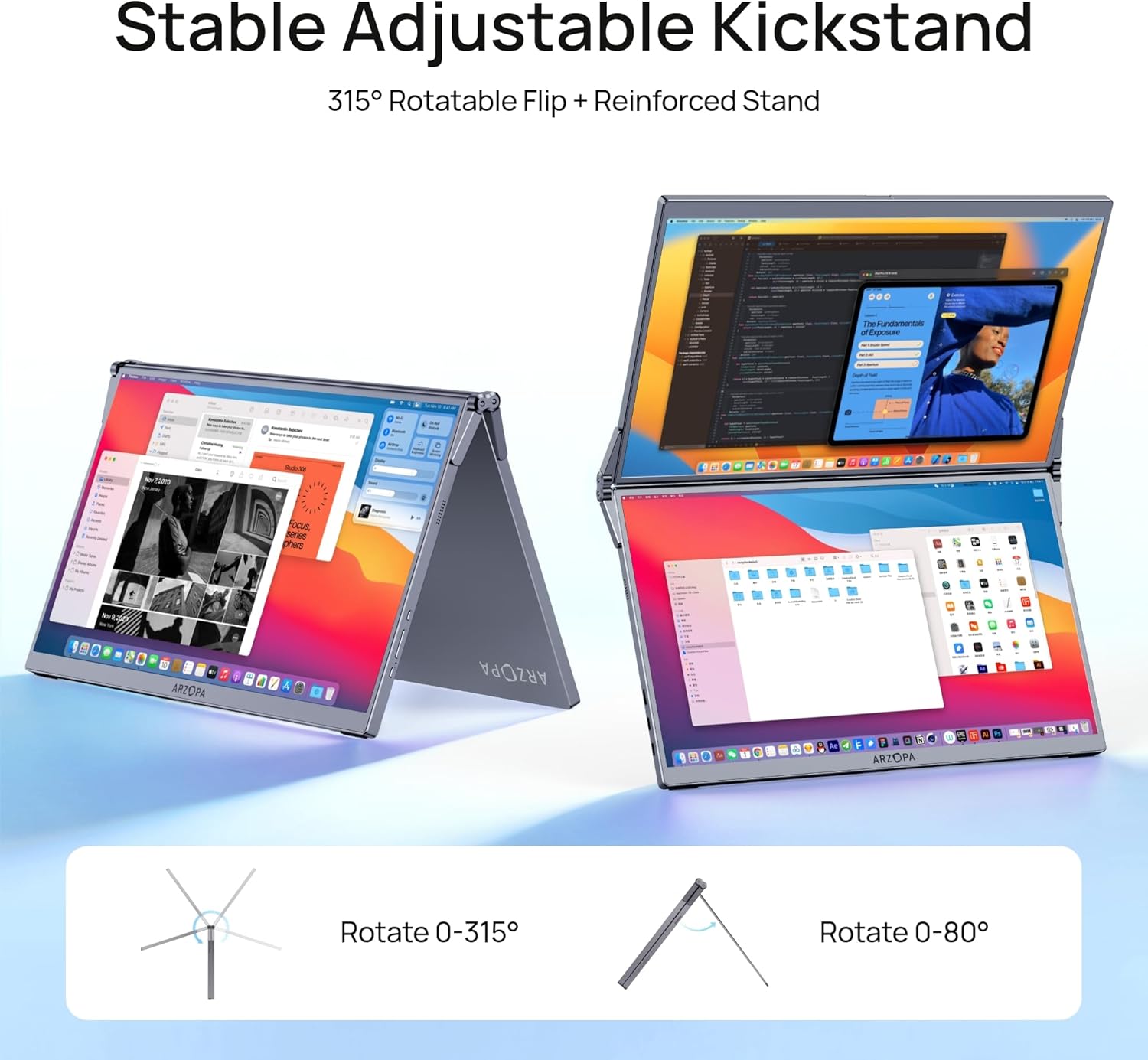
There’s also an adjustable kickstand: the screen supports a 315° free screen adjustment and an 80° sturdy kickstand. In practice, that’s the kind of range you want when you’re trying to stop glare, tilt the screen for your posture, or position it alongside a laptop on a desk that isn’t exactly ideal.
For day-to-day setup, it’s described as plug and play with no driver required—though it explicitly notes that MacOS may be an exception. That’s worth taking seriously before you buy, especially if you’re expecting a completely hands-off experience on a Mac.
Display and comfort: what the spec suggests
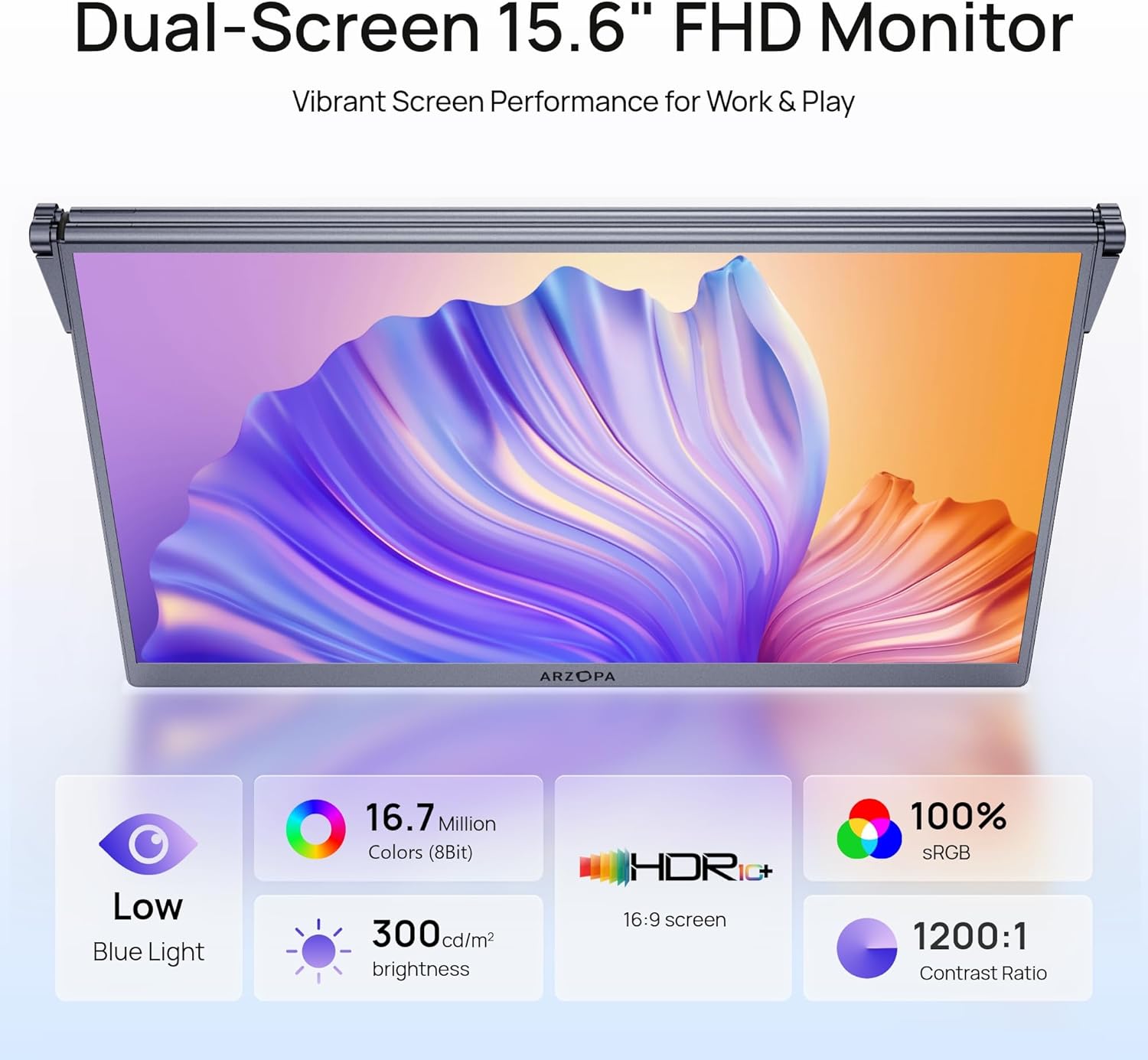
The screen is presented as a 15.6" FHD IPS panel with 1080P, plus 100% sRGB and HDR technology. The idea here is that you should get more accurate, vivid colours for general creative and viewing needs, and wide viewing angles for when someone else might glance at your screen.
It’s also described as flicker-free, which is a common comfort feature for longer office-style sessions. That said, “eye strain relief” is still partly individual—if you’re very sensitive to brightness or want advanced colour calibration, you may still prefer a more purpose-built display.
Connectivity and compatibility: where it fits
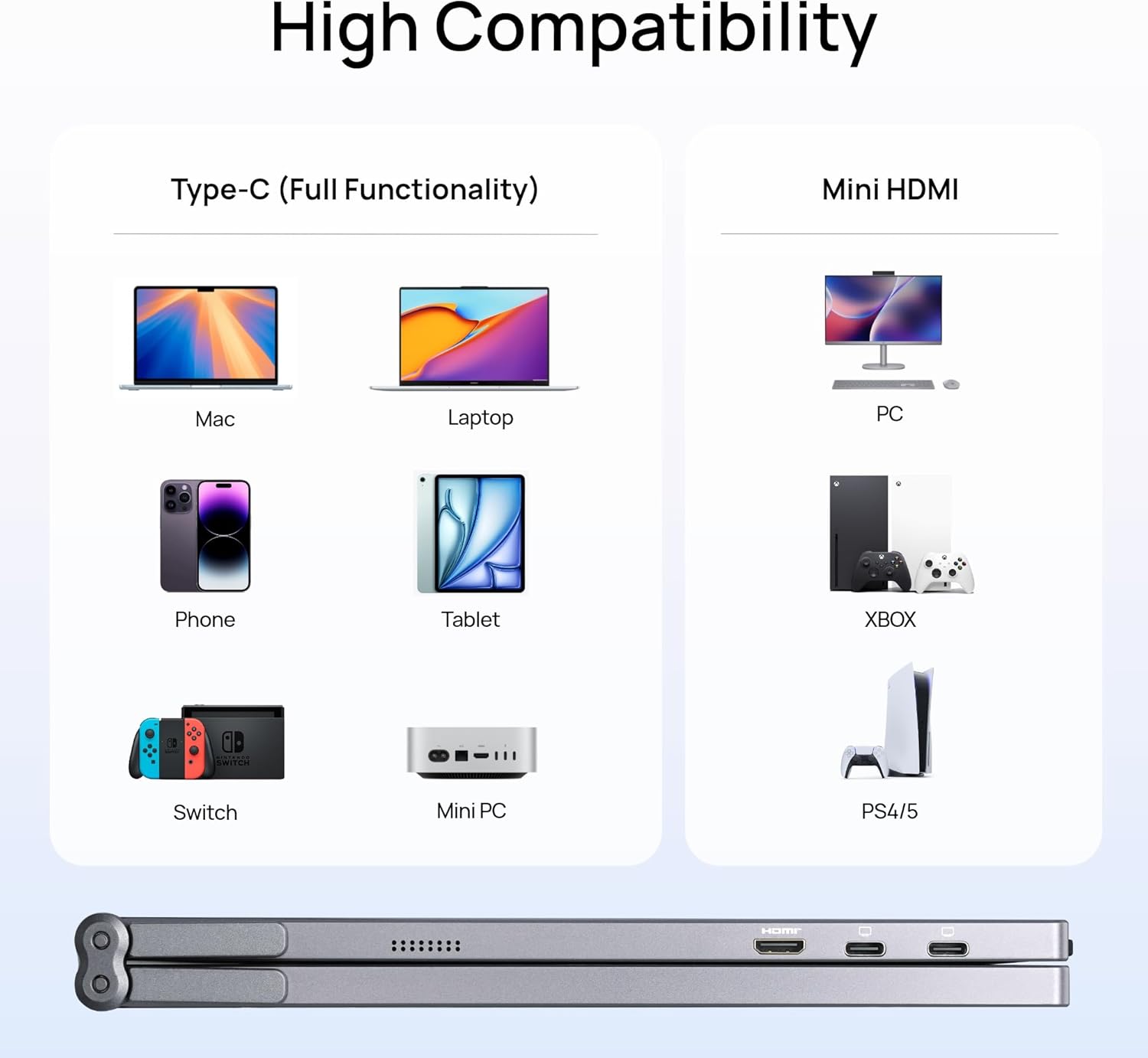
This monitor uses universal USB-C and HDMI dual interfaces, with direct connection for stable signal transmission (as stated). The intention is that you can extend your laptop screen in one step, without the usual driver hunting.
In terms of compatibility, the description says it works with Laptop/Mac/PC/Windows systems, and it also mentions gaming devices like PS5/Xbox. If your setup involves a mix of devices (work laptop plus console at home, for example), that multi-scene angle is the kind of feature that can justify buying a portable screen instead of keeping things separate.
One caution: the “no driver required” claim comes with that MacOS exception. If MacOS setup is important to you, check the listing details carefully so you’re not surprised.
Design for portability (and the trade-offs)
This is the type of monitor that’s meant to travel. The description highlights a lightweight, compact body that’s easy to carry in a backpack, and a low power consumption approach so it doesn’t add pressure to your laptop’s power supply.
The flip side is that portable monitors generally won’t replace higher-end, larger desktop displays. If your priority is maximum brightness, deep contrast, or a premium desk setup, you may find this sits more in the “handy extender” category than the “main screen for everything” category.
It’s also positioned as “no extra installation”, which tends to help beginners and seasoned users alike—but only if your input ports and device setup match what you’re expecting.
How it can look in use (a quick scenario)
Imagine you’re on the sofa or at a hotel desk with your laptop open. You unfold the portable dual screen, set the kickstand, then tilt using the described adjustment range until the display sits comfortably at eye level. You plug in via USB-C (or HDMI if that’s what your device supports), and within moments you’re working across two screens—spreadsheets on one side, notes or documents on the other. It’s the sort of setup that’s not “new desk”, it’s “make the existing space usable”.
What to check before you buy
A few practical checks can save headaches:
- MacOS expectations: since the listing says drivers aren’t required except MacOS, confirm how you’ll connect and whether any extra steps are expected.
- Your available ports: make sure you actually have USB-C or HDMI available on the devices you plan to use.
- Use case realism: if you’re buying for long gaming marathons or colour-critical creative work, a portable FHD screen may feel limiting compared with more specialised displays.
- Desk constraints: with portability comes size considerations—this is built to fit travel and on-the-go setups, so think about whether your workspace will accommodate the stand and viewing angle.
Should you buy it?

It’s a good fit if you want a compact, foldable dual portable monitor to extend your laptop screen for office work, remote work, travel, and general video viewing—and you like the idea of a kickstand with a wide adjustment range. It also makes sense if you’re juggling multiple devices and want USB-C/HDMI connectivity without committing to a permanent monitor setup.
It’s not the best choice if you’re expecting a fully replacement-level desktop experience, or if your main goal is extremely demanding creative colour work where calibration and higher-end display performance matter more than portability. And you may want to skip it if you need a totally frictionless MacOS experience, because the description flags a driver caveat.
Mini FAQ
Is it easy to set up?
The listing describes plug and play with no driver required, but it notes an exception for MacOS, so it’s worth checking what that means for your setup.
What connections does it use?
It uses USB-C and HDMI dual interfaces, intended for direct connection and extending your laptop screen.
Is it suitable for gaming?
It’s described as matching gaming devices like PS5/Xbox and it’s positioned as useful for gaming and video viewing, but it’s still a portable FHD monitor, so expectations should be realistic.
Does it help with eye comfort?
It’s described as flicker-free, which is aimed at comfort during long sessions. Individual sensitivity can vary, though.