

Minifire 27" 2K WQHD 300Hz IPS Gaming Monitor (MFG27F6Pro) with Adjustable Stand
Product description
What it is and who it’s for
The Minifire MFG27F6Pro is a 27 inch gaming monitor offering WQHD resolution (2560x1440) on an IPS panel. It targets fast-paced gaming and immersive visuals for players who want smooth motion and vivid colour without stepping up to an ultra-wide format. If you’re chasing a step up from 1080p with higher refresh rates and more accurate colours, this model presents a pragmatic balance between resolution, speed and colour fidelity.
How it performs on paper
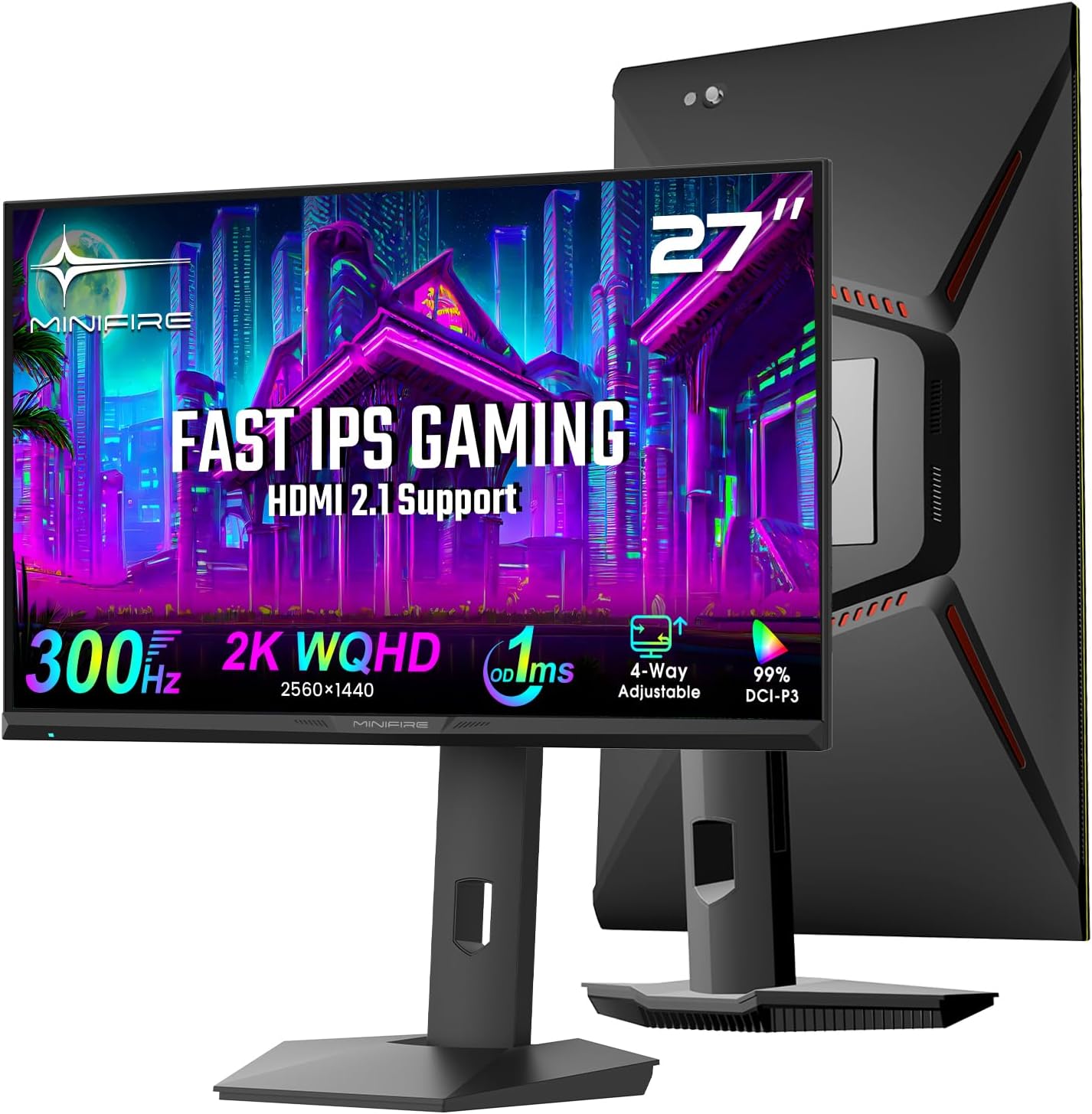
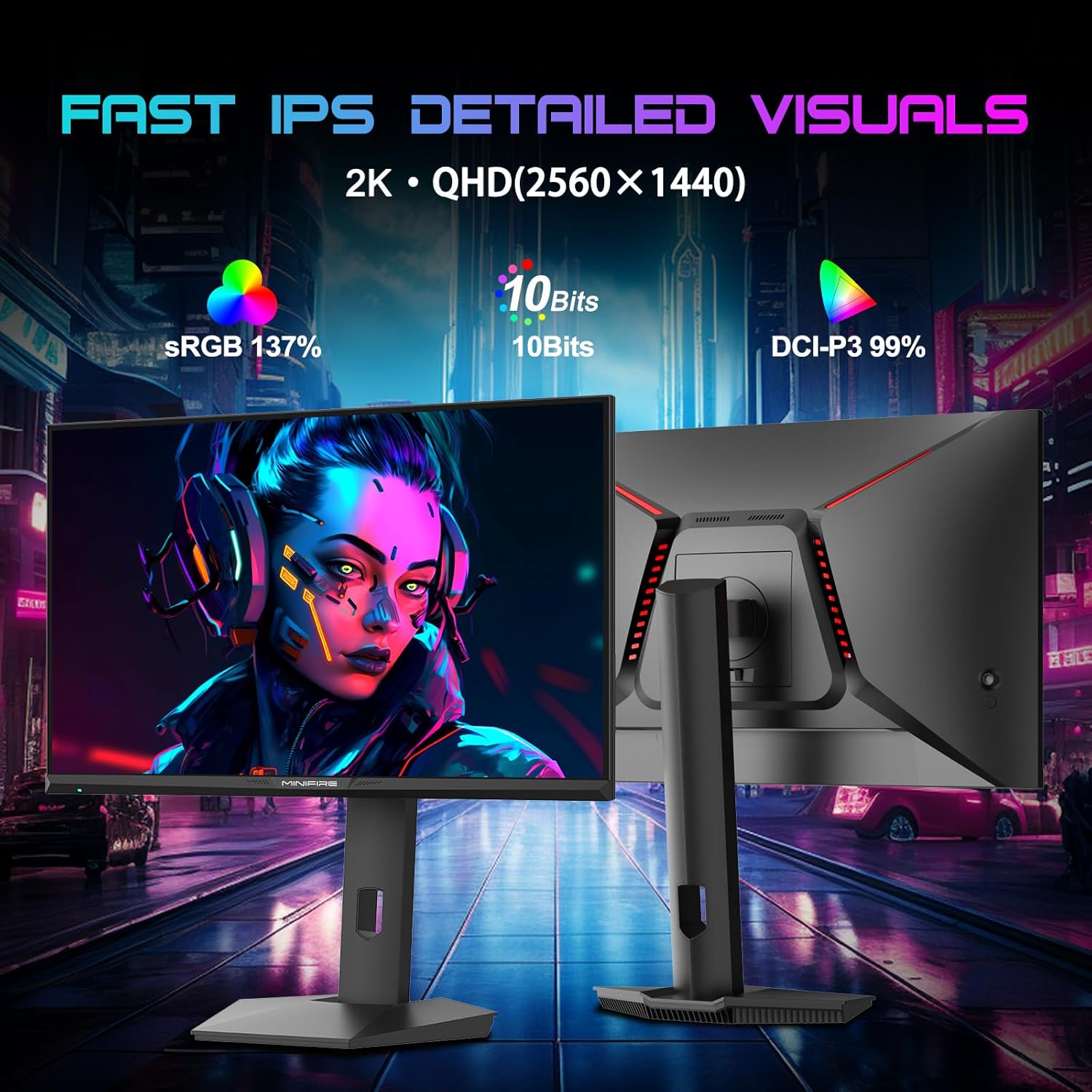
On paper you’re looking at a 300Hz refresh rate and a 1ms MPRT response time, designed to minimise motion blur in competitive titles. The IPS panel: 99% DCI-P3 colour gamut and 10-bit colour depth (1.07B colours) alongside HDR400 to enhance contrast and detail. Such specs imply crisp, responsive gameplay with richer colours and noticeably smoother fast-action scenes.
Design and ergonomics
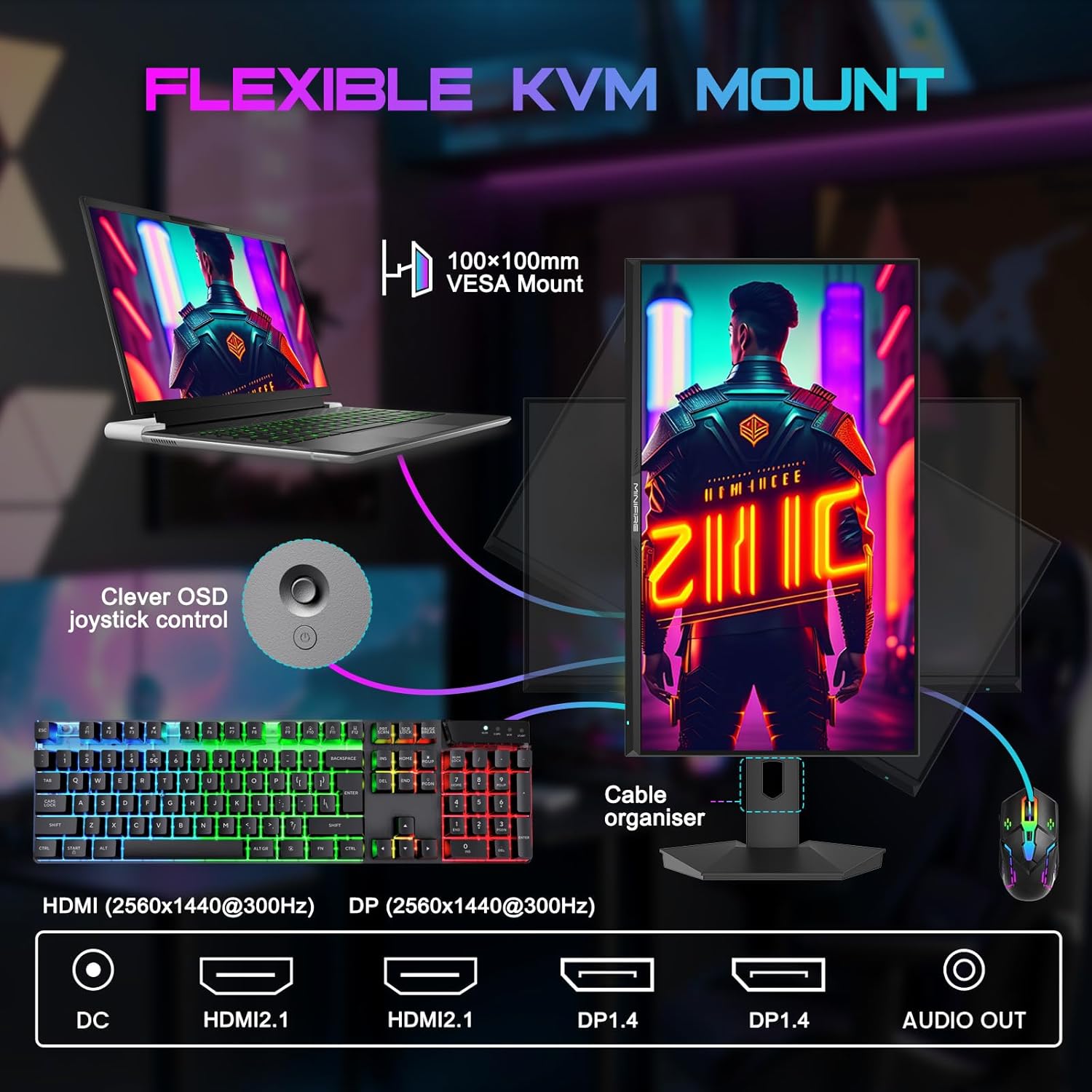
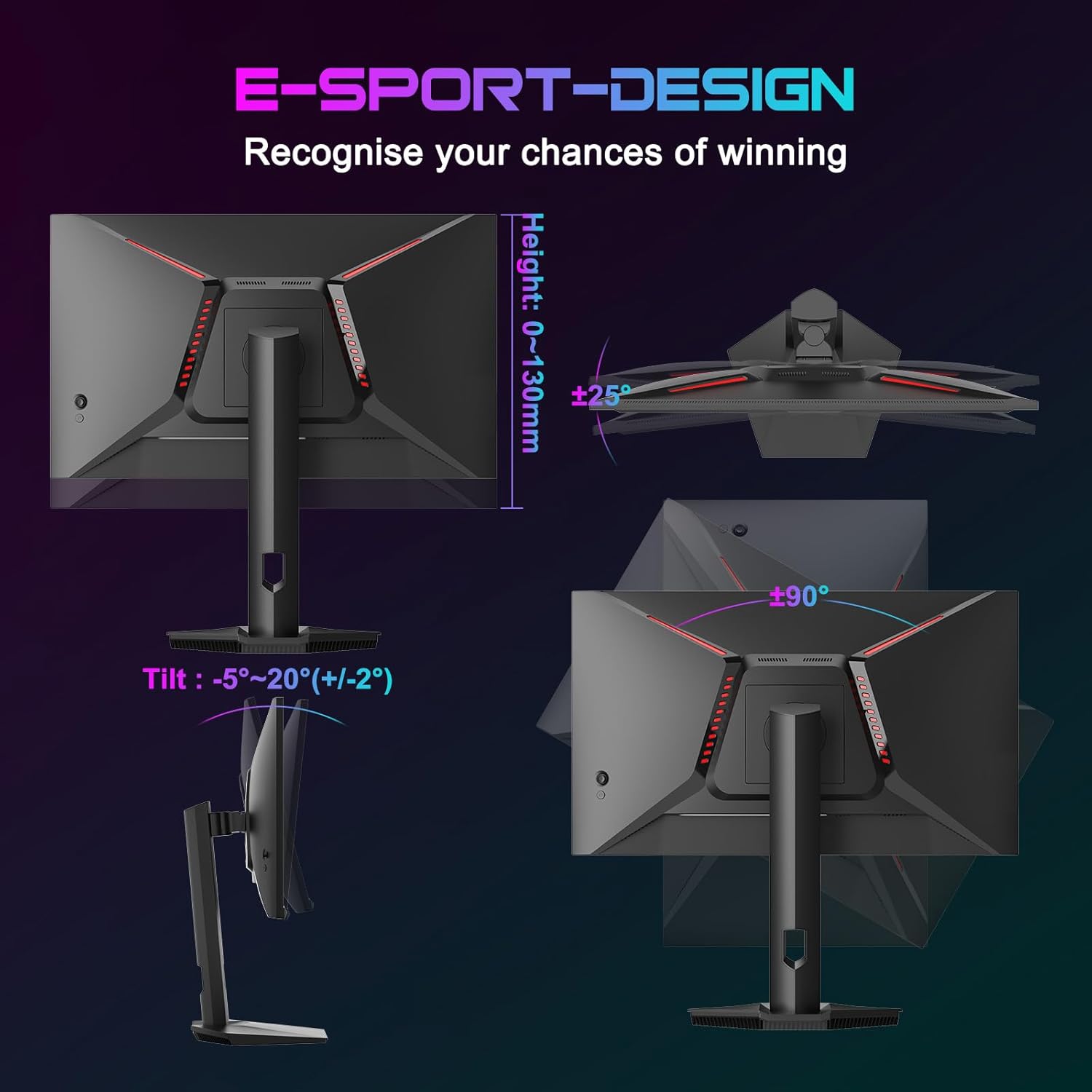
The stand is height-adjustable up to 110mm and offers tilt, swivel and pivot to help comfortable long sessions. With a 100x100mm VESA mount, it’s straightforward to adapt to alternative setups if you want to wall-mount or use an arm. The physical build prioritises a low-distraction experience when gaming, though it’s not described as ultra-minimalist.
Connectivity and compatibility
Connectivity includes 2x HDMI 2.1 ports and 2x DisplayPort 1.4 inputs, which aligns with current high-end rigs and latest consoles for today’s maximum 300Hz at compatible resolutions. If you plan to run high frame rates from a PC or next-gen console, these interfaces are aligned with that use-case. It’s worth noting that to reach 300Hz you’ll need to support it from your source and in a compatible title.
Visuals and image quality
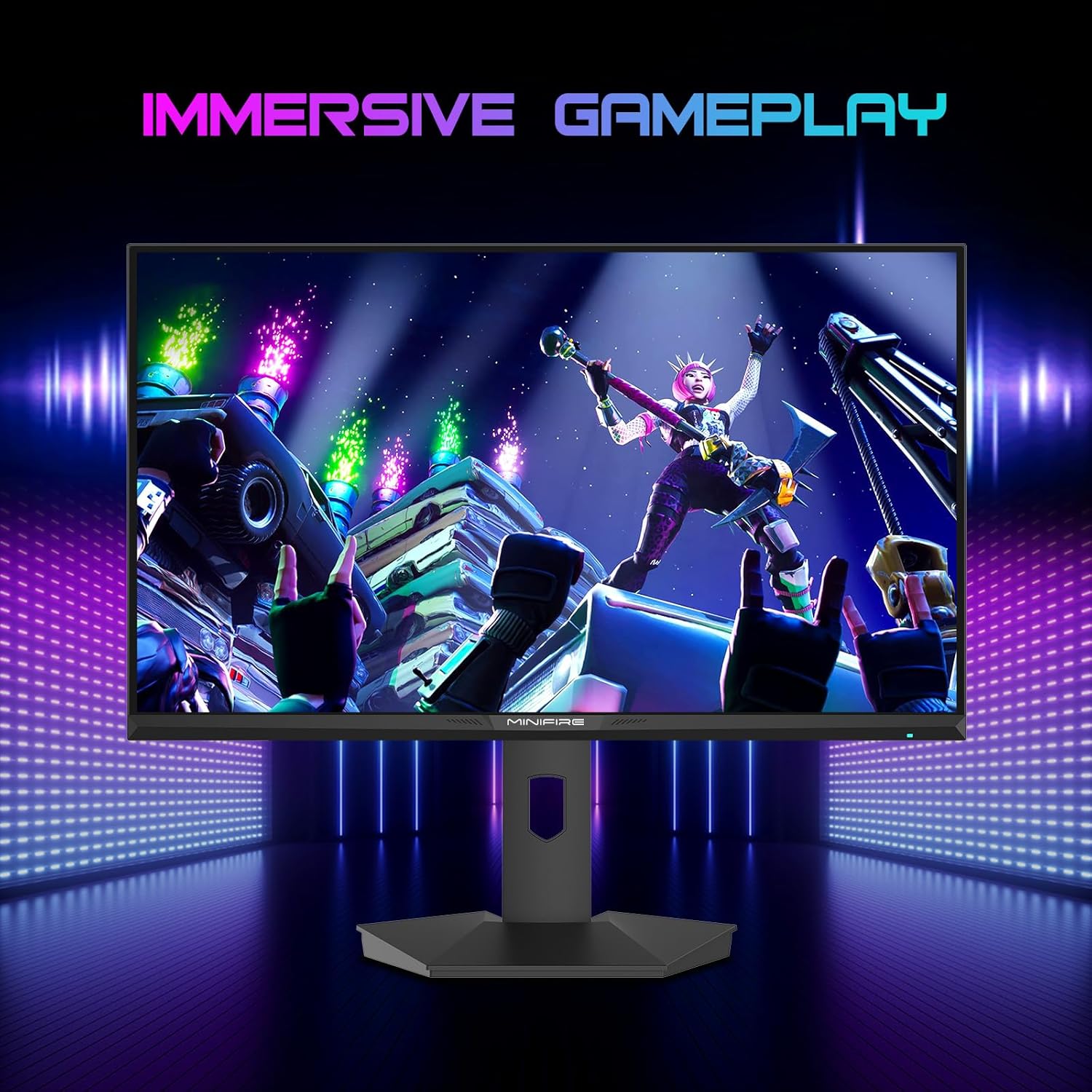
The 2K WQHD resolution provides sharp details for gaming, productivity and media at this size. The HDR400 support supports better contrast in compatible scenes, while the 10-bit colour depth helps produce smoother gradients. The combination is aimed at delivering vibrant yet controlled colour without stepping into the more demanding and pricier high-end panels.
Features that matter day to day
Pre-calibrated modes for FPS, RTS and Racing can help you jump into games with presets tuned for different genres. Adaptive Sync helps reduce tearing, while Anti-Flicker and Low Blue Light are sensible inclusions for longer sessions. The overall package is aimed at improving comfort and consistency across varied gaming sessions.
What to watch out for
If you prioritise ultimate luminance or maximum brightness, HDR might not exceed what some premium HDR panels offer. Also, the 300Hz spec is dependent on your PC or console pushing that level, real-world frame rates depend on game optimisation and settings. The product description does not detail additional features like a built-in speaker system or USB hub, so those needs may require external peripherals.
Practical scenarios and user fit
This monitor fits gamers who want a higher refresh rate than standard 144Hz, a solid colour gamut for immersive visuals, and the flexibility of both HDMI 2.1 and DisplayPort 1.4. It’s a sensible upgrade if you’re building a mid-to-high-end setup and want a balance of speed, accuracy and ergonomics without moving to a more demanding panel class.
Before you buy: considerations
- Confirm your GPU and console support 300Hz at 2K in the titles you play.
- Check room lighting and panel glare — HDR can pop more in brighter environments, but IPS screens may show reflections more than matte-laminate panels in some setups.
- If desk space or portability is a concern, the height-adjustable stand helps but the footprint is still a 27 inch monitor, so ensure it fits your space.
Quick comparison frame
Compared with standard 1440p gaming displays, this model offers a higher refresh rate and a wide DCI-P3 gamut, which is particularly appealing for competitive gaming with visually rich scenes. If you mainly play slower-paced titles or rely on budget constraints, you might find other configurations with lower refresh rates or simpler HDR better suited and possibly more affordable.
Decision time: Should you buy it?
Should you buy it?
It makes sense if you value high refresh rates at 2K resolution, want strong colour reproduction for a visually engaging game world, and need flexible connectivity for modern PCs and consoles. However, you may want to skip it if you primarily play at 60–144Hz with modest colour needs or if your space or budget requires a more minimal setup.
FAQ
- What kind of content is HDR400 best for on this monitor? HDR enhances contrast in compatible scenes, but the impact depends on the panel and source material.
- Can I run 300Hz at 2K from a mid-range GPU? It depends on the title and settings, you’ll likely see 300Hz in select optimised titles or at reduced graphical settings.
- Is the stand easy to adjust during long sessions? The height, tilt, swivel and pivot offer flexible positioning, which can help you find a comfortable stance for extended gameplay.