

Razer Huntsman V3 Pro esports gaming keyboard with analog optical switches, Rapid Trigger, and Razer Snap Tap (Black)
Product description
If you play competitive FPS, the keyboard you reach for between rounds matters more than people admit. The Razer Huntsman V3 Pro is built around faster, more controlled key movement—so small adjustments in timing and direction feel deliberate, not accidental.
That said, it’s not a “set it and forget it” keyboard for everyone. Features like Rapid Trigger and Razer Snap Tap are power tools: they can be awesome for movement-heavy play, but you may want to spend a bit of time dialing them in. If you’re coming from a basic gaming board, this one feels like it’s aiming at a more advanced, settings-minded user.
Key takeaways on what this keyboard is aiming to do
On paper, the Huntsman V3 Pro is about precision for movement and fast repeat inputs. It leans hard into analog optical switches (with an adjustable actuation range) plus a set of response-focused features designed to reduce the “dead zone” between your intention and what the game registers.
The biggest story here is control: you can fine-tune actuation height and Rapid Trigger sensitivity using onboard adjustments, and the keyboard has a visual LED aid to help you make changes on the fly.
Where it shines for FPS movement and fast direction changes
Razer Snap Tap and Rapid Trigger are the two features that most directly connect to the way FPS players strafe, counter-strafe, and make micro-corrections.
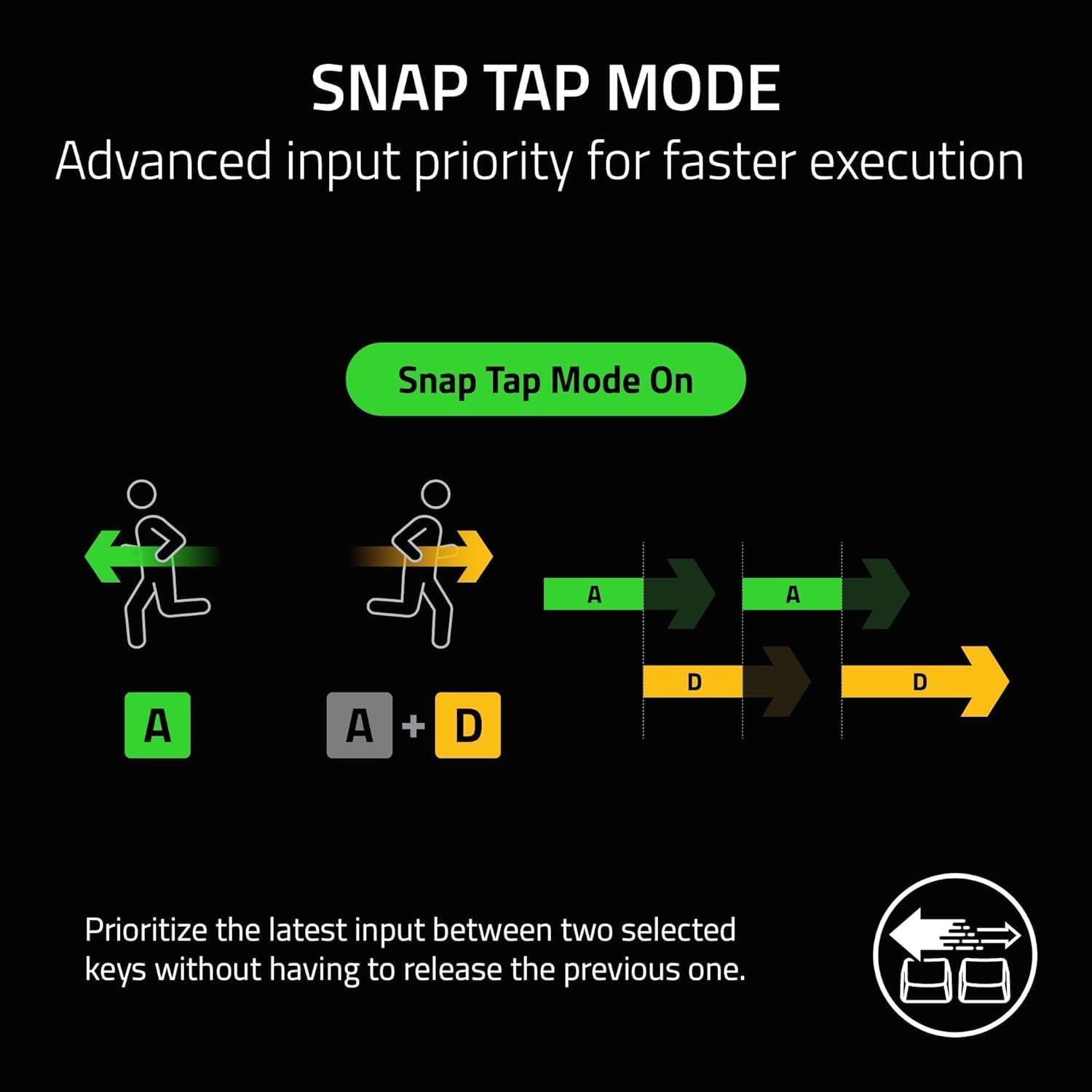
Razer Snap Tap is designed to prioritize the latest input between two selected keys without needing to fully release the previous one. In practical terms, that’s intended to help with near-instant directional changes—useful when you’re trying to cleanly reverse momentum or tighten your movement timing.

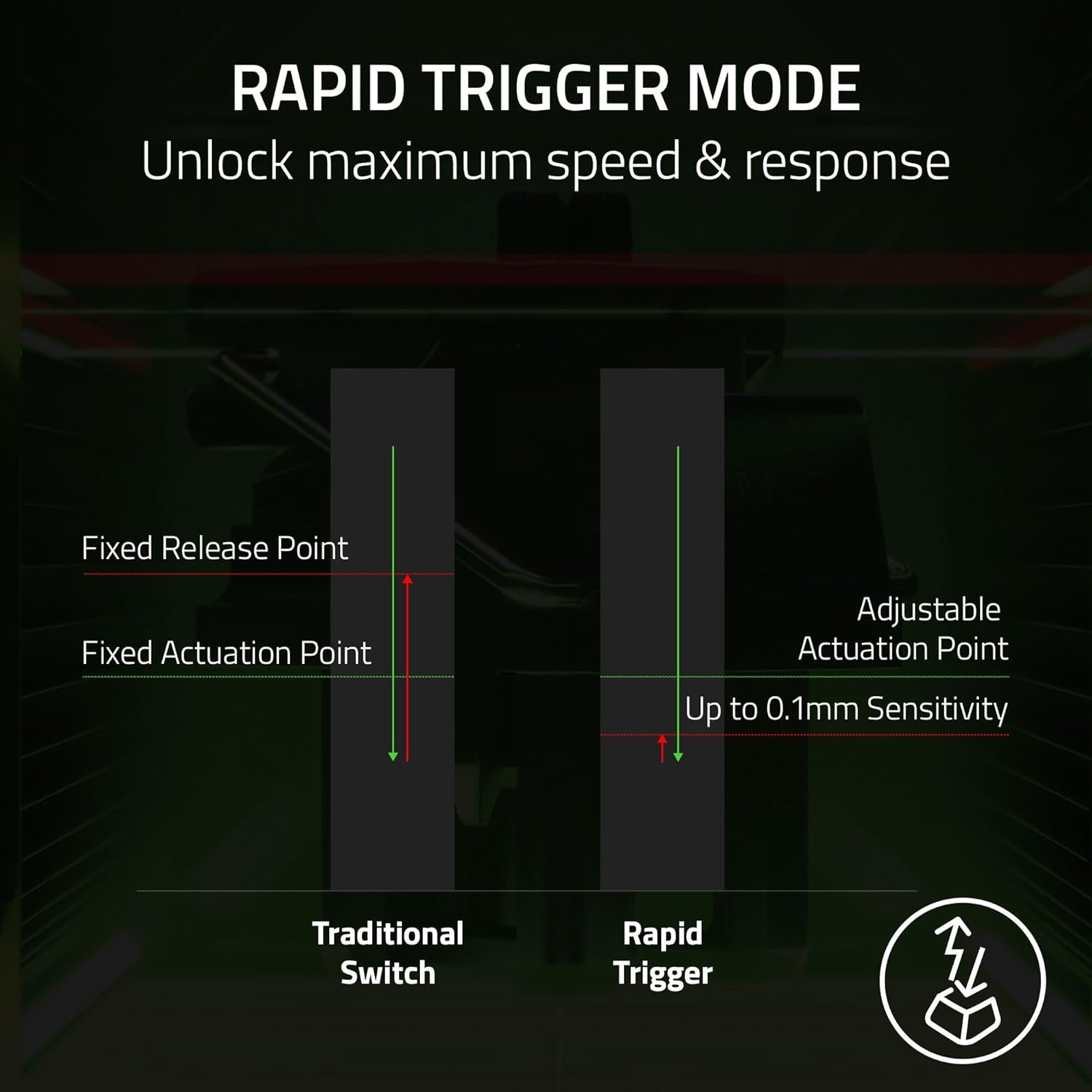
Rapid Trigger goes after responsiveness by resetting keys at the slightest lift. If your playstyle relies on repeated taps and quick stops/starts, this can feel like an upgrade over more traditional mechanical or optical boards—especially for competitive movement.
One limitation to keep in mind: the Snap Tap feature requires the latest firmware update. If you’re buying this to get straight into a match, plan for that setup step.
Tech specs you’ll actually notice
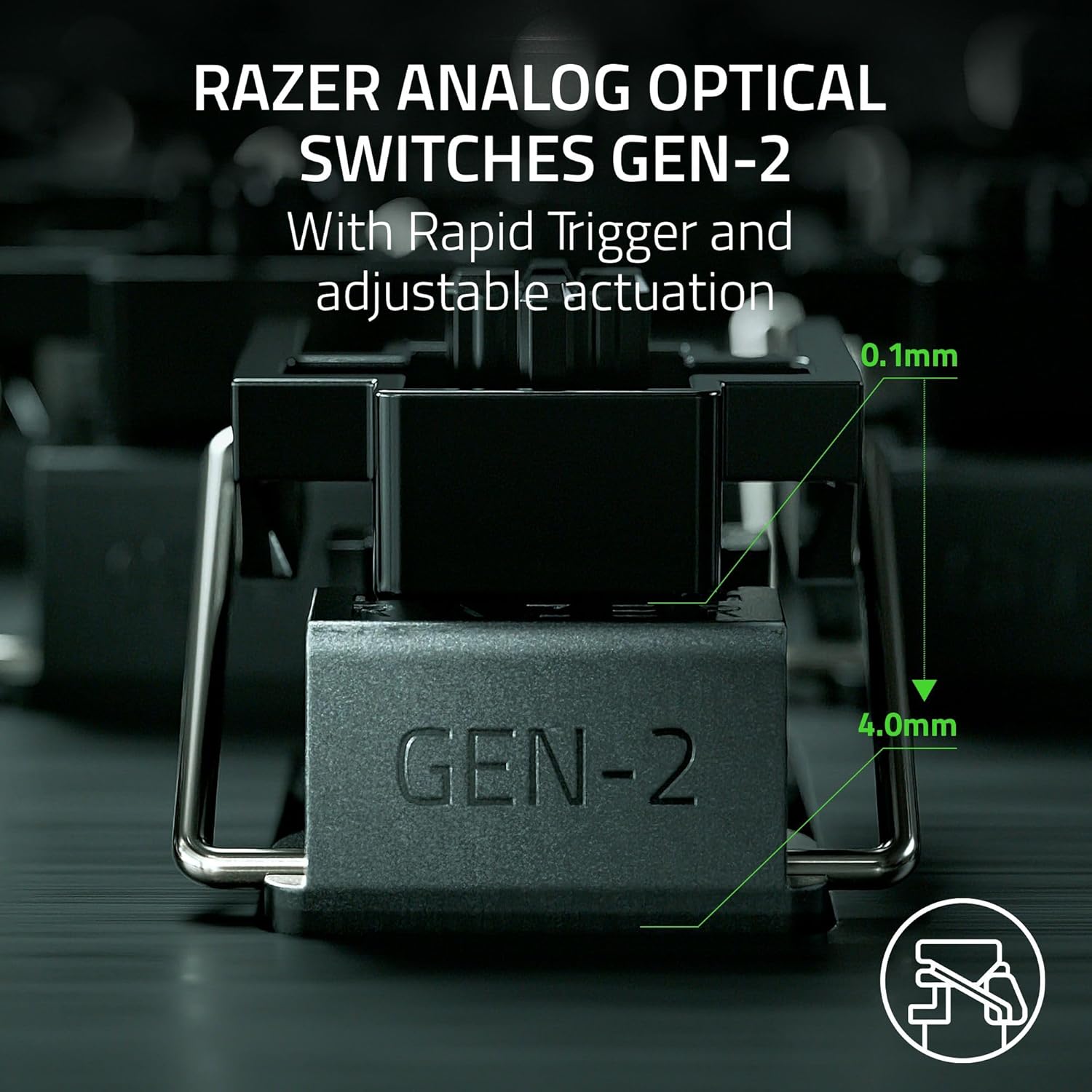
This keyboard uses Razer Analog Optical Switches Gen-2 with an adjustable actuation range (0.1 mm to 4.0 mm). That range is the core of the analog idea: you’re not locked into one activation point, and you can tune how far you need to press before inputs register.
It’s also rated for a 100 million keystroke lifespan (as stated) and supports “quick onboard adjustments” to help modify actuation height and Rapid Trigger sensitivity without software.
If you like the idea of adjusting your feel—rather than relying on one fixed factory profile—this is the kind of board that rewards that approach.
What the onboard controls add to daily use
A lot of high-performance keyboards hide adjustments behind software. Here, the idea is different: you can make precise changes using onboard controls, and the keyboard saves your settings to the keyboard.
The included LED array is meant to act as a visual guide while you adjust actuation height and Rapid Trigger sensitivity. That’s the kind of detail that matters in real sessions—like when you test a movement tweak at the start of a grind session, then want to lock it in without messing around later.
Still, onboard adjustments are powerful, but not magic. If you don’t actually care about tuning actuation feel, you may find the extra complexity unnecessary.
Design and usability details that round it out
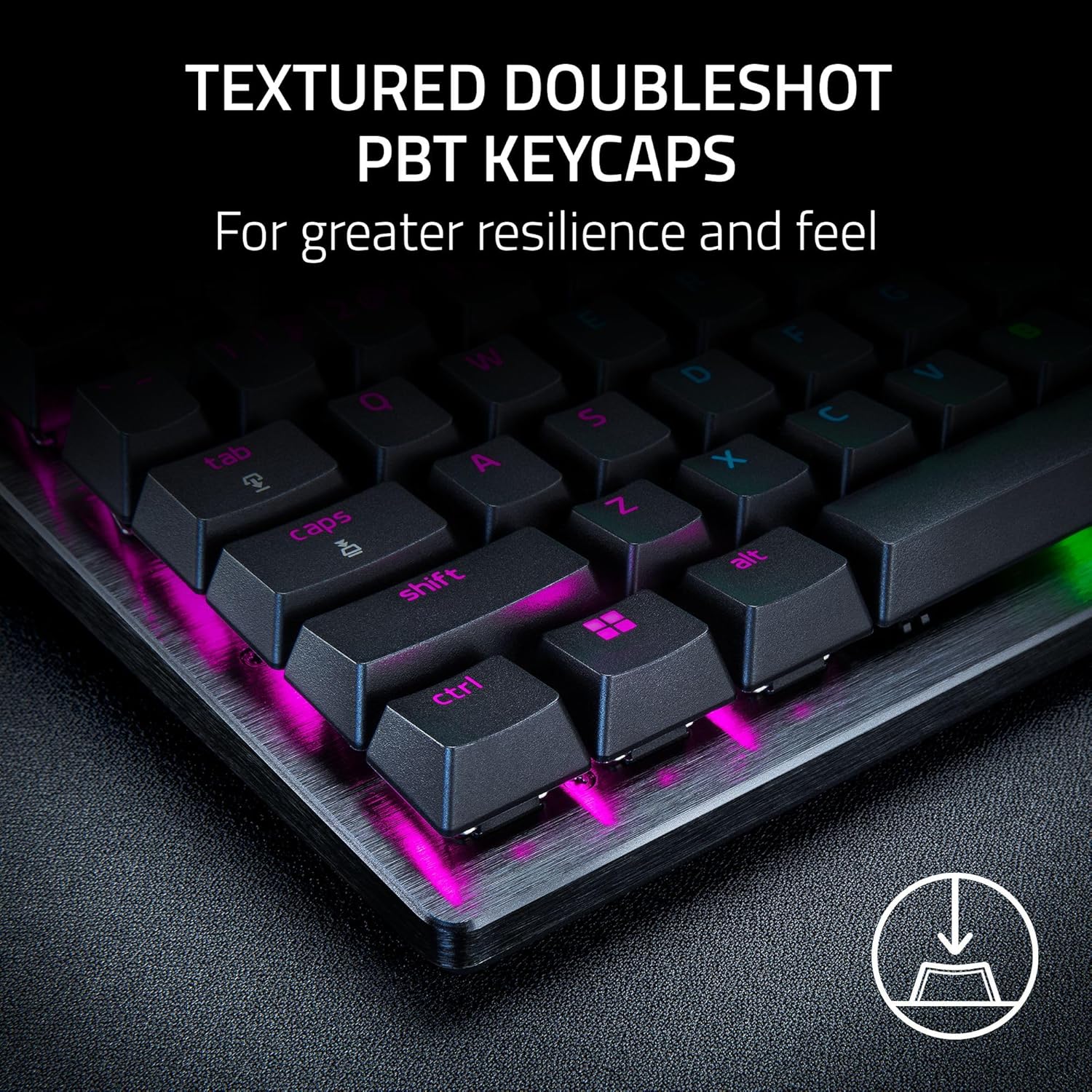
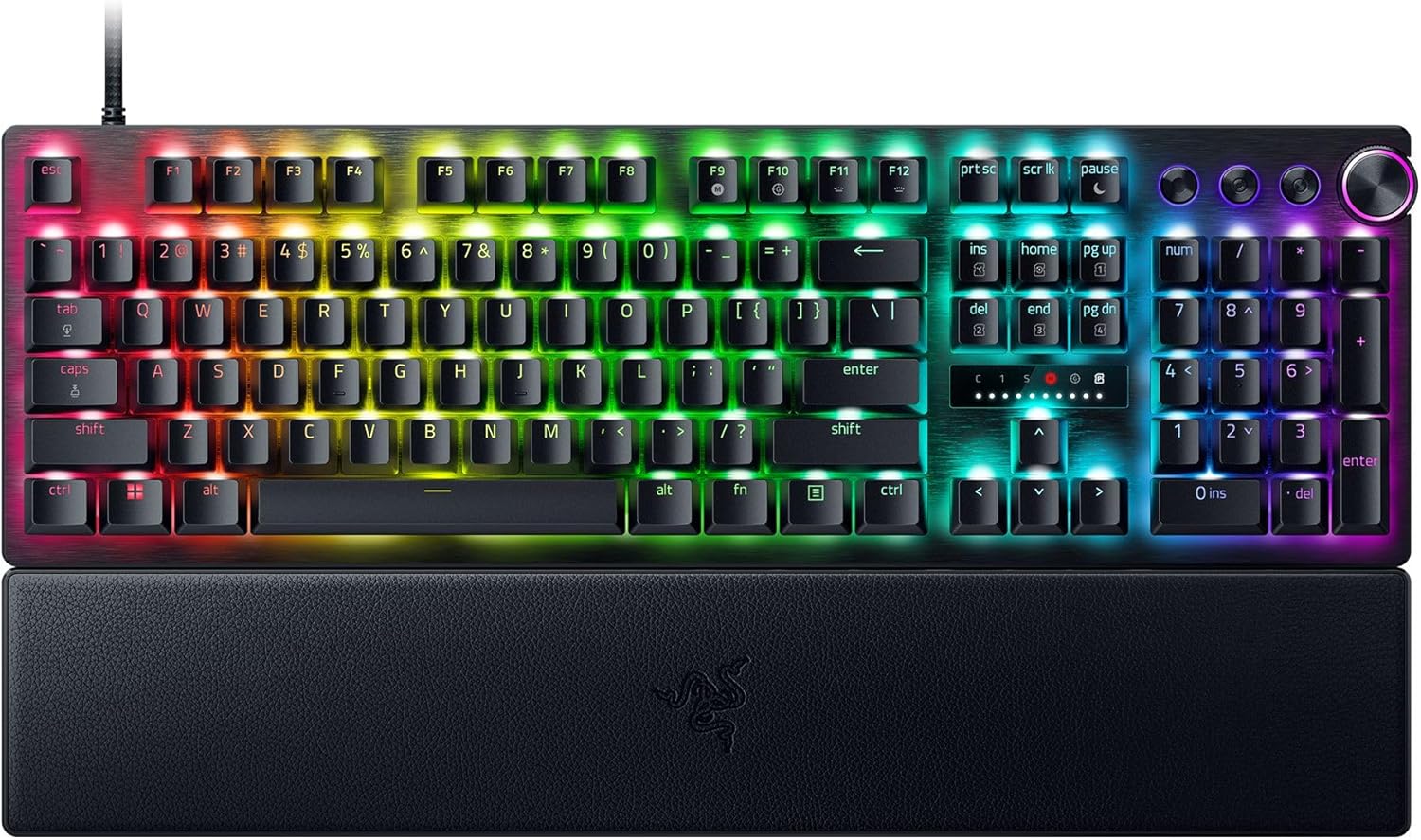
Beyond the movement-focused features, you also get media keys and a dial for control, plus doubleshot PBT keycaps and a wrist rest.
The wrist rest is a practical inclusion for longer sessions—especially if you play extended aim/movement practice. Doubleshot PBT keycaps also suggest a focus on durability for the kind of heavy everyday use esports players tend to put on gear.
Where it can fall short is simple: this keyboard is built around advanced response features. If you mainly want a comfortable RGB board for casual play, you may not take full advantage of the analog and Rapid Trigger setup.
Mini FAQ
Do I need software to adjust actuation and Rapid Trigger?
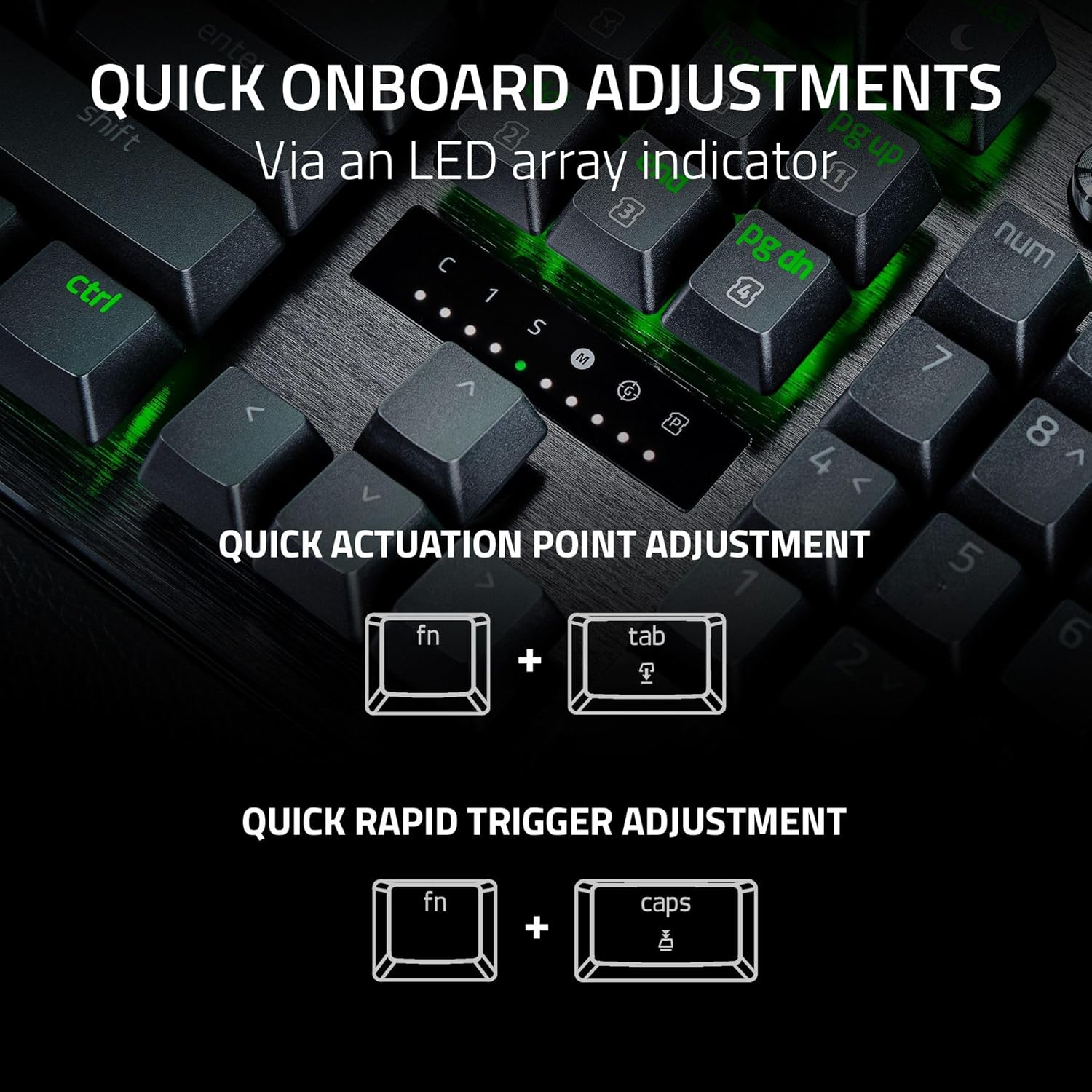
No. The keyboard supports quick onboard adjustments, and it’s designed to save those settings to the keyboard without requiring software.
What is Razer Snap Tap meant to solve?
It’s designed to prioritize the latest input between two selected keys without needing to release the previous one—aimed at more responsive directional changes for FPS movement.
Does Rapid Trigger reset keys quickly?
Yes, the feature is described as resetting keys at the slightest lift of a finger, which is intended to improve responsiveness.
Is firmware required for Snap Tap?
Yes, the provided details note that the latest firmware update is required for Razer Snap Tap.
When it makes sense?
Buy it if you’re an FPS player who cares about input feel, movement timing, and fast repeated actions, and you’re willing to tune actuation and Rapid Trigger sensitivity. The adjustable analog actuation range and onboard LED-guided adjustments fit well if you prefer making changes yourself, not waiting on software profiles.
Skip it if you want a simple plug-and-play gaming keyboard or if you’re unlikely to use (or tune) Rapid Trigger and Snap Tap. Also, if you’d rather avoid a firmware update step right after buying, take that into account.
If you’re shopping for “just a good keyboard,” this one is more of a specialized, settings-driven option—built for players who want their controls to feel tighter and faster, not just louder or flashier.