

AULA Wireless Mechanical Keyboard F99 Pro
Product description
For people who want a quieter mechanical keyboard for work, study, or gaming, the AULA F99 Pro combines wireless flexibility with a number pad and arrow keys.
Its 96% layout keeps those dedicated keys while taking a more compact approach than a full-size keyboard. That can help when desk space matters but a numpad still earns its place.
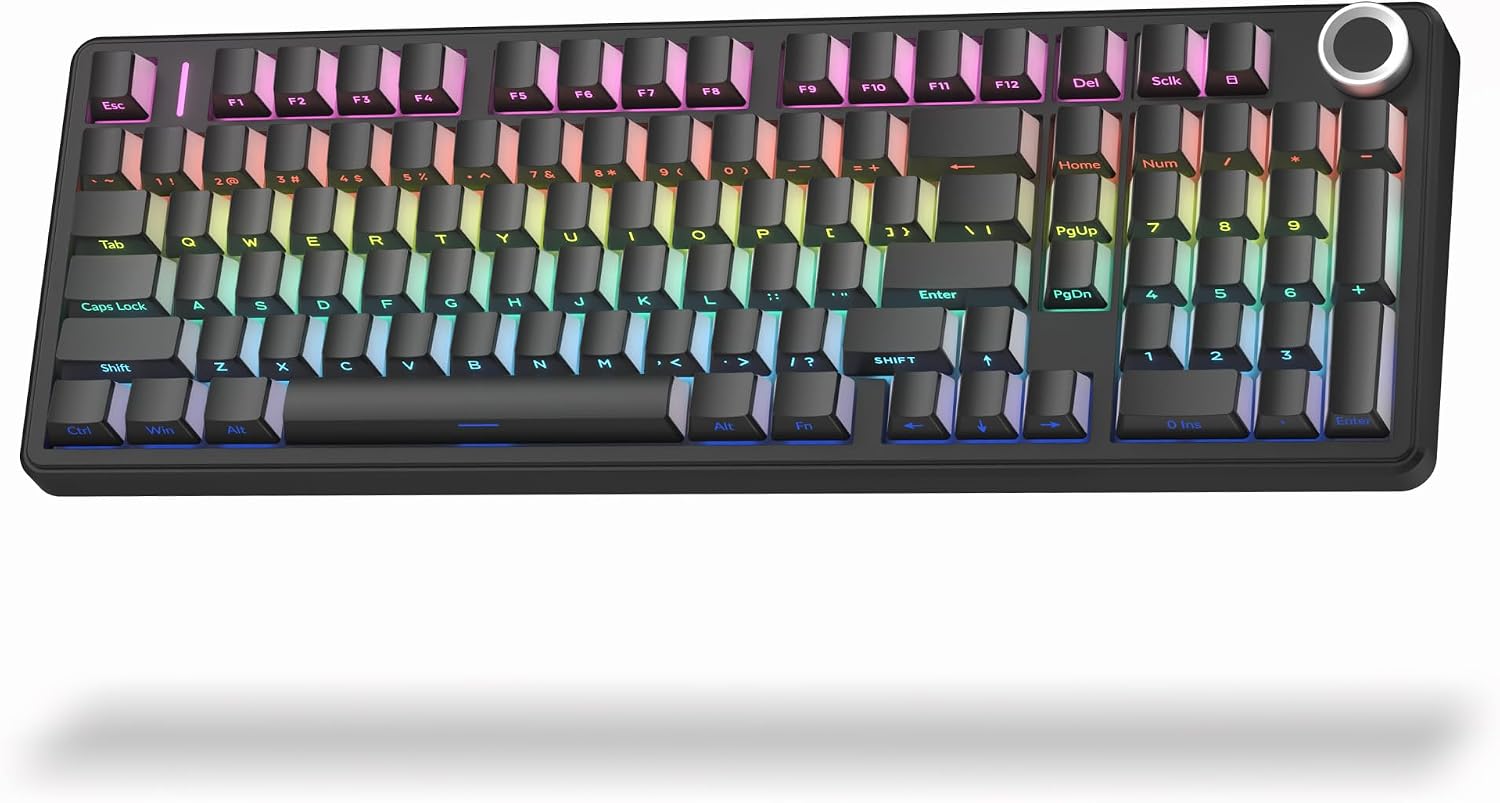
The main trade-off is that compact does not mean small: this layout retains more keys than a minimalist board, and the description does not give its physical dimensions.
Technical details
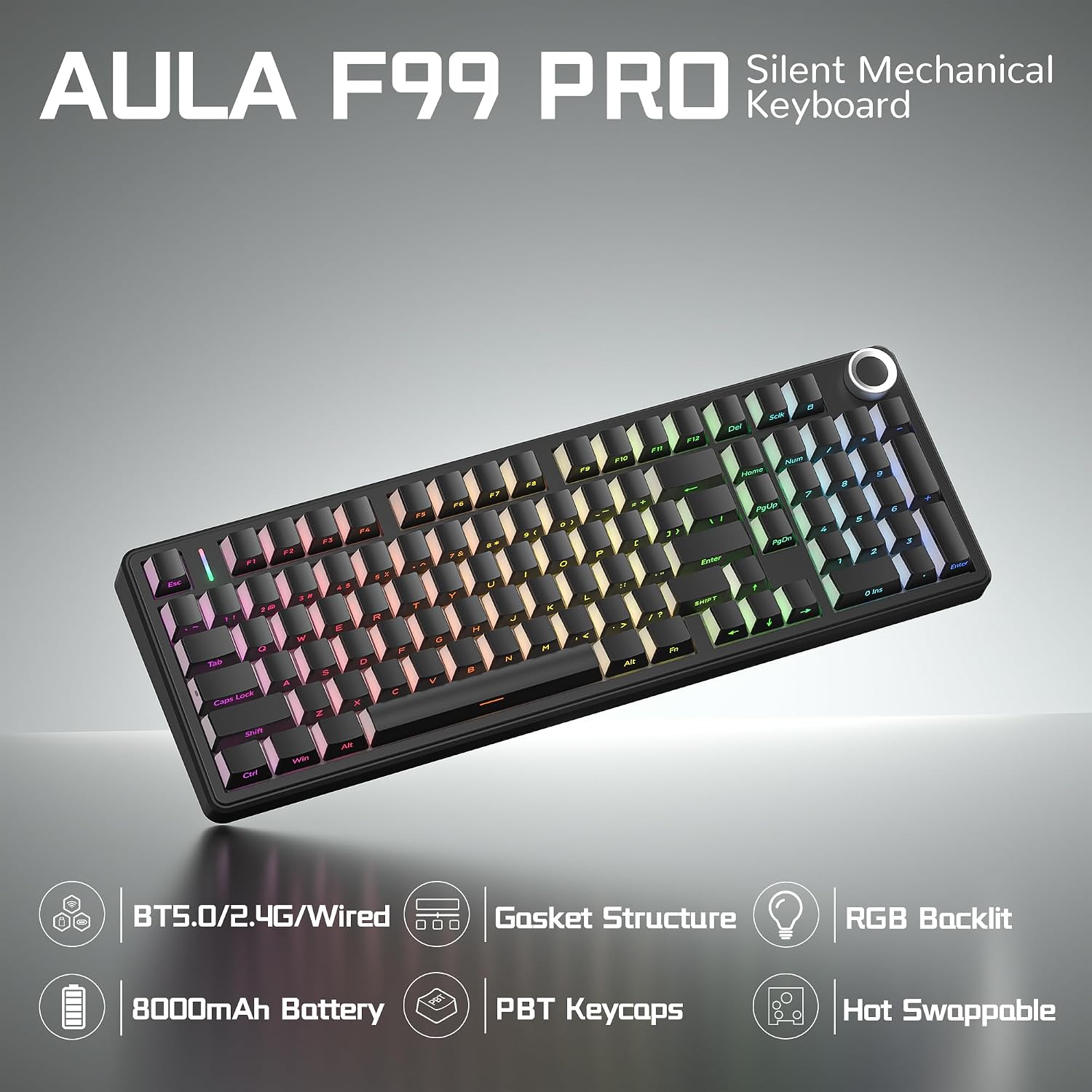
The F99 Pro connects by Bluetooth 5.0, 2.4 GHz wireless, or USB-C wired. It can pair with up to five devices, with switching through FN shortcuts or a side button. The listed compatible devices include PCs, laptops, tablets, gaming consoles, and phones, specific console models are not named.
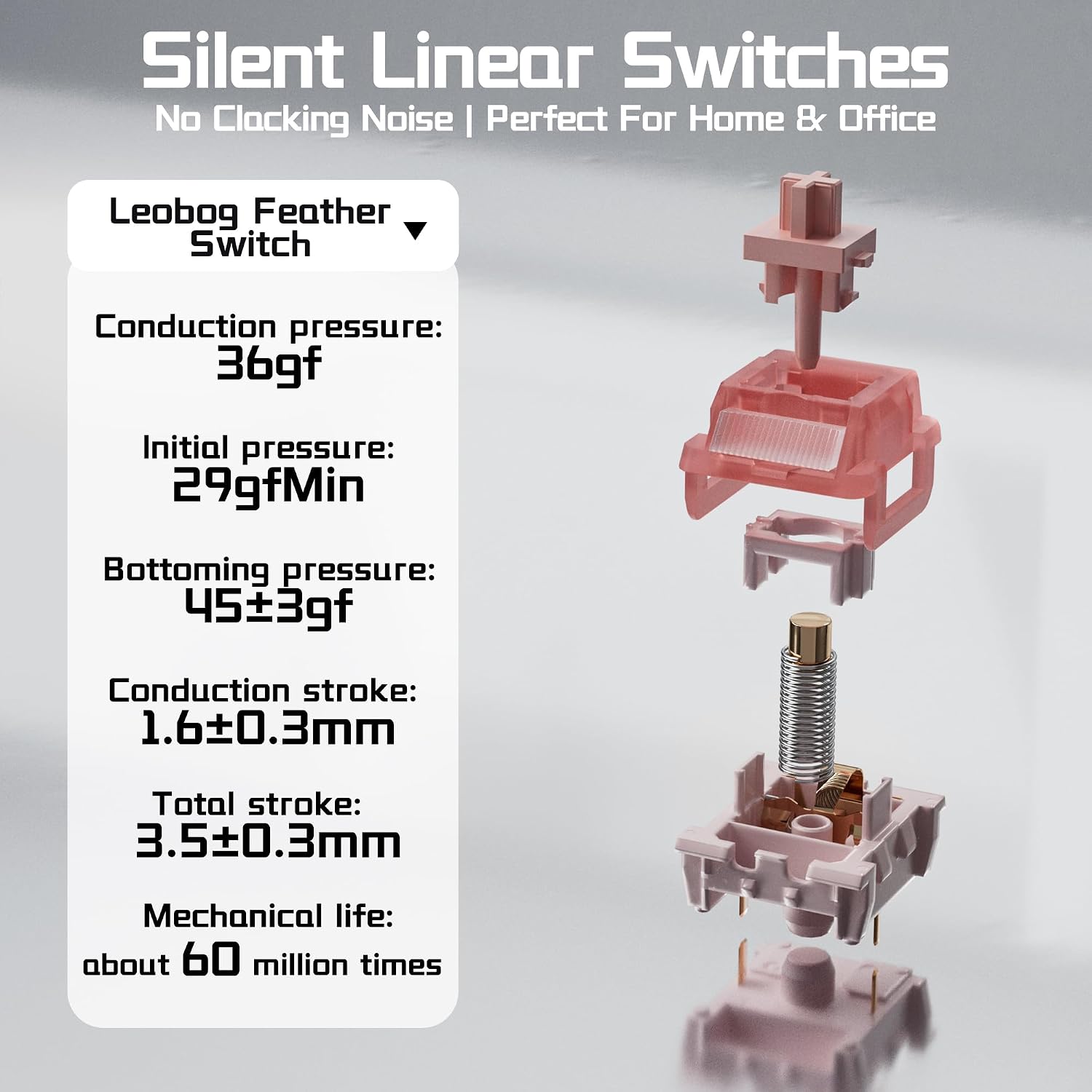
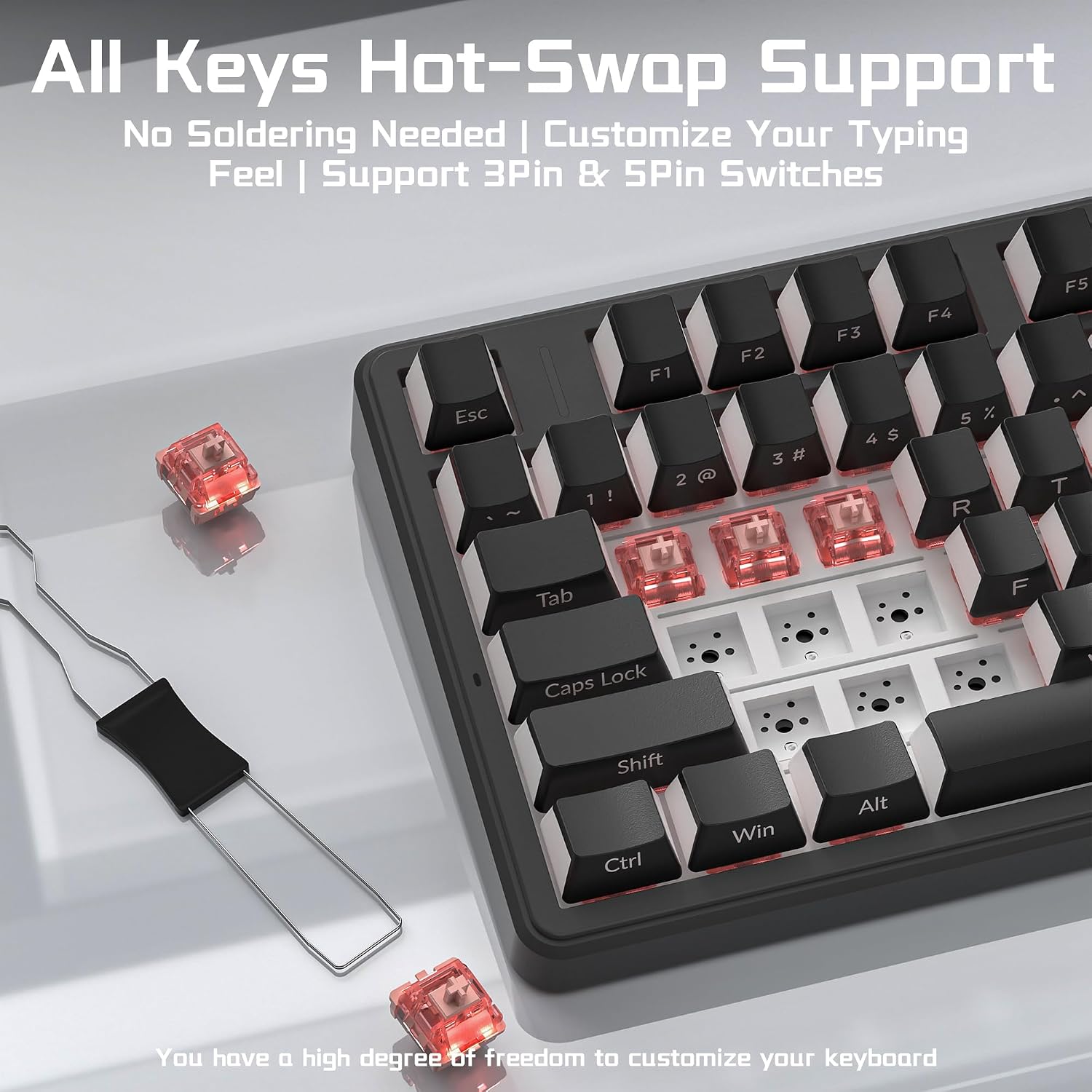
It uses factory-lubed silent linear switches and a gasket-mounted structure, with five layers of internal filling intended to reduce cavity echo. The switches are hot-swappable without soldering and support both 3-pin and 5-pin options. That gives you room to change switches later, though the keyboard’s quiet character depends in part on the switches you choose.
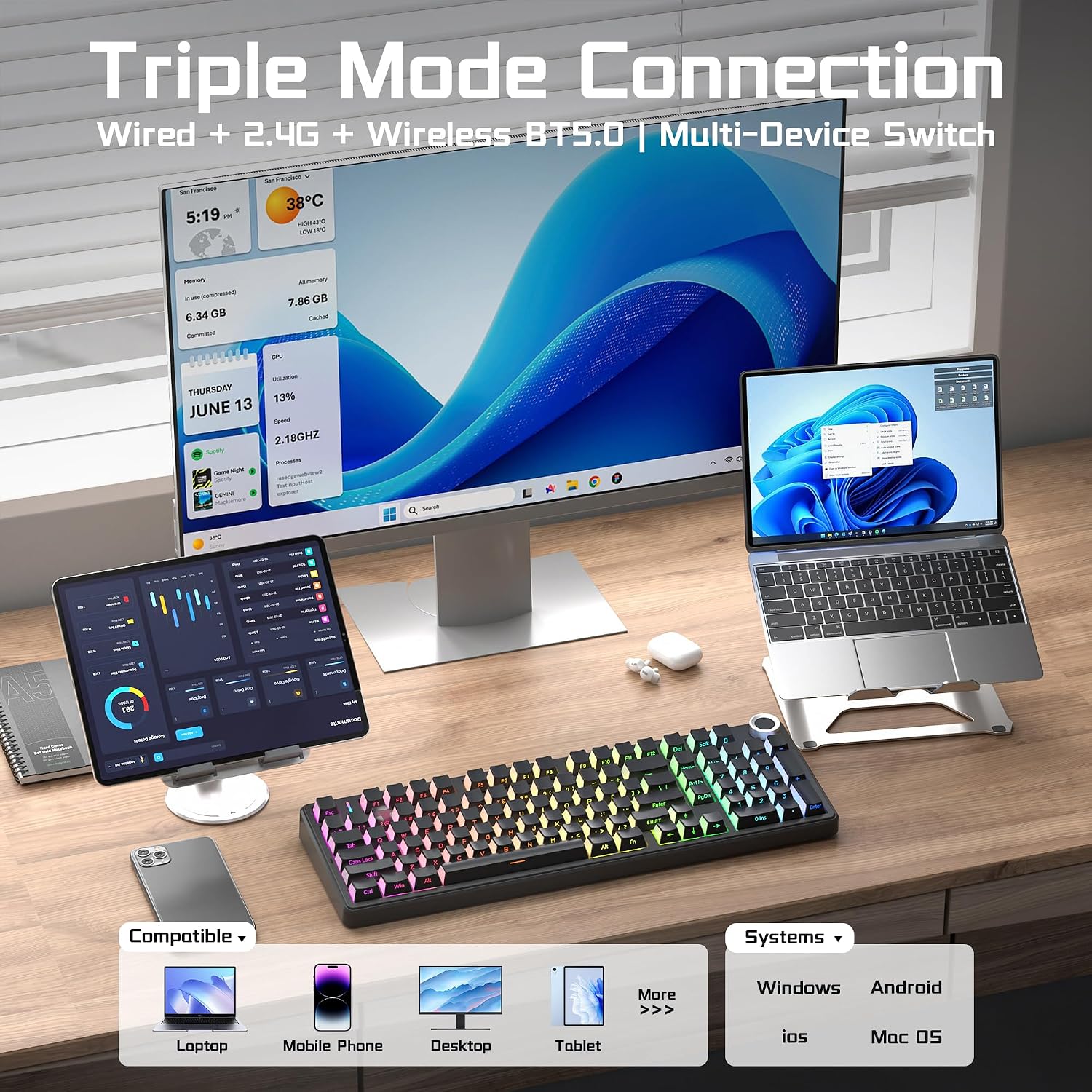
Other listed features include RGB lighting with 16 effects, music-rhythm modes, macro recording and editing through the driver, and N-key rollover. The multifunction knob can control brightness or lighting effects, or handle volume and media playback after switching modes. Side-printed PBT keycaps let the RGB lighting shine through. The rechargeable battery is rated at 8000mAh, but no runtime is provided.
Getting the most from it
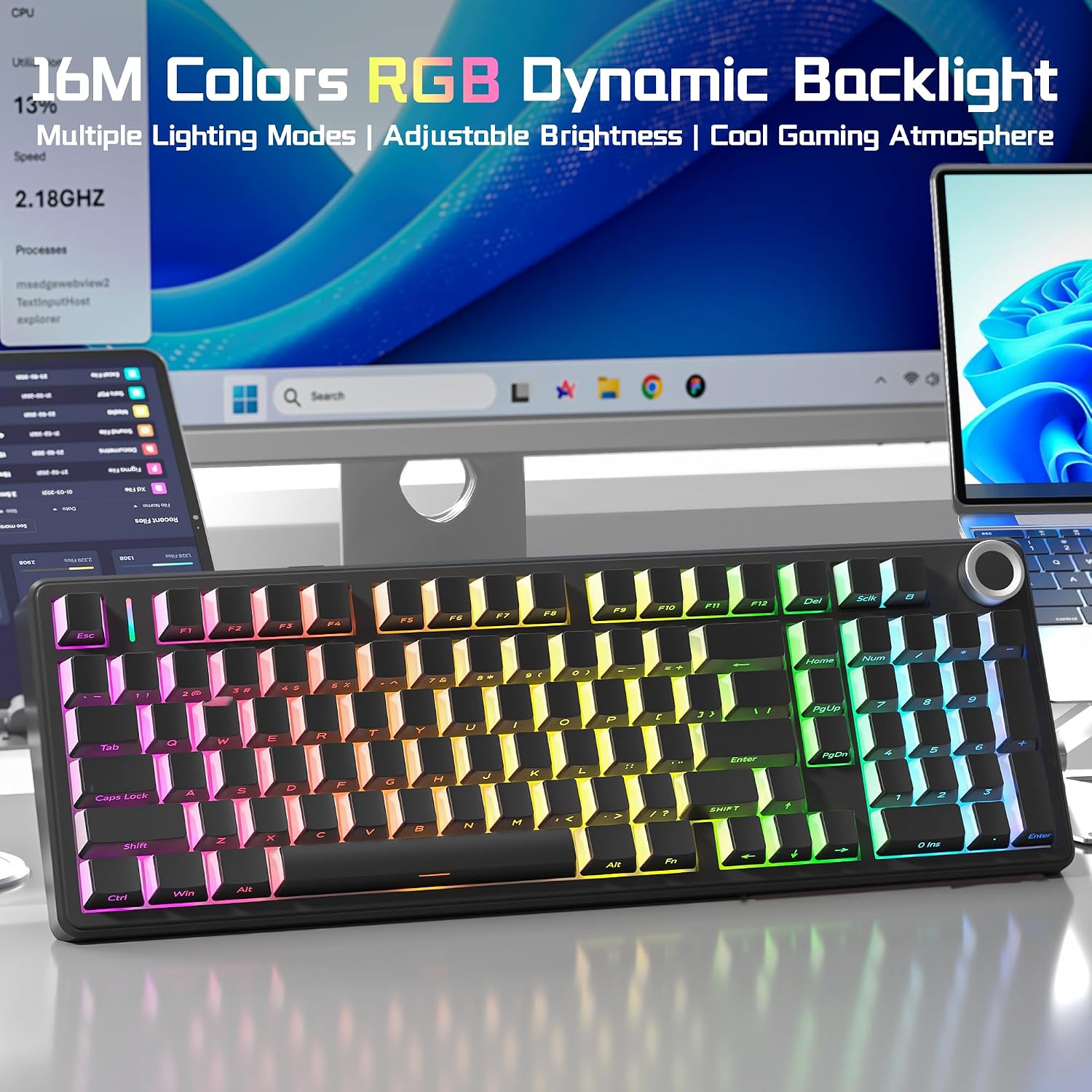
Use the three connection modes to move between a desk setup and other devices, then switch among paired devices with the keyboard’s shortcuts or side button. For example, you could type on a computer over USB-C and switch to a paired tablet for notes without giving up the numpad for data entry.
The knob has separate lighting and multimedia modes, a five-second press switches between them. RGB effects, macros, and key-function customization are available through the driver, so those options are better suited to someone willing to configure software than to a plug-and-play-only setup. It suits you if you want one keyboard for quieter typing and occasional gaming, with both wireless and wired connection choices.
Usage tips
Start with the supplied switches before deciding whether to customize the board. If you do swap them, the hot-swap design avoids soldering, but check that replacements are 3-pin or 5-pin. Keep the knob’s mode in mind if a turn changes lighting when you expected to adjust volume.
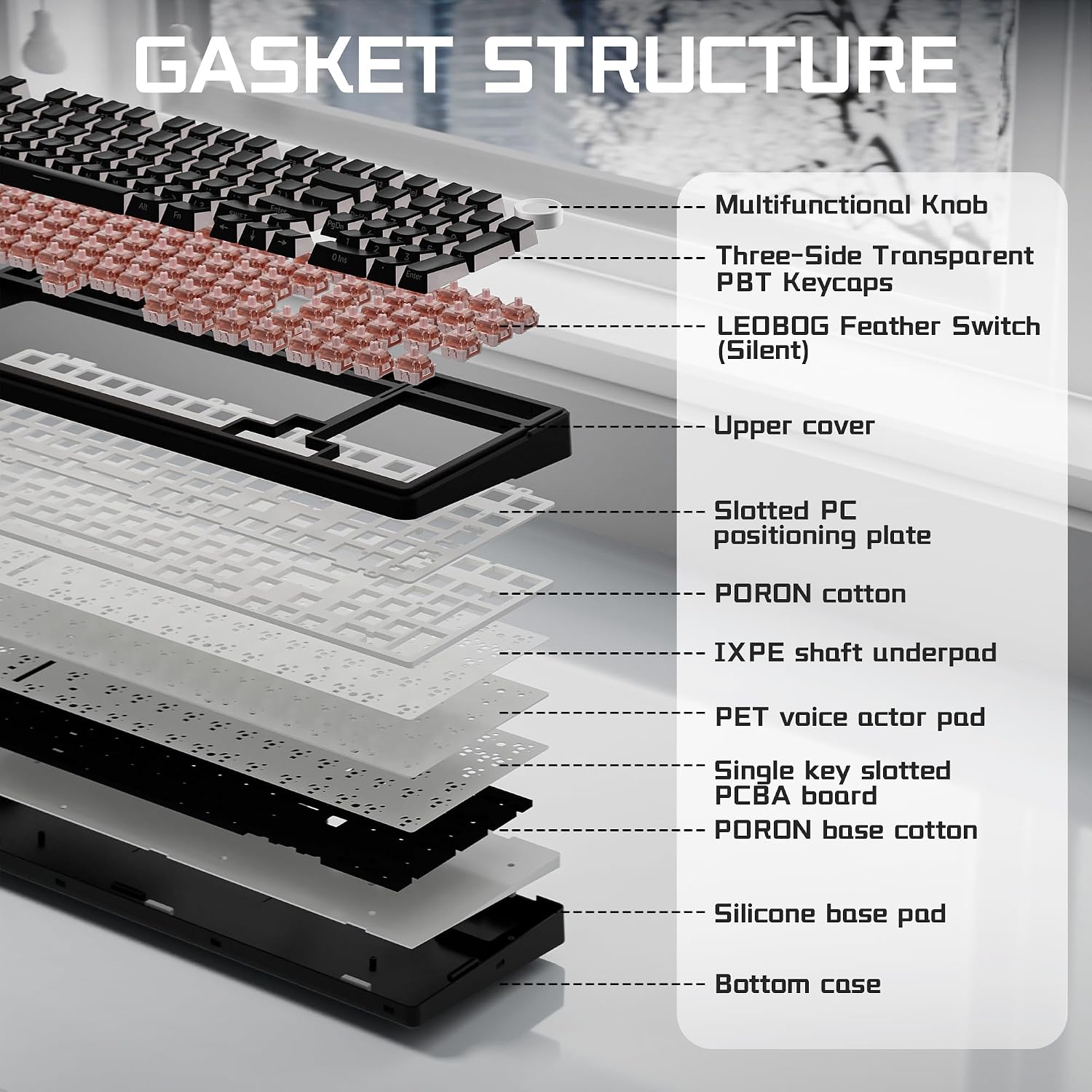
For shared spaces, the silent linear switches and internal dampening are aimed at reducing typing noise, not eliminating it. Not the best choice if you need a confirmed battery runtime, exact dimensions, or a specific console compatibility list before buying.
Questions before you buy
Does it include a number pad? Yes. The 96% layout retains a numpad and arrow keys.
Can you connect it without a cable? Yes. Bluetooth 5.0 and 2.4 GHz wireless are listed alongside USB-C wired use.
Can the switches be changed? Yes. It is hot-swappable and supports 3-pin and 5-pin switches without soldering.
Is it worth it?
The F99 Pro makes sense if you want a mechanical keyboard that pairs quieter switches and sound-dampening construction with a numpad, a multifunction knob, and several connection options. Compared with a simpler office keyboard, it offers switch customization, RGB controls, and gaming-focused N-key rollover, compared with a full-size board, its 96% layout aims to use less desk space while keeping number entry practical.
The limitation is missing detail where some buyers need certainty: battery runtime and physical dimensions are not stated, and console compatibility is not specific. Choose it when its feature mix and compact-with-numpad layout match your setup, look elsewhere if those unknowns are deal-breakers.