

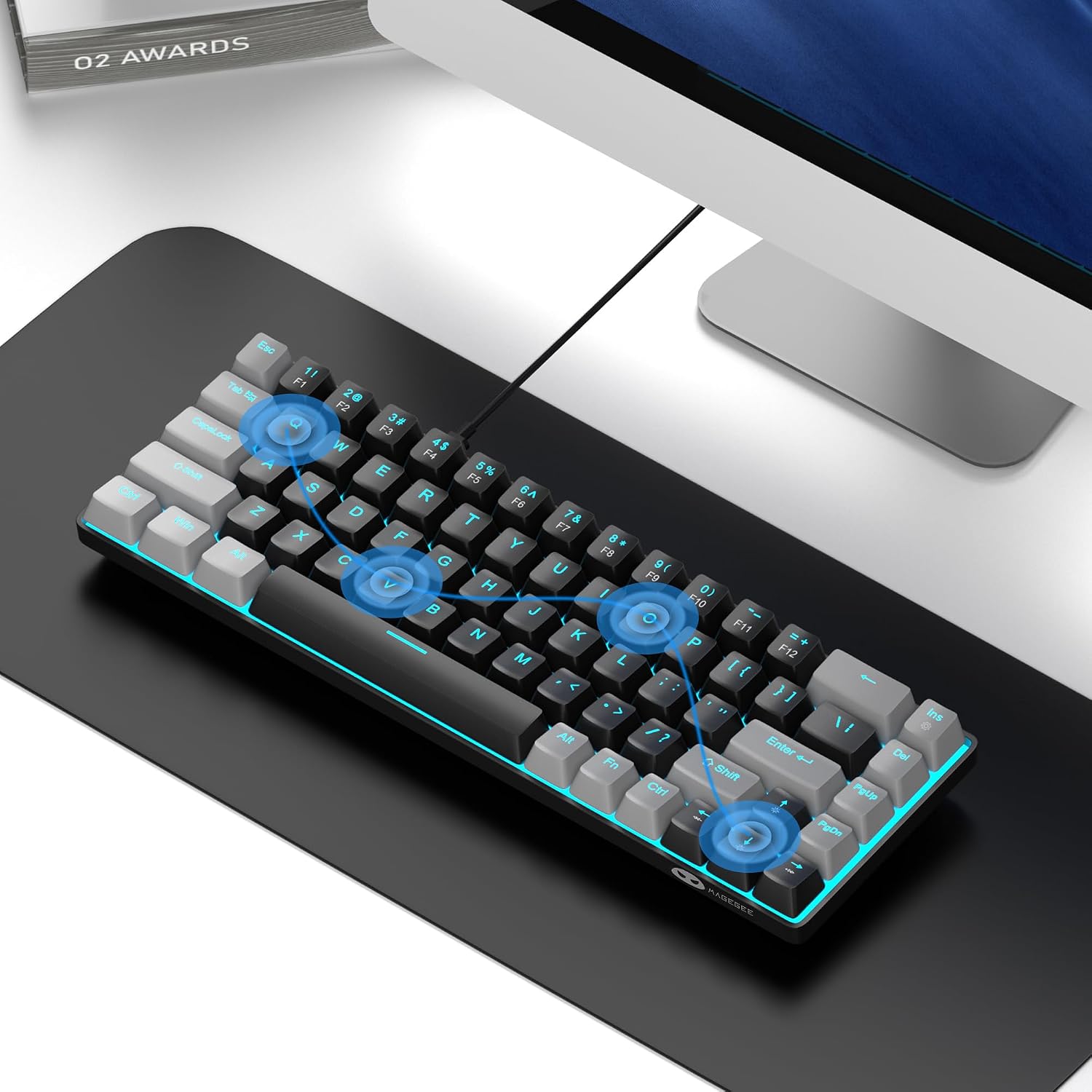
MageGee MK-Box 60% Mechanical Keyboard (68-Key) with Red Linear Switches and LED Backlight
Product description
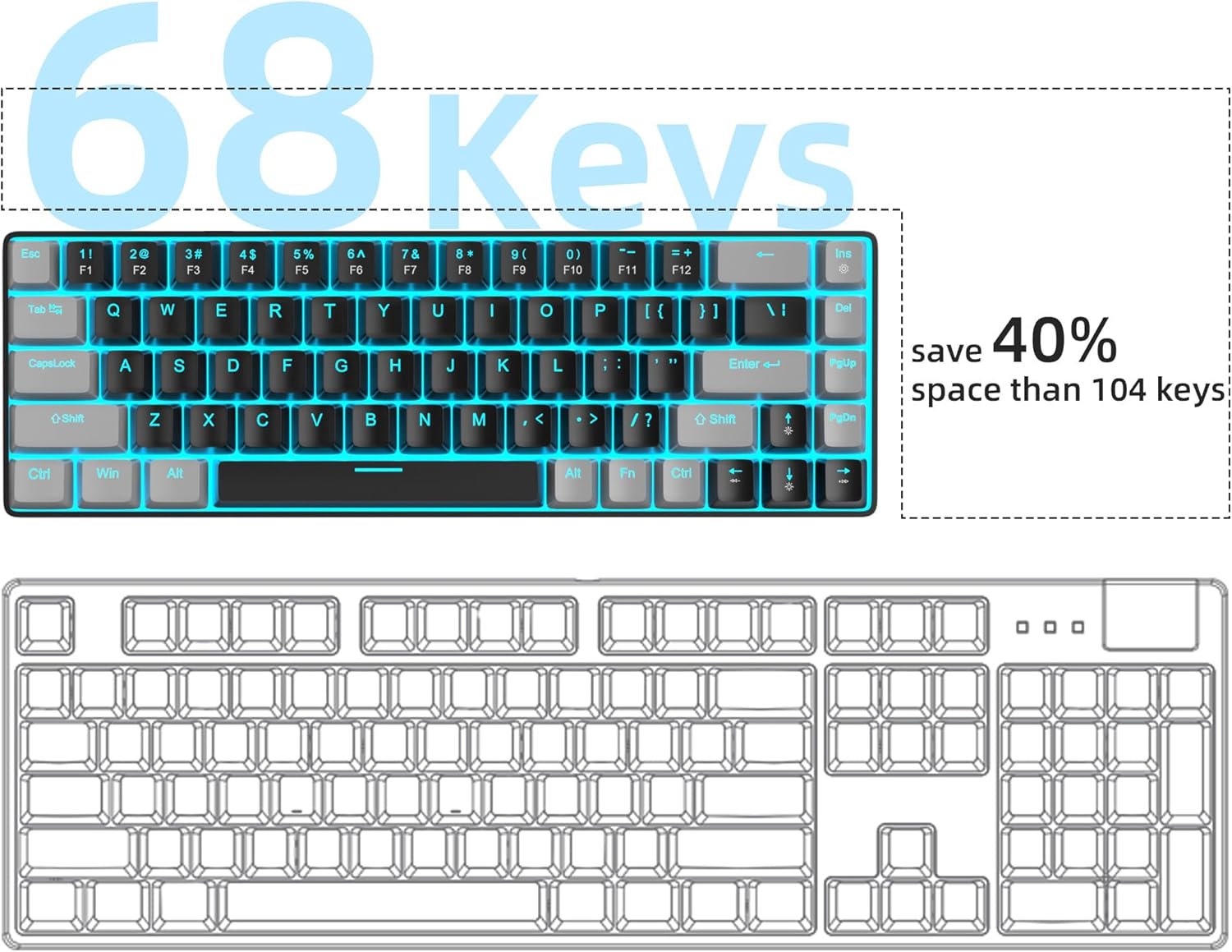
If your desk feels crowded, a 60% layout can be a breath of fresh air. The MageGee MK-Box is a portable 68-key mechanical keyboard designed to save space while still keeping essentials like arrow keys and F1–F12, plus dedicated Fn controls. On paper, it’s the kind of keyboard you can use for both gaming and everyday work without dedicating a whole footprint to it.
That said, it’s not trying to be a workstation keyboard with every last feature. It leans compact and straightforward. If you like simple, fast linear switches and adjustable lighting effects, this one is worth a closer look—just don’t expect tactile “bumps” from the red switches.
The essentials: what the MK-Box is built for
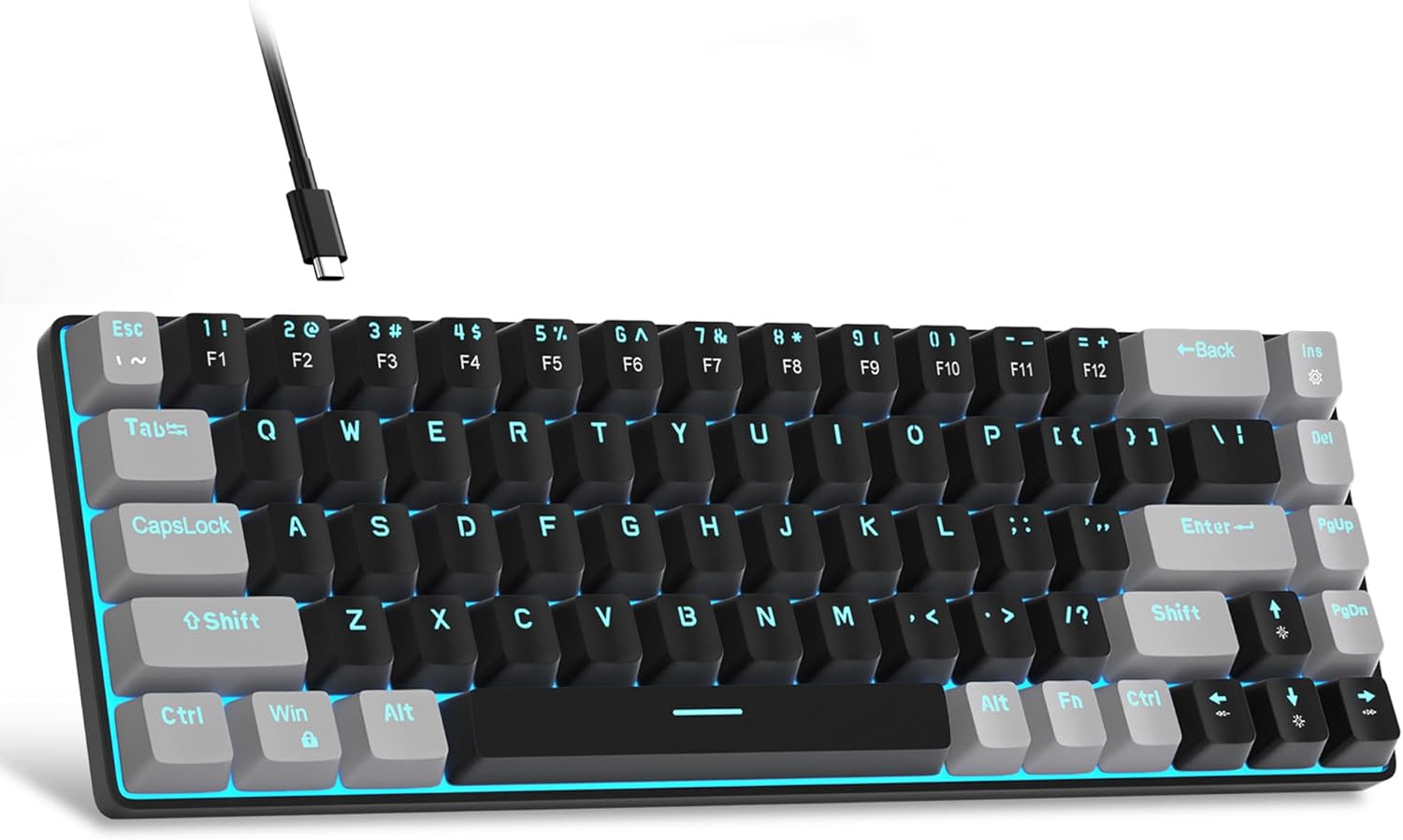
The MK-Box is a compact 60% mechanical keyboard with 68 keys. The layout keeps arrow keys and F1–F12 available, so you don’t have to rely only on layered functions for common shortcuts. For gaming or office work, that matters more than it sounds: it can reduce the mental overhead of figuring out what you need mid-session.
It’s also meant to travel. The “mini portable” design focuses on saving space, pairing well with a laptop setup or a smaller desk. If you regularly switch between a home PC and a work computer, the cable and plug-and-play approach is meant to keep things hassle-free.
What stands out in use (and what to watch)
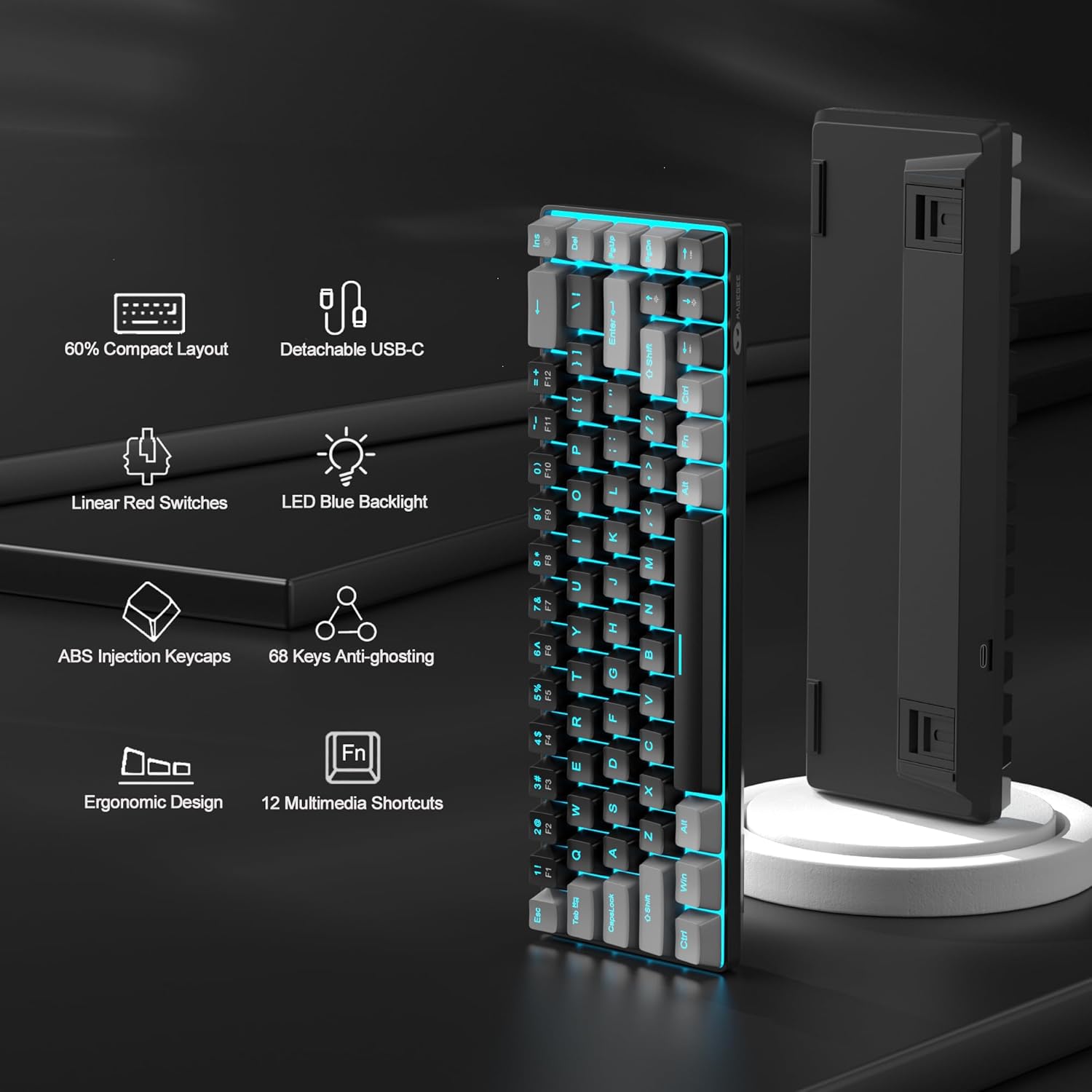
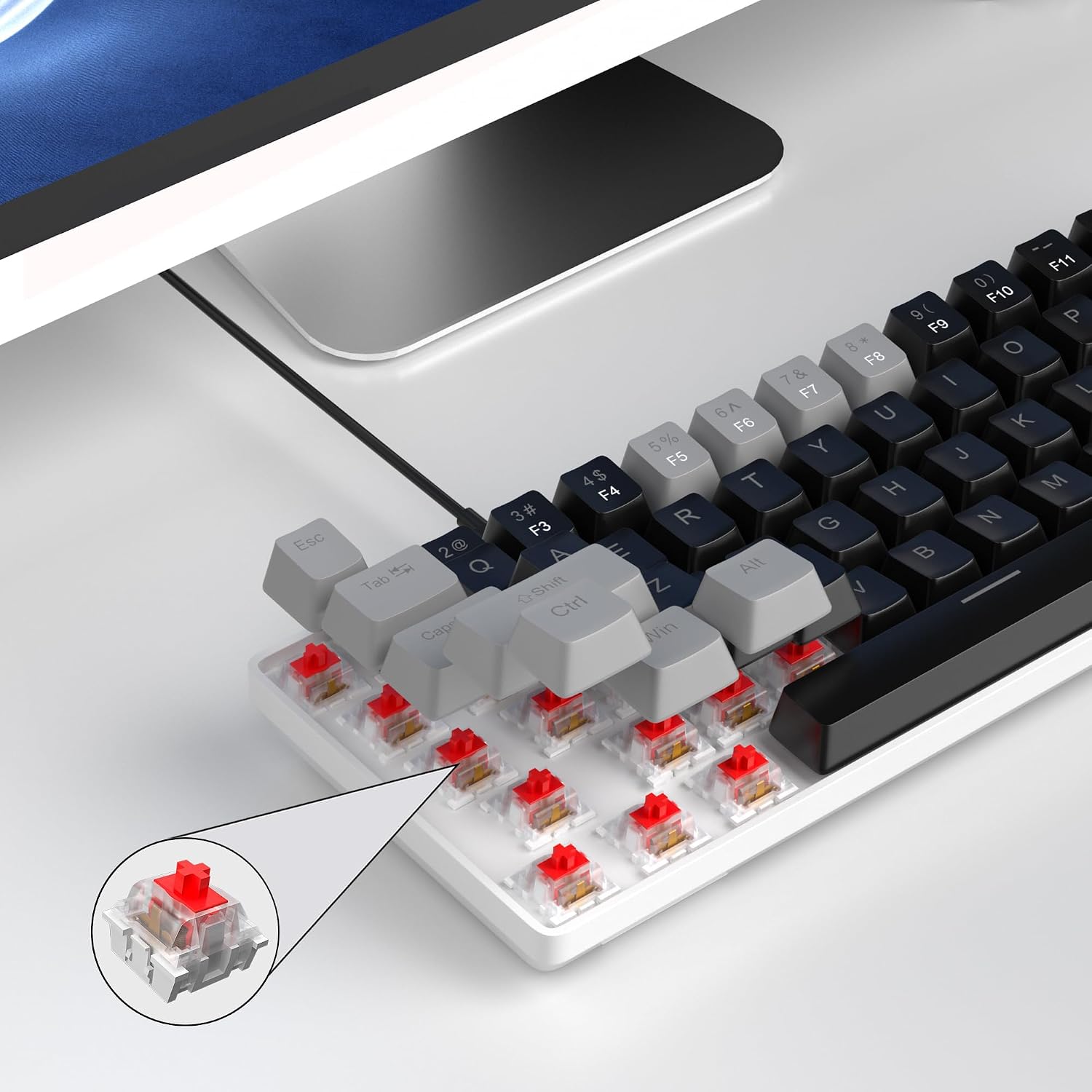
The most noticeable choice here is the mechanical red switch style. The description frames these switches as linear and smoother, with minimal resistance and fast action—more about quick taps than tactile feedback. In practical terms, that can feel good for light, fast input (like rhythm-style tapping, quick edits, or repeated shortcuts).
However, if you strongly prefer the “bump” and more tactile rhythm that some switch types deliver, you may find red linear switches a bit too smooth. It’s also described as having only a slight key sound with no “paragraph sense,” which suggests a mild sound profile—but without more detail, you should treat this as a “likely not overly loud” situation rather than a guarantee.
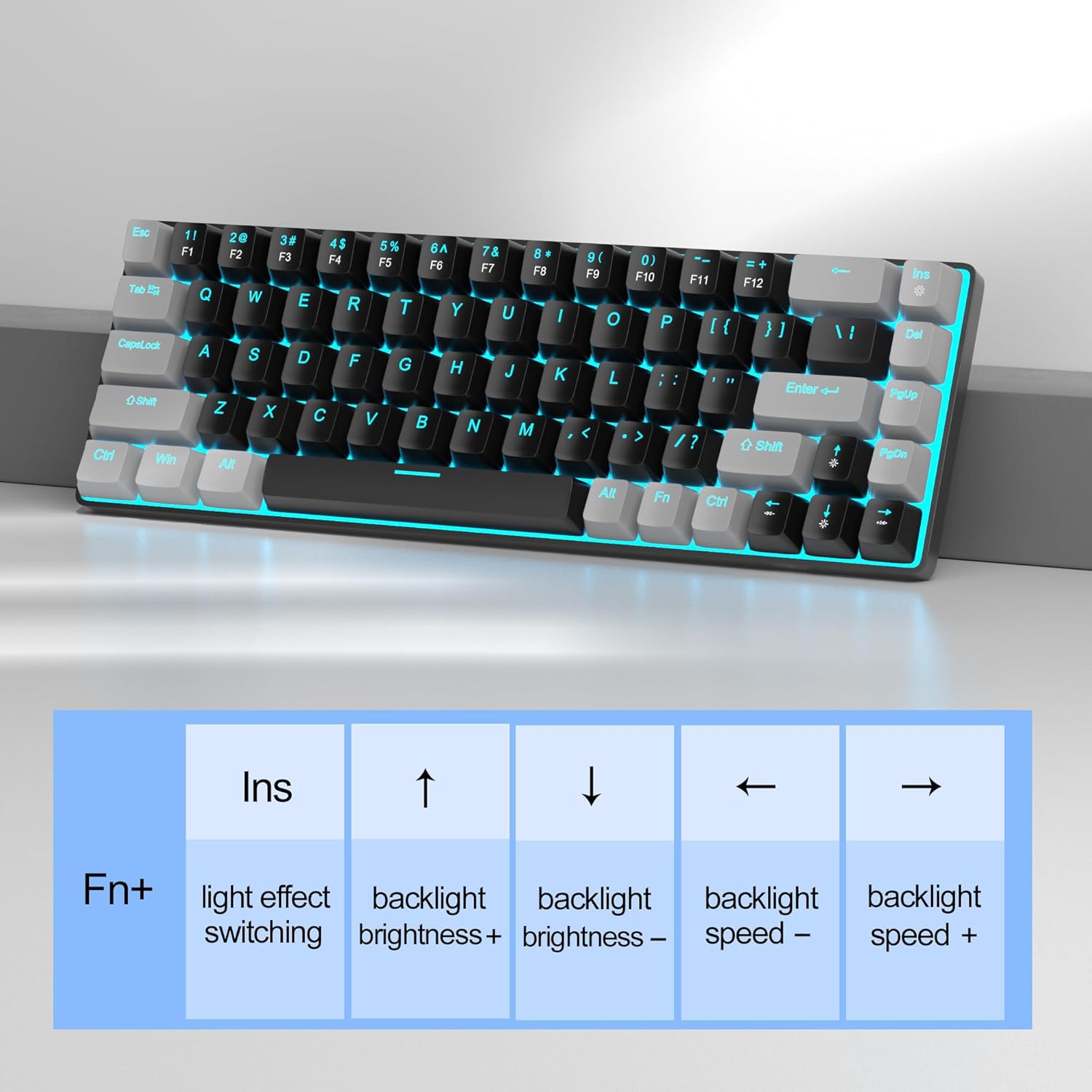
There’s another tradeoff typical of compact boards: Fn layering. The MK-Box includes Fn function keys, and lighting controls are mapped through Fn combinations. That’s normal for this form factor, but if you want every setting exposed with dedicated keys, a larger full-size layout is usually more convenient.
LED backlight effects: cute, but controllable
The MK-Box comes with classic blue LED backlighting and supports multiple illumination modes (about 16). If you like changing your keyboard’s vibe, you can control effects and speed/brightness via Fn key combinations (for example, Fn + Ins for mode control, Fn + Left/Right for speed, and Fn + Up/Down for brightness).
It’s a nice touch for desk aesthetics and can make the keyboard easier to spot in dim rooms. Still, if you’d rather have minimal distraction, you’ll likely end up using fewer modes or setting a fixed brightness—because the best lighting experience depends on how much you’ll actually tweak.
Layout and key feel: compact, with arrow and F keys separated
A big reason people buy compact boards is to get more usable desk space without giving up core functions. The MK-Box keeps arrow keys and separates F1–F12 from the rest, while still using Fn for additional tasks.
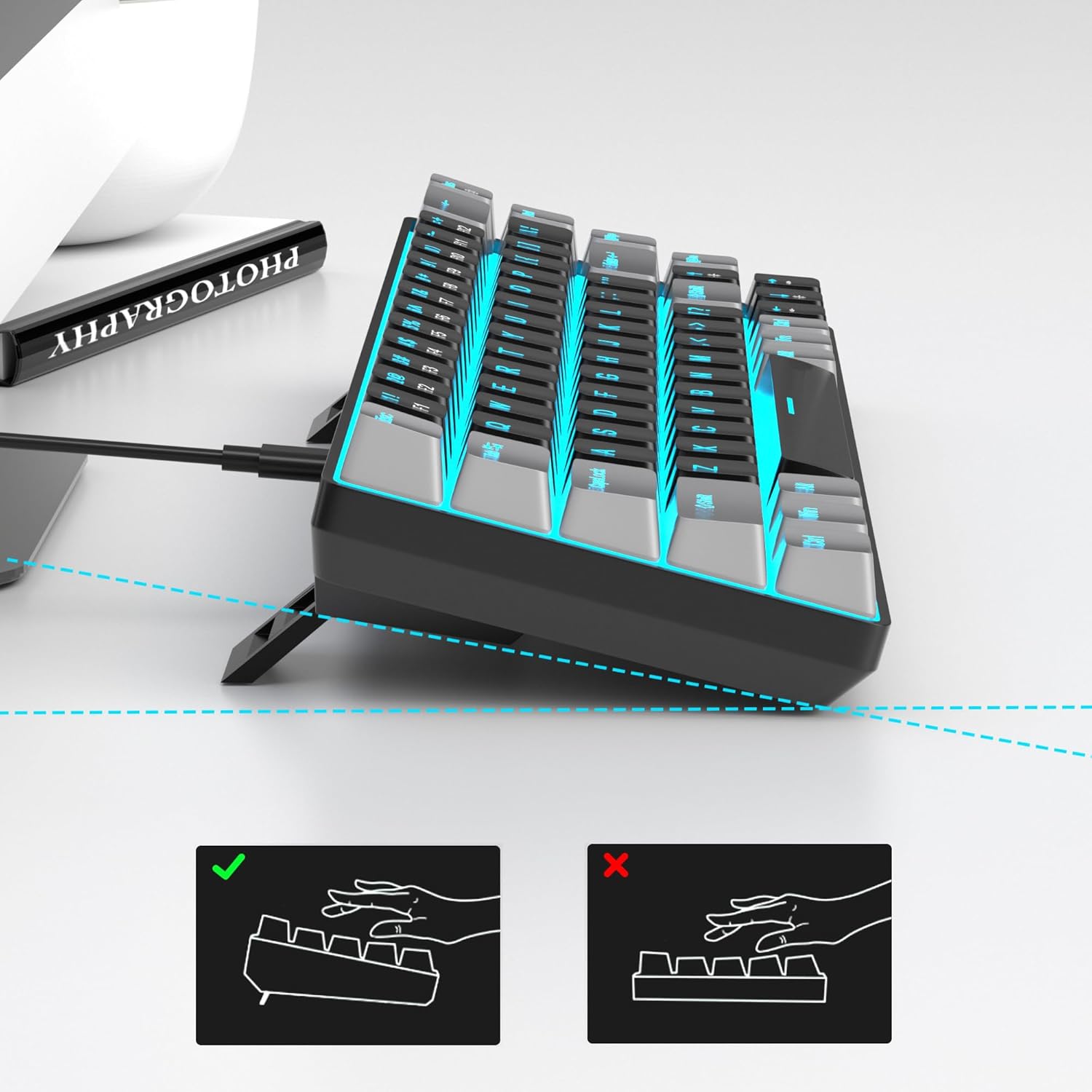
The description also mentions ergonomic double kickstand feet with an adjustable typing angle, plus double-color injection keycaps (black/grey/red “mash up” design). There’s also an included detachable USB cable, which helps with portability and cable management.
Compatibility and connectivity: simple plug-and-play
The MK-Box uses a USB 2.0 connector for connectivity, described as compatible with Windows (2000, XP, ME, Vista, 7, 8), Linux, and Mac, with plug-and-play behavior and no drivers or software required. For buyers, that’s the main practical benefit: fewer setup steps and less friction when moving between systems.
One note to keep in mind: the listing describes compatibility broadly across operating systems, but it doesn’t spell out specific Mac hardware generations or any macOS version details. If you’re on a very specific setup, it’s still worth verifying your device supports standard USB keyboard input.
Tech specs
- Name: MageGee MK-Box
- Type: Mechanical keyboard (portable 60% form factor)
- Format: 60% layout with 68 keys
- Size: Compact / mini portable
- Capacity: 68 keys
- Material: Double-color injection keycap design (black/grey/red)
- Color: Black and grey with red switch/cap styling
- Display: Blue LED backlight
- Processor: Not specified
- Memory: Not specified
What’s included (based on the description)
The keyboard itself is designed with a detachable USB cable, which is meant to make transport easier. Beyond that, there aren’t additional items listed in the provided details.
Quick examples of how you’d use it
- Gaming on a small desk: you get arrow keys and F1–F12 without losing the compact footprint. Fast linear switches can support quick, repeated inputs when you’re navigating menus or doing rapid actions.
- Office work on a laptop setup: when you need shortcuts, arrow keys, and function row access, the separated layout can feel more natural than deeper reliance on layers.
Final verdict
The MageGee MK-Box is a solid pick if you want a portable 60% mechanical keyboard with separate arrow keys and F1–F12, plus plug-and-play compatibility across Windows, Linux, and Mac. The red linear switch approach is geared toward smooth, fast keystrokes rather than tactile bump lovers.
You may want to skip it if you’re specifically after tactile feedback, super quiet operation, or lighting controls that don’t rely on Fn combinations. Also, because it’s compact by design, it won’t feel the same as a full-size keyboard if you need dedicated keys for everything.
For many buyers, this will land in the “space-saving, everyday mechanical” category rather than a high-end enthusiast board—useful if you prioritize convenience and a clean desk setup.
Mini FAQ
Does it require software to work?
The description says it’s plug-and-play with no drivers or software required.
What kind of switches does it use?
It uses mechanical red switches described as linear and smoother, with fast action and minimal resistance.
Can I control the LED lighting?
Yes. It supports about 16 backlight modes, and you can control mode, speed, and brightness using Fn key combinations listed in the description.
Is it compatible with Mac and Linux?
It’s described as compatible with Windows, Linux, and Mac through USB 2.0 plug-and-play.
Is the arrow key and function row included?
Yes. The layout is 68 keys and includes separate arrow keys and F1–F12, with Fn function keys used for additional controls.