

GravaStar Mercury K1 Pro Wireless Mechanical Keyboard (75% RGB) with Linear Speedy Mint Switches
Product description
The essentials
If your keyboard setup is starting to feel more like a chore than an upgrade, the GravaStar Mercury K1 Pro is worth a serious look. On paper, it leans into three things people usually care about most: a compact 75% layout, fast linear switches for gaming and everyday typing, and a battery that’s positioned for long sessions. Add the futuristic skeleton-style frame and RGB that’s meant to be seen clearly, and you’ve got a board that’s trying to be both functional and an eye-catcher.
That said, it’s not a “buy once and forget forever” type of product for everyone. The K1 Pro is clearly tuned for a particular feel (linear, Speedy-style actuation, gasket-mounted sound/comfort). If you strongly prefer tactile switches, clicky feedback, or a very traditional full-size layout, this may not match your expectations.
Key features that actually show up in use
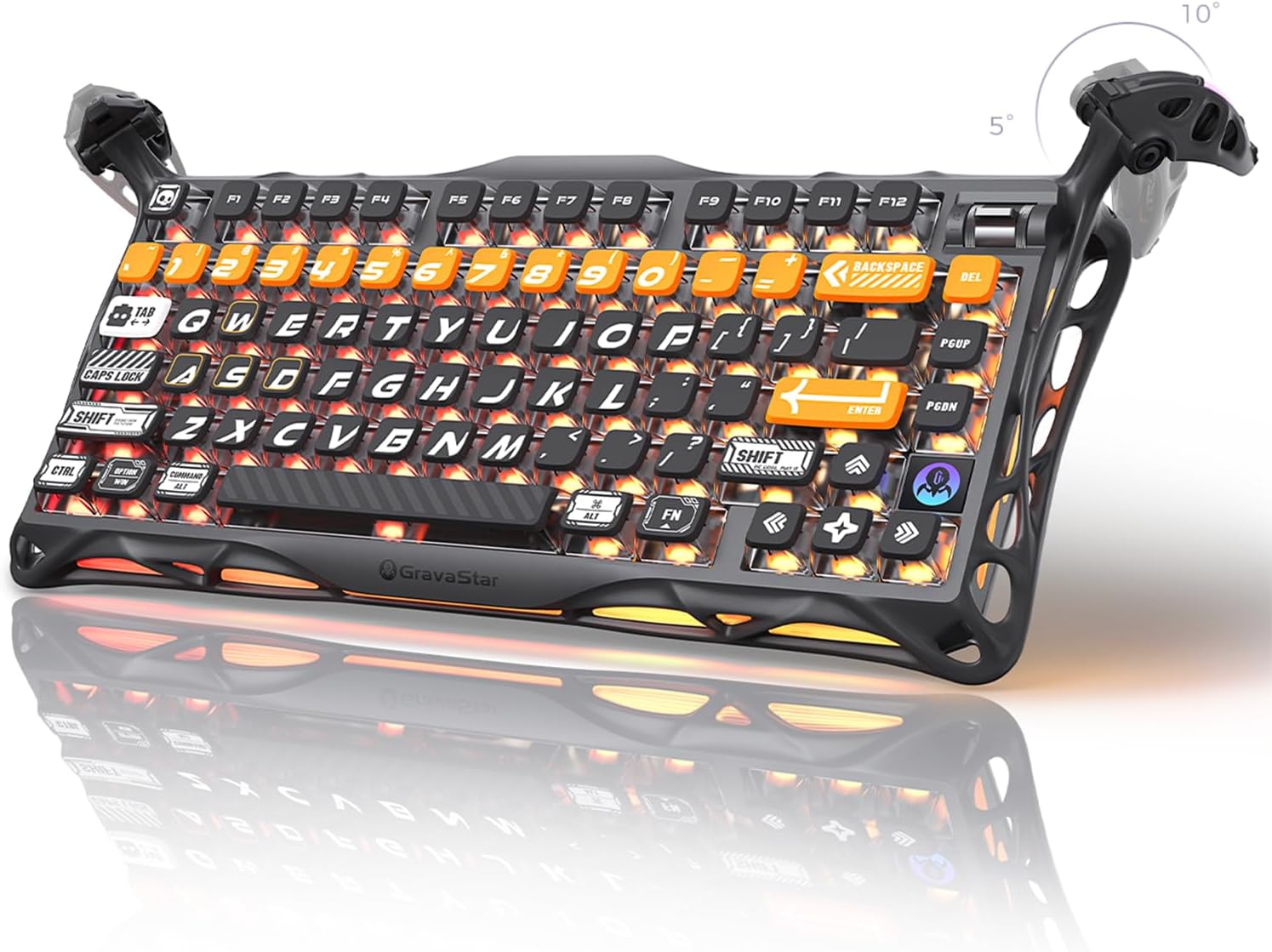
What stands out here is how the design choices line up with real daily tasks. The Mercury K1 Pro uses a 75% format with 79 keys, which typically means you gain desk space without giving up the core typing and gaming navigation you’d normally want. It also includes a programmable dial, which can make it easier to handle volume, scroll-like actions, or in-game controls—assuming the software and your workflow support how you want to map it.
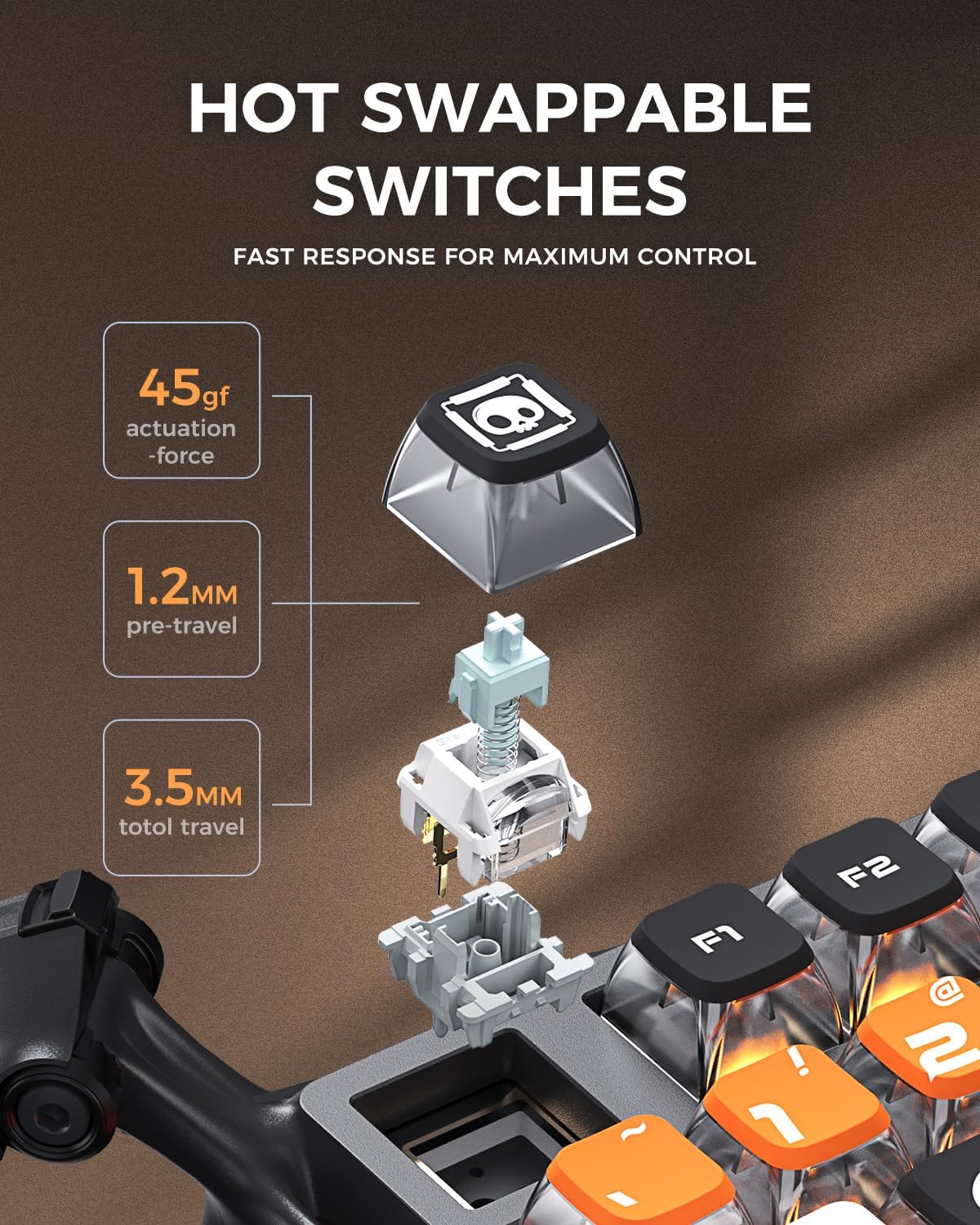
The switches are linear Speedy Mint, described as having 45gf actuation force and 1.2 mm pre-travel, aimed at “silent and ultrafast” presses. Linear switches tend to feel smooth and consistent, and they’re often favored for competitive play because the actuation doesn’t require a bump. For typing, linear can be surprisingly pleasant if you like a steady, predictable keystroke rhythm, if you’re sensitive to precision at low travel distances, you’ll want to consider whether that pre-travel spec lines up with how hard you naturally rest or press.
RGB, keycaps, and visibility
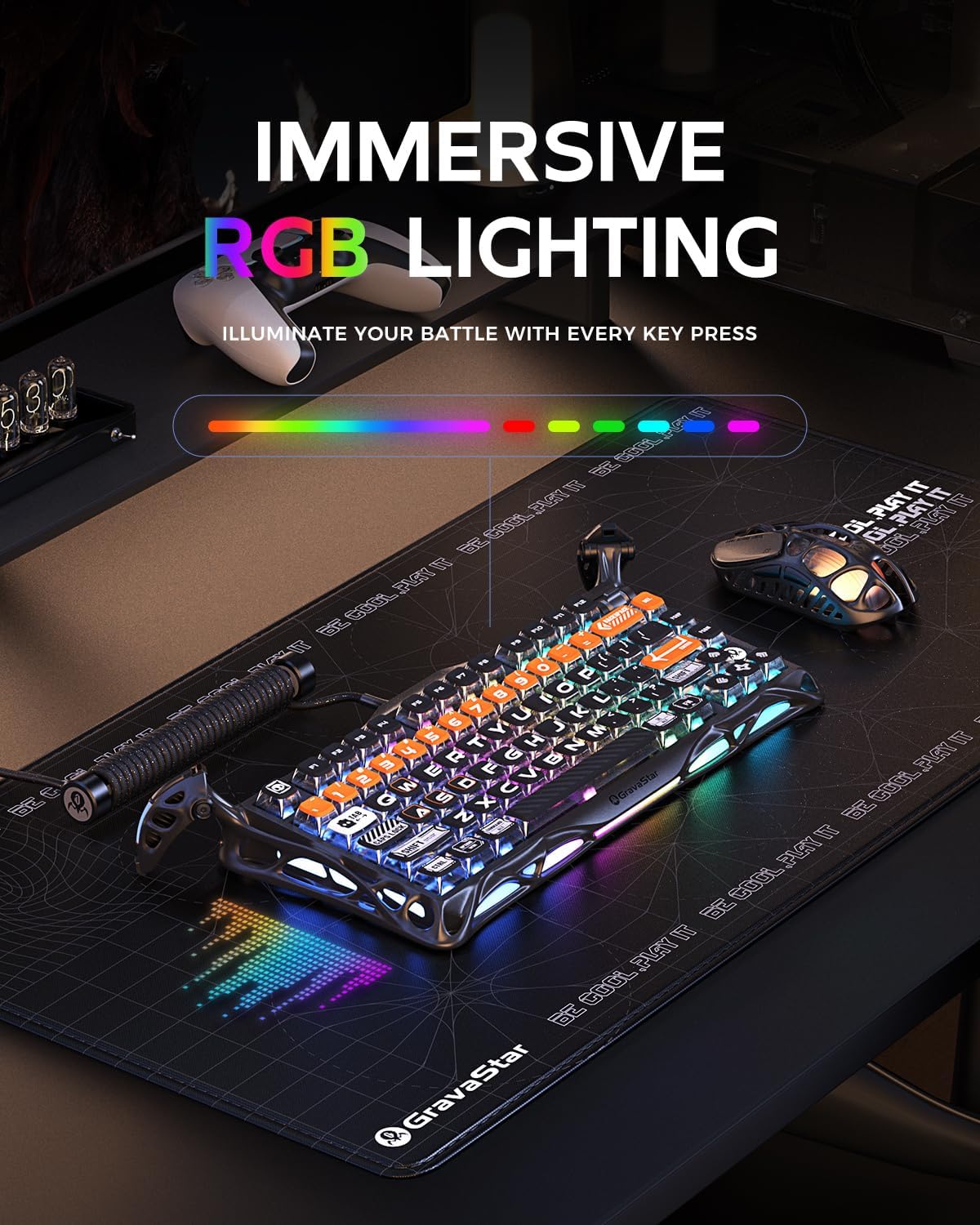
This keyboard is built to look good under lighting—and to be readable when you need it. It has dual RGB systems with 16.8 million colors and 13 lighting modes. It also uses PBT “pudding” keycaps with sublimation-style art, and the description specifically calls out sur-facing backlighting for a brighter effect.
A practical way to think about it: if you game or type in a darker room, “pudding” keycaps plus a visible backlight setup can make legends easier to spot quickly. It’s a more functional approach to aesthetics than just having any RGB, the goal is that the light helps you find keys without staring.

Build, mount style, and feel
The Mercury K1 Pro uses a matte black aluminum alloy frame, with a skeleton-style design intended to keep it stable under each press. The plate is described as FR4, gasket-mounted, with a 5-layer foam setup to soften the board’s overall response.
This is one of those features that’s easy to misunderstand until you use it. Gasket mounting and foam generally aim for a more dampened, comfortable press feel compared with harsher, more rigid constructions. It’s not a guarantee that it will feel “perfect” for your preferences, but it does suggest the keyboard is aiming for a balanced acoustic and tactile experience—especially for mixed gaming and typing.
Also included in the durability story: the switches are rated at 70 million keystrokes and the stems are described as “POK ultrafluids,” with the claim that they don’t require lubrication. That’s helpful if you don’t want to tinker, but as always, it can still come down to personal preference on sound and smoothness.
Connectivity and battery: where convenience matters
The Mercury K1 Pro uses tri-mode connectivity: wired, Bluetooth, and 2.4GHz wireless. That’s a big deal for a compact gaming-oriented keyboard because it lets you swap between a PC setup and other devices without treating the keyboard like a single-purpose accessory.

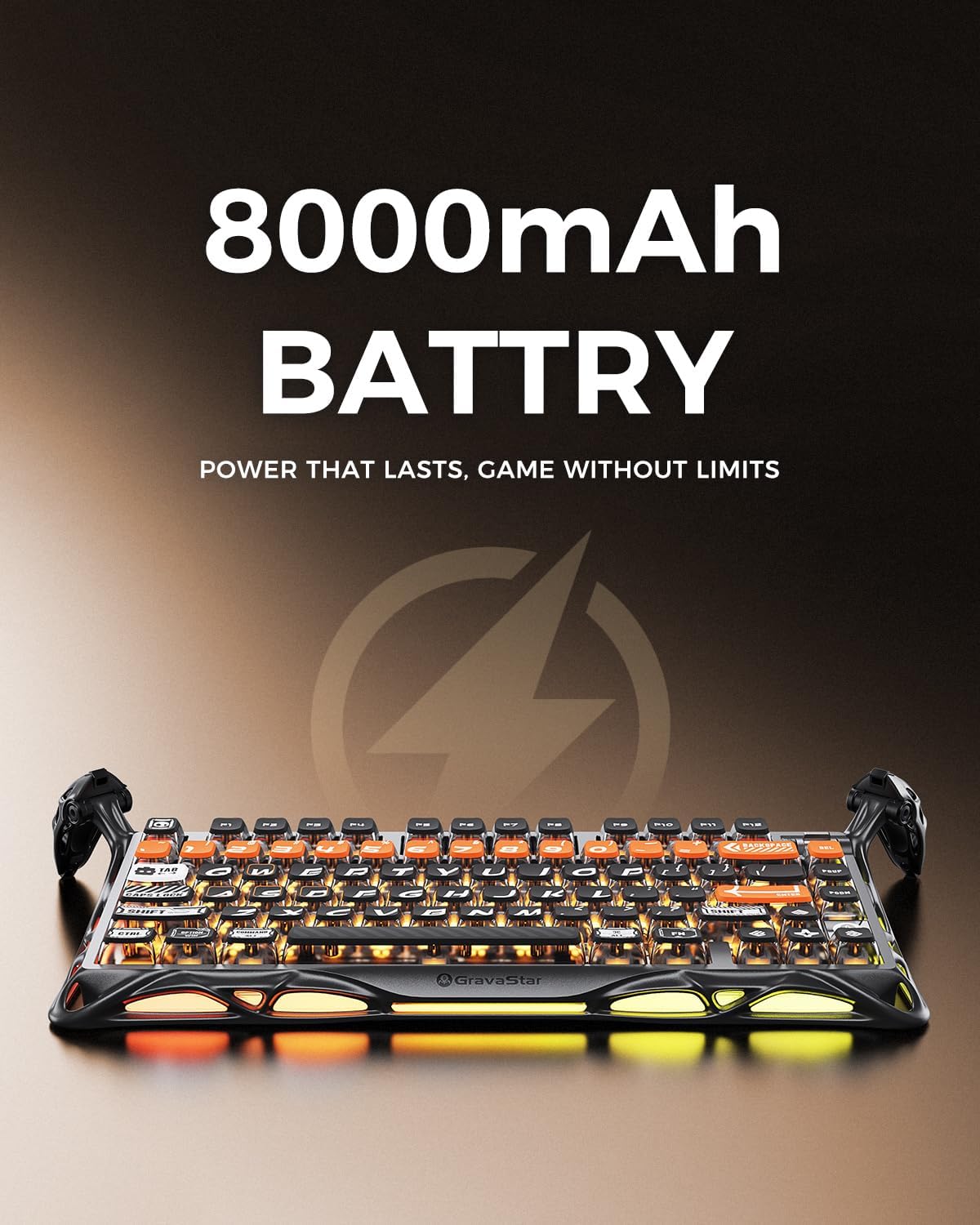
The battery is listed as 8000mAh, which is positioned for uninterrupted play. If you’ve ever had a wireless keyboard die mid-session, you’ll appreciate this design intent. Still, remember that real-world battery life depends a lot on your RGB settings and usage patterns, so the number on the spec sheet is best viewed as a promise of “built for long stretches,” not a guaranteed exact duration.
Tech specs
- Type: Wireless mechanical keyboard (tri-mode: wired, Bluetooth, 2.4GHz)
- Layout: 75% design with 79 keys
- Switches: Linear Kailh Speedy Mint (45gf actuation force, 1.2 mm pre-travel)
- Switch life: 70 million keystrokes
- Frame/finish: Matte black aluminum alloy frame
- Mounting: Gasket-mounted, FR4 plate
- Foam: 5 layers of sound-dampening foam
- RGB: Dual RGB with 16.8 million colors and 13 lighting modes
- Keycaps: PBT pudding with sublimation-style art
- Battery: 8000mAh rechargeable battery
- Extras: Programmable dial

What’s included and what to double-check before buying
The description doesn’t spell out “in the box” details, so if you’re the type who needs specific accessories (cable type, dongle packaging, keycap removal tools, and so on), it’s smart to check the amazon US listing contents carefully.
You’ll also want to double-check a couple of practical fit points: - Switch feel: linear Speedy Mint is smooth and fast by design—great if you like that, less ideal if you want tactile feedback. - Layout choice: 75% is compact, but it can still be an adjustment if you rely on full-size navigation keys or a numpad. - RGB expectations: it’s built for visible backlighting, but lighting brightness and effect preferences vary by room and by what you consider “enough.”
A small “micro test” to imagine: if you set up a desk for late-night gaming, you can turn on the 13 modes and use the dial for an in-game control mapping, the pudding keycaps are meant to keep your key legends readable while you move fast.
Final verdict
The GravaStar Mercury K1 Pro makes sense if you want a compact 75% mechanical keyboard that’s aimed at smooth linear performance, has tri-mode wireless flexibility (wired/Bluetooth/2.4GHz), and brings a serious RGB/keycap visibility setup. The aluminum alloy skeleton frame and gasket-mounted FR4 + foam approach also suggest it’s trying to deliver a more refined feel than basic compact boards.
It may not be the best match if you’re a tactile or clicky-switch person, you strongly need a full-size layout, or you’re hunting for a keyboard that’s primarily “minimal RGB” and traditional aesthetics. Also, if you care deeply about software behavior, mapping the programmable dial, and exactly how Bluetooth switching works with your devices, you’ll want to verify those details in the listing before committing.
Mini FAQ
Is the Mercury K1 Pro good for both gaming and typing?
It’s designed around linear switches with fast actuation and also includes a gasket-mounted setup for a more comfortable feel, so it’s positioned for mixed use. If you prefer tactile feedback, though, your experience may vary.
Does the keyboard support wireless without a cable?
Yes. It supports 2.4GHz wireless and Bluetooth, in addition to wired mode.
Will the RGB help with key visibility?
The PBT pudding keycaps and sur-facing backlighting are meant to make legends stand out, especially in darker environments.
Do the switches require lubrication?
The description says the switches’ setup eliminates the need for lubrication. Still, individual preferences on feel and sound can differ.
What should I check if I use multiple devices?
Because it’s tri-mode, confirm how Bluetooth switching and device pairing behave on your devices, and consider how you plan to move between PC, laptop, and other gear.