

USB C Docking Station Quad Display: 14-in-1 Laptop Docking Station for Multi‑Monitor Setups
Product description
What it is
This USB C Docking Station Quad Display is a 14‑in‑1 laptop docking solution designed to expand a single USB‑C input into a comprehensive workstation. It targets users who want to run several displays and peripherals from one port, keeping cables organised and boosting productivity without swapping devices.
What stands out on paper
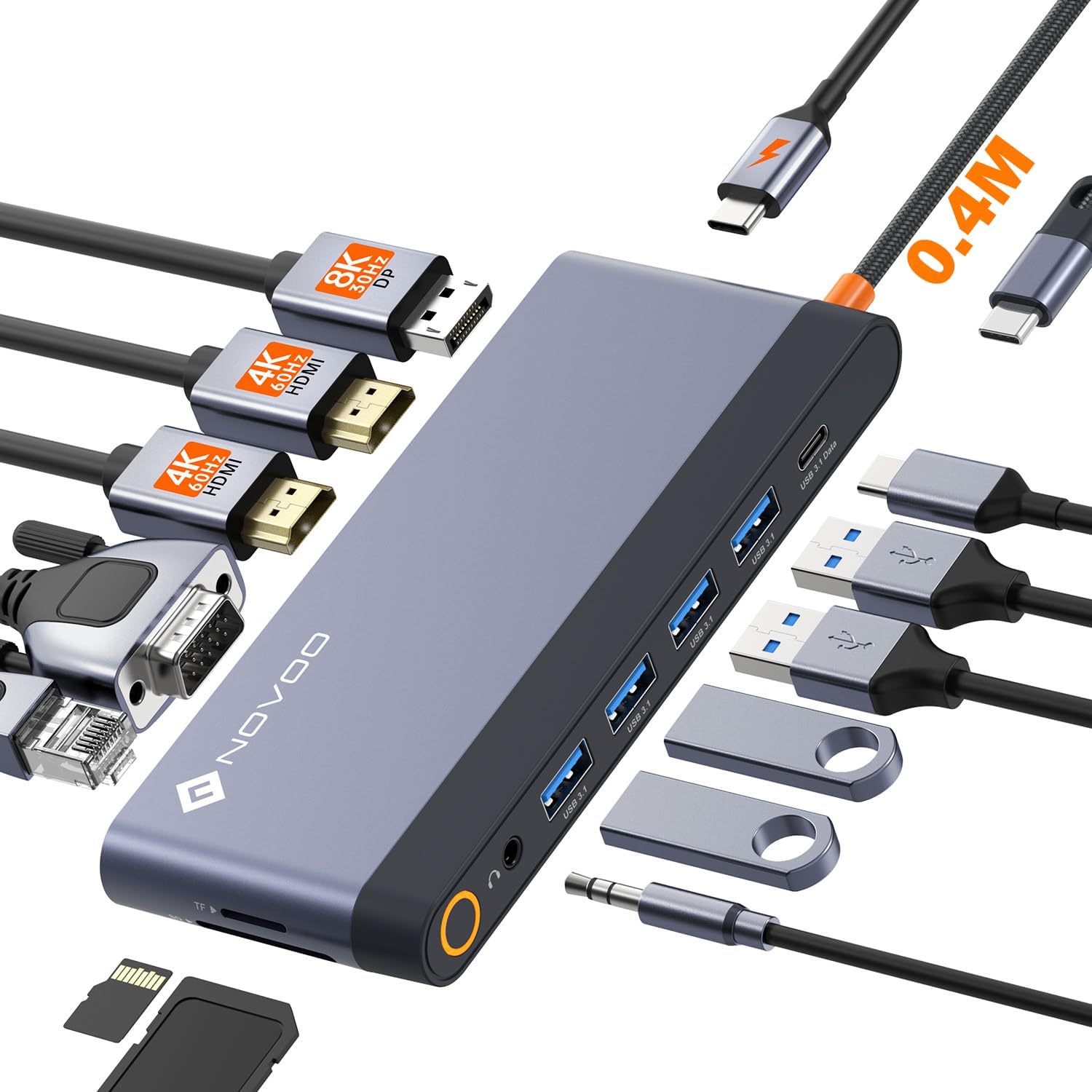
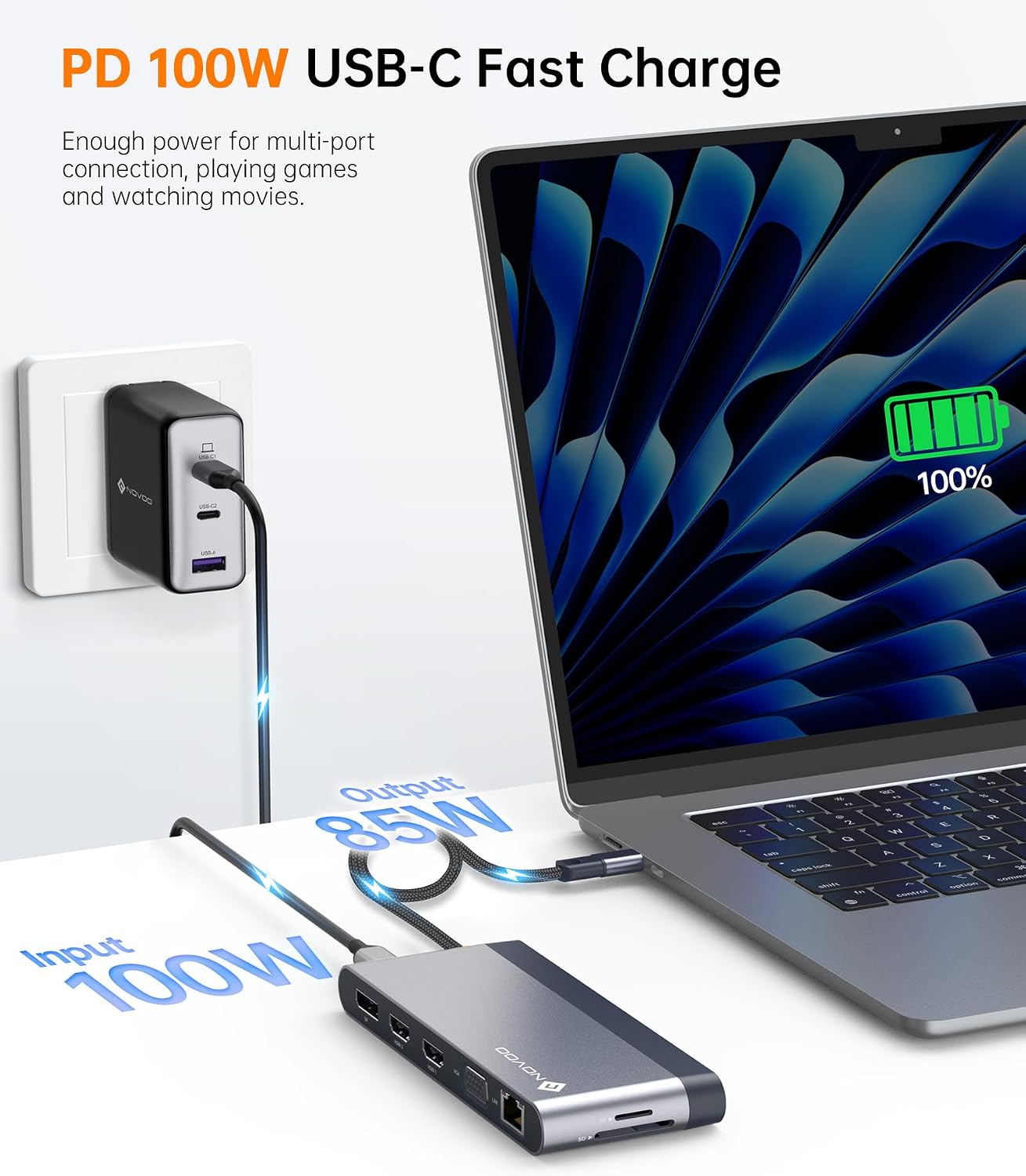
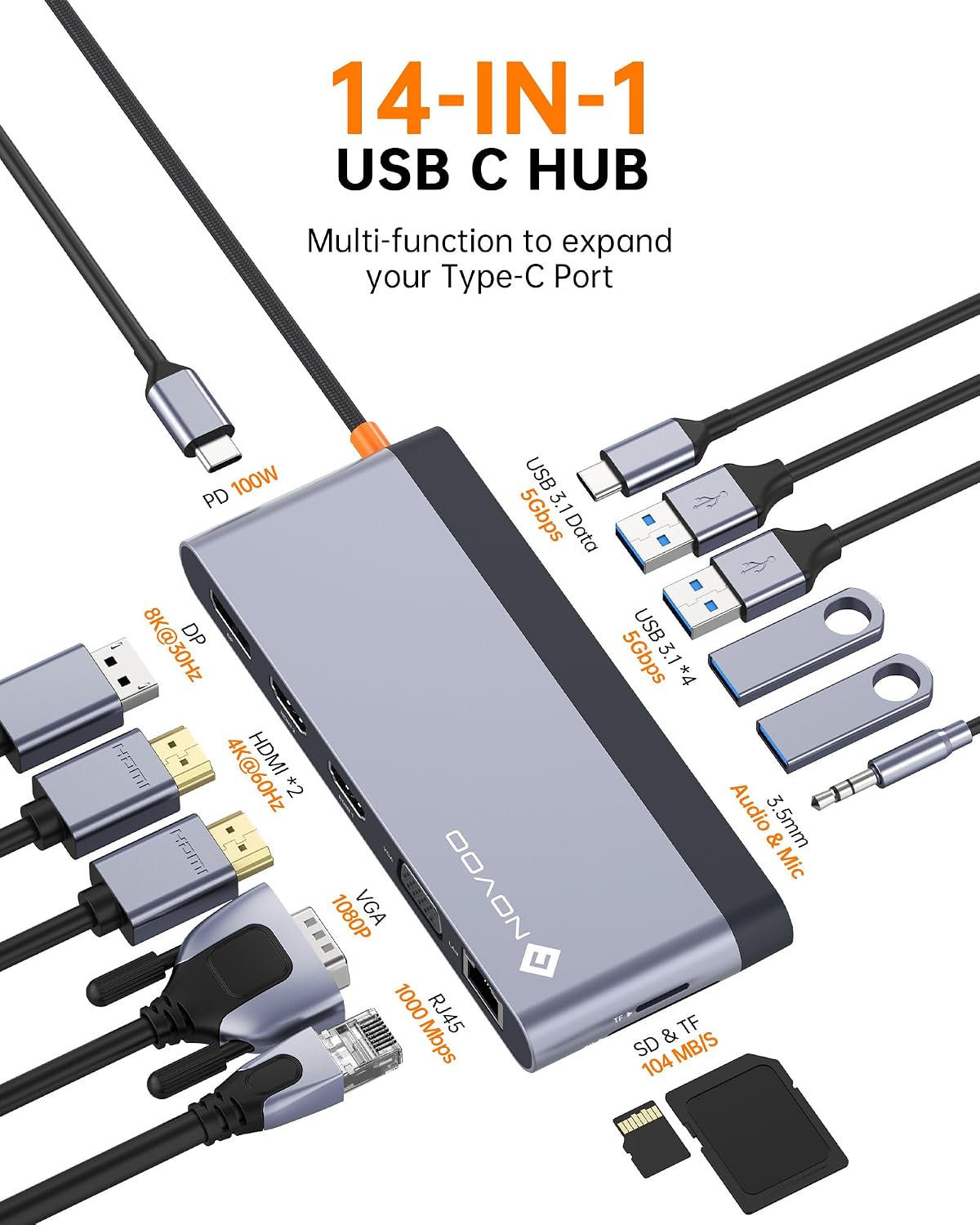
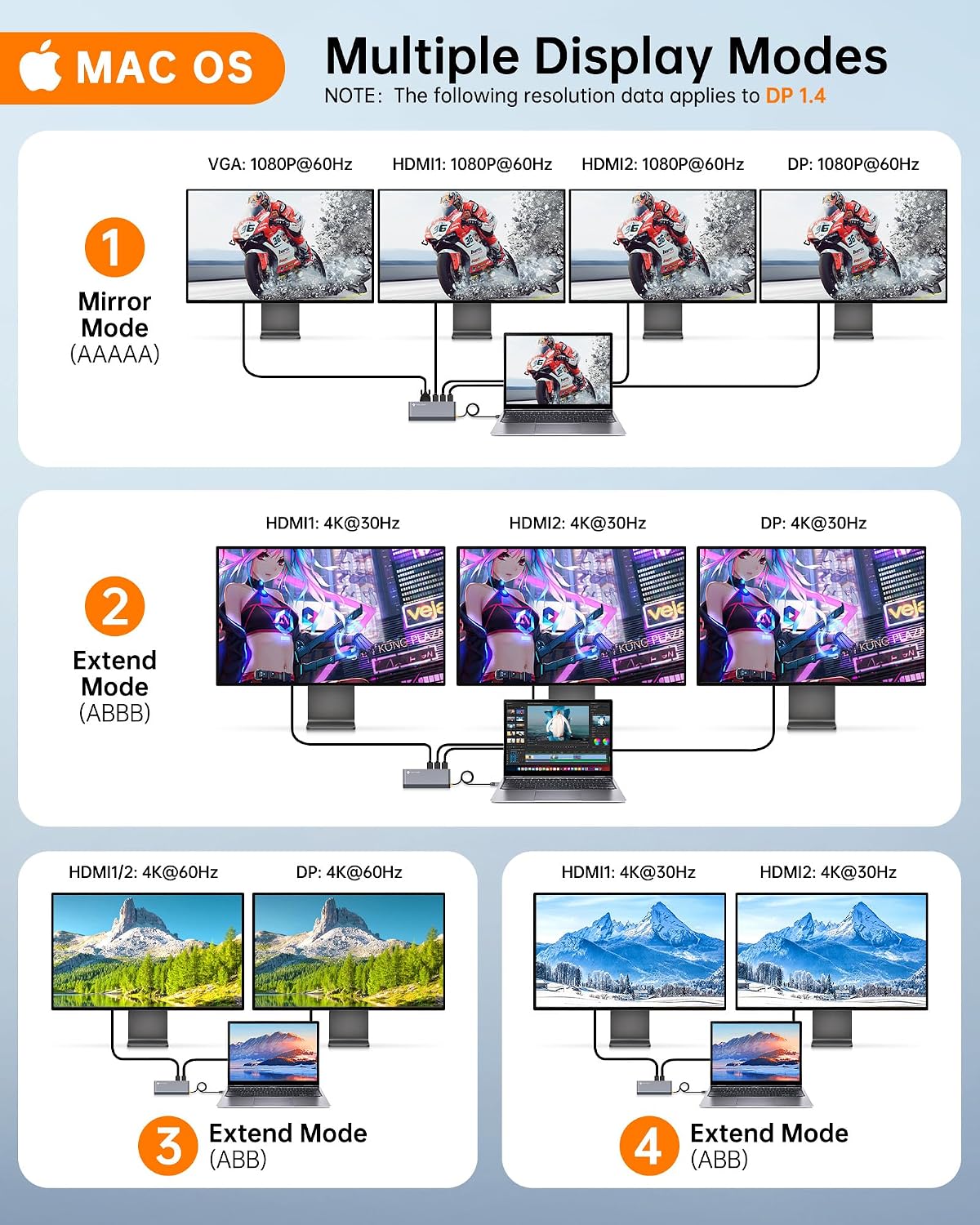
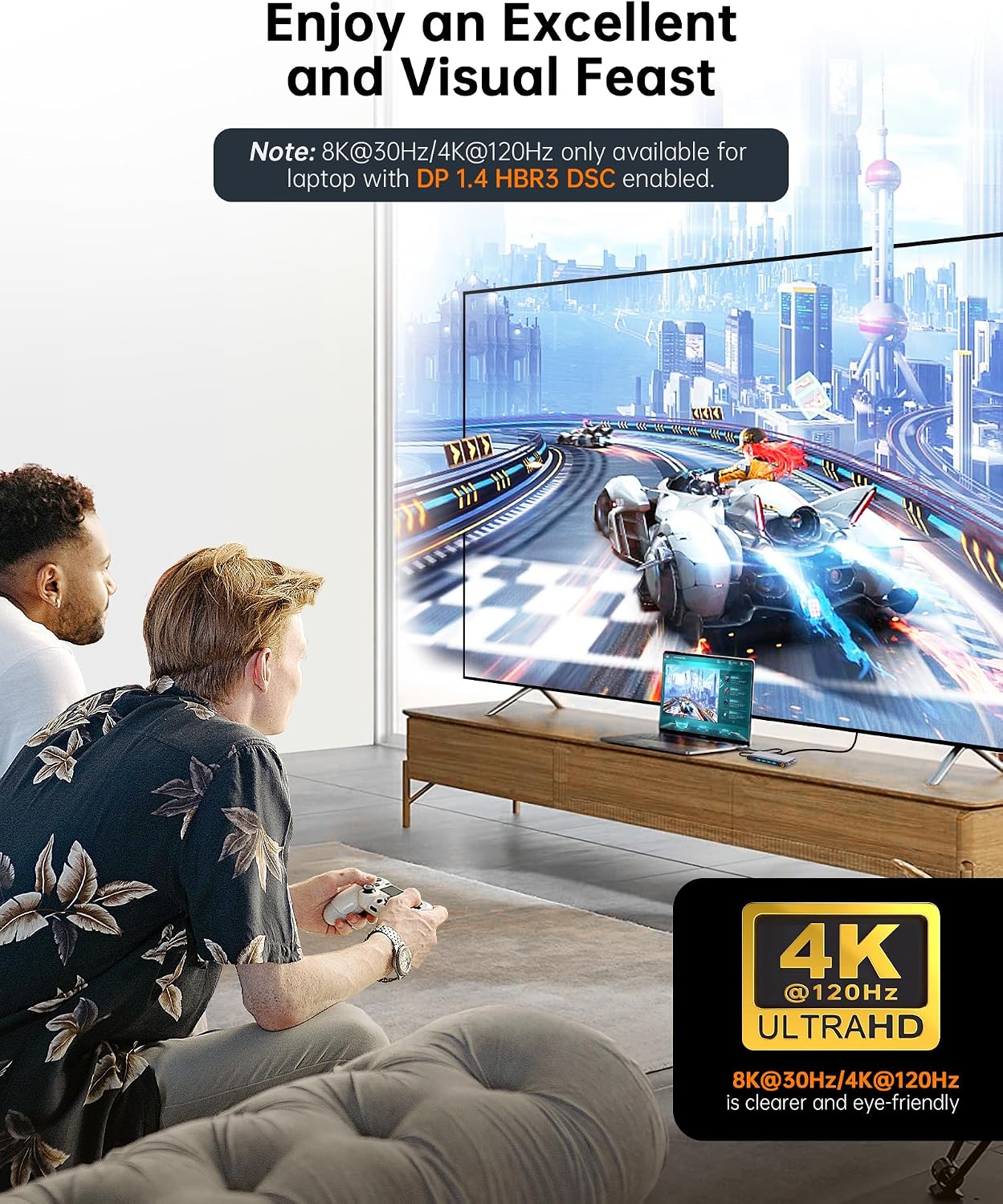
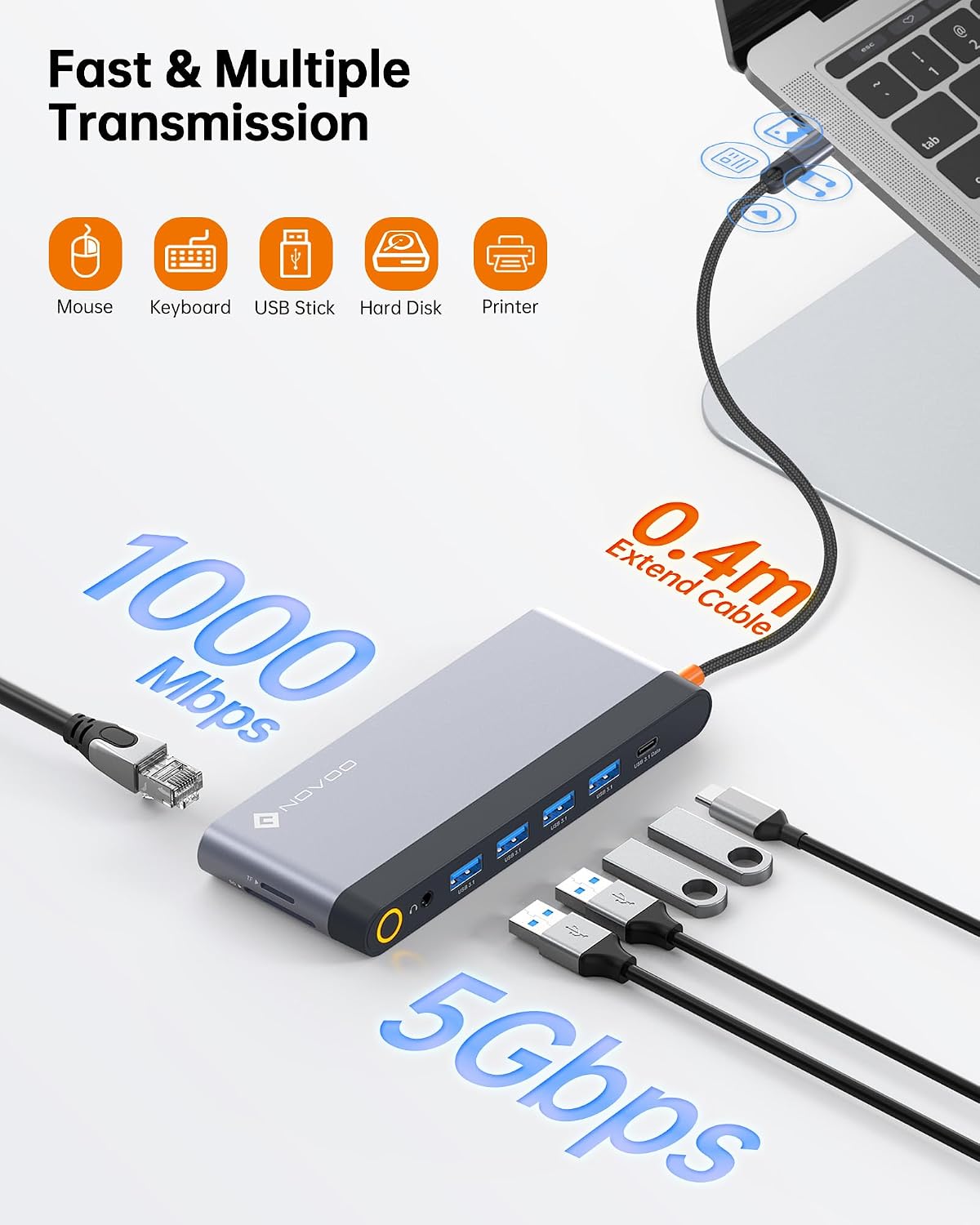
The hub supports ultra‑high-definition visuals, with up to 8K@30Hz through DisplayPort and dual 4K@60Hz via HDMI, plus VGA compatibility. It includes MST (Multi‑Stream Transport) for easier multi‑display management, enabling extended layouts across several screens. Fast data transfer is provided by four USB‑A data ports (and one USB‑C), each rated at 5Gbps. A 100W USB‑C PD port aims to keep laptops and other devices charged during busy work sessions. The onboard SD/TF card readers simplify media import and file transfer, while Ethernet provides a reliable wired network connection. Audio input/output is enabled through a 3.5mm jack, and there’s a dedicated mic input for calls and recordings.
Practical use cases
If you’re juggling documents, spreadsheets, and presentations across multiple screens, this dock could reduce the need to constantly toggle tabs. Designers and video editors may appreciate the extended canvas for timelines or previews, though you’ll want to ensure your display chain—for example, the number of 4K/8K outputs—aligns with the devices you own. For remote workers, the 100W charging helps keep a laptop powered during long meetings, while the wired Ethernet offers stable connectivity for calls and streaming.
What you’ll notice in use
In day‑to‑day scenarios, expect straightforward plug‑and‑play expansion for compatible USB‑C laptops. The MST feature is helpful when you set up an extended workspace across several monitors. The durability and length of cables can influence overall neatness, as with many docks, the actual performance depends on your host computer’s capabilities and the bandwidth of the USB‑C/Thunderbolt connection.
Limitation and caveats
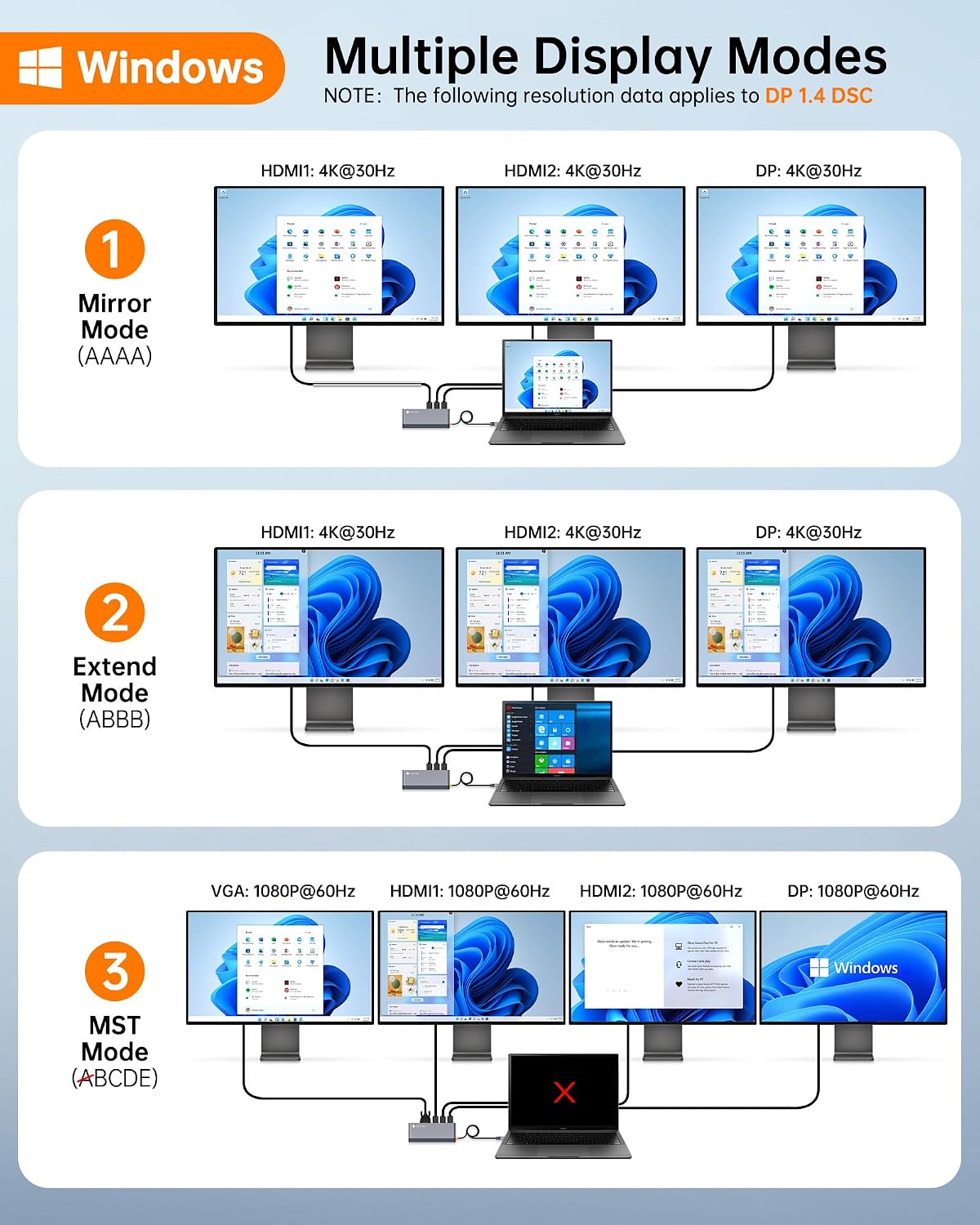
One potential limit is the reliance on MST for multi‑display setups. If you prioritise single‑screen output or have older displays, you might not utilise all outputs to their fullest extent. Also, 8K output at 30Hz is demanding, to achieve stable 8K visuals you’ll need a compatible source and display, and some users may find 4K at 60Hz more practical for common workflows.
Who it’s for
This dock is well suited for power users who run multiple screens, creators who manage media across several displays, and professionals who want reliable wired connectivity and charging from a single hub. It’s especially appealing if you already work with USB‑C laptops and need a central, all‑in‑one docking station rather than juggling several dongles.
Who it isn’t ideal for
If you only need a simple single‑monitor setup or if you seldom use wired networks, the breadth of this dock may be more than you require. For those with limited desk space, the array of ports could contribute to cable clutter unless you manage it with care.
When it makes sense to buy
Consider this dock when you want to convert a single USB‑C port into a wide array of outputs, including high‑resolution displays, fast data transfer, and desktop‑class charging. It’s a sensible choice if you regularly work with multiple screens, require a robust ethernet connection, and value a central hub for media transfer and peripheral connectivity.
Before you buy — quick checks
- Confirm your laptop supports display output through USB‑C/Thunderbolt with the required bandwidth for 8K or 4K at the desired refresh rate.
- Check your monitor inputs (DP, HDMI, VGA) to ensure the dock aligns with your display configuration.
- Assess desk setup to accommodate the dock’s footprint and ensure adequate power delivery for your laptop and peripherals.
How it compares in approach
If you prefer a pared‑back setup, a simpler USB‑C hub with fewer display outputs might be more cost‑effective and less bulky. For users who need true multi‑monitor productivity and reliable charging in one place, this dock offers a more complete solution, provided your host device and displays support the higher resolutions and MST operation.
Is it worth it?
A solid pick if you need extensive display support, wired networking, and high‑watt charging from a single dock, and you’re comfortable configuring a multi‑display workflow. It may not be the best match if you only ever run a single external display or if MST and 8K are beyond what you actually use.
FAQs
- Can I drive 8K at 30Hz with any computer? It depends on the host device’s USB‑C/Thunderbolt bandwidth and display compatibility.
- Do I need drivers? The dock is designed for plug‑and‑play use with compatible USB‑C laptops, though some systems may benefit from driver updates for best performance.
- Will the Ethernet port improve my online calls? A wired connection generally offers more stable bandwidth than Wi‑Fi, which helps with calls and streaming.