

D-Link DUB-M810 8-in-1 USB-C Hub with Power Delivery and 4K HDMI
Reviews
Price
Product description
If your ultra-portable laptop suddenly feels “too small” for real work—no spare ports, no way to plug in a display, and file transfers that take forever—this sort of USB-C hub is meant to fix that. The D-Link DUB-M810 is an 8-in-1 USB-C hub with Power Delivery, offering HDMI for an extra screen, gigabit Ethernet for stable connectivity, extra USB 3.0 ports, and a dual SD/microSD card reader.
That said, it’s still a hub: it expands what your laptop can do, but it can’t magically replace features your device doesn’t support. So it’s worth checking how it matches your exact setup and priorities before you buy.
The essentials
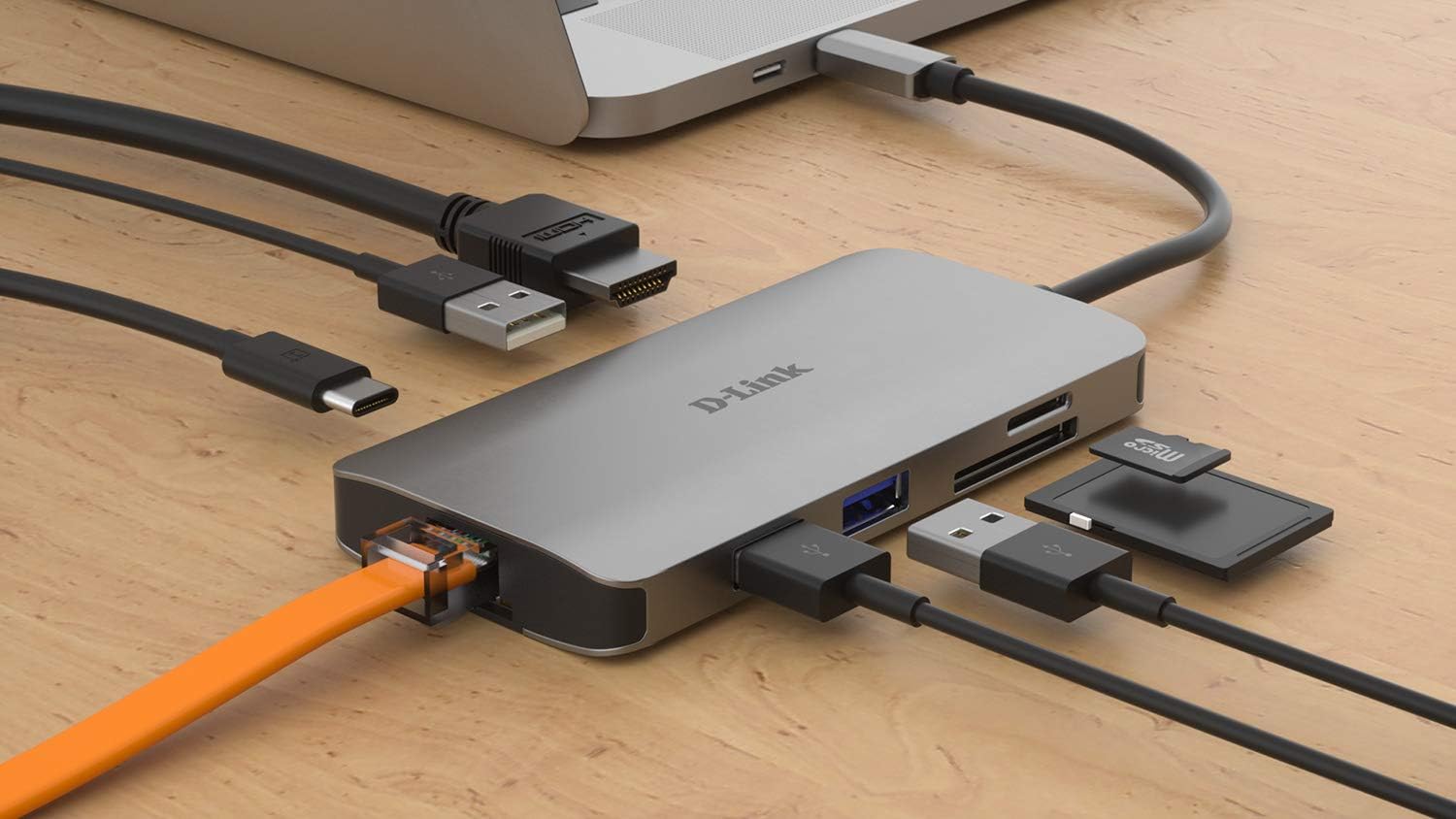
The DUB-M810 aims to cover the most common “port gaps” people hit on laptops like MacBook Pro (from 2016), MacBook Air (2018), certain Chromebooks, and Surface Pro 7. In one compact unit, you get:
- A way to connect a second display via HDMI (full-resolution video up to 4K at 30 Hz)
- Dual-slot SD card reading for SD and microSD cards
- Gigabit RJ-45 Ethernet without adding a new network card
- Three extra USB 3.0 ports, including one described as fast-charge capable
- A USB Type-C port with charging ability up to 100W via Power Delivery
In real terms, it’s the kind of accessory you’d use at a desk: plug in Ethernet for fewer drop-outs during calls, add a second monitor for spreadsheets or timelines, then dump camera shots from an SD card straight into your workflow.
What to know about video and connection
The HDMI output is described as “no lag” and supports up to 4K Ultra HD at 30 Hz. On paper, that’s a sensible target for presentations, photo reviews, and day-to-day productivity—especially if you’re working from a laptop that otherwise struggles with “single-screen only” workflows.
For internet stability, the gigabit Ethernet RJ-45 port is the standout. Wi‑Fi is convenient, but in offices and home setups it can be inconsistent. Having a proper wired link is often the difference between smooth video calls and the occasional buffering surprise. The hub is also pitched as not requiring installation of a network card driver or card hardware, which is helpful if you just want plug-and-go.
Ports and day-to-day practicality
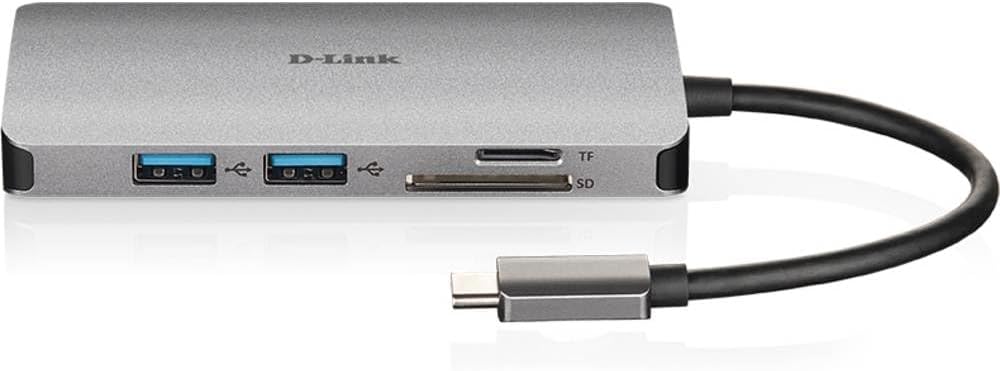
Where the DUB-M810 becomes more than just an adapter is in how it bundles multiple needs:
Three USB 3.0 ports give you extra connections for things like storage, peripherals, or a dock-style keyboard/mouse arrangement. One of those ports is specifically described as able to fast-charge, so it’s aimed at reducing the “where do I plug the phone/tablet charger in?” problem.
Then there’s the dual SD/microSD reader. If you take photos or handle media (even occasionally), the fact it accepts both SD and microSD in a single reader is genuinely convenient. You’re less likely to need an extra card reader in a bag.
Power Delivery: useful, but worth checking your needs
The hub includes a USB Type-C port with charging ability of up to 100W via Power Delivery. This is the part that matters most if you want to keep charging your laptop while using multiple accessories.
A quick limitation to bear in mind: “up to 100W” tells you the capability of the hub, but it doesn’t guarantee the same draw your laptop will request in every scenario. So if you’re running power-hungry workflows (large displays, intensive tasks, etc.), it’s sensible to confirm your laptop’s charging expectations and how the hub is used in practice.
Who it suits (and who might look elsewhere)
It makes sense if you want one compact device to handle second-screen output, wired Ethernet, more USB ports, and SD card reading—without juggling multiple adapters.
It may not suit you if: - Your top priority is high-end display performance for demanding gaming or fast-motion work, because the stated HDMI support is up to 4K at 30 Hz. - You only need a single extra function (for example, just Ethernet). In that case, a simpler adapter could be less clutter and potentially better value.
It’s also the kind of device you’ll appreciate if your laptop model is in the supported group mentioned in the description, such as MacBook Pro (2016 or later), MacBook Air (2018), Chromebook, or Surface Pro 7. If you’re outside that list, it’s worth double-checking compatibility before you commit.
Final verdict
The D-Link DUB-M810 looks like a solid all-in-one USB-C hub for everyday desk and travel setups where you need more than one missing port. The combination of HDMI up to 4K at 30 Hz, gigabit Ethernet, three USB 3.0 ports (with one fast-charge capable), and an SD/microSD reader covers a lot of practical scenarios in one go.
It’s not a miracle box—its video refresh limits and the fact it’s still a hub mean it’s best treated as a convenience upgrade for productivity and media handling, not something to expect to behave like a full high-end workstation dock.
If you want to add a second display and steady wired networking while keeping charging and storage access simple, it’s a worthwhile category pick to consider. If you only need one connection or you’re chasing ultra-smooth high refresh display output, you may want to skip and choose a more focused solution.
Mini FAQ
Does it support connecting a second display? Yes, it includes HDMI output with support described as up to 4K at 30 Hz.
Can it read both SD and microSD cards? Yes, it’s described as a dual-slot card reader compatible with both SD and microSD cards.
Is it suitable for wired internet? It includes a gigabit Ethernet RJ-45 port, aimed at giving you fast, stable connectivity without extra network hardware.
Will it charge your laptop while you use the hub? The hub includes a USB Type-C port with Power Delivery described up to 100W, so it’s intended for charging alongside use.
Is it plug-and-play for Ethernet without installing a network card? The description states you can use the USB-C port without installing a new network card, which suggests a simpler setup than adding internal hardware.