


Styluslink 2-in-1 Pencil for iPad (2018–2026) with LED power display – USB-C fast charge, palm rejection (Silver)
Product description
Key points
If you’re shopping for a pencil-style stylus for an iPad, the Styluslink 2-in-1 is a sensible option on paper: it focuses on instant use without Bluetooth pairing, adds an LED battery indicator, and includes palm rejection so you can rest your hand while writing or sketching. It’s also designed to cover a wide range of iPad models (from older 2018 generations through newer 2026-era listings), which can make it attractive if you don’t want to hunt for a model-specific accessory.
That said, it’s not a “perfect match for everyone”. The package is clearly built for touch input and handwriting/sketching workflows rather than premium stylus ecosystems. Also, wireless charging isn’t supported, so if that’s part of your ideal setup, you’ll need to be comfortable with USB-C charging.
It suits most people who want a straightforward pencil replacement for notes, annotations, and everyday creative sketching—without the faff of pairing every time.
The essentials
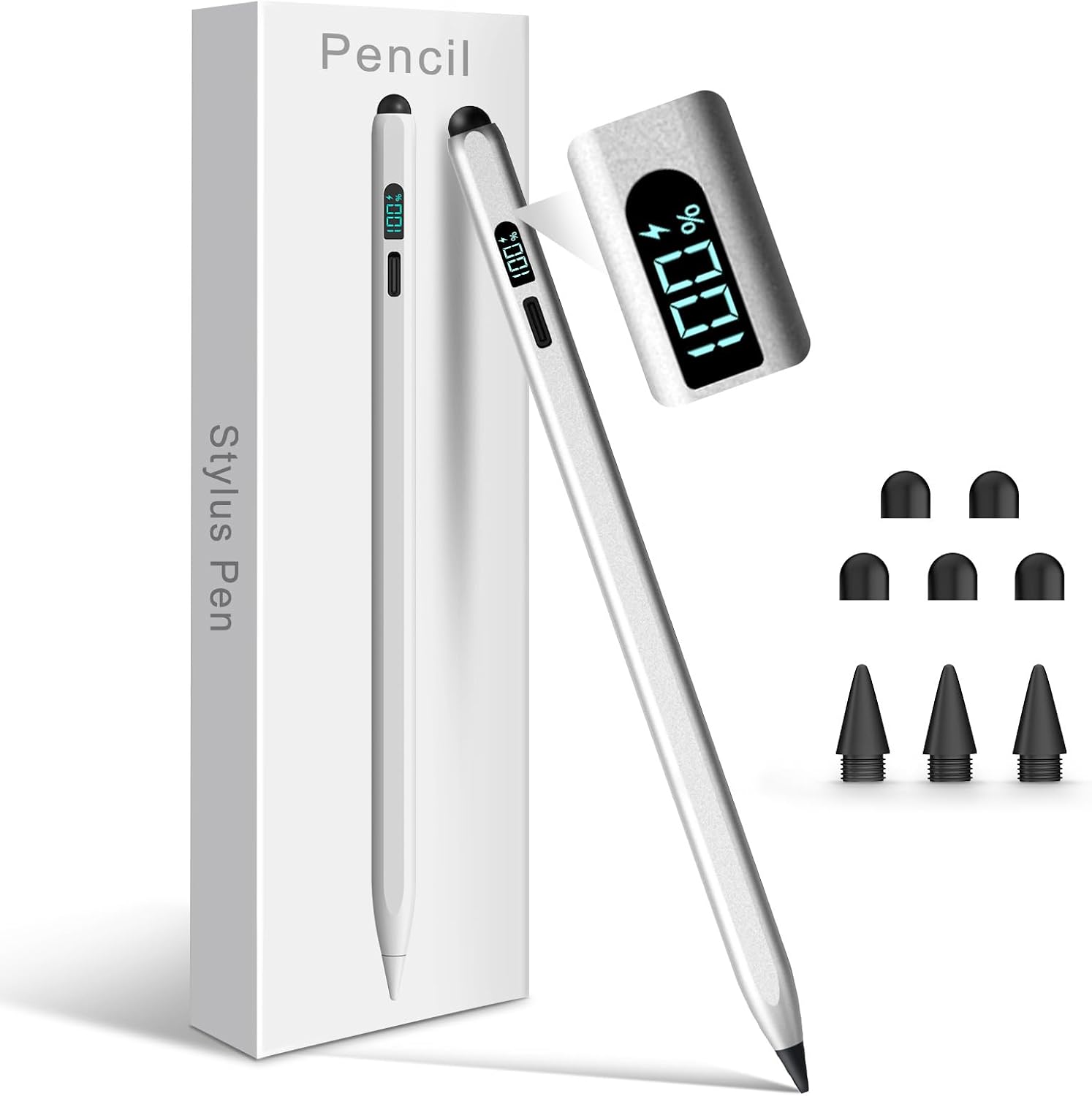
At a glance, this Styluslink stylus is positioned as a dual-purpose iPad accessory: it’s described as a 2-in-1 pen that works as a touch-screen stylus (for capacitive touchscreens) and also as a more precise active stylus for iPad drawing/writing. The practical outcome is that you’re not limited to one “mode” of input—you can switch between quick navigation/marking and more controlled line work on the iPad.
In daily use, that matters. Imagine you’re revising lecture slides: you can tap through the interface with a stylus feel, then slow down to underline key points and add small margin notes without taking your hand off the screen. For lots of studying and document marking, that “one pen, many tasks” approach is exactly what you want.
What you’ll notice day to day
A few features are meant to reduce irritation and improve control.
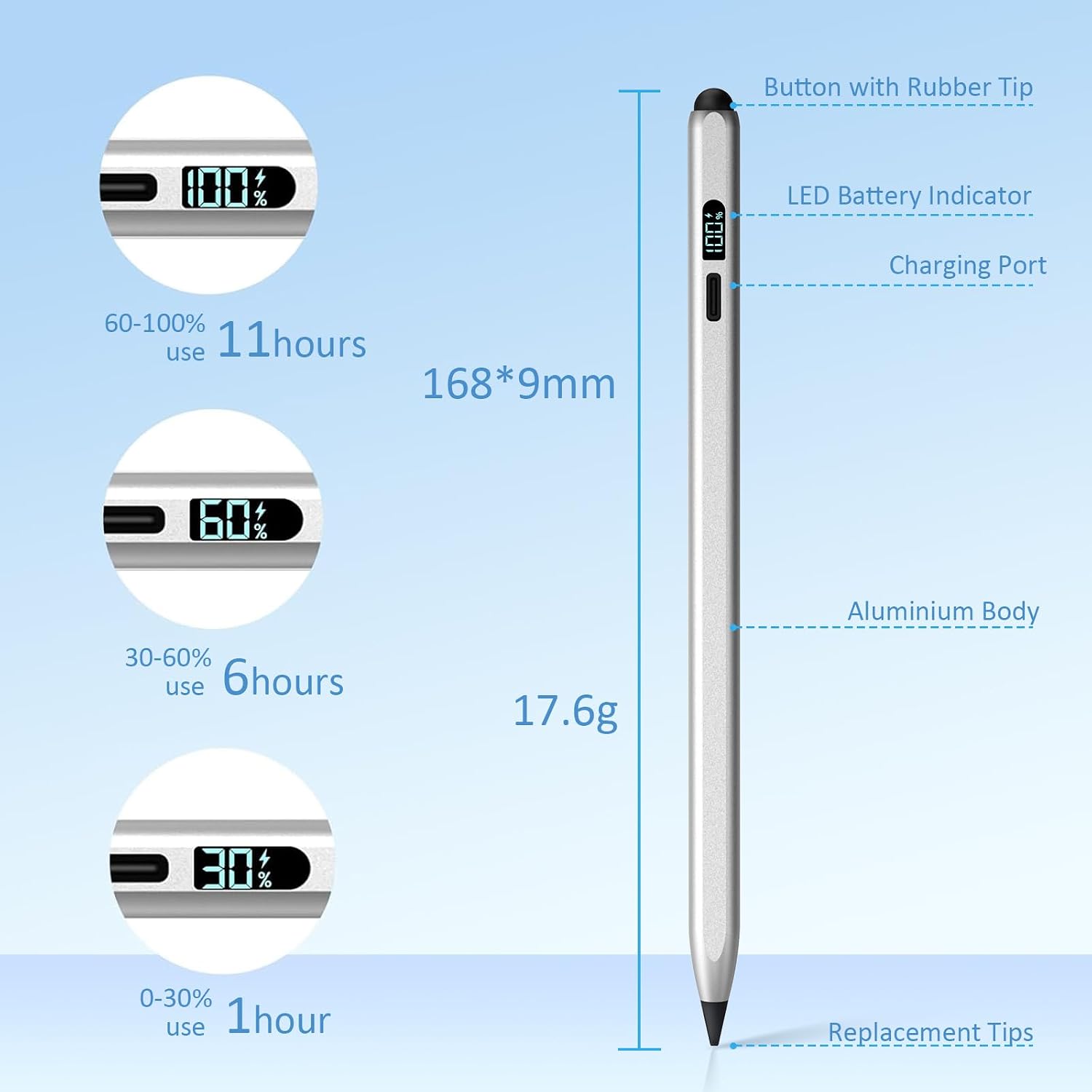
First, there’s no Bluetooth pairing required. The instructions are simple: press the button on top to start using it straight away. There’s also a troubleshooting hint for when a pen seems powered but not working: disconnect any previously paired Apple Pencil device via iPad settings (Bluetooth → Apple Pencil → tap the “i” → Forget This Device). That’s useful if you’ve used a Bluetooth pencil before and your iPad is still trying to connect to an old pairing.
Second, palm rejection is included. This is the kind of detail that can change comfort quickly, because resting your hand naturally on the screen without accidental touches makes long sessions less fiddly.
Third, the tip is described as 1.5mm active for iPad precision work, alongside a silicone tip for touchscreens. If you’re doing fine lines, annotations, or sketching, the narrower active tip is the part that’s meant to feel more controlled.
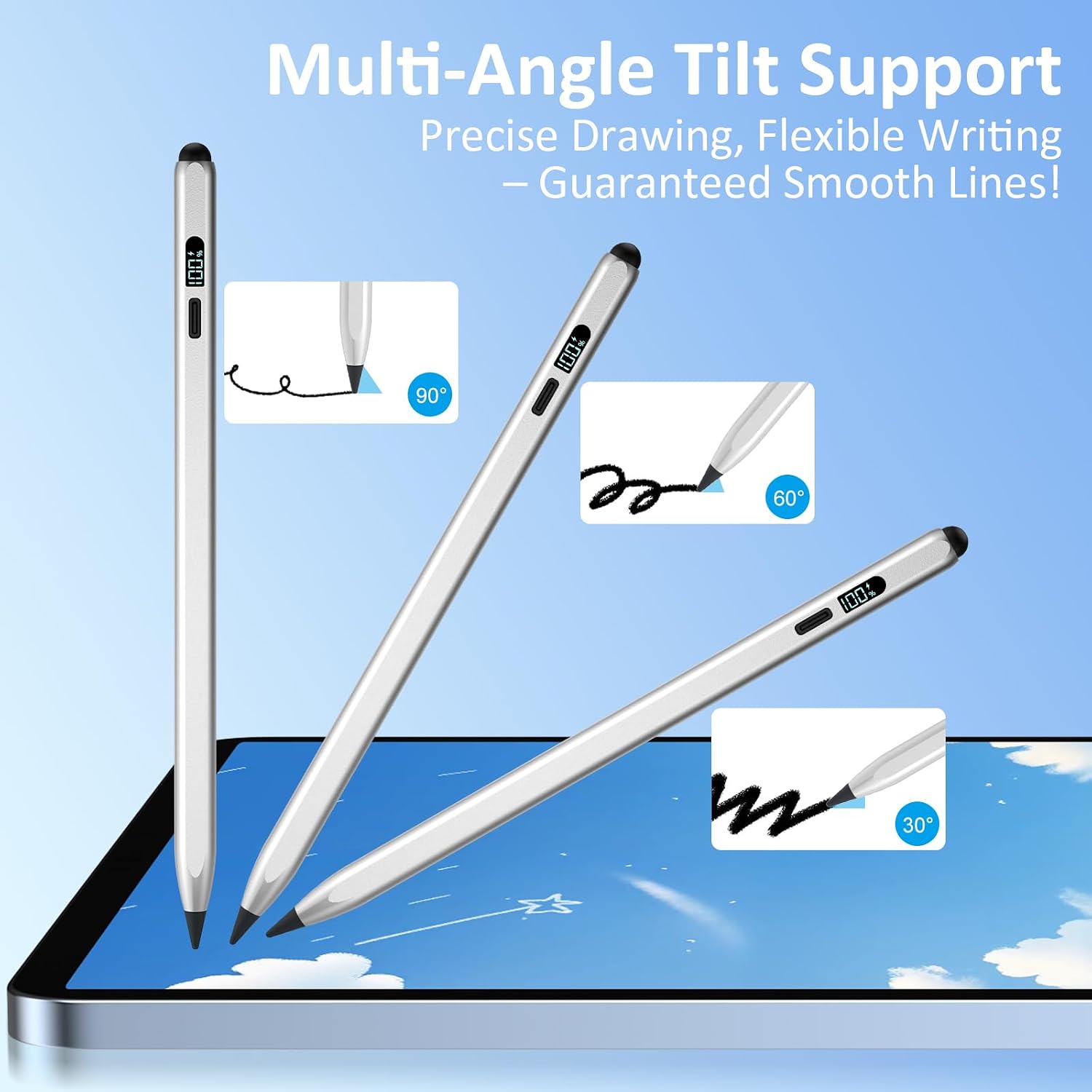
Finally, tilt sensitivity is mentioned. In practice, tilt is what you tend to rely on when you want line depth and thickness to change with angle—handy for shading in simple sketches or adding emphasis to strokes.
Tech specs
- Name: Styluslink 2-in-1 Pencil for iPad (2018–2026)
- Type: Active stylus and capacitive touch stylus (2-in-1)
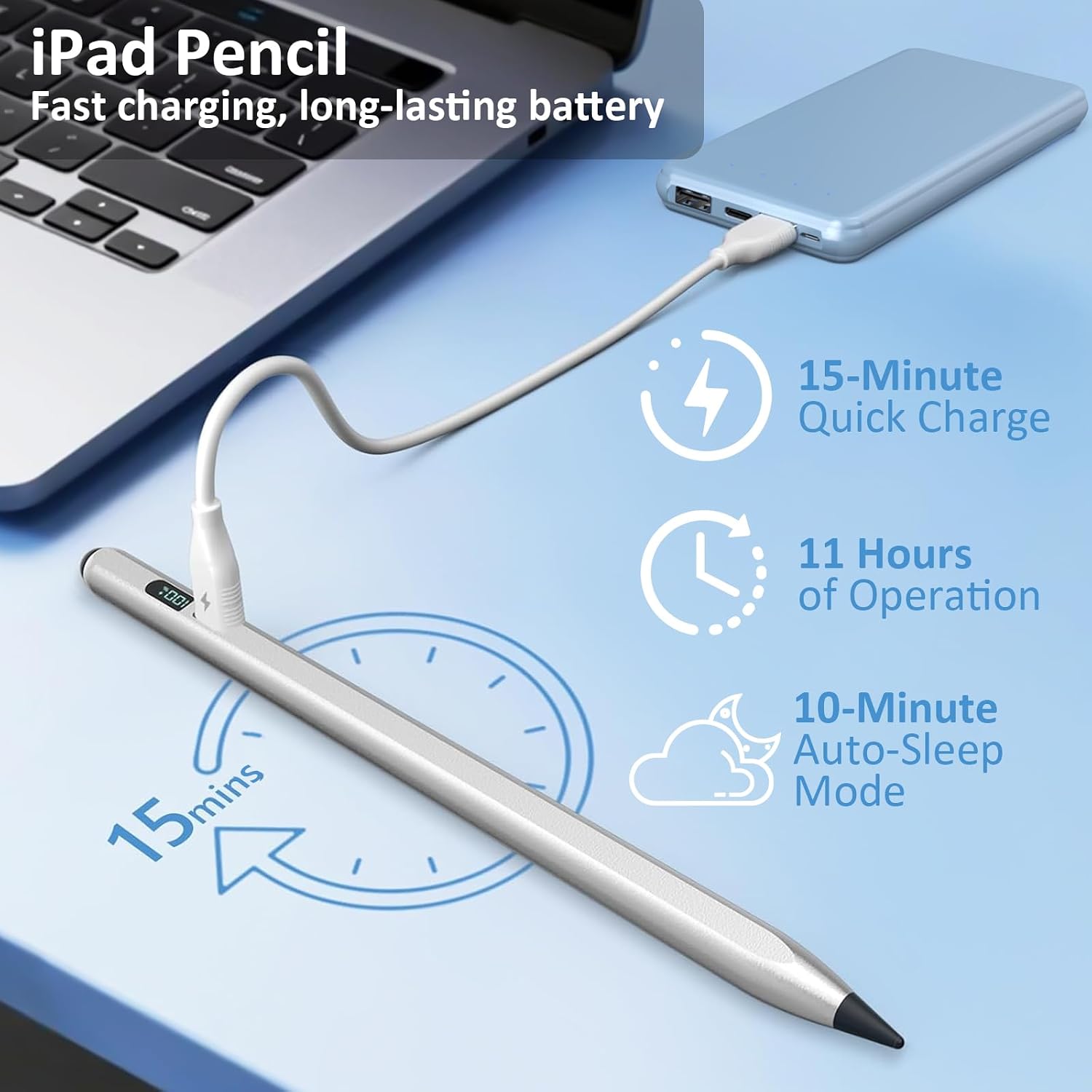
- Charging: Fast USB-C charge
- Charging time (claimed): 15 minutes
- Continuous use (claimed): up to 11 hours
- Battery status: LED power display
- Tip: 1.5mm active stylus tip (for iPad)
- Tip (also): silicone tip for touchscreens
- Palm rejection: Yes (to help reduce accidental touches)
- Auto-sleep: Yes (saves power during inactivity)
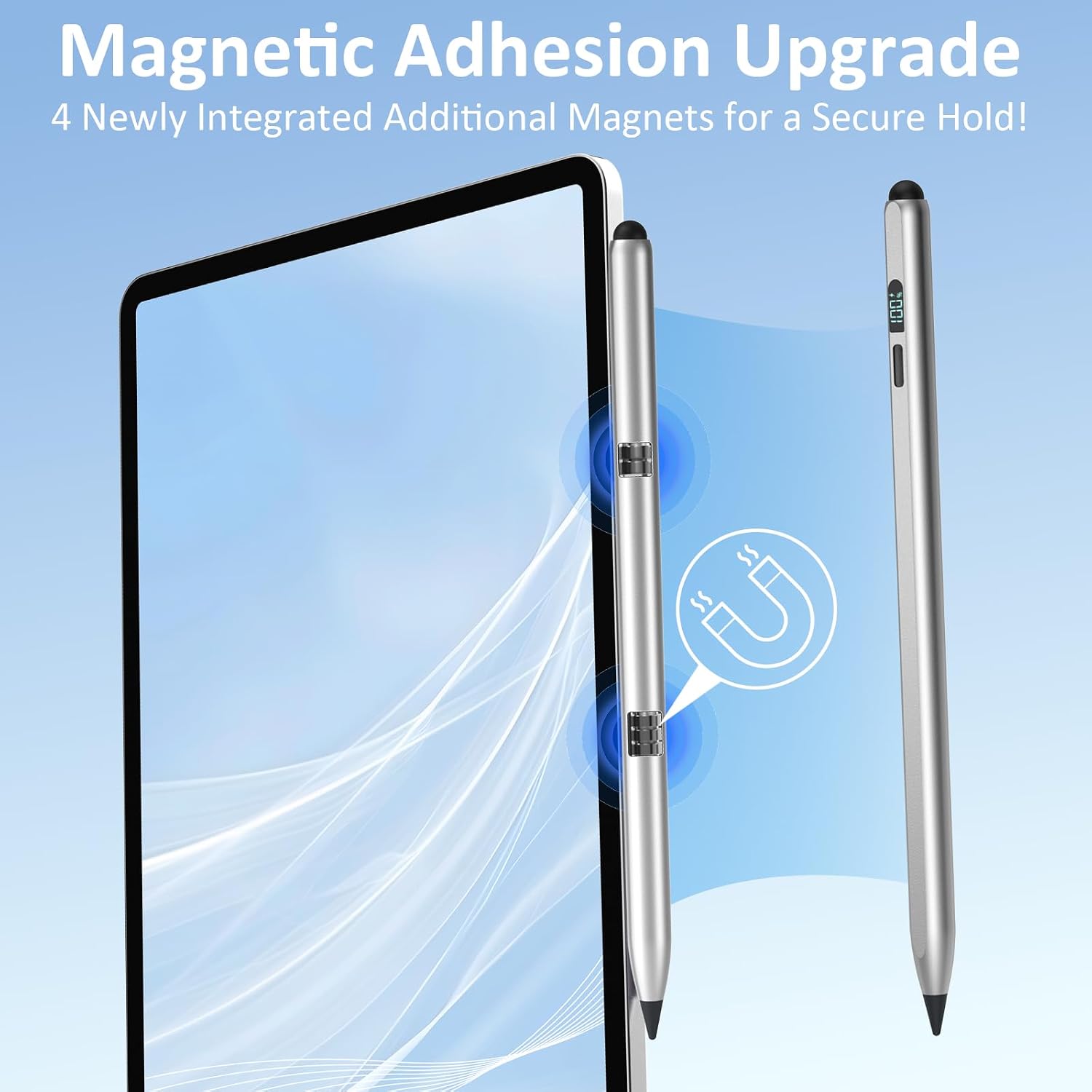
- Magnets: Two built-in magnets for attachment
- Wireless charging: Not supported (note)
Who it’s for (and who should skip it)
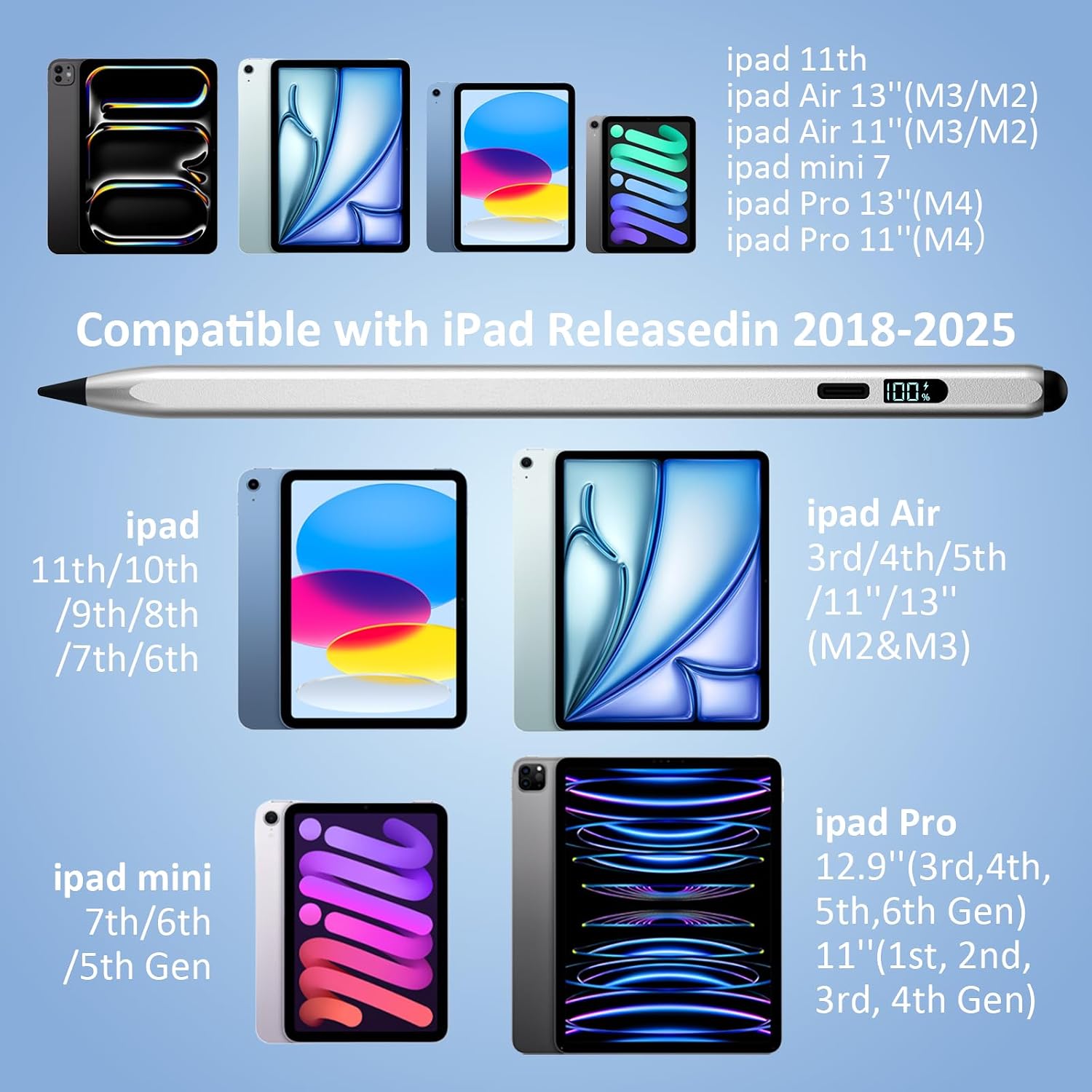
It makes sense if you want a reliable stylus for notes, study sessions, and everyday sketching on an iPad, especially if you dislike Bluetooth pairing or switching settings. It’s also a decent “buy once” approach for households with iPads across multiple generations, because it’s described as fully compatible with iPad models spanning 2018–2025 and beyond (including iPad Pro 11"/12.9"/13", iPad 7–10/9th & 8th/6th gen listed, Air 3/4/5/M2/M3, and Mini 5/6/7 listed).
It may not suit you if you specifically need wireless charging or you’re expecting a top-tier stylus experience where the pen charges via a built-in wireless dock. And if you’re the sort of user who wants ultra-deep integration features beyond what’s described here, this will likely feel more like a practical alternative than a premium ecosystem device.
There’s also a small reality check: the “no Bluetooth required” idea is great for simplicity, but if you’ve already paired an Apple Pencil before, you may need to clear the old pairing so the iPad behaves as expected.
Quick overview of compatibility and setup
The key promise here is that it doesn’t need Bluetooth pairing to work—just press the button and use it. For buyers coming from an Apple Pencil setup, the included note about disconnecting a previously paired Apple Pencil is worth taking seriously, because it explains why a stylus might appear on but not respond.
On compatibility, the manufacturer listing covers a broad range of iPads (including multiple iPad Pro sizes/years, iPad Air models, iPad Mini models, and selected iPad generations). If your iPad model isn’t clearly within that list, it’s worth double-checking against the model names provided in the listing rather than assuming “any iPad” will work.
Is it worth it?
Buy the Styluslink 2-in-1 Pencil for iPad if you want an easy-to-use stylus that starts with a simple button press, includes palm rejection for comfort, and offers a clear LED battery indicator plus fast USB-C charging. It’s especially appealing if you’re doing everyday study notes, document markup, and sketching where tilt and a precise 1.5mm tip are useful.
Avoid it if wireless charging is a must-have for your setup, or if you’re looking for the kind of deep stylus integration that’s typically associated with Bluetooth-first premium systems (the listing here doesn’t claim those features). Also, if you’ve used an Apple Pencil previously, plan to follow the “forget previous device” troubleshooting note so you don’t end up blaming the stylus when the iPad is still trying to connect to the old pairing.
Mini FAQ
How do I start using it if it doesn’t need Bluetooth?
Press the button on top of the stylus to begin using it immediately.
What if the pen is powered but not responding?
The listing suggests disconnecting any previously paired Apple Pencil via iPad settings (Bluetooth → Apple Pencil → tap the “i” → Forget This Device).
Does it support palm rejection?
Yes. Palm rejection technology is included to help prevent accidental touches while writing or sketching.
How long does charging take and how long will it last?
The listing states that USB-C fast charging fully powers the stylus in about 15 minutes, with up to 11 hours of continuous use.\
Does it support wireless charging?
No—wireless charging is not supported, so you’ll need to use USB-C to recharge.