

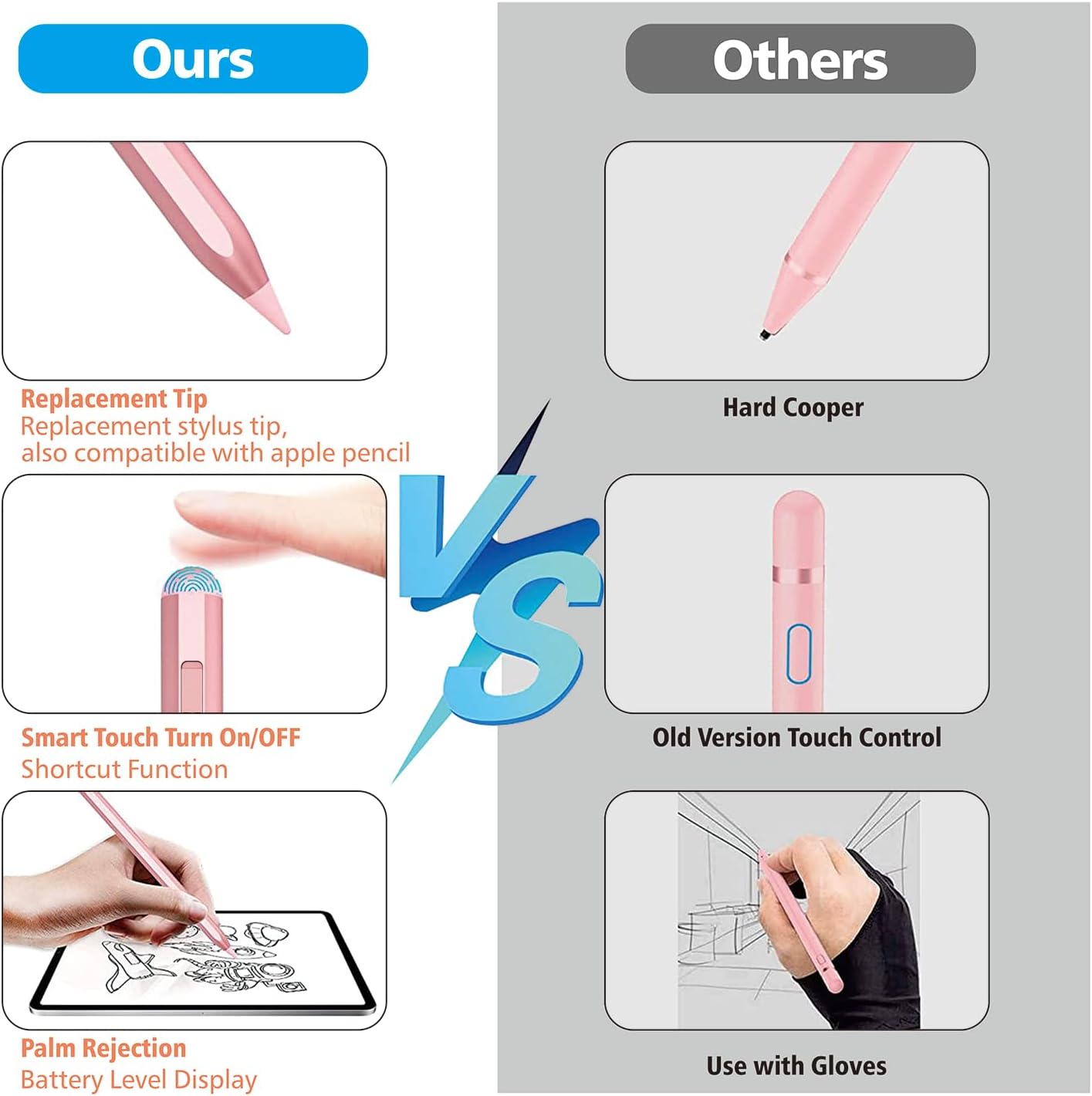
Stylus Pen for iPad with 14 min charge
Product description
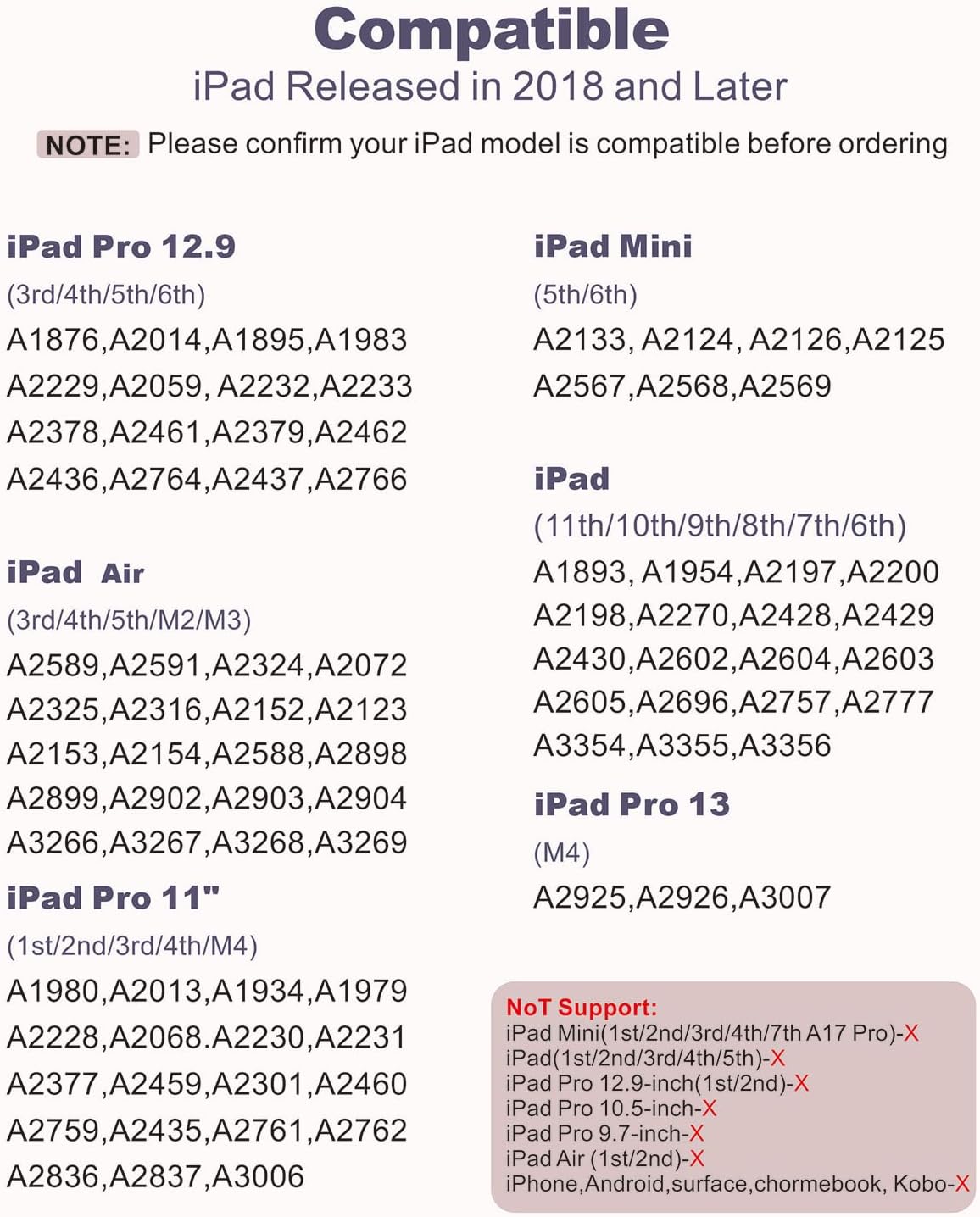
If you want a responsive stylus for everyday note taking, sketching and teaching sessions, this Stylus Pen for iPad is a practical option. It is designed to work with a wide range of iPad and iPad Pro models, with palm rejection and tilt sensitivity to help you write with less interruption. With a charging claim of 14 minutes for a full charge, it is also built around quick top ups for regular use. ✍️
This pen is positioned as an Apple Pencil compatible alternative, so you can use it more like a pencil than a finger. It includes a pencil holder and aims to keep your setup tidy while you are creating, revising, or helping someone learn online. ✅
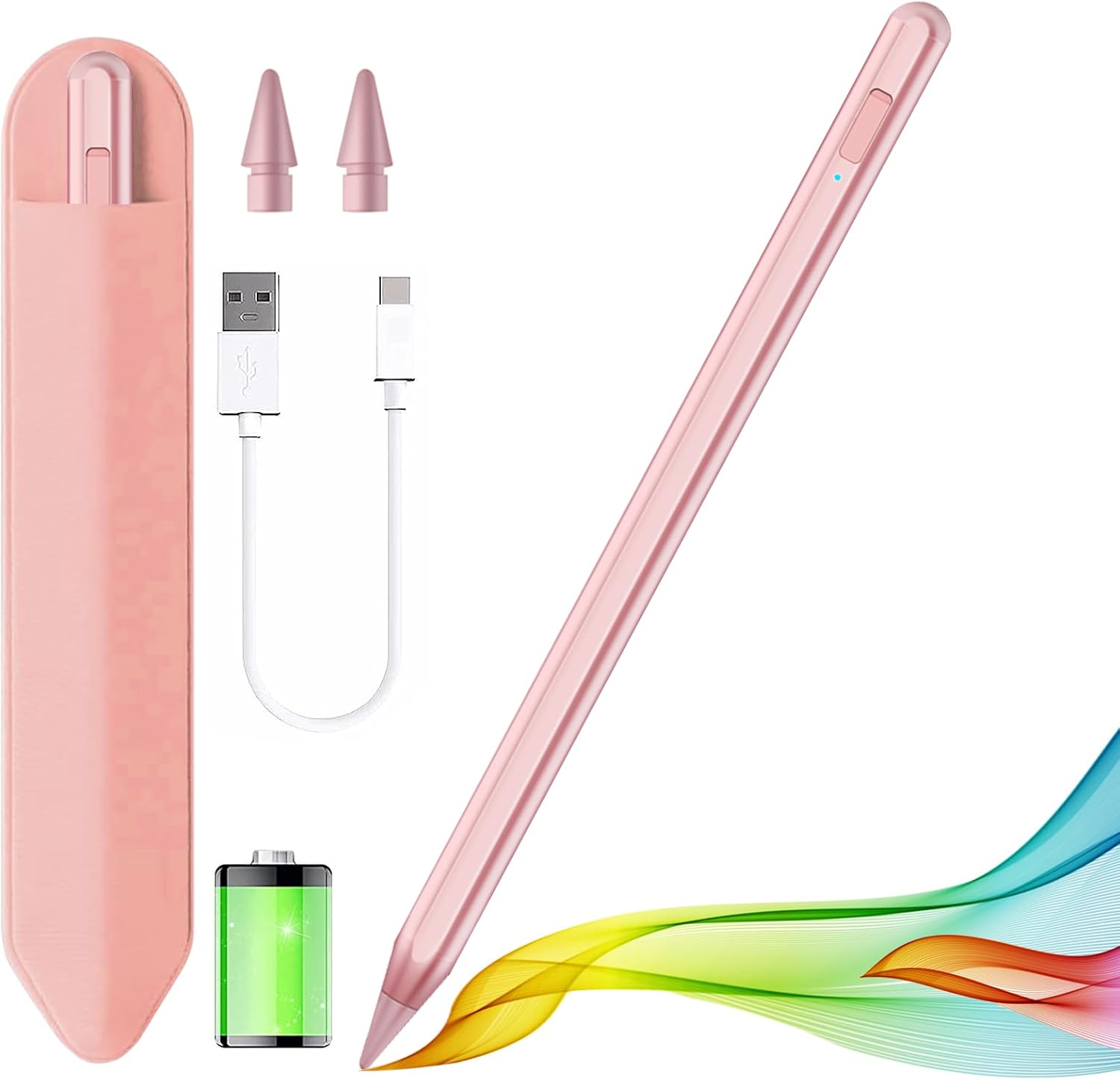
The essentials
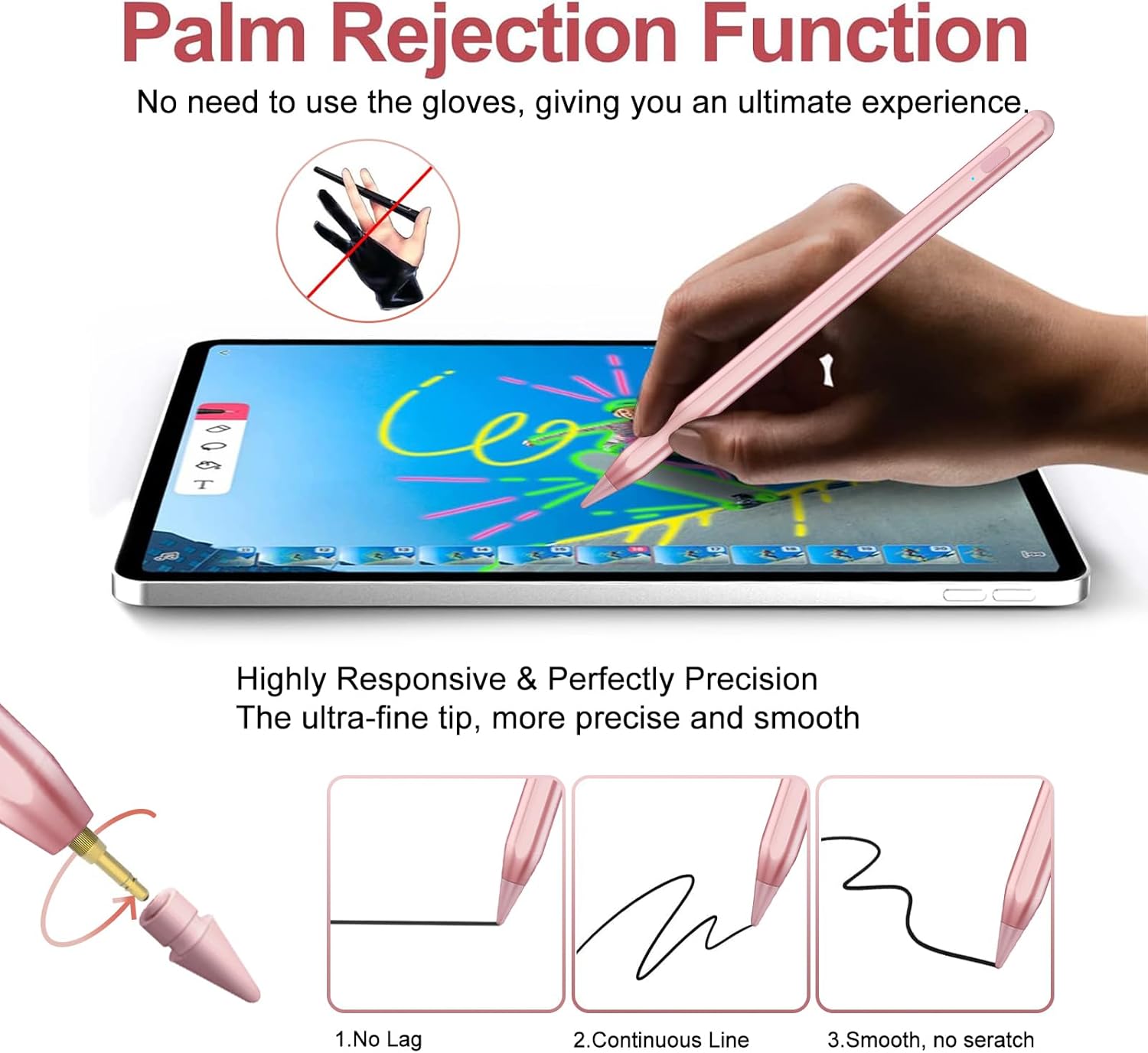
This stylus pen is made for iPads, with support across many iPad generations and iPad Pro sizes, including newer iPad Air and iPad Pro models mentioned by the manufacturer. The 0.9 mm nib is designed for fine writing and detailed sketching, with the claim of minimal lag and pixel level precision. Tilt sensitivity adds extra control, which can be helpful when shading or drawing lines with different pressure.
It also includes palm rejection technology, so you can rest your hand on the screen while you write, similar to using paper. For people who take a lot of notes, that small comfort detail can make the whole process feel less fiddly. 😌
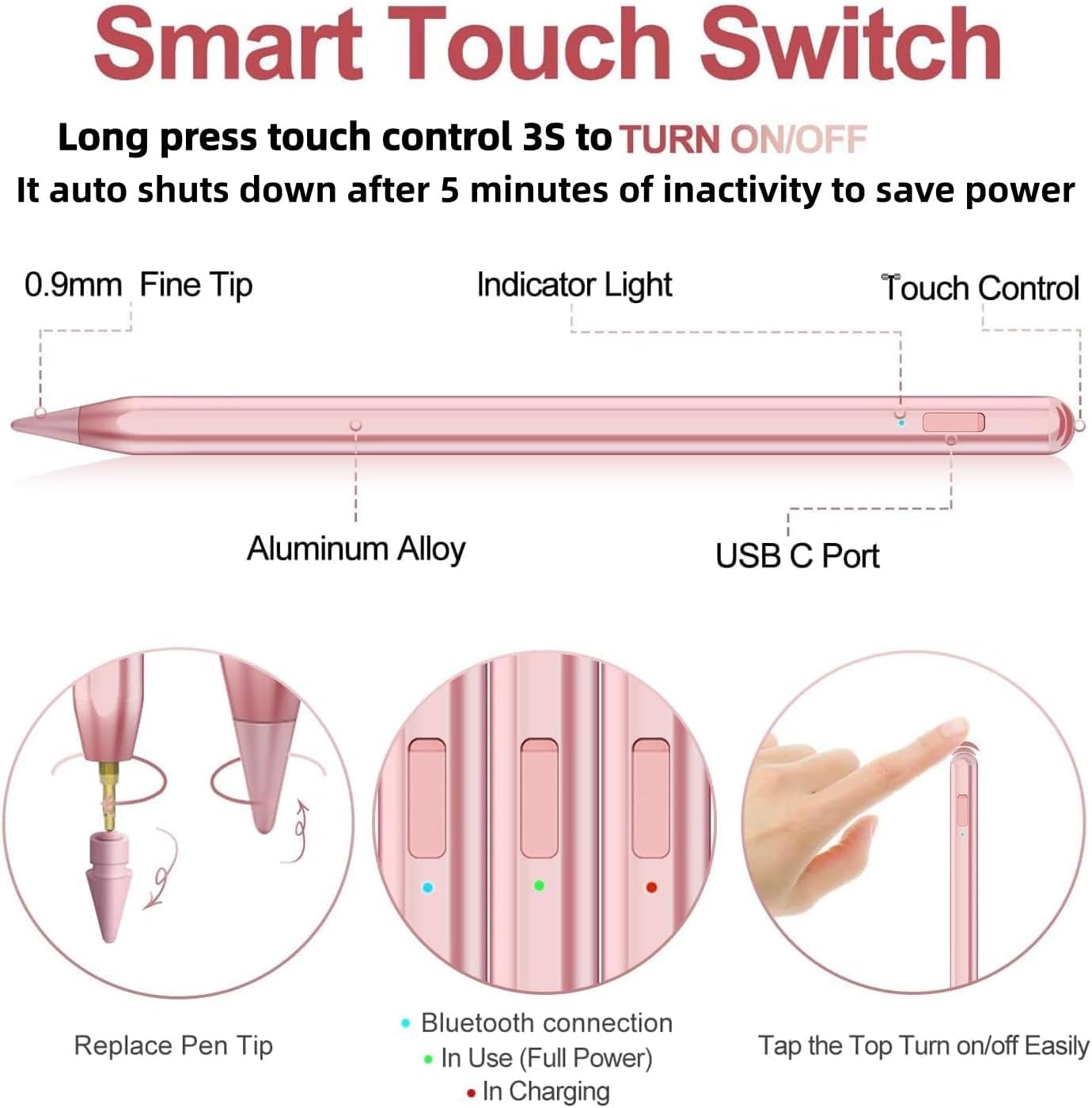
A further convenience feature is the touch activated design, where a simple press and touch on the top turns it on and off. Once paired, it also offers shortcut actions that can speed up common tasks, such as opening the iPad task manager, taking a screenshot and triggering a photo mode remote shutter.
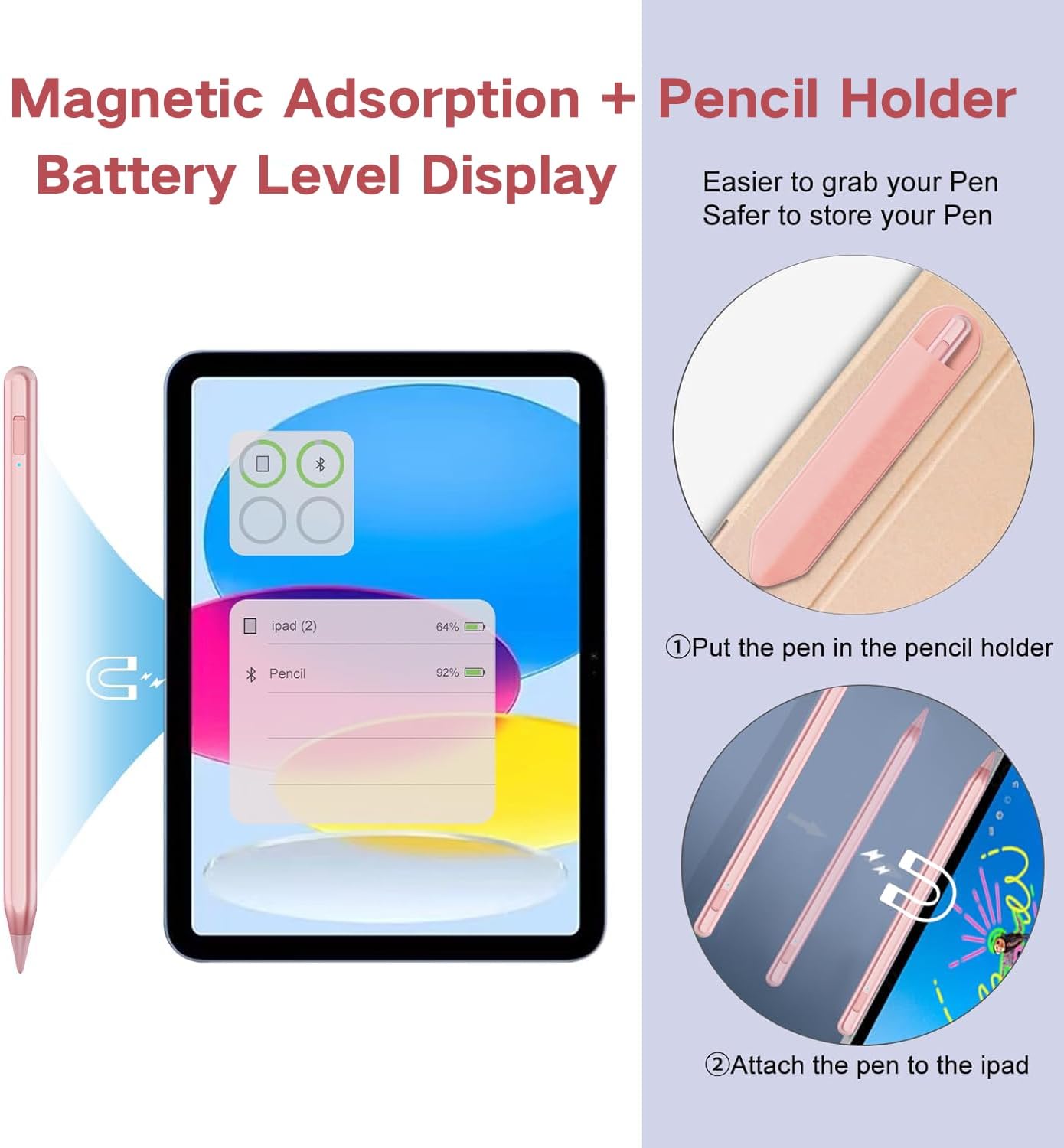
The pen supports a battery level display on the iPad after connecting via Bluetooth, so you can keep an eye on remaining charge without guessing. There is also a power saving mode that shuts down after 5 minutes of inactivity, which helps preserve battery health by reducing unnecessary charging cycles.
Key features
Key point highlights
For drawing, writing, and online learning, you are getting a pen designed to feel more natural than using your fingertip. The tilt sensitivity and palm rejection work together to support longer sessions, whether you are creating art, marking up documents, or taking class notes. The manufacturer also supplies 2 spare nibs plus a USB C cable, which is useful if you want to keep going without delay. 🎨
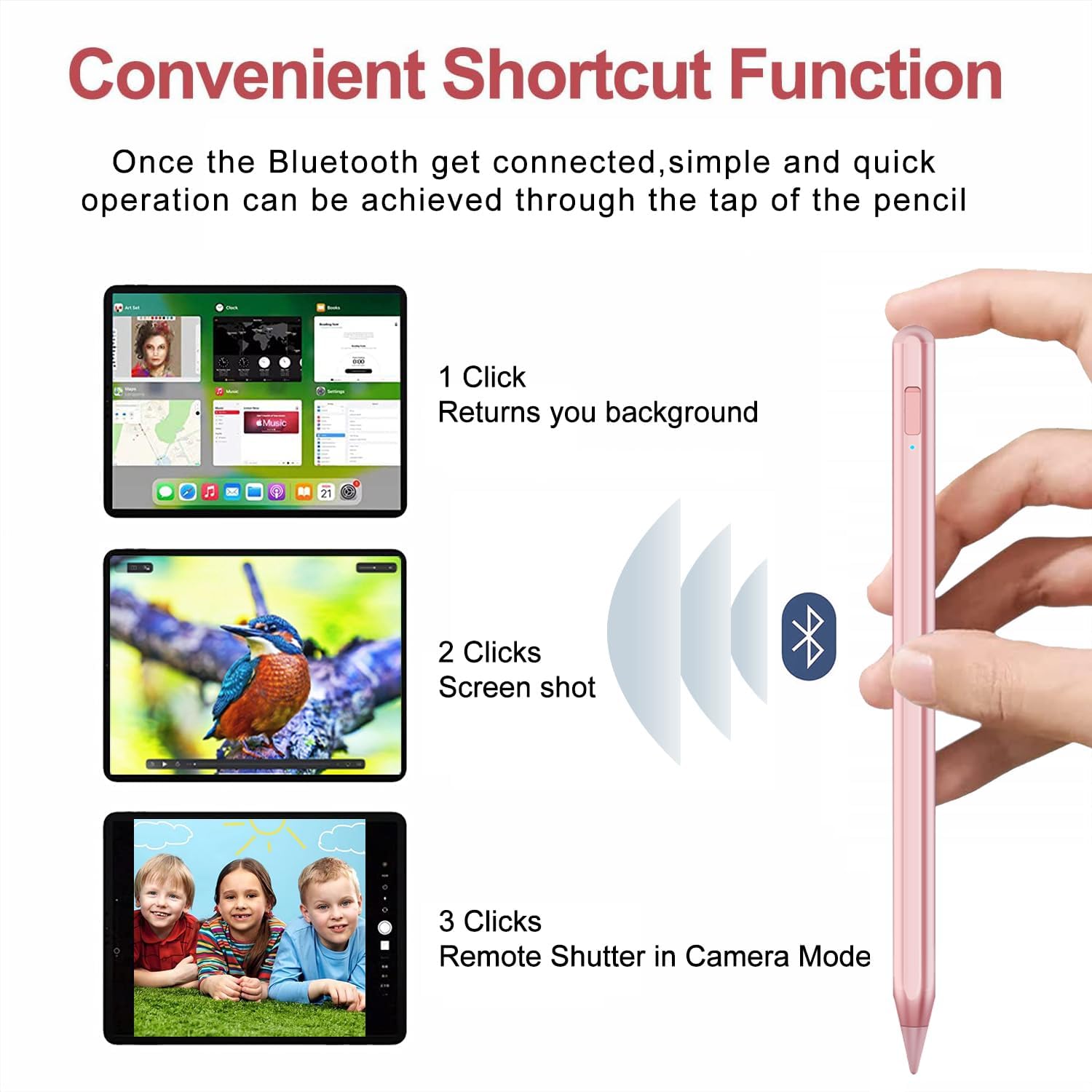
The shortcut functionality is built around quick clicks once the stylus is paired to your iPad. According to the description, a single click can open the iPad task manager, double click can take a screenshot, and triple click can take a photo using remote shutter behaviour in camera mode. For children learning online, these shortcuts can reduce the need to switch apps mid session.
There is also a magnetic adsorption design that helps with stability and storage. It is intended to protect the stylus from rolling and dropping, which is especially handy if multiple people share the device or desk space. The description also mentions an integrated pencil holder, aimed at keeping your pen organised when it is not in use.
Where it can help day to day
If you are using your iPad for notes and study, the battery level display and power saving approach can reduce last minute charging. Instead of always wondering how much charge remains, you can check the battery widget on the iPad. You can also charge with a standard USB C adapter, with the description stating that a full charge takes only 14 minutes.
It makes sense if you want a touch activated stylus that starts up easily, supports palm rejection while writing, and adds tilt sensitivity for more expressive drawing. It might not suit you if you own iPad models older than 2018 or if you are looking for compatibility with devices like iPhone, Android, Surface, Chromebook, or Kobo, because the manufacturer explicitly notes these as not supported. Take a moment to match your iPad model before buying, as compatibility is the biggest factor for getting the features you want.
Tech specs
- Type: Stylus pen for iPad, Apple Pencil compatible alternative
- Material: 0.9 mm pen nib
- Features: Tilt sensitivity and palm rejection
- Charge method: USB C cable and standard USB C adapter charging
- Charge time: Full charge in 14 minutes
- Battery management: Auto shut down after 5 minutes of inactivity
- Compatibility notes: Not compatible with selected pre 2018 iPad Mini and certain other listed devices
Who it’s for
It’s a good fit if you want a stylus for note taking, sketching, doodling and everyday mark ups on supported iPad models. It suits learners who benefit from shortcuts, and it can also be a practical pick for families who want a more economical alternative to a pricier stylus option. You’ll like it if you value palm rejection comfort, plus tilt sensitivity for more controlled drawing lines.
It may not suit you if your priority is absolute compatibility across every older iPad or other device type, because the description includes a clear list of unsupported models and categories. It might not be the best match if you prefer a different charging or power behaviour, since the shut down and charging approach follows the specifications provided by the manufacturer.