

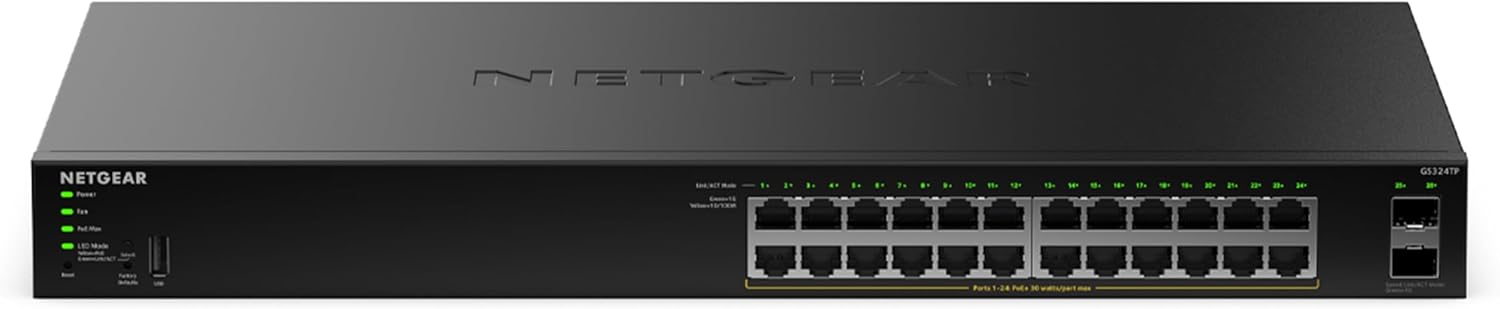
NETGEAR 16-port PoE switch GS316PP (Gigabit, plug-and-play, silent operation)
Product description
What it is and why people buy it
If you need to power and connect multiple network devices without turning the setup into a project, the NETGEAR GS316PP is built for exactly that. It’s a 16-port Gigabit Ethernet PoE switch with a stated total power budget of 183W, designed to run with a simple plug-and-play approach (no software or configuration required).
On paper, it ticks the practical boxes for homes, small offices, and quieter workspaces: desk-friendly or wall-mount placement, an energy-efficient design compliant with IEEE 802.3az, and silent operation aimed at noise-sensitive environments. The 3-year limited hardware warranty is also worth noting if you like a bit of reassurance rather than rolling the dice.
The main thing to be clear about is that this is a straightforward managed-free style switch. That’s great if you want simplicity, but if your network needs lots of advanced control, you may end up wanting something more feature-rich.
Key takeaways (the real-life feel)
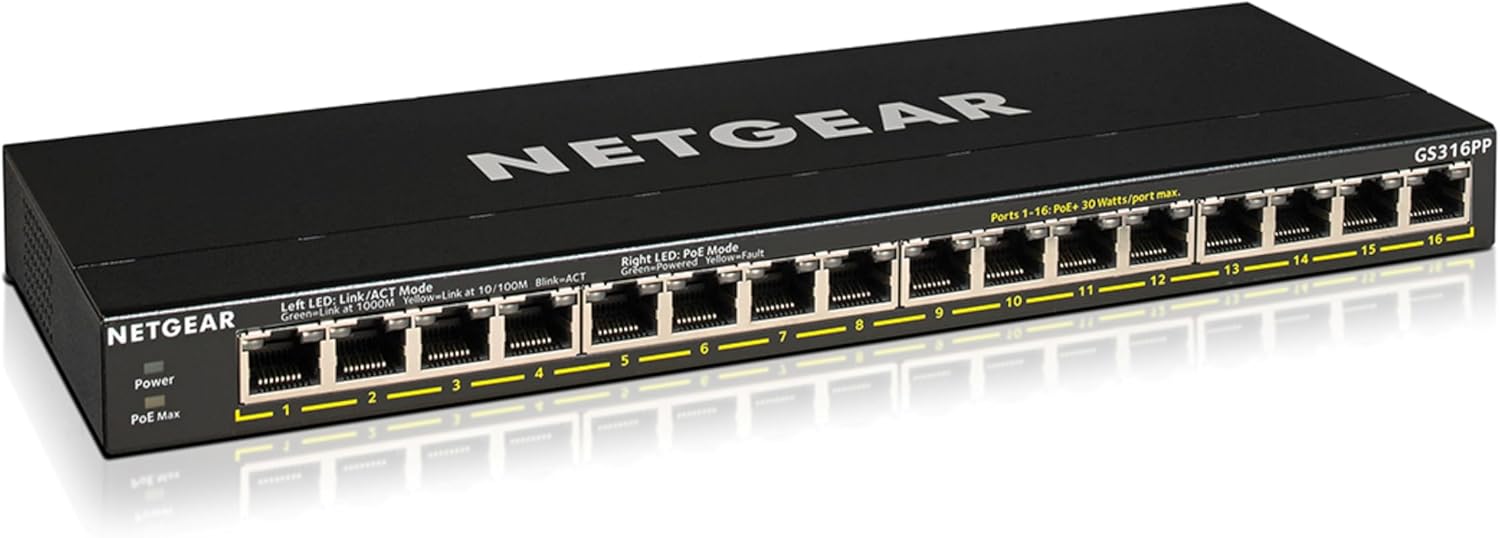
The headline here isn’t just “16 ports” — it’s the combination of PoE power, Gigabit networking, and a placement option that suits how people actually set up rooms.
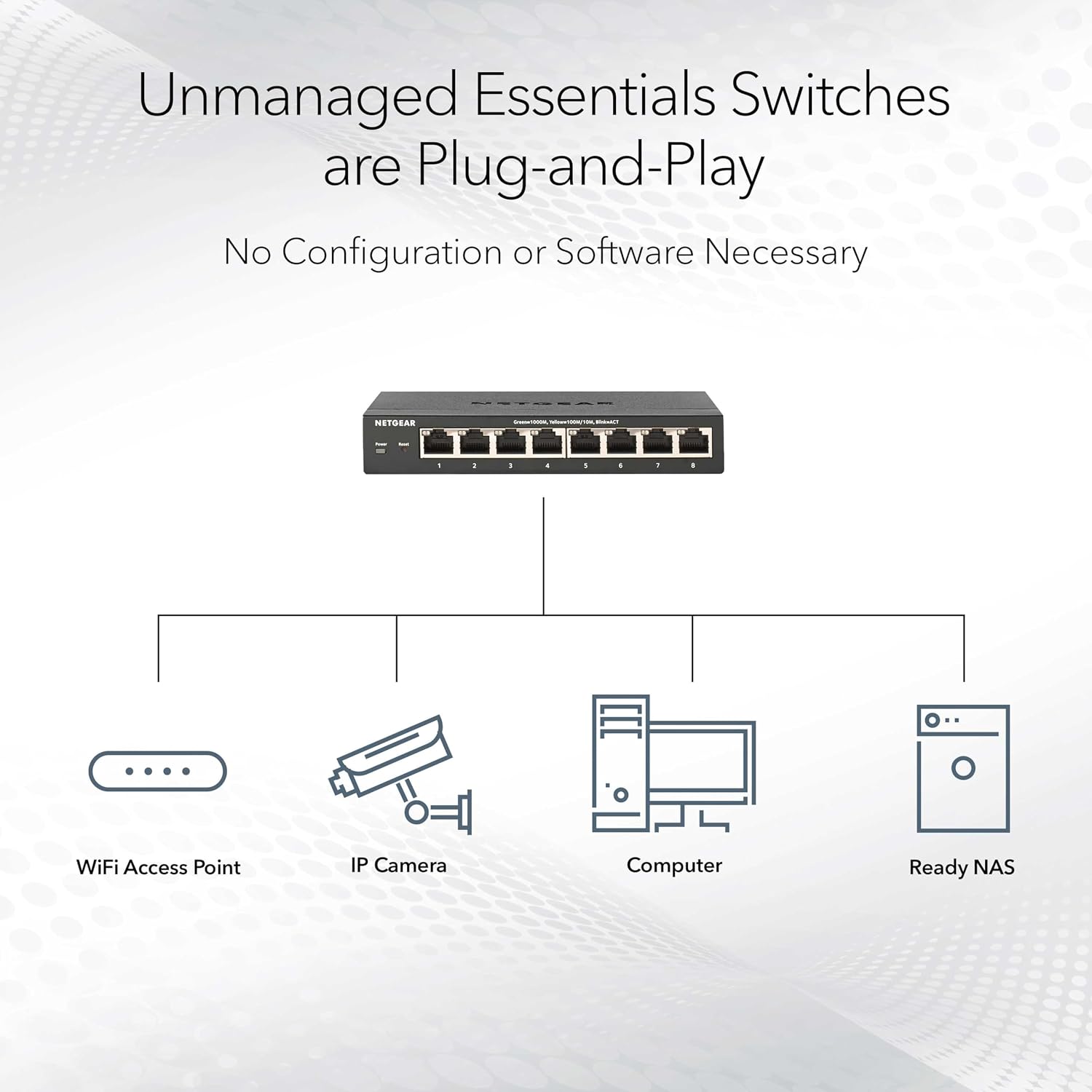
In everyday use, it’s the kind of switch that can let you tidy up cabling: instead of hunting for separate power adapters, you can route Ethernet to devices that can take PoE. Think of a busy office corner where multiple access points, IP cameras, or other PoE devices need both power and a stable link, and you’d rather not be juggling extra leads.
It also leans into noise discipline. If you’re setting up in a home office, a studio, or anywhere the sound of fans matters, “silent operation” is one of the more buying-relevant claims in the description.
Where it shines
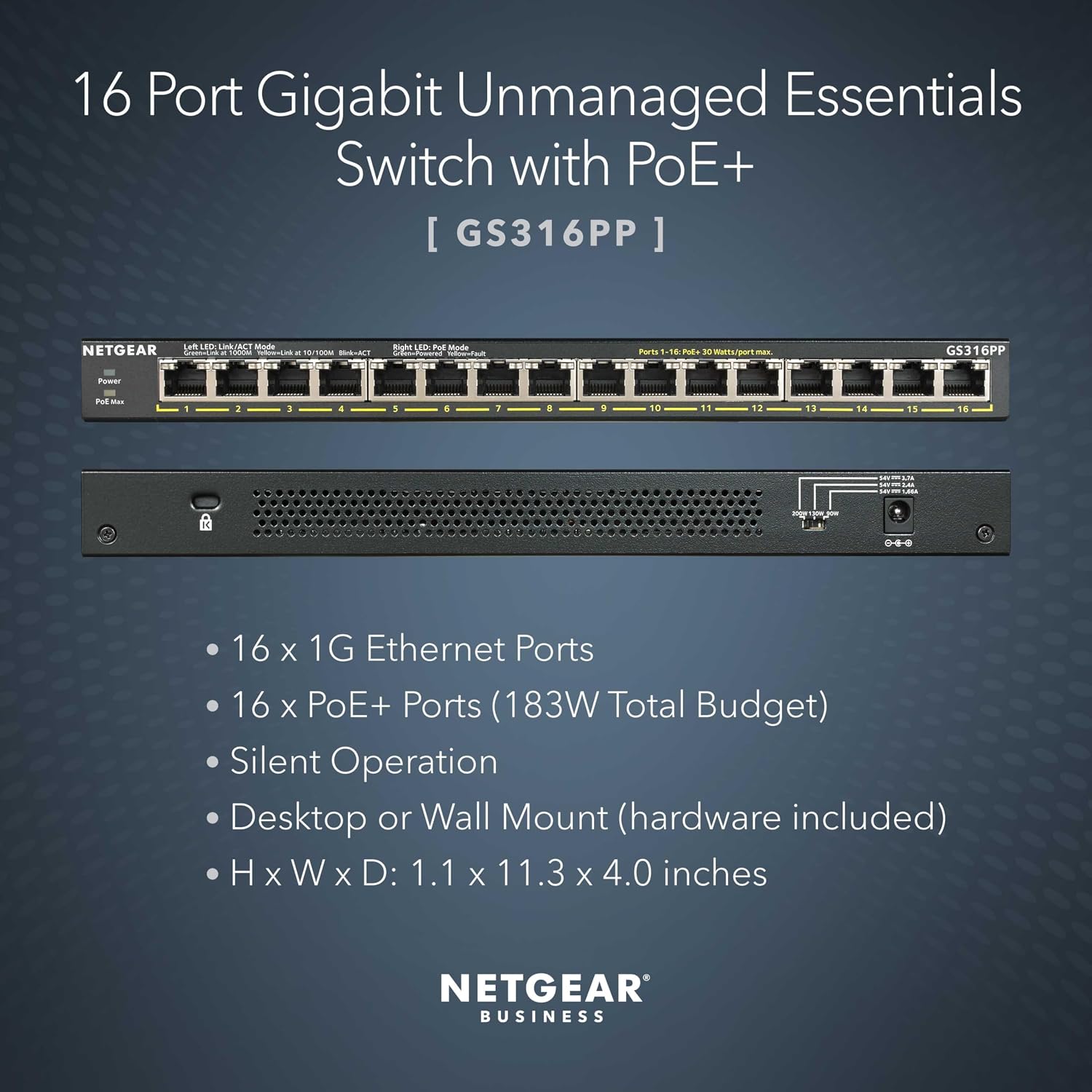
This GS316PP makes the most sense if you want: - A simple plug-and-play PoE switch setup without needing to install software or do configuration. - 16 Gigabit Ethernet ports for day-to-day connectivity. - A design that’s compatible with desktop or wall mounting, so you can match it to your space. - Lower energy draw via an energy efficient approach (IEEE 802.3az compliance).
If you’re building a small PoE network for the first time, the “no software required” angle can be a genuine time-saver. You’re not trying to learn switch configuration syntax before your kit is online.
What to watch before you buy
There are a couple of limits you’ll want to sanity-check.
First, the PoE total power budget is stated as 183W. In practice, PoE devices can draw power differently, so you’ll want to ensure the total demand from everything you plan to power stays within that figure. If you add more power-hungry devices later, you could run into constraints.
Second, while the switch is clearly positioned for ease of use, the information provided doesn’t describe any advanced management features. So if you’re specifically shopping for fine-grained control, deep traffic features, or heavy troubleshooting tools, this may feel more like an appliance than a control panel.
Practical usage tips
To get the best from a PoE switch like this, it helps to plan your layout first.
For example: in a small office, you might mount the GS316PP on a wall near your patch panel or router shelf. Then run Ethernet cables to your PoE-capable devices (such as network hardware that expects PoE). Once everything is plugged in, you’re relying on the plug-and-play approach rather than configuration work, which can make the first “all devices online” moment faster.
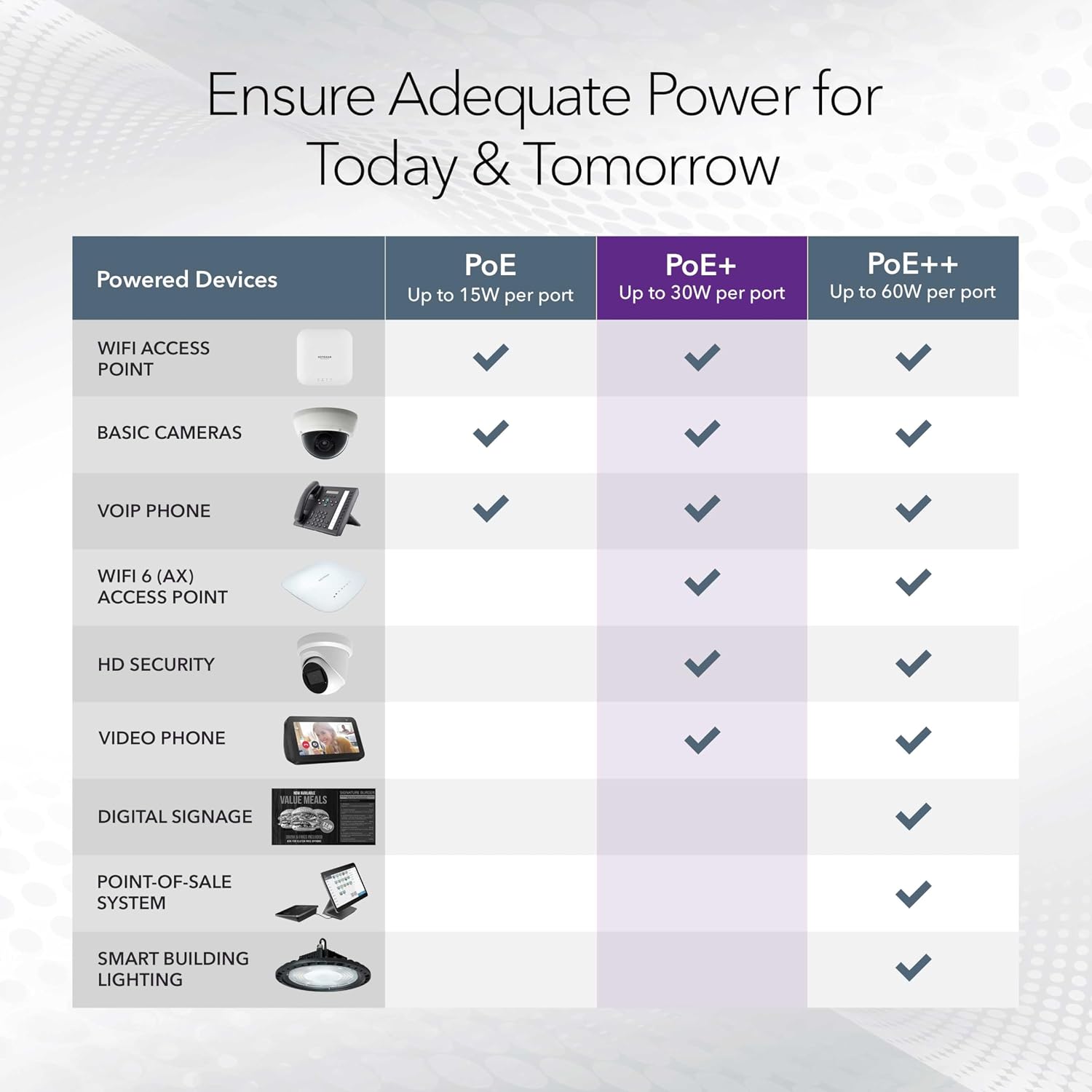
A small habit that pays off: label cables as you install them. With 16 ports, it’s easy to lose track of what’s connected where — especially if you’re balancing power and connectivity.
Pros
- Plug-and-play setup with no software or configuration required.
- 16 Gigabit Ethernet ports for typical small-network needs.
- 183W total PoE power budget for powering compatible devices.
- Silent operation aimed at noise-sensitive environments.
- Desktop or wall mount placement for flexible installation.
- Energy efficient design compliant with IEEE 802.3az.
Cons
- May not suit advanced network users who need more than basic PoE + switching.
- Power budget (183W) is a factor, if your connected devices draw a lot, you’ll need to plan.
Is it worth it?
A solid pick if you want a straightforward 16-port PoE switch that’s designed for quick deployment, quiet operation, and flexible placement. It suits people setting up a small PoE network where “plug it in and move on” matters, and where energy efficiency and low noise are part of the brief.
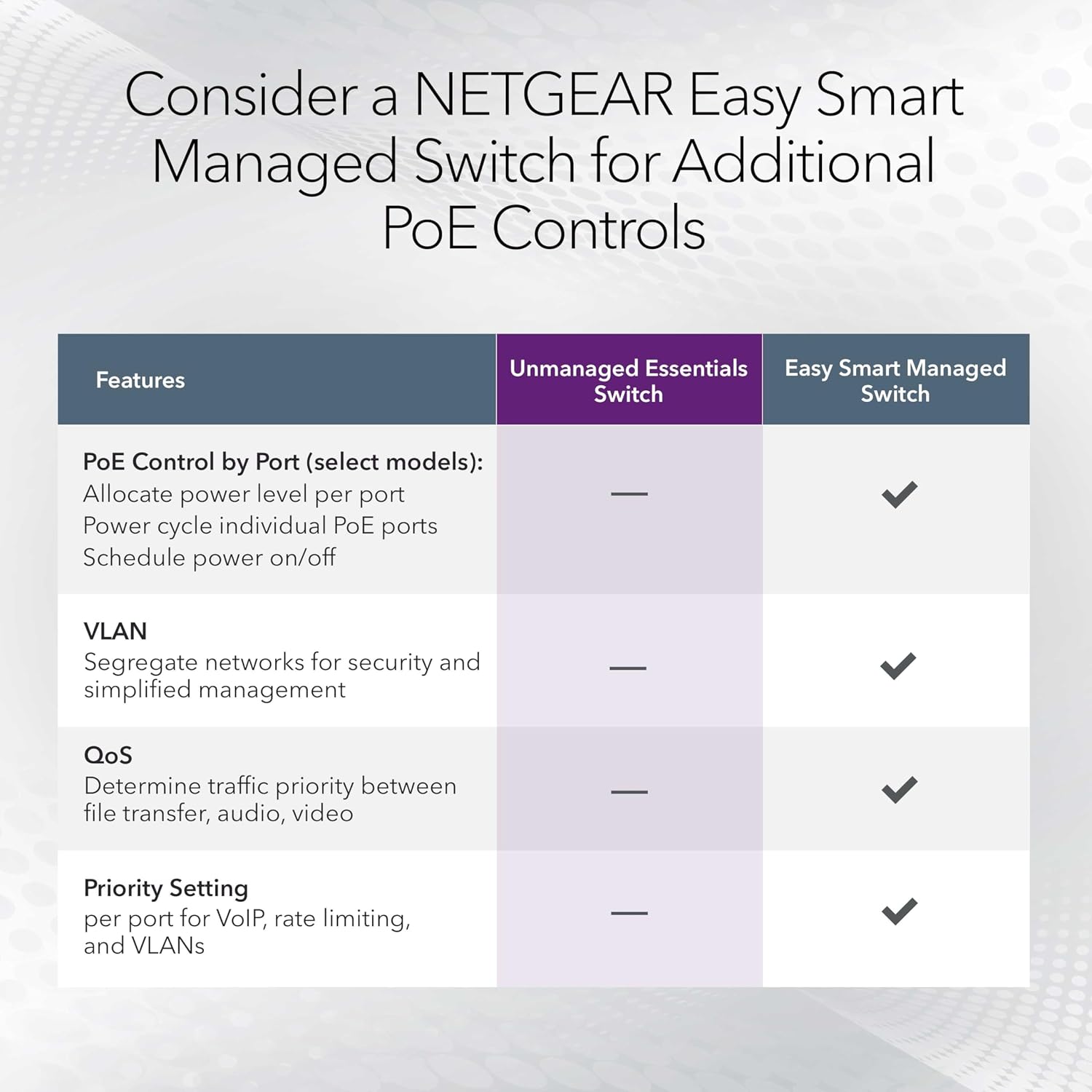
It’s not the best choice if you’re after advanced switch management features, or if you expect to connect enough high-power PoE devices that the 183W total budget could become tight. Not knowing the exact power draw of every device you plan to run is the main reason this sort of switch can disappoint — so it’s worth checking compatibility and real-world power requirements before committing.
Mini FAQ

1) Do I need software or configuration for the GS316PP?
The description states a simple plug-and-play setup with no software to install or configuration needed.
2) Is it designed to be quiet?
Yes — it’s described as having silent operation and being ideal for noise-sensitive environments.
3) Can it be mounted on a wall?
It supports desktop or wall mount placement.
4) How much PoE power does it provide?
The total power budget is stated as 183W.
5) Is it energy efficient?
It’s described as energy efficient and compliant with IEEE 802.3az.