

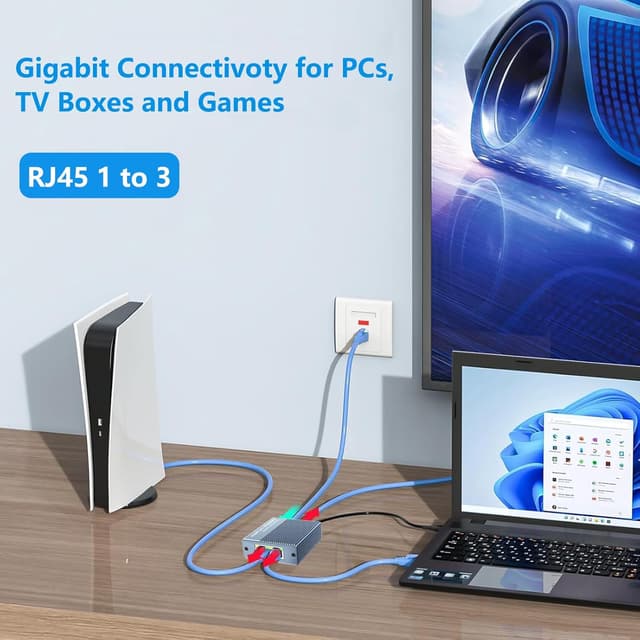
Vecbmn Ethernet Splitter 1 to 3 (1000Mbps) with USB-C Power Cable
Product description
What it is and why you’d want it
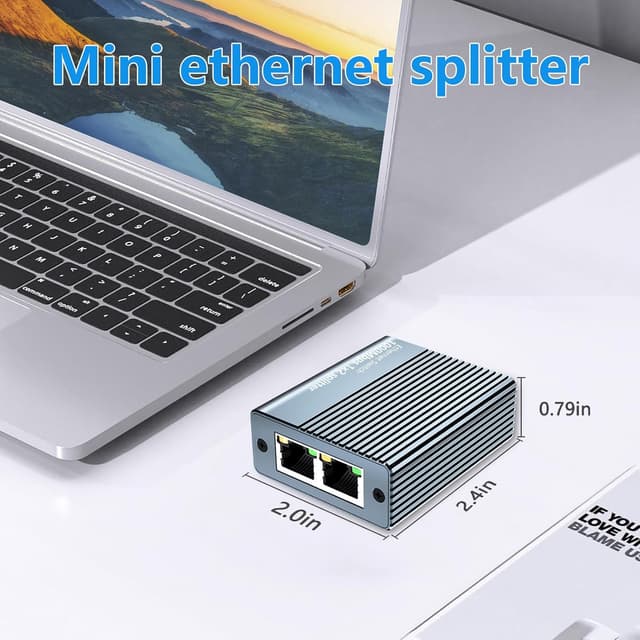
An Ethernet splitter is one of those items you don’t think about until you’ve got more devices than available LAN ports. This Vecbmn Ethernet Splitter 1 to 3 is designed to let you split a single wired connection across three RJ45 outputs, so up to three devices can access the network at the same time. On paper, it’s aimed at practical situations like freeing up room in a tight network setup, avoiding the usual routine of unplugging and re-plugging cables, and helping when you’re short on Ethernet ports.
Where it fits best is when you’re not trying to build a high-end, fully engineered network. If your goal is “get multiple wired devices online reliably from one feed”, a splitter like this can make sense—especially in home or small office environments.
Key takeaways (the real-world gist)
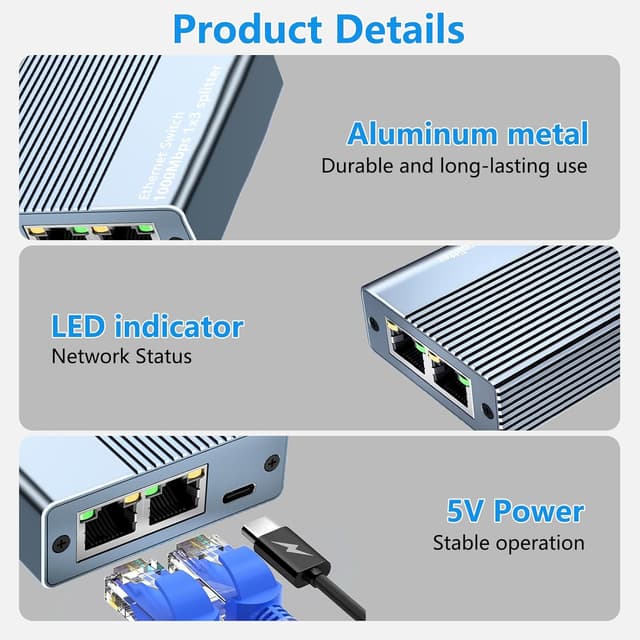
You’re looking at a 1-to-3 RJ45 LAN splitter, marketed for speeds up to 1000Mbps and intended to work via Ethernet cables (Cat5e/Cat6/Cat7/Cat8 are mentioned in the listing). It uses a USB power cable (included) or you can power it via a 5V 1A adapter, and it’s described as plug-and-play with no drivers required.
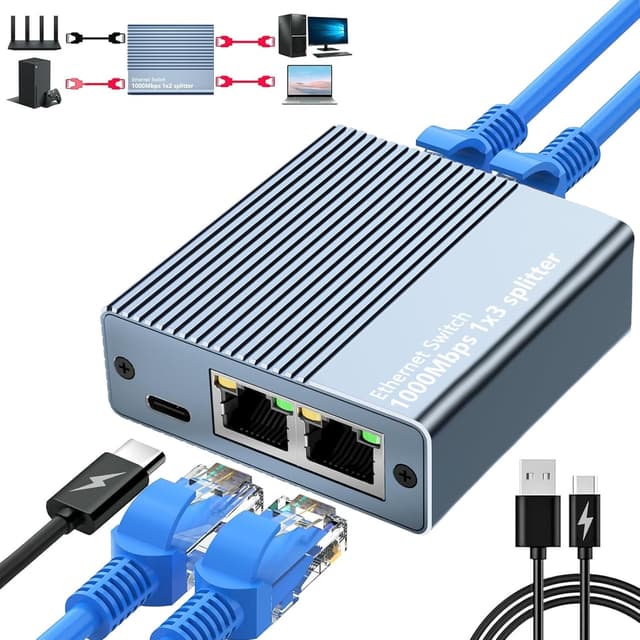
The differentiator here is the built-in power option. Many passive splitters don’t do much on their own, this one is set up to stay powered so the outputs can function simultaneously.
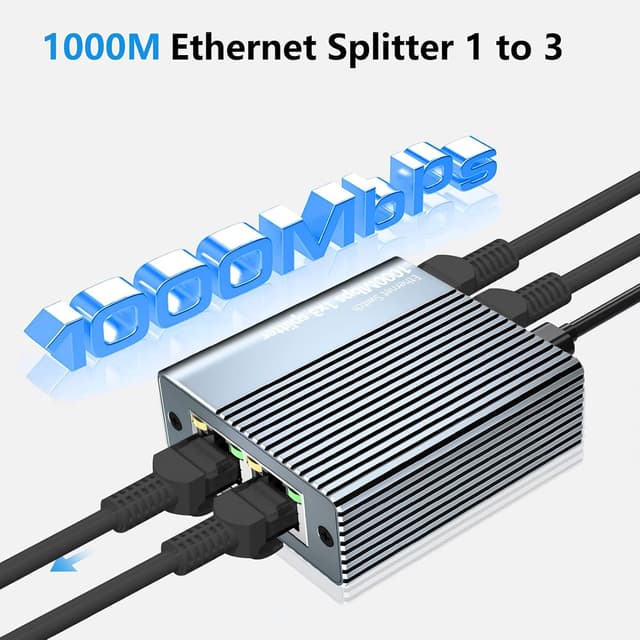
It’s also built around an aluminium alloy housing and metal-shielding approach (the listing mentions full metal protection on the RJ45 plug), which should help keep the signal stable over time.
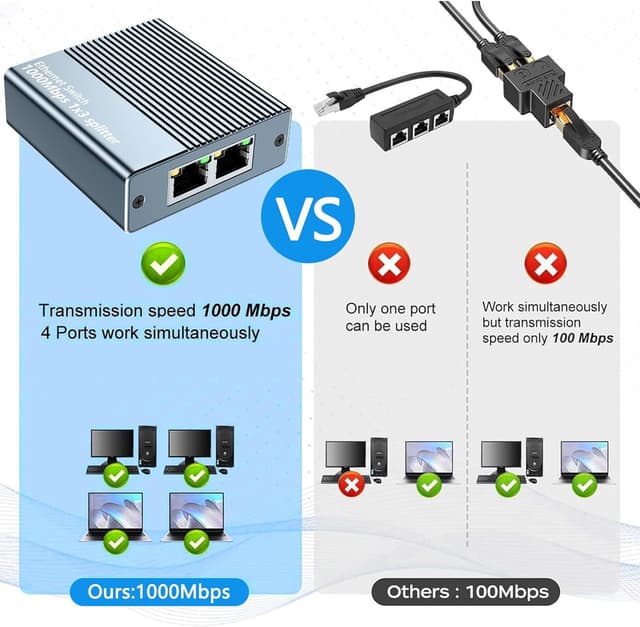
That said, it’s not “magic bandwidth multiplication”. The listing notes that when connecting a single computer, the maximum is 1000MB and that real network speed depends on devices and cabling. If you’re expecting three devices to each get 1000Mbps at once, you may be disappointed.
Where it performs well
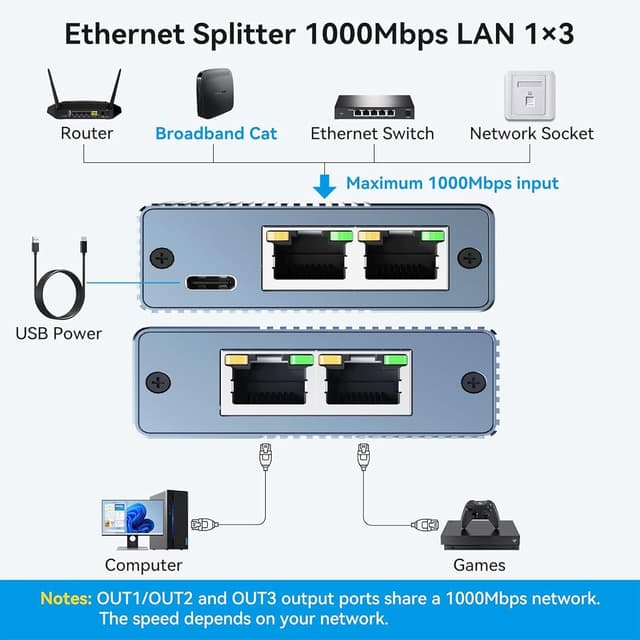
This splitter is most convincing for straightforward, everyday use: - Connecting multiple devices to the same wired network when you’re short on available LAN ports. - Scenarios like router + IPTV, PC + router, or IPTV + IPTV are mentioned as examples, which hints at typical “keep things connected” home setups. - Situations where you want consistent wired access for devices that benefit from a stable link (streaming boxes, TVs, basic network devices, and similar).
A practical micro-example
Imagine your router only has one spare Ethernet port. You connect the splitter’s input to that port, then run one cable to an IPTV box and one to your smart TV. The third output could go to a laptop used for downloading updates or online games. You’re not constantly swapping cables, and you keep the connection wired for devices where Wi‑Fi would be the weaker option.
Tech summary
Tech specs
- Name: Ethernet Splitter 1 to 3
- Type: RJ45 LAN splitter
- Speed rating: up to 1000Mbps (listing notes maximum depends on chipset and setup)
- Power: USB-C power cable included, can also be powered using a 5V 1A adapter (as per listing)
- Cable support mentioned: Cat8, Cat7, Cat6, Cat5e, Cat5
- Housing/material notes: aluminium alloy body, metal-shielded design for the RJ45 plug, gold-plated pin core mentioned
- Plug-and-play: no drivers required (per listing)
- Included in the box: 1 RJ45 network connector, 1 USB power cable, 1 user manual (Spanish language not guaranteed)
What might be a limitation (so you don’t buy the wrong thing)
The biggest caveat is how Ethernet splitting relates to real throughput. The listing states a maximum of 1000MB with a single computer and makes it clear that actual speeds depend on the device and network environment. In practice, if you’re pushing heavy simultaneous traffic (large file transfers, multiple high-bitrate streams, or gaming plus streaming), the performance may feel “more mixed” than the headline speed.
Also, this is a splitter, not a managed switch. If you need prioritisation, advanced routing features, VLAN support, or better control over traffic, you’ll likely want a different approach than a simple 1-to-3 divider.
Who it suits (and who should skip it)
It’s a solid pick if you want a simple way to share one wired connection across three RJ45 devices without constant unplugging. It suits home users, small offices, and “keep it connected” setups where wired stability matters.
It may not be a great match if: - You expect each device to individually enjoy the full 1000Mbps simultaneously. - You’re building a network that needs smart traffic handling or more granular management. - Your priority is maximum performance under heavy concurrent use, not just connectivity.
Worth noting too: for best transmission rate, the listing suggests using CAT6 Ethernet cables.
Is it worth it?
If you’re short on Ethernet ports and you mainly want three devices on the same network feed at the same time, this Vecbmn Ethernet Splitter 1 to 3 is the kind of accessory that can genuinely reduce hassle. The plug-and-play approach and the included USB power cable make it straightforward to set up.
However, treat the 1000Mbps figure as a maximum ceiling for the overall chipset/setup rather than a guarantee of equal top speeds for all three outputs at once. If your use case involves heavy, simultaneous downloads or multiple demanding streams, you may find a different networking component would better match your expectations.
Quick rule of thumb: buy it for basic wired sharing and convenience, skip it when you need managed performance or guaranteed high throughput per device.
Mini FAQ
FAQ
Does it need drivers?
No—it's described as plug-and-play, so drivers are not required (per the listing).
How is it powered?
It can be powered using the included USB cable, and the listing also mentions an optional 5V 1A adapter as an alternative.
Will it work with Cat6 or newer Ethernet cables?
The listing says it works with Cat8, Cat7, Cat6, Cat5e and Cat5 Ethernet cables.
What speeds can I expect?
The splitter is rated up to 1000Mbps, but real speed depends on your devices and network conditions. It also notes the maximum for a single computer setup.
Is it suitable for IPTV and routers?
The listing includes example setups involving router + IPTV and IPTV-type combinations, so it’s positioned for those kinds of everyday connections.