

KPKUE X90E 15.6" Laptop Screen Extender Monitor (Dual Portable, 1080P FHD IPS) for Windows
Reviews
Price
Product description
What you’re trying to solve
If you’ve ever worked from a laptop and felt like the screen simply isn’t big enough for real tasks, a portable screen extender can be a practical fix. The KPKUE X90E is designed to turn your laptop into a dual-screen setup using an external 15.6-inch IPS panel. The idea is straightforward: less tab-switching, more side-by-side work, and fewer compromises when you’re juggling spreadsheets, code, stock charts or reports.
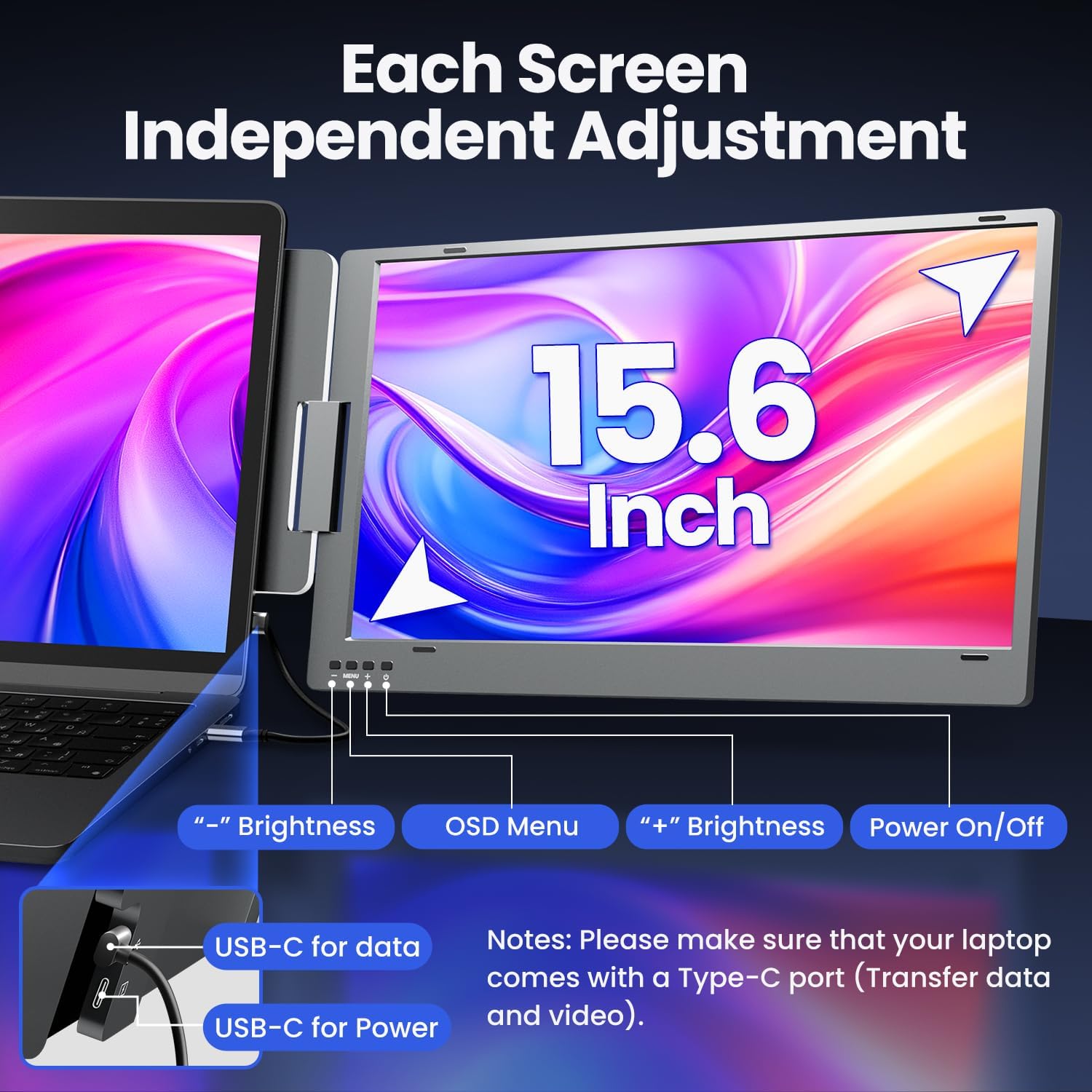
The “it’s easy” part is worth noting too. The product is built around a single USB Type-C connection, so in day-to-day use you’re not dealing with a bundle of extra cables and adapters just to get more space on-screen.
Key takeaways on the essentials
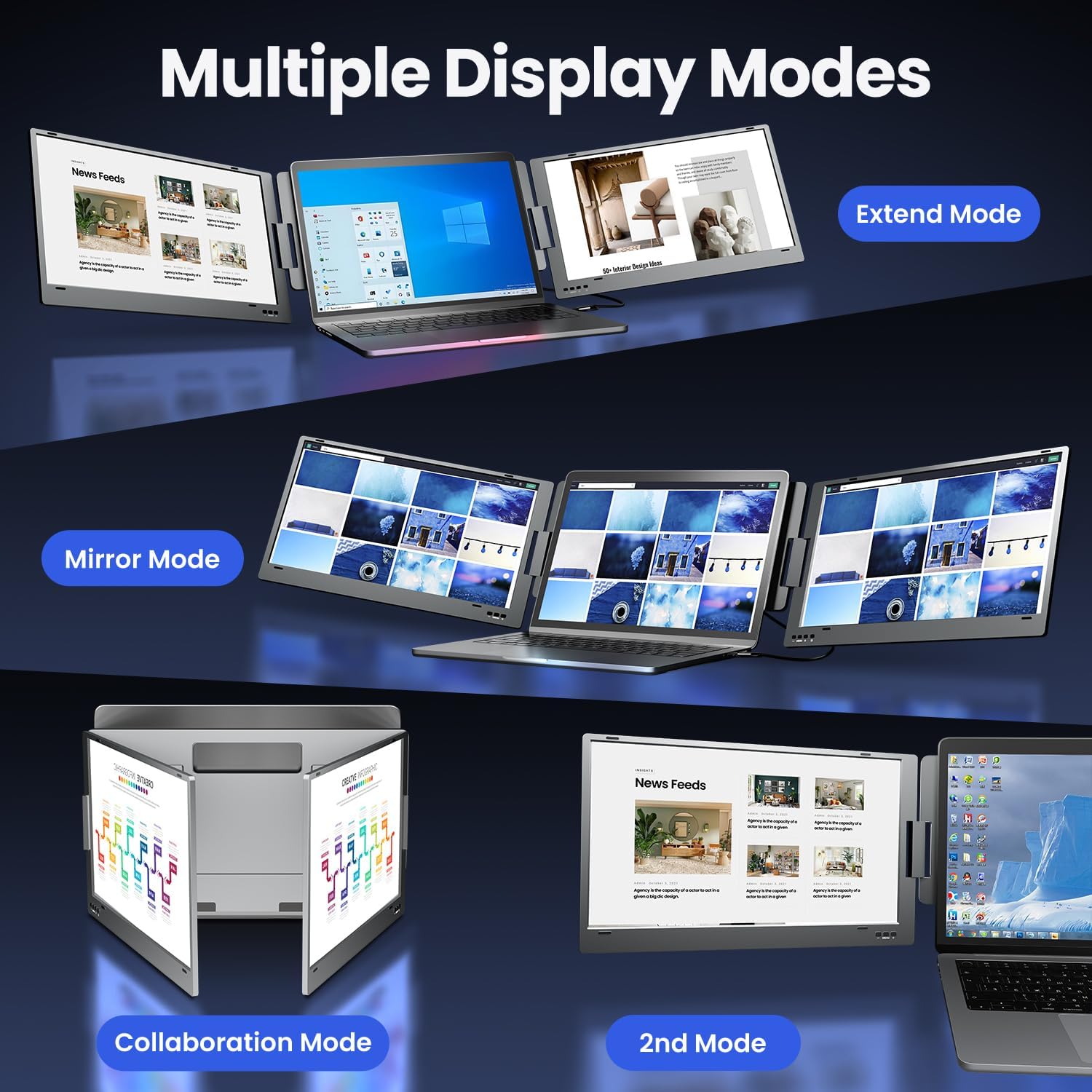
On paper, the X90E is aimed at people who want more workspace from a 12–16-inch class laptop without upgrading to a full desktop-style monitor setup. It supports multiple display modes (including extended and mirror), and each of the two screens can be switched off independently, which can help if you only want one panel for certain tasks.
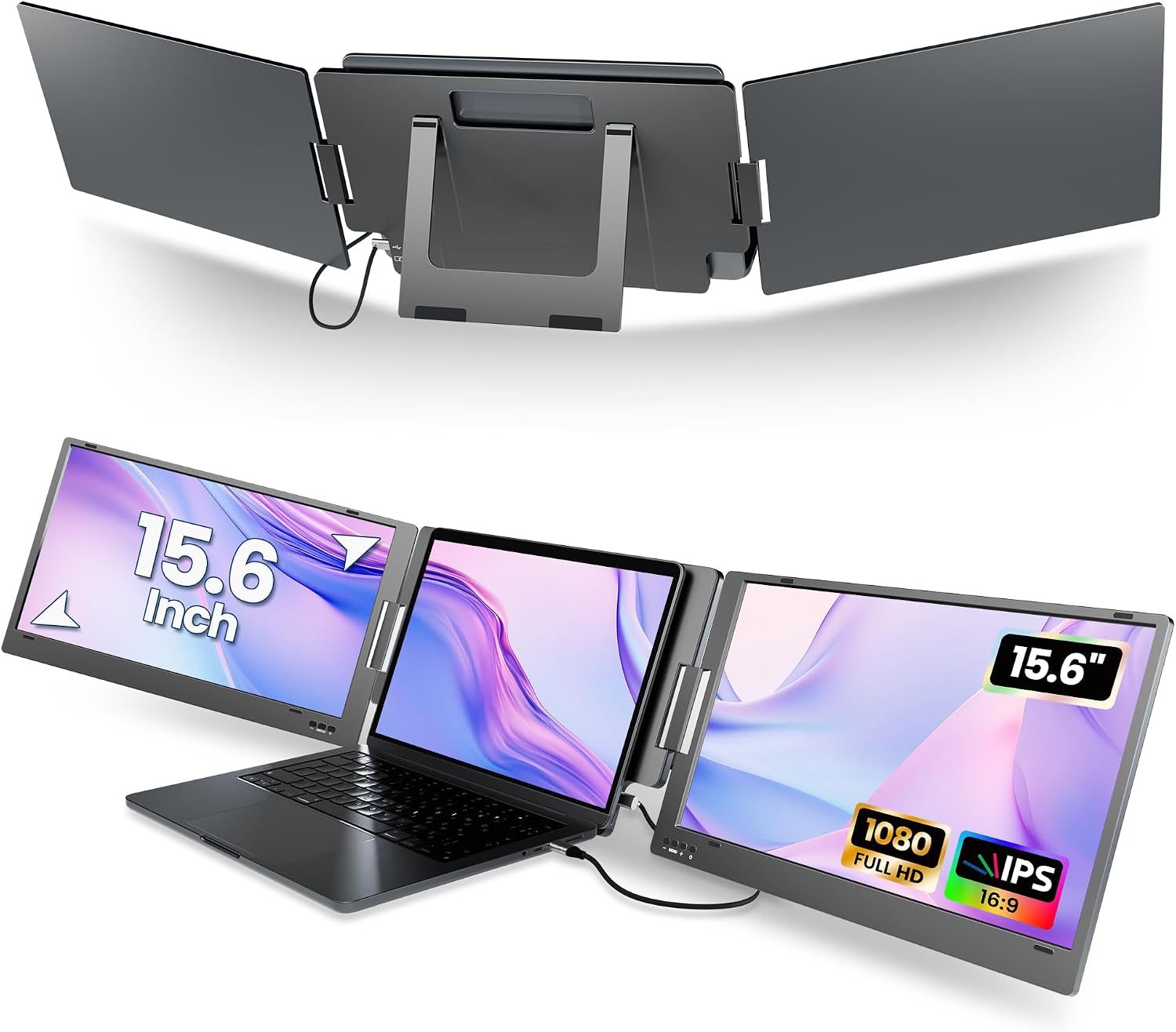
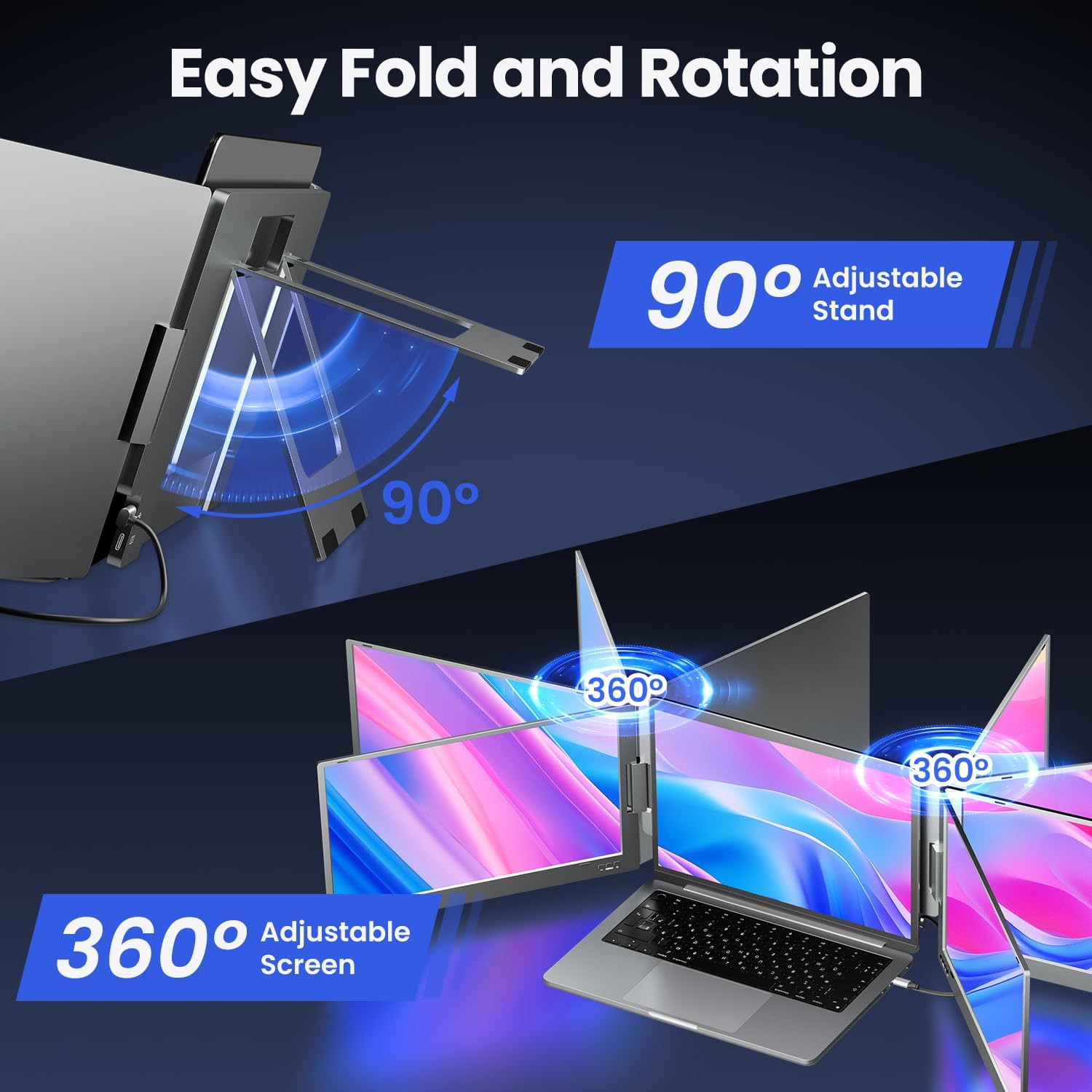
There’s also a strong portability angle: the screens include rotation (0–360°) for easier folding and sharing, plus a built-in kickstand so you can find a more comfortable angle. For meetings or quick demos, the ability to rotate and share what’s on the screen can be genuinely handy.
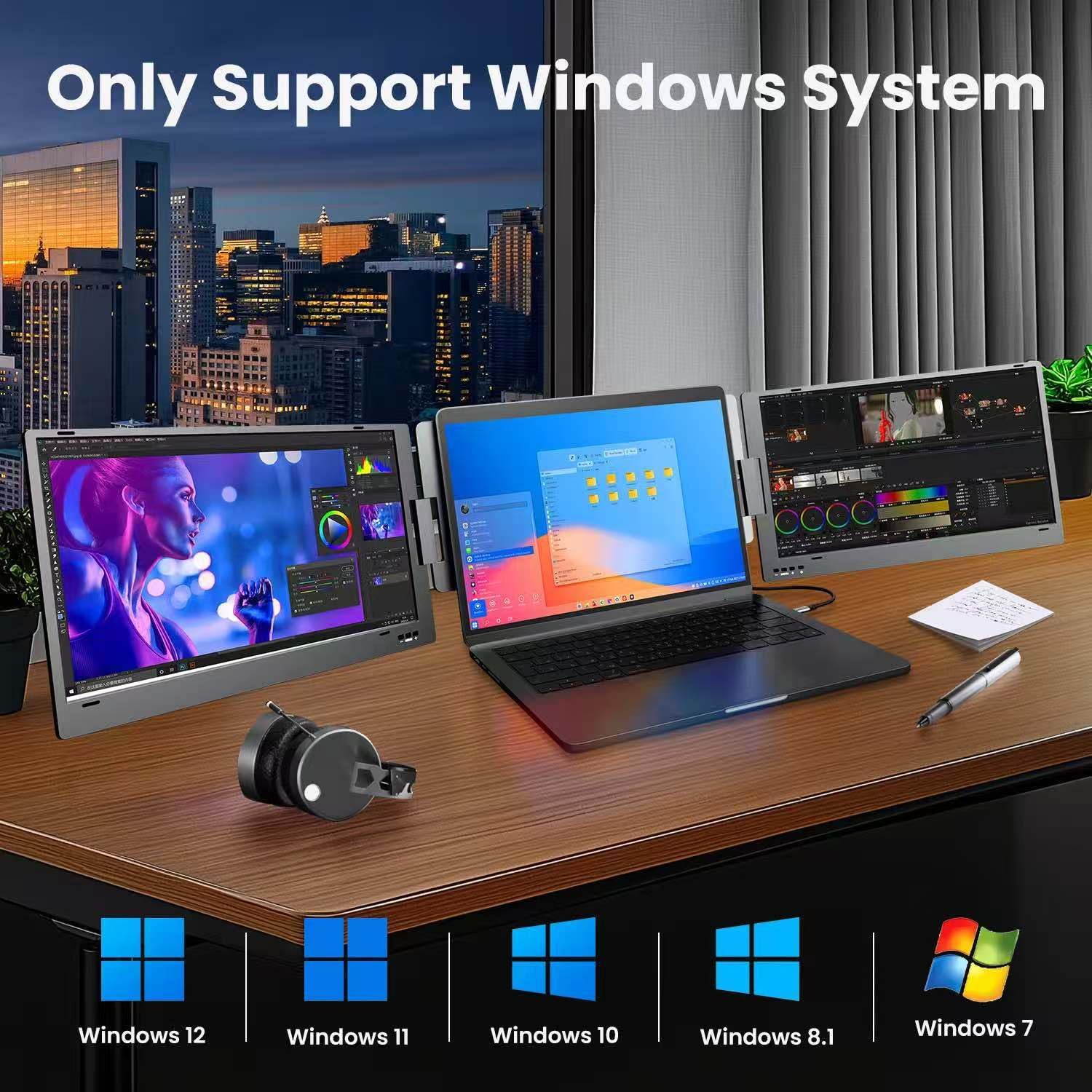
That said, it’s not a universal accessory. It’s described as Windows system only, and it also asks you to confirm your laptop size before buying—so it’s one of those products where compatibility checks matter more than with some simpler accessories.
Where it shines in everyday use
For multi-window work, the appeal is the “spread-out” feeling. Imagine you’re coding: editor on one screen, documentation or logs on the other. Or you’re doing research: one panel for a reference page, the other for notes and comparisons. In these scenarios, the difference between constant switching and a stable dual layout is often the difference between productivity staying smooth and it turning into a chore.
If you work on moving between presentations and working, the collaboration angle helps too. Because the screens can be rotated, it’s easier to share content in a small room than with a fixed monitor facing only you.
What to watch for before you buy
First, the biggest limitation is the Windows-only positioning. The X90E is stated as compatible with Windows 12/11/10/8.1/7, with no need for drivers. If your setup is macOS or something else, this one likely won’t be the right route.
Second, you need to measure your laptop. The guidance provided is that it’s compatible with laptops up to 14.57" wide, or laptops with a 12–16" diagonal. If your laptop sits outside that range, you could end up with an installation that simply doesn’t work as intended.
Third, connection requirements matter. The monitor requires your laptop to have a fully functional USB-C port that supports both video and data transfer. If you’re not sure what your USB-C port can do, it’s worth checking first, the listing explicitly encourages reaching out if compatibility is unclear.
Tech specs at a glance (so you can judge the picture)
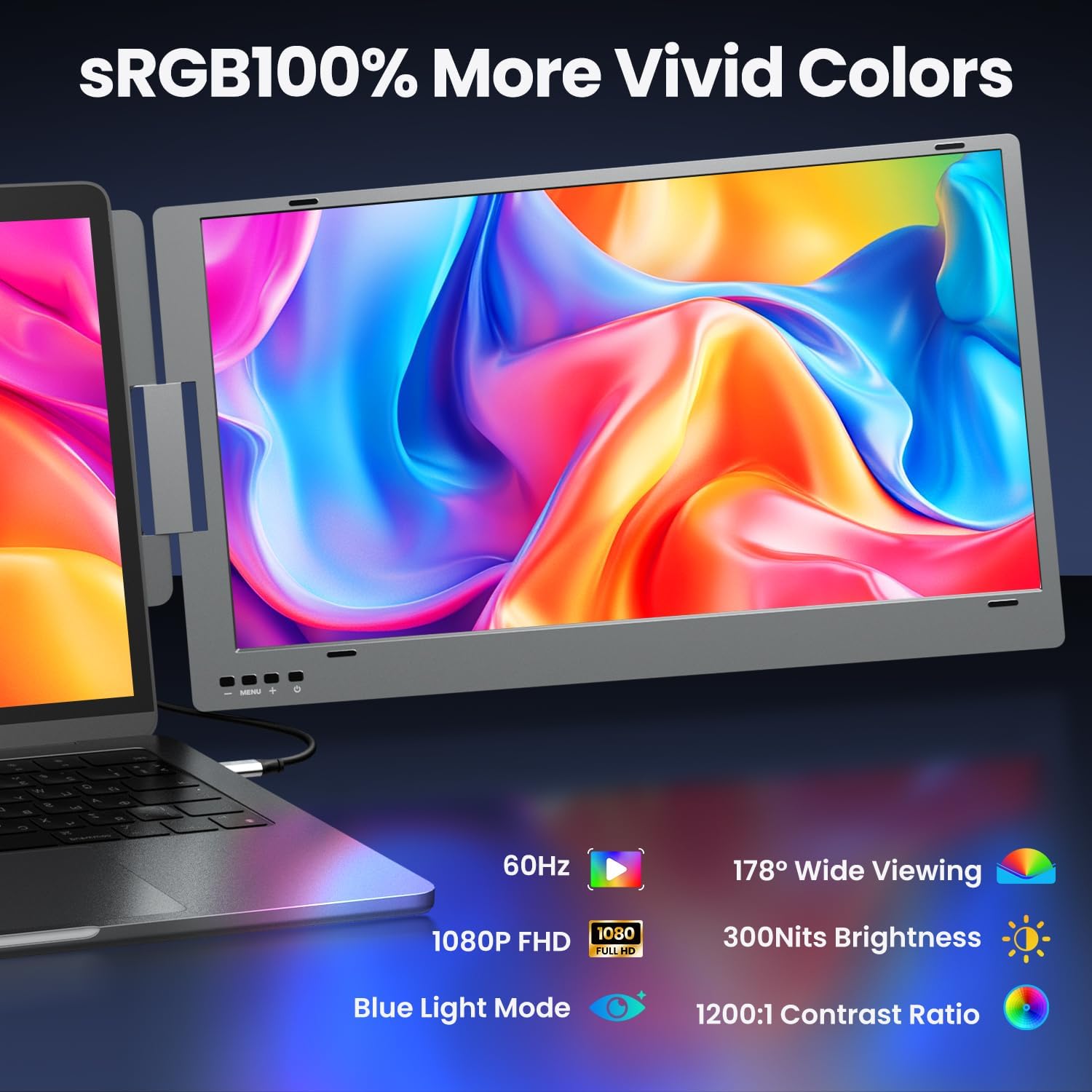
Here’s what’s stated for the display side of things:
- 15.6" IPS portable screen (dual-screen extender)
- 1080x1920 resolution (1080P FHD)
- 300 nit brightness
- 72% NTSC colour gamut
- 1200:1 contrast ratio
- Low blue light
- Modes include extended, mirror, collaboration, and a 2nd mode
This spec set suggests a clear, work-friendly panel rather than something built for highly demanding creative colour grading. If your priority is crisp text, comfortable long sessions and workable visuals, it fits that role. If you’re trying to “match” a high-end desktop monitor experience, it may feel more like a mid-range extender than a replacement.
Pros, cons, and who it suits
Why it makes sense if you want a simple dual-screen upgrade: - A portable dual 15.6" setup aimed at reducing tab/window switching - One USB Type-C cable connection (no extra accessories claimed for setup) - Multi-mode use, including collaboration and mirror - Screens can be switched off independently, so you’re not forced into always using both - Rotation and a built-in kickstand for practical viewing angles - Comes with a sleeve case for carrying
It may not be the best choice if: - You don’t use Windows (it’s described as Windows-only) - Your laptop’s USB-C port doesn’t support video + data transfer - Your laptop size is outside the provided compatibility guidance
Compatibility & requirements
The X90E is designed for Windows 12/11/10/8.1/7. Setup is described as plug-and-play with no drivers required. To work, your laptop needs a fully functional USB-C port that supports both video output and data transfer.
It also expects you to confirm laptop size before buying. The stated compatibility covers laptops up to 14.57" wide or laptops with a 12–16" diagonal.
Should you buy it?
Worth considering if you want an easy, portable way to gain dual-screen space on a compatible Windows laptop—especially for desk work patterns like spreadsheets, coding, trading-style dashboards, or writing where side-by-side viewing genuinely helps.
You may want to skip it if your main device isn’t Windows, or if you’re unsure whether your USB-C port supports both video and data. It also becomes a tougher recommendation if your laptop sits outside the listed size range, because this isn’t the kind of product where you can “force it” with generic adapters.

Mini FAQ
How many screens does the X90E extend to?
It’s described as a dual portable monitor setup, offering two 15.6-inch screens. Each screen can be turned off independently if you want to switch between dual and single-screen use.
Does it work without installing drivers?
The listing states that it’s Windows system only and that there’s no need for drivers.
What connection do you need?
You need a fully functional USB-C port on your laptop that supports both video and data transfer. If you’re not sure about that, the listing suggests contacting for help checking compatibility.
Is it compatible with all laptops in the 12–16" class?
Not necessarily. It provides a specific guide: compatible with laptops up to 14.57" wide, or laptops with a 12–16" diagonal. Measuring is advised.