

domyfan 16" Portable Display FHD 1200p with Magnetic 360° Stand — Detachable Travel Screen for Laptops 13–17.3", Plug & Play
Product description
What it is and what problem it solves
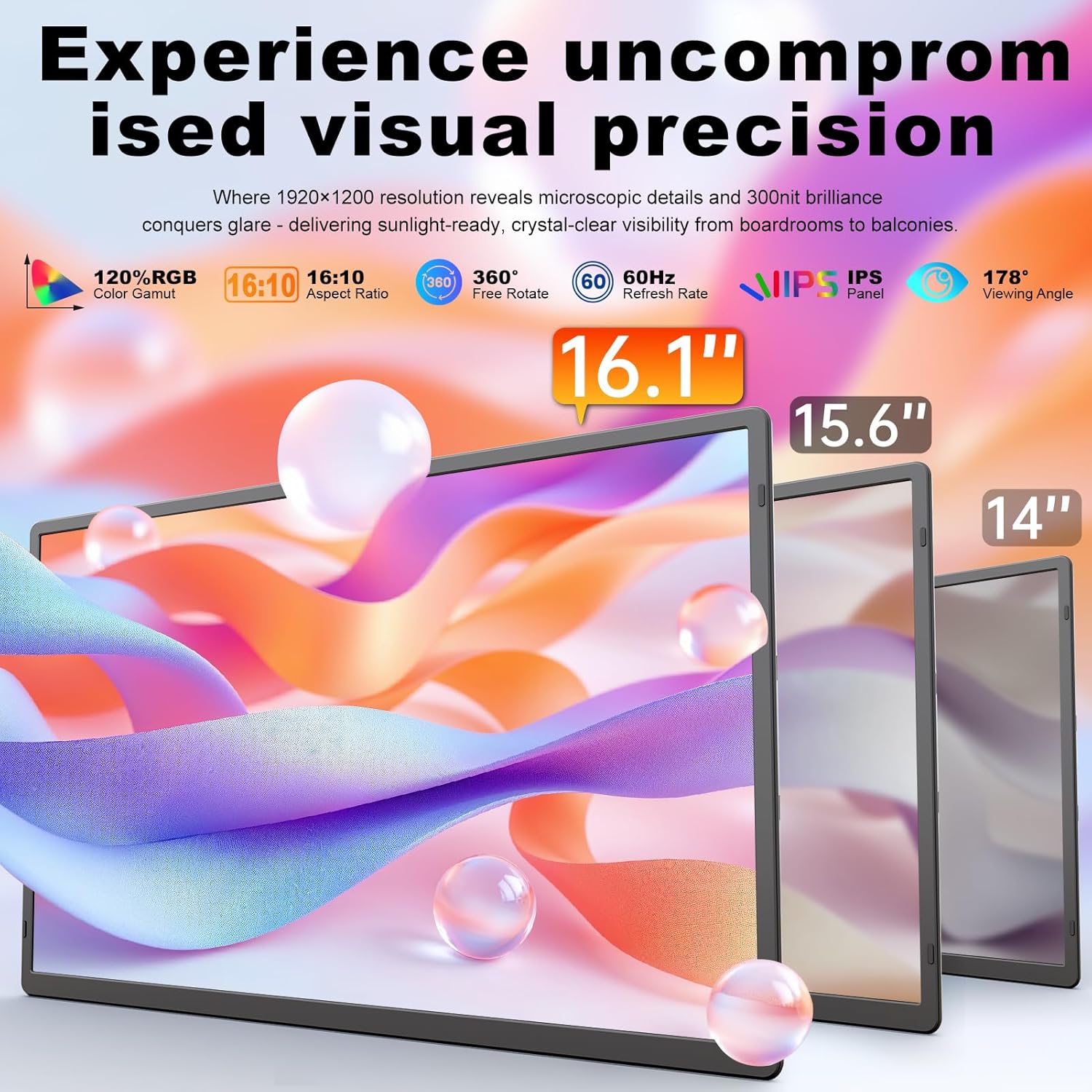
The domyfan 16" Portable Display is a lightweight, detachable monitor designed to extend your laptop screen in a compact, travel-friendly package. With a 16.1" FHD+ panel (1920 x 1200, 16:10), it aims to deliver cinema-like image quality outdoors or in tight spaces, while helping you manage multitasking more fluidly when you’re on the go or sitting away from a fixed desk.
On-paper strengths and how it works
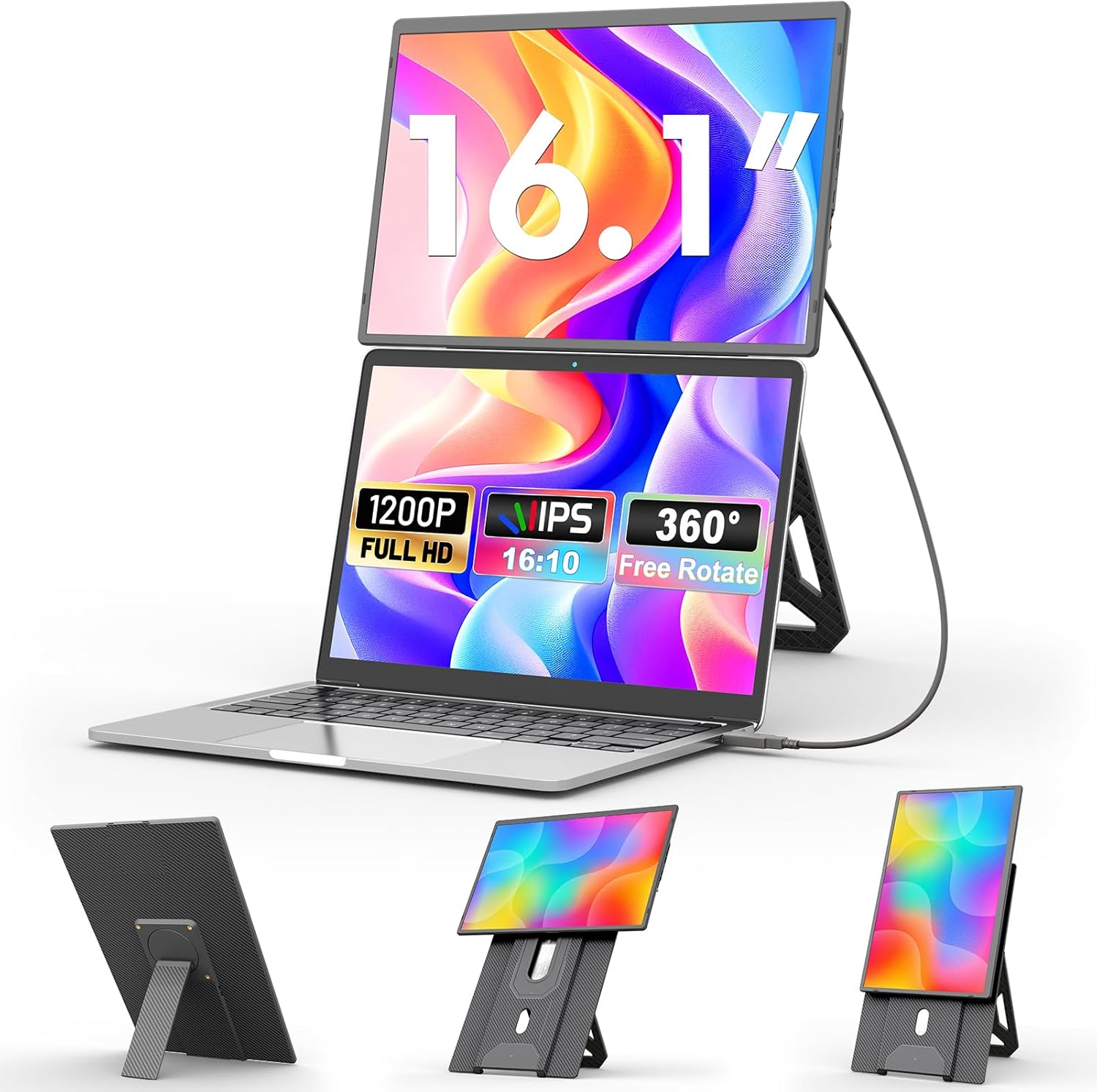
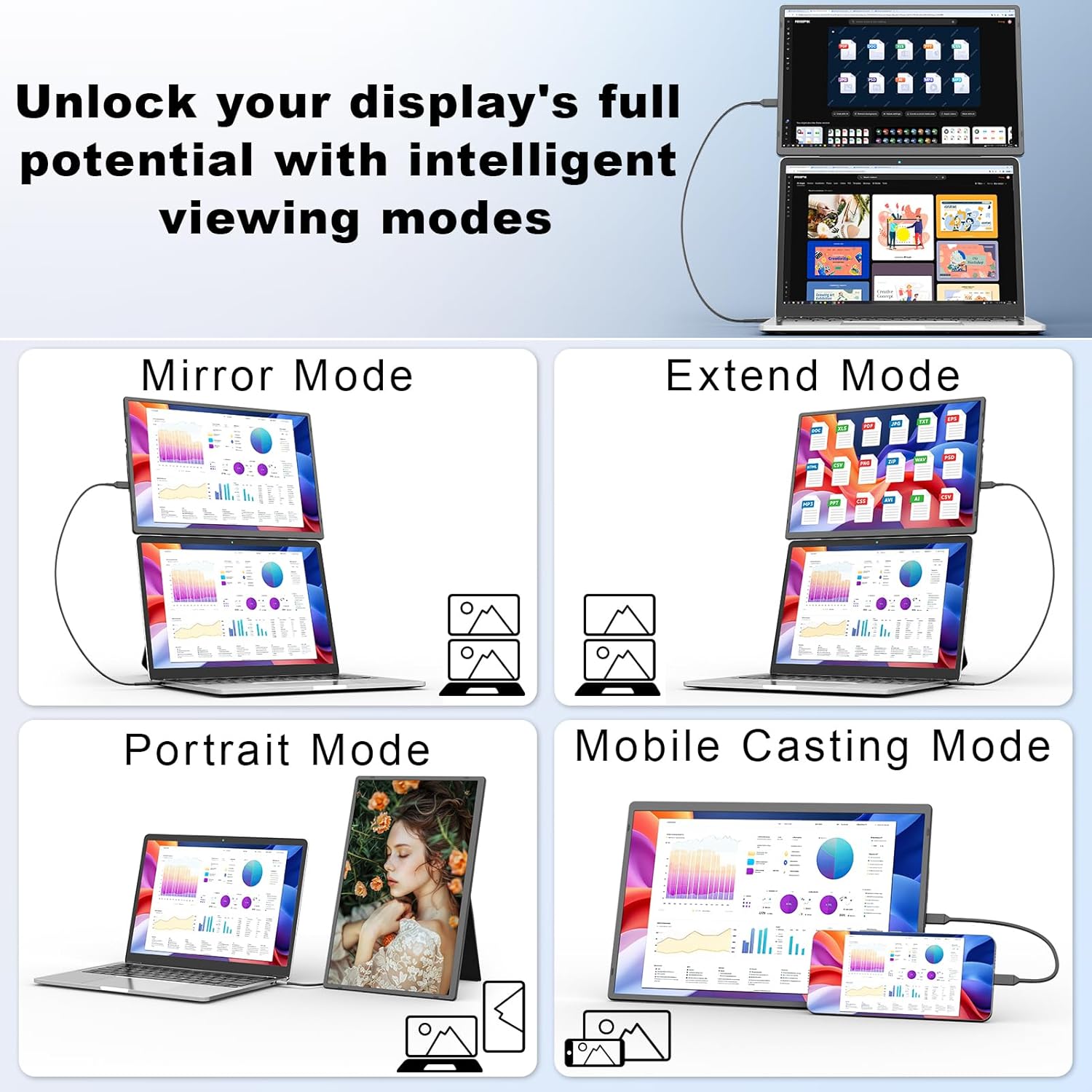
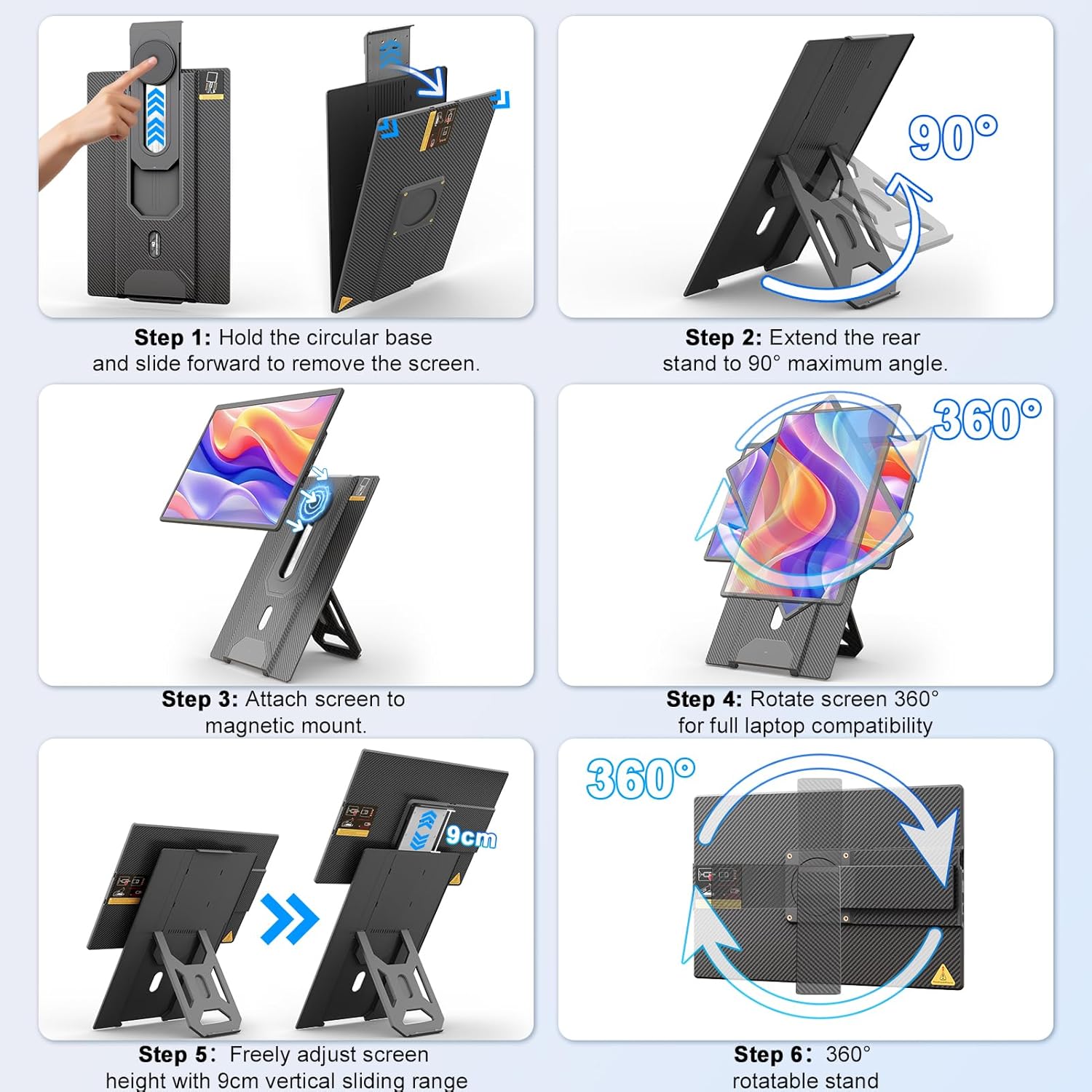
On paper, the display offers notable specifications: 300 nits of brightness and 120% sRGB coverage, which should reduce glare in bright environments and provide vibrant colours for everyday work and media. The ultra-thin bevel and Kevlar-textured housing contribute to a durable look without adding bulk. The magnetic 360° stand is designed for flexible orientation in portrait or landscape mode, and the stand’s sliding mechanism lets you adjust height, even allowing stacking above a laptop to save desk space.
What you’ll notice in daily use (pros and cons)
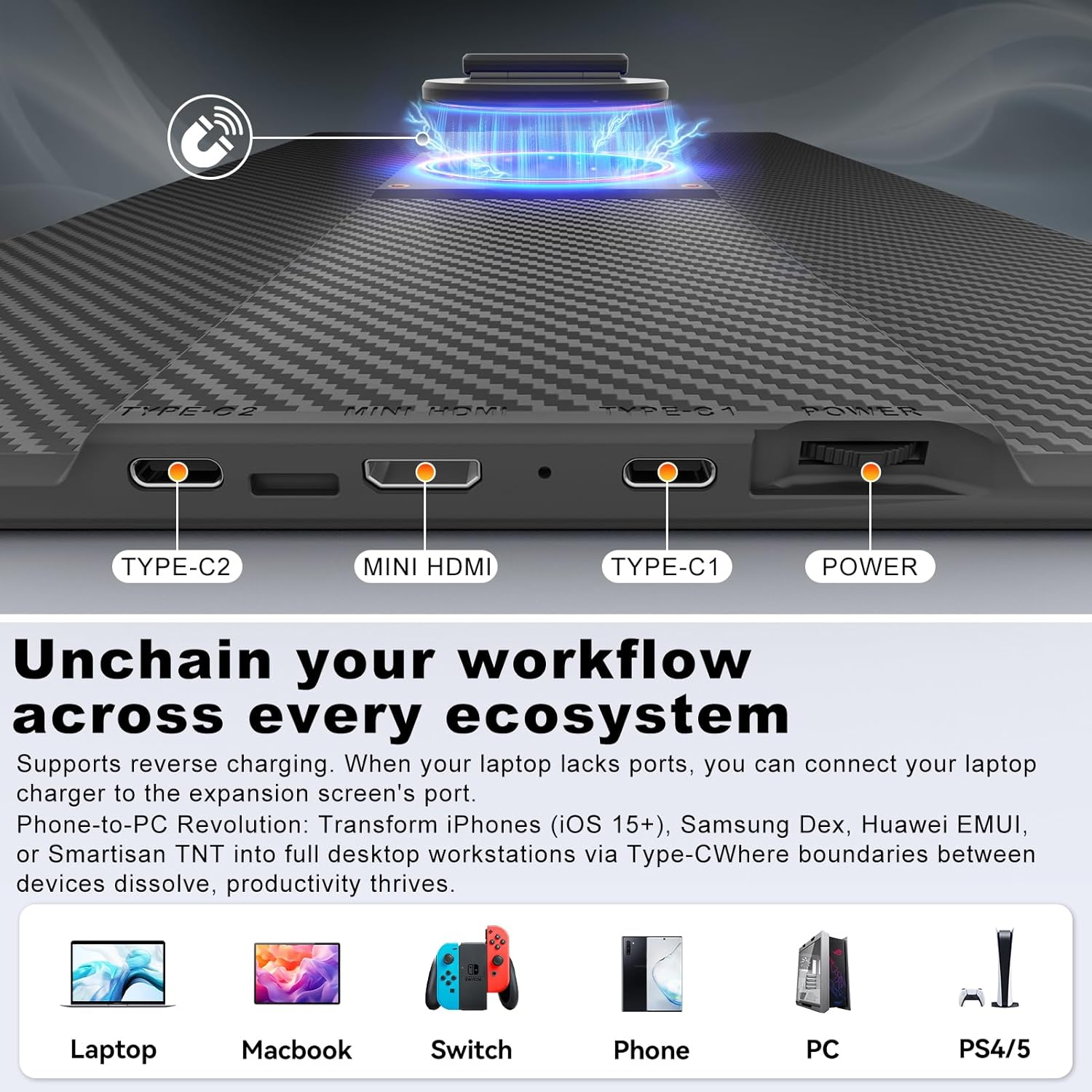
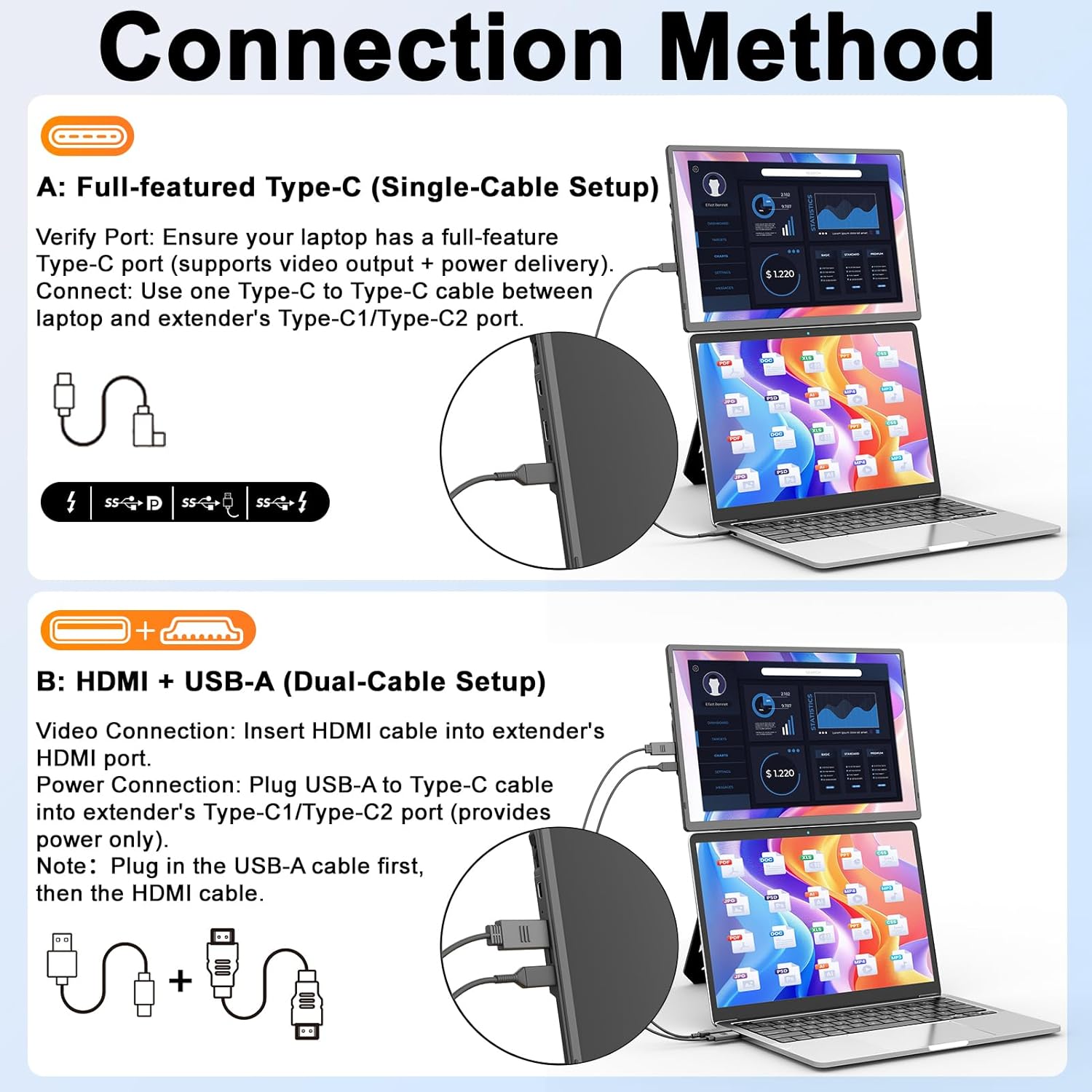
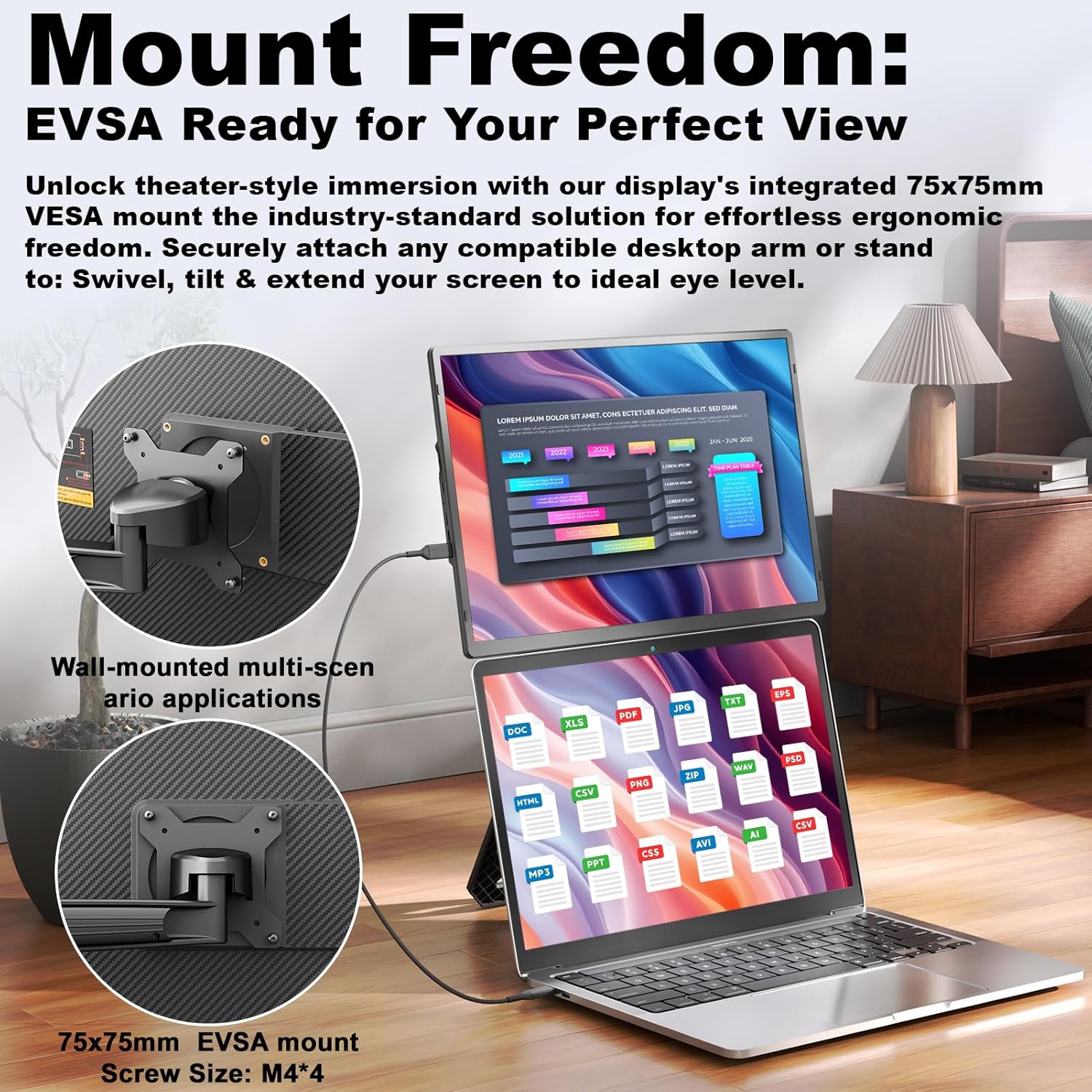
Pros include a plug-and-play experience via a single USB-C connection when your laptop has a fully functioning Type-C port, which can simplify setup and reduce cable clutter. The package also includes the necessary cables and a protective sleeve for travel, which helps keep the screen safe when you’re moving between places. The detachable design makes it easy to swap between portable display configurations or mount permanently on a desk with the standard 75 x 75 mm VESA mount. Cons are more practical than technical: if your device’s USB-C port isn’t fully functional, you’ll need an HDMI + USB setup with two cables, which slightly diminishes the simplicity promised by “plug & play.” The spec sheet doesn’t list a built-in battery, so you’ll rely on external power when using it as an extended display.
Who it’s for
This screen is well suited for students, remote workers, or anyone who travels with a laptop and wants extra screen real estate without committing to a larger, heavier monitor. It’s particularly convenient for use on a bed, in a café, or at a shared desk where space is at a premium. If you prioritise portability and a clean, minimal setup, this could fit your workflow.
Who it isn’t the best option for
If you regularly need true colour-critical or high-brightness performance for design or video work, or if you require a battery-inclusive portable monitor for truly off-grid use, this model’s 300 nits and non-battery operations may fall short. Also, if your primary device is a system with a non-functioning Type-C port or you want a single-cable solution across a wider range of inputs (e.g., multiple HDMI devices), you might prefer a different arrangement.
When it makes sense to buy
Consider it when you need extra screen real estate without a bulky desktop setup, and you value quick setup, light weight, and easy travel. It’s particularly practical for short trips, hot-desking, or casual multi-tasking tasks such as drafting documents while referencing web pages on the secondary screen.
What to check before buying
- Confirm your laptop’s USB-C port supports video output and PD charging if you plan to power the monitor from the same source.
- If you don’t have a fully functional USB-C, be prepared to use HDMI + USB cables as an alternative.
- Check the desk or bed setup where you’ll use it, the VESA mount adds flexibility, but you’ll want a stable surface for the 16" panel.
- Consider your need for mobility: at 760 g, it’s light, but you’ll want to protect it with the included case during travel.
Practical usage example
Imagine working in a café with your laptop while a second screen sits beside it, showing reference material. With the magnetic stand and adjustable height, you can tilt the display for comfortable viewing while keeping the laptop closed or open as needed. When you’re done, you simply detach, slide the stand away, and slide the screen into the included sleeve for the next location.
What it means for alternatives
If you’re weighing options, this approach sits between a fixed desktop monitor and a higher-end portable display. It represents a practical balance of portability, setup speed, and price for everyday use, rather than aiming at top-tier colour accuracy or rugged industrial environments.
Final verdict
Is it worth it? It makes sense if you want a lightweight, rapidly deployable second screen for travel or casual use and you’re comfortable with a USB-C-based setup or a two-cable fallback. It may not be the best match if you need battery-powered operation or professional-grade colour, but for most on-the-go scenarios it provides a sensible expansion of your workspace.
Frequently asked questions
- Do I need any drivers to use it? No, it is described as plug & play when connected via USB-C to a compatible device.
- Can I use it in vertical orientation? Yes, the stand supports 360° rotation for both vertical and horizontal use.
- Will it charge my laptop while in use? It supports PD150W/PD100W charging when connected to a PD power source via the Type-C port on the expandable hub, while you project.
What to know before buying (quick peek)
It’s a portable, ultralight display designed to extend your screen real estate with a flexible stand and removable design. If you prioritise compact travel gear and straightforward operation, this model aligns well with those needs.