

HP 720 Multi-Device Rechargeable Wireless Keyboard (Black) with supercapacitor, 2.4GHz + Bluetooth
Product description
What it is and why people look at it
The HP 720 is a multi-device rechargeable wireless keyboard aimed at people who want fewer battery worries and more convenient switching between devices. On paper, the headline is the rechargeable supercapacitor: HP claims up to 2 months of usage from a 3-minute charge, and you can even top it up while you’re working using the included USB-C cable. That’s a specific idea—rather than relying on traditional disposable batteries, it’s designed to keep you typing with less interruption.
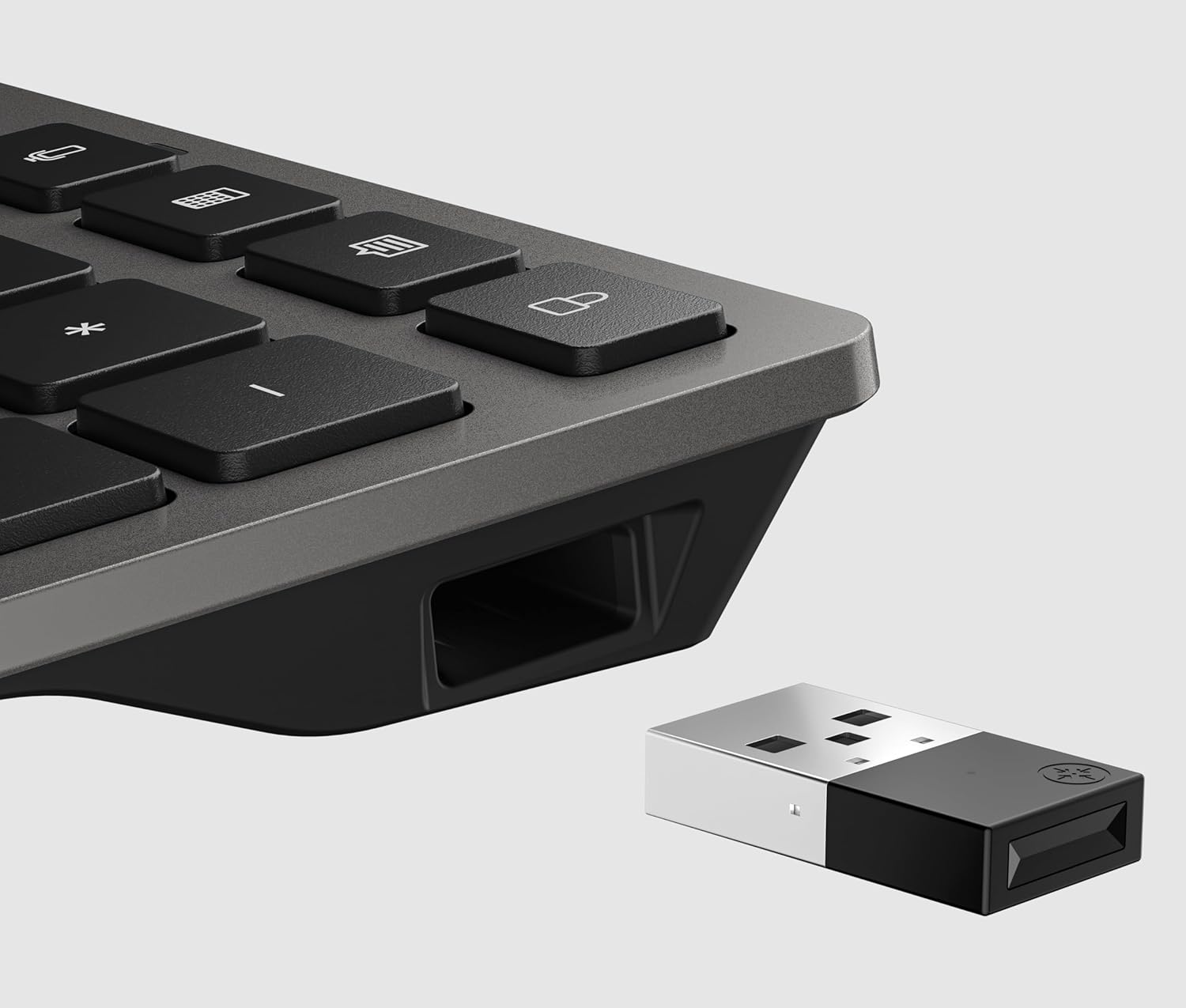
It’s also built around multi-connection: two devices via Bluetooth and one via a 2.4GHz HP Unifying Dongle. Add in a dedicated multi-device key for switching peripherals between PCs, and the keyboard is clearly trying to solve a very common office/home setup problem—moving between a laptop and a desktop without constantly re-pairing.
The essentials (key points before you dive in)
If you’re the sort of person who alternates between devices during the day—work laptop in one corner, desktop in another—this keyboard’s setup story is strong. The combination of Bluetooth + 2.4GHz, plus the multi-device switch, is there so you can keep your workflow going.
Where it may feel a bit less straightforward is if you prefer one simple connection method only, or if you don’t have room for a dongle-style receiver. The multi-device approach is brilliant when you actually switch regularly, if you stick to a single device, you might simply not use a lot of the value.
Where it shines in everyday use
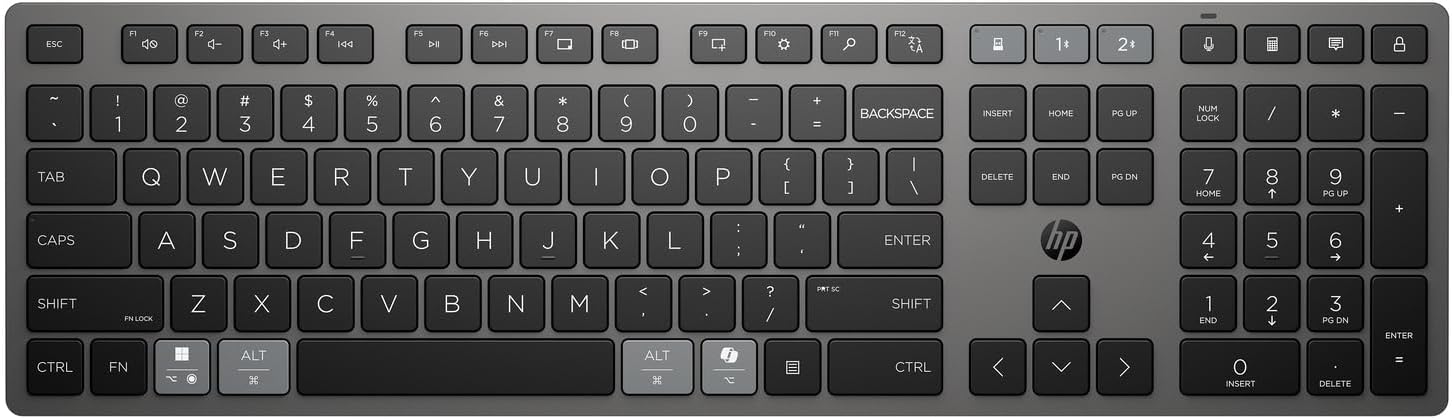
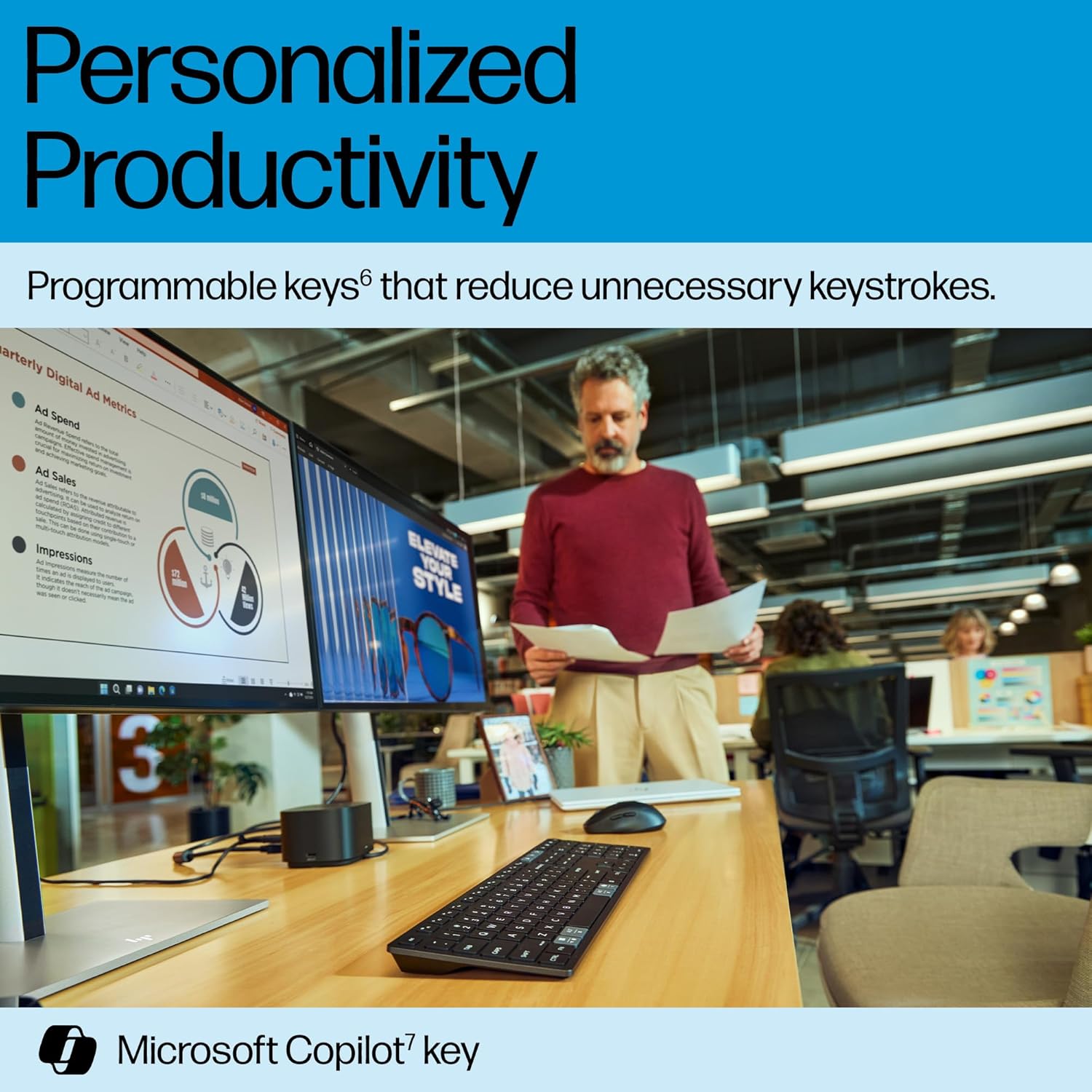
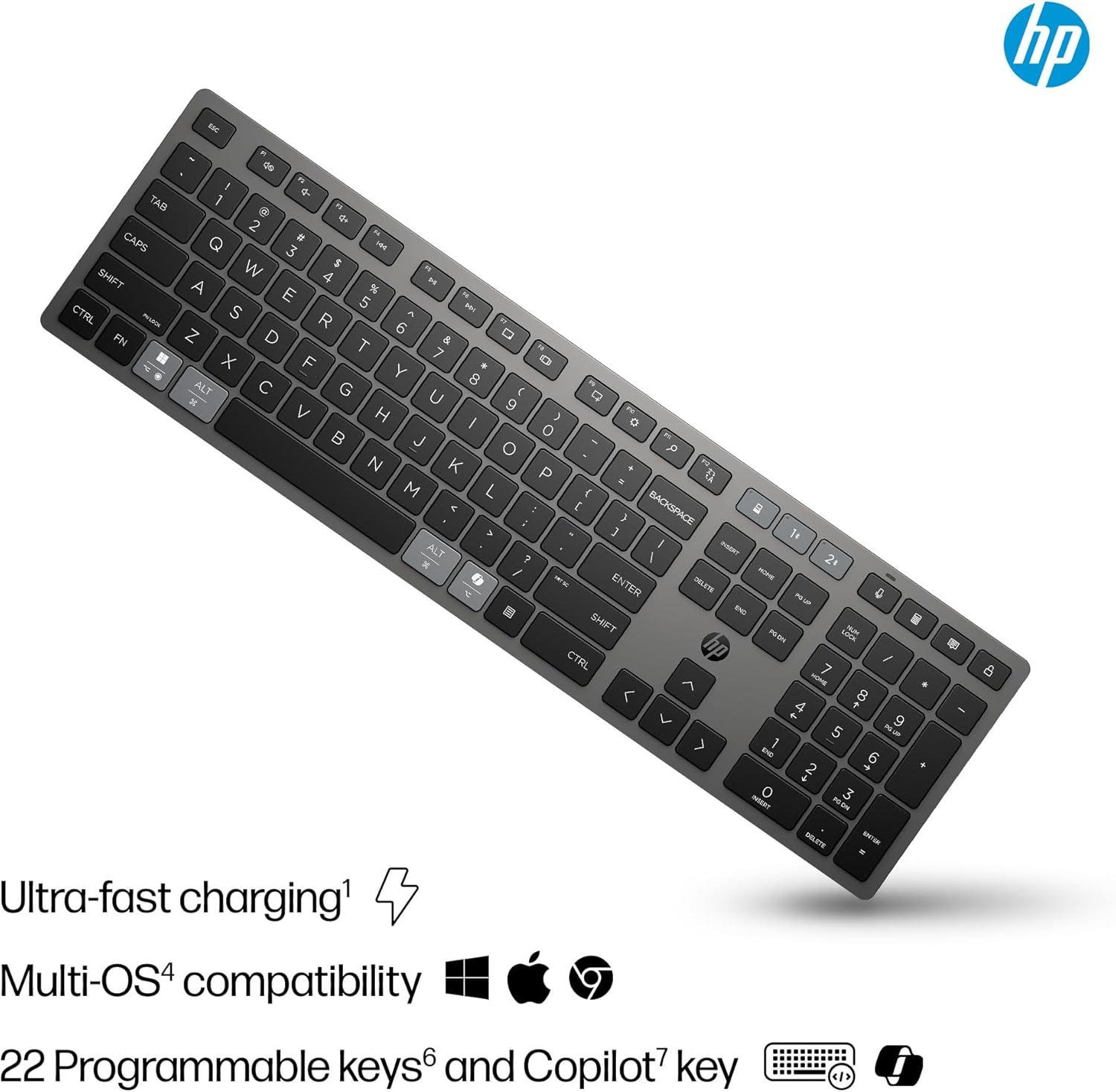
There’s a practical “day-to-day” reason to consider the HP 720: it’s positioned to reduce unnecessary keystrokes and speed up common actions. It includes 22 programmable keys, so you can map shortcuts rather than repeating the same sequence every time.
HP also highlights an option for quick access to Microsoft Copilot with one key. Whether that particular feature fits your routine depends on your workflow, but it does suggest the keyboard isn’t just about being rechargeable—it’s about being tuned to productivity.
There’s another detail that matters if you use a mouse frequently: HP mentions precise tracking and mouse movement on almost any surface. That doesn’t turn the keyboard into a mouse, obviously, but it implies the included tracking area/approach is meant to be forgiving, especially if you don’t want to hunt for the “right” desk mat.
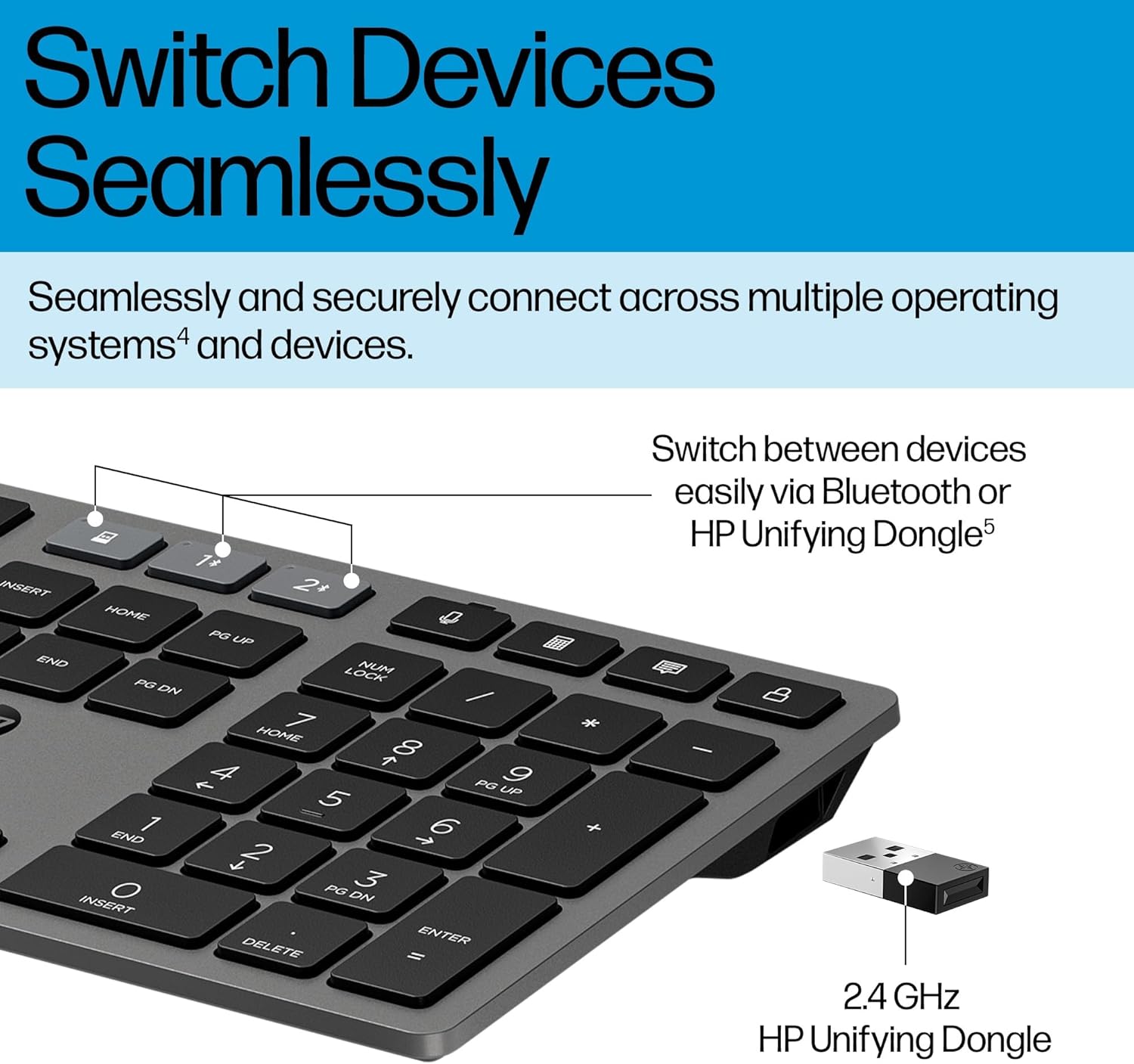
A micro example: imagine you’re writing on your laptop in the morning, then need to move to a desktop for a spreadsheet. With the multi-device key, you should be able to switch quickly between the Bluetooth-connected laptop and the 2.4GHz-connected desktop, then keep the programmable shortcuts you’ve set.
Tech specs at a glance (what you need to know)
Tech specs
- Supercapacitor rechargeable battery system
- Up to 2 months of usage from a 3-minute charge (per HP claim)
- Can recharge while working via included USB-C cable
- 2 via Bluetooth connections
- 1 via 2.4GHz HP Unifying Dongle connection
- 22 programmable keys
- Black colour
What stands out (and what to watch)
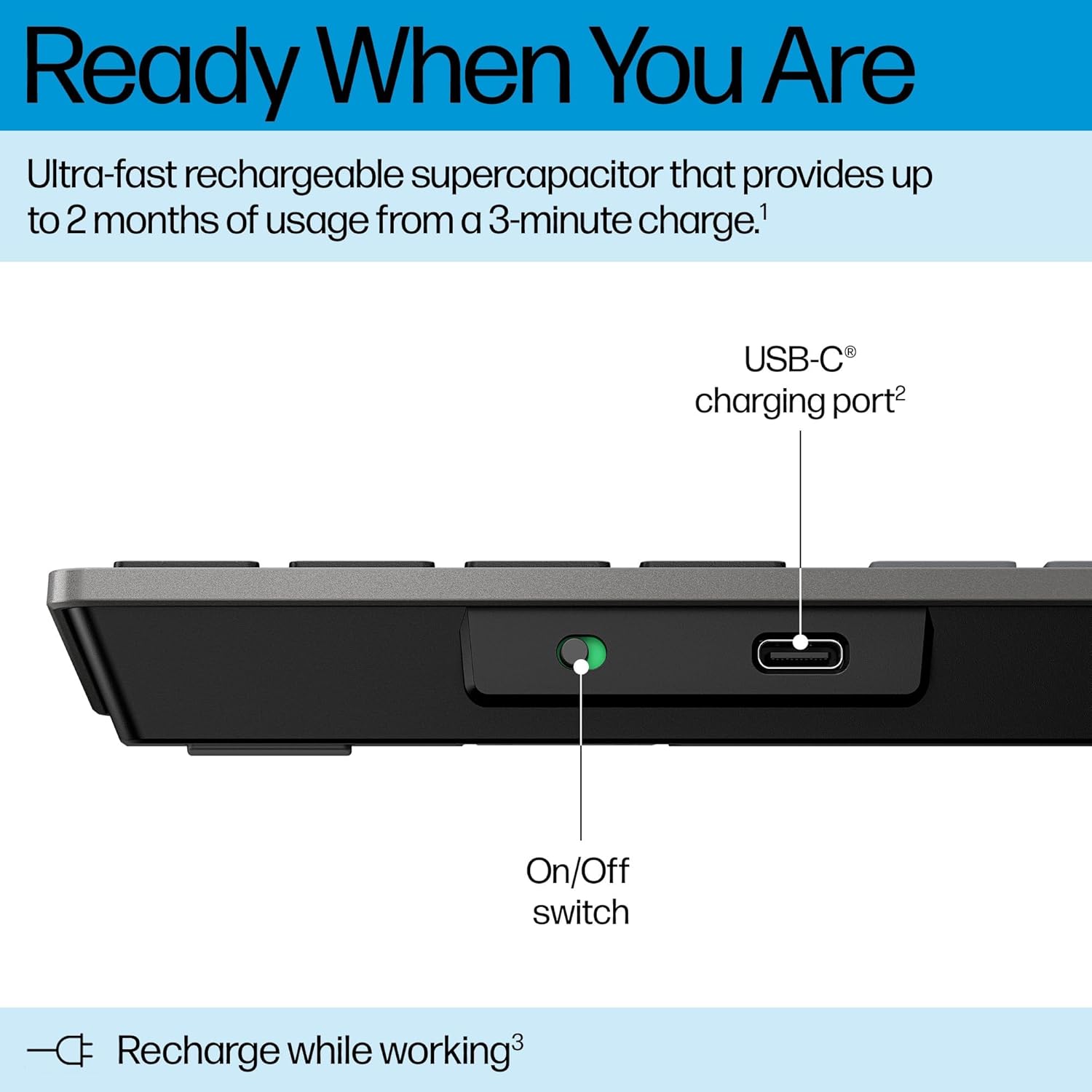
The supercapacitor concept is the biggest differentiator. It’s the kind of feature that can reduce the “calendar hassle” of battery changes—particularly if you’ve had keyboards that slowly die at the least convenient moment.
Recharge while working is also a nice touch for busy schedules. Still, it’s worth keeping expectations realistic: if you’re hoping for endless runtime without ever charging, the only honest way to judge that is to consider your usage pattern and whether you actually have the chance to do quick top-ups.
On the switching side, the keyboard’s multi-device approach will feel seamless when your devices are set up as intended (two Bluetooth devices plus one using the Unifying Dongle). If your setup is unusual—only one device, or devices that don’t pair easily—then the multi-device key and the extra connection methods may not feel as worthwhile.
Sustainability angle: useful, but don’t overpay for it alone
HP states the keyboard contains at least 60% post-consumer recycled materials. It also claims that choosing this keyboard can help prevent over 150,000 batteries from ending up in landfills worldwide within the next four years.
It’s a thoughtful message, but it shouldn’t be the sole reason to buy. If you mainly need a basic wireless keyboard for one device, you may be better off focusing on fit-for-purpose factors like connection simplicity, key feel, and how often you’d realistically use programmable keys.
Who it’s for (and who should probably skip)
It makes sense if you: - regularly switch between a laptop and a desktop - want to avoid disposable battery replacements - like mapping shortcuts to programmable keys - work on different devices across the day and want a single keyboard workflow
It might not be a great match if you: - only use one computer and won’t benefit from multi-device switching - don’t want to use a 2.4GHz dongle receiver - expect rechargeable performance guarantees beyond what’s stated (runtime is based on HP’s claim)
Buying verdict
If you’re after a rechargeable wireless keyboard with a clear multi-device purpose, the HP 720 looks like it was designed for exactly that kind of everyday juggling. The supercapacitor with a quick 3-minute charge idea is a persuasive “reduce hassle” feature, and the 2 Bluetooth + 2.4GHz Unifying Dongle setup supports smooth switching.
However, it may feel like overkill if your setup is simple or you never really switch between devices. In that case, you could end up paying for convenience you don’t use.
So should you buy it? Worth considering if you’ll actively use multi-device switching and want programmable productivity shortcuts. You may want to skip it if you only need one straightforward connection and you’re not bothered about rechargeable use.
Mini FAQ
Mini FAQ
Does it use disposable batteries?
No—HP describes the keyboard as using an ultra-fast rechargeable supercapacitor, and it can be recharged via the included USB-C cable.
Can it be charged while you’re working?
HP states you can recharge the keyboard while working using the included USB-C cable.
How many devices can I connect?
HP indicates you can connect two devices via Bluetooth and one device via a 2.4GHz HP Unifying Dongle.
Are the keys programmable?
Yes, HP says it includes 22 programmable keys.
What’s the main “buying reason” here?
The combination of rechargeable supercapacitor performance (up to 2 months of usage from a 3-minute charge, per HP) and multi-device switching support.