

EPOMAKER RT82 Wireless Mechanical Keyboard with Screen (QMK/VIA, Tri-Mode, RGB, Hot-Swap) — Creamy Jade
Reviews
Price
Product description
The essentials
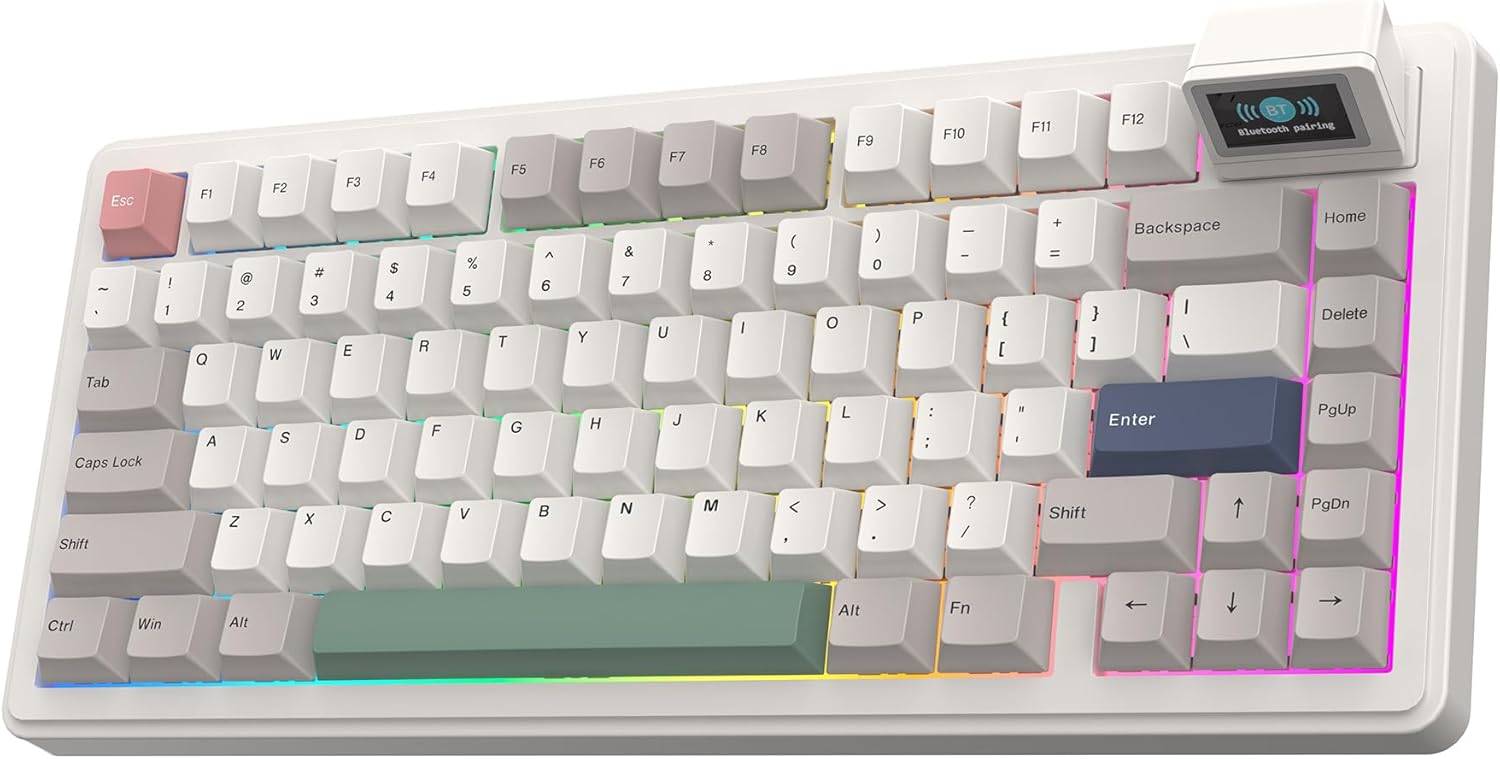
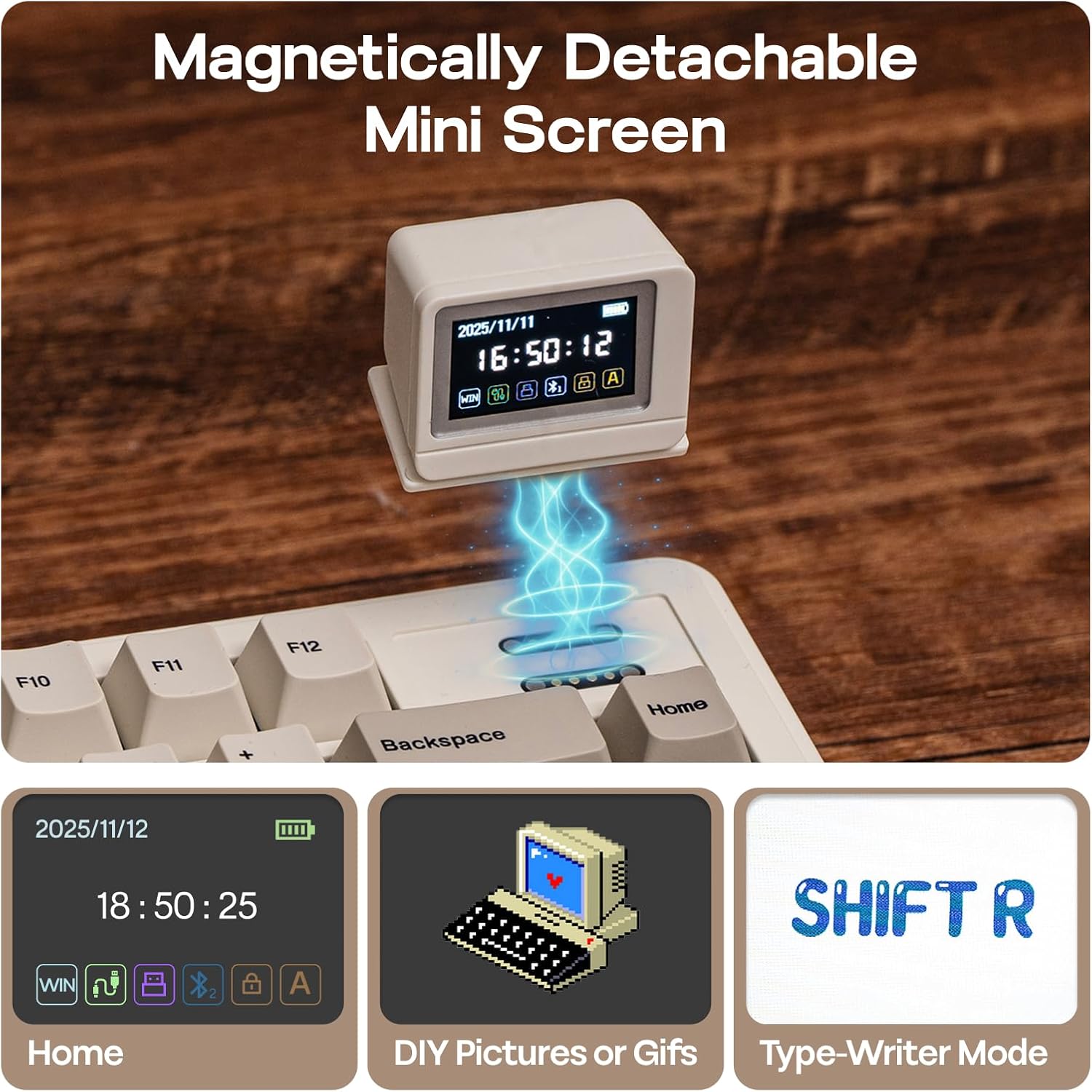
If you like your desk to do more than just type, the EPOMAKER RT82 is an unusual (and arguably more entertaining) take on a wireless mechanical keyboard. The standout idea is a detachable magnetic TFT screen that sits on the keyboard itself, showing practical info like the date, time and keyboard battery—plus a “typewriter” mode where what you type appears live on the display. It also supports up to three saved GIFs, which is clearly the kind of feature you either love immediately or ignore most days.
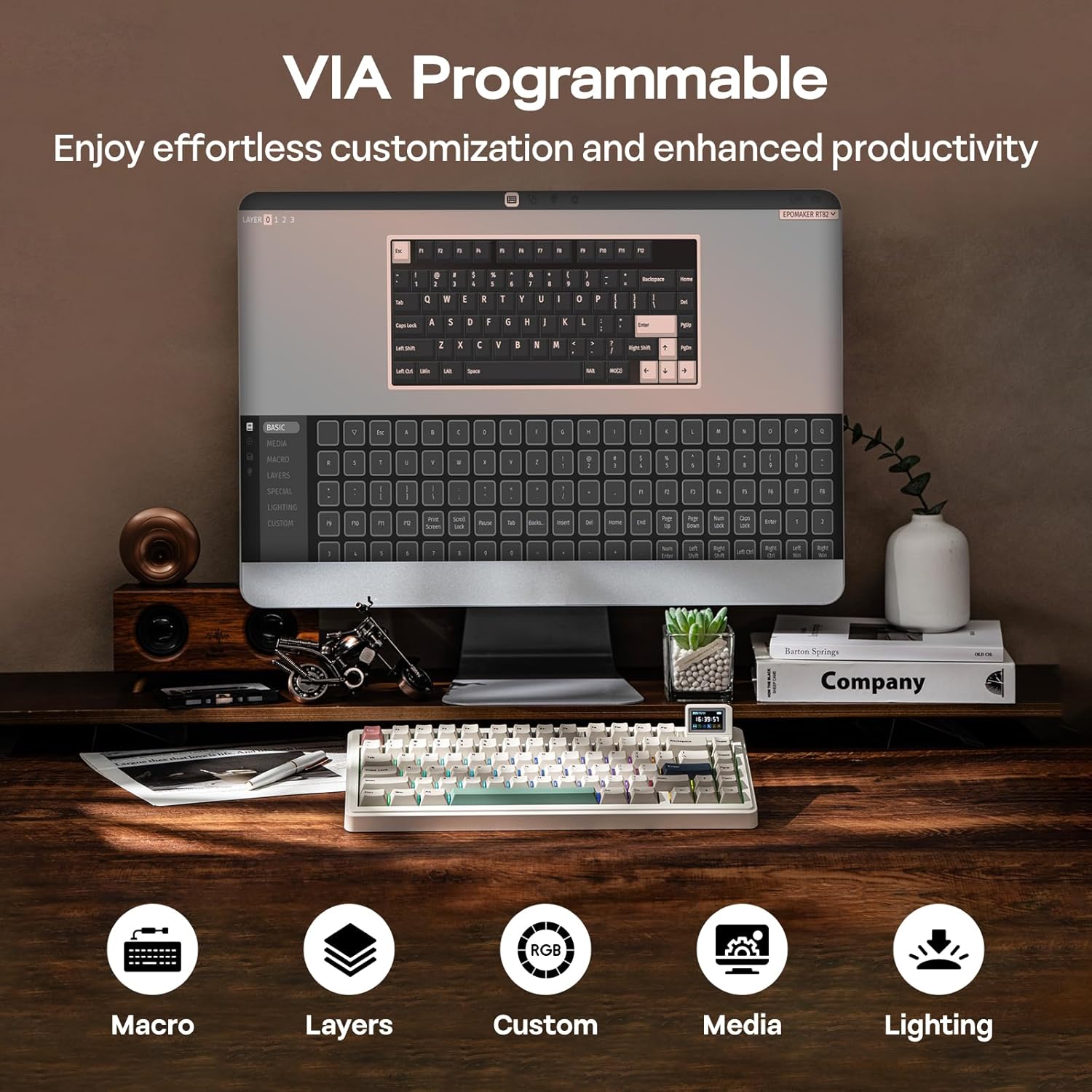
On the typing side, it’s not just a gimmick. The RT82 is a hot-swap mechanical keyboard with VIA support, so you can remap keys and use advanced functions like Mod-Tap. It also comes with a gasket-style build with five layers of sound-damping materials, aiming for a softer, quieter feel than you’d typically expect from a gaming-focused board.
Where it shines in everyday use
The screen changes how you interact with your keyboard, even in normal routines. For example, you could keep an eye on time during a long work session, then switch to the typewriter mode for a bit of creative writing—seeing each letter appear on the display as you go. For some people that’s genuinely useful, for others it’s a nice extra when the workday gets repetitive.
From a practical performance perspective, the RT82 is built around tri-mode connectivity: 2.4GHz wireless for low-latency use, USB-C wired mode for when you want stability, and Bluetooth 5.0 for flexibility. There’s also a mode switch near the USB port, which helps if you swap between laptop, desktop and tablet setups.
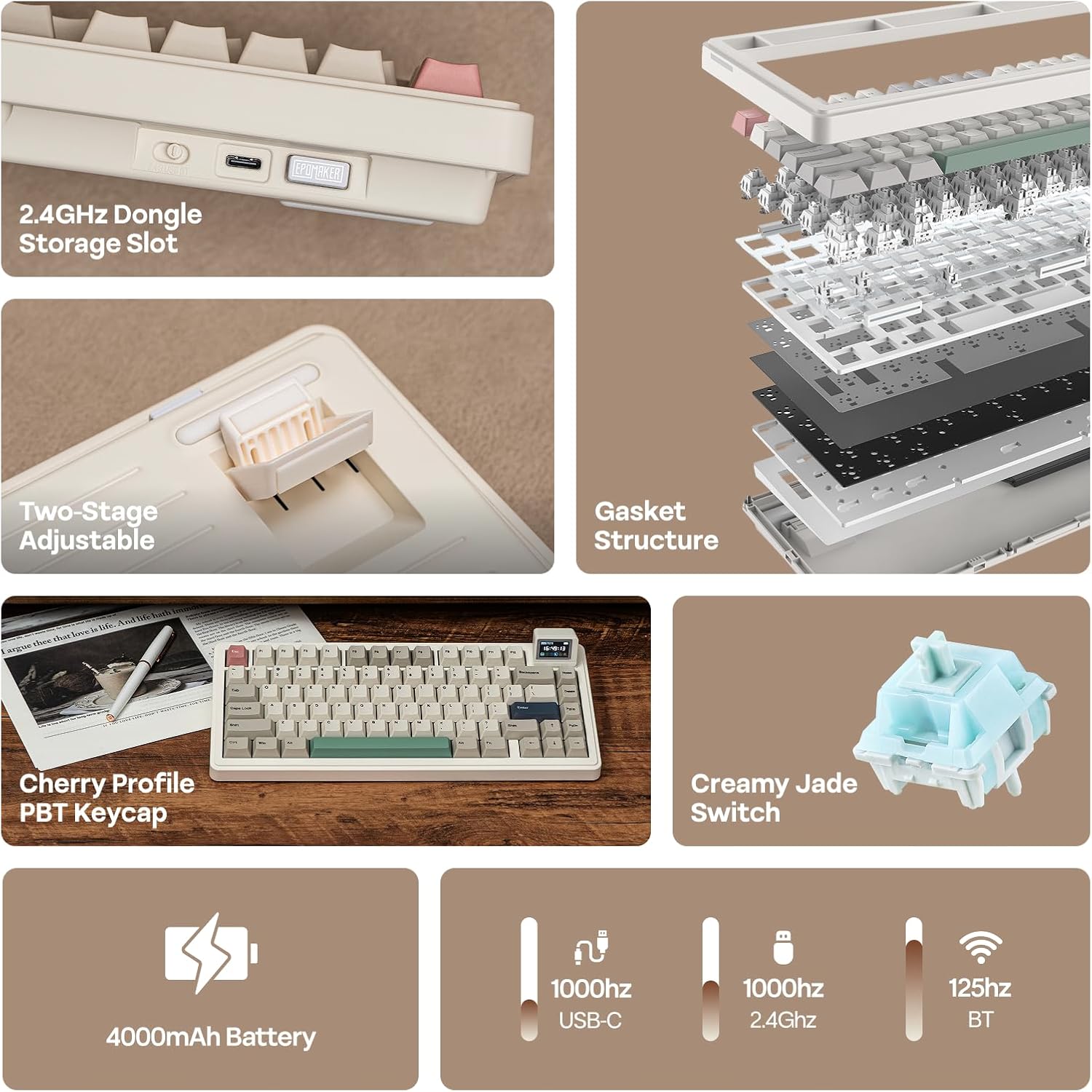
One more detail worth noting is the south-facing LEDs beneath the keys (up to 80 keys). That tends to make RGB effects look more even rather than spilling oddly upward.
Key features that affect your buying decision
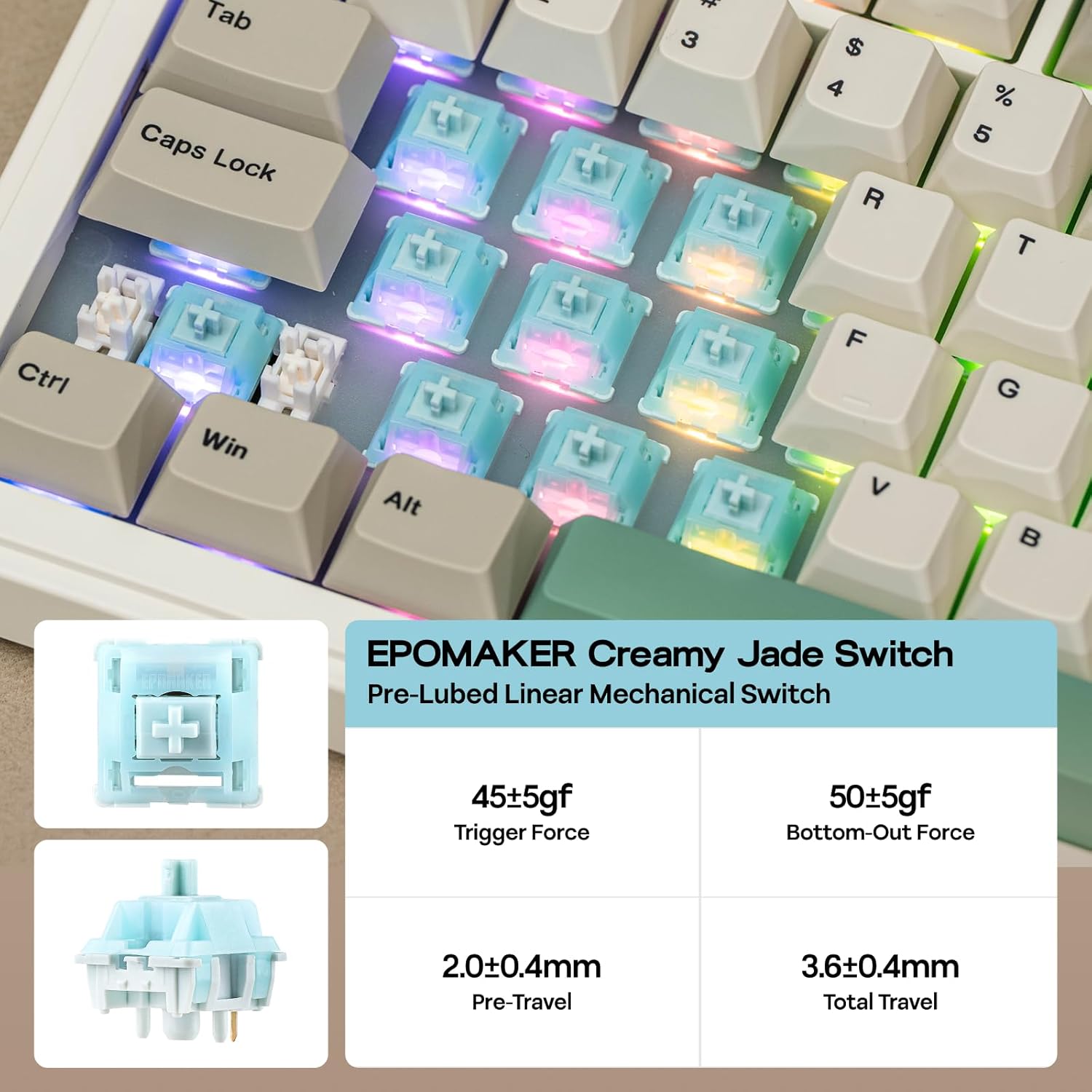
The big split is between “customisation” and “comfort/sound”. On the customisation side, the RT82 is hot-swap, with the software tools VIA and QMK/VIA custom support mentioned in the product name. In normal terms, that means you’re not locked into the exact switch choice forever—useful if you want to tune the feel later.
It’s also set up for modern control through VIA-style remapping and macros, including features described as Mod-Tap (often used for combining mouse/game actions with typing keys). This is the sort of board that makes sense if you’ll actually set it up, rather than if you just want plug-and-play.
For comfort and acoustics, the five-layer gasket approach is the headline: it includes latex “Sandwich”, IXPE switch pad, PET sound enhancement pad, bottom foam, and bottom silicone. Add pre-lubed linear switches and tuned stabilisers, and you’re looking at a typing experience described as deep yet smooth, with reduced unwanted noise. It may not be the loudest keyboard you’ll ever hear (or want), but it’s designed to be more “pleasant to live with” across both gaming sessions and longer writing jobs.
The tech, in plain terms
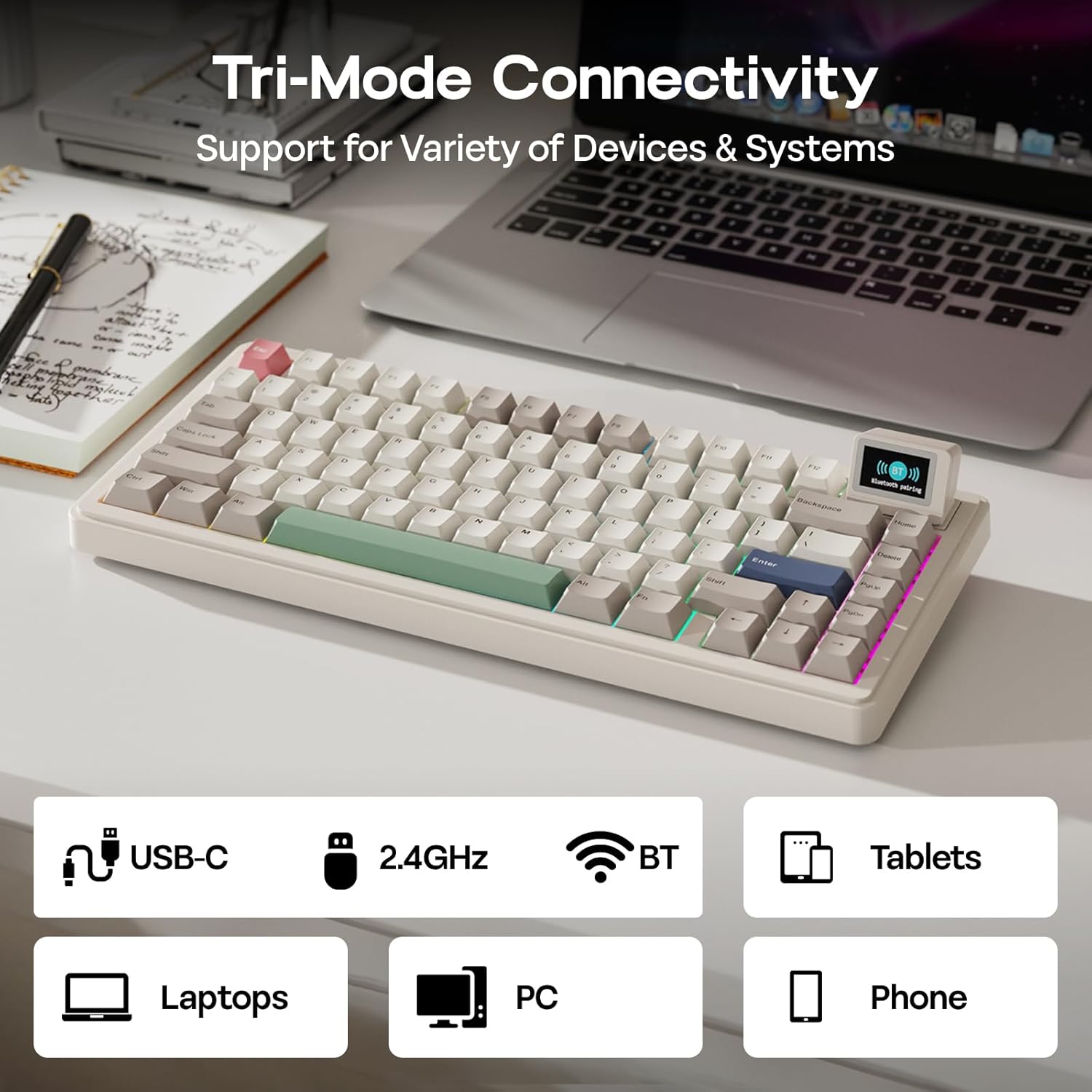
Connection is tri-mode and wireless options are clearly part of the plan: 2.4GHz, USB-C wired low latency, and Bluetooth 5.0.
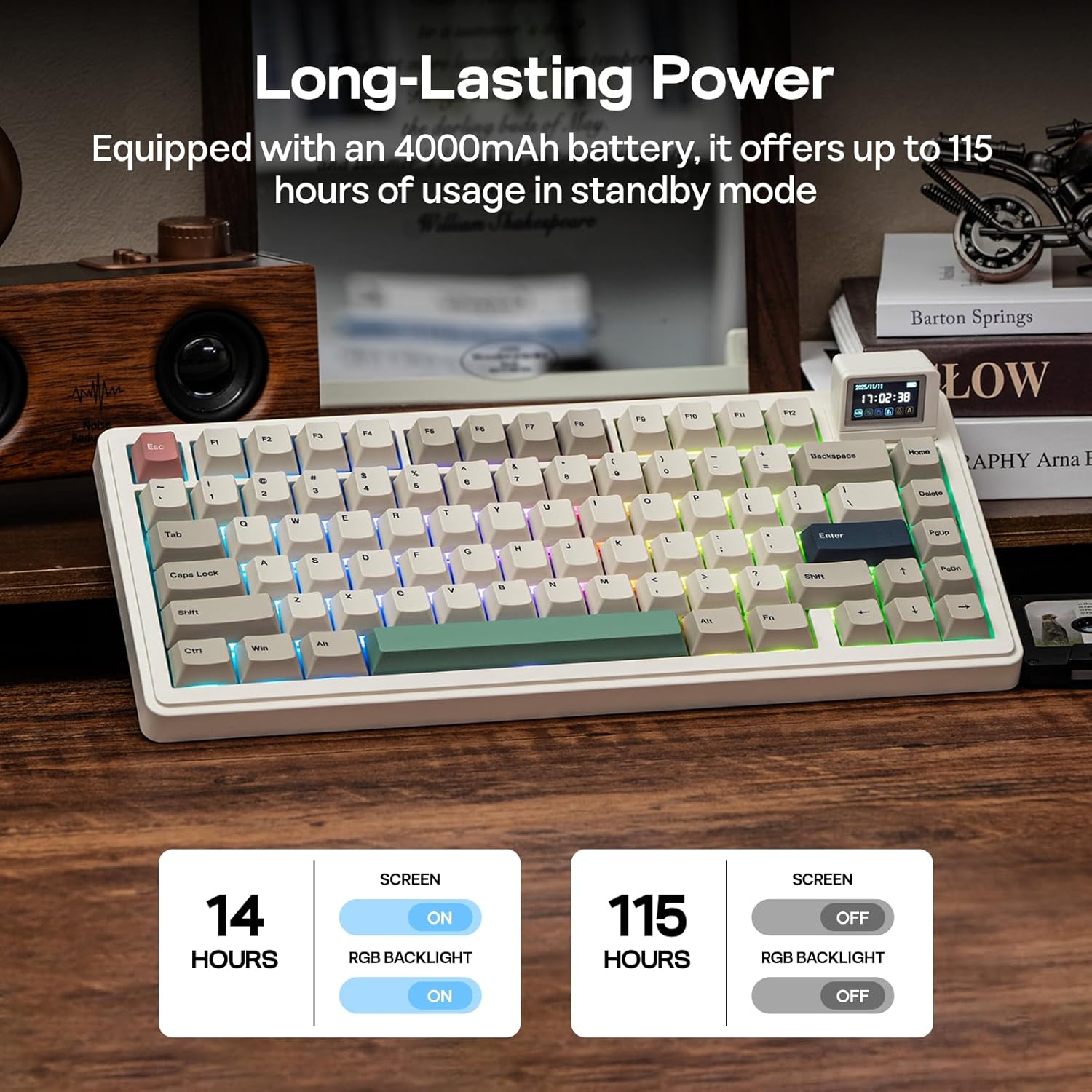
Battery capacity is stated as 4000mAh, with claimed runtimes that depend on whether the screen and backlighting are on. The keyboard is said to reach up to 115 hours when the retroiluminations and screen are off, while the screen-on usage is stated at 15 to 40 hours.
There’s also a mention of energy-saving optimisation, which matters because the RT82’s screen and RGB are the two features that can eat battery if you leave everything running.
What might hold it back (and who should double-check)
It’s a tempting package, but there are a couple of realistic limitations. First, the battery figures change a lot once the screen is active—so if you expect to use the TFT constantly during long days, it may not be as effortless as a “classic” wireless mechanical keyboard.
Second, this keyboard leans into features that you need to engage with: VIA/QMK-style customisation, hot-swap tuning, and Mod-Tap-style behaviour. If you’re the type who never remaps keys or edits macros, some of that cost and complexity could feel like overkill.
Also, while the gasket and layering approach is designed for a smoother, quieter feel, it still won’t be identical to every other sound profile out there. Over time, different switch and keycap combinations can shift the feel, and hot-swap boards generally invite that kind of tinkering.
When it makes sense to buy it?
You’ll likely get good value if you want a wireless mechanical keyboard with a built-in screen that offers both practical info (date/time/battery) and playful options (typewriter live text and GIFs). It suits people who game and work on the same setup, and who care about being able to remap keys, set macros, and potentially swap switches later.
It may not be the best match if you prefer maximum battery life with everything left on, or if you just want a straightforward keyboard with minimal setup and no tinkering. In that case, the screen and customisation features might not justify the trade-offs.
Final verdict
Is it worth it? If you’re drawn to the idea of a wireless mechanical keyboard that actively displays information and lets you go beyond basic key mapping, the EPOMAKER RT82 is a strong “feature-forward” pick. The gasket-style five-layer build and pre-lubed, tuned stabilisers are clearly aiming at a smoother feel, not just a flashy spec sheet. Just be sensible about expectations for screen-on battery life, and make sure you’re the kind of user who’ll actually use VIA/QMK-style customisation—otherwise it can feel like a lot of keyboard for features you won’t touch.