


Logitech G G705 Wireless Gaming Mouse (White Mist) with LIGHTSYNC RGB and LIGHTSPEED + Bluetooth
Reviews
Price
Product description
The essentials
The Logitech G G705 is a compact wireless gaming mouse aimed at people who want something lightweight and comfortable for longer sessions, without feeling like you’re wrestling a heavy brick on your desk. On paper, it’s built around easy portability (it weighs just 85 g) and flexible connectivity, since it supports both LIGHTSPEED wireless via a USB receiver and Bluetooth.
It also brings customisable RGB into the mix via LIGHTSYNC zonal RGB lighting. If you like your setup to look intentionally matched—rather than “whatever default colour”—this model is set up for that through Logitech G HUB.
Key features that matter in day-to-day use
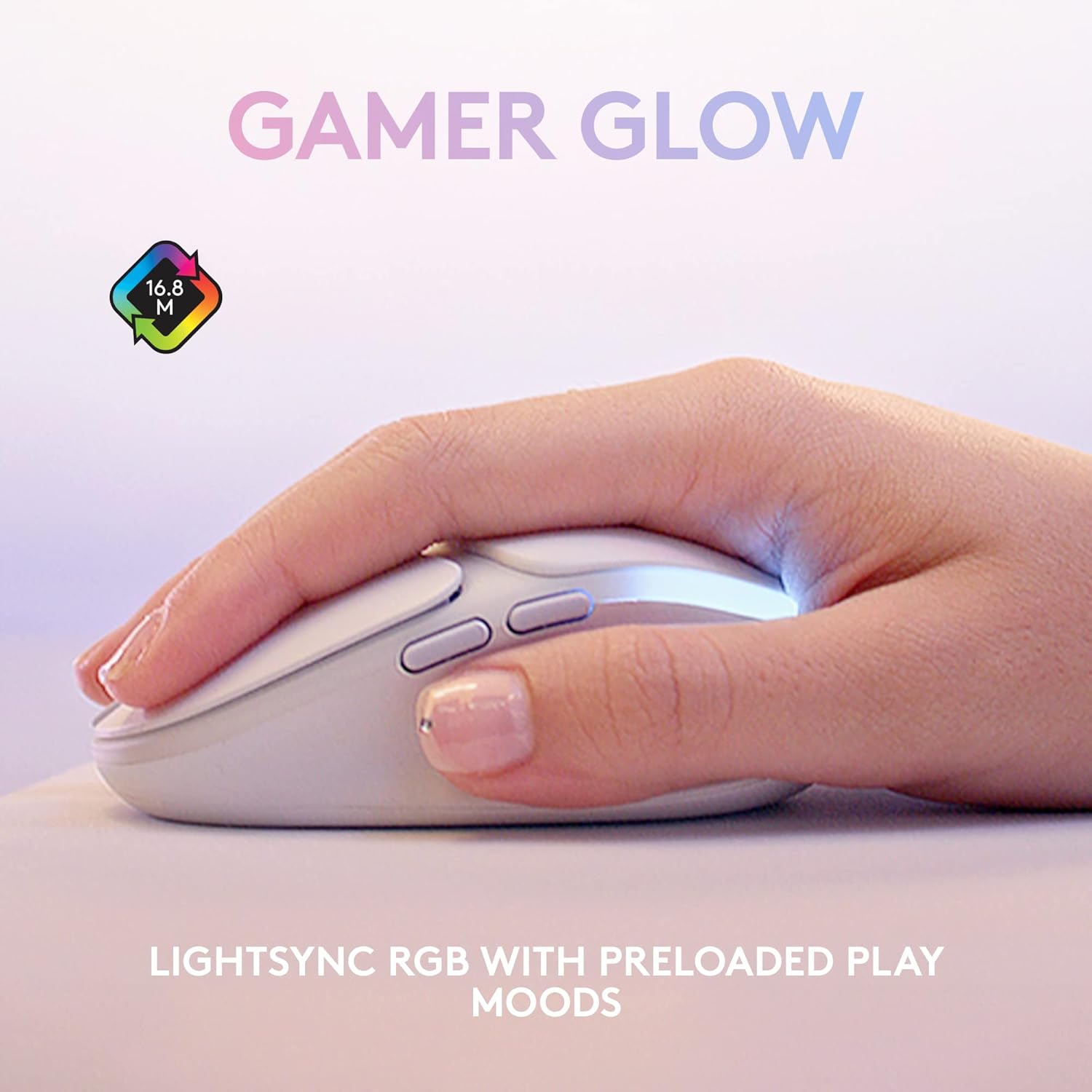
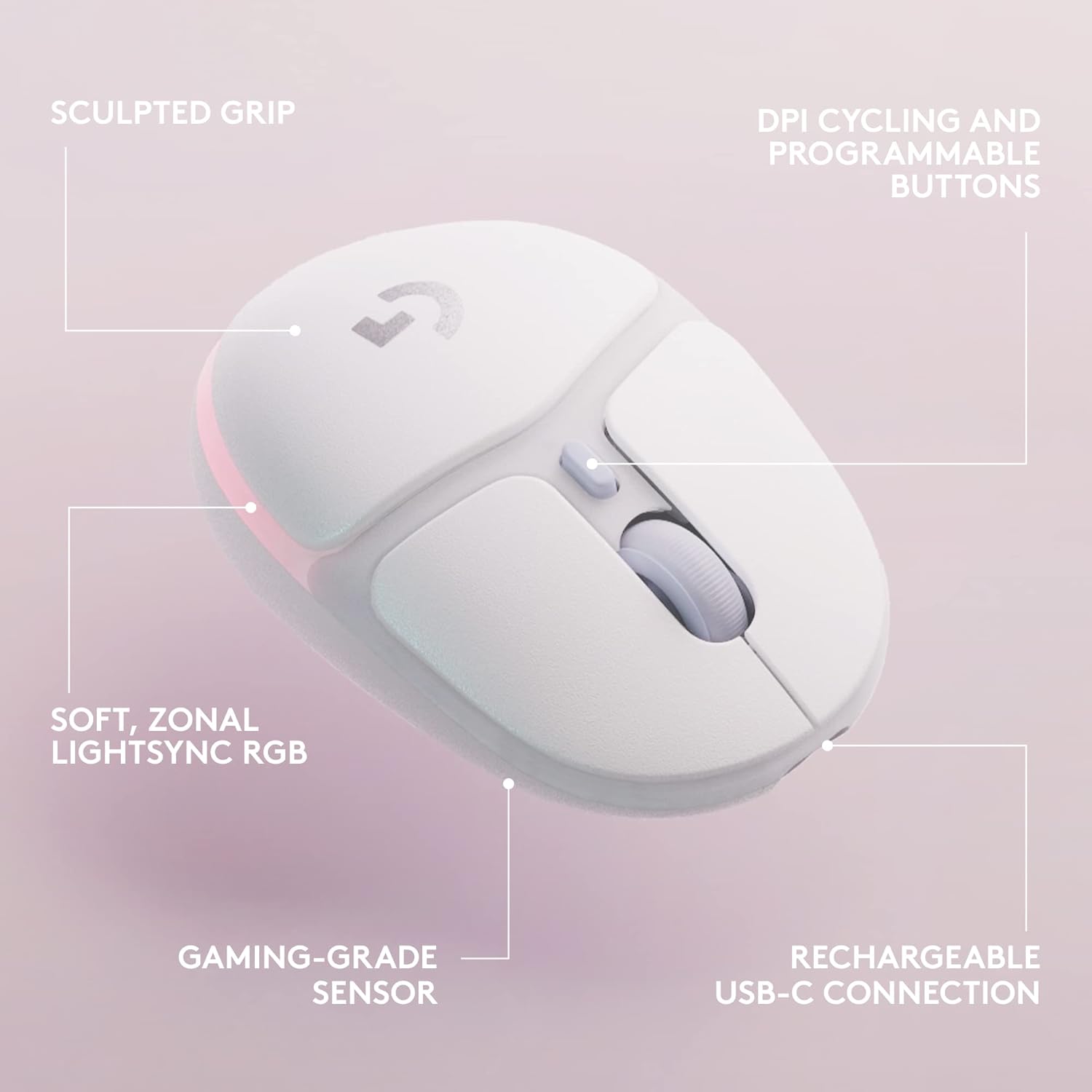
Where the G705 feels thoughtfully designed is in the way it balances mobility with control. The small, lightweight form factor is the headline here, and the shape includes a thumb rest and “ergonomic comfort” framing intended for easy handling. It’s the kind of mouse that tends to suit players who prefer a lighter feel and a more compact grip.
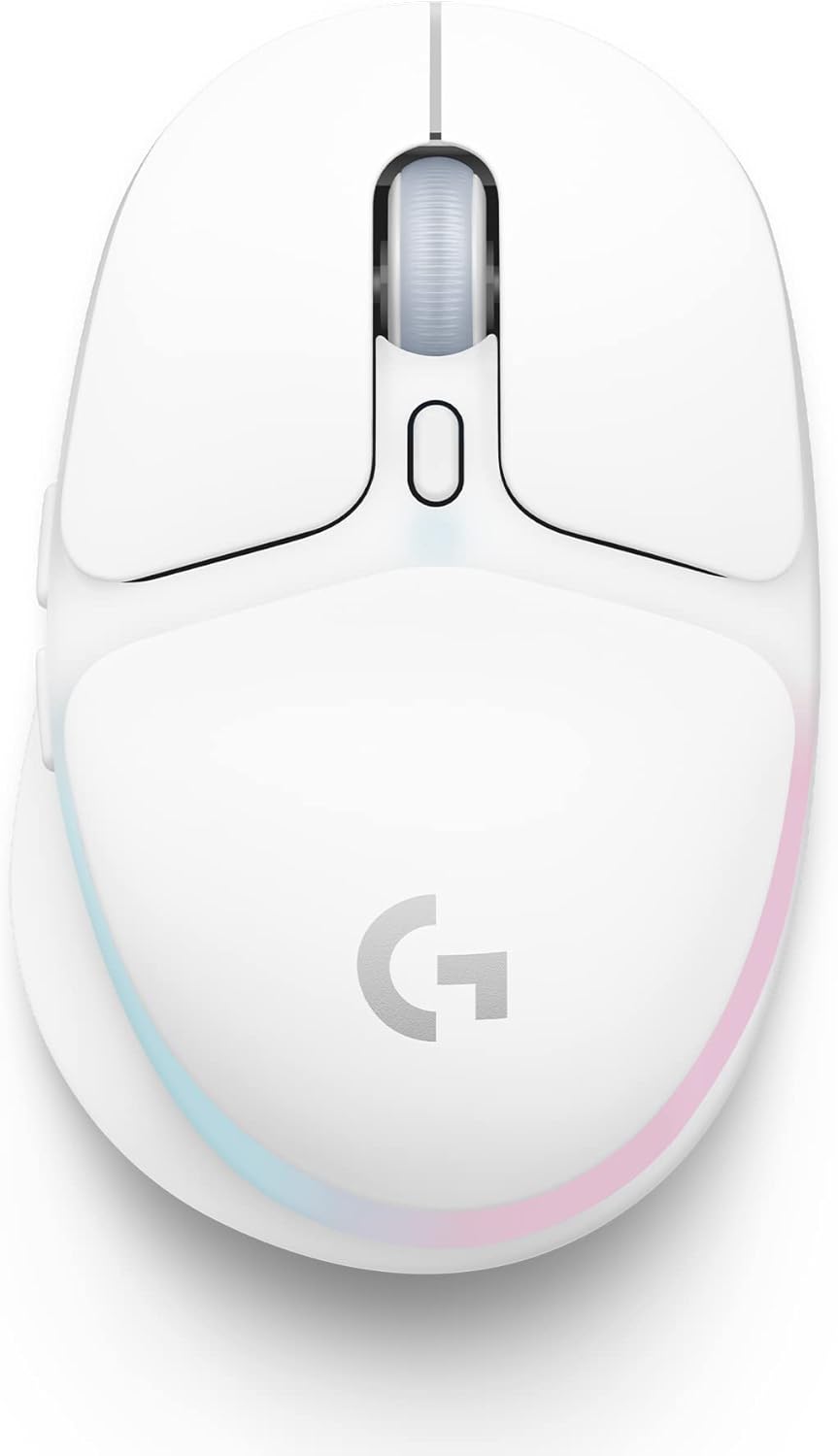
Connectivity is another big part of the appeal. With LIGHTSPEED, you can connect two devices using one USB receiver, which is useful if you switch between a desktop gaming setup and a laptop. Bluetooth adds even more flexibility for desk setups that don’t want another USB dongle or for quick switching between devices.
One thing to keep in mind: the “pairing story” here depends on your setup. If you’re only ever using one PC, you may not fully benefit from the multi-device angle, though the lightweight, wireless-first idea still stands.
What the RGB setup is actually like
The G705 uses LIGHTSYNC zonal RGB lighting and is part of the “Aurora” collection look. In practical terms, that means you can personalise the lighting and create a style that fits your broader theme in Logitech G HUB.
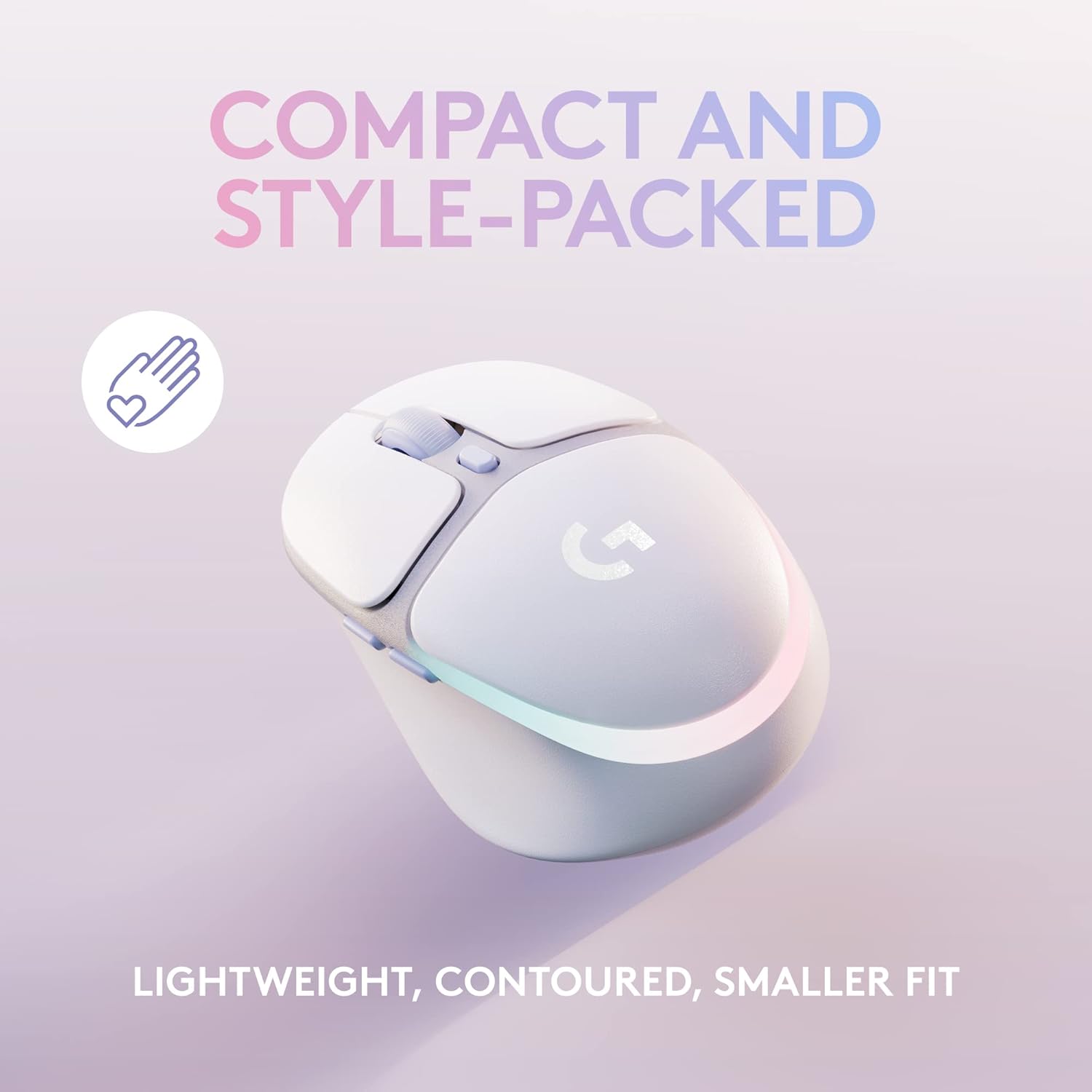
It’s not all about looks either. The spec sheet mentions a battery figure “with full lighting,” which is a reminder that RGB is part of the power equation. If you like bright lighting all the time, you’re likely to think more about charging cycles, if you tone it down, you may find it easier to live with day-to-day.
Battery and wireless performance expectations
Logitech positions this mouse as “rechargeable” with long-lasting battery life, stating 40 hours when using full lighting. It uses Logitech LIGHTSPEED for ultrafast wireless connection (with low loss performance stated in the description), and you can also use it in a different mode with Bluetooth.
Also worth noting: the description mentions sensor quality for gaming and that the mouse is designed to support quick clicks as well as portability. So for mainstream gaming sessions—especially where you value responsiveness and not feeling weighed down—it ticks the right boxes.
That said, if you’re chasing the most competition-focused features in every category, you might want to compare across higher-end options first. This model reads more like a compact, adaptable wireless gaming mouse than a “max specs” enthusiast pick.
Specifications at a glance

- Weight: 85 g
- Connectivity: LIGHTSPEED wireless + Bluetooth
- Lighting: LIGHTSYNC zonal RGB
- Battery life: up to 40 hours (with full lighting)
- Rechargeable: yes
Who it suits (and who may want to look elsewhere)
It’s a good fit if you like a compact mouse that feels light in-hand, and you want wireless gaming flexibility across PC and laptop (or multiple devices) thanks to LIGHTSPEED and Bluetooth. It also suits people who care about styling their setup with RGB that’s customisable in G HUB, especially if they’re already considering Aurora-themed gear.
It’s not the best choice if you only want a basic wireless mouse and would rather spend your money elsewhere. Also, if you’re sensitive to battery life being affected by lighting brightness, the “up to 40 hours with full lighting” detail is a useful reality check.
A small practical example: imagine you keep a laptop on a stand for work and gaming in the evenings. With Bluetooth you can switch quickly for casual play without unplugging anything, when you want low-latency wireless for a session, you can use the LIGHTSPEED receiver.
When it makes sense to buy
Buying the Logitech G G705 is most compelling when two things line up: you want lightweight comfort (the 85 g figure is hard to ignore for portability) and you want dual wireless options for switching between devices. Add in LIGHTSYNC RGB if you genuinely intend to customise lighting rather than leaving it on a default.
Is it worth it?
If you value a compact, lightweight gaming mouse with both LIGHTSPEED wireless and Bluetooth, the Logitech G G705 is easy to justify. It’s designed to be easy to live with—especially if your setup involves more than one device—and the LIGHTSYNC zonal RGB plus G HUB customisation gives you something more personal than “set and forget”.
You may want to skip it if you don’t care about RGB customisation or you’re unlikely to benefit from switching modes. In that case, a simpler wireless mouse could suit you better and save you hassle.

Mini FAQ
Does it connect to two devices at once?
The description states that LIGHTSPEED can connect two devices through one USB receiver, and Bluetooth is also supported. How that works in your exact setup will depend on your devices’ Bluetooth/receiver usage.
How long does the battery last?
It’s stated as up to 40 hours with full lighting. If you run RGB less aggressively, your real-world runtime may vary.
Can you customise the RGB lighting?
Yes. The description notes you can personalise lighting via Logitech G HUB.
Is it rechargeable?
Yes, the mouse is described as rechargeable.
What does “LIGHTSYNC zonal RGB” mean?
It indicates the RGB lighting is set up in zones and can be customised, rather than being a single uniform light source.