



Grazz Laptop Screen Extender Triple Monitor 14"
Product description
This portable 14 inch monitor extends your laptop into a triple-screen setup to boost multitasking and presentations, combining a compact travel form with a full HD IPS panel for clearer spreadsheets and media. It includes an adjustable bracket with 180° pivot to find comfortable viewing angles and supports both work and entertainment on the move.
Key Points
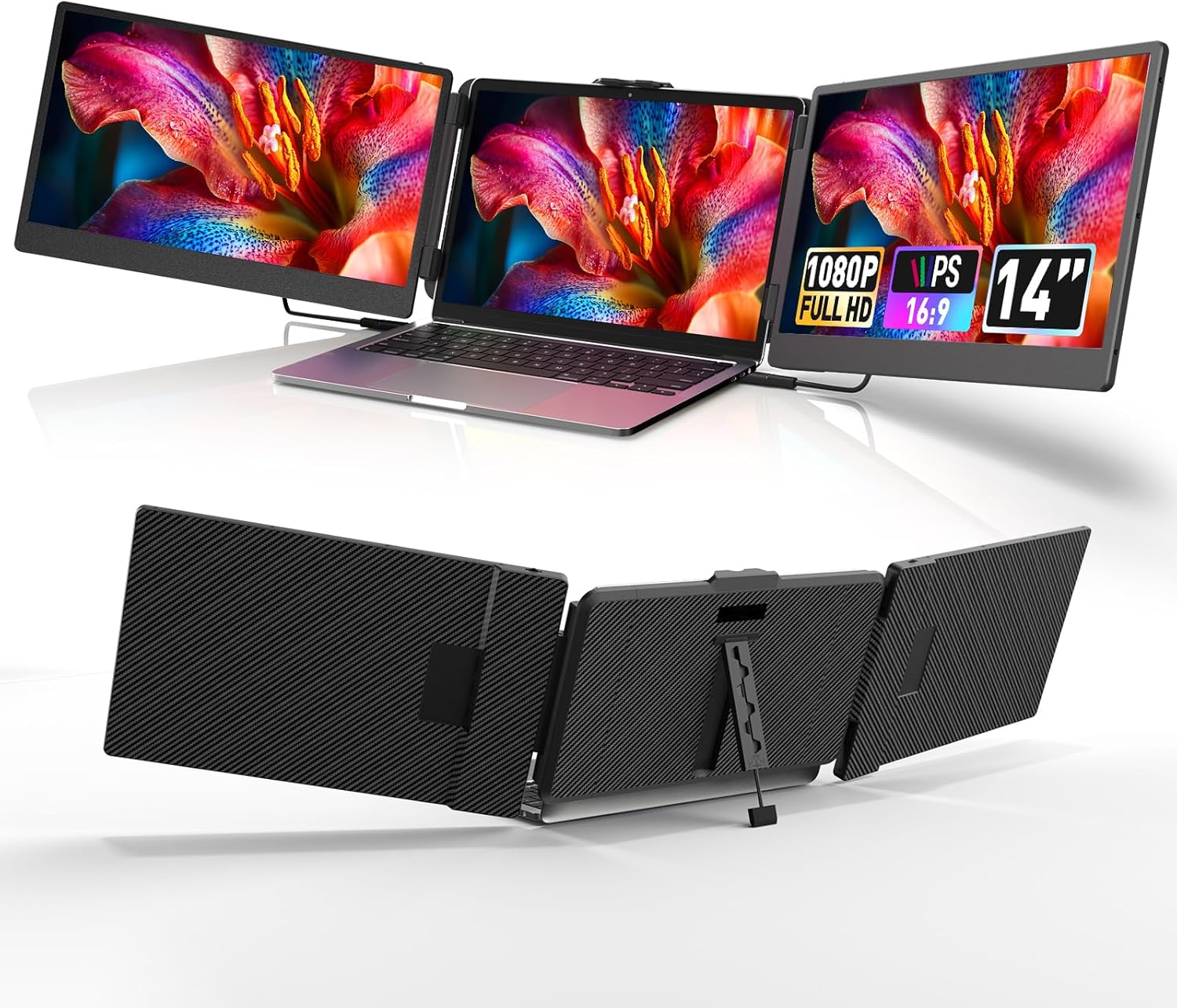
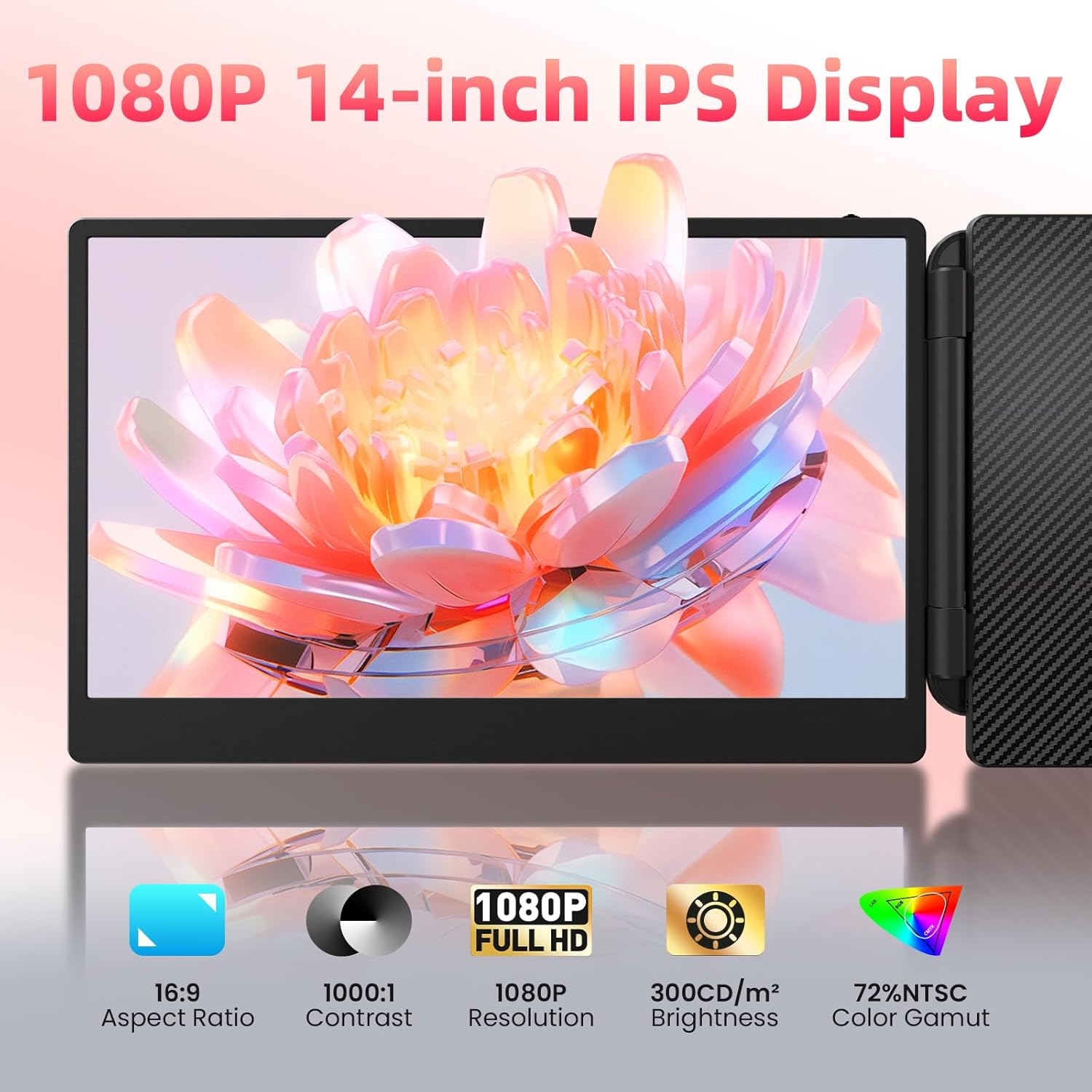
The extender clamps to the top of a laptop screen and unfolds to add an extra 14 inch display that sits alongside your primary panel, helping with simultaneous document editing, web research and video playback. According to the manufacturer, the screen has an IPS panel with 1080p resolution and a 1000:1 contrast ratio, which delivers consistent colours across wider viewing angles. The unit is lightweight at 3.57 lbs and comes with a carry bag, making it straightforward to take to meetings or use during business travel. 🎒
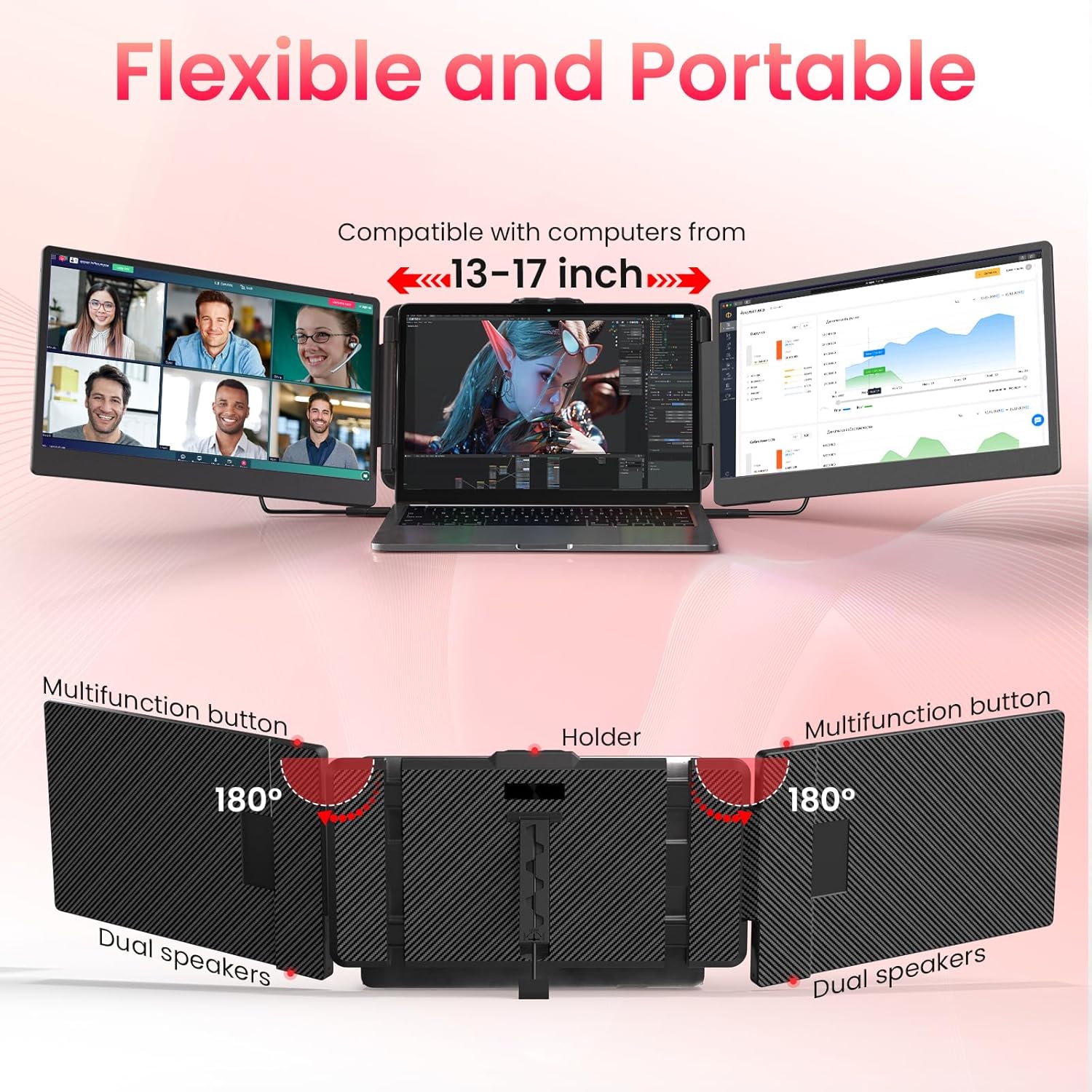
This solution gives independent control over brightness, contrast and audio so you can tailor the secondary screen without altering your main laptop settings. Built-in dual speakers provide basic sound for quick video calls and casual media, although they are not a substitute for dedicated headphones or speakers when higher audio fidelity is required. 🔊
Benefits
Adding a third screen can speed up tasks that need reference material on one display while drafting on another and arranging communication apps on the main screen. The clamp and bracket system is adjustable and fits laptops with screen diagonals between 13.3 and 17 inches, with a maximum horizontal reach of 15.75 inches, which allows compatibility across a wide range of models. The monitor folds compactly into its protective case for easier storage and transport.

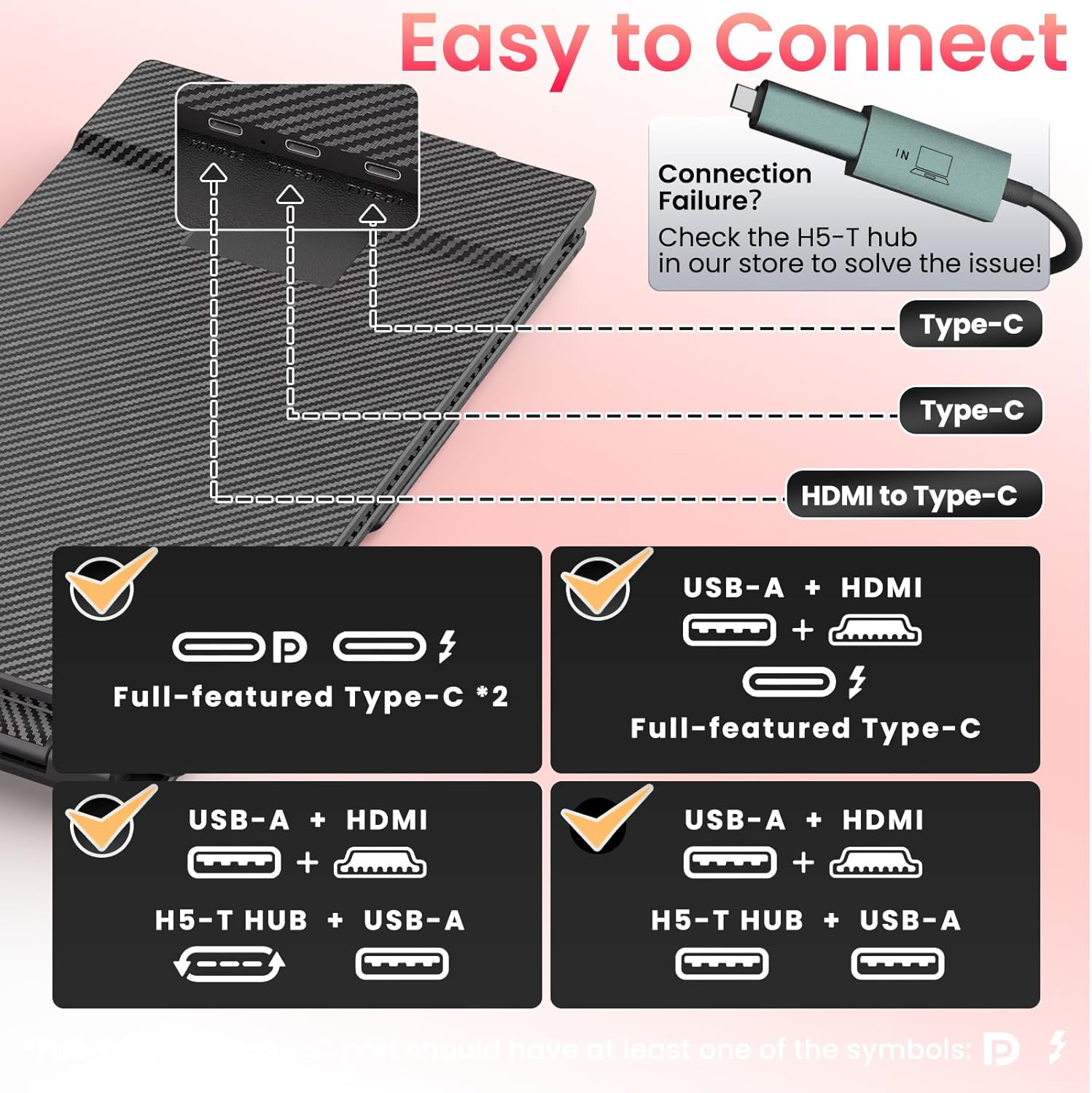
Do note that full functionality depends on your laptop offering video-enabled USB-C or HDMI output, and adapters may be required for some devices. It is also noted that Mac compatibility is specified for Intel-based models. These points are included by the manufacturer and worth confirming for specific setups.
Technical Specifications
- Name: Grazz Laptop Screen Extender Triple Monitor
- Screen size: 14 inch
- Resolution: 1920 x 1080 (Full HD), IPS
- Contrast ratio: 1000:1
- Weight with case: 3.57 lbs
- Compatibility: Fits 13.3 to 17 inch laptops, supports Mac (Intel), Windows, Android, PS5/PS4, Xbox, Switch
- Package contents: portable monitor, user manual, carry bag, 2x USB-C to USB-C cables, 2x HDMI to Type-C cables, 2x USB-A to USB-C cables
Usage Recommendations
For stable mounting, position the clamp on the laptop lid where the hinge is sturdy and make small adjustments to the bracket before tightening to avoid stress on the screen. Use the included USB-C or HDMI cables according to your laptop’s available ports and keep an adapter ready if your machine lacks native video output. The pivot adjustment works well for mixed tasks such as coding with documentation open, editing video timelines while referencing assets, or displaying slides during presentations.