


HP Series 5 31.5" FHD Monitor (532sf) with 100Hz refresh rate and HDMI/VGA
Product description
The essentials
The HP Series 5 31.5" FHD Monitor (532sf) is aimed at people who want a big, comfortable screen for everyday work, study and entertainment, without going down the rabbit hole of higher-resolution or ultra-high refresh-rate panels. On paper it leans towards smooth viewing (100Hz refresh rate) plus colour that’s designed to look credible (99% sRGB) and a contrast ratio quoted at 3000:1.
It’s also fairly practical in terms of connections: you get both HDMI and VGA options, which can matter if you’re sharing a setup with older devices. Add in low-blue-light support and an ergonomic tilt adjustment, and this is the kind of monitor that suits a desk where you’ll be spending hours.
That said, it’s worth being honest about expectations: this is a Full HD (FHD) panel at 31.5 inches, so if you’re very particular about sharpness or you sit extremely close, it may not feel as crisp as a higher-resolution alternative.
What it’s for (and what it feels like in use)
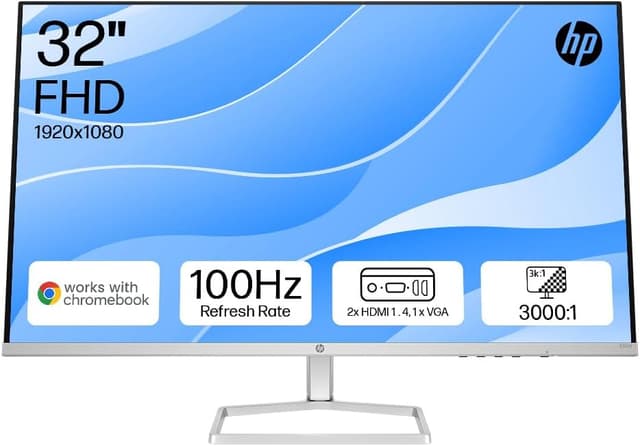
With a 31.5-inch FHD display and a 100Hz refresh rate, the day-to-day experience is about reducing the “choppiness” you can get on standard 60Hz screens—especially when scrolling, moving windows around, or playing games where motion clarity matters. Think of tasks like spreadsheet work with lots of panning, coding sessions with frequent cursor movement, or watching streaming content where you’d rather not deal with any visible stutter.
Where it makes sense is when you want a large canvas for multitasking, but you don’t necessarily want to invest in the most demanding spec tier. For example, in a typical home office setup, you could run one HDMI-connected laptop for work and keep a VGA-capable device ready for simpler use cases. The monitor’s “no-bezel” style (ultra-thin, 3-sided design) is also geared towards a dual-screen feel if you’re arranging two displays side by side.
Key features you’ll notice
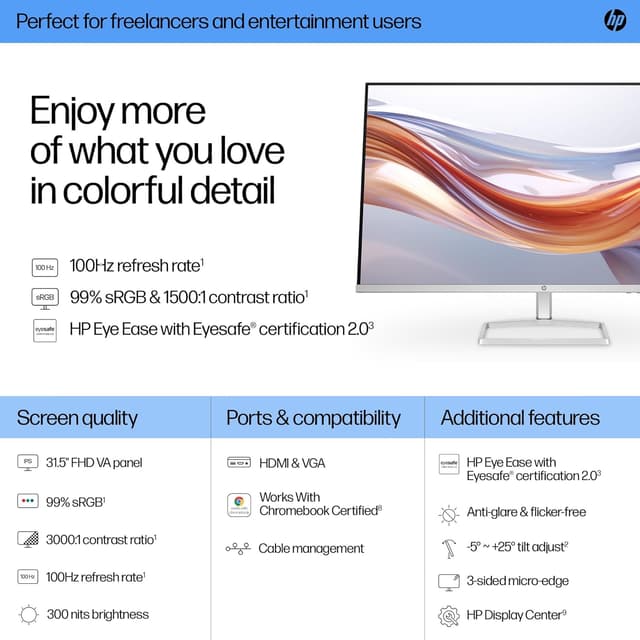
The headline numbers here are straightforward: 100Hz refresh rate, 99% sRGB colour coverage, 300 nits brightness, and a 3000:1 contrast ratio. For many buyers, those specs translate into “comfortable enough brightness” and “more natural colours than you’d expect from basic office panels”, particularly for everyday content, photos and general creative tasks that don’t require advanced colour management.
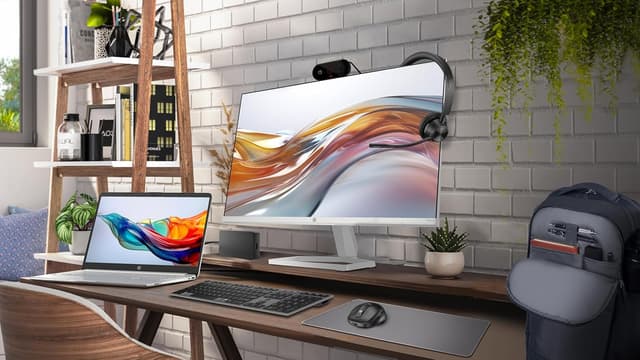
Ergonomically, there’s tilt adjustment and an ergonomics-focused setup guide. This is the part that people often ignore—until they live with the monitor for a few weeks. Being able to find a more comfortable angle can make screen time easier.
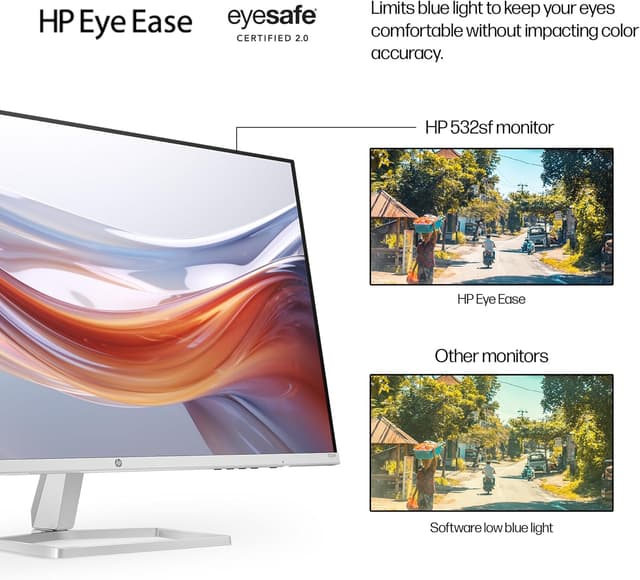
Low-blue-light support is also included, along with HP Eye Ease and Eyesafe certification mentioned in the product details. It’s a helpful addition if you’re sensitive to eye strain, though it’s not a magic fix for poor lighting habits. If your room is dim and you rely on the monitor as the main light source, you may still find you need breaks.
Connections and setup reality check
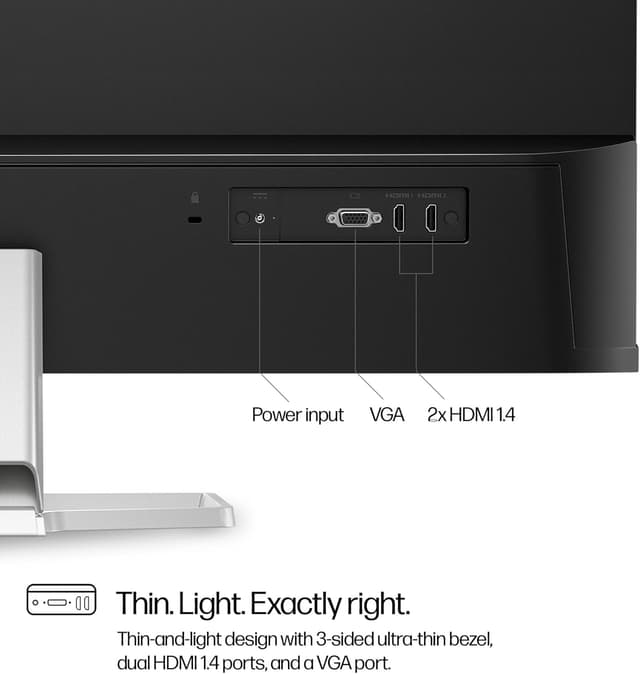
This model includes HDMI and VGA ports, and it’s described as having simplified cable management. That combination is particularly useful if your desk setup is a mix—newer devices via HDMI, plus older gear where VGA still has a role.
It’s also described as thin and light, which can make positioning and moving it around less of a chore. If you’re planning to mount it later, note that the information provided doesn’t mention a VESA mount, so you’ll want to check compatibility before committing to an arm.
One limitation to keep in mind: the specifications shared here focus on panel performance and general usability, but they don’t spell out things like built-in speakers, USB connectivity, or height adjustment. If those features matter to you, it’s worth verifying them in the listing details.
Comfort, eye protection and colour
HP Eye Ease with Eyesafe is included to limit blue light for comfort, while still aiming to maintain colour accuracy. That’s relevant because “comfort filters” sometimes change how colours look—here, the claim is that accuracy isn’t compromised.
In practice, this kind of feature is most valuable for long screen sessions. If you often work late, study at home, or binge content in the evening, reducing blue-light exposure can be a sensible baseline.
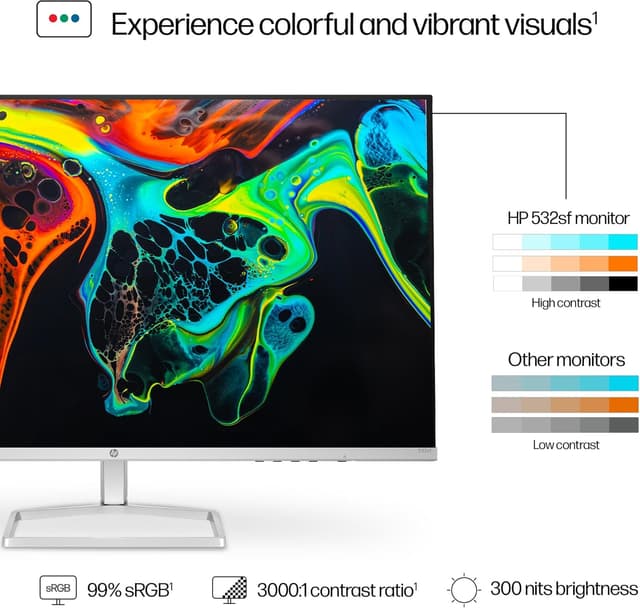
On colour, 99% sRGB and 300 nits suggest colours should look fairly well-rounded for general use. If you’re doing professional work that depends heavily on wide-gamut colour standards, this monitor will likely sit more in the “good for everyday” bracket than the “precision-grade workflow tool” bracket.
Eco and build approach (what’s claimed)
HP positions the Series 5 line around sustainability: the product design reportedly uses 85% recycled materials, and 5% plastics destined for the ocean. There’s also mention of 100% sustainably sourced packaging, plus a registered design aligned with EPEAT Gold and Energy Star certification.
This isn’t something you can “feel” every day, but it can be a deciding factor if you try to buy with environmental claims in mind. Just remember it’s still a monitor: if your main need is image sharpness, connectivity, or viewing comfort, those should come first.
Is it worth it?
This is a solid pick if you’re after a large 31.5-inch screen for desk use, you want smoother motion than a typical 60Hz panel, and you value practical connectivity with both HDMI and VGA. It suits home office setups, study spaces, and general entertainment where 99% sRGB colour and 300 nits brightness are “good everyday” targets.
You may want to skip it if you’re expecting ultra-crisp detail at this screen size for close-up work, because it’s FHD at 31.5 inches. It’s also not the best choice if you specifically need features that aren’t mentioned in the provided details (for example, height adjustment beyond tilt, or richer connectivity like USB-C).
Worth considering if your priority is comfortable long sessions (low-blue-light support plus ergonomics) and you want a straightforward, easy-to-place monitor for mixed devices.
Mini FAQ
Does this monitor include both HDMI and VGA?
Yes, the product details mention two HDMI ports and one VGA port, which should help with mixed device setups.
Is the refresh rate 100Hz good for gaming and smooth scrolling?
A 100Hz refresh rate is typically the kind of upgrade that makes motion feel smoother than standard 60Hz screens, particularly for scrolling and fast movement.
How “accurate” are the colours claimed here?
The listing states 99% sRGB colour coverage, which is a useful benchmark for everyday colour performance.
What eye comfort features are included?
Low-blue-light support is included via HP Eye Ease with Eyesafe certification, aiming to limit blue light for comfort.
Is there any information on mounting?
Only tilt and general ergonomics are mentioned in the details provided. If you plan to mount it using an arm or stand, it’s worth checking mounting compatibility before purchasing.