

domyfan 15.6" Laptop Screen Extender: 120% sRGB Full HD IPS, Plug‑and‑Play Portable Dual Screen
Product description
What it is
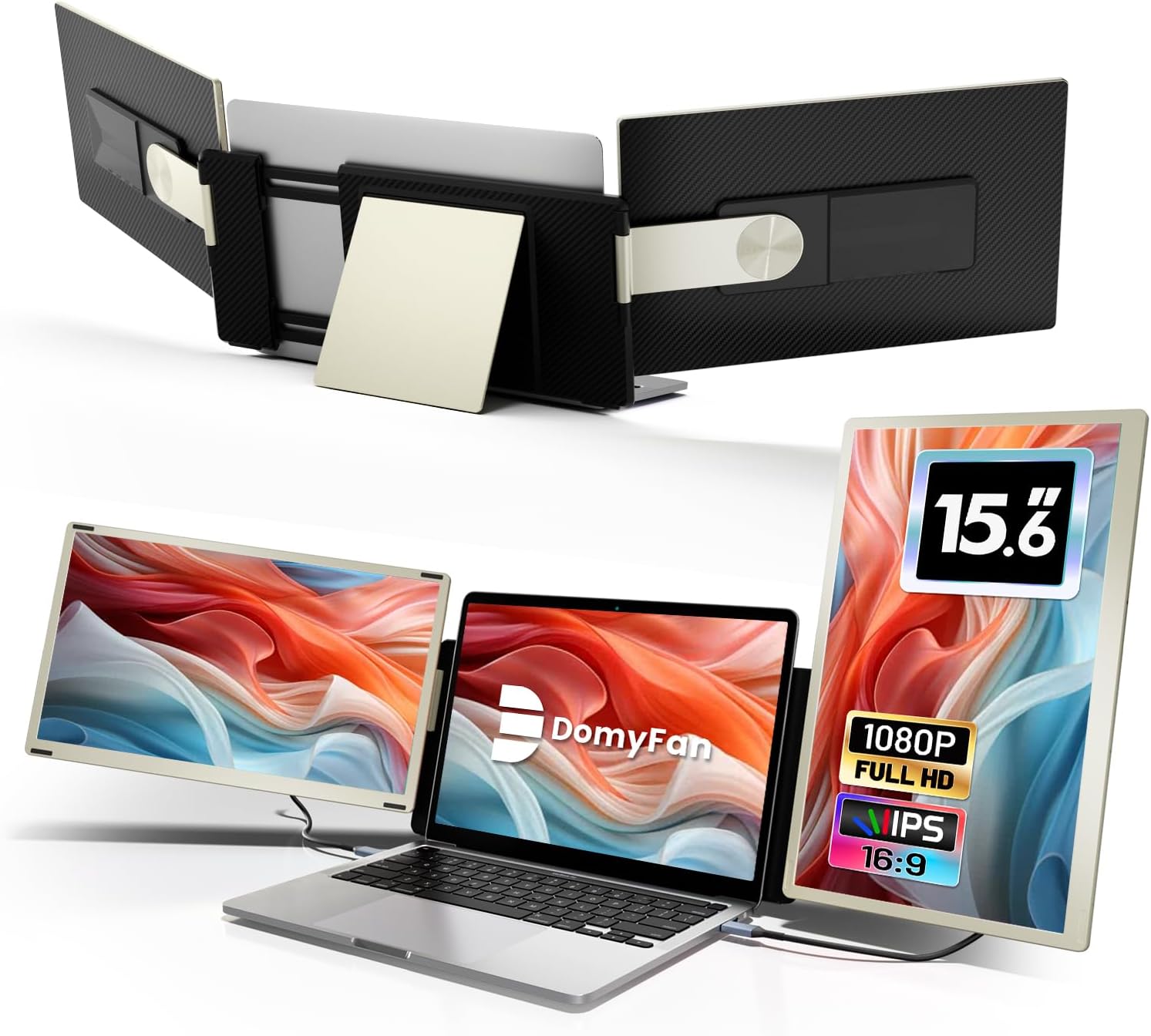
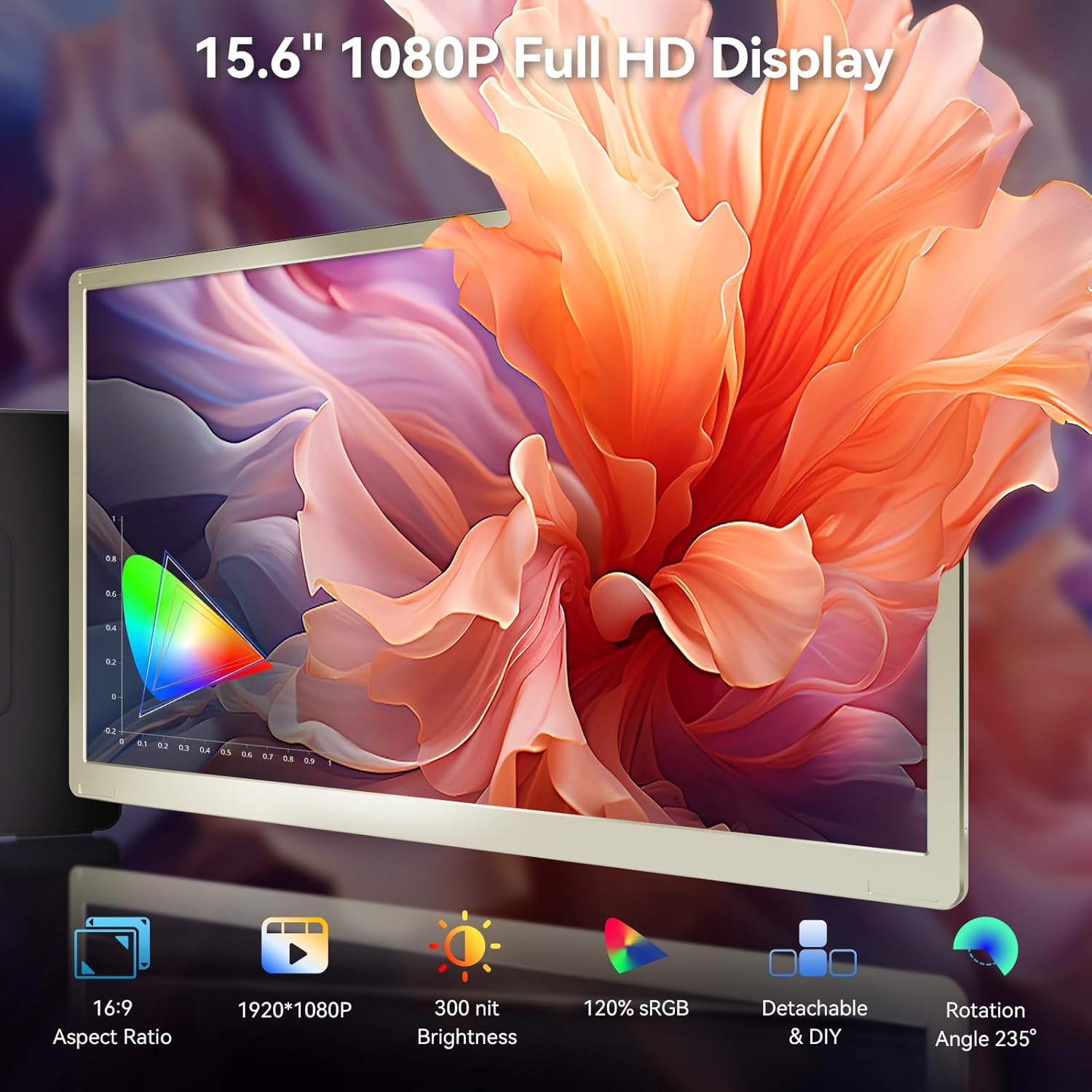
The domyfan 15.6" laptop screen extender is a portable dual-screen solution designed to expand your workspace without mounting a second monitor to your laptop. It offers a 1920×1080p IPS panel with 120% sRGB, a brightness of 300 nits, and a 16:9 aspect ratio. The set-up is intended to be plug-and-play via HDMI or Type-C, turning a single laptop into a more productive two‑screen setup on the go or at a desk.
What problem it aims to solve
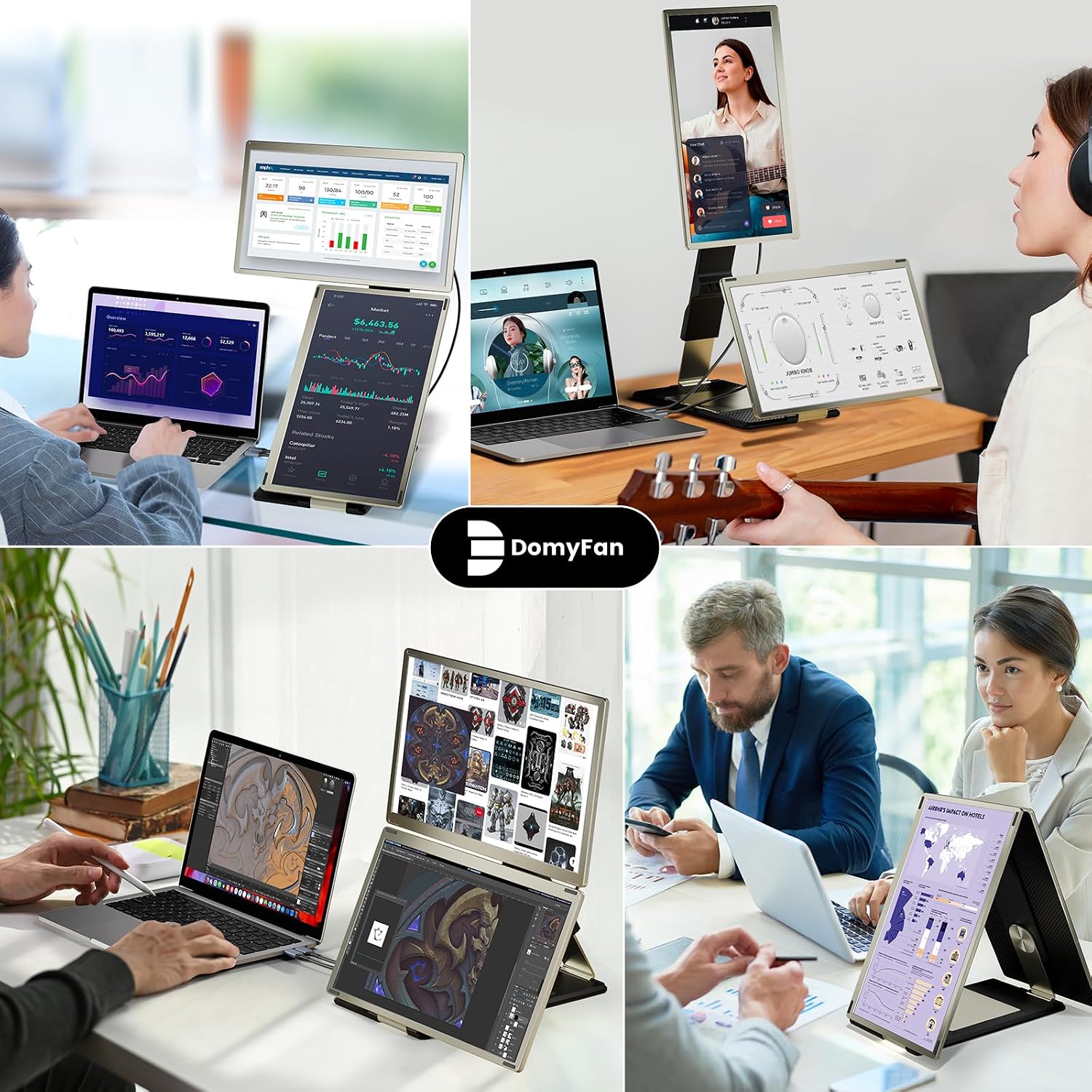
For people who multitask across documents, charts, and timelines or who do basic video and design work on the move, the extender can reduce tab juggling and window switching. It’s pitched for professionals who value colour accuracy and a larger working canvas, and for anyone who wants a flexible, portable second display without the risk of clipping or damaging the base laptop.
How it performs in practice
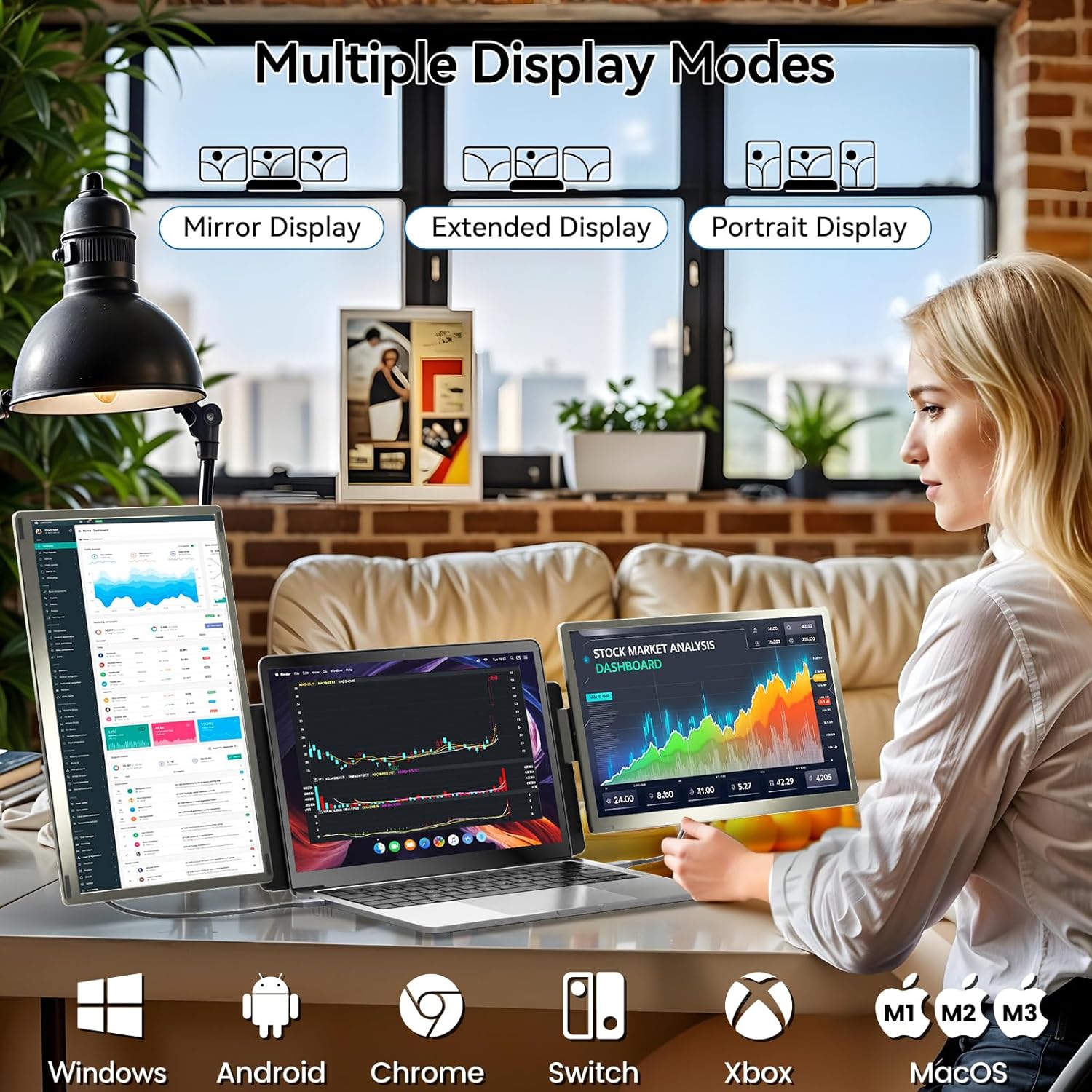
On paper, the device supports expansion and mirroring modes, which can boost efficiency and enable creative layouts. The standout claim is a 120% colour gamut and a higher color richness compared to standard displays, aimed at video editors, visual artists and gamers who don’t want to compromise on visuals when away from a desktop rig. In real-world use, the benefit hinges on how well your laptop and connections handle screen output and how you arrange the screens for comfort. It’s not a large, fixed workstation, so you’ll trade some ergonomic perfection for mobility.
What’s good about it
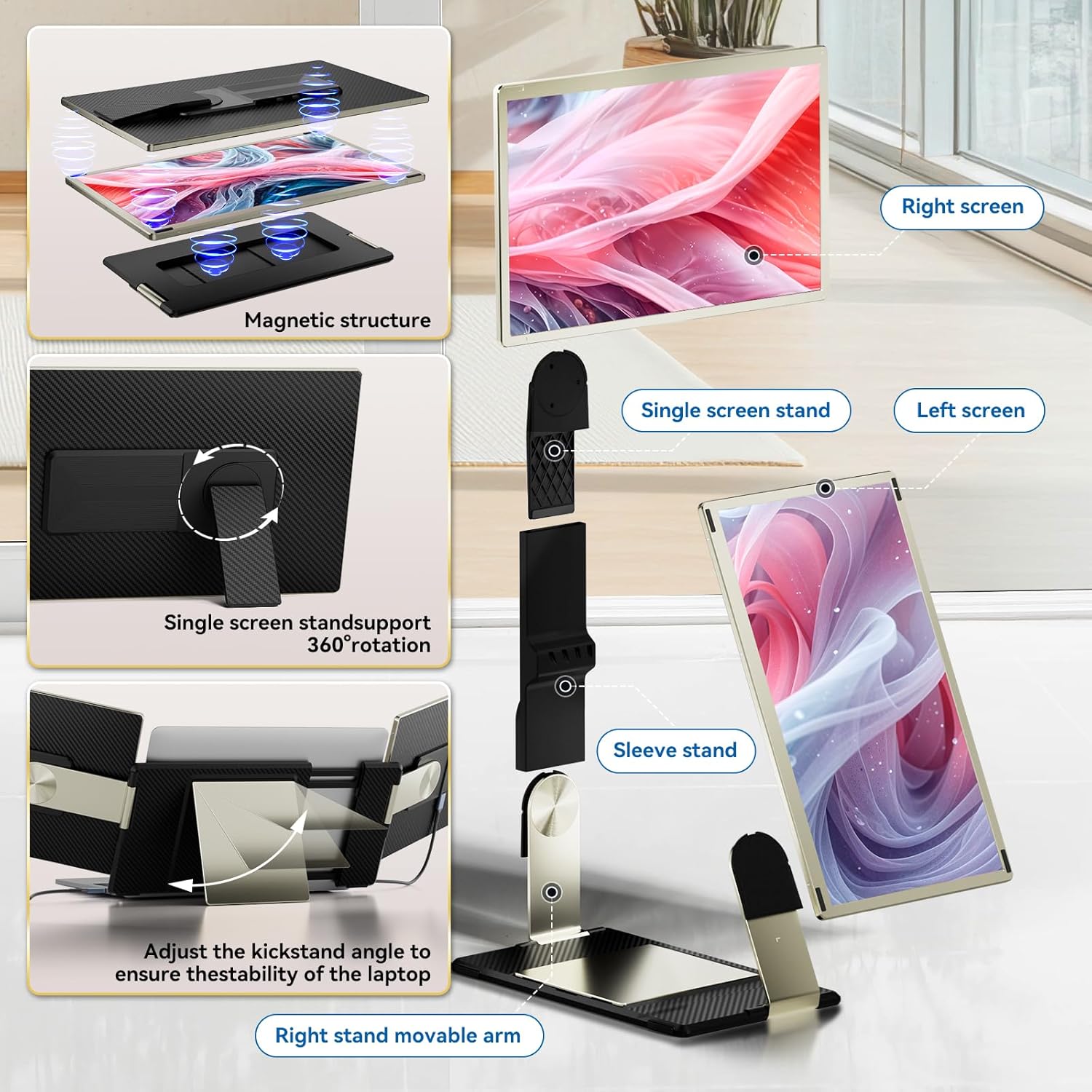
- Portable dual-screen concept with a standalone screen and a magnetic cover for convenient storage.
- True plug‑and‑play with multiple input options (HDMI, USB-C/Type-C), broad compatibility across Windows, macOS, Chrome OS, and some gaming consoles.
- Aims to protect the laptop from damage by avoiding direct clamping or mounting hardware to the base device.
- The detachable display design allows flexible layout and positioning to suit different workstyles, from side-by-side to stacked arrangements.
What may be less convincing
- The claimed 120% sRGB is ambitious, actual colour performance will depend on the display panel and your content workflow. Users who demand near-professional calibration may find results variable.
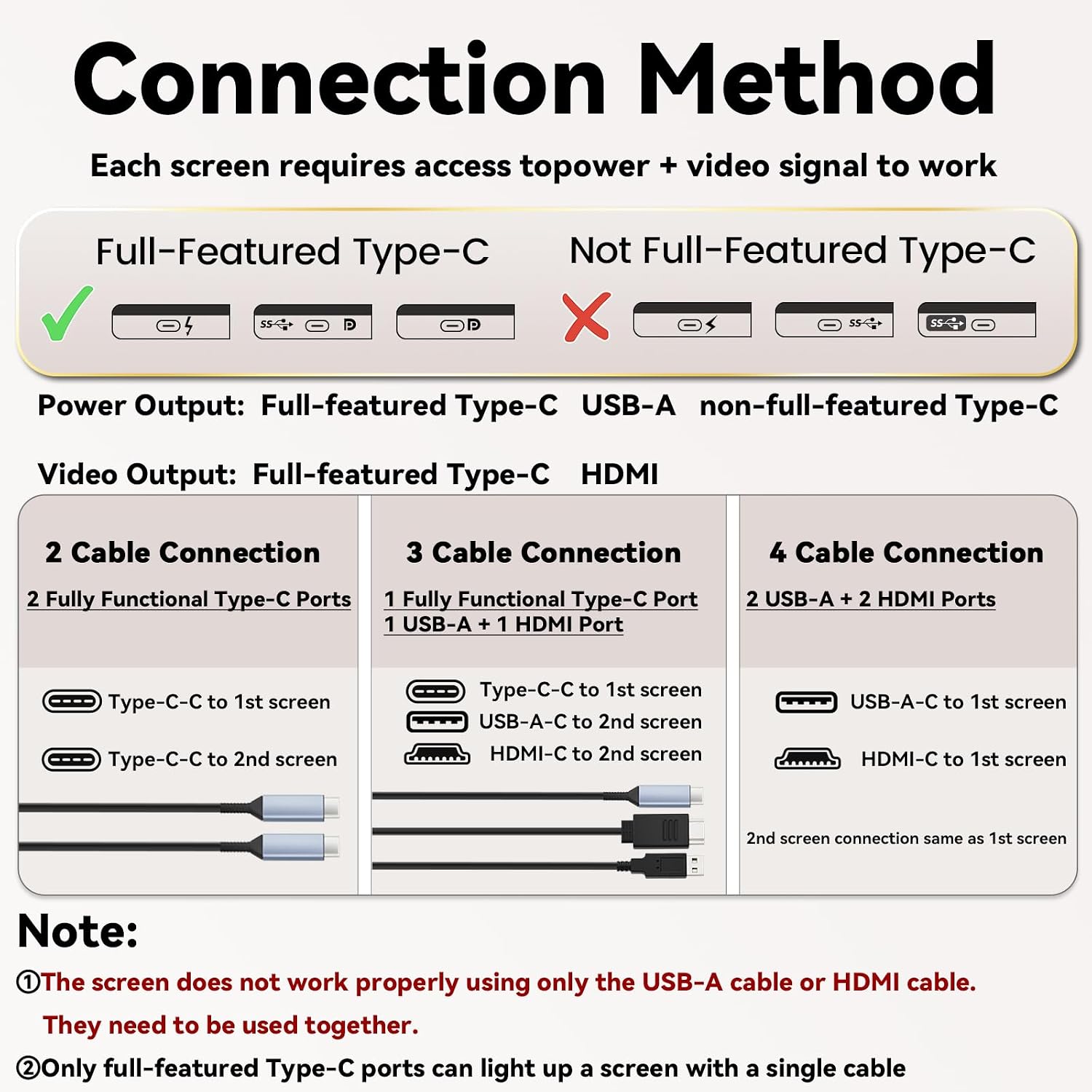
- Mac users may require additional hardware (Hub H5) and a power source might be necessary for reliable operation, which adds to the setup cost and complexity.
- It’s a supplementary screen, not a full workstation replacement, if you need high brightness outdoors or extremely high refresh rates for fast gaming, this model may not satisfy those expectations.
- The experience can be affected by the connected laptop’s GPU output and driver compatibility, so some configurations may require extra setup time.
Who it’s for
- Professionals who travel or work in small spaces and want a bigger, colour-accurate canvas without a bulky desk setup.
- Creatives such as video editors, visual artists, and animators who value accurate colour reproduction more than marginal gains in brightness.
- Anyone needing a flexible, portable second screen to reference documents, timelines, chat windows or design tools while coding or editing.
Who it’s not ideal for
- Users who prioritise ultra-high brightness, extreme gaming refresh rates, or desktop-grade colour accuracy without caveats.
- Mac users who prefer a completely seamless, driver-free experience, the Mac connection notes imply extra steps and optional hardware.
- People who require a single, integrated built-in laptop display for travel, this is an add-on, not a compact laptop replacement.
When it makes sense to buy
- If you frequently work between windows and need a larger canvas away from a fixed desk.
- If you value portability alongside a useful colour range for visual tasks and want to avoid clamping or attaching hardware to your laptop.
- If you’re comfortable with potential minor setup for macOS devices and occasional driver considerations.
When to rethink the purchase
- If you need a guaranteed plug‑and‑play setup on a MacBook without any extra hubs or adjustments.
- If your primary needs are basic web work or text editing with minimal colour-critical content.
- If you expect a single, rigid external monitor solution rather than a flexible, detachable frame.
What to check before buying
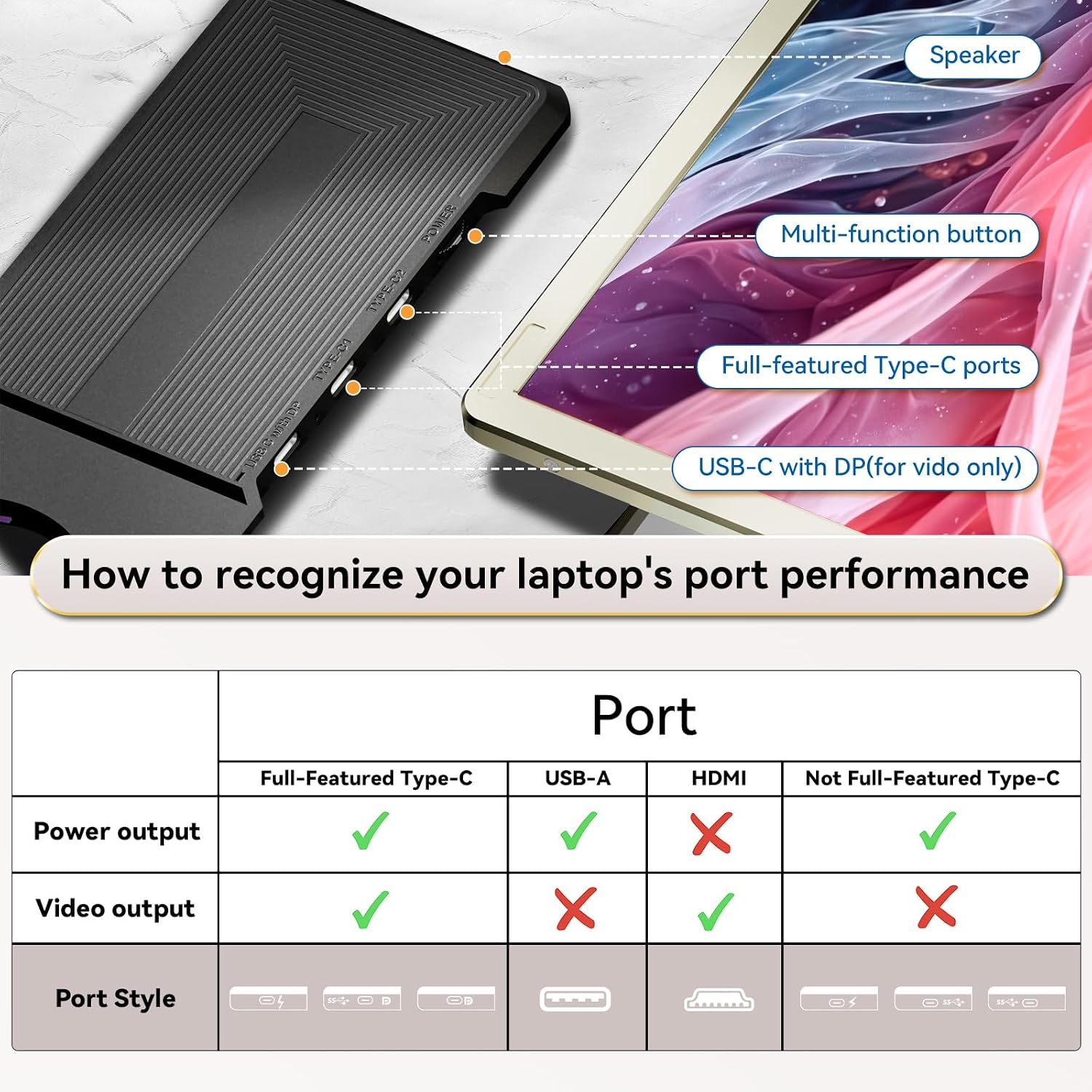
- Confirm your laptop’s video output options and whether you’ll need a hub or extra power source for macOS,
- Consider where you’ll place the second screen for comfortable viewing and how you’ll align it with your laptop.
- Be aware of the weight and balance of the setup when using the detachable frame, especially on softer surfaces or on the go.
- If you rely on colour-critical work, think about how the 120% sRGB will translate to your workflow and whether calibration tools are needed.
Practical example of use
Imagine editing a short video on a laptop in a coffee shop: you keep the main timeline on the primary screen while the expanded screen holds reference frames and colour notes. The magnetic cover makes it easy to stow away between coffees, and the lightweight design supports a quick transition from desk to train carriage without fuss.
FAQ (focused on real-world needs)
- Does it work with Windows, macOS, Chrome OS and Android devices? Yes, it supports multiple devices via HDMI and USB-C/Type-C inputs, though some configurations (like Mac with M1/M2/M3) may need a hub and driver steps.
- Is it easy to carry around? The design emphasises portability with a magnetic cover and a laptop case, so it’s meant to be carried as part of a mobile workstation.
- Will it replace a proper desktop monitor? Not for high-end colour-critical workflows or gaming with demanding specs, think of it as a versatile companion screen for when you’re on the move.
Decision time: Is it worth it?
Worth considering if you prioritise portable multi-screen capability and you’re comfortable with potential extra setup for some platforms. If your workflow benefits from extra screen real estate and you want to avoid risk to your laptop, this model offers a practical, travel-friendly approach.