

Cocopar 15.6-Inch Portable Monitor: 1080P FHD, 60Hz, USB-C & HDMI Second Screen
Product description
What it is and who it’s for
The Cocopar 15.6-inch portable monitor is a compact, lightweight secondary display designed to expand your laptop setup. It targets remote workers, students and gamers who want a bigger feel for meetings, multitasking or console play while on the move. If you value a larger workspace without sacrificing portability, this screen aims to deliver a practical, plug‑and‑play option that fits in a backpack or briefcase.
How it’s designed to help you in real life
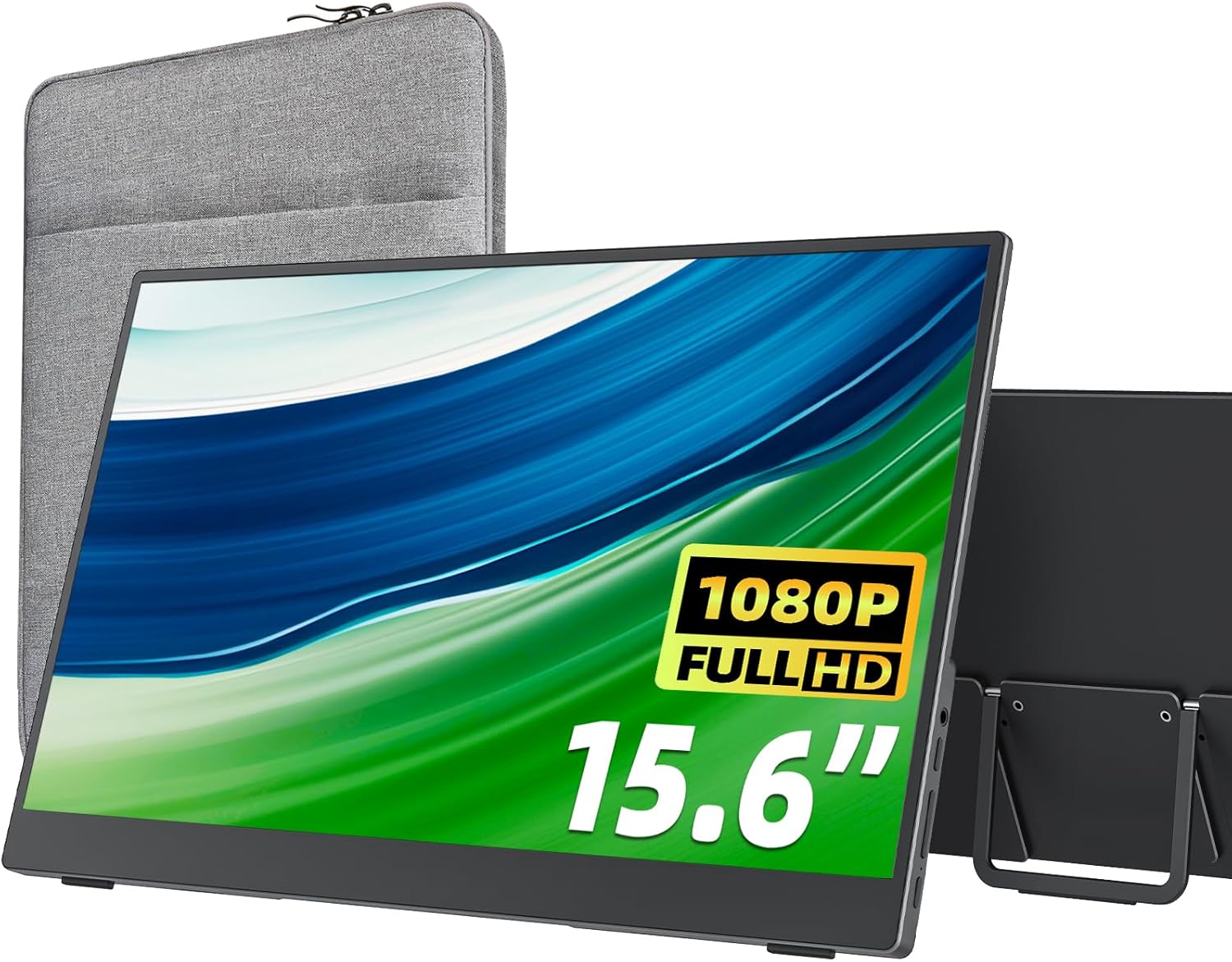
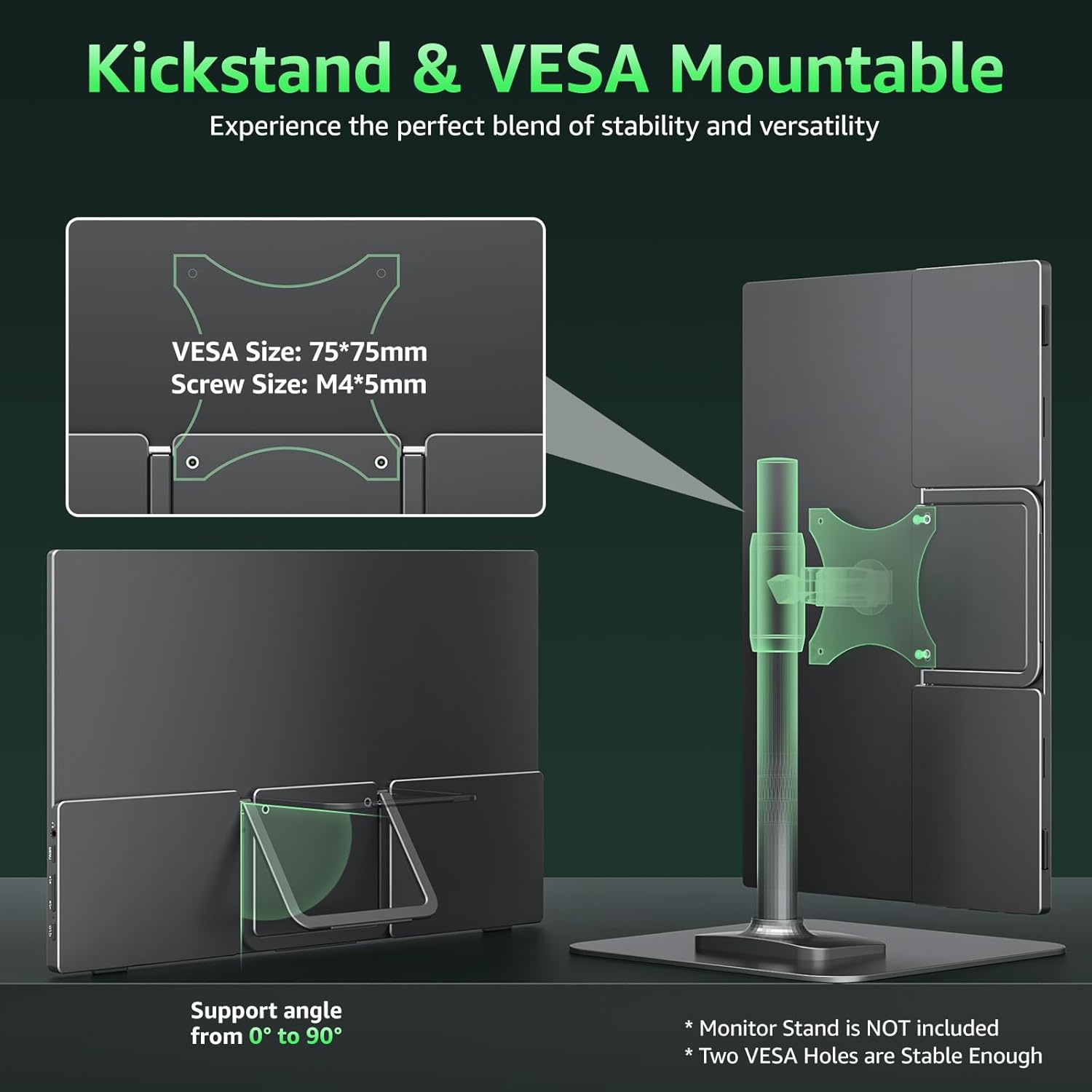
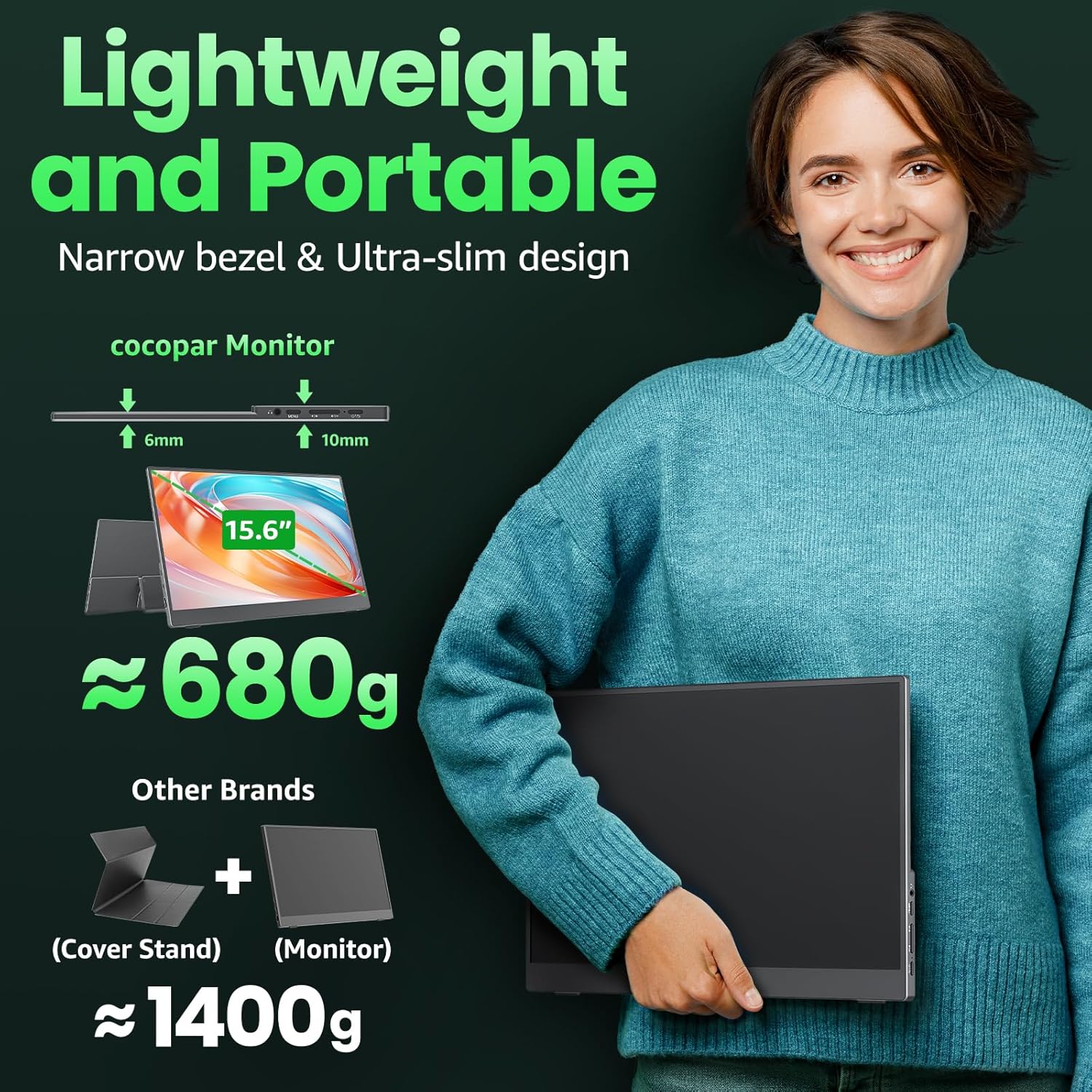
On the desk or in transit, you’ll often need extra screen real estate. This monitor provides 1080P FHD clarity with an 85% colour gamut and a wide viewing angle (178°), so text stays legible and images remain reasonably accurate when you’re sharing content with colleagues or friends. The slim profile—just a few millimetres at its thinnest point—and a weight around 670 g make it easy to carry alongside your laptop. The included kickstand allows you to set a comfortable angle, and the VESA mounting holes give you the option to attach it to compatible stands or wall setups for a more permanent travel setup.
What stands out on paper
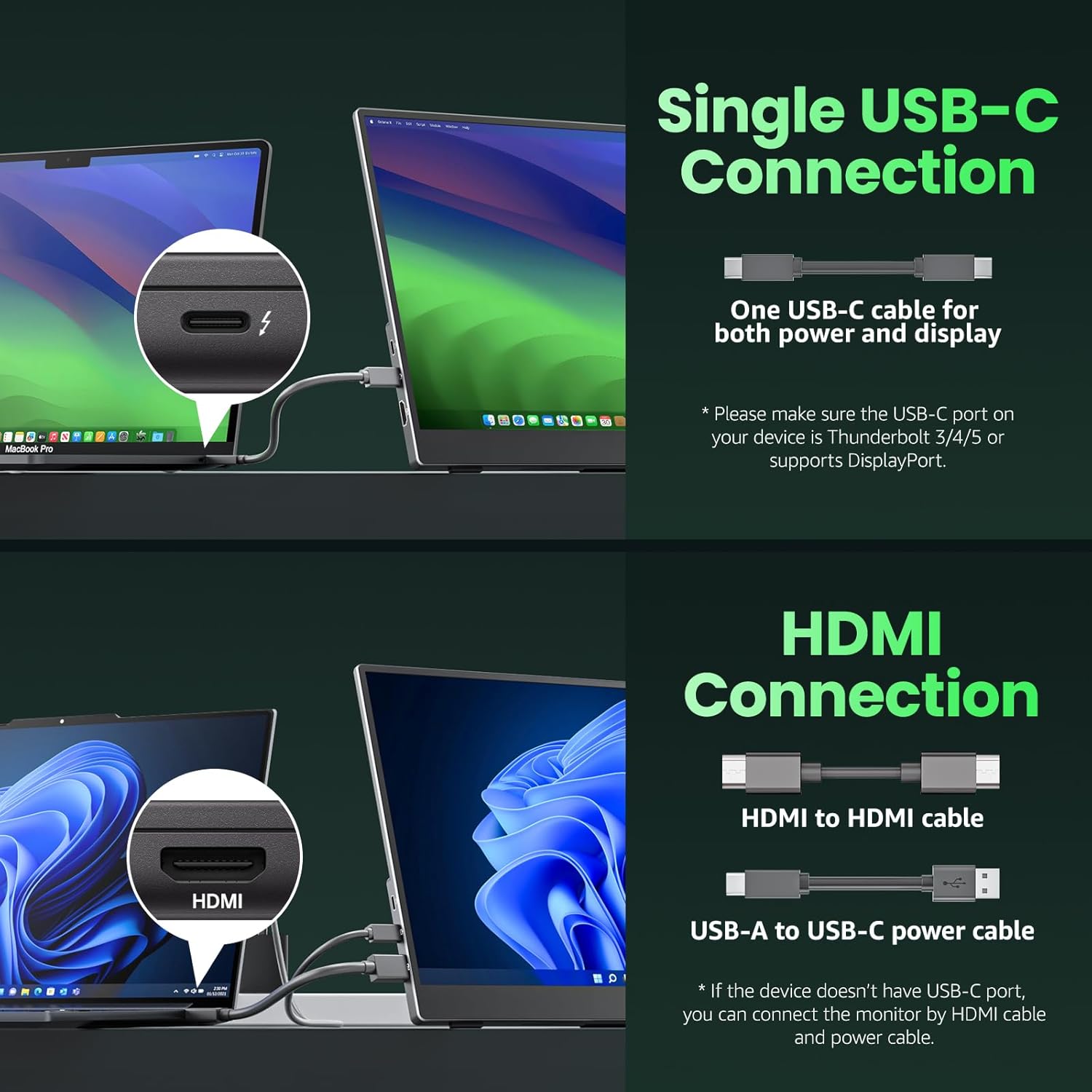
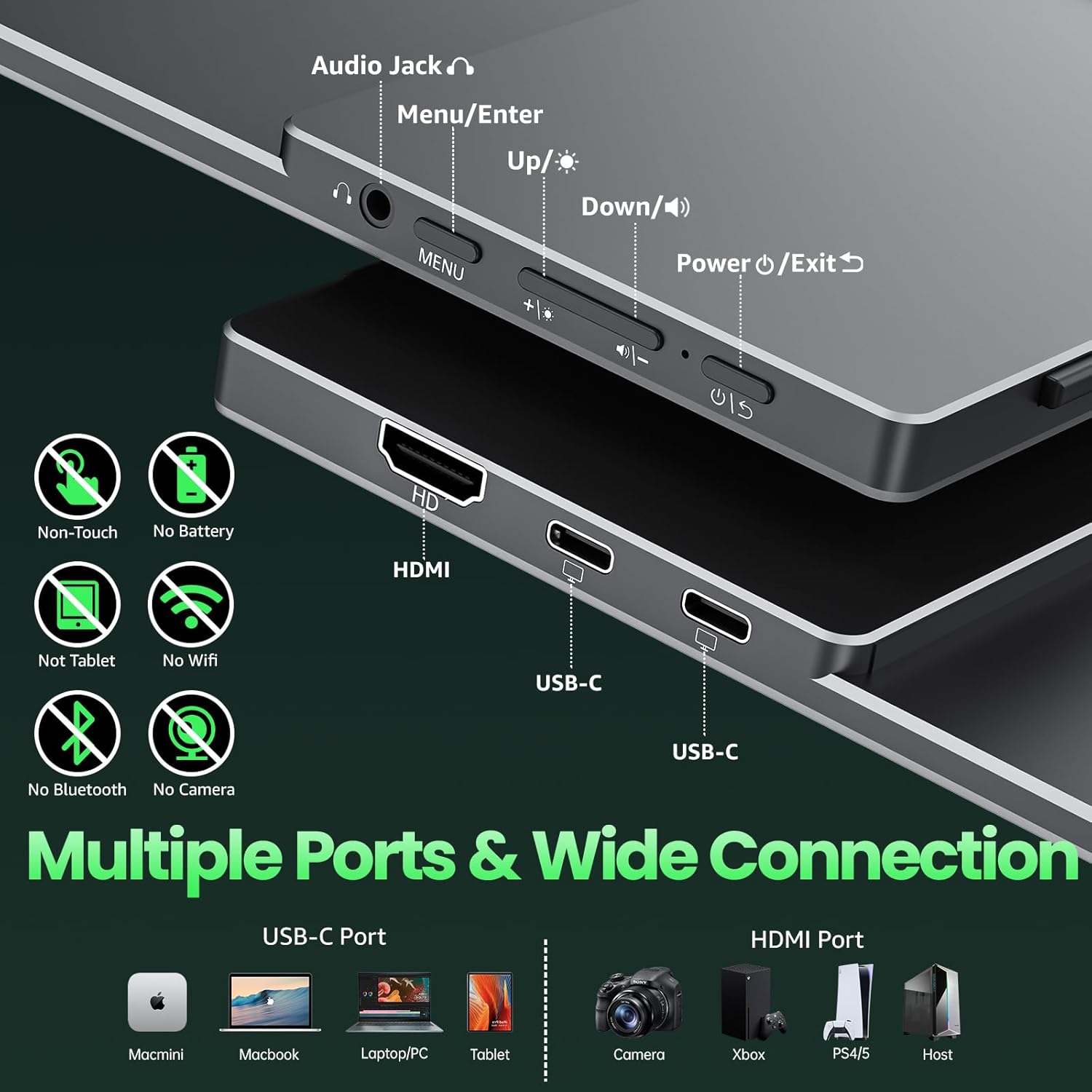
The appeal here is the “two-in-one” USB‑C/HDMI approach. With two USB‑C ports and a mini HDMI input, the monitor can be powered and driven from a single USB‑C connection on compatible devices, simplifying cables on the go. It also supports power pass‑through, so you can keep your laptop charged while using the second screen. If your device supports Thunderbolt 3/4 or USB 3.1 Type C DP Alt Mode, you’ll likely benefit from a clean, single‑cable workflow in many scenarios.
Limitations to consider
On paper, 60 Hz is fine for productivity and casual media, but it isn’t a gaming‑focused high refresh option. The device relies on compatible host ports for the single‑cable power/display setup, which means some older laptops or non‑DP Alt Mode ports may require additional adapters. While the panel is IPS with HDR support and low blue light, colour accuracy and brightness in bright outdoor lighting can still depend on your environment and viewing angle. If you’re seeking a top‑end portable monitor purely for competitive gaming or professional colour work, this model may fall short of higher‑end alternatives.
Practical use cases and a quick scenario

Imagine pairing this with a MacBook or a Windows laptop during a remote meeting: you extend your desktop to show slides on the larger screen while keeping notes on your main display. When you travel for a presentation, you can connect via USB‑C or HDMI, position the monitor with the kickstand, and mount it to a stand if needed. For casual gaming or streaming from a console, the built‑in HDMI input supports devices like PS4/5 or Xbox for a portable multi‑screen setup.
What you’ll notice in day‑to‑day use
You’ll likely appreciate the compact form and easy setup. The integrated kickstand adds immediate flexibility for a makeshift workstation, and the compact weight means it’s less of a burden in a busy travel day. The Mrp‑style elements of the screen—HDR support, low blue light, and IPS panel—translate into comfortable viewing for long sessions, provided you’re not pushing the brightness to max in bright environments.
Who it’s best for
If you’re often working from different locations or value an extra screen for meetings and light content creation, this Cocopar model offers a balanced mix of portability and usefulness. It’s also a sensible option for students who want a larger study view without carrying a bulky monitor.
Who might want to look elsewhere
If your priority is peak gaming performance with very high refresh rates, or if you rely on highly colour‑critical work with precise calibration, you might prefer more premium portable panels with higher brightness or dedicated colour workflows. Likewise, if your device does not support the required USB‑C DP Alt Mode or Thunderbolt, the single‑cable advantage may not be fully realised.
Before you buy: quick checks
- Confirm your laptop or host device supports USB‑C DP Alt Mode or Thunderbolt 3/4 for the single‑cable power/display setup.
- Check whether you need extra stand space or a mounting option for your desk at the places you work or study.
- Consider your typical lighting conditions, HDR and IPS help, but brightness outdoors can still be a limitation.
- Think about how you’ll use it with consoles or media devices—HDMI input is essential if you plan to connect a PS5, Xbox or other HDMI sources.
What this means relative to other approaches
If your goal is an affordable, ultra‑portable second screen, this model sits in the mid‑range of portability with a practical feature set. It’s a sensible middle ground between larger, heavier travel monitors and tiny, ultra‑budget displays. For those who regularly need to duplicate or extend a screen while commuting, the USB‑C/HDMI versatility and VESA mounting options help justify its place in a mobile workspace, while it won’t replace a dedicated desktop monitor for long hours of serious colour work or gaming.
Decision: Is it worth it?
Is it worth it? Worth considering if you prioritise extra screen real estate on the move and you already have devices that play well with USB‑C DP Alt Mode or Thunderbolt. If you mostly work from a fixed desk or require higher refresh rates and precise colour, you may want to assess alternatives that prioritise those specs.
FAQ (short & practical)
- Can I use it with a standard laptop via USB‑C? Yes, provided your source supports DP Alt Mode or Thunderbolt 3/4 for display and power over a single USB‑C cable.
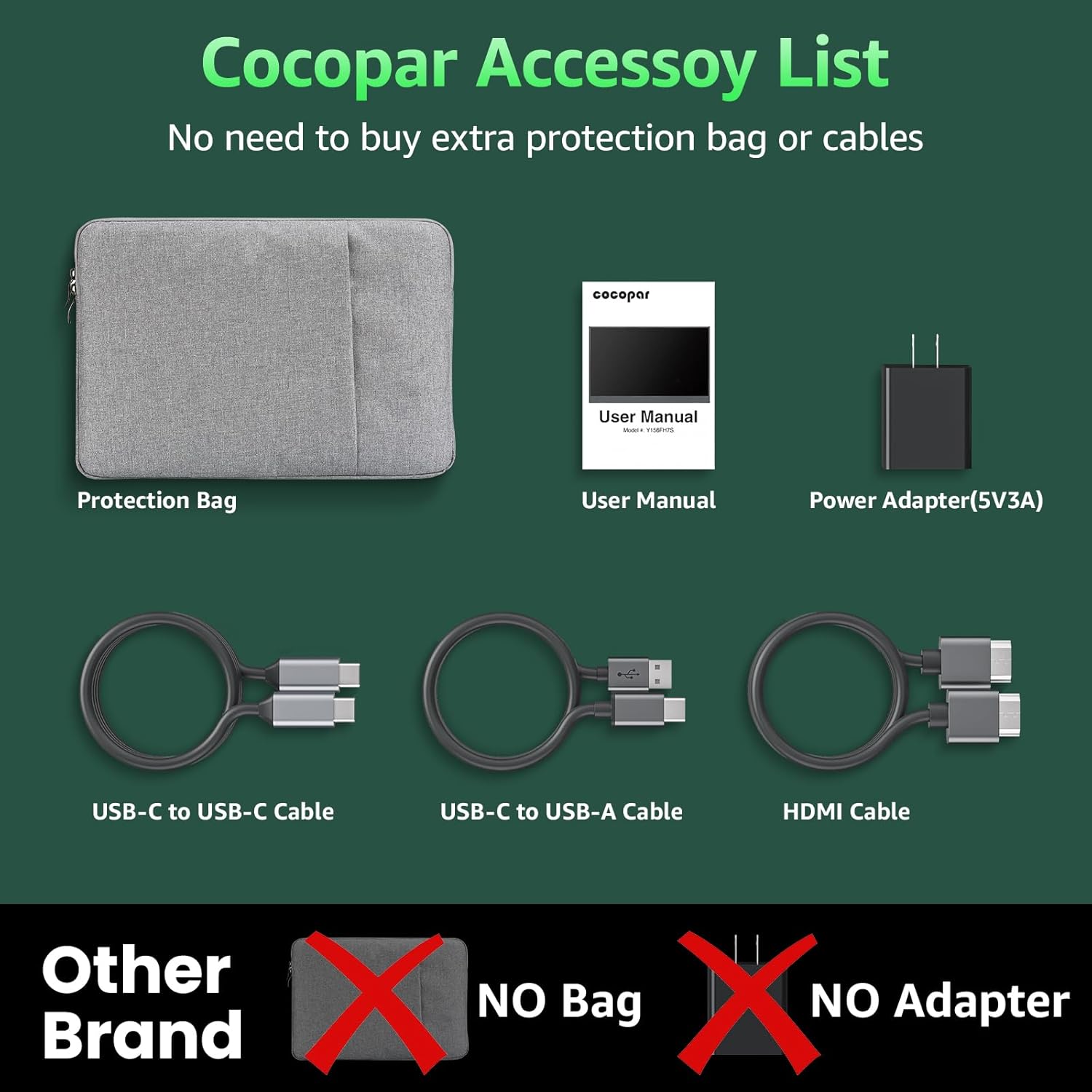
- Do I need a power adaptor if I connect via USB‑C? Some setups can power and display over USB‑C, but this depends on your host device and model, check the power pass‑through capability.
- Is it easy to attach to a desk or stand? The monitor includes a kickstand and two VESA mounting holes for compatible stands, offering flexible placement.
- Will it be good for travel and remote work? Yes, its light weight and slim profile are well suited to frequent travel and varied work locations.