

Anker 2.4G Wireless Vertical Ergonomic Optical Mouse
Reviews
Price
Product description
What it is
Anker’s 2.4G Wireless Vertical Ergonomic Optical Mouse is a compact, battery-powered mouse designed to promote a more natural hand posture. With a vertical grip and multiple DPI settings, it aims to reduce strain during long sessions at a laptop, desktop or MacBook.
How it helps you use it
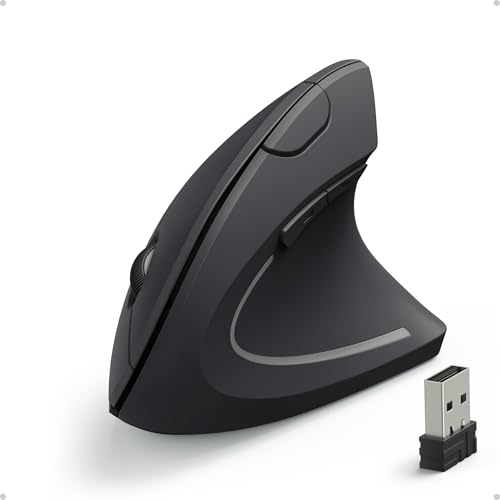
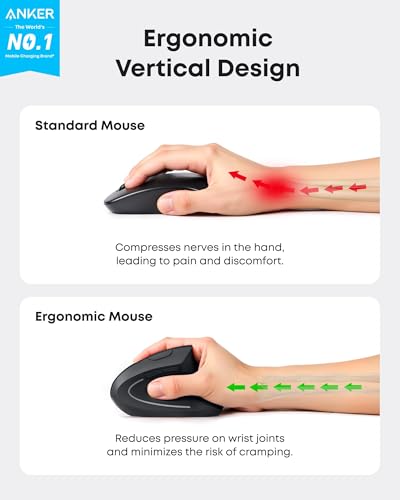
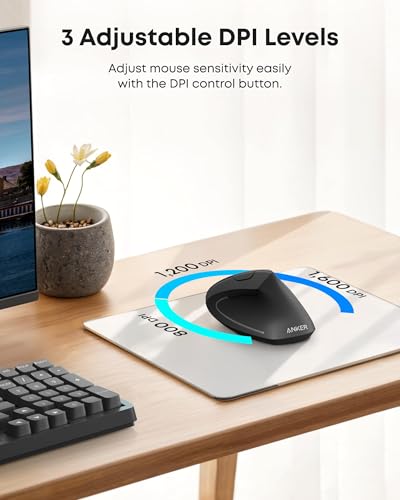
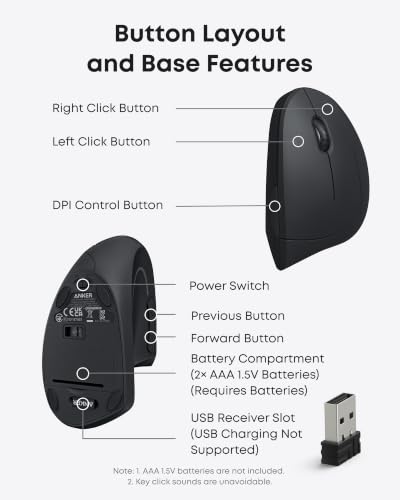
On paper, the vertical orientation encourages a neutral wrist and forearm position, which can mean smoother movement and less overall fatigue over time. The 800/1200/1600 DPI optical sensor offers adjustable sensitivity for different surfaces and tasks, from precise cursor control to faster navigation when browsing. The extra forward and back buttons provide quick page navigation, which many users find convenient for daily browsing or repetitive tasks.
What stands out in use
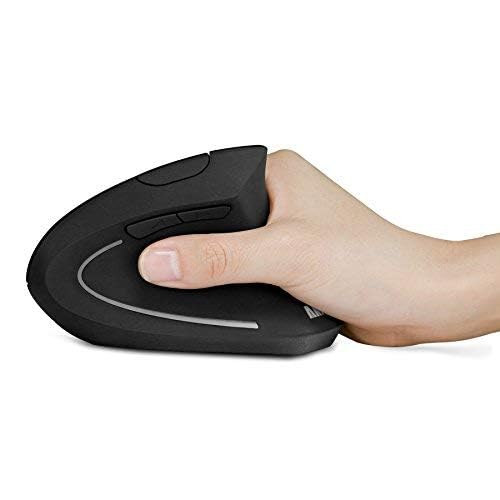
In practice, you’ll notice the shape is fairly compact and feels different from traditional horizontal mice. If you favour a relaxed, “handshake” grip, this design can feel more natural than a standard mouse. Battery life is tied to idle behaviour: after eight minutes of inactivity the mouse enters a low-power mode, and a press of a button wakes it up again. The supplied package includes a 2.4G USB receiver stored inside the bottom of the mouse, plus batteries aren’t included, which is common for many wireless peripherals.
What may be less convincing
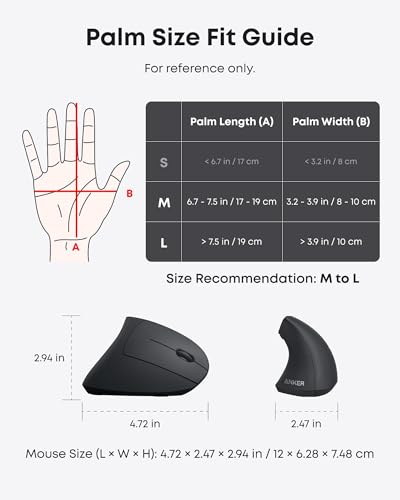
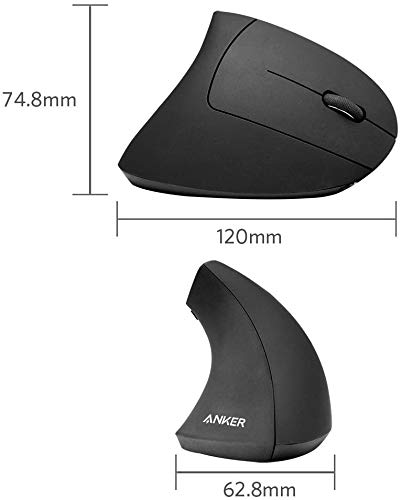
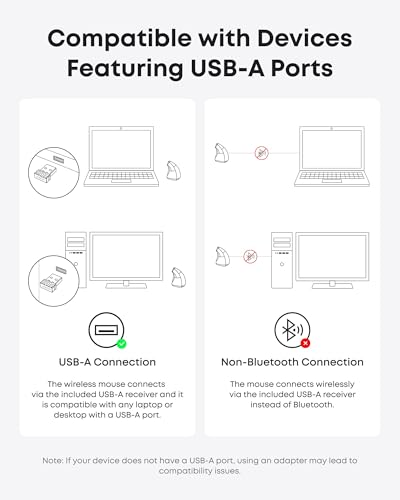
No unit is perfect for every desk or hand. The vertical form, while ergonomic for some, can take a short acclimatation period if you’re switching from a conventional mouse. The dimensions are modest, but for users with larger hands or a preference for larger shells, it may feel a touch compact. Connectivity relies on a USB receiver rather than Bluetooth, so it’s less flexible if you frequently swap between devices that lack a USB port or prefer wireless pairing without a dongle.
Who it’s for
This mouse is well suited to keyboard-heavy users who spend long sessions at a computer and want a more neutral arm posture. It also appeals to those who value convenience features like back/forward buttons for web browsing and light gaming or general productivity tasks.
Who it isn’t ideal for
If you prioritise a larger handfeel, full Bluetooth connectivity, or a proven gaming-centric sensor, this model may not align with your needs. It’s also worth noting that the eight-minute idle threshold means you’ll encounter a wake-up step if you’re stepping away briefly.
When it makes sense to buy
Consider this if you want a purposefully ergonomic alternative to a standard mouse, with adjustable DPI for varied surfaces and a pragmatic, straightforward feature set. It can be a sensible upgrade for someone who notices wrist or forearm discomfort after long computer sessions or who simply prefers a vertical grip.
What to check before buying
- Ensure your device supports 2.4G wireless input via a USB receiver—no Bluetooth required.
- Confirm the DPI range (800/1200/1600) covers your typical tasks and surfaces.
- Check desk space and whether the vertical form fits comfortably in your workstation layout.
How it compares to other approaches
If you want absolute minimal friction and a widely compatible wireless solution, a Bluetooth mouse can remove the USB dongle (at the cost of potential pairing quirks). For people dealing with repetitive strain, a vertical model that promotes a neutral wrist position offers a different ergonomic approach than a standard horizontal mouse, though it may demand an adjustment period and won’t suit everyone.
Final verdict
Final verdict: worth considering if you’re seeking an ergonomic alternative that supports a natural hand position and you’re comfortable with a short acclimatisation period. It’s a pragmatic, value-for-money option for everyday use rather than a specialised gaming mouse. You’ll likely appreciate the DPI flexibility and the handy back/forward buttons, but be prepared to adapt to the vertical grip and to use the USB receiver rather than Bluetooth.
FAQ
- How do I wake the mouse after it goes into power-saving mode? A: Press either the right or left button to wake it.
- Does it come with batteries? A: Two AAA batteries are not included.
- Is it suitable for travel or small workspaces? A: Its compact dimensions are reasonable for travel, but the vertical shape may feel different if you’re used to a larger, traditional mouse.
Tech specs
- DPI options: 800 / 1200 / 1600
- Connectivity: 2.4G wireless with USB receiver (stored in the mouse bottom)
- Buttons: 5
- Power: enters sleep mode after 8 minutes idle
- Dimensions: 120 x 62.8 x 74.8 mm
- Weight: 3.4 oz
- Compatibility: Laptop, Desktop, PC, Macbook (platform-neutral via USB receiver)
- Warranty: 18 months