

YUNZII C75 Wireless Mechanical Keyboard (75% hot-swappable, tri-mode BT/2.4G/USB-C)
Product description
The essentials
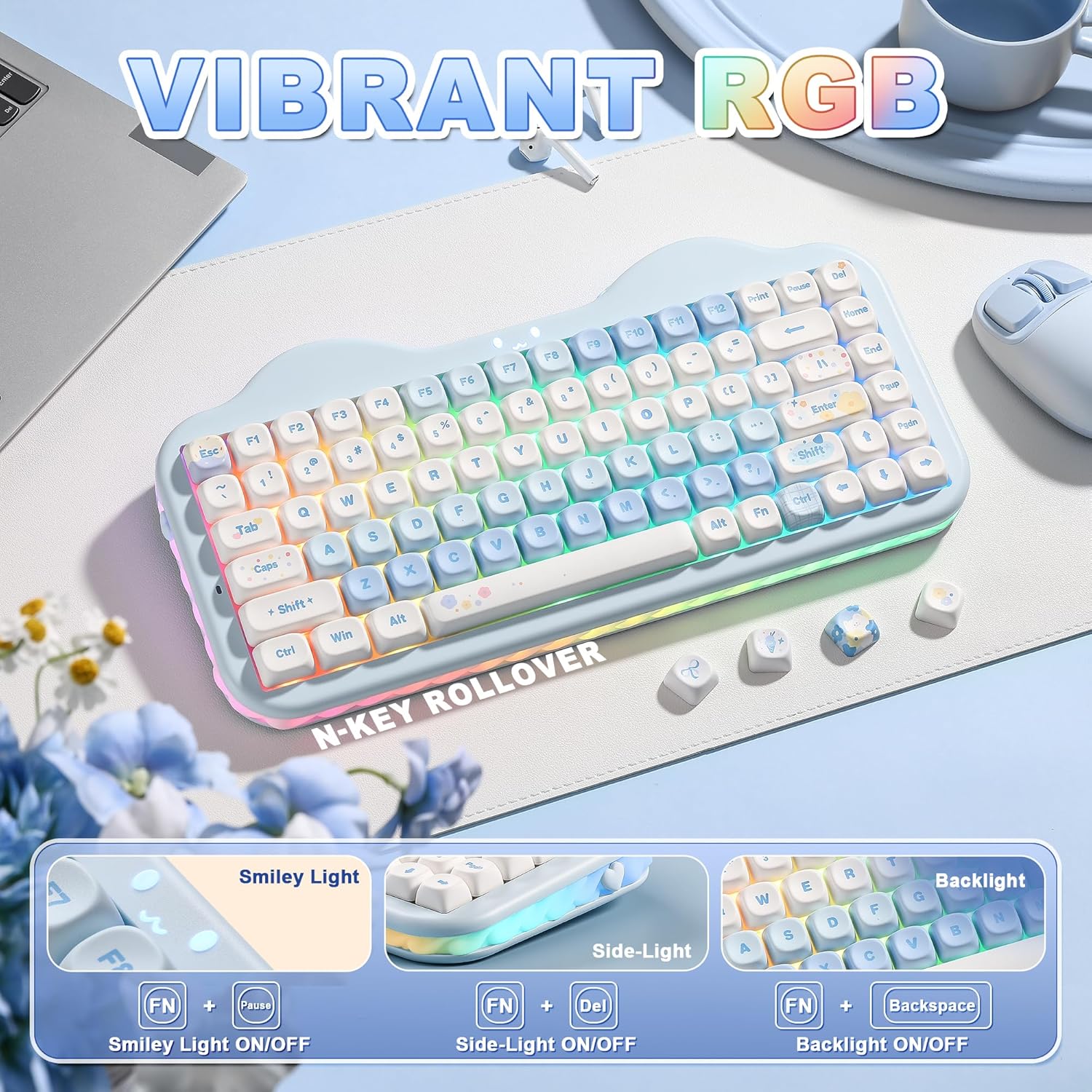
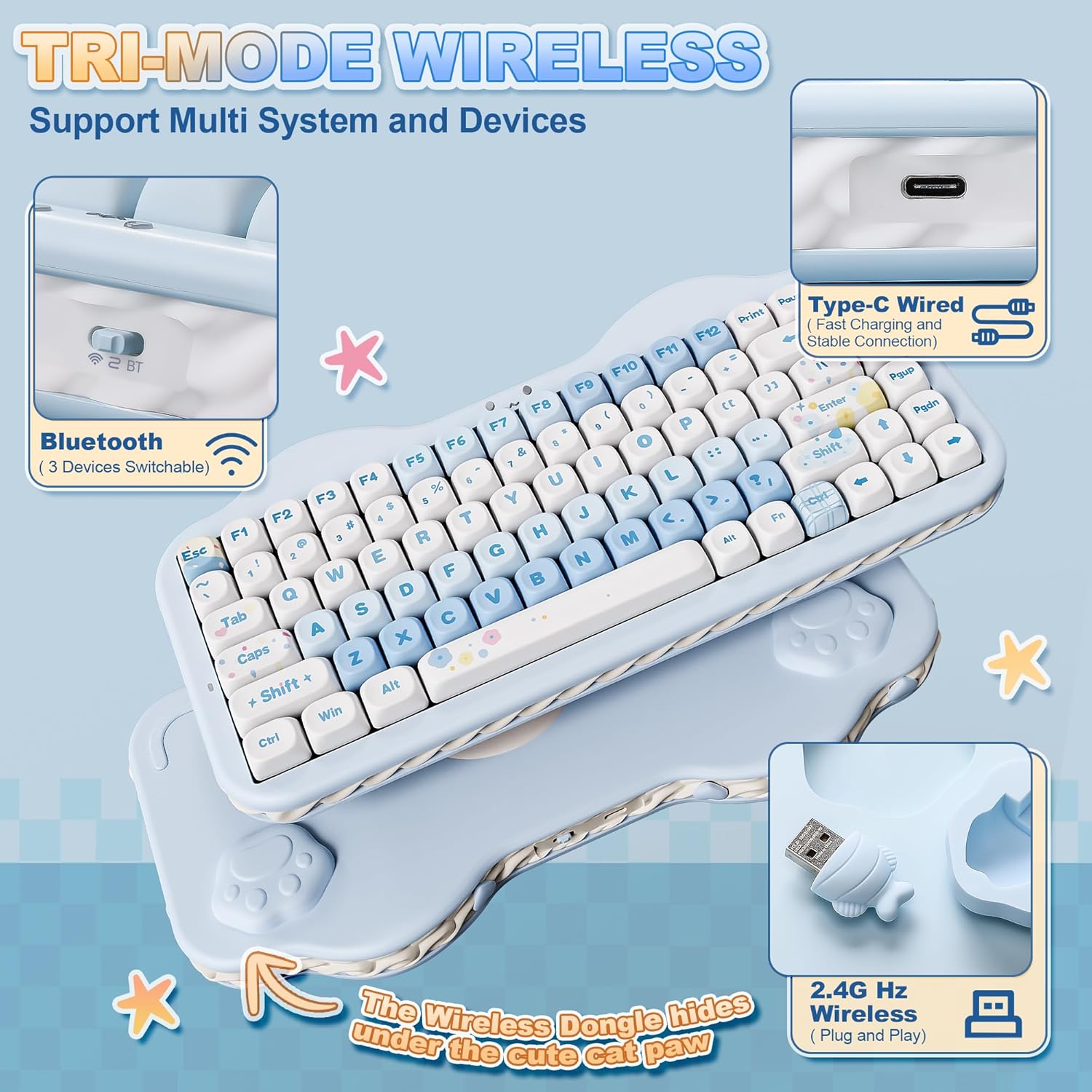
The YUNZII C75 is a 75% wireless mechanical keyboard that’s aimed at people who want a compact desk layout without giving up the fun side of tweaking their setup. It’s built around a “gasket mount” style sound setup, uses hot-swappable switch sockets (so you can change switches later without soldering), and runs on tri-mode connectivity via BT 5.0, 2.4GHz wireless, and USB-C.
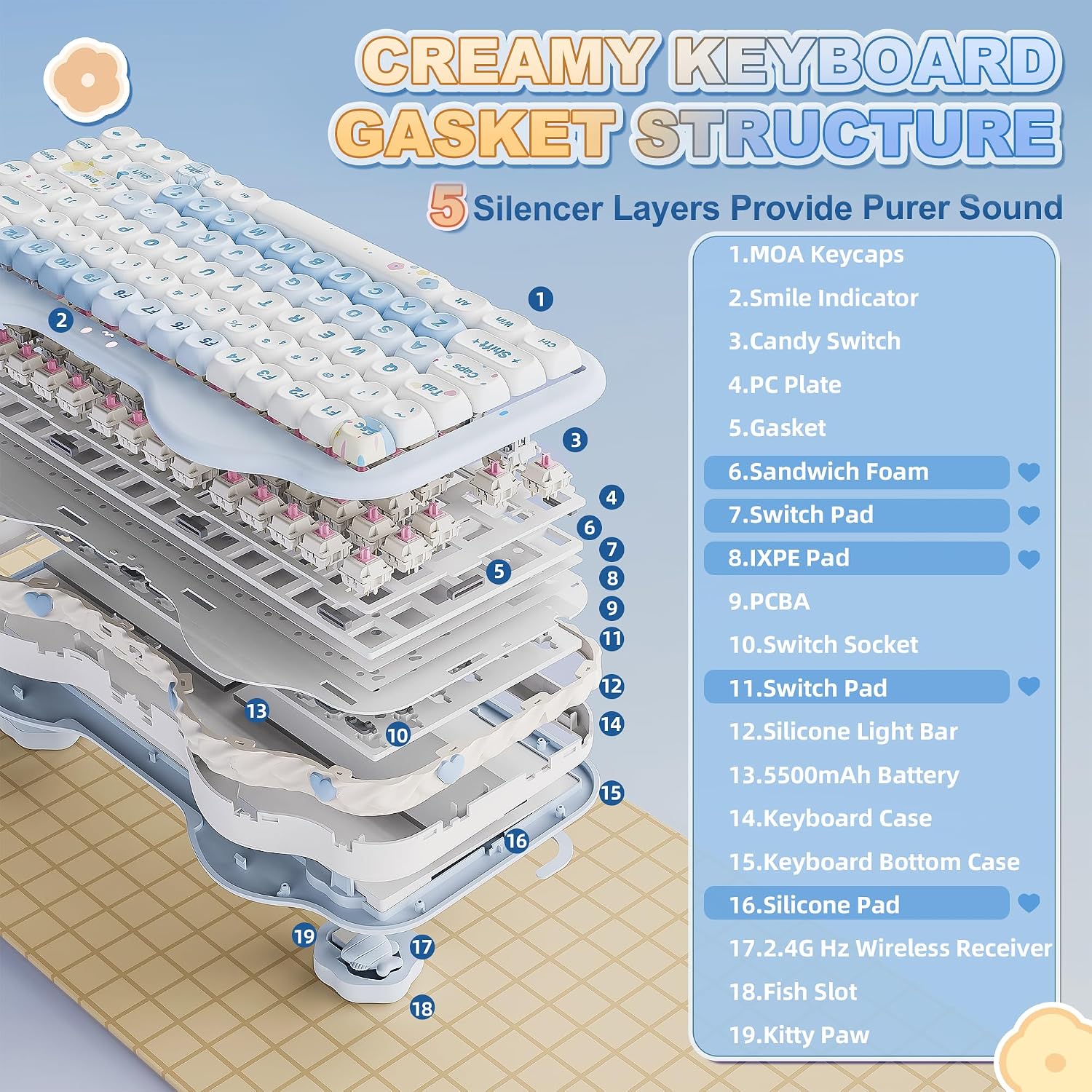
On paper, it’s also pitching a specific typing feel: pre-lubed linear switches, creamy/gasket-style sound dampening layers, and stabilisers plus solid silicone intended to reduce noise. Add in PBT MOA keycaps with an anti-oil coating, plus RGB backlighting with a side “cream” light bar, and it reads like a keyboard designed for everyday typing, home office work, and casual gaming.
It’s not trying to be the simplest “buy and forget” option. If you’re the kind of buyer who likes remapping, macros, and potentially swapping switches as your preferences evolve, this is where the C75 makes most sense.
Key takeaways
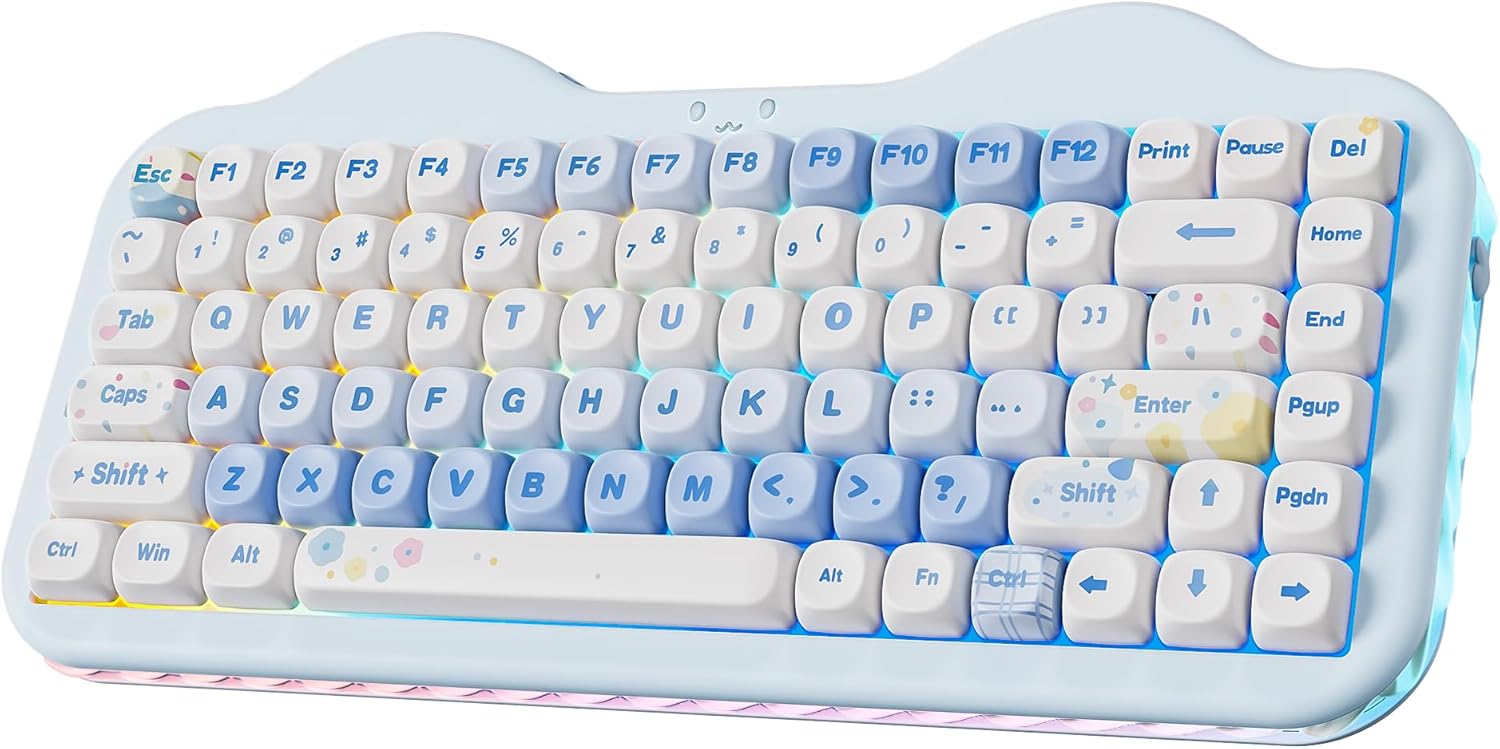
A 75% layout is a good middle ground if you want less clutter than full-size boards but still need function row and navigation keys for work. This model also supports multi-device switching for up to five devices, which can matter if you bounce between laptop and mobile/tablet setups during the day.
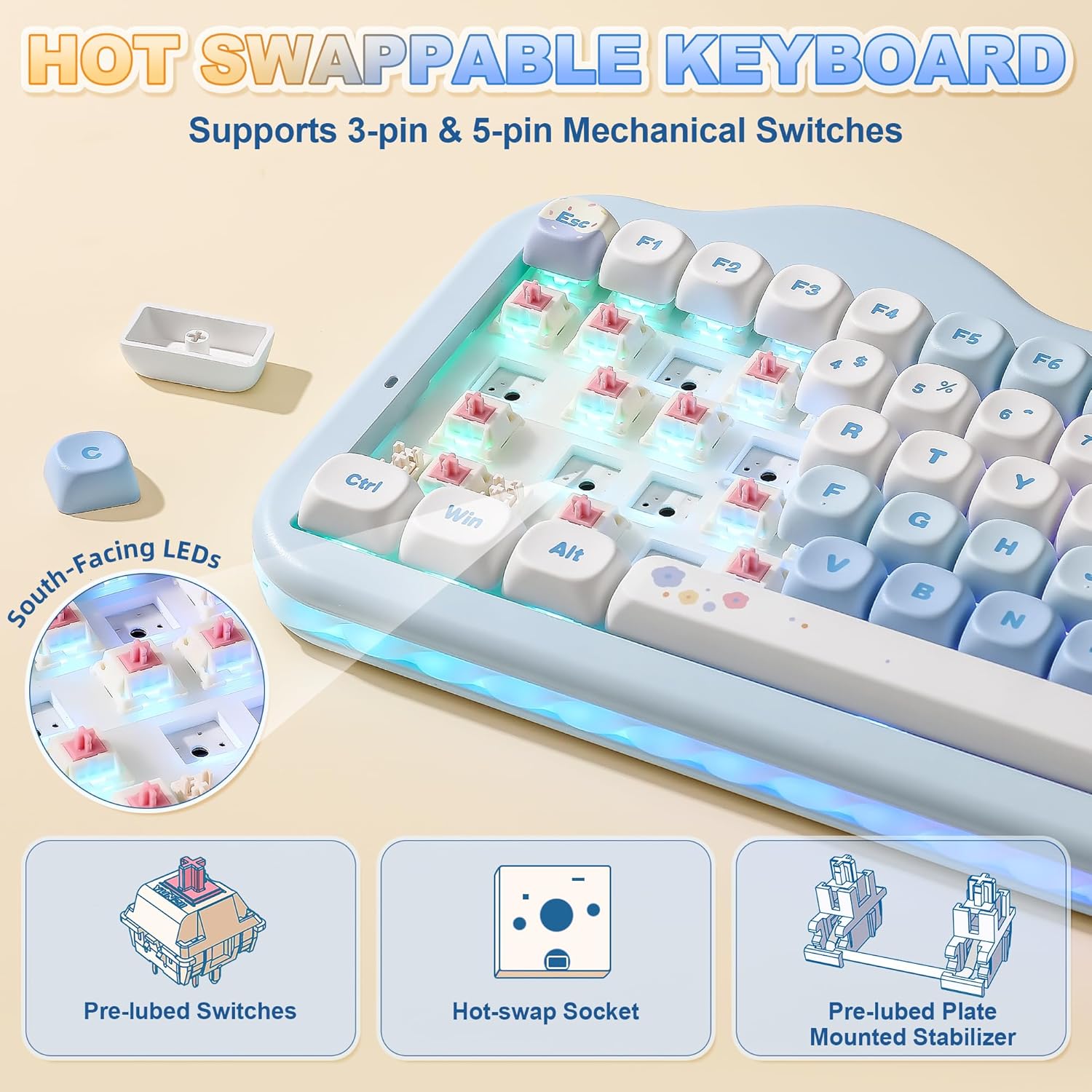
The hot-swappable PCB is the other big practical point. Rather than locking you into one switch choice, it lets you explore different switch types (it supports both 3-pin and 5-pin switches). That flexibility is often what separates “nice keyboard” from “keyboard you’ll keep adjusting.”
That said, it’s worth noting that the “creamy thocky” sound concept can be a bit subjective. Gasket mounts and sound dampening materials can help, but the final feel still depends on the switches you use and your own tolerance for sound/noise.
Tech summary
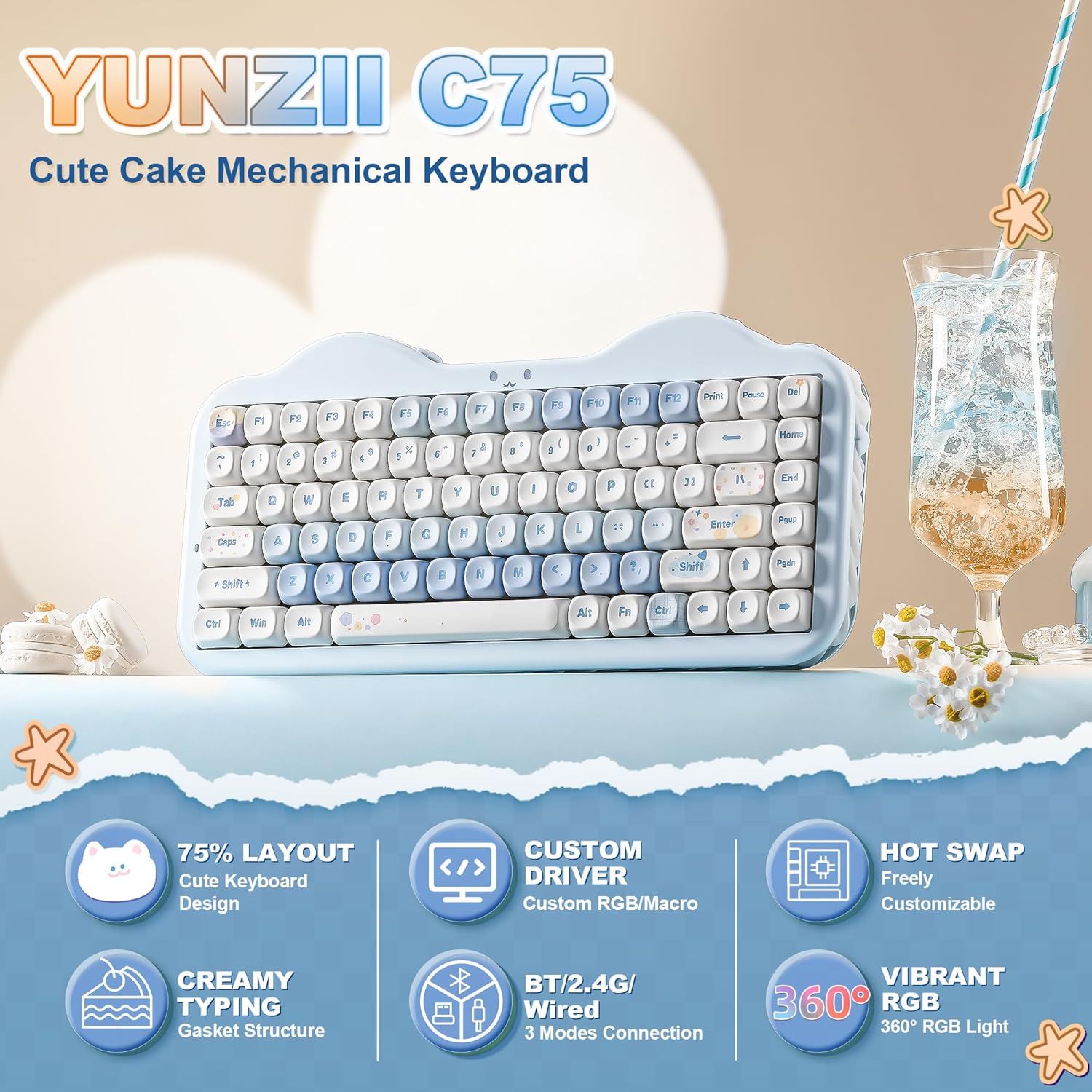
Here’s what you’re really buying with the YUNZII C75: - 75% compact layout - Tri-mode wireless: BT 5.0, 2.4GHz wireless, and wired USB-C - Hot-swappable switches, supporting both 3-pin and 5-pin mechanical switches - Gasket mount design with multiple layers aimed at sound absorption - Pre-lubed linear switches (for a smoother starting point) - Programmable software features such as key remapping and macros, plus RGB backlight customisation - Built-in 5500mAh battery for extended use - PBT MOA keycaps with soft-touch anti-oil coating - South-facing LEDs for more even RGB illumination, plus an 18 RGB backlit modes claim
The “cute cake” design angle shows up through the side cream light bar, a smile indicator, and the general aesthetic of the series. If you like that kind of playful desk look, it’ll land well. If you prefer fully understated boards, it may feel a little too themed.
What you’ll notice day to day
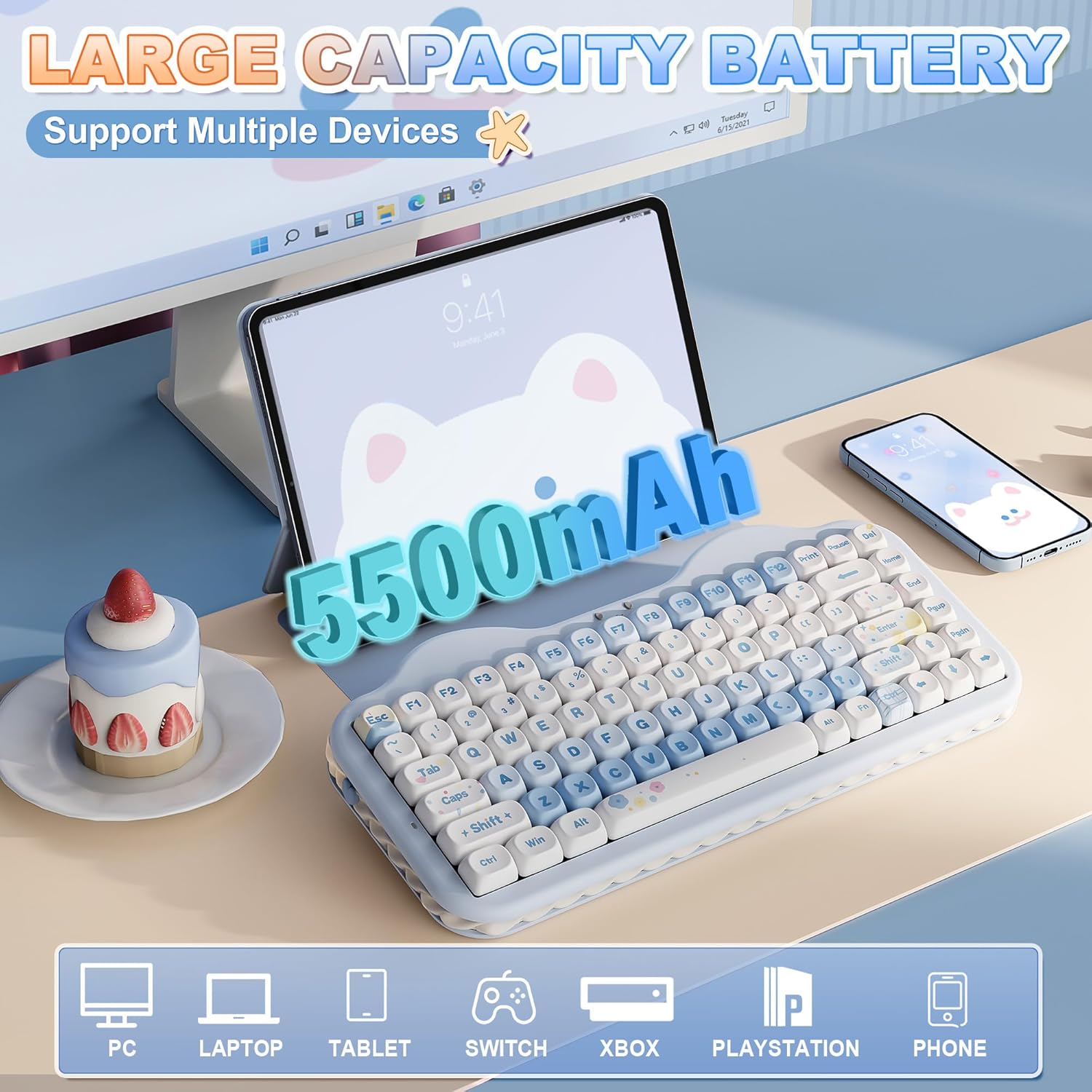
In daily use, the tri-mode connectivity is the sort of feature you appreciate more than you expect. You can switch between devices (the spec mentions up to five) whether you’re typing documents, doing spreadsheets, or gaming. For example, you might write in a browser on your laptop, then switch to a phone/tablet for a quick reply without swapping cables.
The hot-swap design also changes how the keyboard ages. If the linear switches included don’t match your taste after a few weeks, you can swap in different tactile/clicky options later (as long as you stay within what the keyboard supports). That’s a real value point versus boards that only ever use one switch type.
For the typing sound and comfort side, the gasket structure plus sound-absorbing fillings and silicone are doing the heavy lifting. It’s also paired with a creamy-themed design language, so this is clearly built to feel “softer” rather than harsh. Just remember: if you’re extremely noise-sensitive, no gasket board is automatically silent.
Where it shines
This keyboard tends to make sense if you: - Want a compact 75% layout that still covers practical work controls - Care about wireless flexibility (BT + 2.4G + USB-C) - Like the idea of customising your typing feel over time via hot-swappable switches - Prefer PBT keycaps with an anti-oil coating for day-to-day comfort - Enjoy RGB backlighting with a bit of extra personality from the side light bar
It also fits the “desk accessory” role mentioned in the positioning, so if your setup is part of your everyday routine (home office, work desk, gaming station), it’s the kind of board that won’t look out of place.
It may not suit you if
It might not be a great match if you want: - A no-setup, no-customisation experience (there’s software for remapping/macros, so you’ll likely tinker) - The most subdued design choices (the cake theme and indicators are visible) - Absolute certainty on sound reduction (gasket damping helps, but results vary with switches and personal expectations)
Also, if you’re buying purely for the “best” linear feel and don’t plan to swap switches, the hot-swap and programming features may feel like extra complexity rather than a necessity.
Is it worth it?
The YUNZII C75 is worth considering if you like the idea of a 75% wireless mechanical keyboard that gives you room to evolve—tri-mode connectivity for multi-device use, hot-swappable switch support for changing your typing feel, and a sound-oriented gasket approach aimed at a creamy, thocky experience.
You may want to skip it if you’re after a plain, understated keyboard with no interest in remapping, macros, or switch swapping—or if you’re expecting guaranteed near-silence regardless of switch choice.
Mini FAQ
Is it wireless only?
No. It offers tri-mode connectivity: BT 5.0, 2.4GHz wireless, and wired USB-C.
Can I change the switches without soldering?
Yes. The PCB is hot-swappable and supports both 3-pin and 5-pin switches, so you can swap without soldering.
How many devices can it switch between?
The description states it supports switching between up to 5 devices.
What keycaps does it use?
It uses PBT MOA keycaps with a soft-touch anti-oil coating.
Who is it best suited for?
It suits buyers who want a compact 75% layout with wireless convenience and who like tinkering with the typing feel through hot-swappable switches and software customisation.