

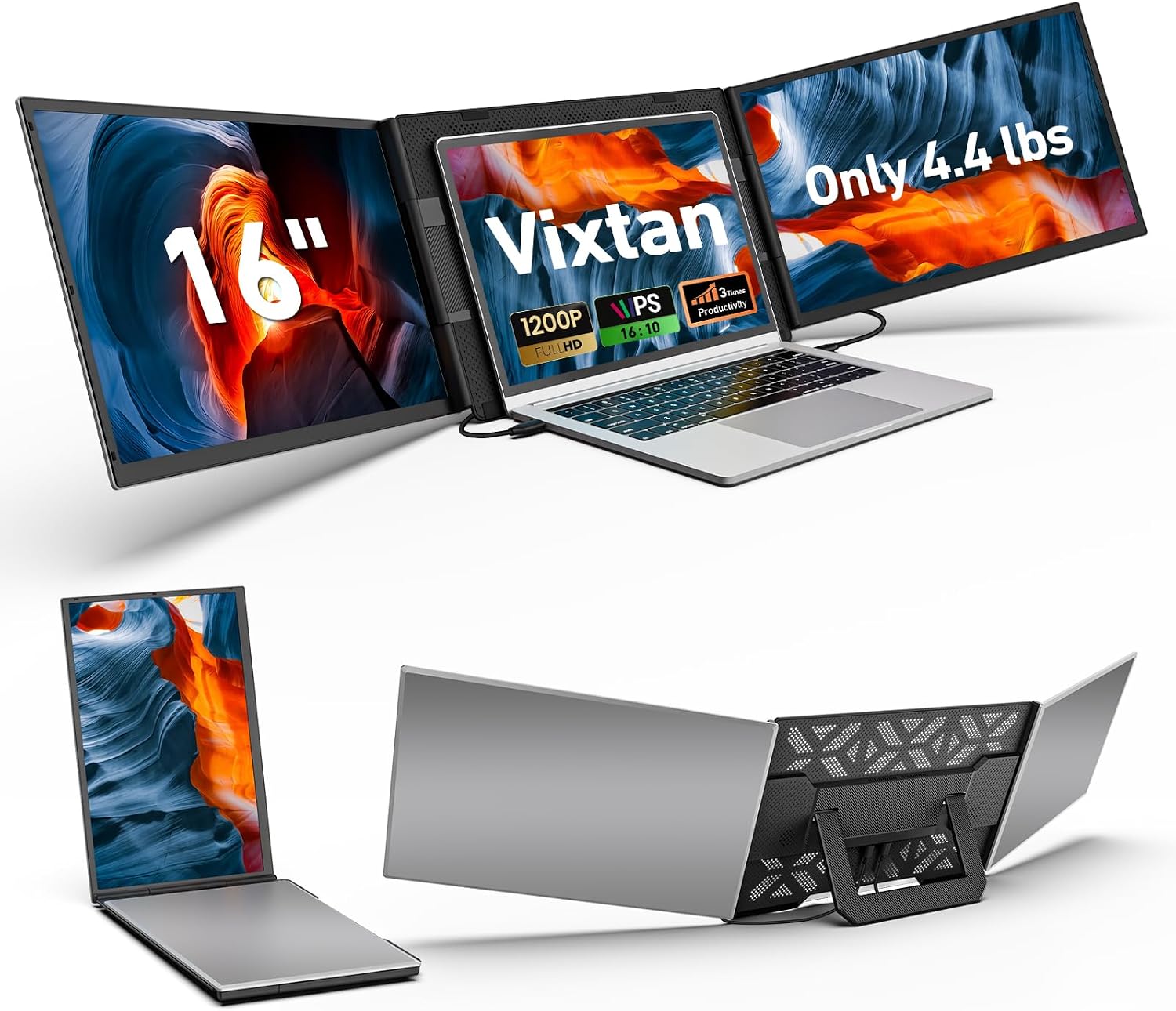
Vixtan triple laptop screen extender, 16.1-inch
Product description
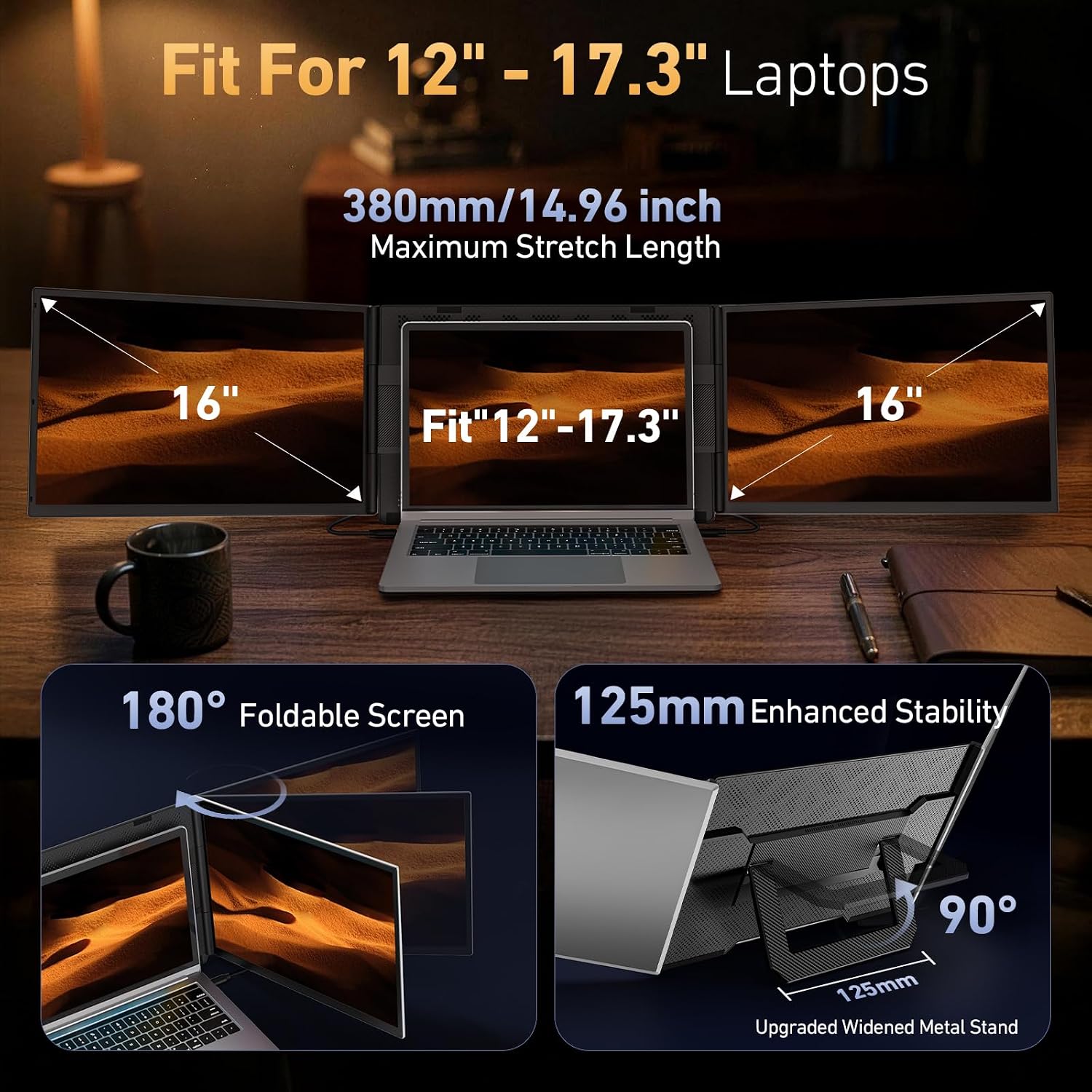
When a laptop screen gets crowded with a document, a video call, and reference material, a portable extender can make switching between windows less constant. The Vixtan 16.1-inch triple laptop screen extender attaches to laptops in the 13–17.3-inch range.
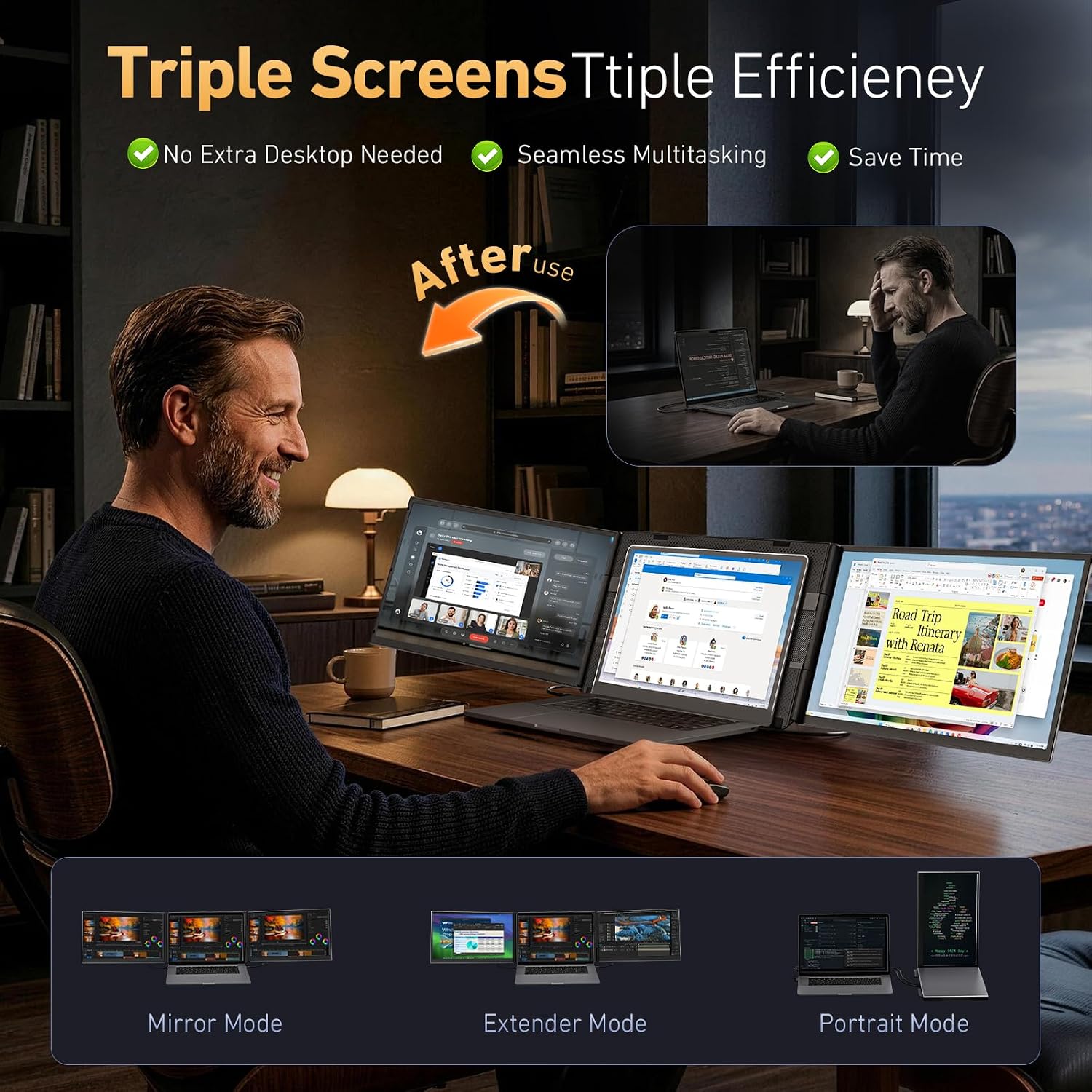
It adds an IPS display for extended, mirrored, or portrait viewing, so you can keep another app or dashboard in sight while working.
If you prioritize a larger mobile workspace, the attachment-style design is appealing, if you prefer a simple, standalone second monitor, a separate portable display may be easier to position.
Getting the most from it
Use the screen for material you need to glance at without interrupting your main task: keep a meeting or reference page open to the side while editing a document on your laptop. The extender supports extended, mirrored, and portrait modes, giving you some flexibility in how that extra space is used. Its 16:10 aspect ratio and 1920 × 1200 resolution provide a little more vertical room than a typical widescreen layout.
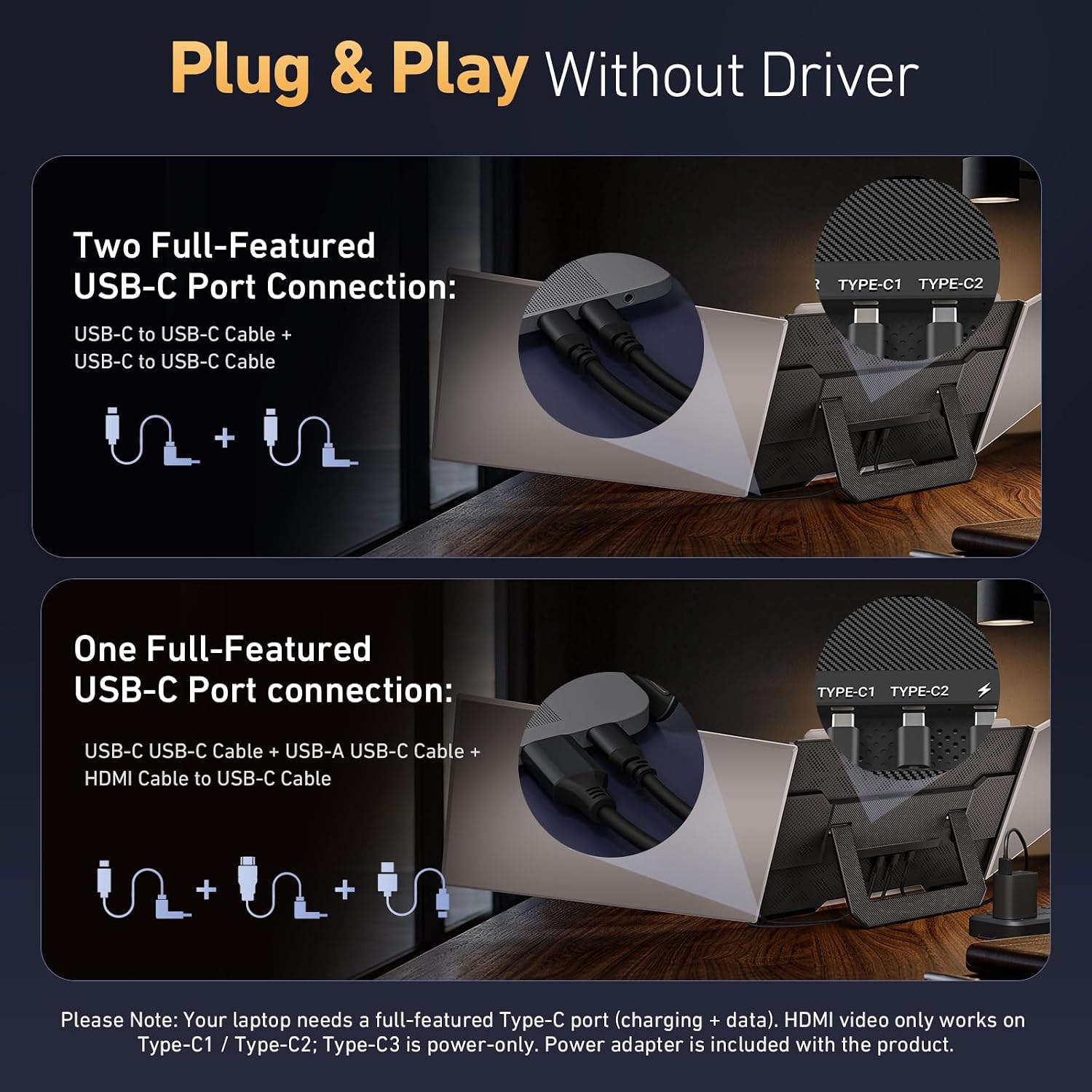
The listing describes USB-C plug-and-play setup without drivers and includes two USB-C cables, a USB-C-to-USB-A cable, and an HDMI cable. Still, the actual connection options depend on your computer and setup. From the way it is set up, it is designed to attach to a laptop rather than serve as a monitor you can freely place elsewhere. If the picture flickers or brightness is low, the instructions call for a separate 5V/3A-or-higher power adapter connected to the monitor’s power port.
Why it’s worth it
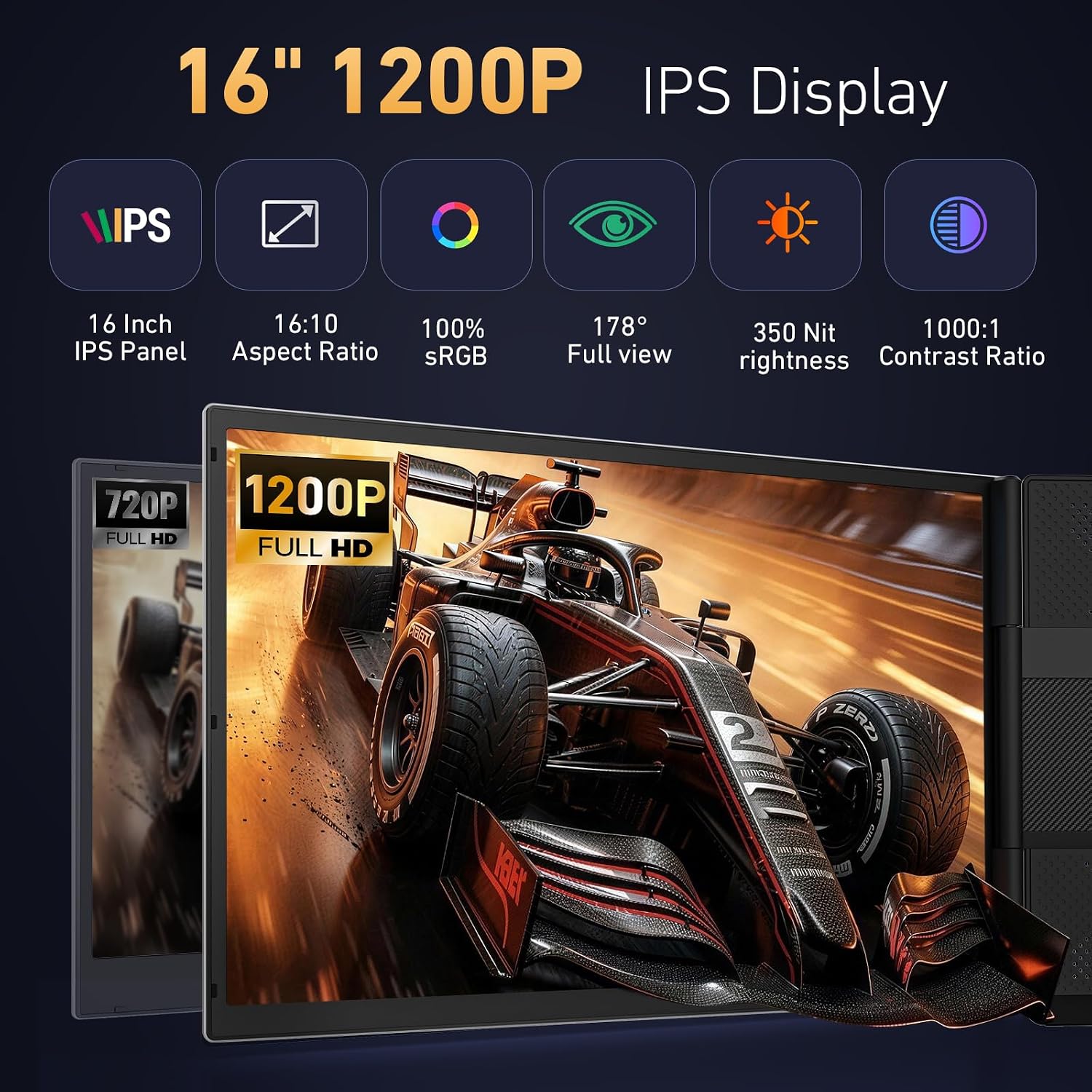
The main appeal is keeping more information visible while traveling between home, office, or campus. The IPS panel is listed at 350 nits, with 100% sRGB coverage and a 178-degree viewing angle, an anti-glare coating is also specified. Those details make it worth considering if you want a portable screen for everyday multitasking and value color coverage for visual work, though the listing alone does not establish how it performs for color-critical editing.
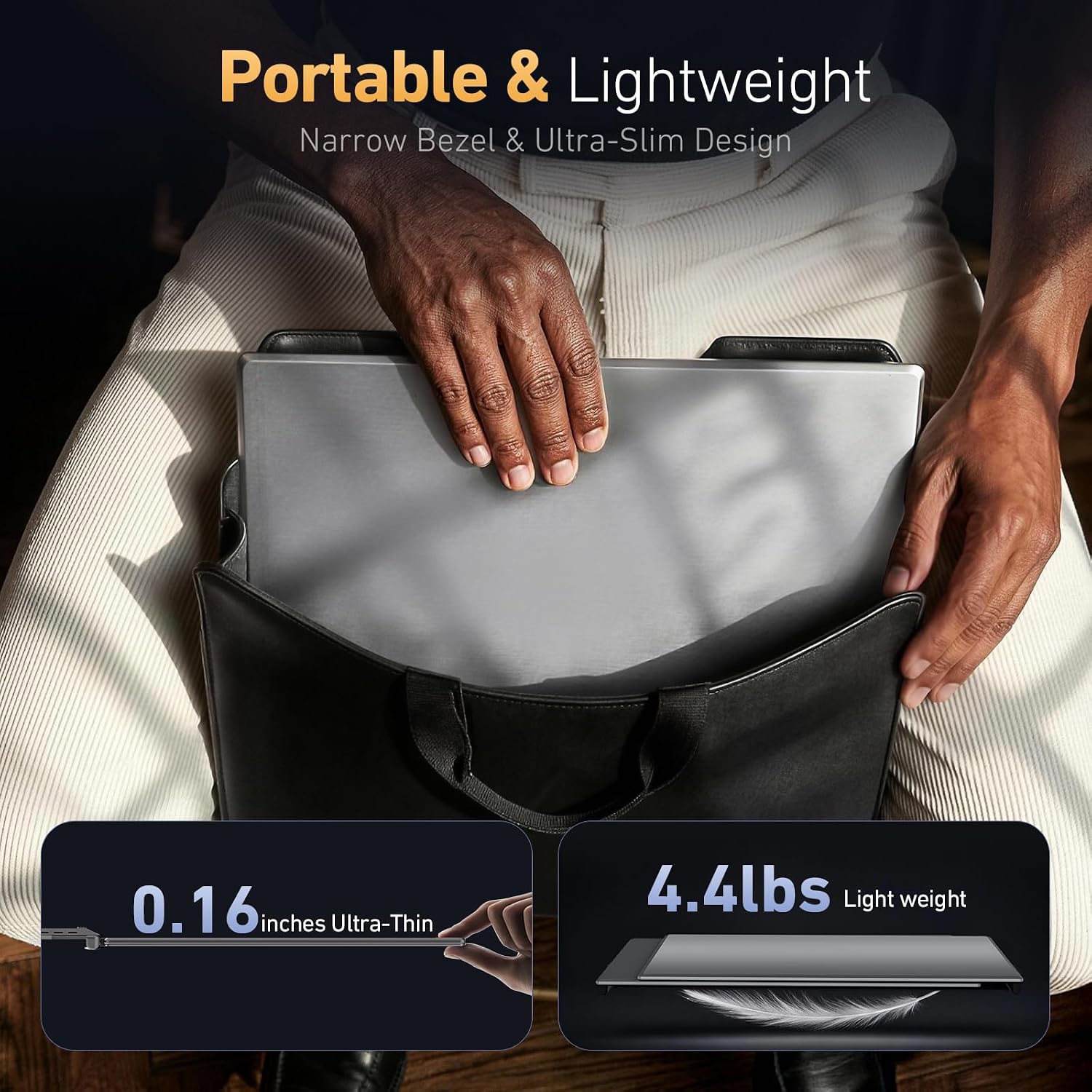
The body is described as aluminum and 6.5 mm thick. That slim profile supports a more compact laptop setup than carrying a separate monitor, but the product information does not give its weight, so there is no basis for judging the full travel load. It’s not for you if you need a screen that works independently of your laptop or need confirmed performance for a particular app or workflow.
The essentials
This is a 16.1-inch FHD IPS laptop attachment, listed for 13–17.3-inch laptops. The stated display resolution is 1920 × 1200, with a 16:10 format, 350-nit brightness, 100% sRGB coverage, and a 178-degree viewing angle. Supported display modes include extended, mirrored, and portrait.
The description lists Windows, macOS, and ChromeOS compatibility, among other systems, but calls out an important Mac limitation: M1, M2, and M3 MacBook models support only a single screen with this setup. A DisplayLink adapter is needed for a dual-screen setup on those M-series Macs. That extra requirement changes the practical value for Mac owners, so check your intended configuration before choosing it.
Is it worth it?
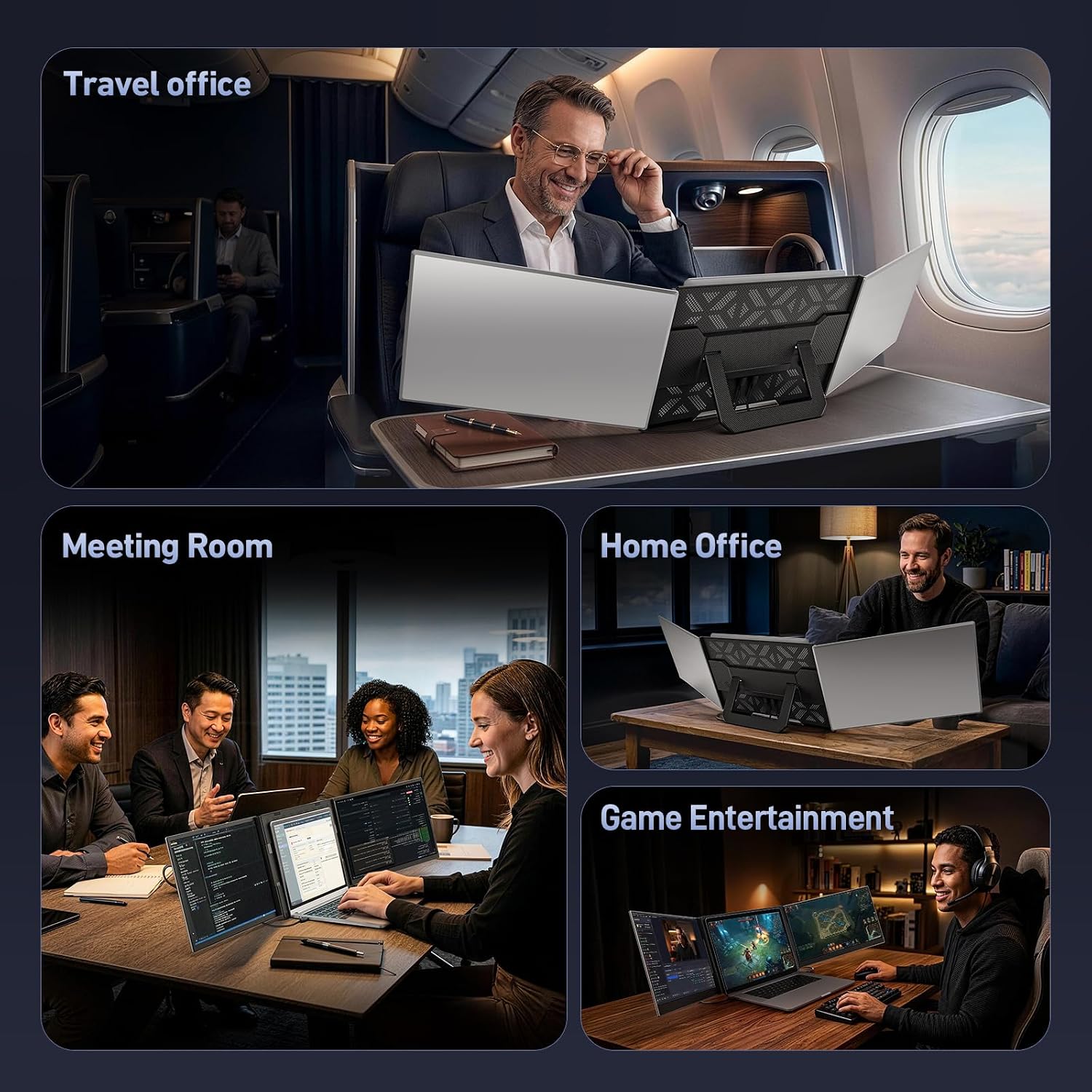
Worth considering if you regularly juggle windows on a laptop and want another attached display without packing a separate monitor. The clearest use case is keeping a reference, chat, or dashboard visible while your main screen stays focused on the task at hand. Compared with a basic laptop-only setup, it offers more room, compared with a standalone monitor, it favors an attached, travel-oriented arrangement over flexible placement.
Buy it if your laptop and connection setup suit the extender and the added screen space would save you repeated window switching. Skip it if you use an M-series MacBook and do not want to add a DisplayLink adapter for dual screens, or if your priority is a standalone monitor with freely chosen placement.