

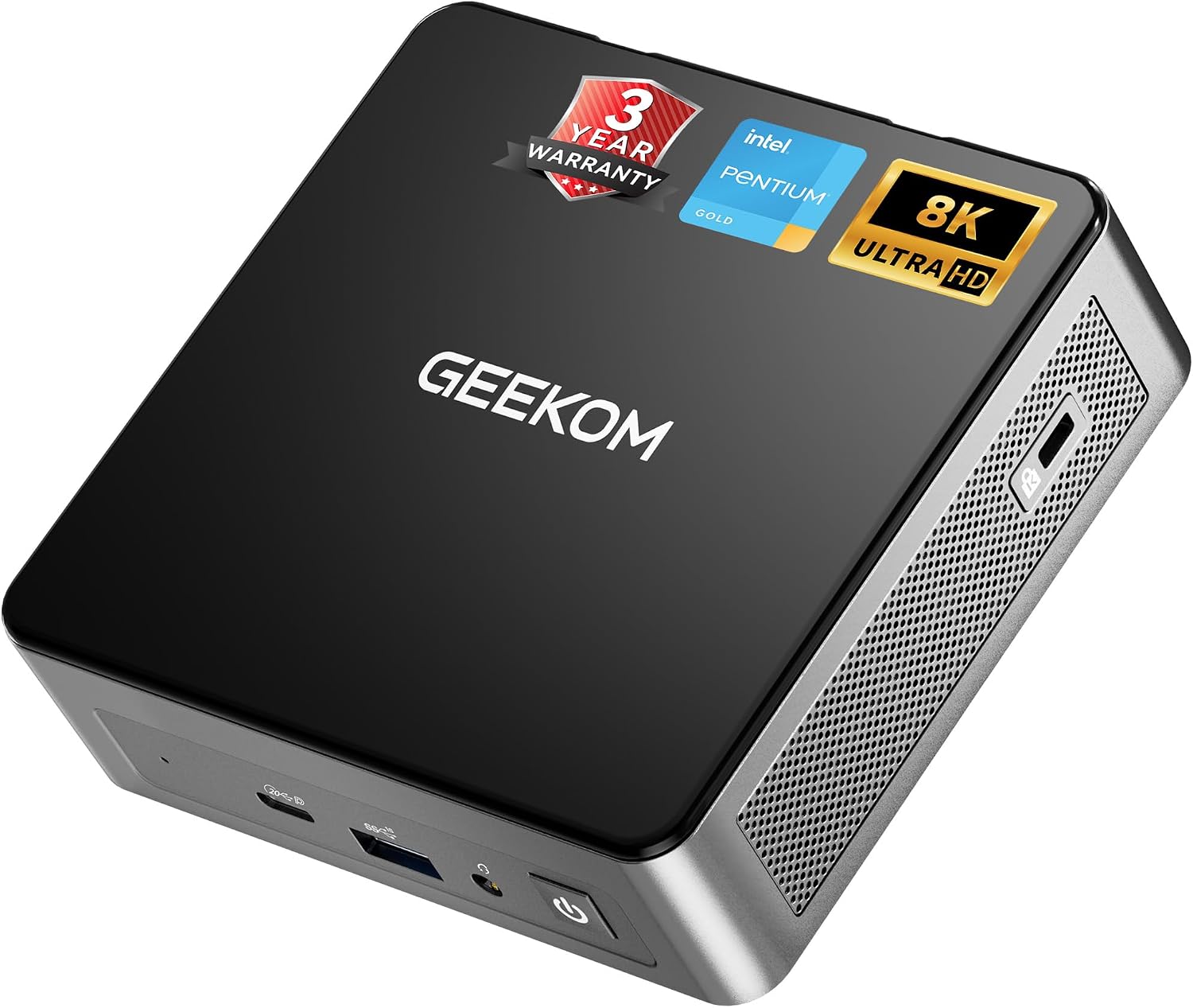
GEEKOM Air12 Mini PC for Business & WFH (2026) — Intel 7505, Dual-Slot RAM, 3-Year Warranty
Product description
What it is and who it’s for
The GEEKOM Air12 is a compact mini PC designed for business tasks, remote work, and classroom or retail setups. It aims to deliver responsive everyday performance within a footprint that fits on a front desk or a small media center. If you prioritize space efficiency without sacrificing multitasking headroom, this device keeps a low profile while handling daily workloads.
Performance on paper
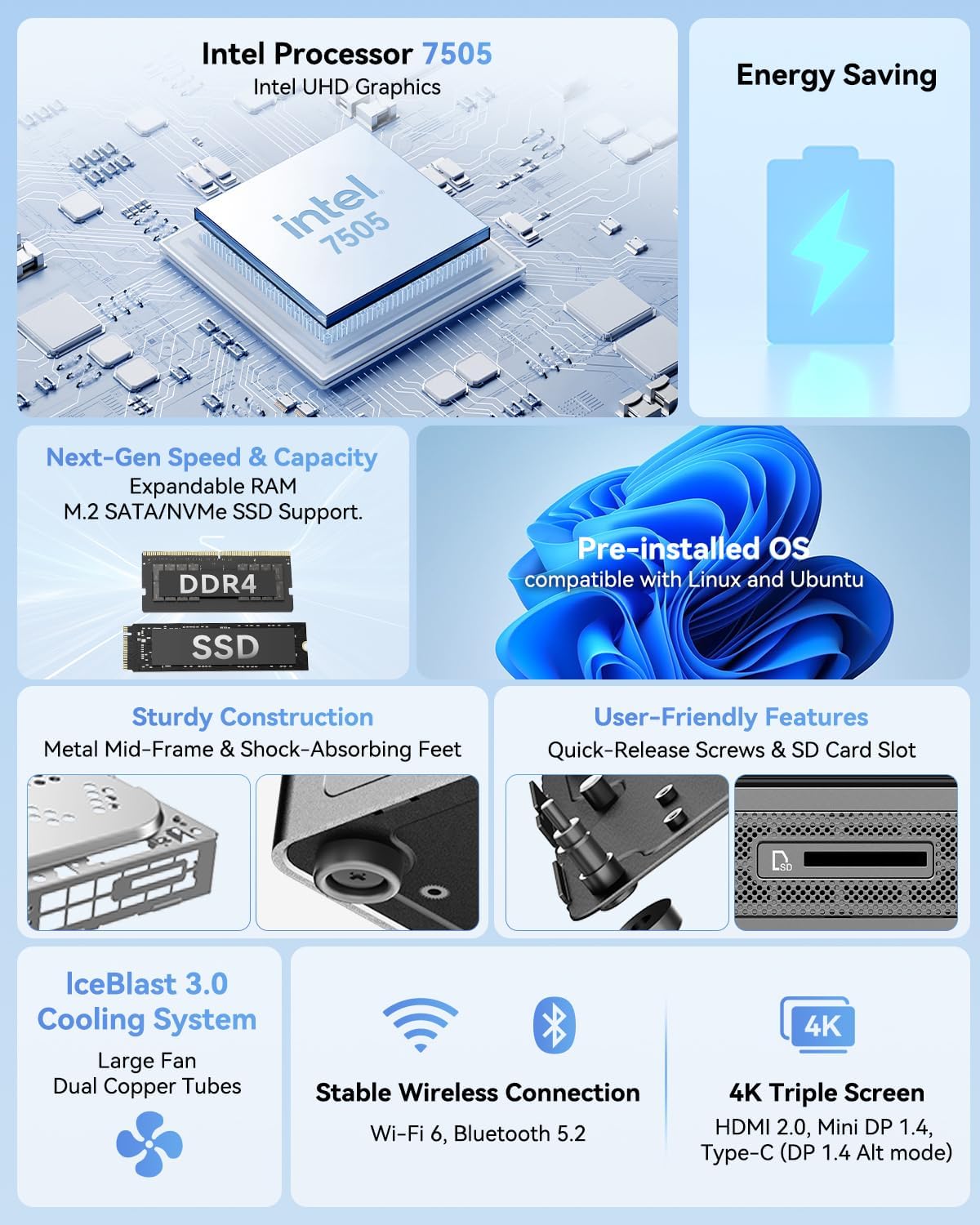
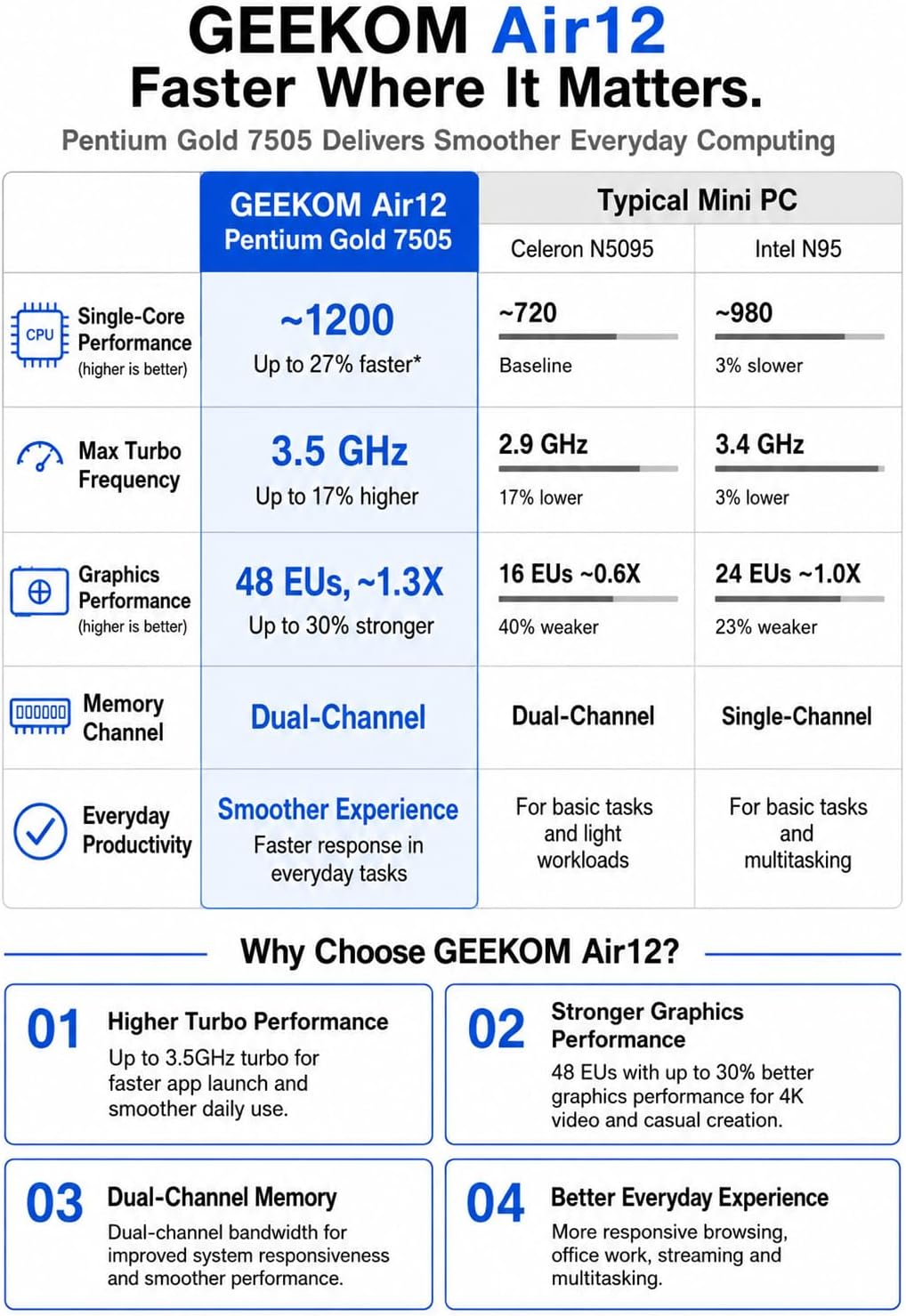
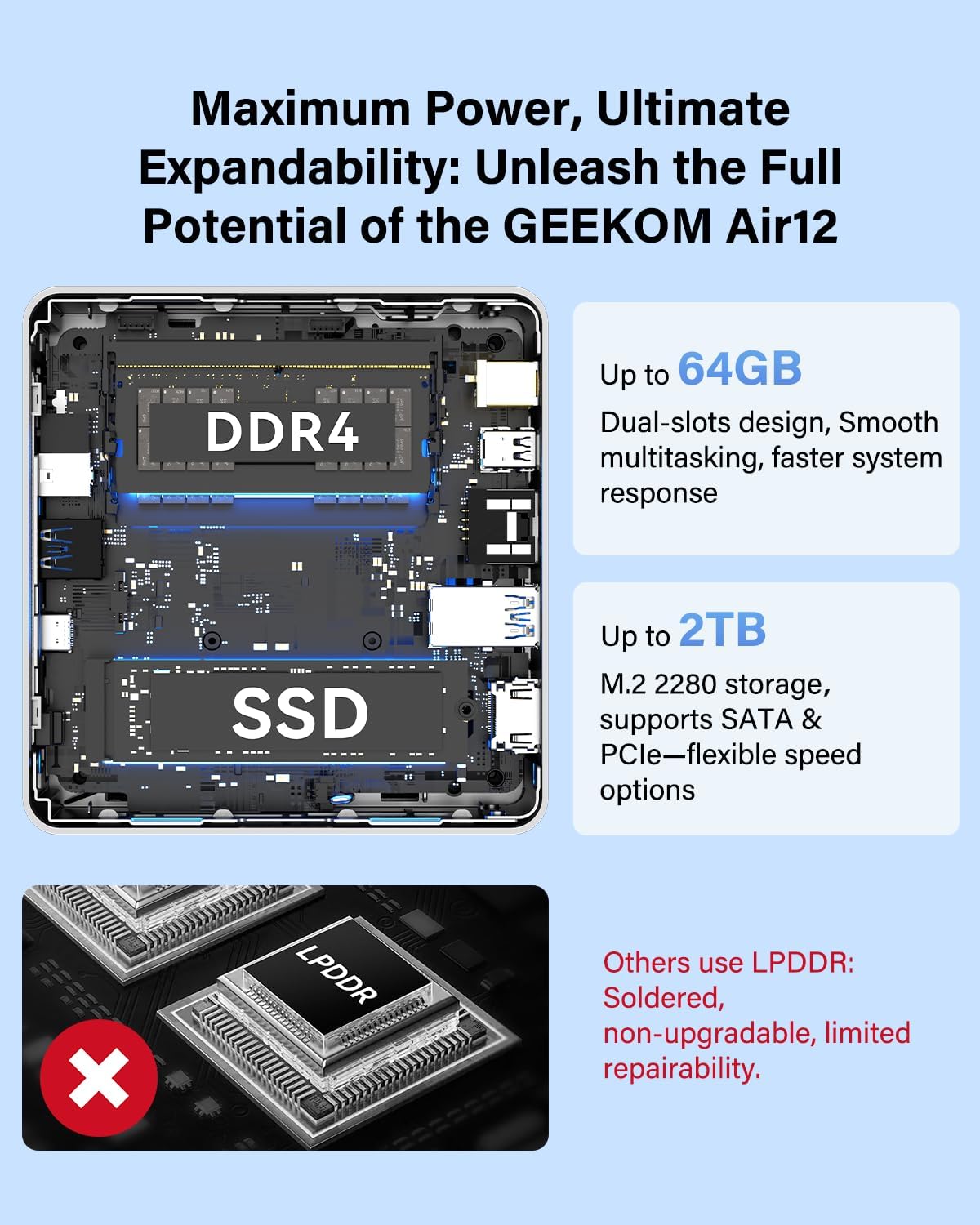
On paper, the Air12 relies on the Intel Pentium 7505 to push faster single-core performance—claimed as about 25% faster than some competing chips in its class. It arrives with 8GB DDR4 RAM and a 256GB NVMe SSD, plus dual-slot RAM up to 64GB and storage up to 2TB. The graphics are rendered by Intel UHD Graphics with 48 Execution Units, which is presented as a boost over basic N-series chips and suitable for tasks like Excel analysis, digital signage, and light media work.
Upgradability and resilience
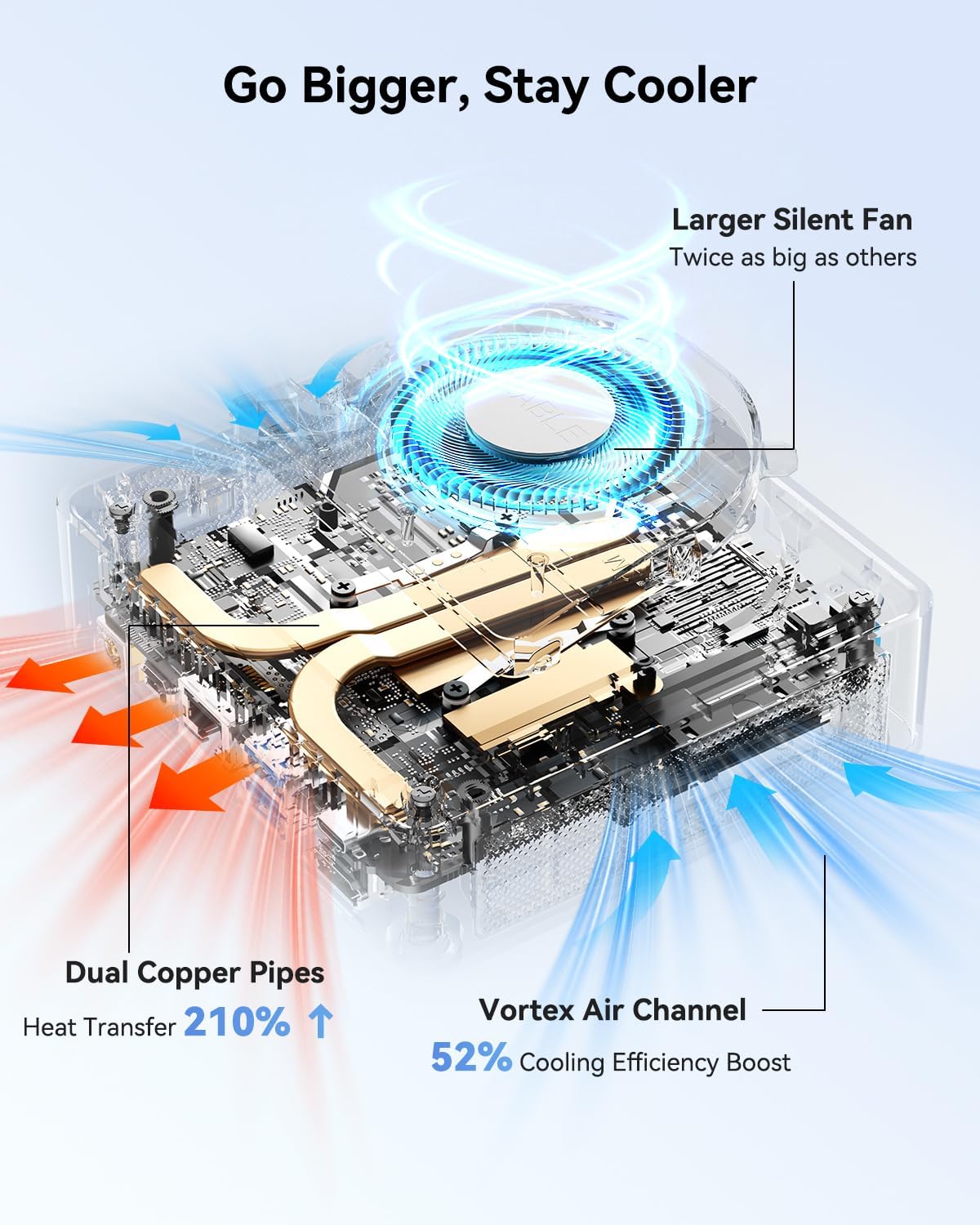
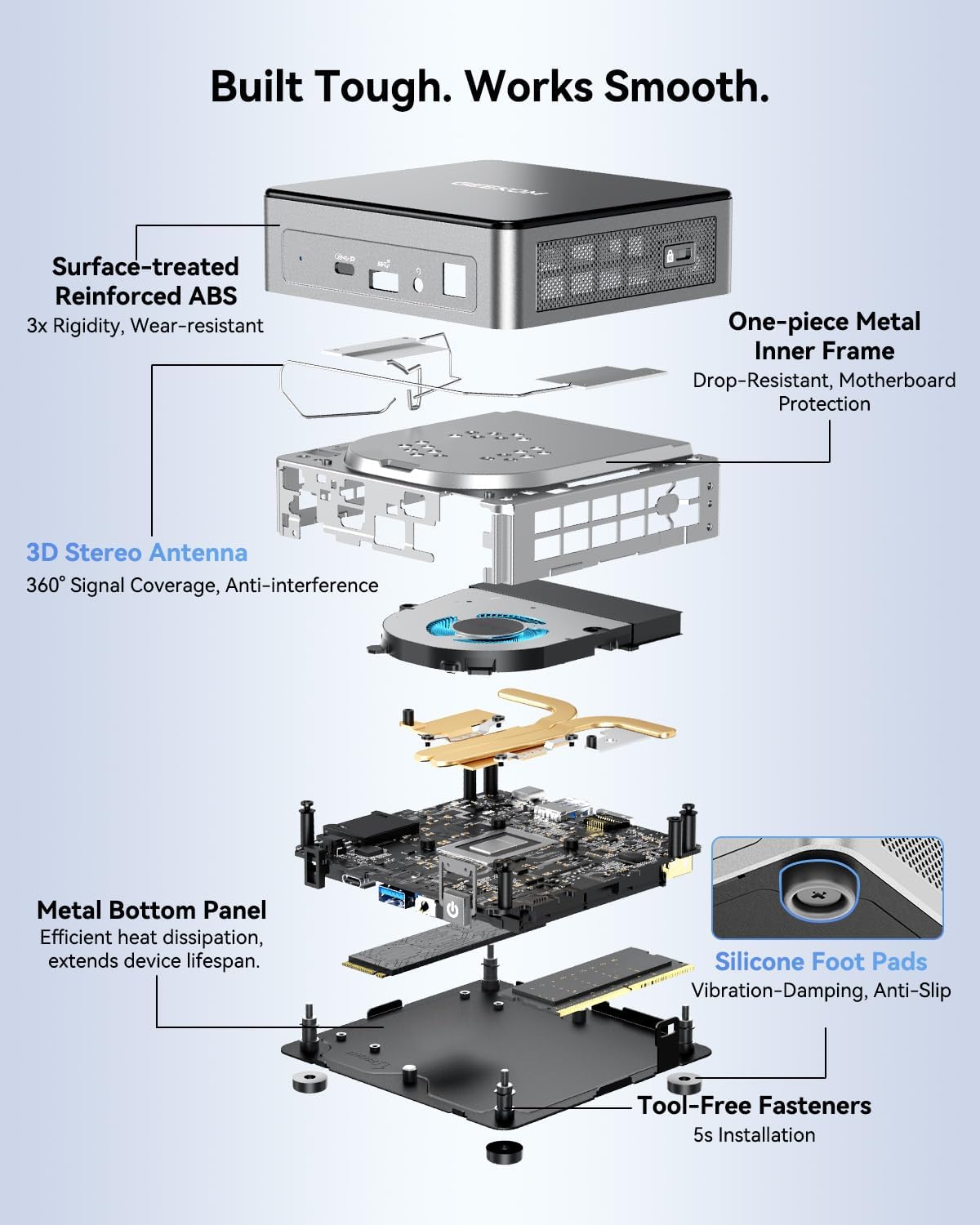
A key selling point is the dual-slot RAM architecture and the option to scale memory and storage over time. If your workloads evolve—more tabs, larger spreadsheets, or local caching for apps—you can upgrade to more RAM and a larger SSD. The cooling system is highlighted as IceBlast 3.0 with dual copper heat pipes and a quiet internal fan aimed at maintaining stability during longer sessions.
Display and connectivity
The Air12 supports up to three 4K displays using multimedia ports, including HDMI 2.0 and Mini DisplayPort 1.4, plus a full-featured USB-C port and multiple USB-A ports. Networking is covered by WiFi 6 and Bluetooth, with a 3D high-gain antenna to help keep connections steady in busy office environments. The device also includes a full-size SD card reader for quick data transfers.
Software, security, and openness
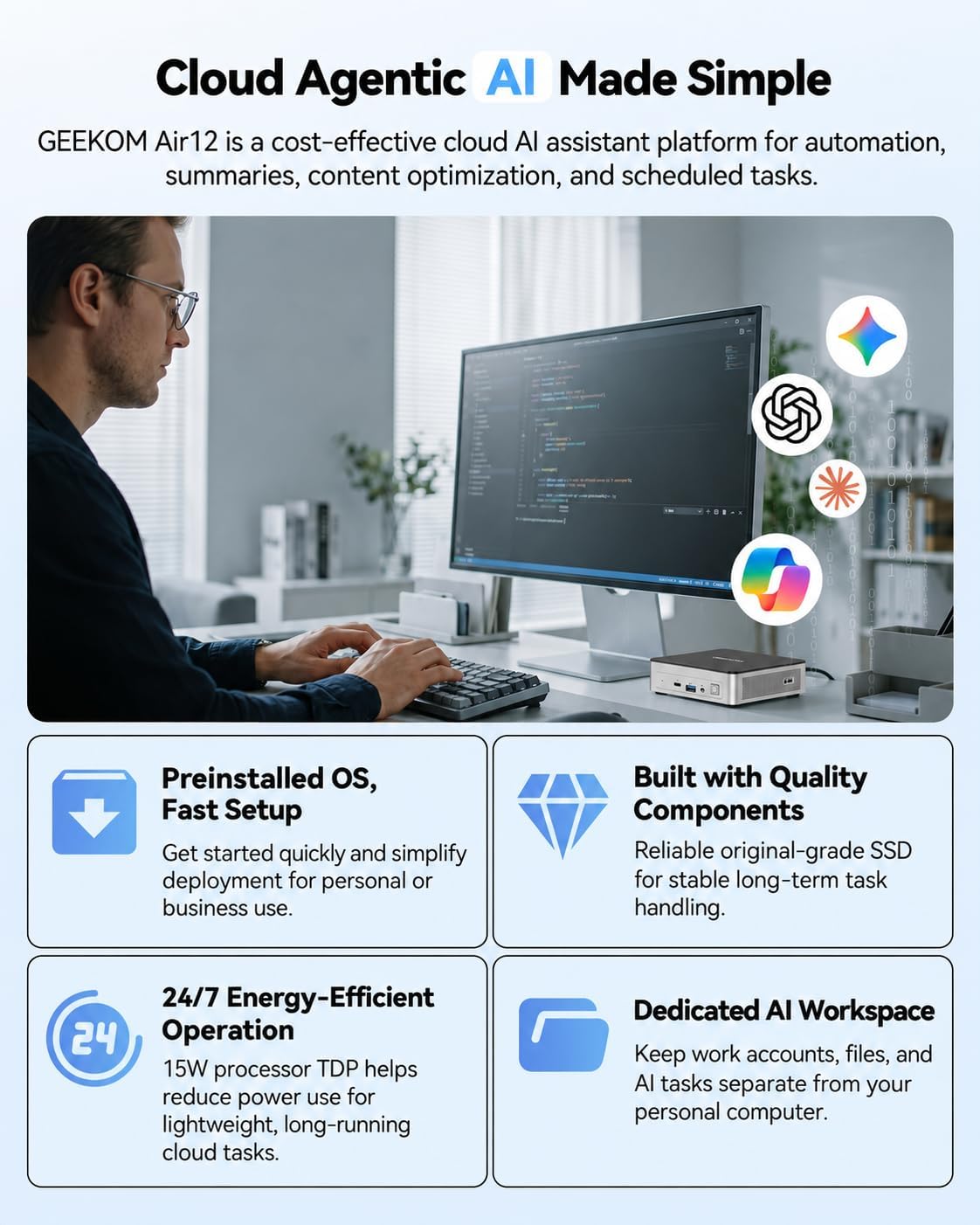
It ships with Windows 11 Pro pre-installed and activated, positioned for enterprise deployment and compatibility with domain setups. It’s marketed as open-source friendly and compatible with Linux, Ubuntu, and FydeOS, which may be appealing for lightweight home servers or NAS-like setups. The warranty isn’t cosmetic—it's a 3-year limited coverage with 24/7 support and a 90-day return policy, aiming to reduce total cost of ownership for businesses.
Practical use cases and real-world fit
For everyday business tasks—email, document work, and quick data crunching—the Air12 promises snappy browsing and multitasking given its dual-channel RAM and NVMe SSD. In a classroom or retail kiosk, its compact size and multi-display capability could keep the workspace clean while enabling dynamic content. If your workflow relies on heavy graphical workloads or GPU-accelerated tasks, the 48 EUs graphics are better suited for moderate loads rather than high-end gaming or professional 3D rendering.
Pros and cons at a glance
- Pros: compact footprint, dual-slot RAM upgrade path, NVMe SSD + upgrade headroom, 48 EU graphics for smoother multitasking, triple 4K display support, Windows 11 Pro pre-installed, robust cooling system, enterprise-friendly warranty.
- Cons: 8GB base RAM may be limiting for heavy multitasking out of the box, upgrade path is available but requires additional investment, exact performance can depend on workload and software optimization.
Who it’s for and who should think twice
This mini PC fits small businesses, remote workers, and educators who need a space-saving, upgrade-friendly desktop solution with solid office- and multitasking capabilities. If you expect sustained heavy GPU workloads or need top-tier gaming performance, this model may not be the best match.
What to check before buying
- Confirm the upgrade path: max RAM up to 64GB and SSD up to 2TB.
- Ensure your display setup aligns with HDMI 2.0 and Mini DisplayPort 1.4 capabilities for triple 4K output.
- Consider your software needs: Windows 11 Pro is pre-installed, but if you rely on Linux-only workflows, check compatibility as noted by the vendor.
How it compares to common alternatives
In its category, this device targets efficient business multitasking with a clear emphasis on upgradeability and multi-monitor productivity. If you’re weighing against larger desktop towers, you gain space savings and lower power use, though you might trade raw performance for very GPU-heavy tasks. For light NAS-style use or home servers, the openness to Linux-based setups can be a practical plus.
Purchase decision
Is it worth it?
Worth considering if you need a compact, upgrade-friendly PC that can handle everyday business workloads, multi-monitor setups, and basic data tasks without consuming much space or power.
When to buy it
When you’re outfitting a small office, a reception area, or a remote-work station where quiet operation and reliable connectivity matter more than extreme gaming or CUDA-level workloads.
When to pass
If your current tasks demand heavy-duty graphics, virtualization, or sustained high-end computational work, you may prefer a higher-end system with a stronger GPU and larger RAM baseline.
Who should buy
Small businesses, teachers, remote workers, and hybrid teams who value compact form factor, clear upgrade paths, and enterprise-friendly software in a single package.
Final checks
Consider your budget for future RAM and SSD upgrades to ensure long-term value, and verify that your intended software stack runs well on Windows 11 Pro with the hardware profile.
FAQ
- Can I upgrade the RAM and storage later? Yes. The Air12 supports dual-channel RAM and storage expansion up to 64GB RAM and 2TB SSD.
- Is Windows 11 Pro pre-installed? Yes, it ships pre-activated for enterprise deployment.
- How many displays can I run? The device supports triple 4K displays via HDMI 2.0, Mini DisplayPort 1.4, and other ports.
- Does it run cool under load? It uses IceBlast 3.0 cooling with a dual copper heat pipe design and a quiet fan to maintain stability during longer sessions.