

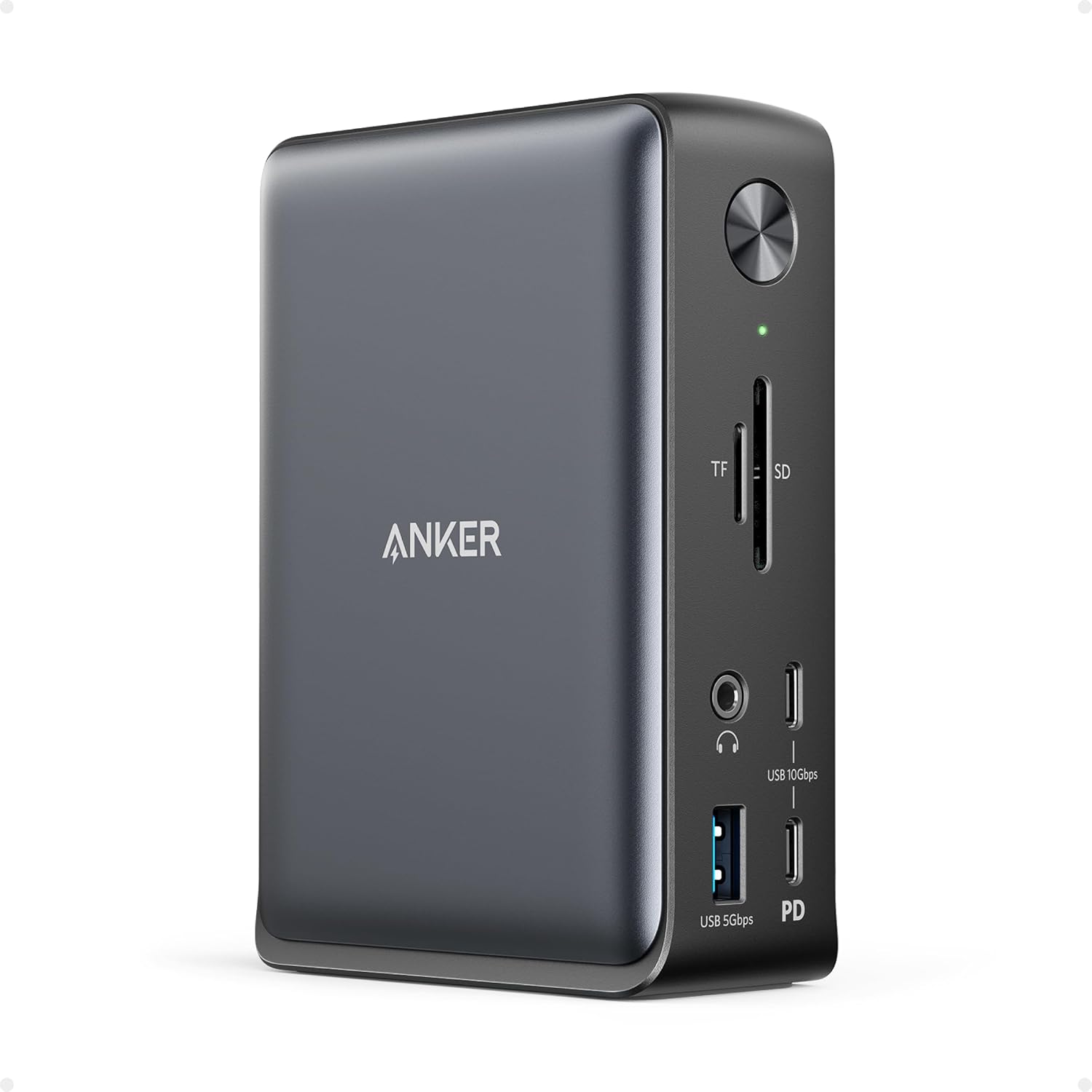
Anker USB-C docking station, 13-in-1
Product description
Quick overview
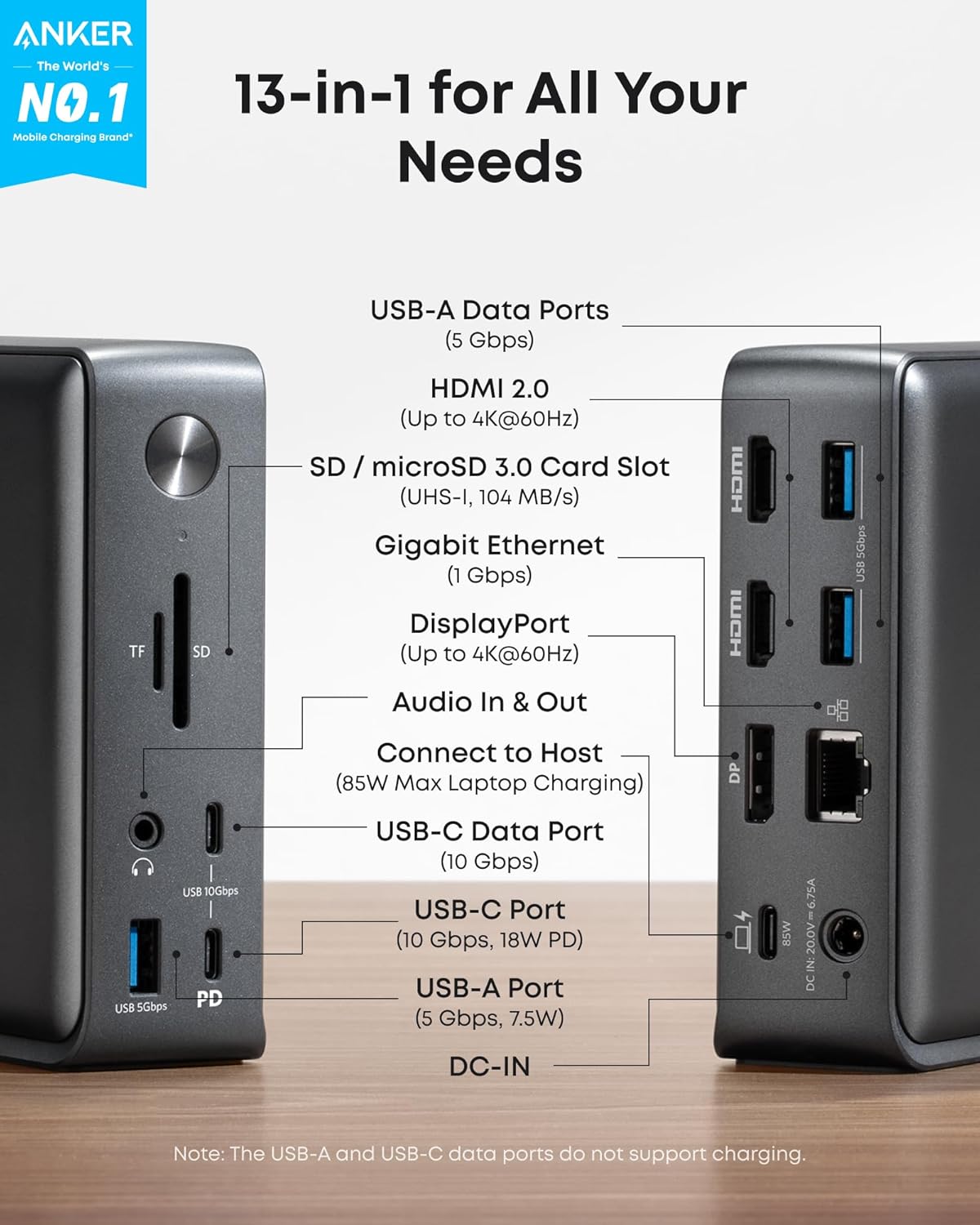
The 13-port layout lets you connect displays, accessories, wired internet, memory cards, and audio through one cable to your laptop. That can make a desk setup easier to leave connected: plug in the dock when you arrive, then connect your peripherals without attaching each one separately.
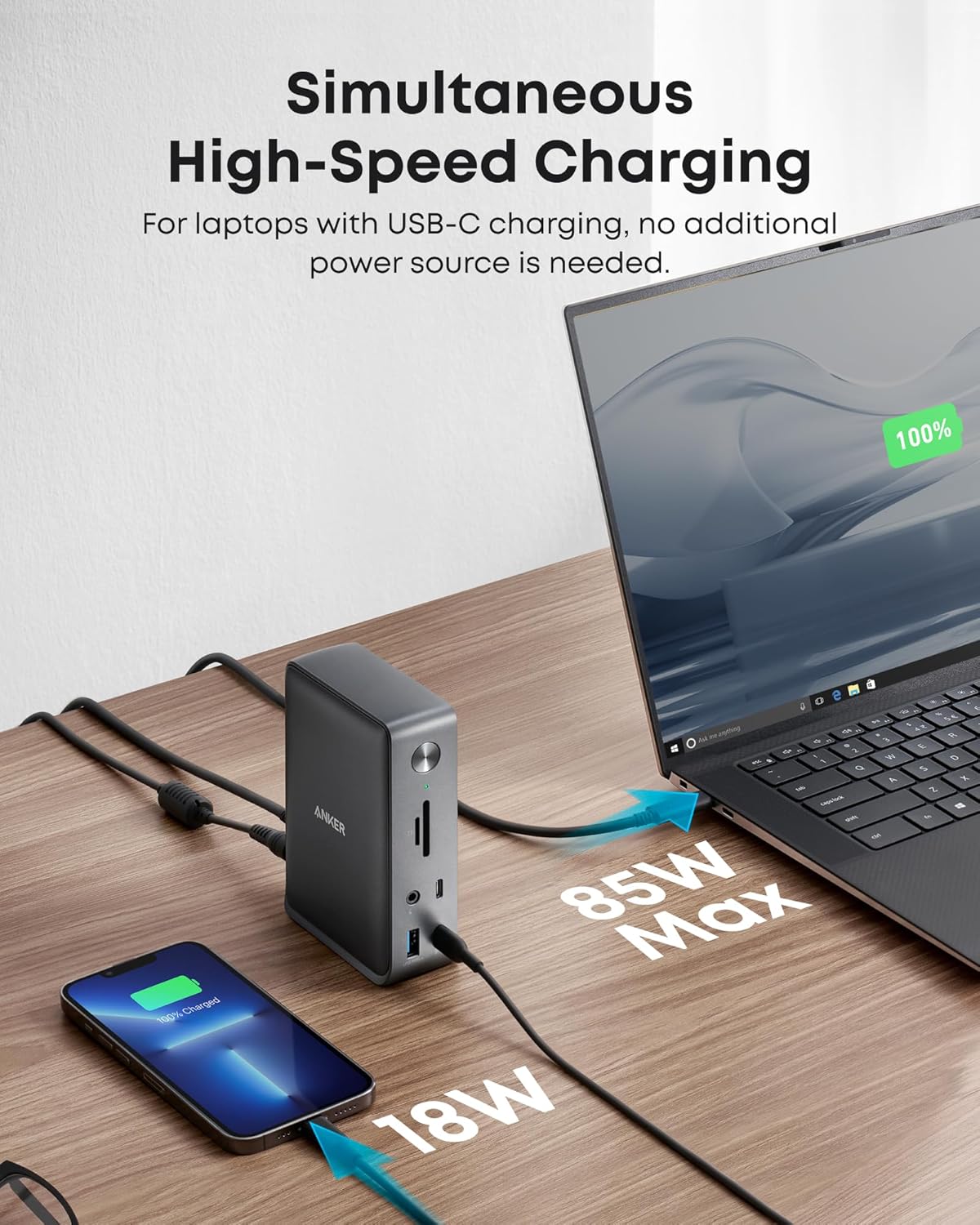
It also supplies up to 85W to the laptop and 18W to a phone at the same time, using the included 135W power adapter.
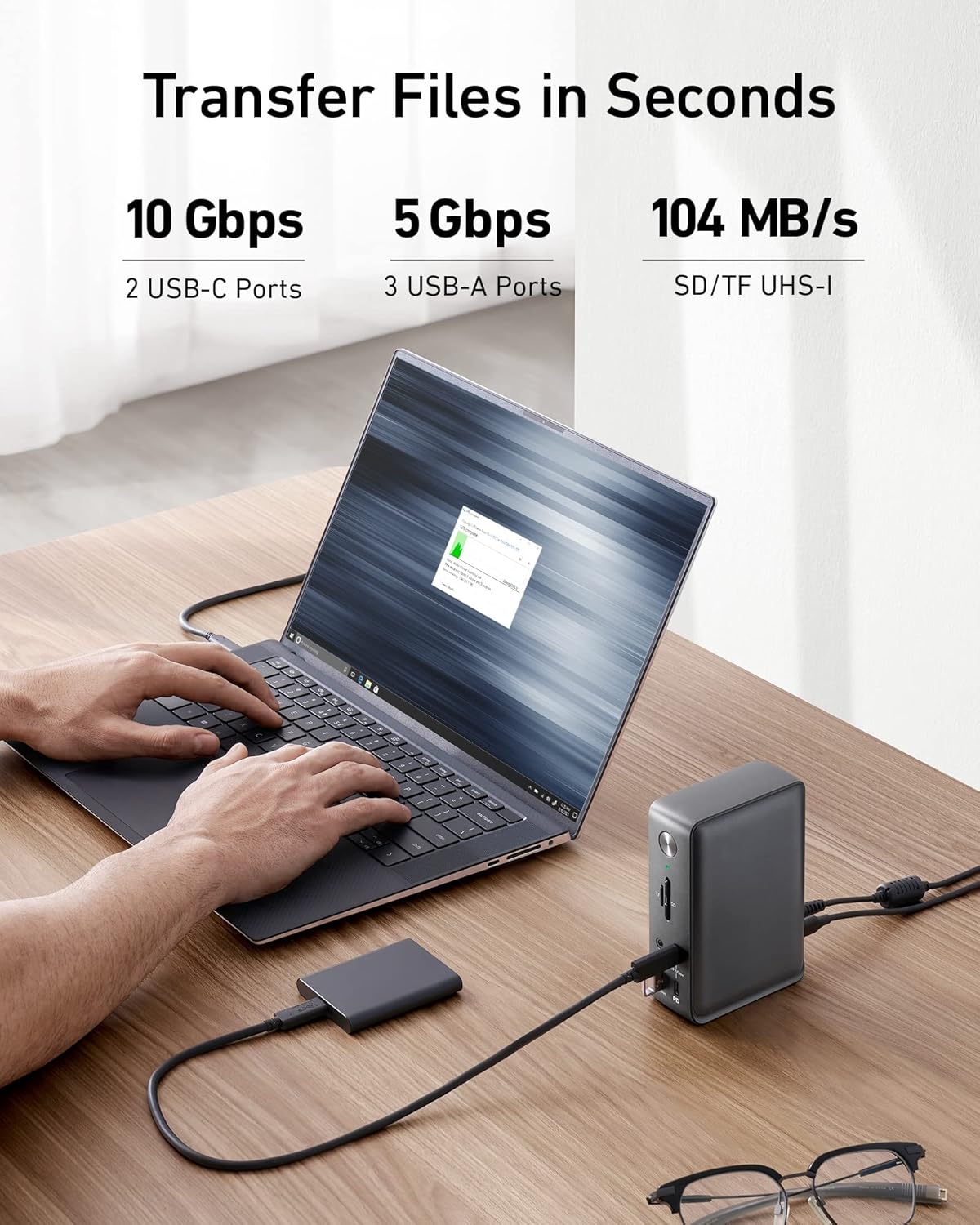
For file transfers, one USB-C port supports up to 10Gbps, while the USB-A ports support up to 5Gbps. The dock also has SD and microSD card readers, Gigabit Ethernet, and a 3.5mm audio jack. Its compact vertical design is intended to take up less desk space than a spread of separate adapters.
How it fits
The display setup is a key reason to consider this Anker dock, but the experience depends on your computer. On Windows 10/11 and ChromeOS, it can run up to three external displays at 1080p and 60Hz using MST. For a single display, HDMI or DisplayPort supports up to 4K at 60Hz. The connections are two HDMI ports and one DisplayPort.
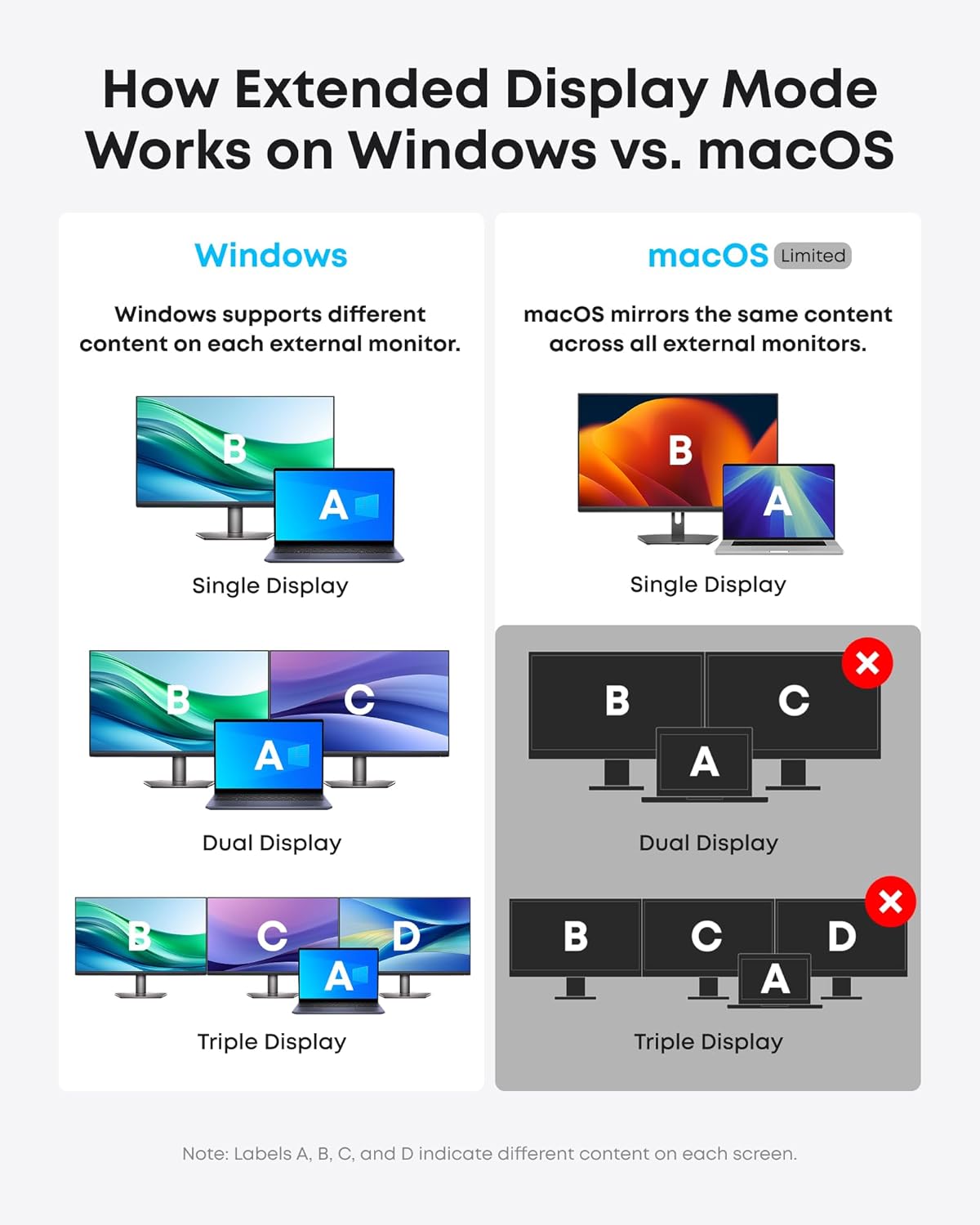
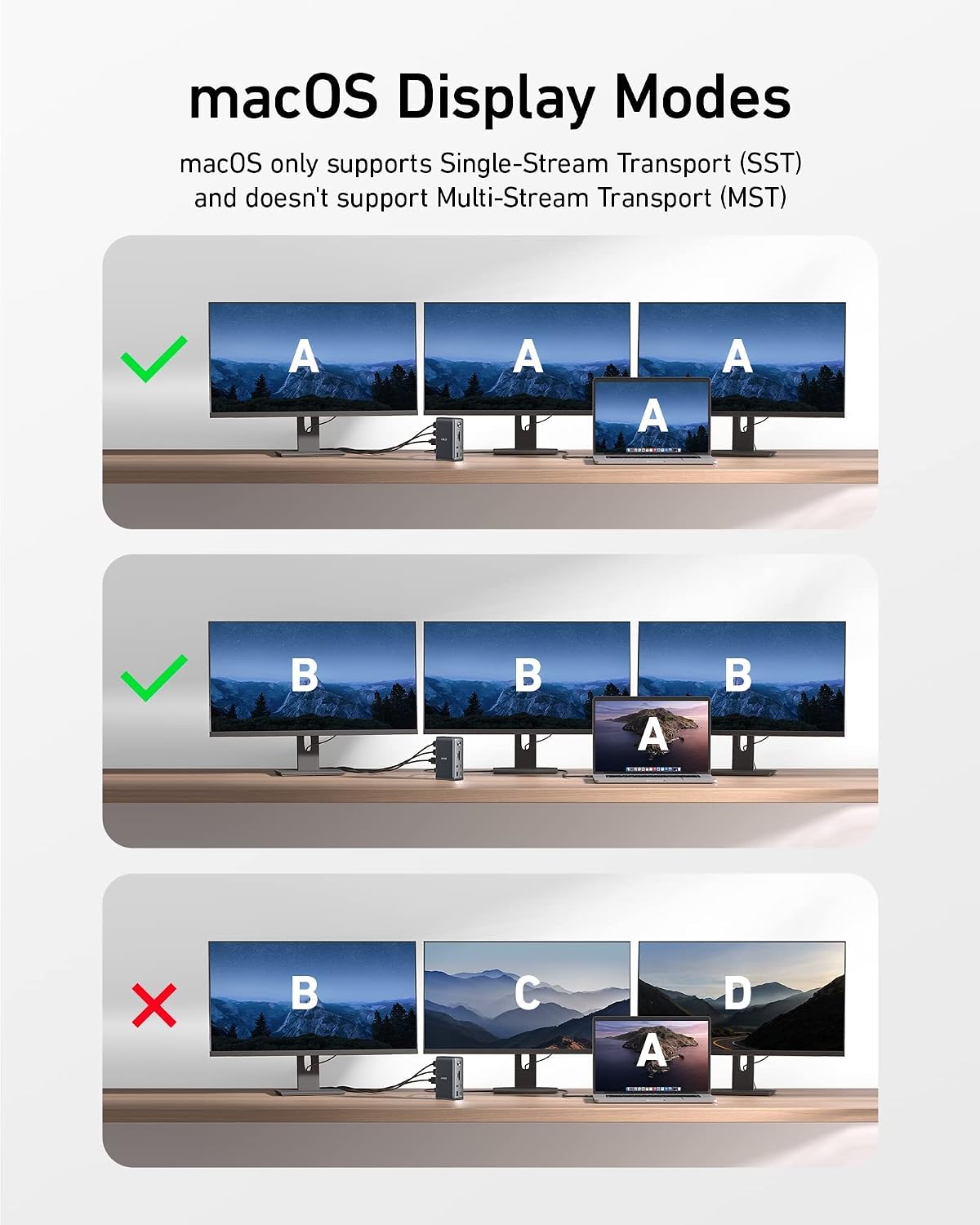
Keep in mind that your laptop’s USB-C connection must support DP Alt Mode and Power Delivery for the relevant video and charging features. The dock is listed as compatible with full-function USB-C, USB4, and Thunderbolt 3, 4, and 5, but the port on the laptop still matters. On Mac, charging and data work, while external displays are limited to mirror mode. That makes this a less suitable choice for a Mac setup that needs multiple independent screens.
It makes sense if you want one desk connection for monitors, wired networking, card access, and everyday peripherals. You may want to skip it if you only need a basic USB hub, or if your laptop cannot provide the required USB-C features.
Tips for day-to-day use
For a home-office setup, connect the dock’s power adapter and laptop cable first, then leave your monitor and accessories attached. That way, a single connection can bring your desk back online instead of plugging in a keyboard, external display, and Ethernet cable one at a time. Use USB-C for faster transfers when your device supports the stated 10Gbps rate, the USB-A ports are rated up to 5Gbps.
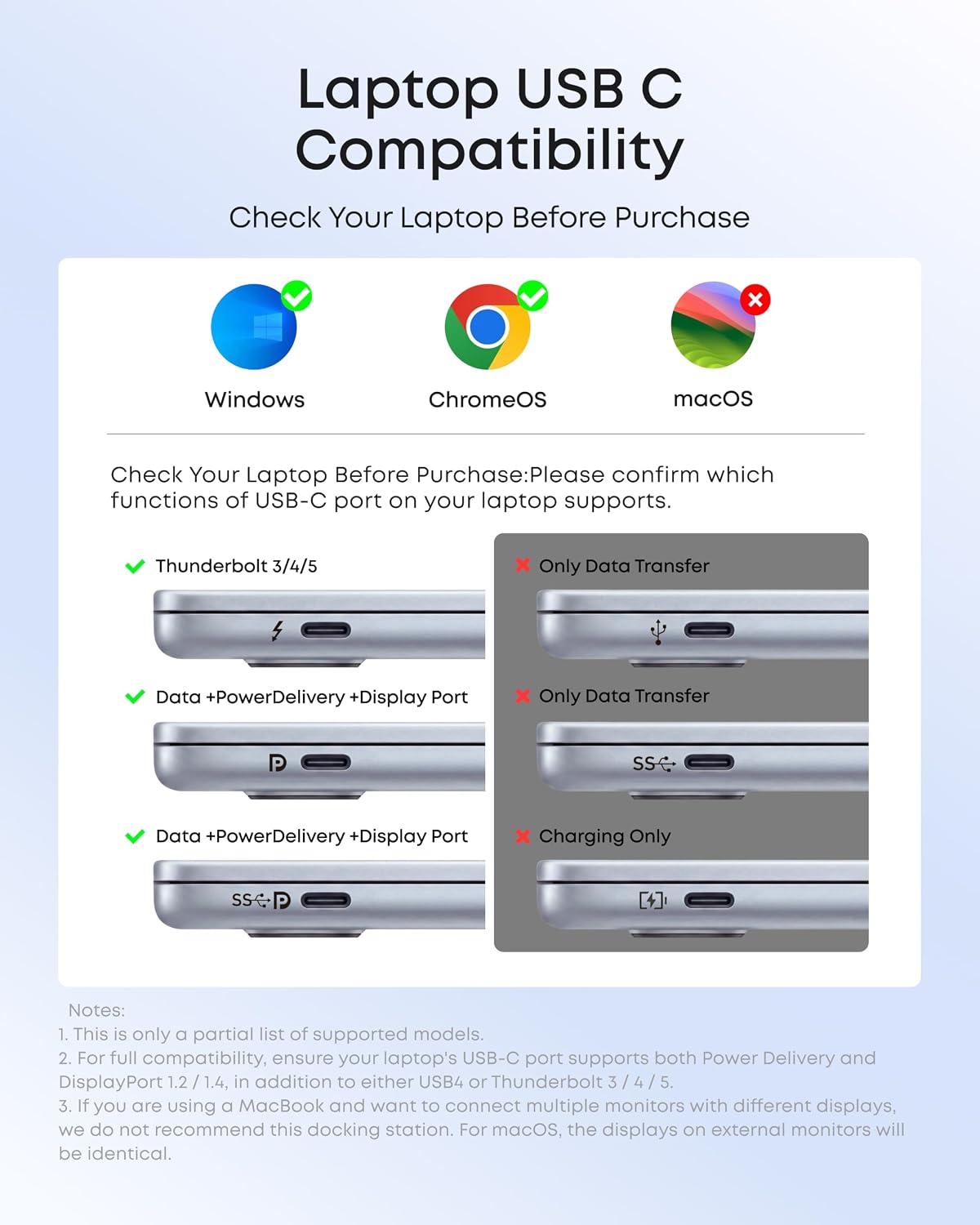
If you work with photos, the SD and microSD slots can keep card access close at hand, and the Ethernet port offers a wired-network option. The dock also provides 18W phone charging alongside laptop charging, which can reduce the need for a separate phone charger at the desk. Before buying, check your computer’s port specifications rather than relying on the USB-C shape alone. This matters especially if you expect extended displays or laptop charging through the dock.
Questions before you buy
Can it charge a laptop and phone at once? Yes. The dock provides up to 85W to the laptop and up to 18W to a phone, and it includes a 135W power adapter.
Can it run three external monitors? It supports up to three at 1080p and 60Hz on Windows 10/11 and ChromeOS with MST. Mac displays are limited to mirroring.
What is included for connecting to a desk setup? The listed connections include HDMI, DisplayPort, USB-C, USB-A, Gigabit Ethernet, SD and microSD card readers, and 3.5mm audio, along with the power adapter.
Is it worth it?
This dock is aimed at turning a compatible laptop into a more fully connected workstation, rather than adding just a couple of USB ports. Its monitor outputs, card readers, Ethernet, audio, and simultaneous laptop-and-phone charging are useful if you’ll actually use several of them from one desk. The trade-off is that display support varies by operating system, and the laptop’s USB-C capabilities must match the dock’s requirements. Choose it for a Windows or ChromeOS setup that needs several connections in one place, look at a simpler hub if you need only basic peripherals, or a different display solution if you need extended screens on a Mac.