

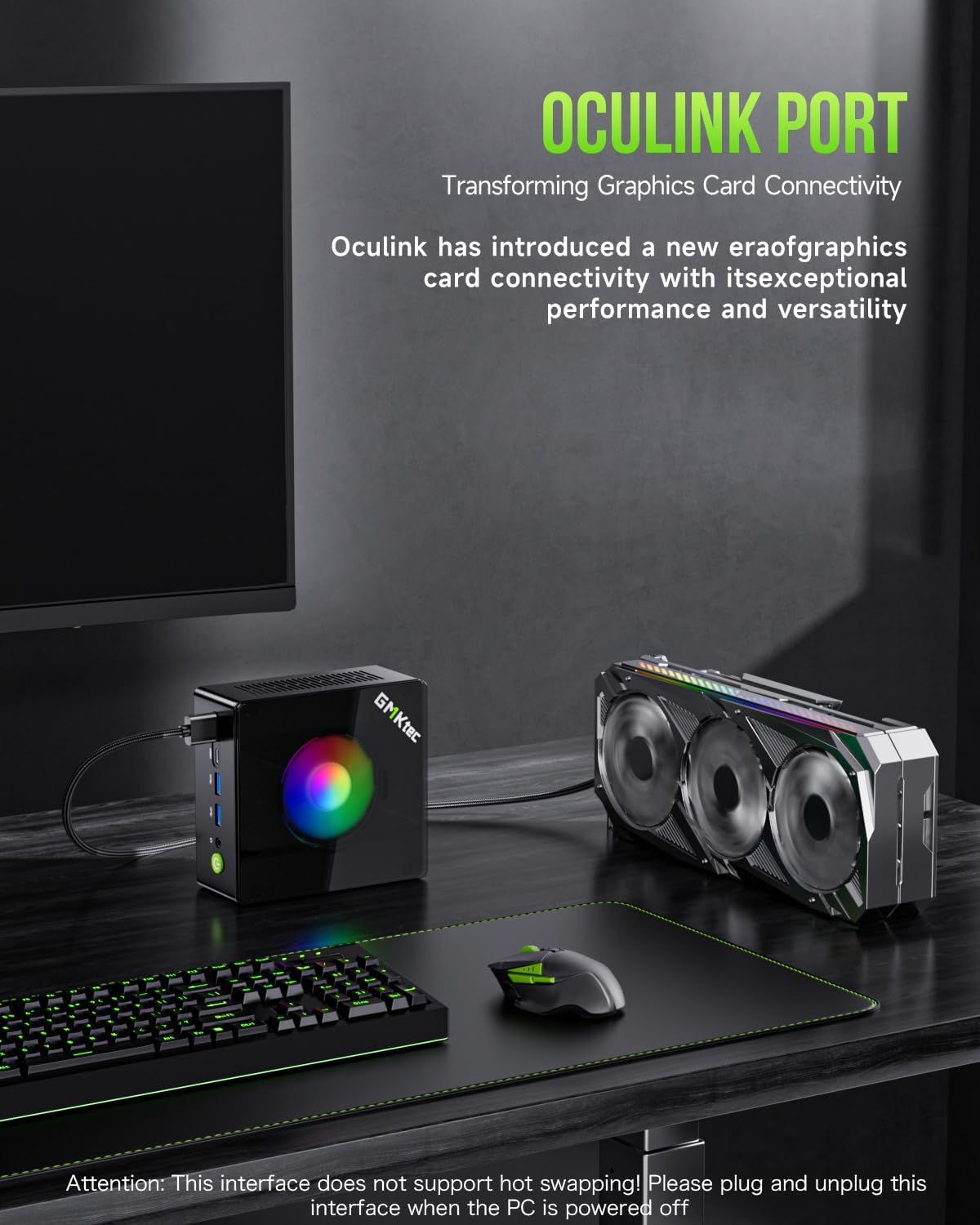
GMKtec K11 Mini Gaming PC with AMD Ryzen 9 8945HS, 32GB DDR5, 512GB SSD, Oculink, Dual 2.5GbE LAN
Product description
If you’re shopping for a mini PC that can actually keep up with demanding work (and not just web browsing), the GMKtec K11 is built around a serious CPU and a feature set aimed at performance-minded users. It’s a compact “desktop-style” machine with a focus on multitasking, fast storage, and a couple of ports that matter if you care about low-lag performance.
That said, it’s not a magic wand. Mini PCs have real-world limits—thermals, upgrade complexity, and the fact that you’re buying into a specific layout. On paper, this one looks like a stronger mid-to-upper tier pick than many basic office minis, especially if Oculink, dual Ethernet, and high-speed display options are part of your plan.
Where it shines (and what it’s for)
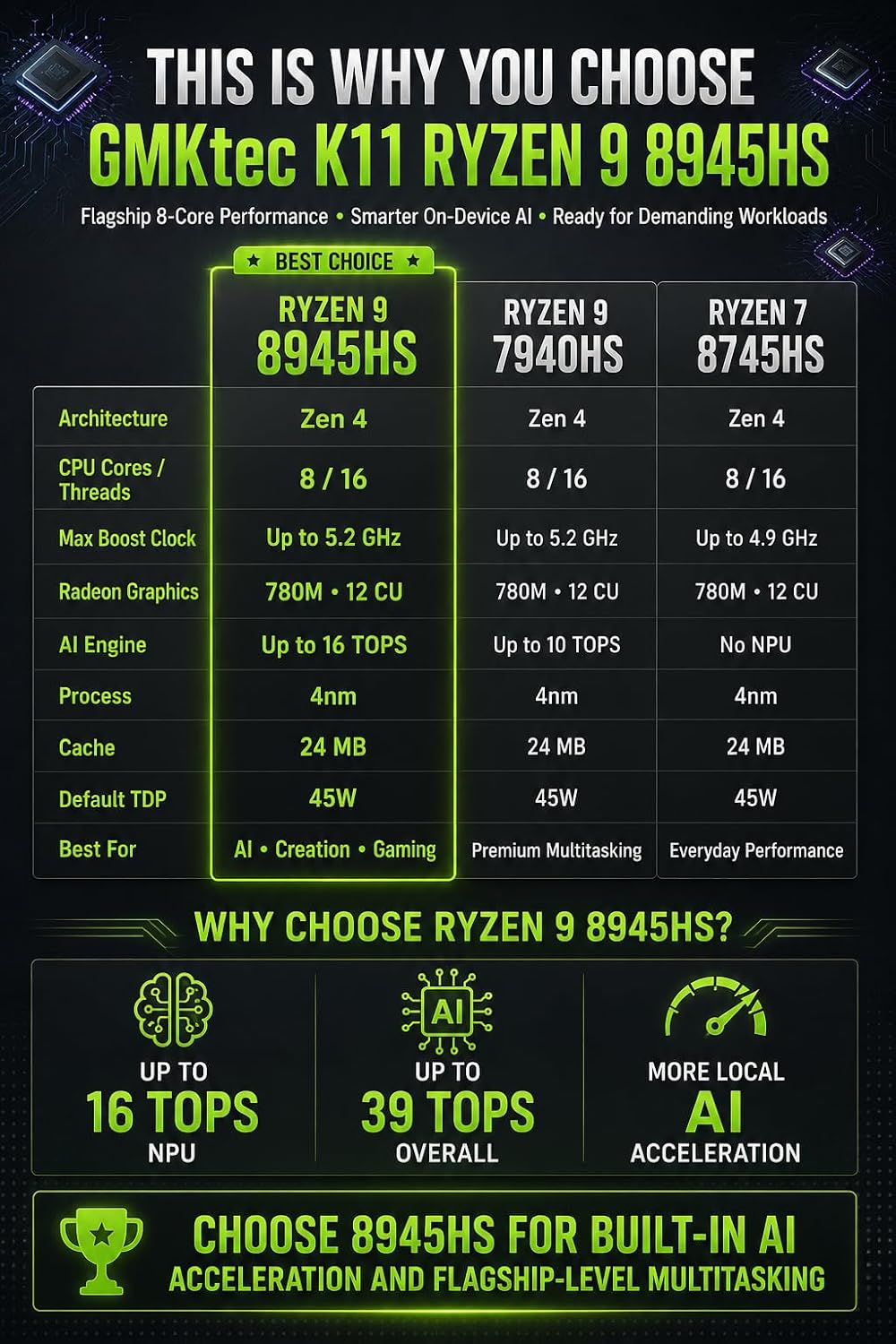
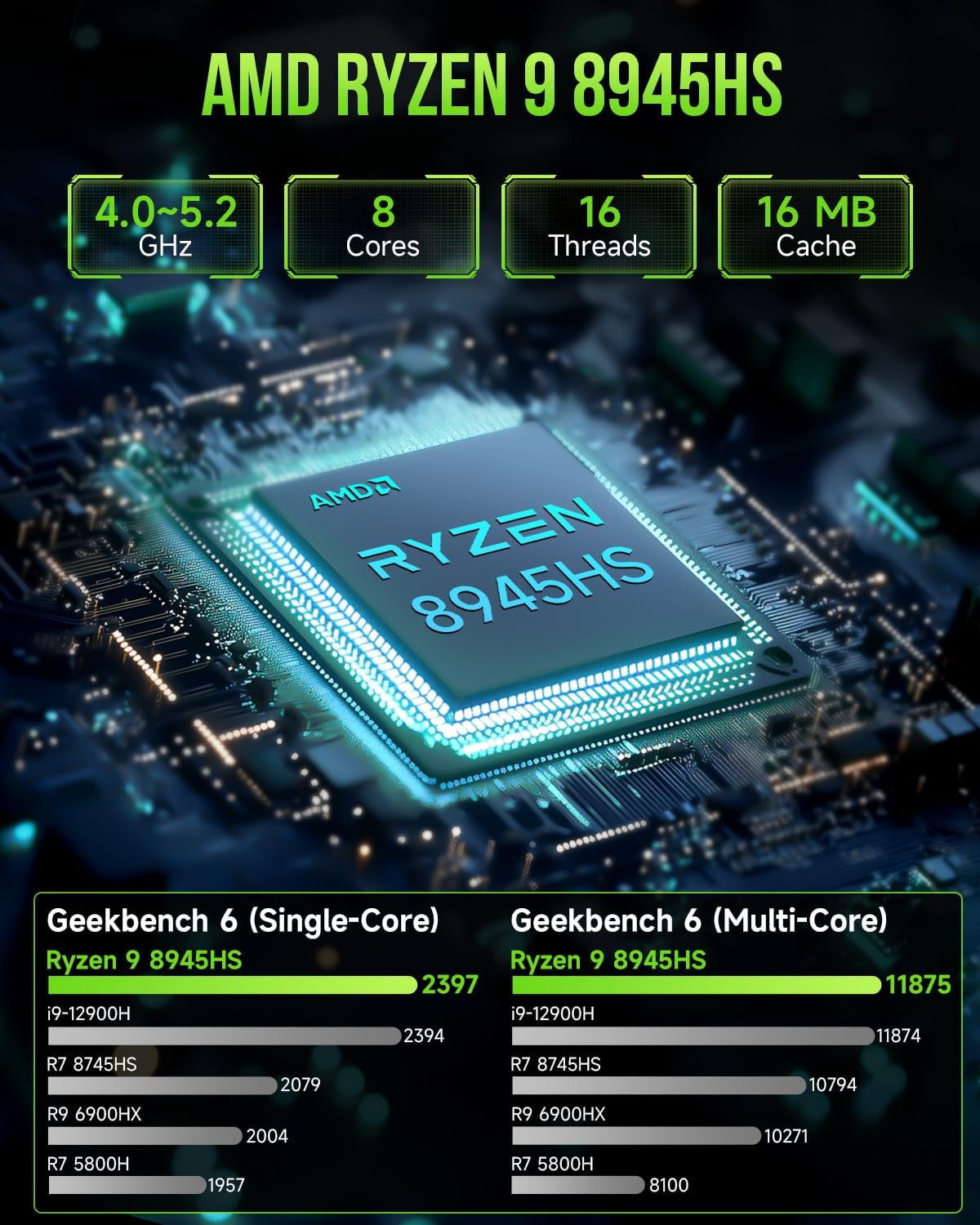
The GMKtec K11 centers on the AMD Ryzen 9 8945HS with 8 cores / 16 threads and boosts “up to 5.4 GHz” (per the provided description). That’s the kind of setup that supports heavier multitasking—think gaming alongside streaming, content creation tasks, or running multiple apps without feeling constantly starved.
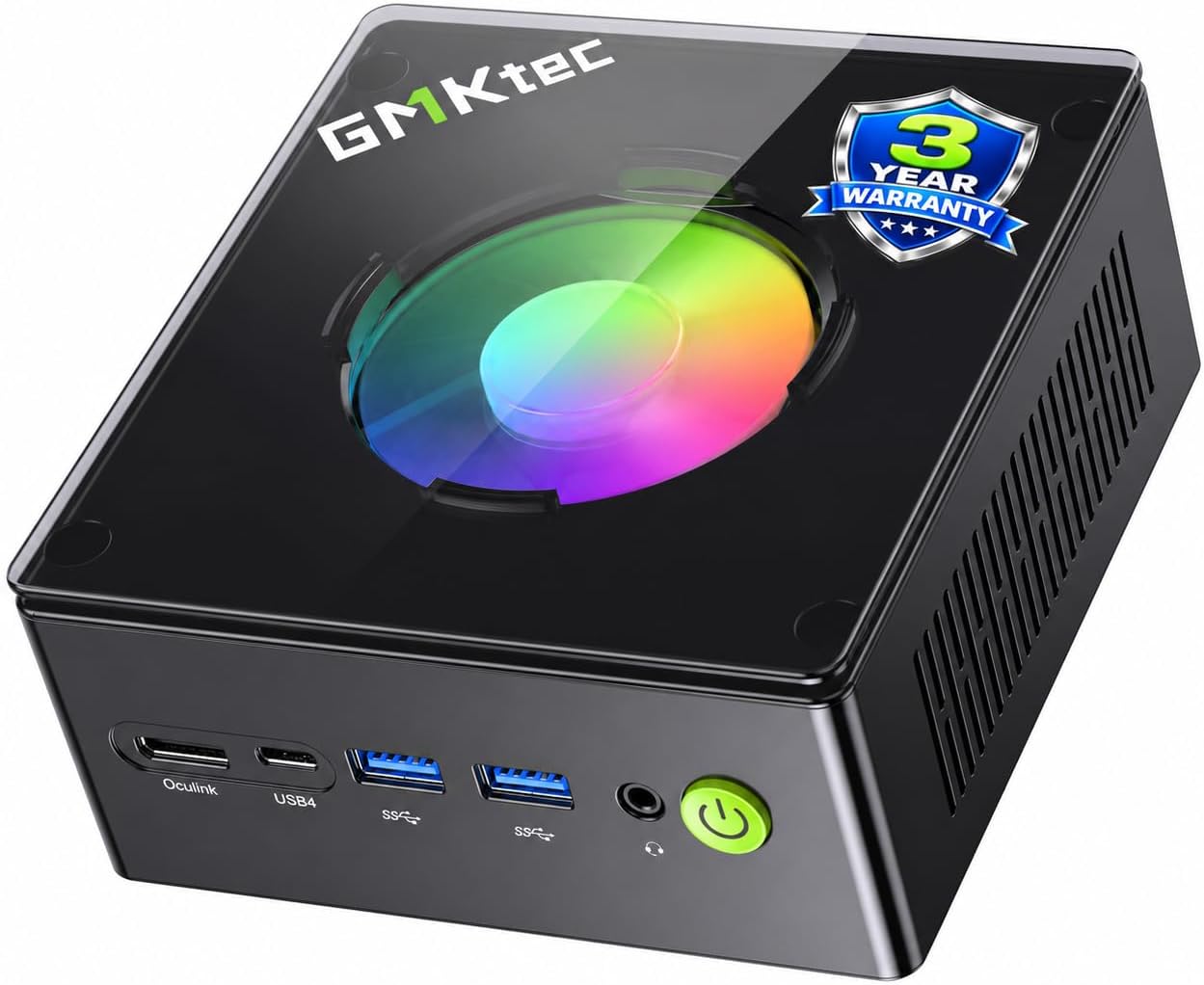
On top of that, the included 32GB DDR5 RAM (dual-channel) and a 512GB PCIe 4.0 M.2 2280 SSD give it a faster baseline right out of the box than storage-heavy systems with smaller drives. It’s also positioned for buyers who want a compact PC but still want connectivity that feels closer to a full desktop.
One practical example: if you’re editing a video while keeping a browser tab set to research and a music app running, the combination of 32GB DDR5 and a PCIe 4.0 SSD is the kind of pairing that typically reduces stutter and long “waiting on saves” moments. It won’t make every app magically instant, but the platform is there.
The essentials: ports and display setup
This mini PC leans into connectivity in a way many minis don’t.
- Oculink port: The description highlights higher bandwidth and the potential for better frame rates and lower lag for eGPU setups. It also notes that it operates at PCIe x4 speeds, versus Thunderbolt’s x3 (as stated).
- 4-screen 4K support: It supports simultaneous 4K output across 4 screens using HDMI 2.1 (up to 4K@60Hz), DisplayPort 2.1 (up to 4K@60Hz), and USB4 (up to 40Gb/s).
If you want a “small box, big desk” configuration, this is one of the bigger reasons to consider it. Still, you’ll want to double-check your exact monitor cables/adapters plan, because multi-display setups live and die on ports, signal negotiation, and how many screens you’re truly using at once.
Performance modes and power tuning
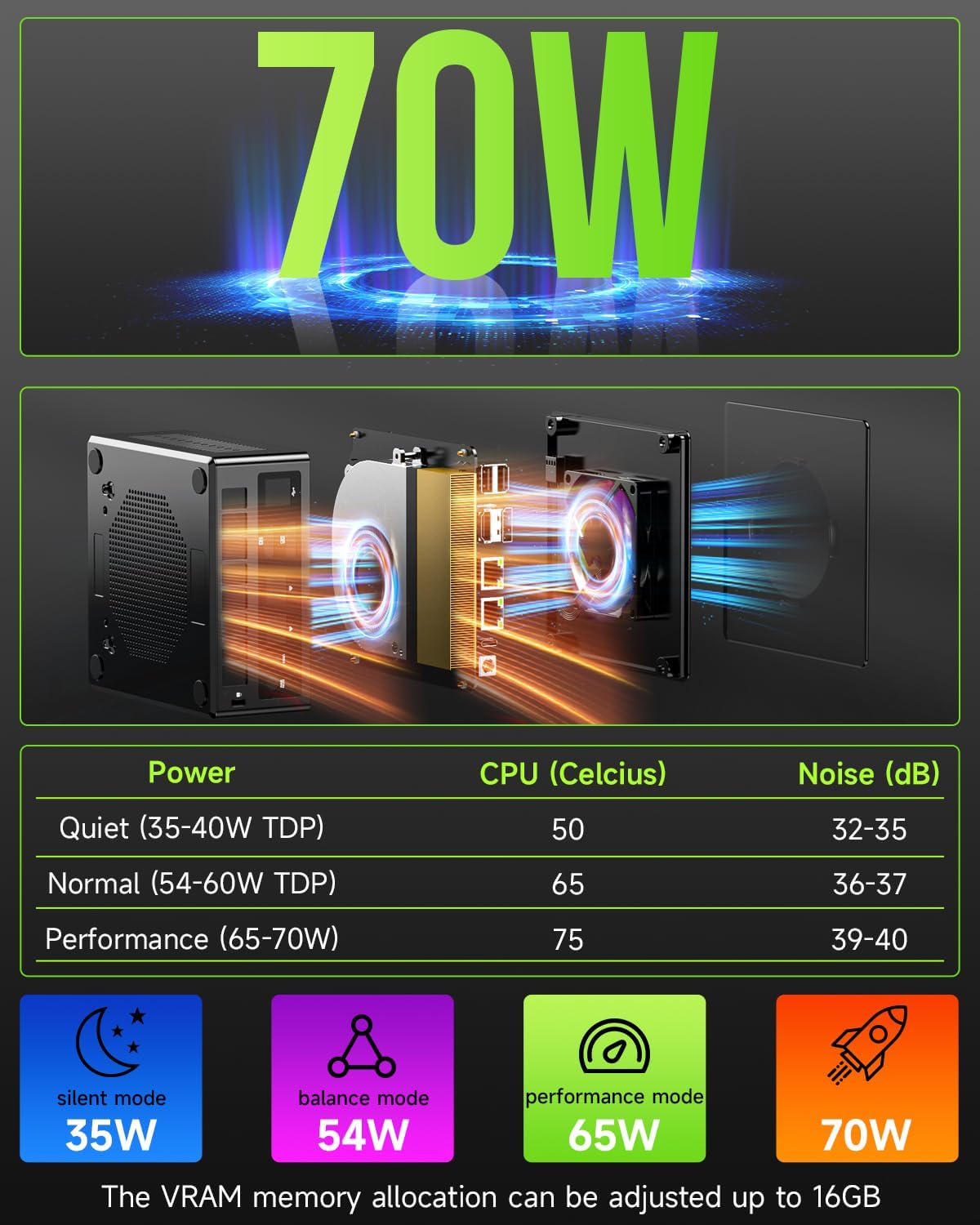
The K11 includes three performance modes, controlled via updated UEFI/BIOS: Quiet 35W, Balance 54W, and Performance 65W. There’s also mention of options like Auto Power On and Wake-on-LAN.
That’s a real advantage for different daily use cases. Quiet mode can be the default for office-style work or late-night tasks, Performance mode is for when you need more headroom. Just keep in mind that higher watt modes can mean more fan activity—mini PCs compress everything into a small enclosure.
Networking, wireless, and “real-world” use
You get dual Intel i226V 2.5GbE LAN plus WiFi 6 and Bluetooth 5.2.
Why that matters: dual 2.5GbE can support multiple networking applications (the description calls out things like firewall, multichannel aggregation, soft routing, and file storage server use cases). For normal home users, it may not change your life every day, but it can help if you run a mini server, want smoother transfers, or prefer a wired connection for gaming stability.
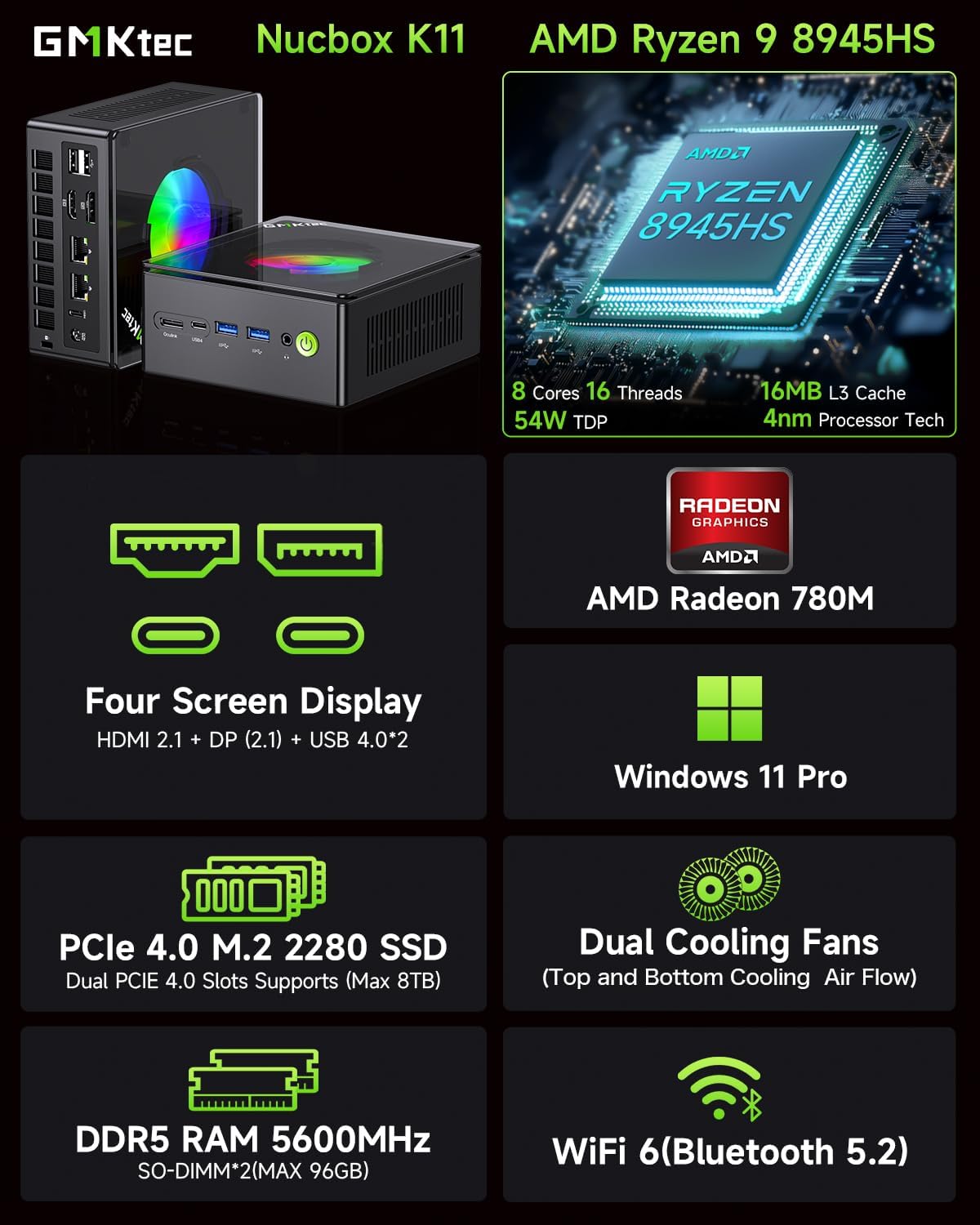
WiFi 6 is there for faster browsing, streaming, and gaming, and Bluetooth 5.2 is useful if you connect multiple peripherals (the description mentions devices like projectors, printers, monitors, and speakers).
What you can upgrade (and where to be cautious)
The platform includes 32GB DDR5 RAM and a 512GB PCIe 4.0 M.2 2280 SSD. The description also says the RAM can be expanded up to 128GB, and that the SSD platform supports dual PCIe Gen4 x4 SSD slots, expanded “up to 8TB” (as stated).
Upgrade potential is a plus, but here’s the limitation to keep in mind: mini PCs can be more fiddly than tower PCs. If you plan to expand storage and RAM, review how the slots work on the exact K11 unit you buy and whether your intended expansion plan matches the “dual SSD slots” claim.
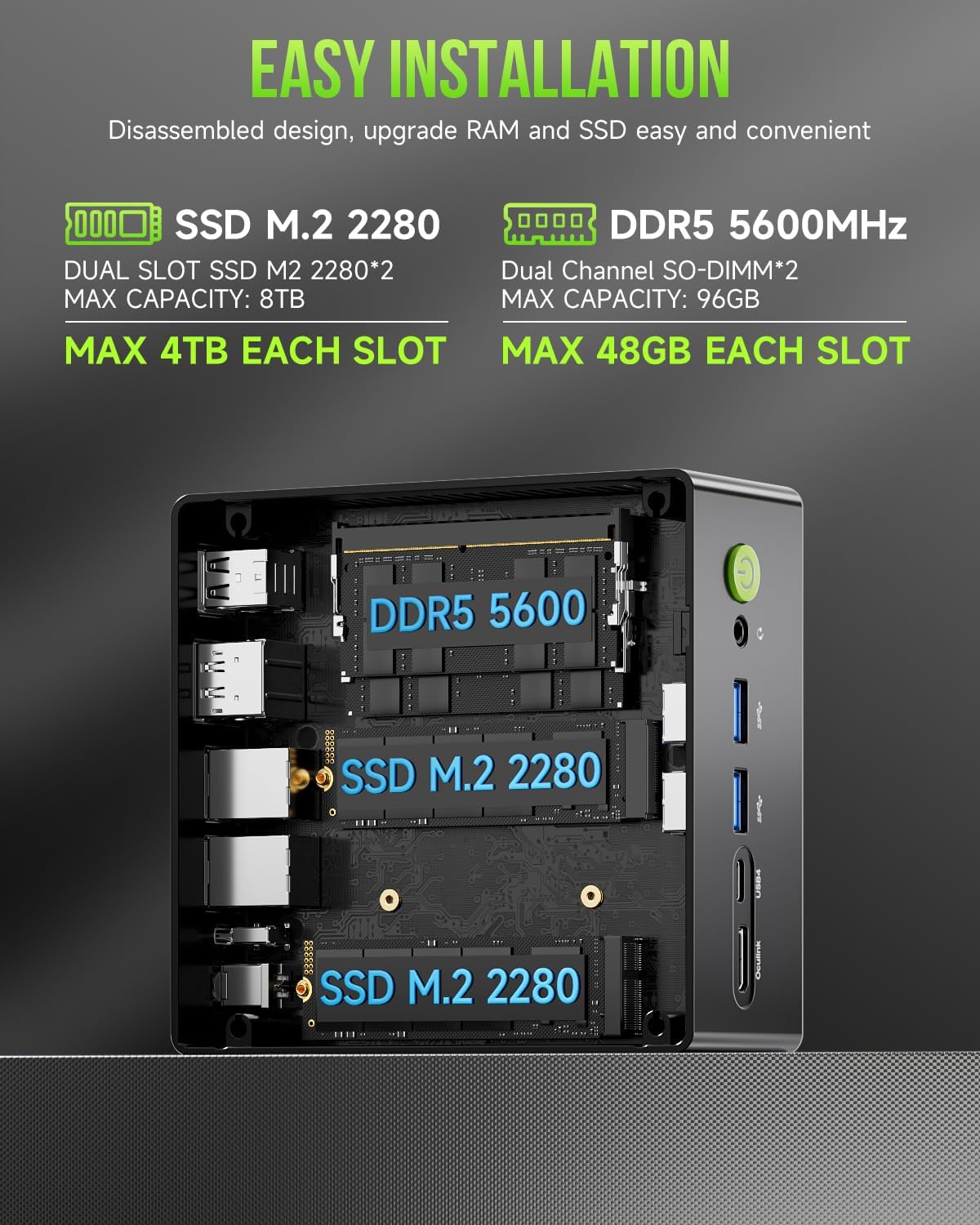
Also, performance expectations should be grounded in the reality of a 35W–65W style power envelope. It’s aimed at strong capability in a small format, not at replacing every high-end full-size workstation scenario.
Tech specs
- Name: GMKtec Gaming PC, K11
- Type: Mini PC / desktop computer
- Processor: AMD Ryzen 9 8945HS (8C/16T)
- Boost speed: Up to 5.4 GHz (per description)
- RAM: 32GB DDR5 (dual-channel)
- RAM speed: 5600 MT/s (as stated)
- Storage: 512GB PCIe 4.0 M.2 2280 SSD
- Oculink port: Included
- Ethernet: Dual Intel i226V 2.5GbE LAN
- Wireless: WiFi 6 + Bluetooth 5.2
- Display output: HDMI 2.1 (4K@60Hz), DisplayPort 2.1 (4K@60Hz), USB4 (up to 40Gb/s)
- Performance modes: Quiet 35W, Balance 54W, Performance 65W
- Cooling: Upgraded dual cooling fans (Hyper Ice Chamber 2.0 design)
- Quiet mode noise: 35dB (as stated)
Pros, limits, and who should buy it
What stands out most is the combination of a Ryzen 9-class CPU, 32GB DDR5 by default, PCIe 4.0 storage, and a connectivity package that supports both serious display output and Oculink use.
It’s not perfect, but it feels like a mini PC with intention—more than a basic office box.
It’s a great fit if you want a compact gaming/content-creation-capable PC, value multi-display 4K support, and you care about dual 2.5GbE networking and Oculink for lower-lag eGPU-style workflows. You’ll also appreciate the flexibility of performance modes if you switch between quiet daily use and heavier sessions.
It might not be the best choice if you’re expecting desktop-class thermals and sustained maximum performance with zero compromise, or if you don’t plan to use the special ports (like Oculink or the multi-display setup). In that case, a simpler mini PC could be easier and more cost-effective on paper.
A quick “buying checklist” before you commit: confirm how many displays you’ll connect at once, map your inputs (HDMI/DP/USB4) to your monitors, and decide whether you’ll stay at 32GB/512GB or actually plan upgrades.
In the box / warranty
The provided info includes a 1-year limited warranty starting from the purchase date, covering defects due to design and workmanship.
Final verdict
If you want a mini PC that’s built around a high-end Ryzen 9 processor, comes with 32GB DDR5 and a PCIe 4.0 SSD, and supports serious connectivity (including Oculink, dual 2.5GbE, and multi-4K output), the GMKtec K11 is worth taking seriously. It’s especially compelling for people who will use those ports and features rather than treating them as optional extras.
You may want to skip it if you’re mainly after basic home/office tasks, don’t care about multi-display or Oculink-style setups, or prefer simpler upgrades and thermals than what a compact chassis typically allows.