

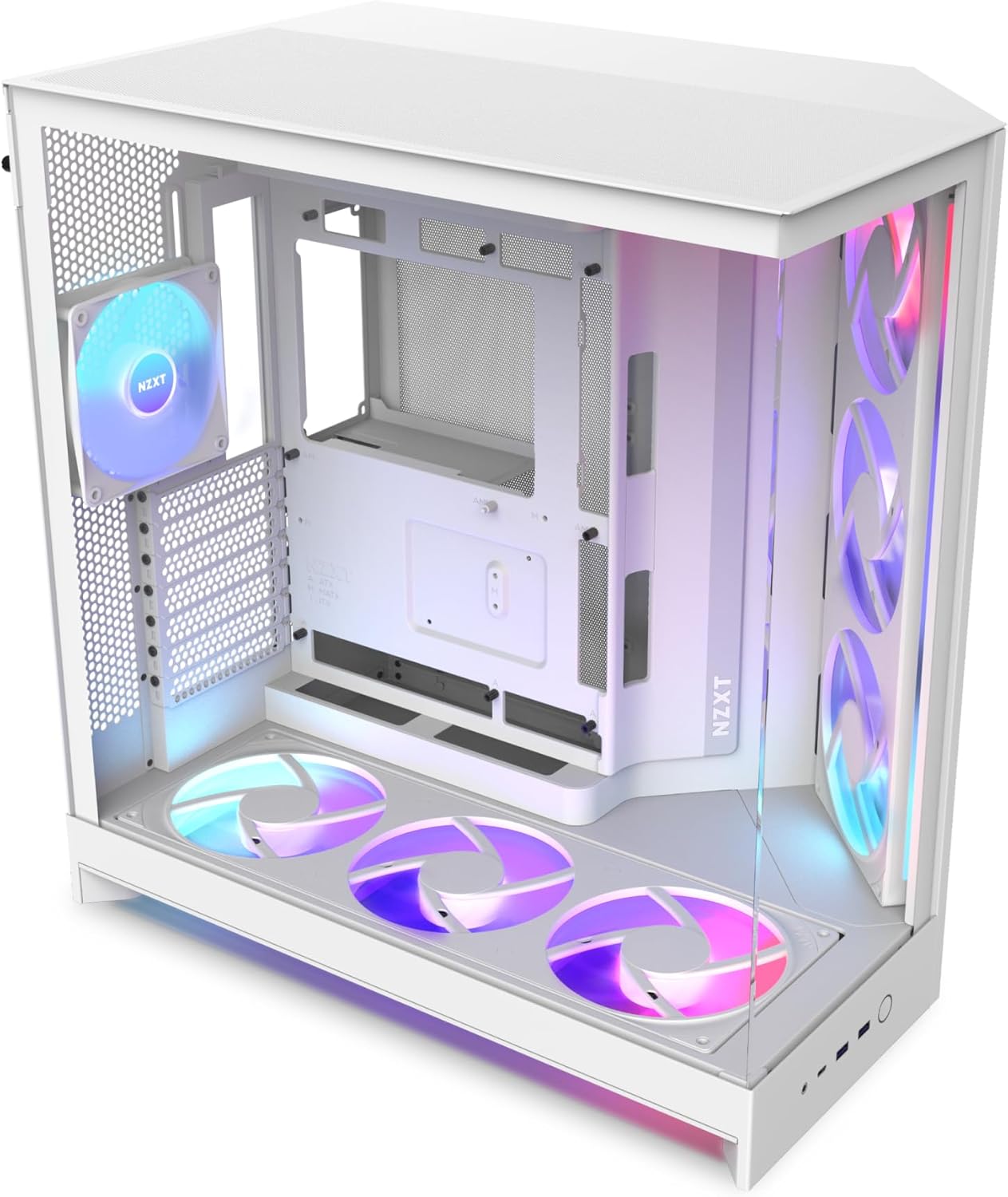
NZXT H9 Flow RGB+ ATX case with 7 RGB fans
Reviews
Price
Product description
If you want a cleaner build and stronger airflow at the same time, the NZXT H9 Flow RGB+ (2025) dual-chamber ATX mid-tower delivers a focused setup with built-in RGB fan support. It brings a refined layout, a front airflow strategy, and a modern look with wraparound tempered glass, so your components stay visible and your cooling stays efficient. The included fan mix and control hub also help you get moving faster, without the guesswork of matching lighting and fan control.
Key points
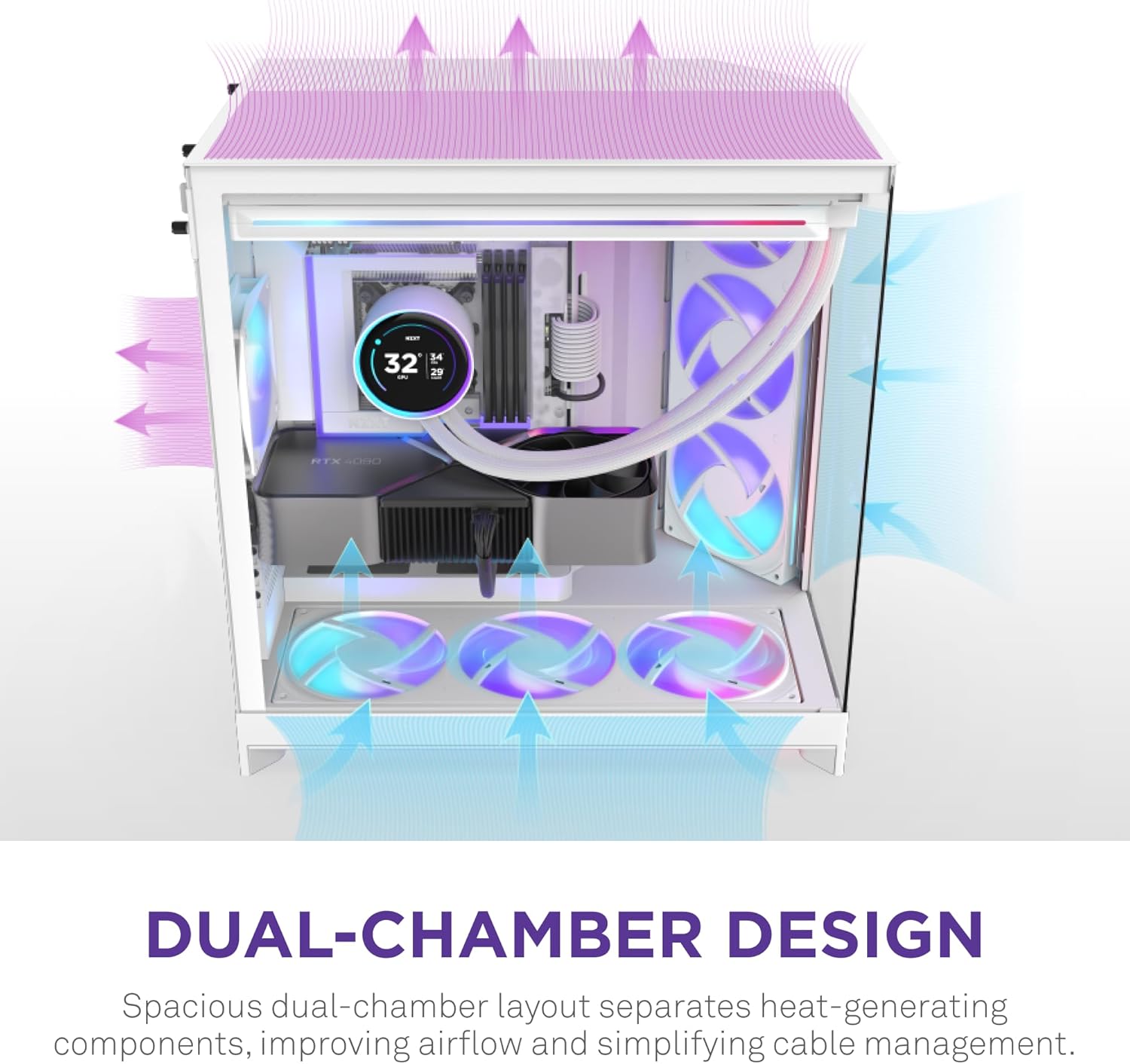
The standout idea behind the H9 Flow RGB+ (2025) is its dual-chamber design, which separates main PSU and drive areas to improve thermal performance and cable management. That separation helps keep airflow more purposeful, especially when you build a high-performance system where heat distribution matters. You also get an airflow-forward exterior with perforated steel panels and angled front fans, designed to support efficient cooling. 🔧
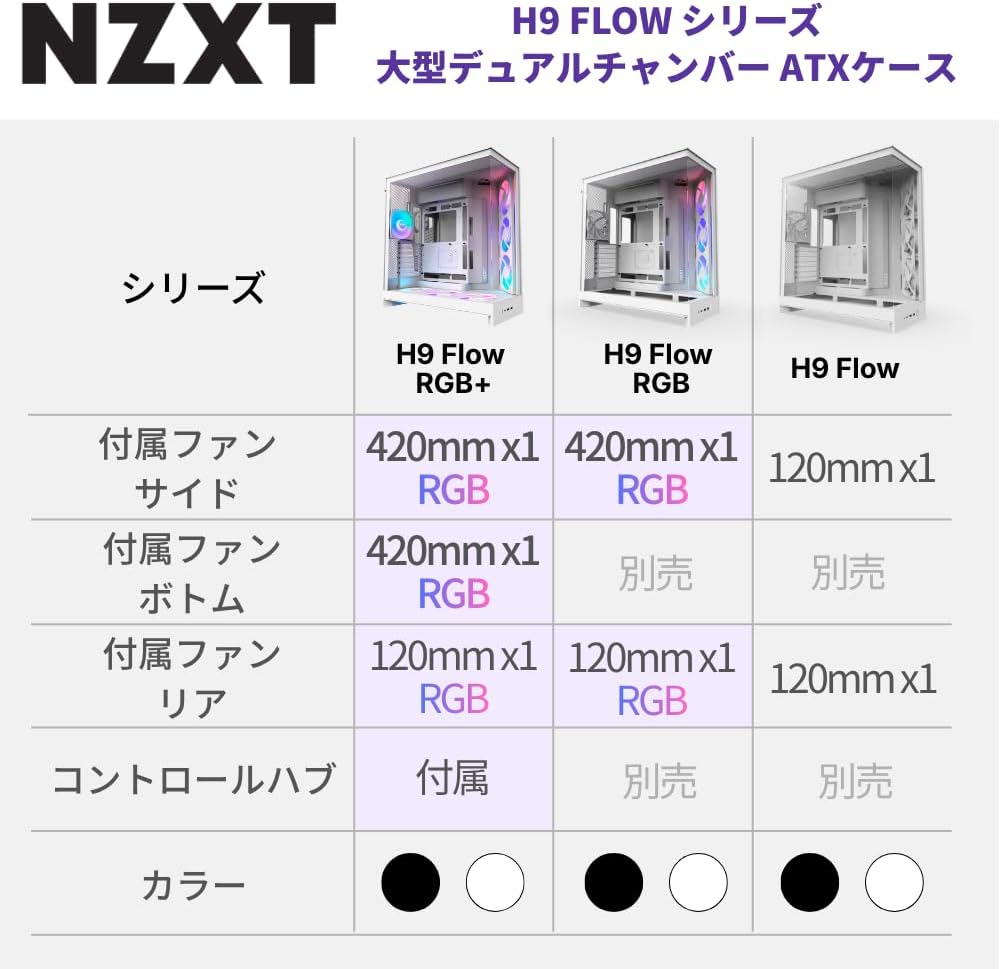
This case also leans hard into RGB that is ready to run, with two front F420 RGB Core fans, plus a rear F120 RGB Core fan that uses the version of the box setup labeled as CV, meaning a 3-pin DC approach. With the NZXT Control Hub included, you get a centralized way to manage the included RGB and fan setup as part of your build. If you like watching your hardware glow through a panoramic glass view, the tempered glass panels wrap around for a seamless, no-corners look. ✨
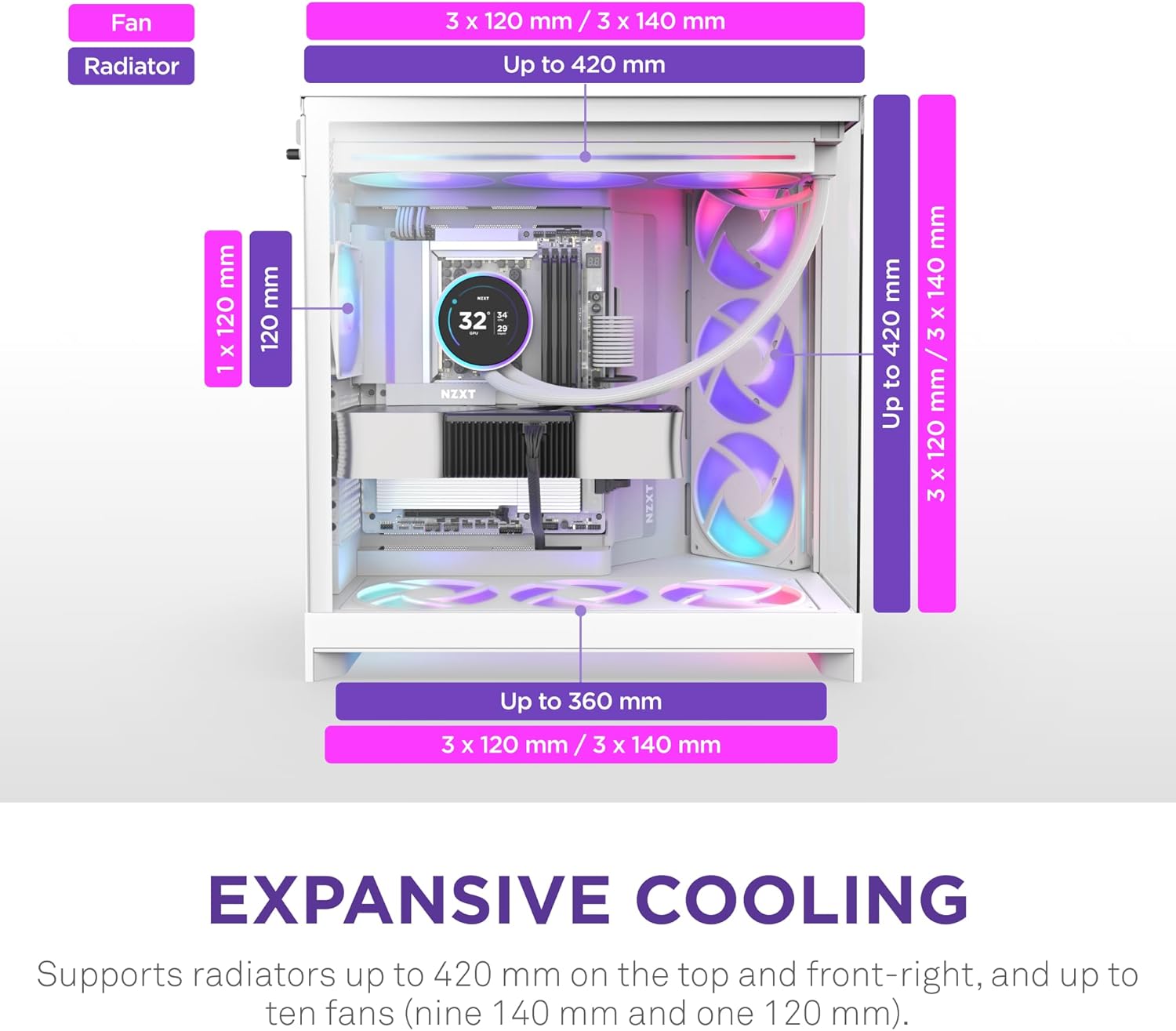
Finally, the capacity is a key practical win, because this chassis can support up to nine 140mm fans across the top, right front, and bottom areas, plus a 120mm fan at the rear. That means you can tune your setup for different build priorities, like higher static pressure cooling for dense component layouts or more general airflow coverage. For builders who want room to expand cooling options while keeping the cable workflow organized, this layout gives you a strong foundation. 😊
Tech specs
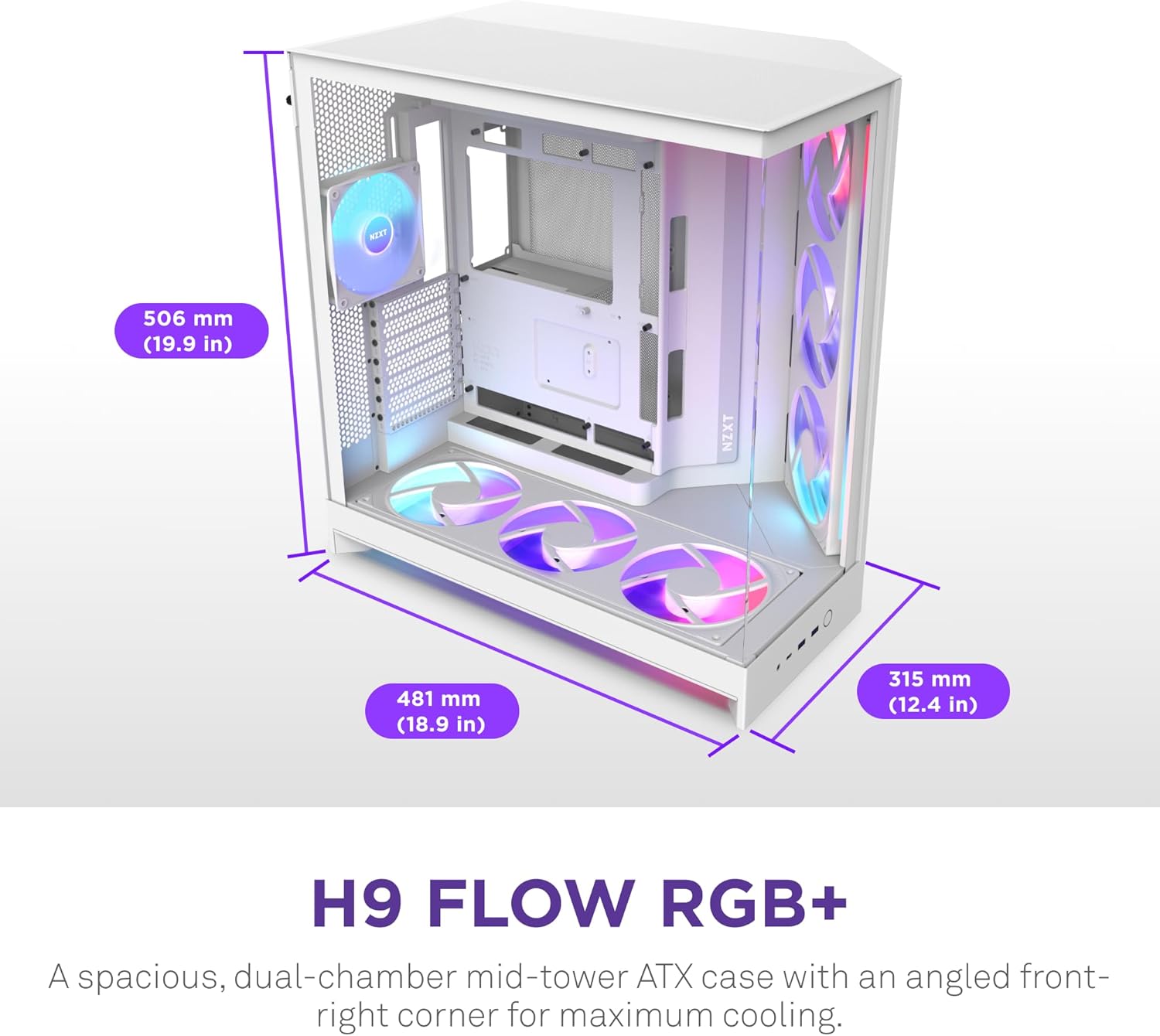
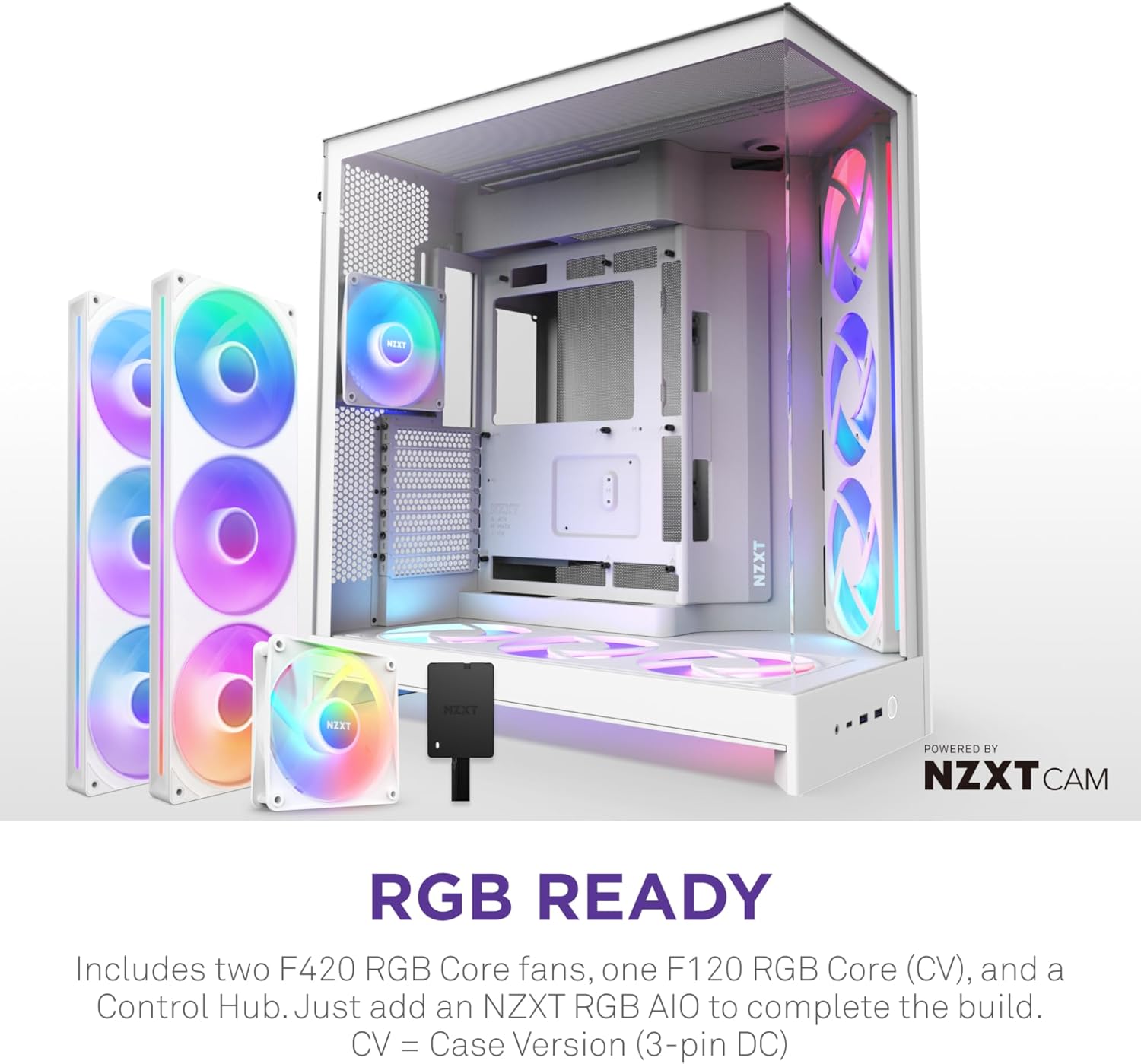
- Model: H9 Flow RGB+ (2025)
- Brand: NZXT
- Form factor support: ATX mid-tower
- Cooling setup included: 7 RGB fans total
- Fan sizes included: 6 x 140mm front and 1 x 120mm rear
- Fan included at rear: F120 RGB Core (CV, 3-pin DC box version)
- Radiator support: 420mm radiator support
What stands out
A dual-chamber layout changes how a PC case feels during a build, because it divides the PSU and drive zones from the main component space. This separation supports better thermal performance by keeping key areas less mixed with clutter and also improves cable routing, which can make airflow patterns more consistent. The payoff shows up after assembly too, since tidier routing tends to make maintenance easier when you upgrade components later.
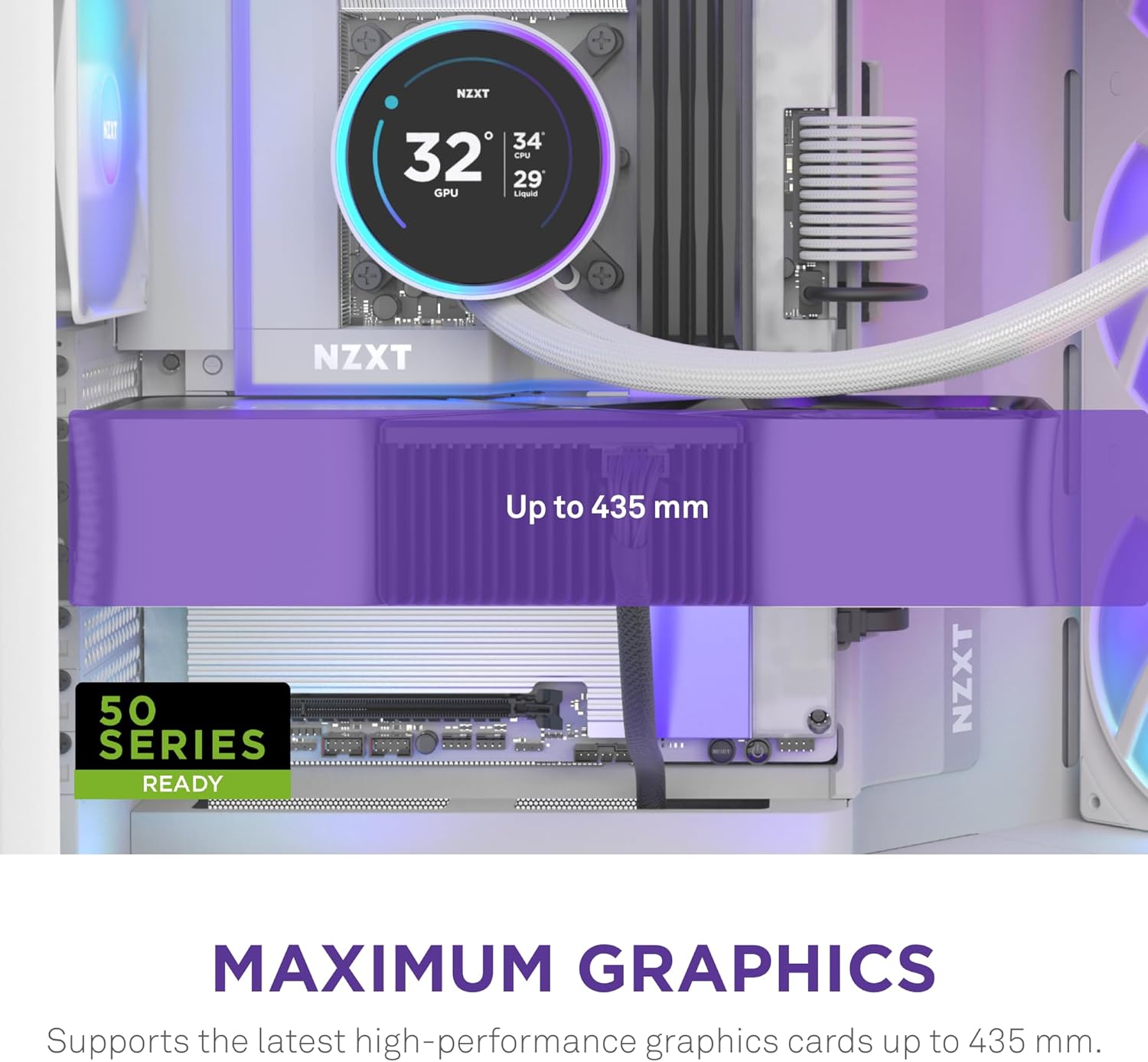
Airflow is reinforced by the case construction, combining perforated steel panels with angled front airflow. When you pair that with the included RGB Core fans, you get a cooling baseline that matches the case design rather than forcing you to start from scratch. The panoramic tempered glass view gives you visibility into the build, letting you show off details without relying on open-side aesthetics.
If you prioritize lighting control and a coherent look, the included NZXT Control Hub plus the specific included fan set help you avoid mismatched parts and unclear wiring expectations. Keep in mind that the product description frames the included rear fan as the CV box version, labeled as a 3-pin DC setup, so it is best aligned with that control approach. When you want to scale beyond the included fans, the chassis supports up to nine 140mm fans in multiple interior locations and also allows a 120mm rear fan.
Who it’s for
It’s a great fit if you want a premium-looking ATX mid-tower PC case with strong airflow design choices and RGB included out of the box. You’ll appreciate it if you build high-performance systems and want better thermal management plus more organized cable routing thanks to the dual-chamber layout. It also suits you if you care about seeing your components through wraparound tempered glass and want a centralized lighting and fan control setup with the included hub. Worth considering if you plan to expand your cooling with additional 140mm fans later, since the case supports multiple fan positions while keeping the overall design focused on airflow.