


SABRENT USB-C Hub (HB-TG5P) with 4K@60Hz HDMI, 4-Port 10Gbps USB and 100W Power Delivery
Product description
The essentials first
If you’re using a USB-C laptop setup and you want your external display to look and feel “normal” (not juddery or limited), the SABRENT HB-TG5P hub is built around one clear idea: 4K output at 60Hz plus fast USB expansion. On paper, it targets people who rely on a single cable at their desk or on the move—connecting a monitor, fast storage, and peripherals without constantly swapping adapters.
It’s also designed with power in mind. The 100W Power Delivery passthrough is intended to let you charge your laptop while using the hub, rather than dealing with the typical “one step forward, one step back” feeling of some lower-grade USB-C hubs.

Where it shines in everyday use
The headline feature is the HDMI output rated for 4K@60Hz. In real-world terms, that’s the difference between “it works” and “it works smoothly” when you’re moving windows around, editing video timelines, or simply want motion to stay fluid on a 60Hz-capable monitor. If your current setup is stuck at 4K@30Hz via a basic USB-C hub, this one is aimed squarely at improving that.
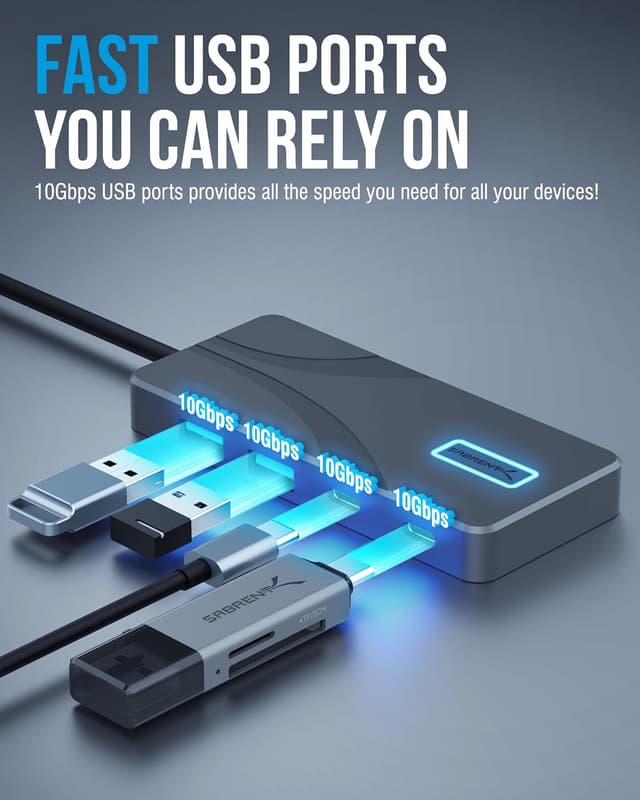
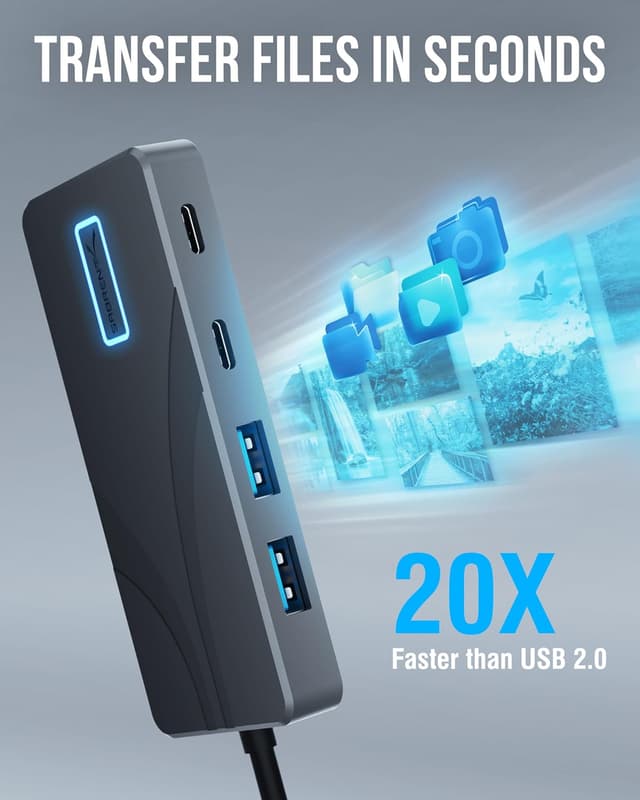
On the data side, you get four USB ports with support for up to 10Gbps data transfer. That’s a good fit for fast SSDs and modern high-speed storage, and it also helps if you’re moving large media files, working with high-resolution content, or juggling a few peripherals at once.

And because it’s a compact aluminium design, it’s the kind of hub you can actually leave on your desk or throw into a bag without feeling like you’re carrying something fragile.
Key points to be aware of (the limitations)
A hub like this is only as good as the chain it connects to. Even with 4K@60Hz specified, display performance can depend on your laptop’s USB-C video support and how your monitor expects the signal to be handled.

Also, the “up to” figures (10Gbps, 100W) matter. In practice, you may not hit the theoretical maximums if you’re running multiple devices at once or if your host and cables don’t line up perfectly for the full capability. It’s not necessarily a deal-breaker, but it’s worth having realistic expectations.
What you’ll notice day to day
This hub is meant to reduce friction. One cable to your laptop, then you’re set up with an external display over HDMI and extra USB connectivity for storage and peripherals.

A practical example: imagine you’re working from home and need to grab files off a fast external SSD while also keeping your main screen running. With four USB ports available (up to 10Gbps) alongside HDMI that’s rated for 4K@60Hz, you’re less likely to feel constrained when your workflow expands—like when you add a card reader or a second USB device.
Tech specs (what the listing indicates)
- Name: SABRENT USB C Hub (HB-TG5P)
- Type: USB-C hub / docking adapter
- Display: HDMI output rated for 4K@60Hz
- Data transfer: four USB ports supporting up to 10Gbps
- Power: 100W Power Delivery passthrough (for charging while using the hub)
- Material: premium aluminium housing
Pros
- 4K HDMI output specified at 60Hz, which is aimed at smoother external display performance than 4K@30Hz hubs
- Four USB ports with up to 10Gbps expansion, suitable for faster storage and demanding workflows
- 100W Power Delivery passthrough intended to avoid the power drop-off you can see with lower-grade adapters
- Compact, durable aluminium build for desk or on-the-go use
Who it suits best (and who should think twice)
It makes sense if you want a single, modern USB-C docking-style hub that covers display plus fast USB expansion, while also handling laptop charging. If your workflow includes external monitors and fast file transfers, this hub looks like a deliberate step up from very basic 4K USB-C adapters.
It may not suit you if your priority is simplicity over capability, or if your laptop/monitor combination doesn’t support the conditions needed to actually take advantage of 4K@60Hz. In that case, you could end up paying for specs you can’t fully use.
Is it worth it?
The SABRENT HB-TG5P is worth considering when you specifically want 4K at 60Hz over HDMI from a USB-C hub, alongside four USB ports that can reach up to 10Gbps, and you also want 100W power passthrough so your laptop can keep charging while everything is connected.
Buy it if you’re building a proper workstation feel—main screen, fast storage, and peripherals—using one compact hub.
Skip it (or at least double-check compatibility) if you only need occasional connections, or if you’re not confident your laptop can deliver the display mode you expect. It’s a capable hub, but a hub can only perform as well as the host and display chain allow.