

Download app on Google Play


Imagen de TP-Link TL-SG105-M2 5‑Port 2.5G Switch 📶 en OfertitasTOP
New offer
Thumbnail principal de TP-Link TL-SG105-M2 5‑Port 2.5G Switch 📶
Thumbnail 1 de TP-Link TL-SG105-M2 5‑Port 2.5G Switch 📶
Thumbnail 2 de TP-Link TL-SG105-M2 5‑Port 2.5G Switch 📶
Thumbnail 3 de TP-Link TL-SG105-M2 5‑Port 2.5G Switch 📶
Thumbnail 4 de TP-Link TL-SG105-M2 5‑Port 2.5G Switch 📶
Thumbnail 5 de TP-Link TL-SG105-M2 5‑Port 2.5G Switch 📶
Thumbnail 6 de TP-Link TL-SG105-M2 5‑Port 2.5G Switch 📶

TP-Link TL-SG105-M2 5‑Port 2.5G Switch 📶

amazon UK
Brand: TP-Link
P/N: TL-SG105-M2
Reviews
4,6
+14.044

Reviews

4,6
+14.044 reviews

Price

£76.30£54-29%
View in store
amazon UK
Price history: —

Product description

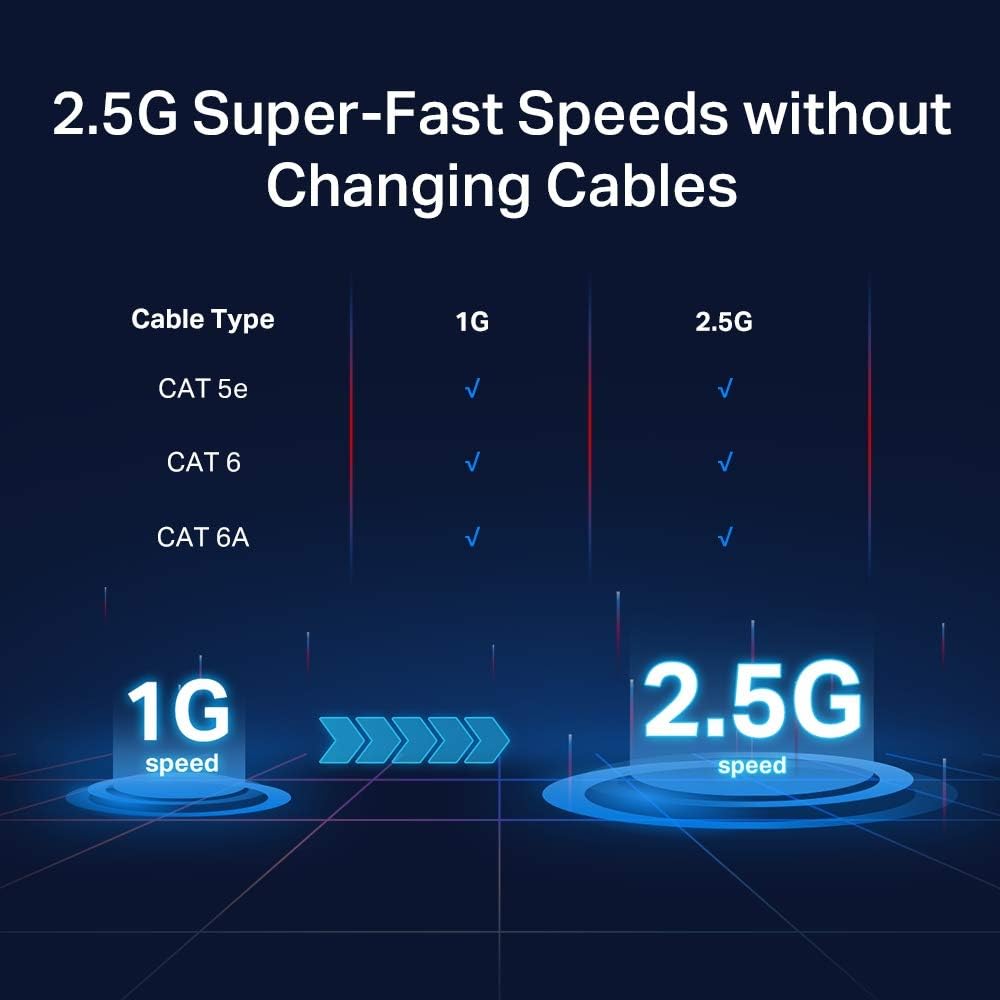
This compact unmanaged network switch brings multi-gigabit ports to small offices and busy homes, helping to reduce wired bottlenecks for WiFi 6 routers and high-speed NAS devices. It is suitable for adding faster Ethernet connections without changing existing cabling, offering a simple upgrade path to improve local network throughput.

Key Points
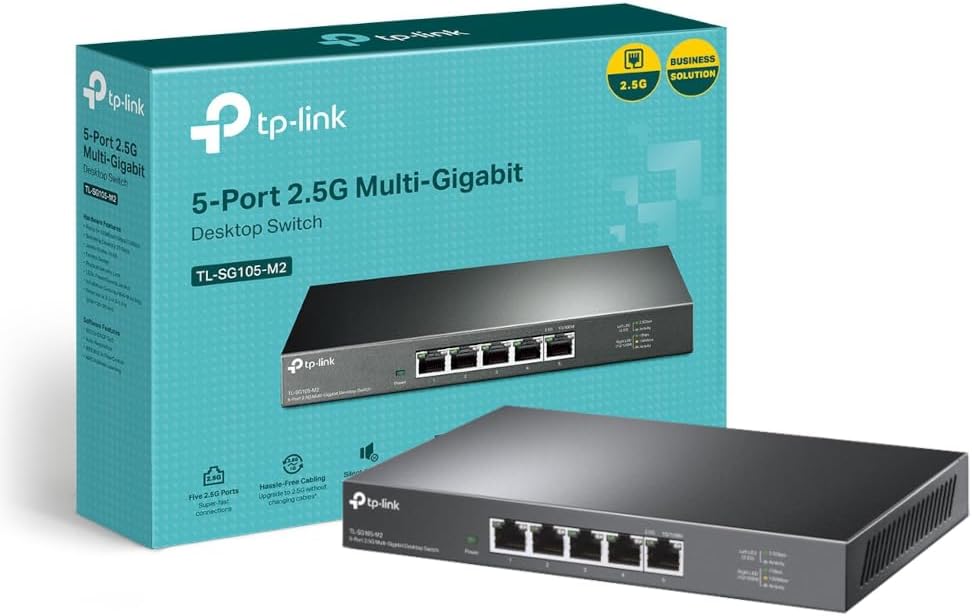
The TP-Link unit focuses on straightforward performance and low noise, with a fanless metal chassis that can sit on a desk or be fixed to a wall. Setup is plug-and-play, so there is no management interface to configure and the device automatically handles MDI/MDIX crossover. For those moving from 1 Gbps to higher local speeds, this switch delivers 2.5G ports that can make a noticeable difference for file transfers and media streaming. ⚡
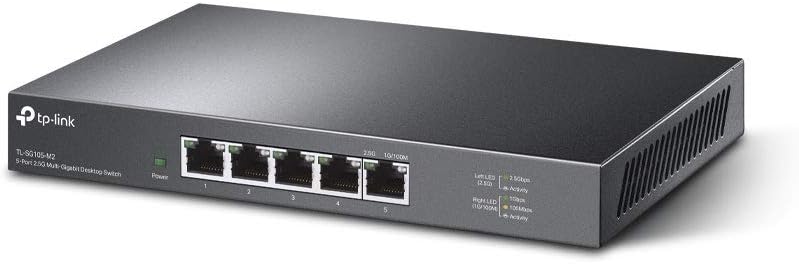
This model also includes basic traffic prioritisation features using 802.1p and DSCP markings, which helps time-sensitive applications like video calls and gaming get priority across the LAN. Do note that being unmanaged means advanced VLAN or QoS policies beyond basic priority tagging are not available. 🔧

Technical Specifications

  • Name: TP-Link TL-SG105-M2
  • Ports: 5 x 2.5 Gigabit Ethernet (2.5GE) ports
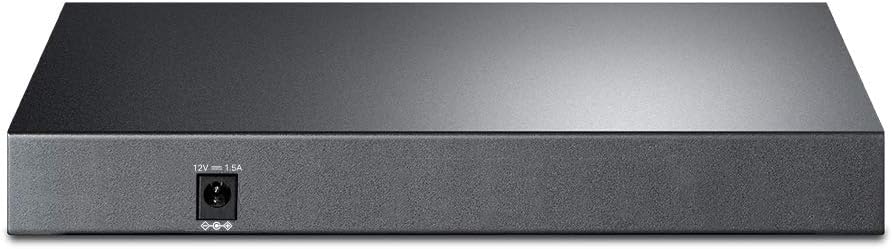
  • Power input: 220 V according to manufacturer
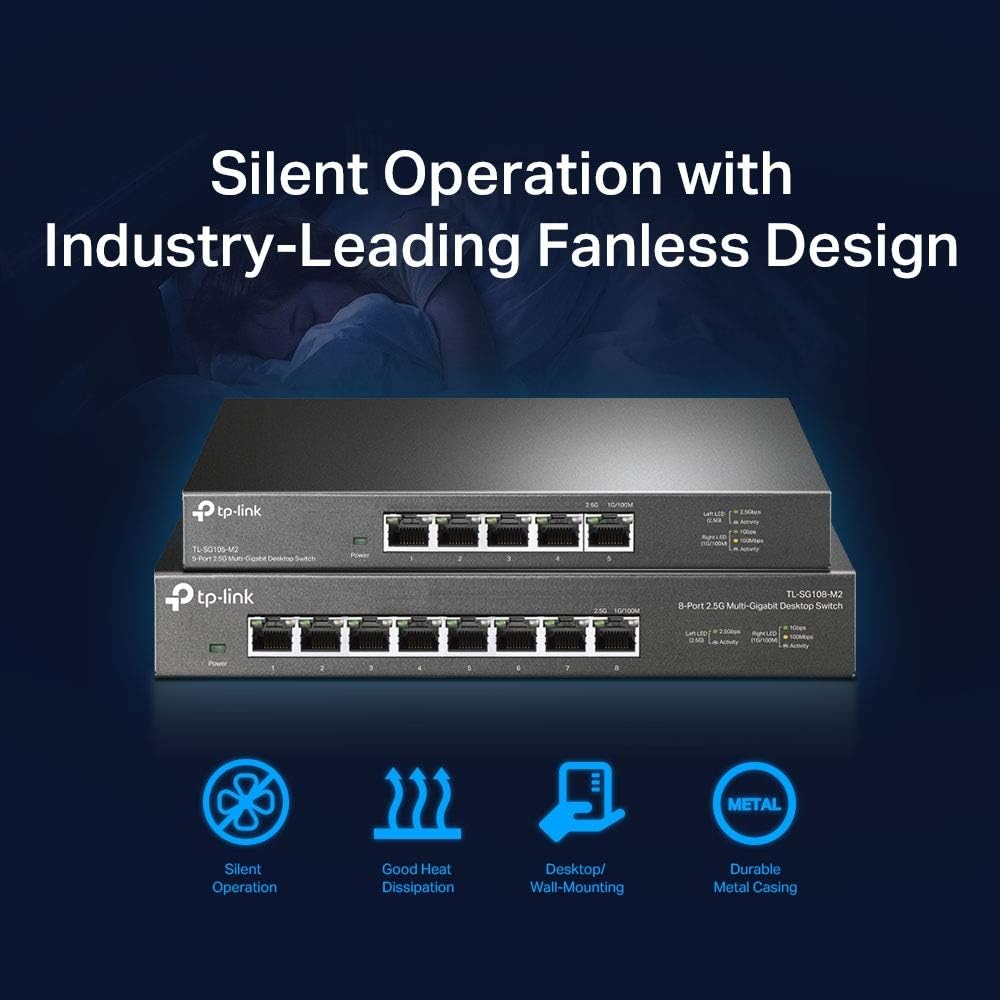
  • Construction: Metal housing with fanless design
  • Features: Auto MDI/MDIX, 802.1p and DSCP QoS, DIP switch for basic settings
Usage Recommendations

Place the switch close to your router or central wiring point to minimise cable lengths and to benefit from the higher 2.5G bandwidth on compatible devices. It works best when connected to devices that support multi-gigabit Ethernet, such as modern WiFi 6 access points or multi-drive NAS units, so consider prioritising those links for the fastest transfers. For quieter environments, the fanless metal case keeps noise to zero while helping dissipate heat through the chassis.

Positive Aspects

The unit keeps networking simple while adding extra capacity where it matters, providing a practical path to faster wired networking without replacing existing Cat5e or Cat6 runs in many cases. The metal enclosure adds durability and a more professional look compared with plastic alternatives. As a limitation, the switch does not include a managed web interface or advanced security features, which may be a consideration for users needing granular network segmentation.

View in store

Price evolution

Price history: —

Description:

This compact unmanaged network switch brings multi-gigabit ports to small offices and busy homes, helping to reduce wired bottlenecks for WiFi 6 routers and high-speed NAS devices. It is suitable for adding faster Ethernet connections without changing existing cabling, offering a simple upgrade path to improve local network throughput.

Key Points

The TP-Link unit focuses on straightforward performance and low noise, with a fanless metal chassis that can sit on a desk or be fixed to a wall. Setup is plug-and-play, so there is no management interface to configure and the device automatically handles MDI/MDIX crossover. For those moving from 1 Gbps to higher local speeds, this switch delivers 2.5G ports that can make a noticeable difference for file transfers and media streaming. ⚡

This model also includes basic traffic prioritisation features using 802.1p and DSCP markings, which helps time-sensitive applications like video calls and gaming get priority across the LAN. Do note that being unmanaged means advanced VLAN or QoS policies beyond basic priority tagging are not available. 🔧

Technical Specifications

  • Name: TP-Link TL-SG105-M2
  • Ports: 5 x 2.5 Gigabit Ethernet (2.5GE) ports
  • Power input: 220 V according to manufacturer
  • Construction: Metal housing with fanless design
  • Features: Auto MDI/MDIX, 802.1p and DSCP QoS, DIP switch for basic settings

Usage Recommendations

Place the switch close to your router or central wiring point to minimise cable lengths and to benefit from the higher 2.5G bandwidth on compatible devices. It works best when connected to devices that support multi-gigabit Ethernet, such as modern WiFi 6 access points or multi-drive NAS units, so consider prioritising those links for the fastest transfers. For quieter environments, the fanless metal case keeps noise to zero while helping dissipate heat through the chassis.

Positive Aspects

The unit keeps networking simple while adding extra capacity where it matters, providing a practical path to faster wired networking without replacing existing Cat5e or Cat6 runs in many cases. The metal enclosure adds durability and a more professional look compared with plastic alternatives. As a limitation, the switch does not include a managed web interface or advanced security features, which may be a consideration for users needing granular network segmentation.