

Redragon K673 HE Rapid Trigger 8K wired mechanical gaming keyboard (81 keys) with UltraMag magnetic switches
Product description
The essentials
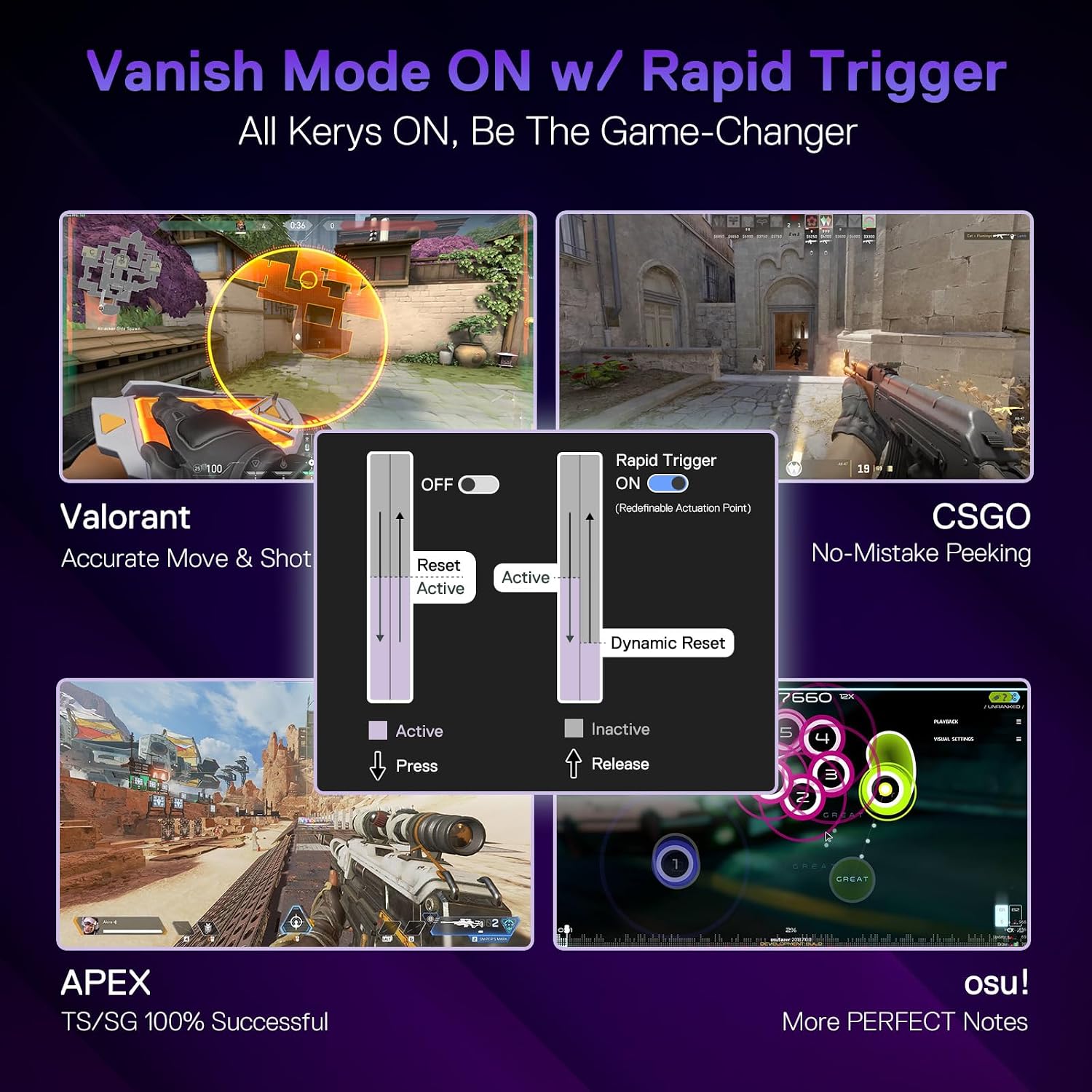
If you’re shopping for a wired mechanical gaming keyboard with fast, responsive actuation, the Redragon K673 HE is built for that kind of play. It leans into “HE” style rapid trigger behaviour and pairs it with an 8K polling approach, which is the sort of thing you’ll usually look for when latency sensitivity matters and you want your inputs to feel immediate.
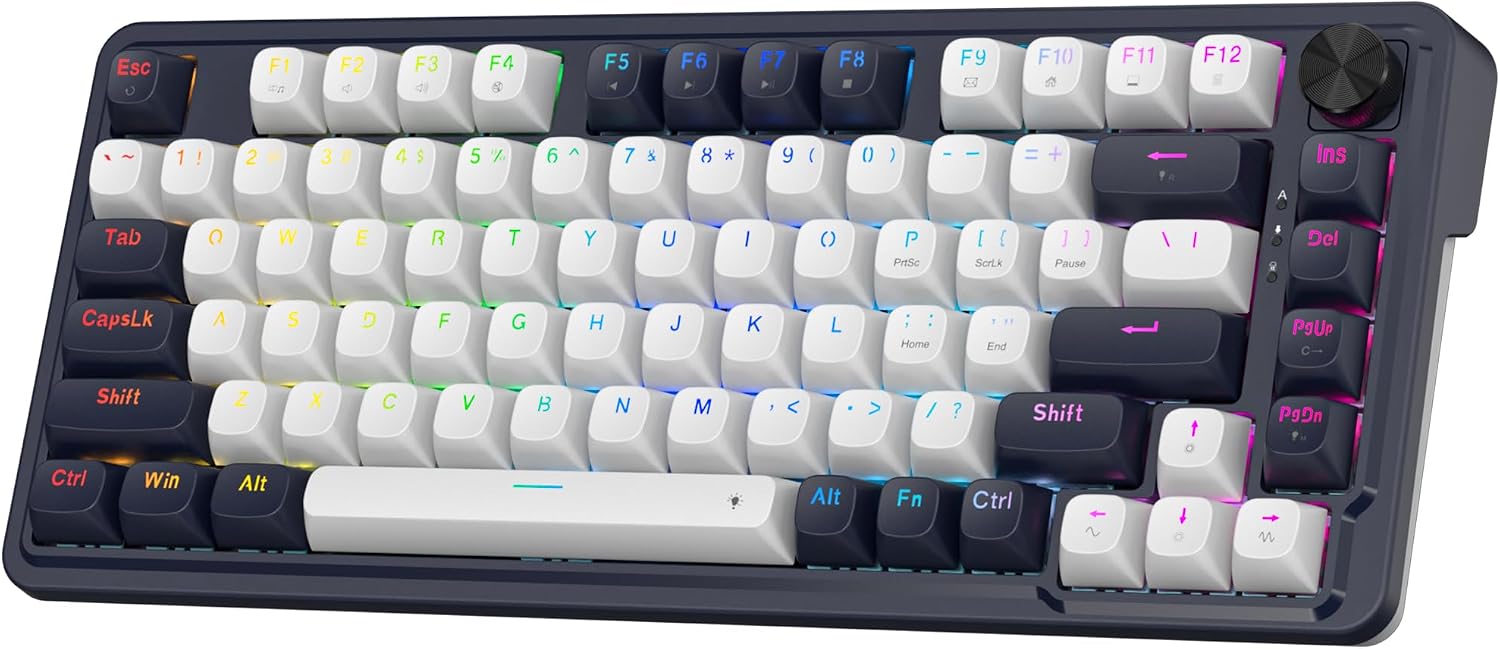
On paper it’s a fairly focused kit: 81 keys in an ANSI QWERTY layout, dedicated controls for brightness/media, and a switch design called UltraMag (described as a full POM, magnetic switch with a dual-module floating structure). It also claims adjustability for the activation point and uses software to enable rapid trigger behaviour.
The main question is whether you’ll actually use the advanced features. If you just want a comfortable, straightforward keyboard for everyday typing and the occasional game, this may be more complicated than you need. If you’re specifically chasing faster input feel, it’s much more of a match.
What stands out in use
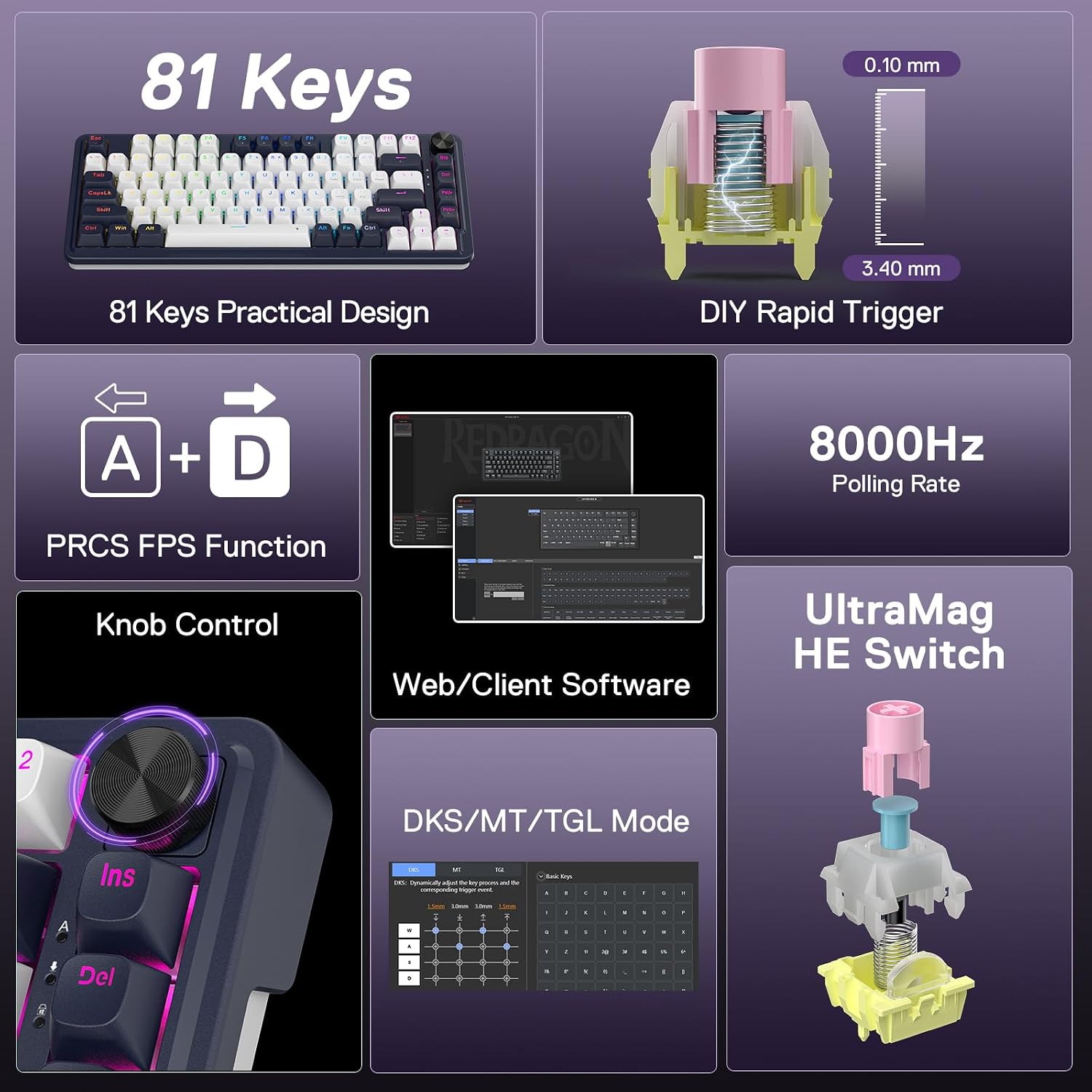
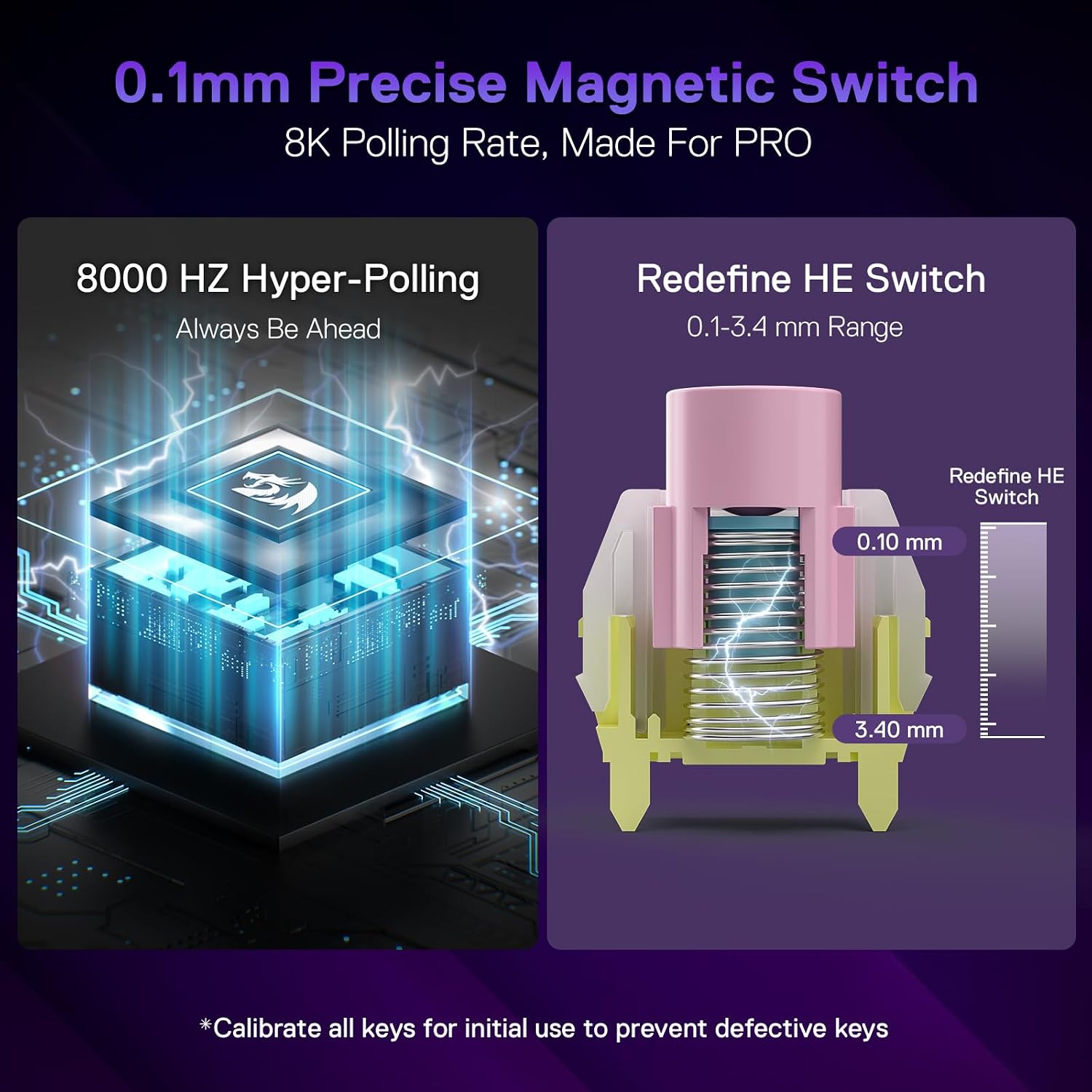
The big differentiator here is the magnetic UltraMag switch system paired with rapid trigger behaviour controlled via software. Redragon states you can adjust the activation point in 0.1 mm steps, within a range of 0.1 to 3.4 mm. There’s also a note worth keeping in mind: the real effect of very small changes (for example 0.1 to 0.2 mm) can be influenced by normal component tolerances. That doesn’t make it unreliable, but it does mean you may need a bit of personal tuning rather than expecting everything to be perfectly identical.
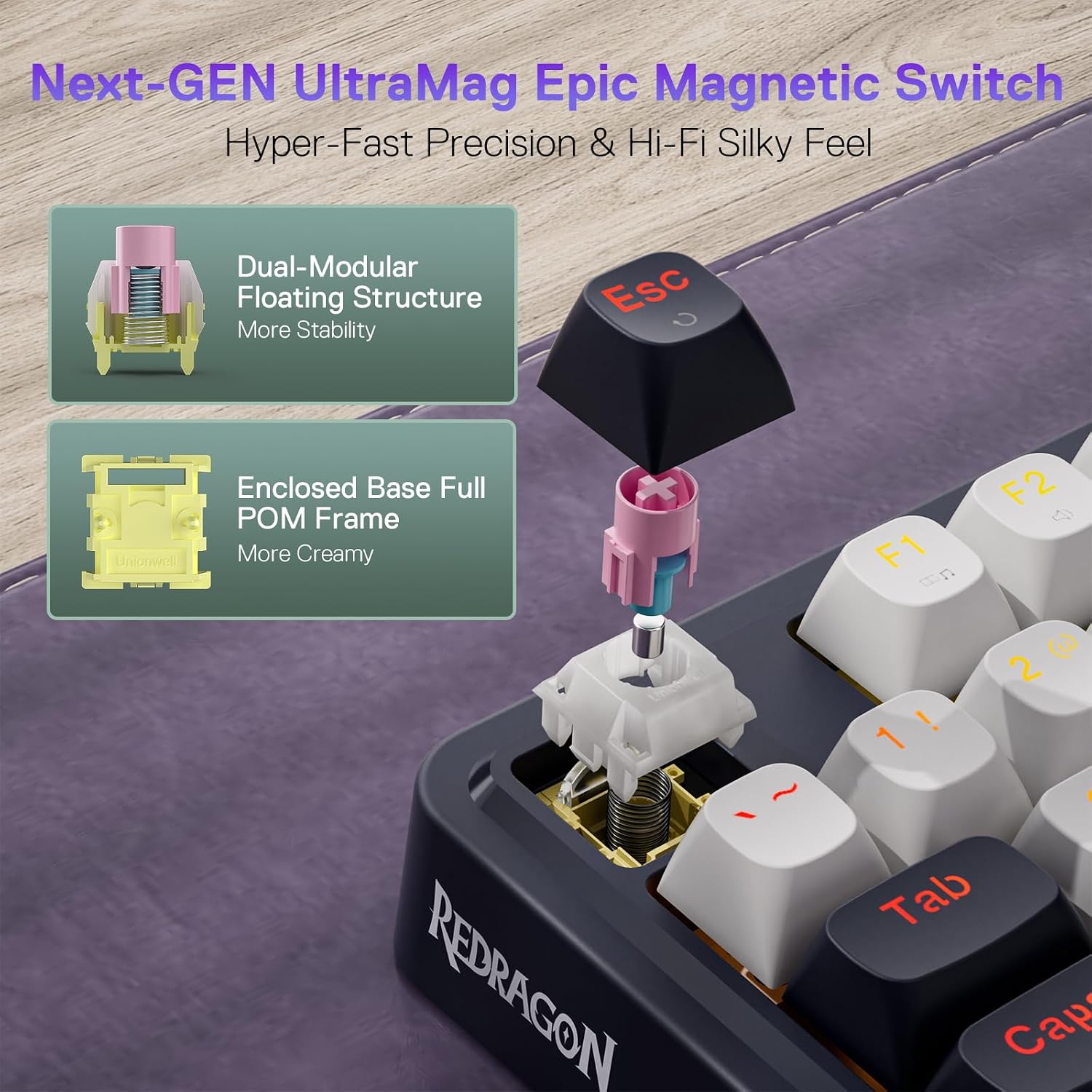
Redragon also mentions a dual-module floating structure aimed at reducing wobble, plus full POM construction for a smooth feel and a clear sound profile. In practice, that usually translates to a “snappy but controlled” typing and gaming character rather than a mushy or overly rattly one—though sound is always subjective and depends on how you set up your desk and peripherals.
Then there’s the 8K hypersensing claim (8.000 Hz native polling). Whether you feel the difference depends on your whole setup—PC performance, USB stability, and how your game handles input. For esports-style play, faster response can be the kind of improvement you notice, for slower games, it can be less obvious.
Key points for gameplay settings
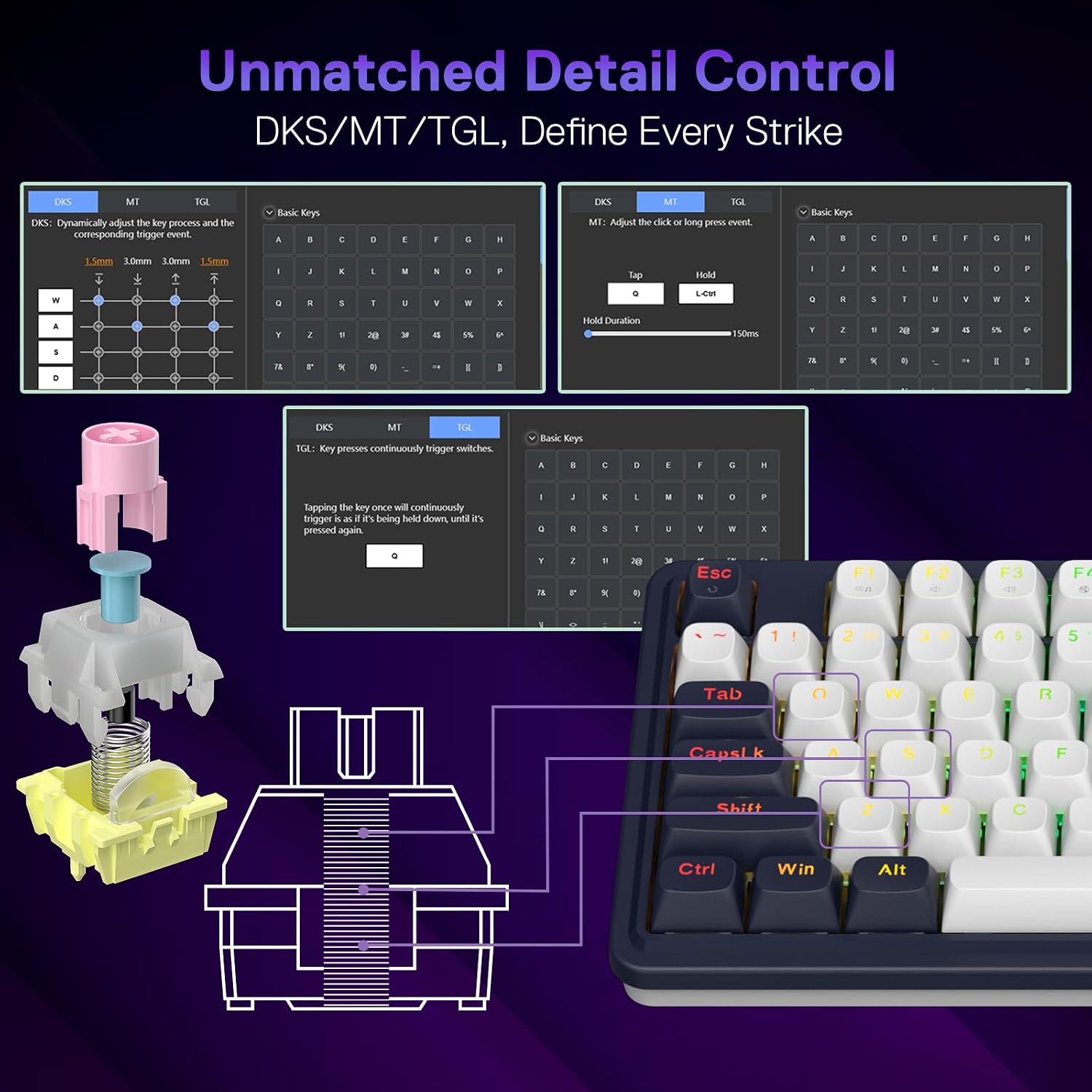
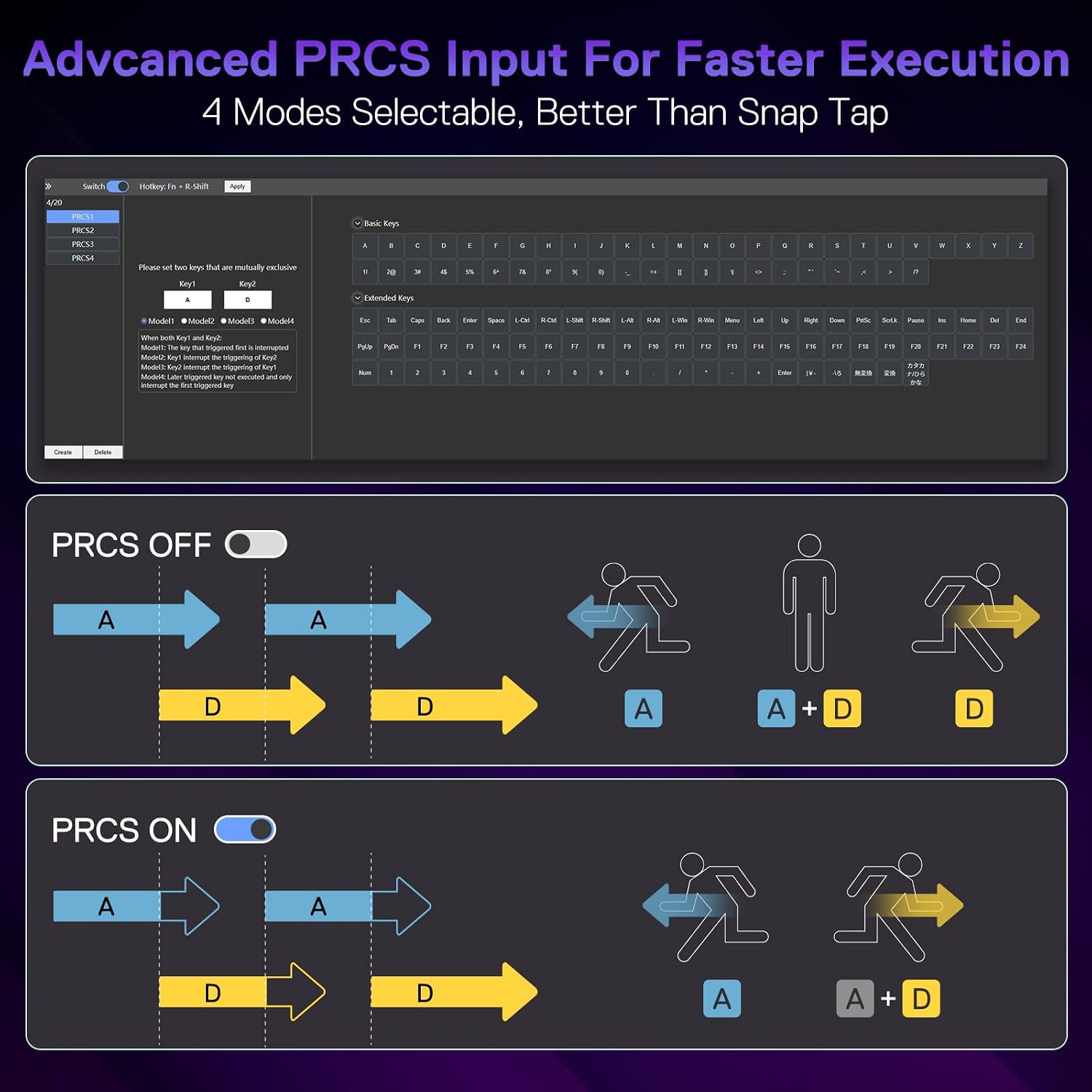
This model is clearly positioned for players who like to tweak. It references “Team Wipe” technology using PRCS (4 modes) to rival features such as Snap Tap and SOCD, with the aim of preventing redundant or messy inputs and keeping activations clean.
If you’re the sort of player who maps strategies around tap/hold behaviour, this is where you’ll get the most out of it. If you don’t plan to use software much, you might not get the full value from the feature set.
A practical micro-example: imagine you’re doing fast movement + weapon actions in a shooter where micro-taps matter. With rapid trigger and a carefully set activation point, you can tune how lightly you need to travel before the keyboard registers an input, then use PRCS modes to keep the release/press transitions behaving the way you expect.
Key specifications you’ll care about
- 81 keys and a compact footprint approach, keeping the “original 65% length” by cutting the numpad and leaving more room for mouse movement.
- ANSI QWERTY layout (US-style) design.
- Wired connection with a removable USB-A to USB-C cable.
- One “single knob” control for easy access to backlighting brightness and media controls (volume, play/pause, and switching).
There’s also mention of a top function key area intended to avoid combined FN key presses, which some gamers appreciate because it reduces friction when you’re switching settings quickly mid-session.
Where it makes sense, and where it may not
It’s a strong fit if you play games where rapid actuation and clean input handling are important, and you’re comfortable spending a bit of time adjusting settings like the activation point and choosing a PRCS mode. It also suits you if you want an 81-key board that feels compact without being overly cramped.
It may not suit you if your priorities are mainly everyday typing comfort, silent acoustics, or simplicity—because this is built around gaming features and software-controlled behaviour. Also, if you’re hoping for a “plug-and-play” rapid trigger experience without any tweaking, the activation point adjustability and rapid trigger enablement being software-driven is something to factor in.
What to check before buying
Before committing, it’s worth double-checking a few practical things:
- Whether you’re happy with an 81-key compact layout and an ANSI QWERTY (US) arrangement.
- Whether your setup supports the wired connection approach comfortably (including routing for the removable USB cable).
- Whether you’re actually going to adjust the activation point and try PRCS modes—because that’s where the keyboard’s appeal becomes more than just a spec sheet.
If you’re unsure, it’s often better to compare it against simpler mechanical keyboards if your games don’t require this level of tuning.
Final verdict
The Redragon K673 HE looks like a keyboard for players who want fast, adjustable actuation and are willing to set it up properly. The UltraMag magnetic switch approach, rapid trigger control, and 8K hypersensing angle all point to a gaming-first design rather than a general-purpose office board.
You should buy it if you play competitive or fast-response games, enjoy fine-tuning activation behaviour, and you like a compact 81-key layout with dedicated media/brightness control.
You may want to skip it if you mainly type, want a low-effort experience with minimal software involvement, or don’t care much about rapid trigger or high polling claims. In that case, it could end up feeling like more keyboard than you needed.
Mini FAQ
Does the rapid trigger need software?
The description indicates the rapid trigger behaviour is enabled via software, so you should expect at least some software interaction for the full effect.
Can you adjust the activation point?
Yes. It states you can adjust the activation point precisely in 0.1 mm increments within a 0.1 to 3.4 mm range, with a note that very small differences may be affected by normal component tolerances.
Is it suitable for non-gaming use?
It’s designed as a gaming mechanical keyboard, so it can work for general use, but it’s likely more complex than necessary if you’re not interested in rapid trigger or PRCS modes.
What’s the benefit of the 81-key layout?
The 81-key design keeps the “original 65% length” concept by cutting the numpad, which can leave more room for mouse movement while still keeping a function-key area designed to avoid FN combinations.